

Description
Every image you upload carries data you can’t see. A phone photo can include the exact GPS spot where it was taken. Editing apps add their own notes. AI image tools add records that say which tool made the file and when, and some save the full prompt and workflow inside the PNG.
Your visitors don’t need any of it to see the image. It makes files bigger, and some of it is personal information you probably never meant to publish.
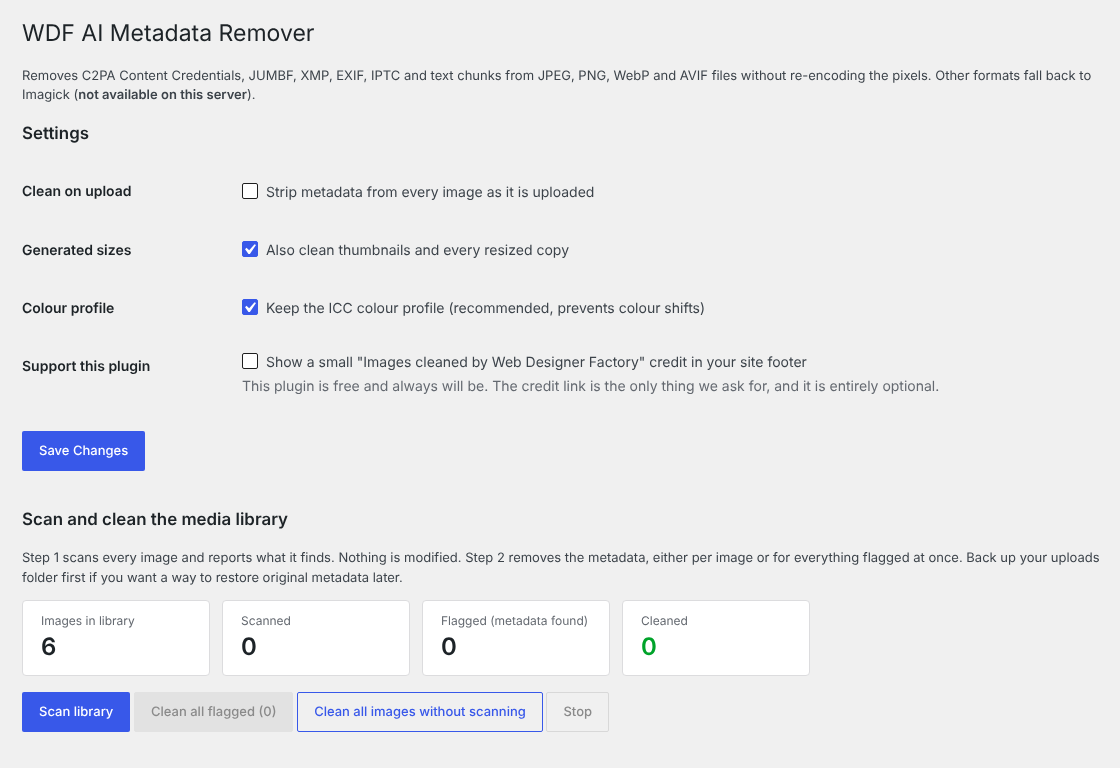
This plugin takes it out. It removes:
- C2PA Content Credentials and JUMBF data (JPEG APP11, PNG caBX, WebP C2PA)
- XMP, including the IPTC “trainedAlgorithmicMedia” tag that marks an image as AI-generated
- EXIF data, such as camera model, software and GPS location
- IPTC and Photoshop blocks
- PNG text chunks, such as Stable Diffusion prompts, ComfyUI workflows and Adobe XMP
- JPEG comments
JPEG, PNG, WebP and AVIF files are edited directly, byte by byte. The pixels are never decoded and saved again, so there is no quality loss at all. Other formats are handled through Imagick when your server has it.
Want to check a single photo without installing anything? Try the free online version, the Image Metadata Remover. It runs in your browser, so your images never leave your computer.
How it works
Once it’s active, every new upload is cleaned automatically: the original, the scaled version and every thumbnail size.
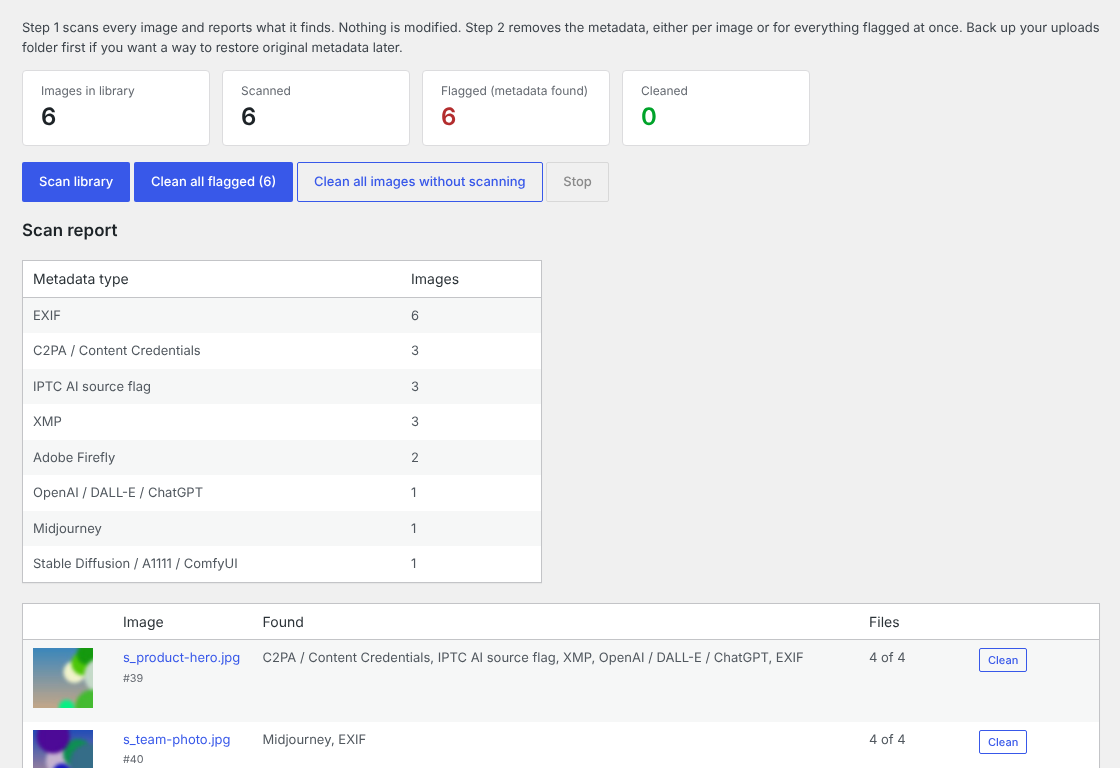
For images already in your Media Library, go to Media > WDF AI Metadata Remover. Run a scan first. It doesn’t change anything, it just shows you which images carry which kind of metadata. Then clean them one at a time, or clean everything the scan flagged in one click.
You also get:
- A “Strip AI metadata” link on each image in the Media Library list
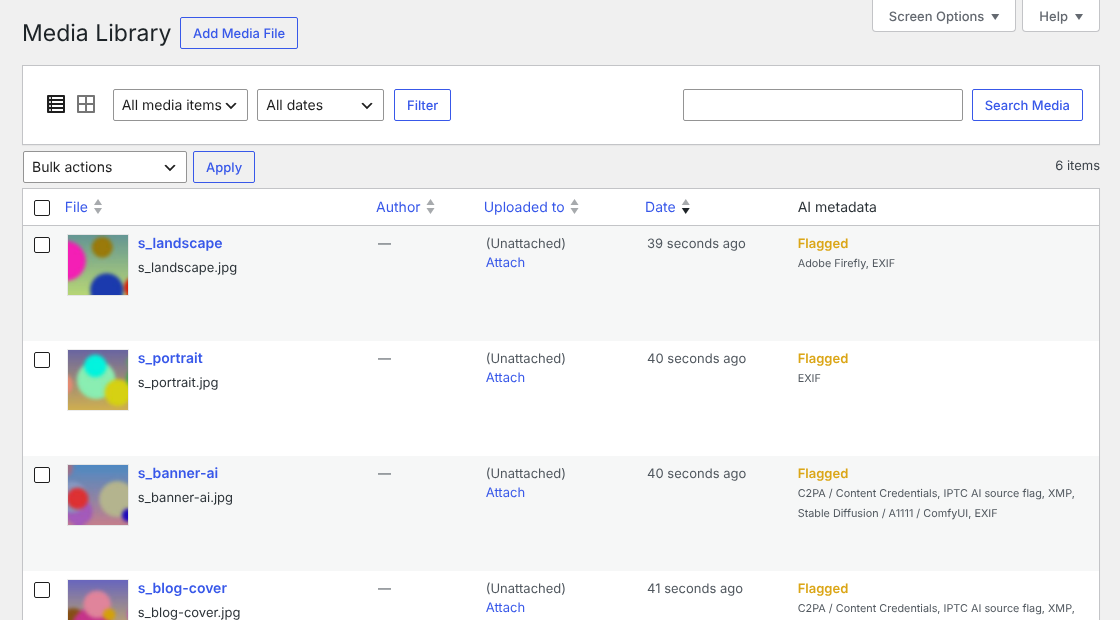
- A column showing whether each image is Flagged, Clean or Cleaned
- WP-CLI commands for large libraries
What stays the same
- The pixels. Nothing is re-encoded.
- The ICC color profile, so colors look right. You can turn this off in the settings.
- The orientation tag on JPEGs, so phone photos still display the right way up.
- Your titles, captions and alt text. WordPress stores those in the database, not inside the image file.
What it doesn’t do
Some AI providers hide an invisible watermark in the pixels themselves, such as Google’s SynthID. This plugin works on metadata only, so it leaves those alone.
Please only use it on images you own or have permission to change. It isn’t meant for stripping copyright information from other people’s work.
Who made it
WDF AI Metadata Remover is built and maintained by Web Designer Factory, a web design and development agency in Dallas, Texas. It’s free. There is no paid version and nothing to upgrade to. If it saves you time, you can switch on a small credit link in your site footer from the settings page. It’s off unless you turn it on.
Screenshots
Installation
- In your WordPress dashboard, go to Plugins > Add New and search for “WDF AI Metadata Remover”.
- Click Install Now, then Activate.
- New uploads are cleaned from now on. To clean images you uploaded before, go to Media > WDF AI Metadata Remover, run a scan, then clean the flagged images.
To install it by hand, upload the plugin folder to /wp-content/plugins/ and activate it on the Plugins screen.
WP-CLI
wp wdfaimr scan --allscans the whole library without changing anythingwp wdfaimr clean --flaggedcleans every image the scan flaggedwp wdfaimr clean --allcleans every imagewp wdfaimr clean 123 456cleans specific images by attachment ID
FAQ
-
Will it make my images look worse?
-
No. JPEG, PNG, WebP and AVIF files are edited at the byte level, so the image is never compressed again. It looks exactly the same, just a little smaller.
-
Will I lose my alt text, titles or captions?
-
No. Those live in your WordPress database, not inside the image file, so the plugin never touches them.
-
Does it work on images I uploaded before I installed it?
-
Yes. Go to Media > WDF AI Metadata Remover, run a scan to see what’s there, then clean images one by one or all at once.
-
Does it remove invisible AI watermarks like SynthID?
-
No. Those are built into the pixels themselves. This plugin only removes metadata that sits alongside the image data.
-
Is it okay to remove AI labels from images?
-
That depends on where you publish and what the rules are there. Some platforms and some laws require you to say when an image is AI-generated. This plugin is built for privacy and smaller files, so please follow whatever disclosure rules apply to you.
-
Will it slow my site down?
-
No. Cleaning happens once, when an image is uploaded, and it only rewrites the metadata. Your pages load the same way they always did.
-
Does it work with WebP and AVIF?
-
Yes. Both are cleaned directly without re-encoding, the same as JPEG and PNG.
-
Can I keep the color profile?
-
Yes, and it’s kept by default. You can change that on the settings page.
Reviews
There are no reviews for this plugin.
Contributors & Developers
“WDF AI Metadata Remover” is open source software. The following people have contributed to this plugin.
Contributors
Translate “WDF AI Metadata Remover” into your language.
Interested in development?
Browse the code, check out the SVN repository, or subscribe to the development log by RSS.
Changelog
1.1.0
- JPEG orientation is kept, so sideways phone photos still show upright.
- AVIF and HEIF support (EXIF, XMP and C2PA), lossless and in place.
- New scan mode: a read-only scan of the whole library with a report by metadata type.
- Clean images one by one from the report, or every flagged image at once.
- The Media Library column now shows Flagged, Clean or Cleaned.
- WP-CLI: new
scancommand andclean --flagged.
1.0.0
- First release.