
Description
IWS Interactive Church Sermon Notes turns your sermon outline into something your congregation can actually use during the service.
Created by Shane Roberson of Integrity Web Studios.
Serving churches with heart and code.
You publish the outline. Your members open it on their phone, type their own thoughts beside each point, and email the whole thing to themselves before they leave the parking lot. No app to install, no account to create, nothing to remember.
For the person in the pew
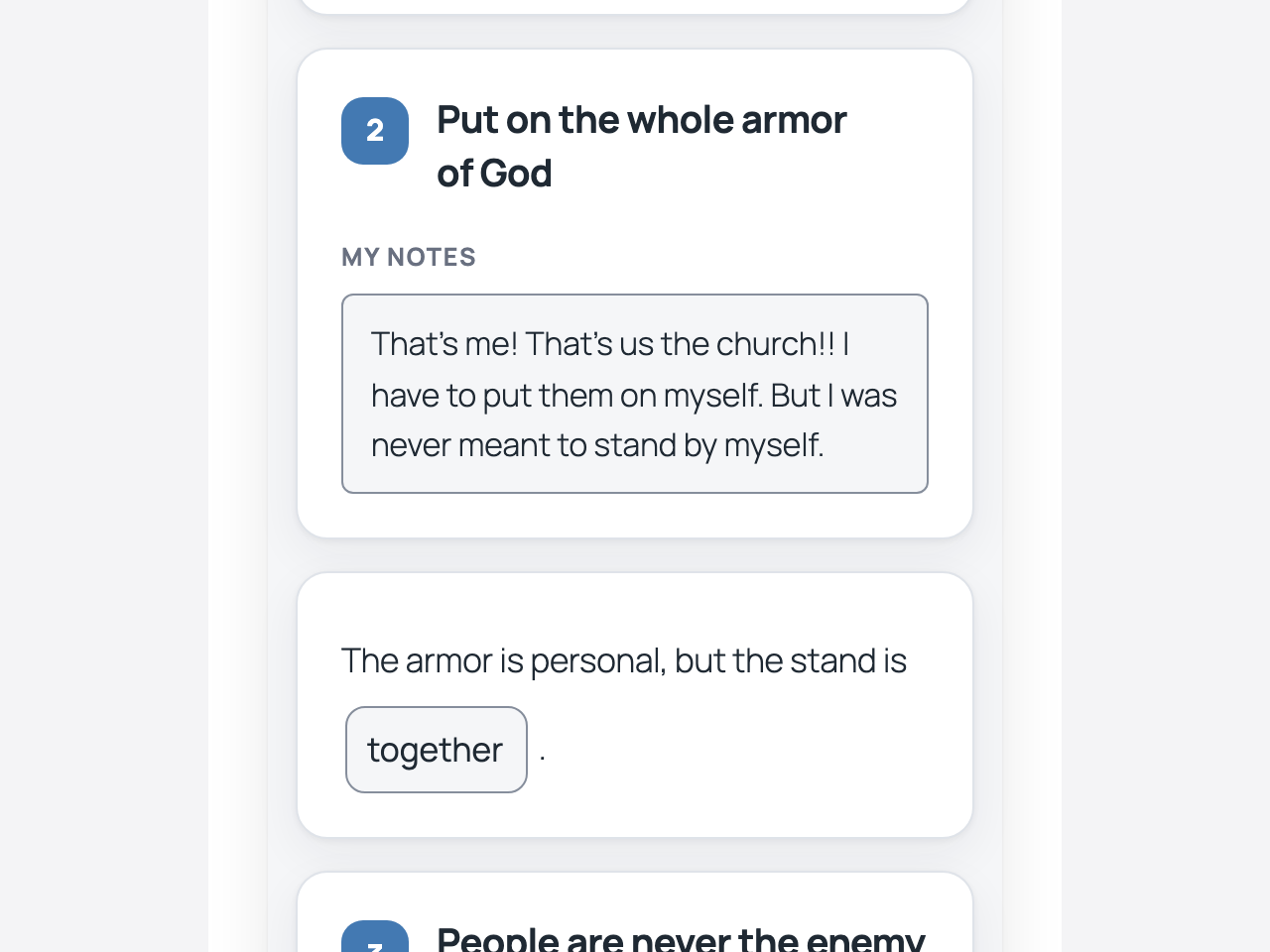
- A note box beside every point, sized for a thumb and usable one-handed on a phone
- Fill-in-the-blank sentences, with a box to tap at every gap
- Notes save themselves as they type, so a locked screen or a dropped connection never loses anything
- Adjustable text size and a dark mode for a dim sanctuary
- Email the notes to yourself, share them, save them as a PDF, or print them
- No sign-up required to take notes
For the church office
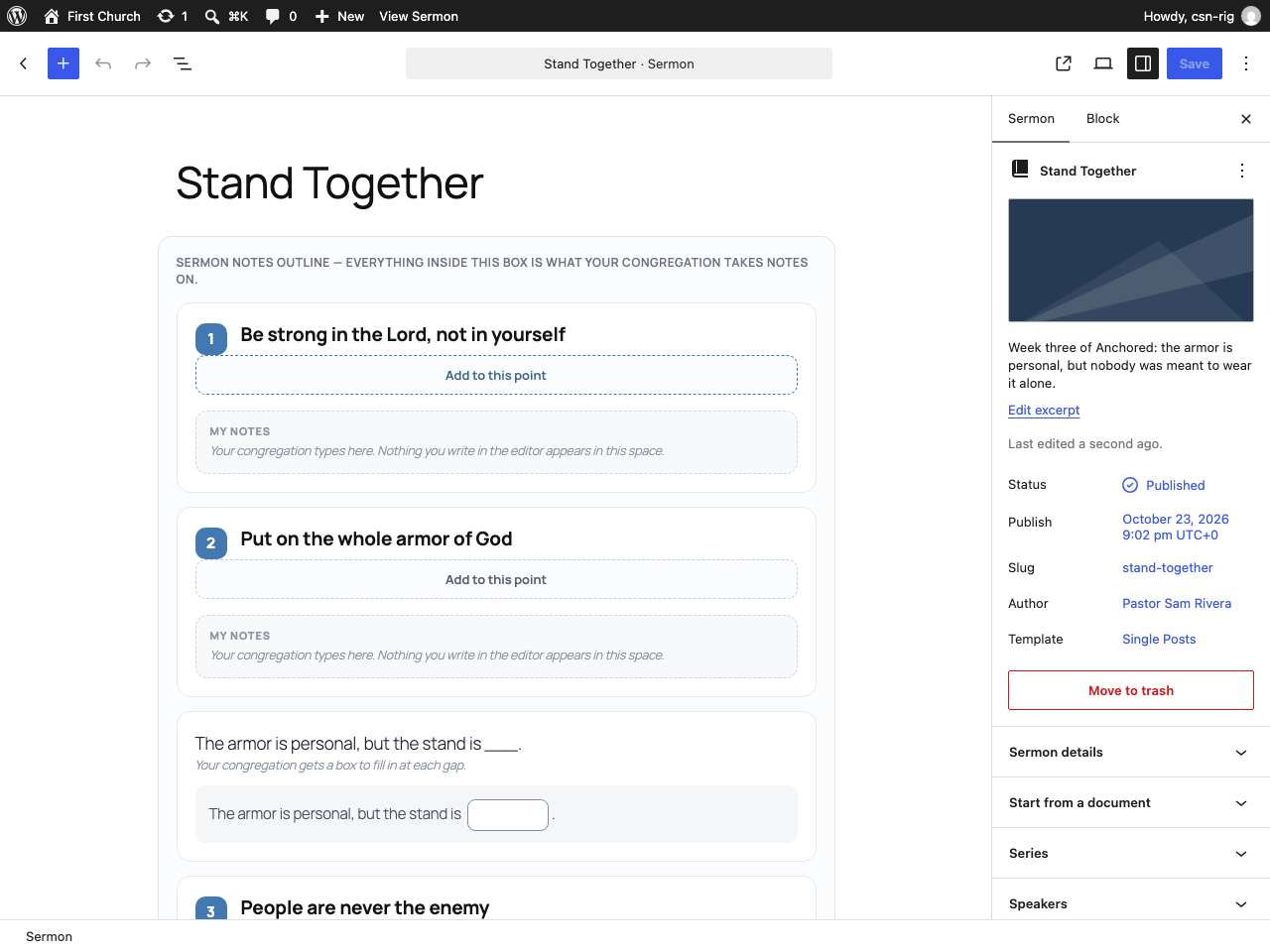
- Write sermon outlines in the normal WordPress editor — no shortcodes to memorize
- Already written it in Word or Google Docs? Paste it in, or upload the Word file, and it becomes an outline — headings become points, anything you underlined becomes a blank
- Type three underscores where you want a blank and the sentence becomes a fill-in-the-blank
- Put a sermon on any page with
[iws_church_sermon_notes id="123"], or[iws_church_sermon_notes latest="1"]for the most recent one — works in any page builder - List your sermons anywhere with the Sermon List block or
[iws_church_sermon_list]— the latest few, one series, or everything one person has preached - Give a series its artwork and a speaker their photo, and every sermon without a picture of its own borrows one
- Use a page you built as your sermons page — your header, your wording, your builder’s layout, at your own /sermons/ address
- See which sermons people are actually using — All Sermons shows the day you preached and how many people took notes, and filters by series, speaker, or whether anybody has written on it
- Duplicate last week’s sermon into this week’s draft — the whole outline, points, blanks and questions, ready to rewrite
- A QR code for your bulletin, generated on your own site and downloaded as an SVG or a PNG
- Sermons get their own section of the dashboard, with Series and Speakers built in
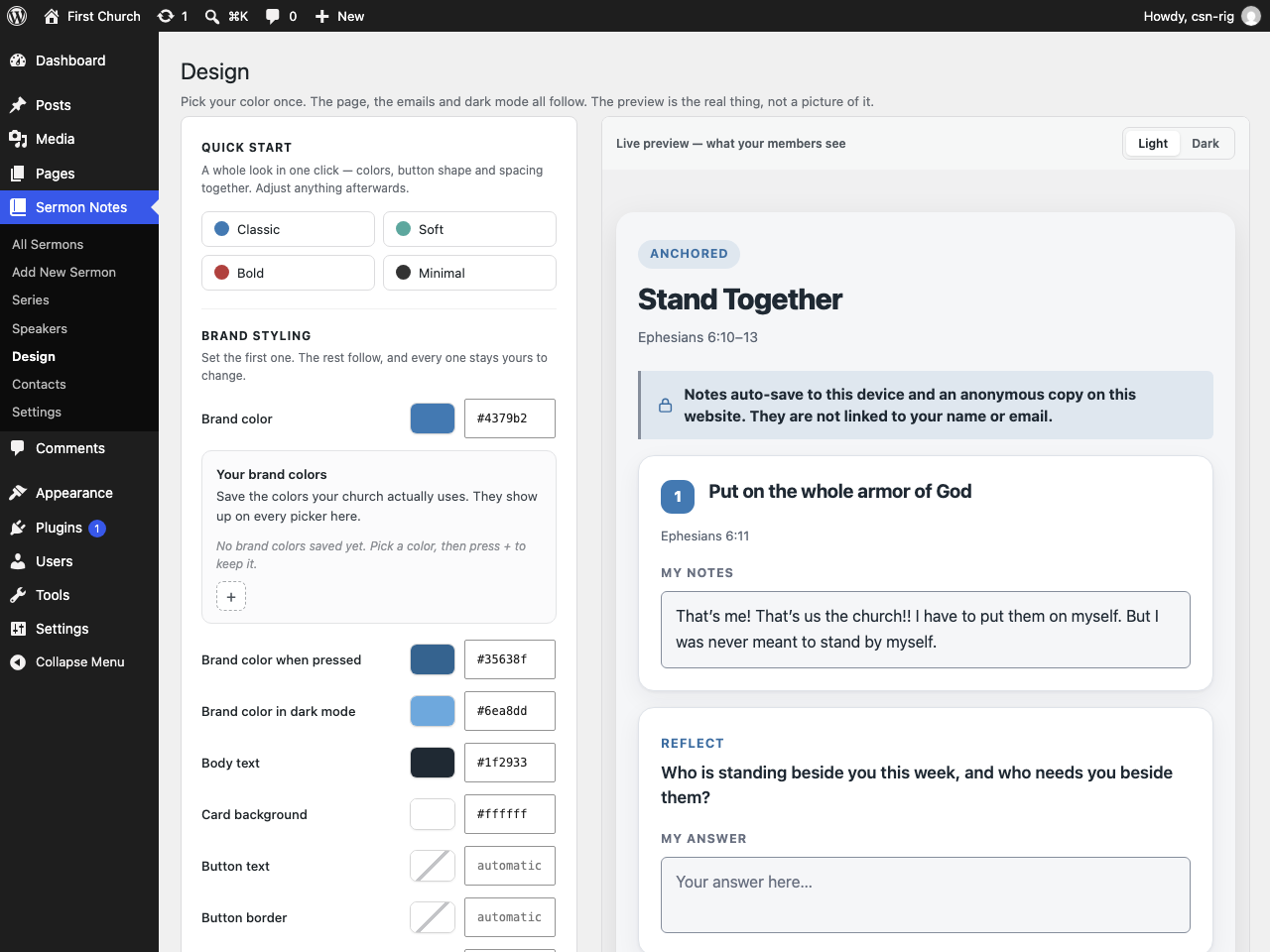
- A design panel that matches the notes to your existing brand, including button shape and spacing
- A Sermon Publisher role, so a volunteer can post sermons without touching the rest of the site
- Everything is free, with no upsell inside the plugin
Third-Party Libraries
This plugin bundles one third-party library, unmodified and unminified:
- qrcode-generator 2.0.4 by Kazuhiko Arase — https://github.com/kazuhikoarase/qrcode-generator — MIT license. Shipped at
libs/qrcode-generator/, with its license beside it. It draws the QR codes in your browser; it makes no network requests of its own.
“QR Code” is a registered trademark of DENSO WAVE INCORPORATED, used here only to describe what the code is.
Screenshots
Blocks
This plugin provides 5 blocks.
- Fill in the Blank A sentence with gaps in it. Type ___ where you want a blank and your congregation gets a box to fill in.
- Reflection Question A question for people to answer in their own words.
- Sermon List A list of your sermons, with artwork. Show the latest few, or one series, or everything one person has preached.
- Sermon Notes Outline The container your congregation takes notes inside. Add points and questions within it.
- Outline Point One numbered point of your sermon, with a space for each person's own notes.
Installation
- Upload the plugin through Plugins Add New Upload Plugin, or install it from the WordPress plugin directory.
- Activate it. A Sermon Notes menu appears in your dashboard.
- Go to Sermon Notes Add New and write your first sermon outline.
- Publish it, then open the sermon on your phone to see what your congregation sees.
FAQ
-
Do members need an account to take notes?
-
No. Notes are saved in the member’s own browser as soon as they start typing. The plugin also keeps an anonymous copy on the website for that device. Email sends a copy of the notes; it does not sign anyone in or restore notes on another device.
-
What happens to the Word document I upload?
-
It is read, turned into an outline, and thrown away. Nothing is added to your
media library and nothing is kept on your server. You see everything the plugin
found before any of it goes into the sermon, and you can change any line of it
first.Your outline is not sent anywhere outside your own website, and there is no
account to connect. -
Can I put the notes somewhere other than the sermon page?
-
Yes.
[iws_church_sermon_notes id="123"]puts that sermon’s outline, note boxes and email
button on any page or post, including inside a page builder. Use
[iws_church_sermon_notes latest=”1″] and the page always shows your most recent sermon
without you editing it every week.The old
[sermon_notes]tag is not registered in 3.1.4. Replace it with
[iws_church_sermon_notes] before updating the plugin.One sermon to a page. Notes are saved against the sermon they belong to, and a
page holding two sermons would file the second one’s notes under the first, so
the second is left out rather than crossed. Drafts and password-protected
sermons are never shown this way. -
Can I show a list of my sermons on a page?
-
Yes. Add the Sermon List block to any page, or use
[iws_church_sermon_list]in a
page builder. You choose how many, which series or speaker, how many columns,
and whether to show the artwork, the details and your own summary.[iws_church_sermon_list count="6" columns="3"] is the whole of it for most churches, and [iws_church_sermon_list series="advent"] lists one series. On a phone it is always asingle column, whatever you choose.
The old
[sermon_list]tag is not registered in 3.1.4. Replace it with
[iws_church_sermon_list] before updating the plugin. -
Can I use my own page as the sermons page?
-
Yes. Build a page in your own builder with your own header and wording, put a
Sermon List on it, and choose it under Sermon Notes -> Settings -> Sermon
addresses -> Sermons page.That page then IS your sermons address: visitors arriving at
/sermons/see
the page you built, drawn by your theme as a page, with whatever width and
layout your builder gives it. Its own old address moves people to the sermons
address, so there is one page at one link rather than two of each.Choose Let my theme draw it to go back to the ordinary archive at any time.
-
Do I have to set a picture on every sermon?
-
No. Give a series its artwork, or a speaker their photo, under Sermon
Notes -> Series and Sermon Notes -> Speakers. Any sermon without a picture of
its own borrows one, so a whole list looks finished after a single upload.A sermon that has its own featured image always keeps it.
-
Can I change the /sermons/ address?
-
Yes, under Sermon Notes Settings Sermon addresses. You can rename all
three: the sermons themselves, the series listings and the speaker listings.Every link you have already printed or posted keeps working. The old address
redirects permanently to the new one, so a bulletin from last month still
reaches the sermon.If another plugin, one of your own pages or WordPress itself already uses the
address you type, the plugin refuses it and tells you what has it — rather than
accepting it and leaving you with a page that cannot be found. -
Will the emails actually arrive?
-
That depends on your hosting, not on this plugin. WordPress sends mail through your web server by default, and many hosts deliver that mail straight to spam. This plugin does not include its own mail service; instead it checks your setup and, if it looks risky, points you at a free SMTP plugin that fixes it properly.
-
Does this send any data to a third party?
-
By default, no. Everything stays on your own site, and the plugin makes no outbound connections of its own. The only thing that leaves your server is an email a member has asked for, sent by your own site in the ordinary way.
-
How can we make advanced visual changes?
-
Start with the Design controls. For a change they do not cover, use your theme’s Additional CSS area and the selector reference on the Design screen. When the plugin stylesheet is queued before the page head, WordPress loads that CSS after this plugin’s stylesheet, so ordinary selectors such as
.csn-outline .csn-titlecan override a plugin default without!important. A page builder can render notes after the page head, where output order varies; add a page parent such as.entry-content .csn-outline .csn-titlewhen needed. -
What happens to our notes if we delete the plugin?
-
Nothing, unless you ask for it. Deleting the plugin leaves your sermons and notes in place. There is a setting under Sermon Notes Settings Data to remove everything on uninstall, and it is off by default.
-
How do I put a QR code in our bulletin?
-
Go to Sermon Notes All Sermons, hover the sermon and choose QR code. Download it as an SVG for anything that takes one (Word, Canva, InDesign, Publisher) or as a PNG for anything that does not, and drop it into your bulletin.
The code is drawn inside your own browser by a library that ships with the plugin. Your sermon’s address is never sent to a QR service, so nobody outside your church learns what you are preaching or when.
Only published sermons are offered one, deliberately. A code printed onto five hundred bulletins cannot be corrected, and one pointing at a draft would send everybody who scanned it to a “page not found”.
Reviews
There are no reviews for this plugin.
Contributors & Developers
“IWS Interactive Church Sermon Notes” is open source software. The following people have contributed to this plugin.
Contributors
Translate “IWS Interactive Church Sermon Notes” into your language.
Interested in development?
Browse the code, check out the SVN repository, or subscribe to the development log by RSS.
Changelog
3.1.5
- The Design screen’s sample sermon now uses “Stand Together” (Ephesians 6:10–13), matching the plugin’s screenshots. Sample text only; no behavior changes.
3.1.4
- Package and translation identifiers now use the requested
iws-interactive-church-sermon-notesslug. - The WordPress header, block metadata, and editor translations now agree on that slug; sermon data, notes, and canonical shortcodes keep their established identifiers.
- If an older Church Sermon Notes installation remains active, this package stays inert and shows an administrator a clear coexistence notice instead of bootstrapping a second copy.
- Shortcode-rendered block markup now passes through a final safe-HTML allowlist that preserves supported note controls and ordinary formatting while removing scripts and event handlers.
3.1.3
- Fix: Download as PDF – rounded note cards now have proper inner padding, so text no longer prints against the card edge.
- Fix: Long words and links wrap inside a card on the PDF instead of running past its edge.
3.1.2
- Canonical shortcode names only: use
[iws_church_sermon_notes]and[iws_church_sermon_list]. The former generic tags are no longer registered; replace them before updating.
3.0.0
Stable release. This is the final 3.0.0 release following the completed internal review and compatibility checks. The beta release records below are preserved as history.
3.0.0-beta.2
What the first round of testing found. A person worked through every check on a real church website, on a real phone. Most of what came back was a step that was hard to follow rather than something broken; these are the parts that were real.
- Printing a sermon gives you just the notes, however you print it. On a sermon’s own page, Cmd+P, Ctrl+P and Print from a phone’s share sheet now leave your website’s header, menu and footer off the paper, exactly as the Save as PDF button always did. A sermon placed on another page with the shortcode prints as it always has, unless you press Save as PDF.
- Pictures print at a sensible size. A large photo in a sermon used to take its whole point over to the next sheet and leave a gap behind it. On paper, pictures are now capped at about two inches tall.
- A little room inside the box on paper, so a church that gives the notes a border of its own does not get its text printed hard against it.
- Narrow page width works on more themes. It relied on your theme calling its content area by one of two common names, and on a theme that calls it something else the setting quietly did nothing. It now finds the sermon by the notes inside it.
- A Word document with no readable text says so. Uploading a scan, or a document that is only a picture, used to say “Nothing came through that paste” to someone who had not pasted anything.
- An old second-page address for a sermons page that fits on one screen now takes people to that page instead of a “page not found”.
For complete previous release history, see the bundled CHANGELOG.md.