
Description
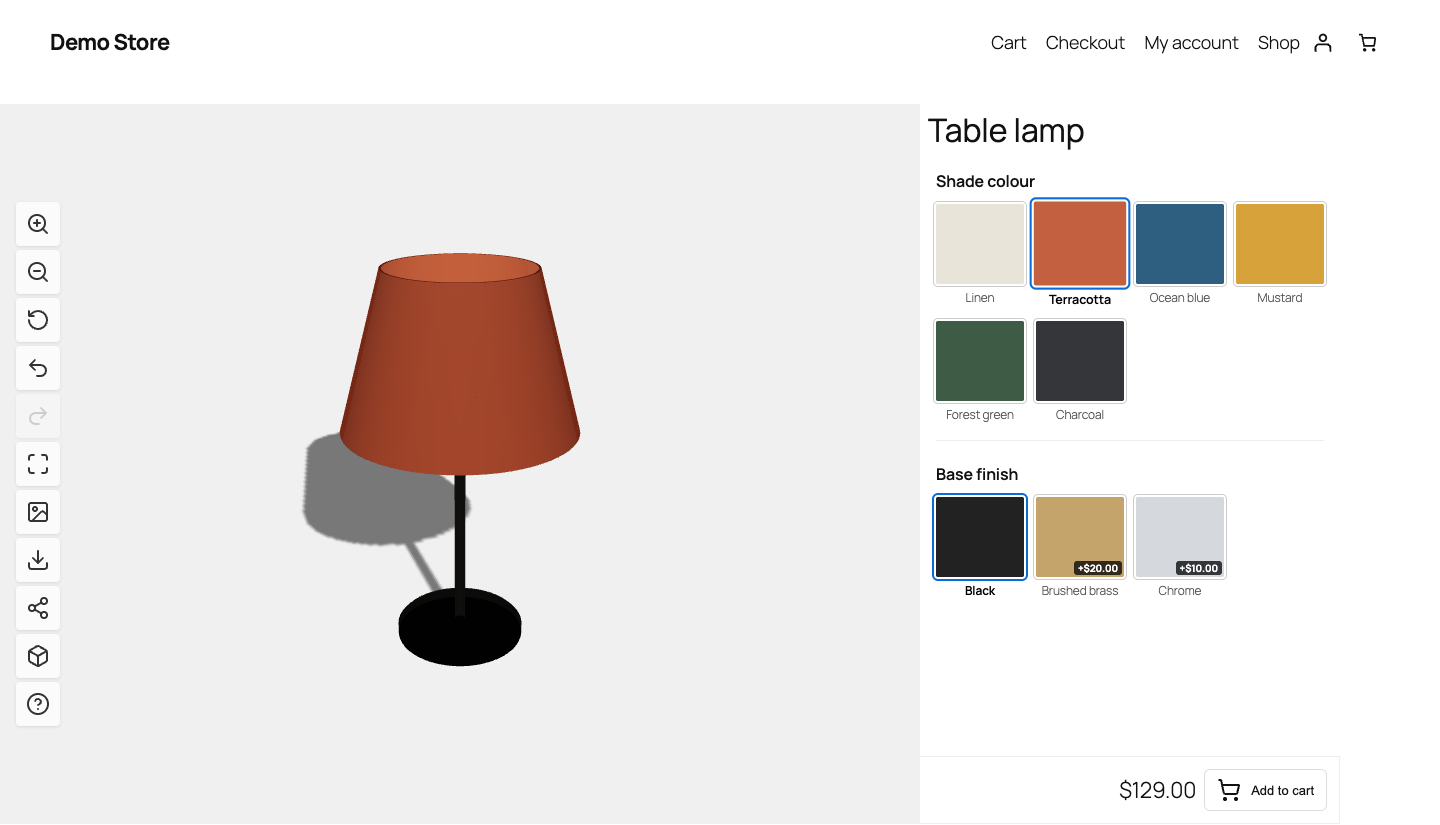
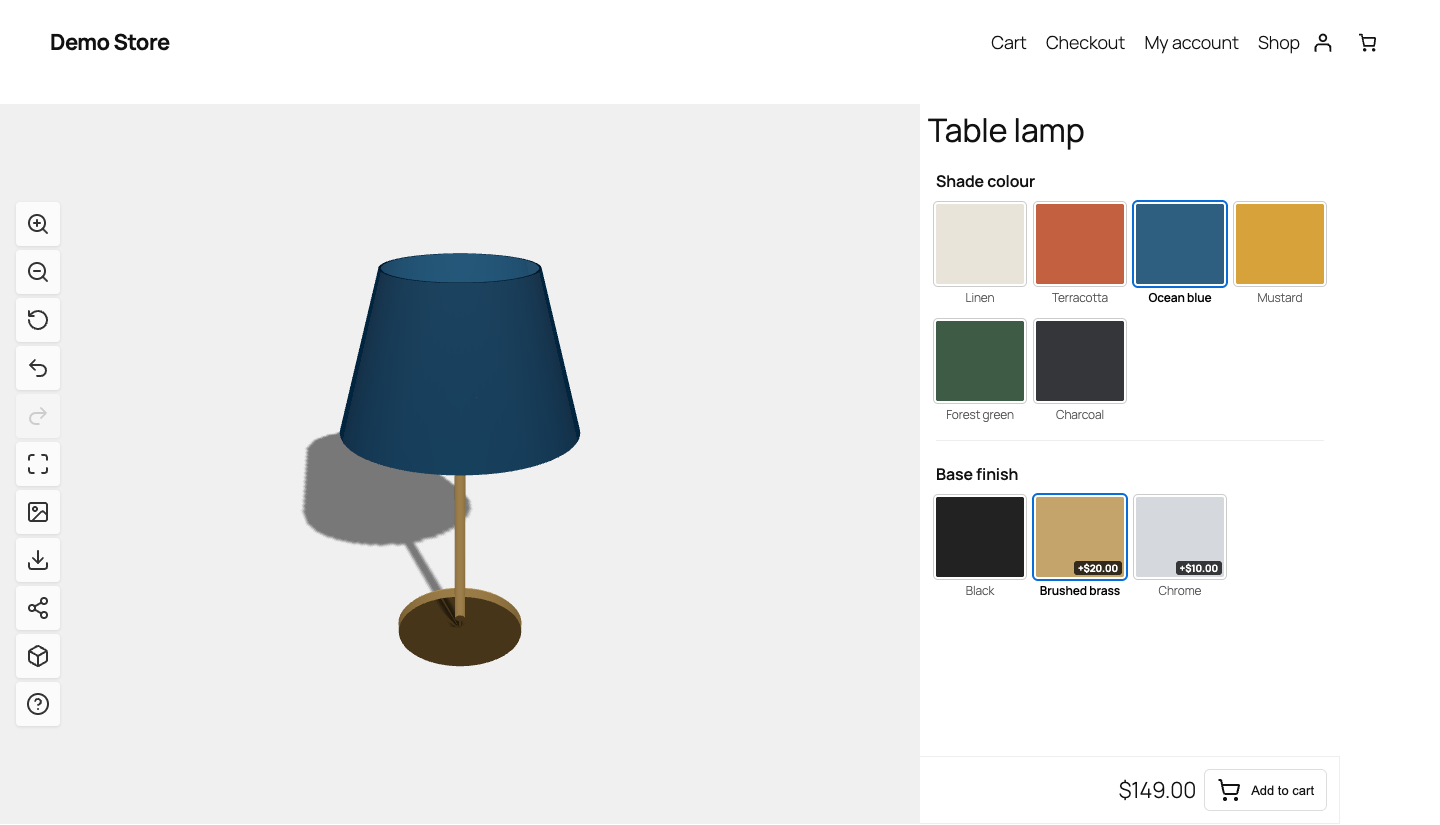
Finishes 3D Configurator for WooCommerce lets your customers choose the finishes of a product on a live 3D model, see every change instantly and add exactly that configuration to the cart. Every choice is saved on the WooCommerce order, so whoever makes the product knows what to make.
It is designed for products that come in several finishes or colours: furniture, lighting, objects made to order.
For the customer
- Real-time 3D viewer: rotate, zoom, full screen, change background
- Customization steps (for example “Top finish”, “Legs finish”), each one colouring a named part of the model
- Live price with per-option surcharges, in the shop’s own price format
- Undo / redo, shareable configuration link, PDF summary of the configuration
- AR view on supported phones (WebXR on Android, AR Quick Look on iPhone and iPad), generated in the browser
For the shop
- Every selected option is stored on the order line, and shown in the cart, checkout, order page and emails
- A product cannot be added to the cart without a valid choice for every step
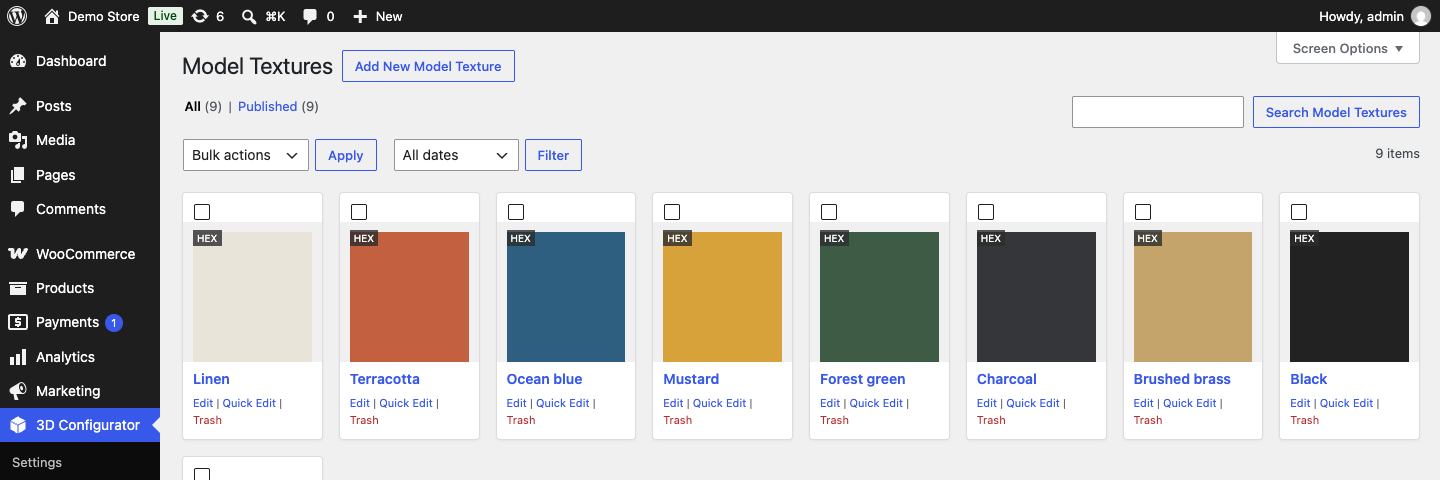
- Reusable library of materials (colour or texture, roughness, metalness)
- Several products in the same configurator: the customer switches model without reloading the page, and keeps the finishes that the new model also has
- HDR environment lighting, camera and zoom settings
Built to work with Elementor
- Four Elementor widgets, in the “3D Configurator” category: 3D Viewer, Customizer Options, Customizer Price and Customizer Add to Cart. Place them anywhere in a page or in an Elementor Pro single product template, and style them from the Elementor panel like any other widget.
- Any link in the page can drive the 3D model: a link to
?model=<product-slug>switches model, a link to?option=<option-name>(or?<step>=<option-name>) applies that finish, without reloading. The current link is marked witharia-currentand the selection ring. This is how a configurator can be composed from ordinary Elementor buttons. - Appearance settings: the plugin’s own style or a style that follows the theme, with colours taken from Elementor’s Global Colors or chosen freely, selection ring thickness, product name on or off.
Other ways to place it
- Automatically on the product page (default)
- Blocks: “3D Configurator” and “3D Viewer Only”
- Shortcodes:
[tdcfw-customizer]and[tdcfw-viewer] - Action hook:
do_action( 'tdcfw_display_customizer', $product_id );
Source Code
The JavaScript sources are in js/ (customizer.js, viewer.js, ui.js, model-scanner.js); dist/ contains the bundles built from them with webpack (npm install, then npm run build).
Bundled libraries:
- three.js (MIT License), https://threejs.org
- jsPDF (MIT License), https://github.com/parallax/jsPDF
- Lucide icons (ISC License), https://lucide.dev
- idb (ISC License), https://github.com/jakearchibald/idb
External Services
The plugin does not connect to any external service by itself. All scripts, styles and models are served from your own site.
The share buttons of the configurator open, only when a visitor clicks them, the share page of Facebook, X (Twitter), LinkedIn or Pinterest, passing the address of the configuration (and, for Pinterest, its preview image). From that moment the visitor is on that service, under its terms:
- Facebook: https://www.facebook.com/terms.php and https://www.facebook.com/policy.php
- X: https://x.com/tos and https://x.com/privacy
- LinkedIn: https://www.linkedin.com/legal/user-agreement and https://www.linkedin.com/legal/privacy-policy
- Pinterest: https://policy.pinterest.com/terms-of-service and https://policy.pinterest.com/privacy-policy
Credits
Finishes 3D Configurator for WooCommerce is based on 3D Product Customizer & Configurator for WooCommerce 3.7.8 by deosebIT Soft (https://wordpress.org/plugins/3d-product-customizer/), released under the GPL v2 or later. This version adds the Elementor widgets, links that drive the configurator, several products in one configurator, the appearance settings and a number of fixes, and removes the paid version and its licensing.
Screenshots
Installation
- Install and activate WooCommerce.
- Install the plugin from the Plugins screen, or upload the
finishes-3d-configurator-for-woocommercefolder to/wp-content/plugins/, and activate it. - Under 3D Configurator Model Textures, create the materials: a colour or a texture image, with roughness and metalness.
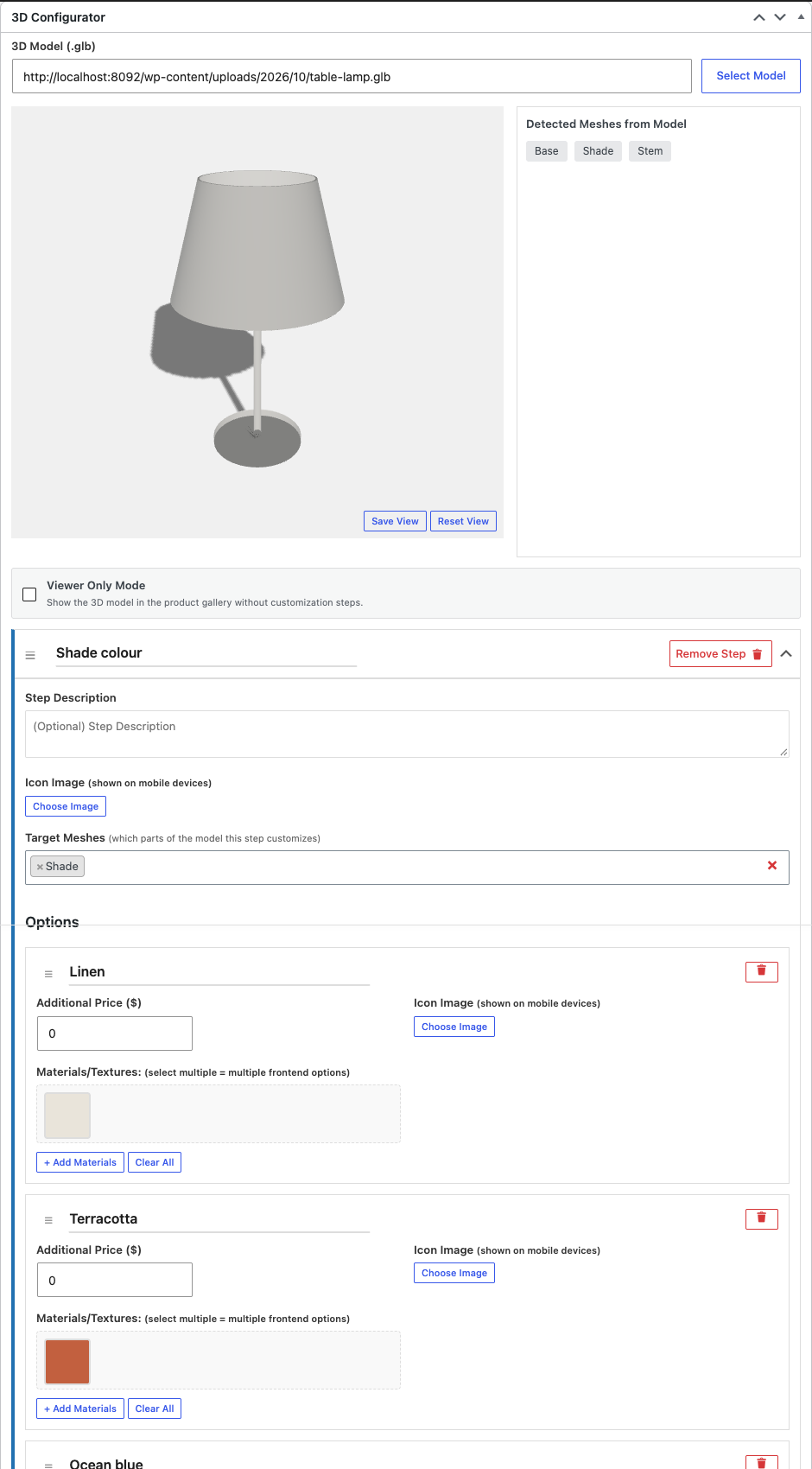
- Open a product and find the 3D Configurator box: choose a
.glbmodel, click Scan Model to read the names of its parts, then add steps and options and assign a material to each option. - Save the product. The configurator appears on the product page, or wherever you place its widgets, block or shortcode.
- Under 3D Configurator Settings set camera, background, HDR lighting and appearance.
FAQ
-
Do I need a 3D model?
-
Yes, one
.glb(or.gltf) file per product, with the parts that change colour as separate, named meshes (for example “Top” and “Legs”). You can export it from any 3D or CAD program, commission it, or generate it. -
How do I use it with Elementor?
-
Use the four widgets in the “3D Configurator” category. In a single product template they use the current product; on any other page choose the products in the 3D Viewer widget. You can also use the
[tdcfw-customizer]shortcode in a Shortcode widget. -
How do I show several products in one configurator?
-
Choose several products in the 3D Viewer widget, or use
[tdcfw-customizer ids="12,34,56" label="Model" param="model" option_param="option"]. Addswitcher="no"to hide the built-in model buttons and drive the configurator with your own links instead. -
Can I charge extra for some options?
-
Yes. Each option can have a surcharge. The price updates live and the surcharge is checked again on the server when the product is added to the cart.
-
How are the choices saved to the order?
-
Each step and its chosen option are stored as order line meta (“Top finish: Sage green”), visible in the cart, at checkout, on the order and in the order emails.
-
Will it slow down my site?
-
The scripts load only on pages that contain the configurator. The model file is the main cost: keep it light.
-
Is the JavaScript minified?
-
The files in
dist/are built with webpack. The human-readable sources are injs/andadmin/js/, withwebpack.config.jsandpackage.json: runnpm installandnpm run build.
Reviews
There are no reviews for this plugin.
Contributors & Developers
“Finishes 3D Configurator for WooCommerce” is open source software. The following people have contributed to this plugin.
Contributors
Translate “Finishes 3D Configurator for WooCommerce” into your language.
Interested in development?
Browse the code, check out the SVN repository, or subscribe to the development log by RSS.
Changelog
1.0.0
- First release, based on 3D Product Customizer & Configurator for WooCommerce 3.7.8.
- New: Elementor widgets 3D Viewer, Customizer Options, Customizer Price and Customizer Add to Cart.
- New: page links drive the configurator (model and options), with the current link marked.
- New: several products in one configurator, keeping the finishes they share.
- New: appearance settings (theme style, Elementor Global Colors, selection ring, product name).
- New: on a page without price widget, “Add to cart” opens the product page with the chosen options.
- Fix: a product could be added to the cart without its options when the 3D model did not load.
- Fix: the viewer now resizes with its container, not only with the window.
- Fix: a style rule laid out the whole page in columns on wide screens.
- Fix: prices follow the shop’s price format.
- Fix: the share link kept only the page path, so with plain permalinks (?page_id=12) it opened the home page.
- Fix: PDF images are compressed (a PDF went from about 11 MB to under 300 KB).
- Change: the PDF links to the configuration itself, so it can be reopened as it was.
- Removed: paid version, licensing and upgrade notices.