

Description
Webknit Environment Indicator puts a clear, colored badge on every copy of your site that isn’t production:
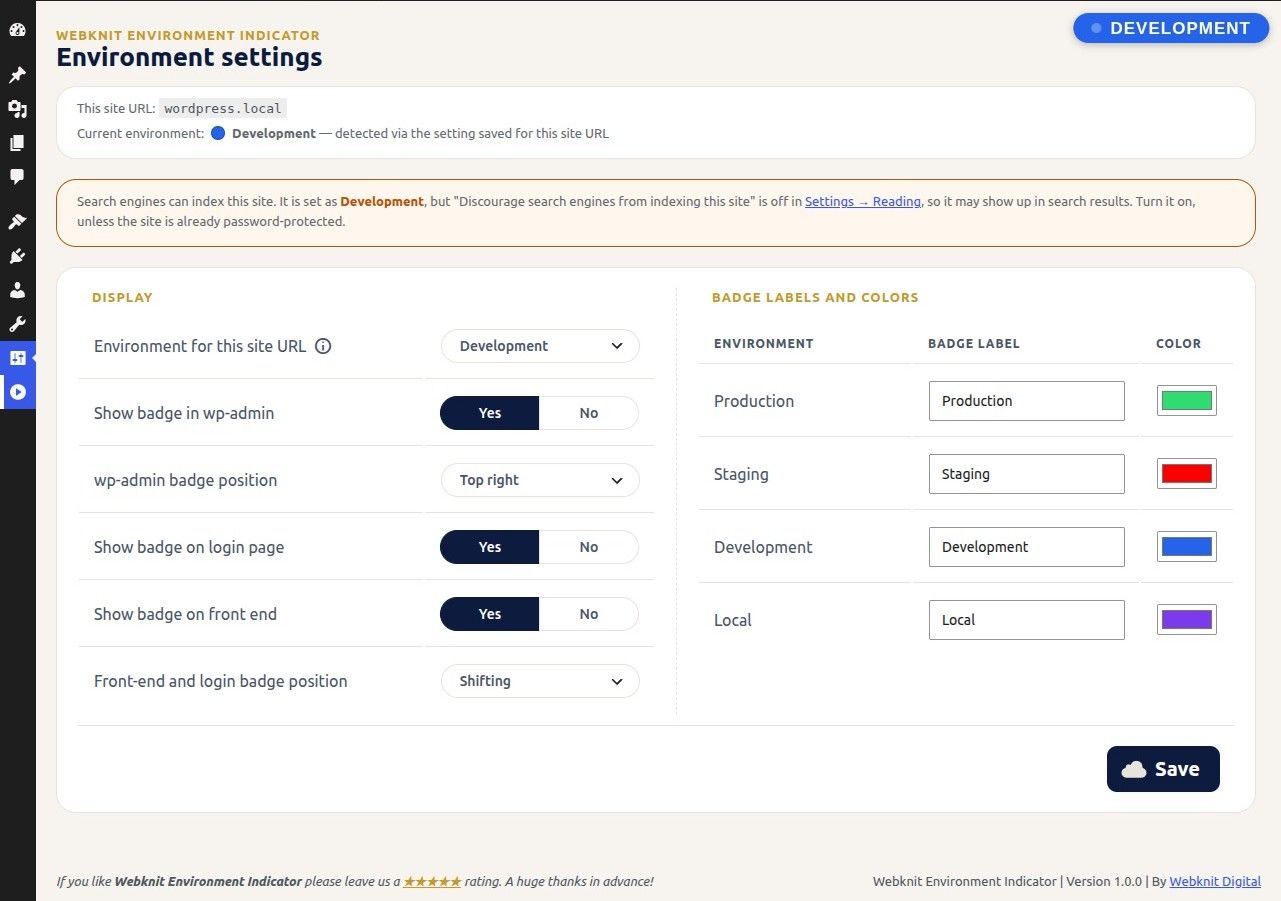
- Dashboard badge on every wp-admin screen, with the same style as the front-end badge and its own position setting, below the admin bar. Has its own on/off switch.
- Public front-end badge on the live site that shifts clockwise around the edges of the screen so it can’t go unnoticed (or stays in one corner of your choice), visible to logged-out visitors too, so clients you share a staging link with can see it.
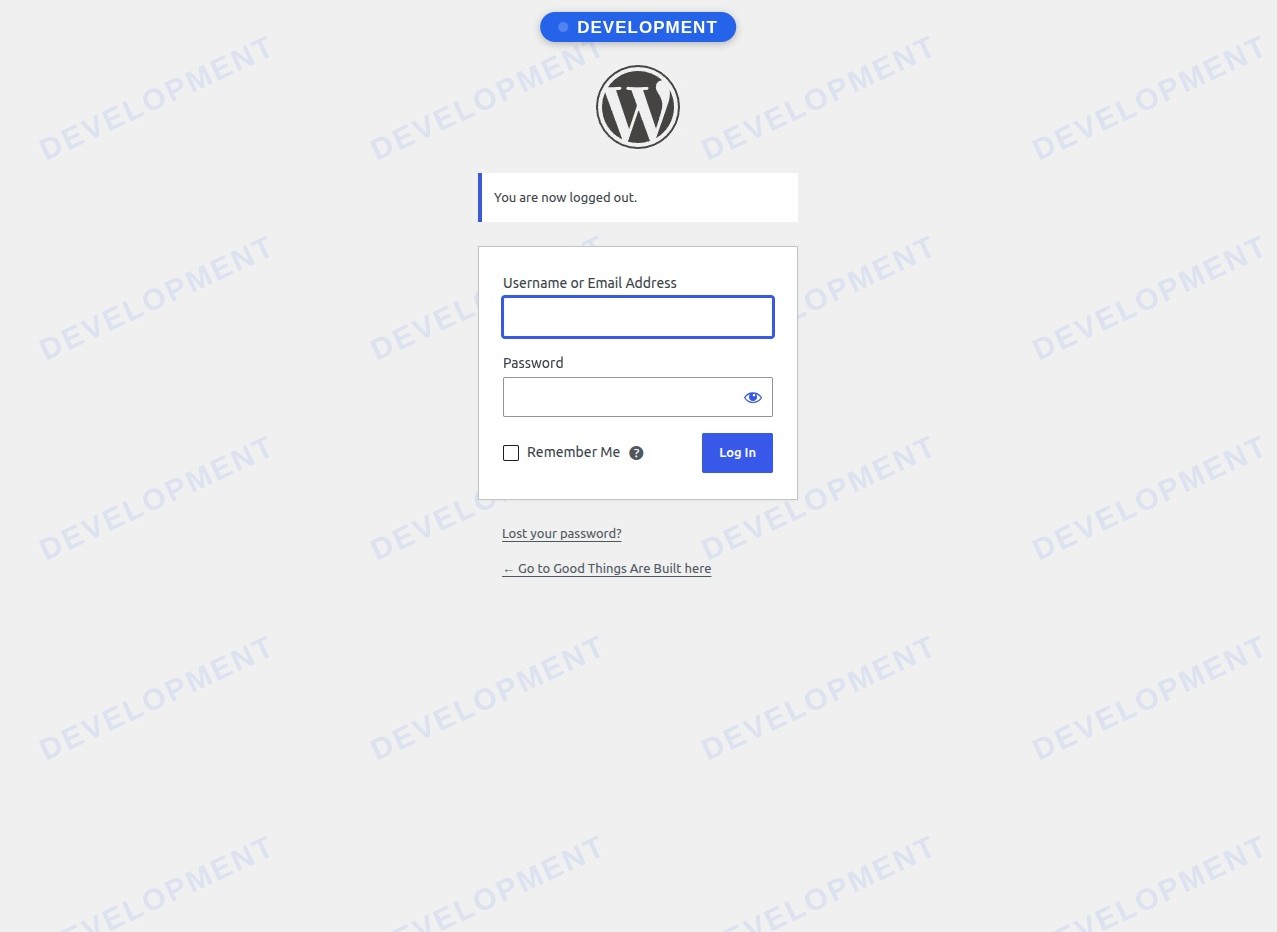
- Login page badge and a faint watermark of the environment name across the login screen, so you know which copy you’re signing in to. Has its own on/off switch.
- Per-environment label and color for Production, Staging, Development and Local.
- No badge on production unless you ask for one.
- Search engine warnings, both ways. “Search engine visibility” is copied along with the database, so it warns when a staging, development or local copy is open to search engines, and when your production site is hidden from them after a push from staging.
- No JavaScript at all: the badges, the shifting animation and the settings page are plain HTML and CSS, and the front end loads no extra files.
How the environment is decided
- The environment you choose on the settings page for this site URL.
- Otherwise, WordPress’s own
WP_ENVIRONMENT_TYPEsetting. - Otherwise, Local if the site runs on a local-only address:
localhost,127.0.0.1, or a domain ending in.local,.test,.localhost,.exampleor.invalid. - Otherwise, production (no badge).
Developers can override the result with the webknit_environment_indicator_environment filter.
Settings are saved per site URL
When you clone a site, its database (and this plugin’s settings) goes with it. To stop a “Staging” setting from ending up on your live site after a push to production, settings are stored separately for each site URL. Settings saved for a different URL are never applied; the settings page shows a URL mismatch warning and asks you to configure the site again.
Screenshots

Installation
- Upload the plugin files to
/wp-content/plugins/webknit-environment-indicator, or install through the WordPress plugins screen directly. - Activate the plugin through the “Plugins” screen in WordPress.
- Go to Settings Environment Indicator and choose the environment for this site, or define
WP_ENVIRONMENT_TYPEinwp-config.php.
FAQ
-
Why doesn’t it guess “staging” from my site’s address?
-
Guessing from names like
staging.ordev., or from the.devdomain, can be wrong, and a wrong guess would put a “Staging” badge on a live site. That’s exactly the mistake this plugin exists to prevent, so it only acts on addresses that can never be a public site (such aslocalhost,.localand.test). For everything else, choose the environment in the settings or setWP_ENVIRONMENT_TYPE. -
I copied my site and the settings page says “URL mismatch”.
-
The settings in the database were saved on a different site URL, so they are not applied here. Choose the environment for this URL and save. Settings left behind for other URLs are never used here, and are deleted if you uninstall the plugin.
-
Can I hide the front-end badge from visitors?
-
Yes. Set “Show badge on front end” to No. The badge still shows in wp-admin and on the login page.
-
How do I set the environment in code?
-
Define it in
wp-config.php:define( 'WP_ENVIRONMENT_TYPE', 'staging' );Or use the filter:
add_filter( 'webknit_environment_indicator_environment', function () { return 'staging'; } ); -
Does it stop search engines indexing my staging site?
-
No, it warns you. If the site isn’t production and “Discourage search engines from indexing this site” (Settings Reading) is off, you’ll see a warning on the plugin’s settings page and on the Dashboard, Plugins and Reading screens. It also warns the other way round: when the site is set as production but search engines are discouraged, which often happens after a staging site is pushed live. The plugin never changes that setting itself. For real protection, put staging sites behind a password.
-
Is this an official WordPress feature?
-
No. It’s a Webknit Digital plugin that reads WordPress’s own
WP_ENVIRONMENT_TYPEsetting when you have one.
Reviews
There are no reviews for this plugin.
Contributors & Developers
“Webknit Environment Indicator” is open source software. The following people have contributed to this plugin.
Contributors
Translate “Webknit Environment Indicator” into your language.
Interested in development?
Browse the code, check out the SVN repository, or subscribe to the development log by RSS.
Changelog
1.0.0
- Initial release.