
Description
From 27 September 2026, sellers in the EU must display the harmonised notice on the legal guarantee of conformity, and may display the EU GARAN label for products with a producer’s commercial guarantee of durability (Directive (EU) 2024/825, Implementing Regulation (EU) 2025/1960).
This plugin uses the official European Commission artwork, unmodified, in all 24 EU languages, and follows the Commission’s practical guidelines for online shops:
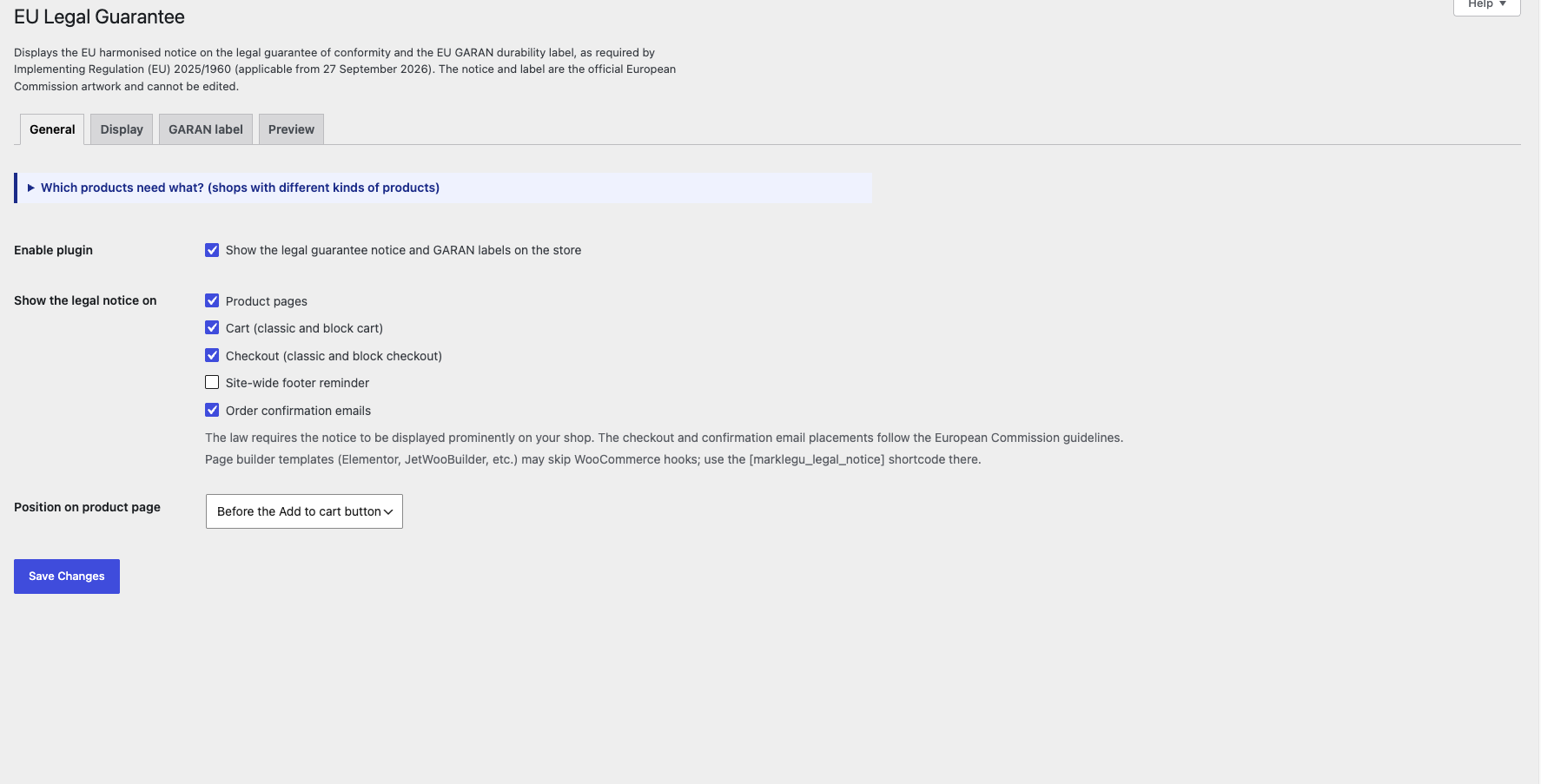
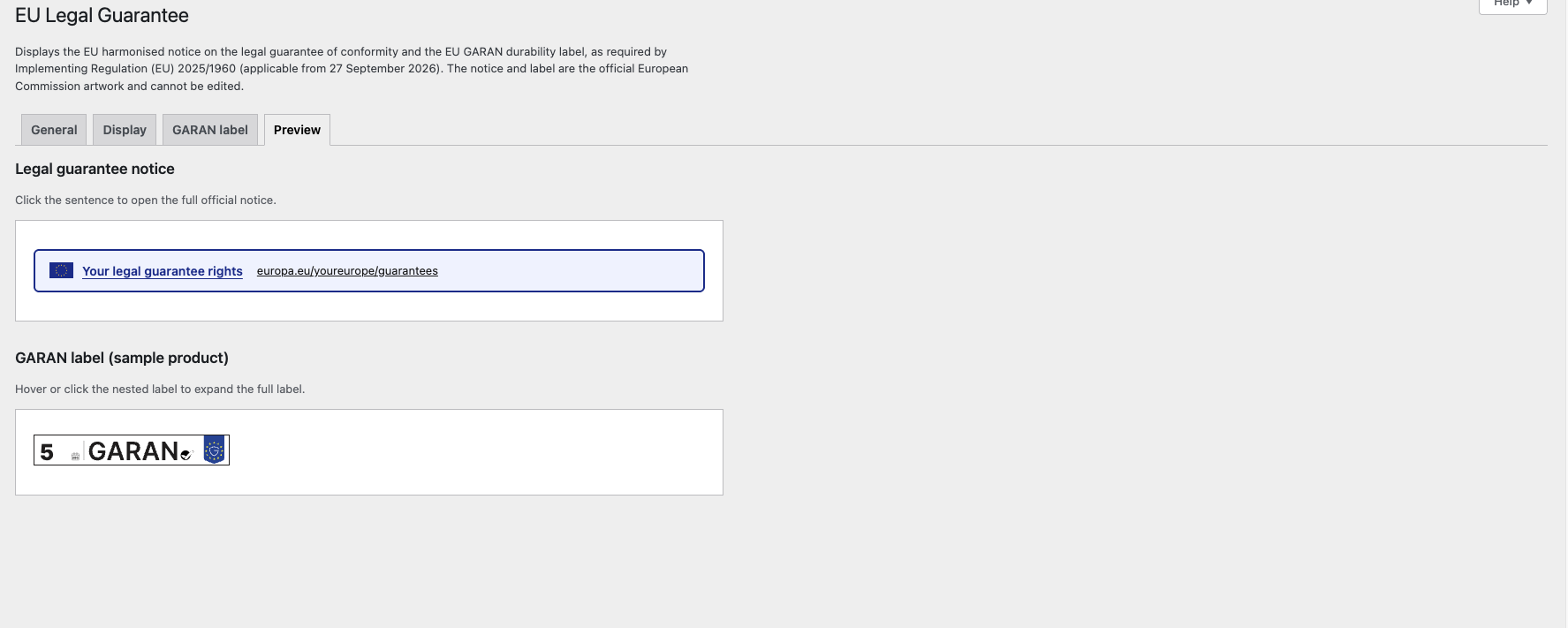
- Legal guarantee notice – a “Your legal guarantee rights” sentence on product pages, cart and checkout opens the full official colour notice on the first click or tap. A link to the same Your Europe page as the notice QR code is always visible.
- EU GARAN label – by category or brand rules, or per product, shown only when the producer’s guarantee is free of charge, covers the entire good and lasts more than 2 years. Displayed as the official nested label that expands to the full label on the first click, tap or mouse roll-over. Only the editable fields (years, producer, model identifier) are filled in, using the required Inter font.
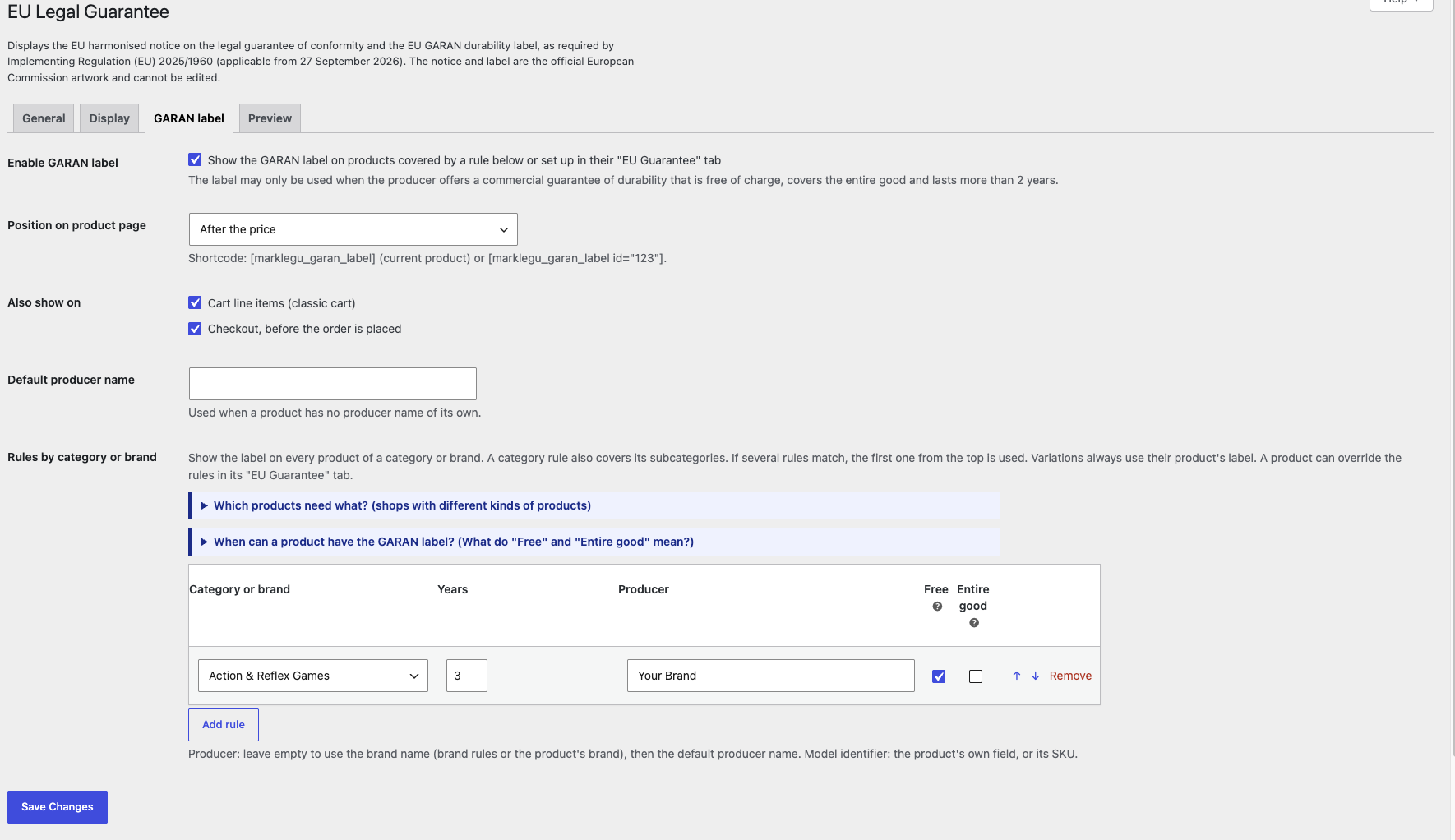
- GARAN rules – give every product of a category (including subcategories) or brand the label in one step (WooCommerce Brands, Perfect Brands, YITH Brands). Each product can use the rules, have its own settings, or never show the label. Variations always show their product’s label.
- Checkout – GARAN products are listed again before the order is placed.
- Confirmation emails – the notice and the GARAN products are included in the customer’s order confirmation.
- Classic and block themes, classic and block Cart/Checkout, HPOS compatible.
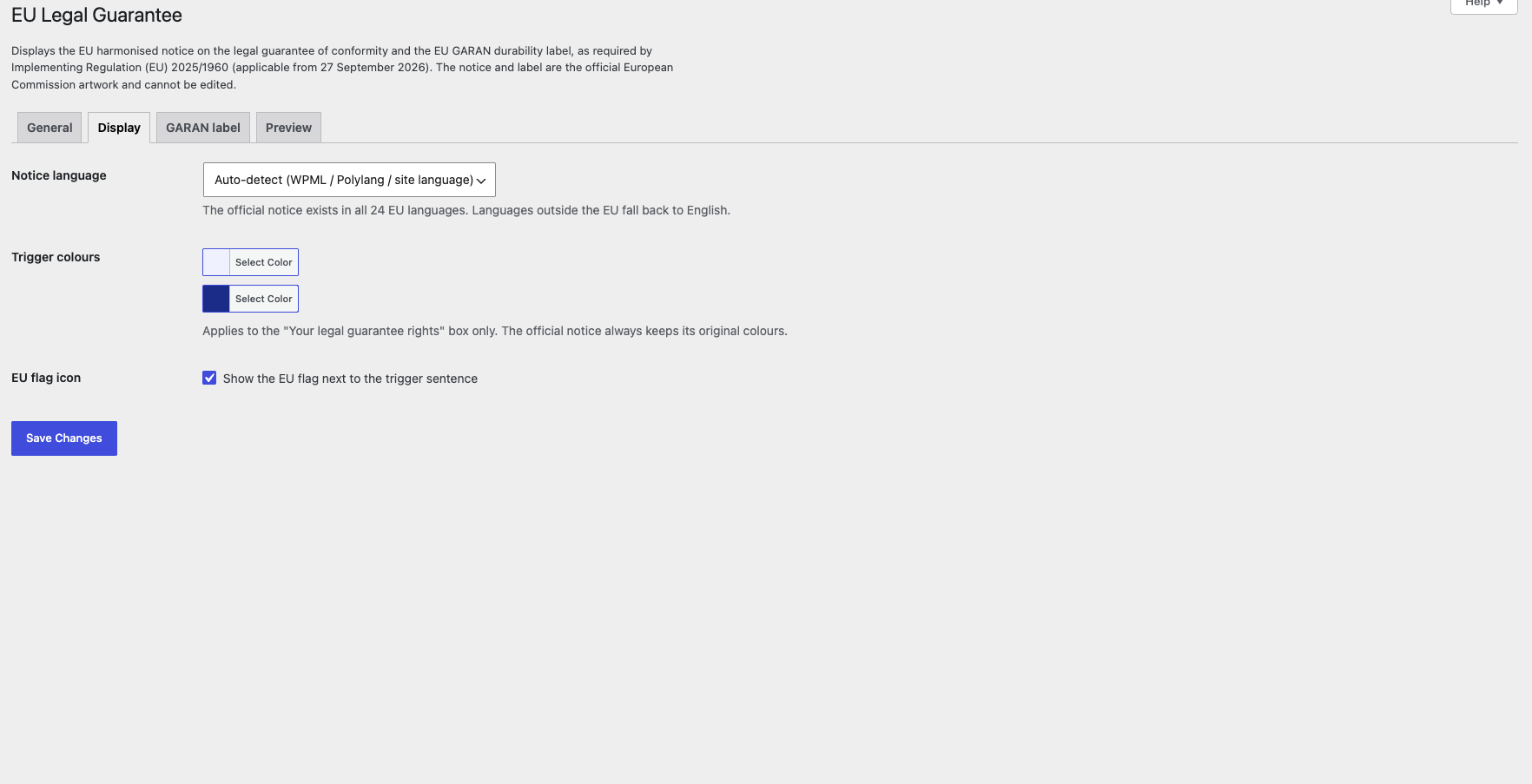
- Languages – the notice follows WPML, Polylang or the site language, or can be forced to any EU language. Plugin interface translatable on translate.wordpress.org.
- Shortcodes for page builders:
[marklegu_legal_notice]and[marklegu_garan_label]/[marklegu_garan_label id="123"].
The notice and label artwork comes from the European Commission’s “High resolution vector files – EU notice and label for product guarantees” (https://commission.europa.eu/publications/practical-guidelines-and-high-resolution-vector-files-eu-notice-and-label-product-guarantees_en).
This plugin helps you display the required information; it is not legal advice.
Screenshots
Installation
- Upload the
marketup-legal-guaranteefolder to/wp-content/plugins/, or install the zip from Plugins Add New. - Activate the plugin. WooCommerce 6.0 or newer is required.
- Go to WooCommerce EU Legal Guarantee to choose where the notice appears.
- For products with a producer durability guarantee, open the product’s “EU Guarantee” tab and fill in the GARAN fields.
FAQ
-
Can I change the notice text or colours?
-
No. The regulation states that none of the elements of the notice can be edited. You can style the box around the “Your legal guarantee rights” sentence (Display tab).
-
My page builder template does not show the notice
-
Some Elementor / JetWooBuilder templates do not run WooCommerce hooks. Place the
[marklegu_legal_notice]and[marklegu_garan_label]shortcodes in the template. -
Can I show the GARAN label for my own shop warranty?
-
No. The label is only for a commercial guarantee of durability offered by the producer, free of charge, covering the entire good, for more than 2 years.
-
Many products need the GARAN label. Do I set them one by one?
-
No. In WooCommerce EU Legal Guarantee GARAN label, add a rule for the category or brand (years, producer, and the two confirmations). All its products get the label, including products added later. If several rules match a product, the first one from the top wins. A product can still be set to “Custom” or “Never show” in its EU Guarantee tab.
-
Developer hooks
-
marklegu_show_notice(bool, context) – hide the notice in a context.marklegu_notice_text(text, language, context) – change the trigger sentence.marklegu_notice_language(code) – force the notice language.marklegu_garan_data(data, product) – change or hide a product’s GARAN data.marklegu_brand_taxonomies(taxonomies) – which taxonomies count as brands.marklegu_email_ids(ids) – which WooCommerce emails include the notice.- Templates can be overridden in
yourtheme/marketup-legal-guarantee/.
Reviews
There are no reviews for this plugin.
Contributors & Developers
“MarketUp Legal Guarantee & GARAN Label for WooCommerce” is open source software. The following people have contributed to this plugin.
Contributors
Translate “MarketUp Legal Guarantee & GARAN Label for WooCommerce” into your language.
Interested in development?
Browse the code, check out the SVN repository, or subscribe to the development log by RSS.
Changelog
1.2.0
- Renamed to MarketUp Legal Guarantee & GARAN Label for WooCommerce (slug and text domain: marketup-legal-guarantee). Theme template overrides now go in
yourtheme/marketup-legal-guarantee/and receive their values in$args. - All code, options, product meta, hooks and shortcodes now use the
marklegu_prefix:[marklegu_legal_notice],[marklegu_garan_label]. - Removed the Custom CSS setting; use Appearance Customize Additional CSS instead.
- Translations are delivered by translate.wordpress.org.
1.1.5
- Plugin Check: translations are loaded by WordPress (translate.wordpress.org); the bundled Greek translation is only a fallback when no language pack is installed. Removed low-level translate() usage.
1.1.4
- New: “Which products need what?” help box on the General and GARAN tabs, for shops that mix products without a producer guarantee (e.g. flowers, cosmetics), products with only the 2-year legal guarantee, and products with a longer producer guarantee.
1.1.3
- Fix: an invalid GARAN duration (e.g. exactly 2 years) was silently cleared on save. It is now kept on screen with the reason, both in rules and in the product tab.
- New: the reason is shown while typing: 2 years is the legal minimum; the GARAN label needs more than 2 years (e.g. 2,5, 3 or 5).
- New: durations like “3 έτη” or “5 years” are accepted.
- New: warning when a category rule has no producer name and no default producer (products without a brand would not show the label).
1.1.2
- New: on phones, a “Swipe sideways to see the whole notice” hint appears when the notice is wider than the screen (it keeps a legible size and scrolls sideways). The hint disappears after the first swipe and never shows on wider screens.
1.1.1
- New: help box explaining when a product may carry the GARAN label (offered by the producer, free of charge, entire good, more than 2 years), with examples, on the GARAN settings tab and in each product’s EU Guarantee tab.
- New: hover tips on the “Free” and “Entire good” rule columns.
1.1.0
- New: GARAN rules by category (including subcategories) or brand, in priority order.
- New: per-product mode – use the rules, custom settings, or never show.
- New: producer name falls back to the brand name (rule brand or product brand) before the default producer.
- Change: variations always use the parent product’s model identifier or SKU, so all variations show the same label.
1.0.1
- Fix: the legal guarantee notice (and GARAN label in the Add to cart positions) was missing on products that cannot be bought, e.g. variable products whose variations are all out of stock and hidden.
1.0.0
- First release.