
Description
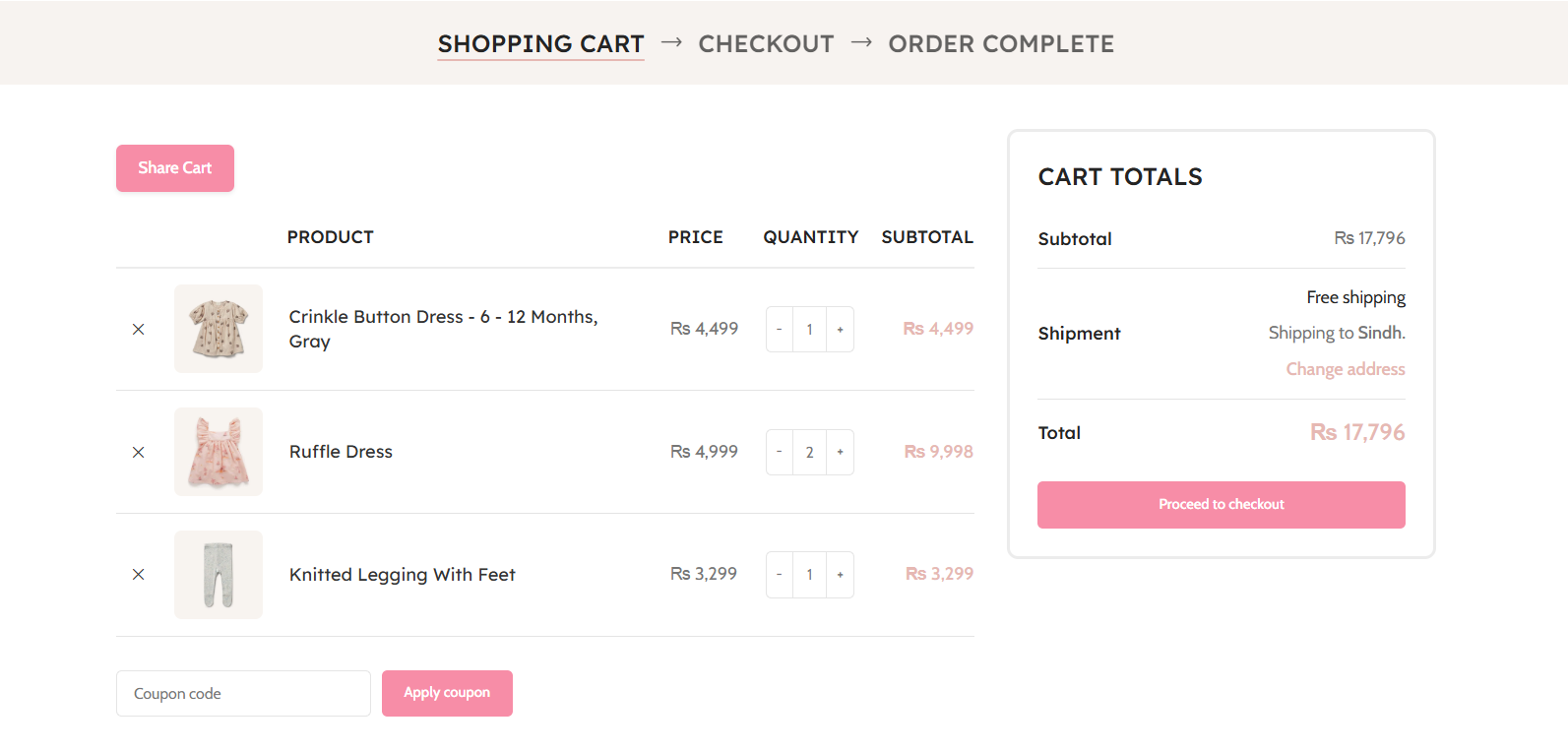
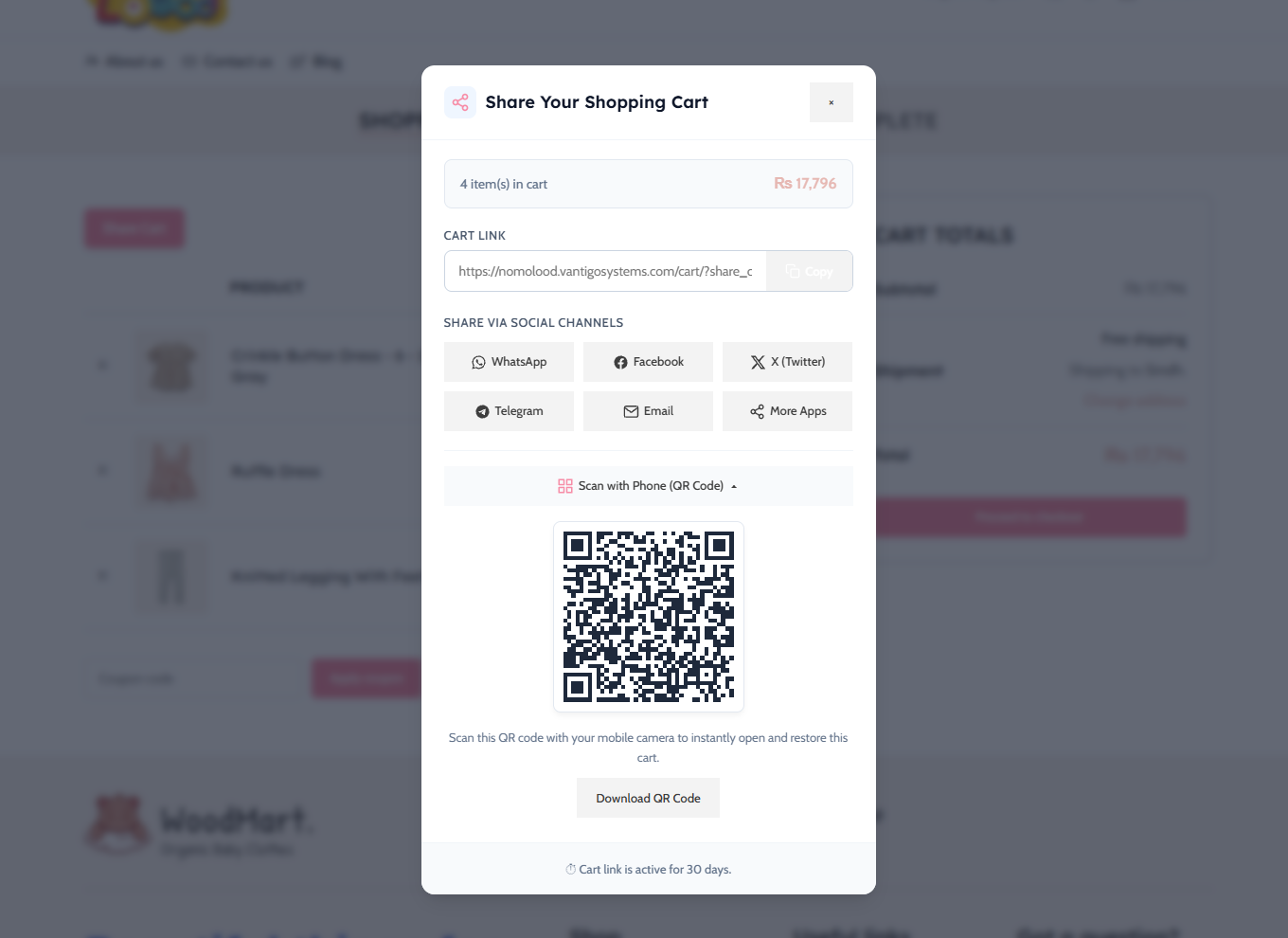
Vantigo Share Shop Cart for WooCommerce lets shoppers share a link to their current cart. Recipients confirm before loading the shared items into their own cart.
Features:
* Copy cart links and generate downloadable QR codes locally in the browser.
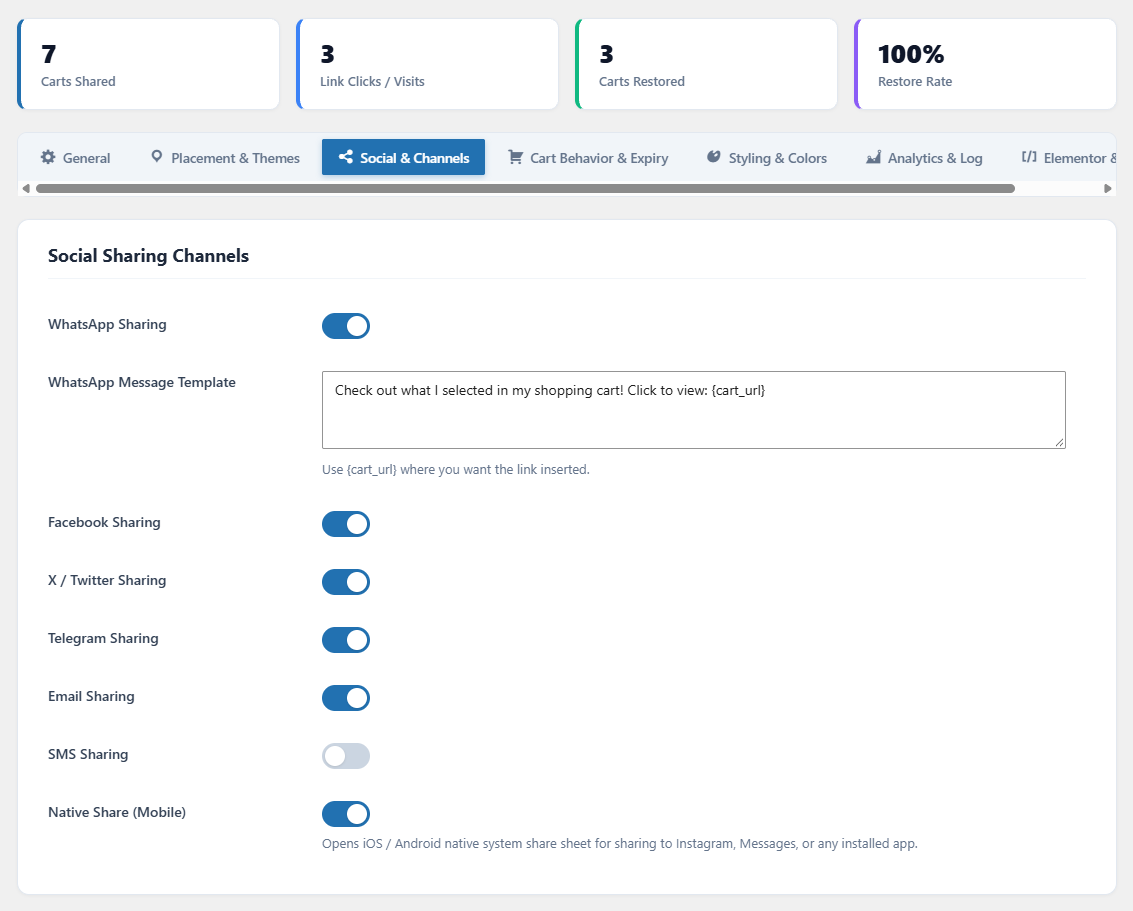
* Optional WhatsApp, Facebook, X, Telegram, email, SMS, and native device sharing.
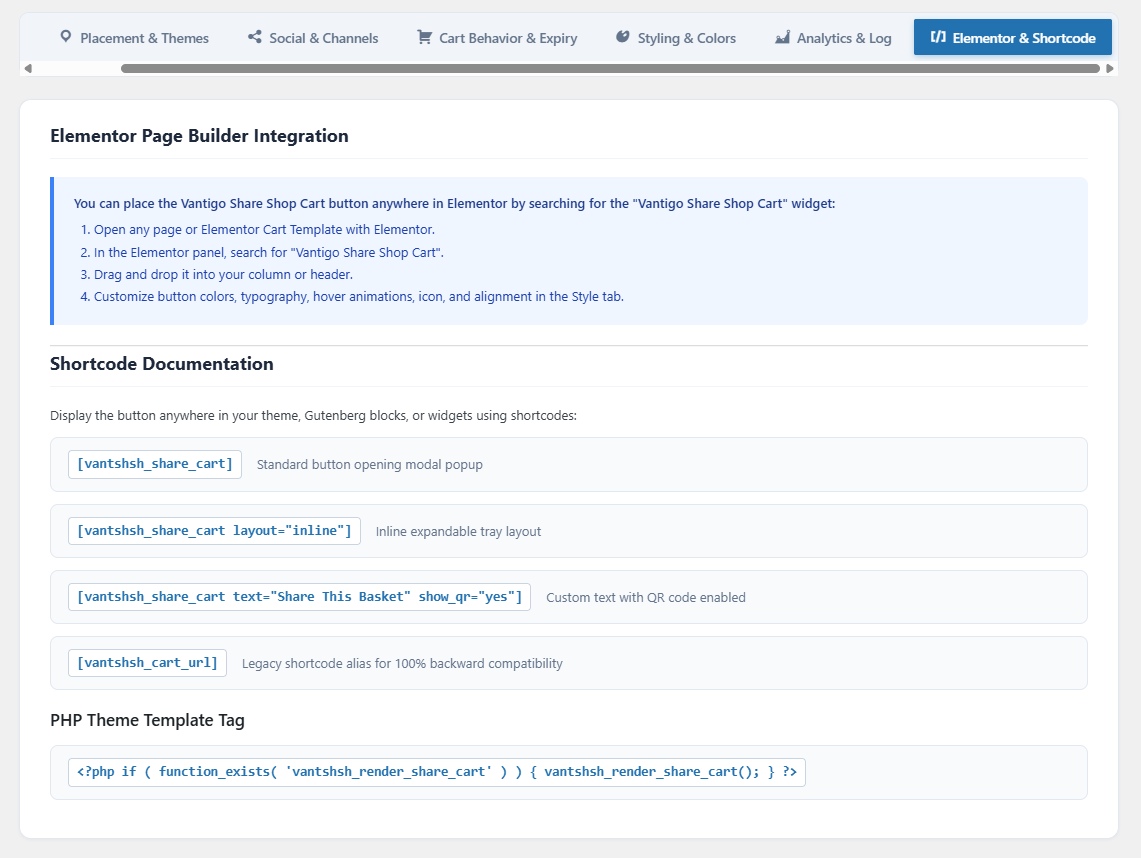
* Elementor widget and shortcodes for manual placement.
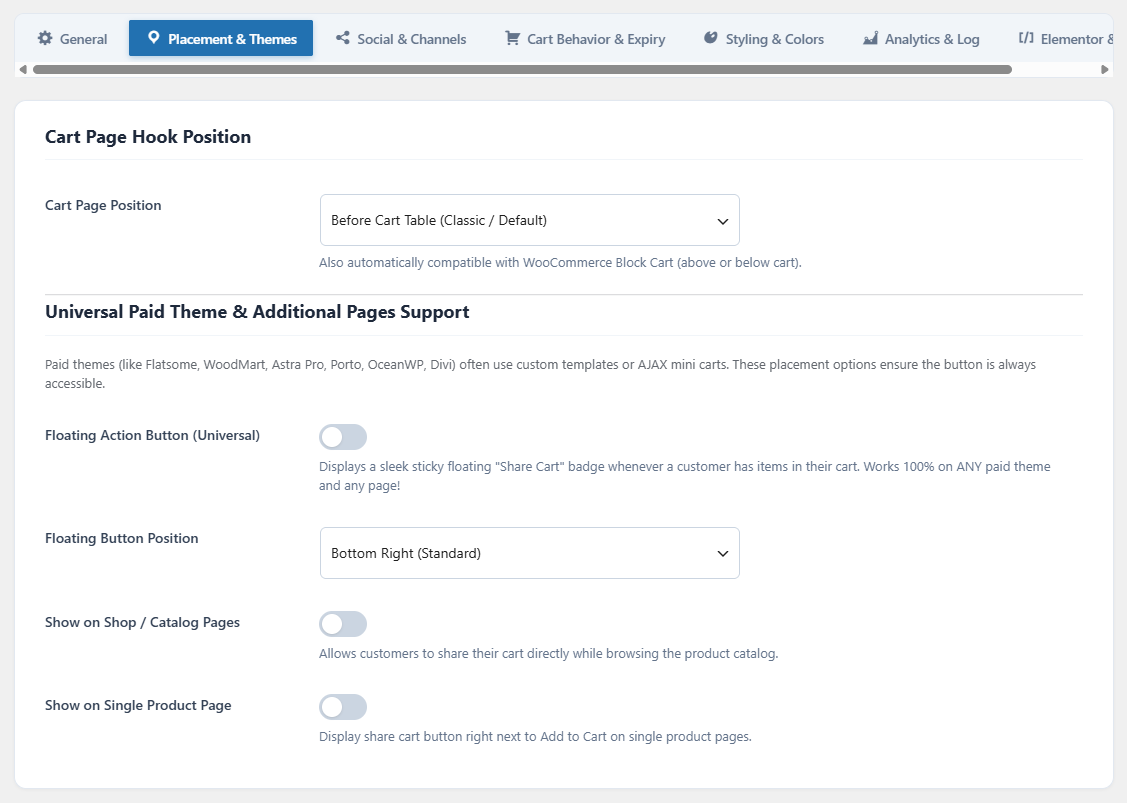
* Automatic classic cart placement, a WooCommerce Cart block fallback, and optional shop, product, and floating buttons.
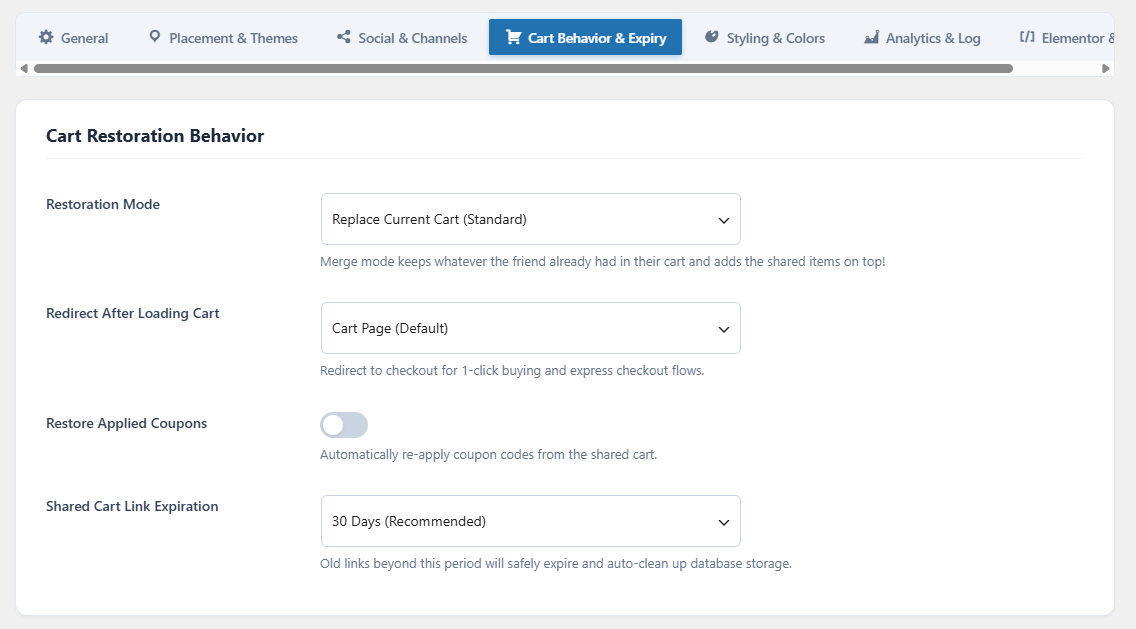
* Replace or merge shared items, optionally restore coupons, and optionally redirect to checkout.
* Link expiry of 1, 7, 14, 30, or 90 days, or no expiry.
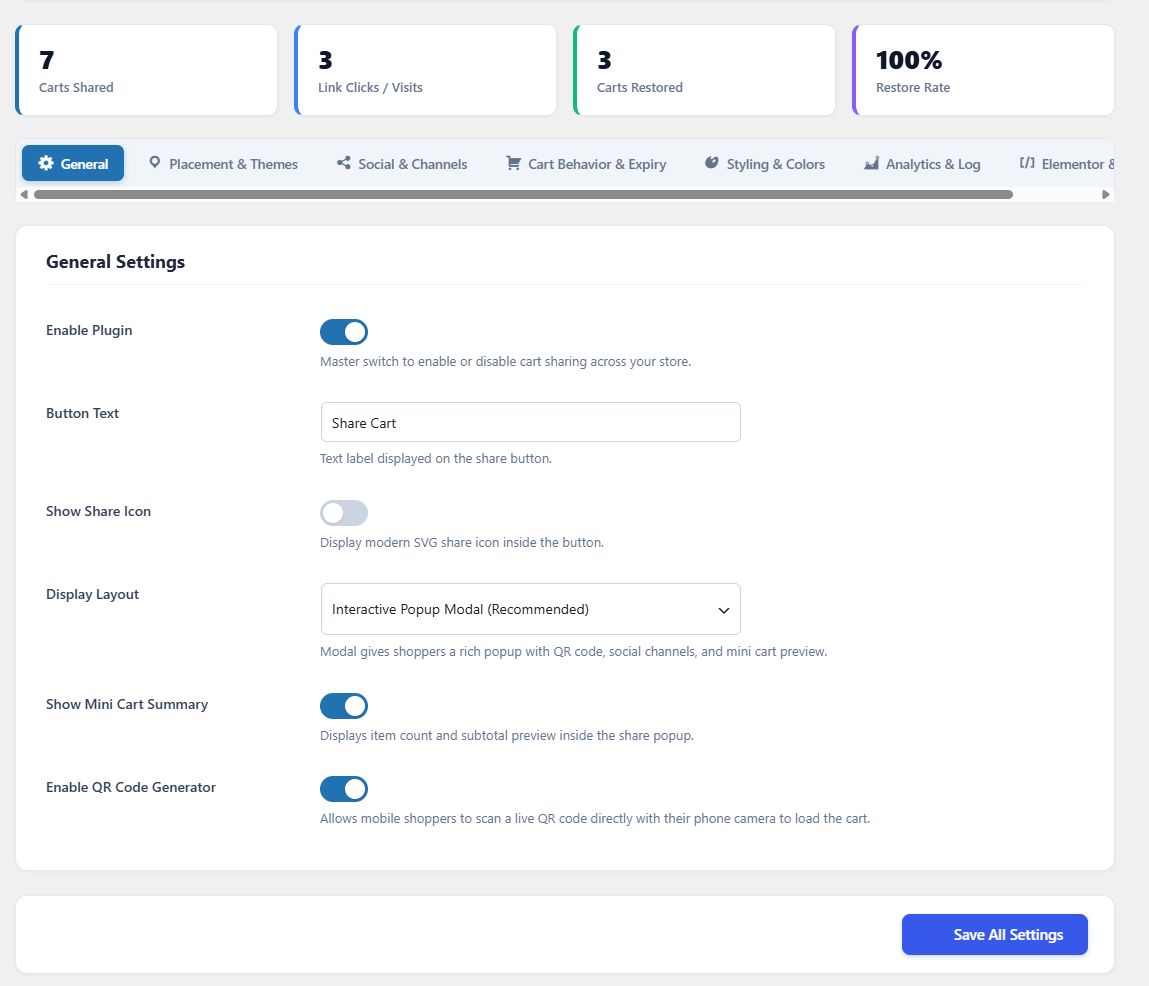
* A local shared-cart activity dashboard and scheduled cleanup of expired database records.
* Compatibility declaration for WooCommerce High-Performance Order Storage (HPOS).
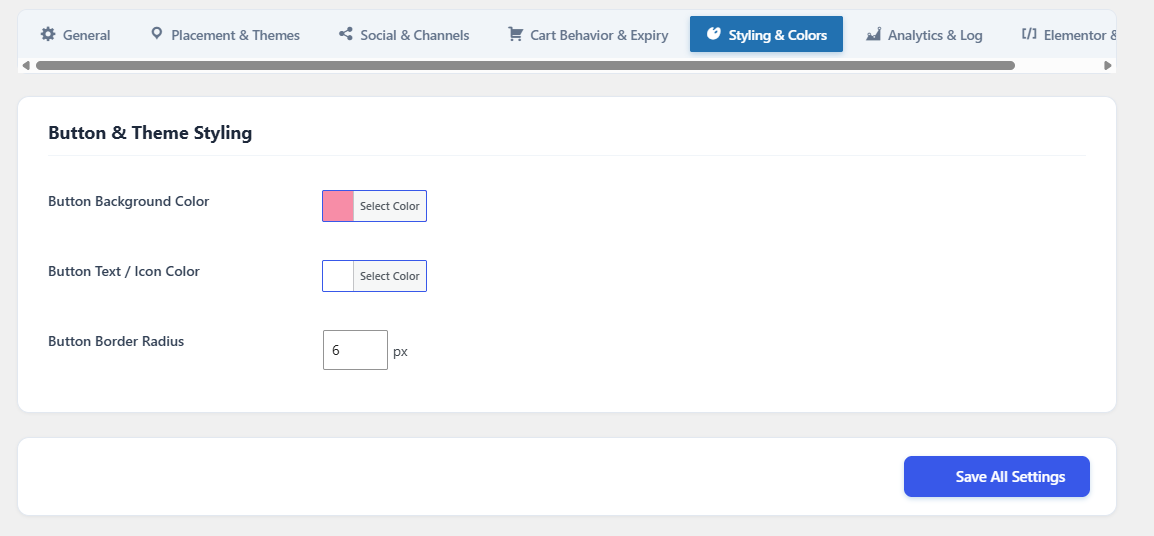
* Button color and border-radius controls. For additional CSS, use WordPress’s built-in styling tools or your theme.
This plugin is developed by Vantigo Systems. It is an independent integration and is not affiliated with or endorsed by WooCommerce or the optional sharing-service providers.
External services
Social sharing is optional and each channel can be disabled in settings. The plugin loads its JavaScript, CSS, and QR-code library from the local website. It does not load social SDKs or contact social services merely because a page is viewed. Clicking a sharing button opens the provider’s website or app with the information below. The provider receives that information when the destination opens, even if the shopper does not finish posting. The provider may also receive ordinary connection information such as the visitor’s IP address, browser information, and its own cookies. The plugin does not automatically send the shopper’s name, email, billing details, or payment details to these providers.
Used to compose a WhatsApp message at https://api.whatsapp.com/send. When the shopper clicks WhatsApp, the message template text and shared-cart URL are included in the request.
Terms: https://www.whatsapp.com/legal/terms-of-service
Privacy: https://www.whatsapp.com/legal/privacy-policy
Used to open the Facebook sharing dialog at https://www.facebook.com/sharer/sharer.php. When the shopper clicks Facebook, the shared-cart URL is sent to Facebook.
Terms: https://www.facebook.com/legal/terms
Privacy: https://www.facebook.com/privacy/policy/
X (formerly Twitter)
Used to compose a post at https://twitter.com/intent/tweet. When the shopper clicks X, the shared-cart URL and website name (or page title if the website name is unavailable) are sent.
Terms: https://x.com/en/tos
Privacy: https://x.com/en/privacy
Telegram
Used to open Telegram’s sharing interface at https://t.me/share/url. When the shopper clicks Telegram, the shared-cart URL and website name (or page title) are sent.
Terms: https://telegram.org/tos
Privacy: https://telegram.org/privacy
Email, SMS, and native device sharing
Email and SMS buttons open the visitor’s configured apps with the cart URL and a message; email also includes a subject containing the website name. Native sharing passes the website name and cart URL to the device’s share sheet. The visitor chooses the app and recipient. The plugin does not select a fixed email/SMS provider or send those messages itself. Any provider chosen by the visitor has its own terms and privacy policy.
QR codes and clipboard
QR codes are generated locally and the clipboard button copies the URL locally. No third-party QR or clipboard service is contacted.
Data storage and privacy
When a sharing widget is displayed, a nonce-protected request saves the shareable WooCommerce cart session in this site’s database. The record contains cart items (including variation and custom cart-item metadata), totals, coupon data, timestamps, link expiry, activity counters, and the current WordPress user ID for logged-in shoppers. A WooCommerce session value is also stored to protect guest requests. No analytics data is sent to Vantigo Systems.
Anyone who receives a valid shared-cart URL can load the shared items and coupons until it expires. Store owners should review custom cart-item data added by other extensions before enabling sharing; do not put sensitive information in shareable cart metadata.
Expired records are removed by a daily WordPress cron job when WordPress cron executes. Records with no expiry remain until removed. Reset Analytics Data deletes all saved shared-cart records and invalidates their links. Deactivation stops cleanup and retains settings and records.
Third-Party Libraries
QRCode.js by davidshimjs is bundled locally under the MIT License (GPL-compatible).
Source: https://github.com/davidshimjs/qrcodejs
Unminified source: assets/js/qrcode.js.
Screenshots

Installation
- Upload the
vantigo-share-shop-cart-for-woocommercefolder to/wp-content/plugins/, or install its ZIP through Plugins > Add New. - Activate WooCommerce, then activate this plugin.
- Open WooCommerce > Vantigo Share Shop Cart to configure placement, channels, colors, and cart behavior.
FAQ
-
Does it support Elementor?
-
An Elementor widget named Vantigo Share Shop Cart is included. You can place it in pages and templates.
-
Enable the floating button or place the
[vantshsh_share_cart]shortcode in your page builder. Compatibility with every theme is not guaranteed. -
What shortcodes are available?
-
[vantshsh_share_cart]: Button with sharing dialog.[vantshsh_share_cart layout="inline"]: Inline sharing tray.[vantshsh_share_cart text="Share My Cart" show_qr="yes"]: Custom button text.[vantshsh_cart_url]: Existing shortcode alias.
-
Can I use a PHP template function?
-
Use
<?php if ( function_exists( 'vantshsh_render_share_cart' ) ) { vantshsh_render_share_cart(); } ?>in your theme template. -
Does opening a link change my cart immediately?
-
No. The recipient chooses Load shared cart on a confirmation page. The form uses a nonce belonging to the recipient’s session. Products are added through WooCommerce and current stock and prices are checked again.
-
What happens when sharing cannot be initialized?
-
Sharing buttons remain disabled if the nonce-protected request cannot save the cart. Reload the page and check WooCommerce, session cookies, and access to WordPress admin-ajax.php. Exclude personalized cart pages from full-page caching.
Reviews
There are no reviews for this plugin.
Contributors & Developers
“Vantigo Share Shop Cart for WooCommerce” is open source software. The following people have contributed to this plugin.
Contributors
Translate “Vantigo Share Shop Cart for WooCommerce” into your language.
Interested in development?
Browse the code, check out the SVN repository, or subscribe to the development log by RSS.
Changelog
1.0.3
- Match the directory-assigned slug and all translation domains.
- Use the distinctive vantshsh prefix for classes, functions, settings, AJAX actions, cron, widgets, assets, and shortcodes.
- Preserve earlier saved settings, shared-cart records, and Elementor placements during upgrade.
- Keep earlier shortcode placements working in post content and text widgets without registering generic shortcode names.
1.0.2
- Unslash and sanitize shared-link parameters before validating their format.
- Escape the cart confirmation HTML using an explicit allowlist that preserves its form and nonce fields.
- Declare the tested WordPress release series in the readme header.
1.0.1
- Rename the plugin to Vantigo Share Shop Cart for WooCommerce.
- Remove the arbitrary Custom CSS editor and enqueue validated button styles through WordPress.
- Restrict placement settings to supported hooks and validate styling and behavior choices.
- Protect settings, link generation, and cart restoration with nonce checks; require management permissions for settings.
- Require recipient confirmation before restoring a cart and bind guest nonces to WooCommerce sessions.
- Revalidate restored products through WooCommerce and remove unbounded temporary-file cart storage.
- Fix dashboard links and document optional sharing services and local data retention.
1.0.0
- Initial release with cart links, QR codes, social sharing, Elementor widget, floating placement, cart restoration, and local analytics.