
Description
Your restaurant. Your online orders.
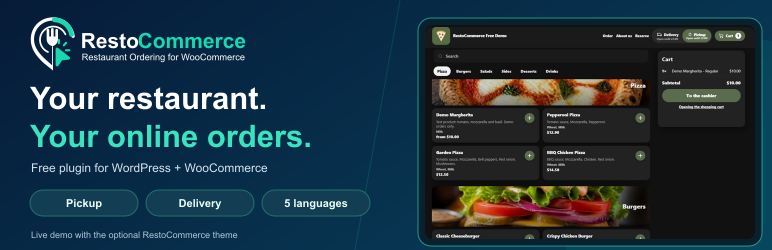
RestoCommerce is a free restaurant menu and food ordering plugin for WordPress and WooCommerce. Build your menu, let guests choose ingredients and extras, and accept orders for pickup or delivery through your own website.
Try the live Free demo shop | Visit RestoCommerce | Get support
The demo shows the free plugin with the optional RestoCommerce theme. The theme is a separate free download and is not included in this WordPress.org plugin.
What you can do with RestoCommerce Free
- Create your restaurant menu: add dishes, drinks, categories, descriptions and prices manually.
- Offer product choices: configure variants, selectable ingredients and paid extras.
- Accept pickup and delivery orders: configure service hours, delivery areas, delivery fees, minimum orders and free-delivery thresholds.
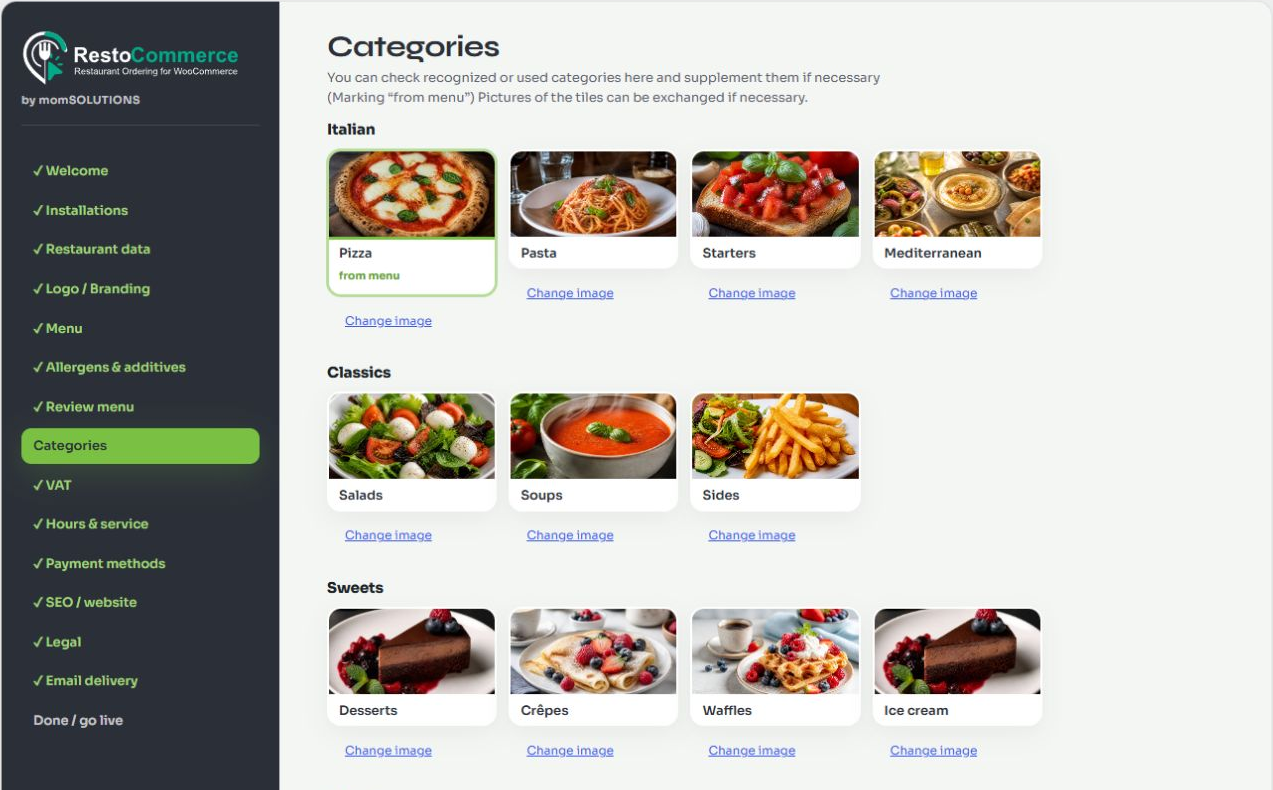
- Guide your setup: work through restaurant details, branding, menu, service settings, payments and launch checks in the installation wizard.
- Maintain food information: enter and review allergen and additive information manually.
- Use WooCommerce checkout: choose payment methods available through your configured WooCommerce payment plugins.
- Work in five languages: German, English, French, Spanish and Italian interfaces are included.
Made for restaurants, pizzerias, cafés and takeaways
Give your guests a place to browse your food menu and order directly from your website. Start with the free plugin and manage your menu in WordPress. The local Free menu and ordering features do not require a momSOLUTIONS account or a paid RestoCommerce license.
Keep your theme or use the optional restaurant theme
Use the [restocommerce_menu] shortcode on a page to display your menu with your existing theme. The setup wizard can create this page for you. For the restaurant layout shown in the demo, install the separate optional RestoCommerce theme. It is not required and is not included in this WordPress.org plugin. The final appearance depends on your theme and settings.
Start with Free; add PRO when you need it
RestoCommerce PRO and the Windows Hub are separate products. They require a valid subscription or a separately requested 14-day demo. The Hub provides a Windows workspace for restaurant orders. AI menu import requires a qualifying paid PRO license; AI is not included in Free or in the 14-day demo. The free plugin does not expire when a PRO subscription ends.
Explore PRO and the Windows Hub or learn about the 14-day demo.
WooCommerce is required. Payment availability depends on the payment methods configured by the store operator. Hosting, payment providers and other third-party services may have their own costs.
The wizard provides country-specific information and input fields. The store operator remains responsible for accurate information and applicable requirements; it does not certify legal compliance.
External services
The local free menu and ordering features do not require a momSOLUTIONS account. Optional connected features use the services below. No license or payment is needed to keep using the local free menu. Review the service terms and your privacy notice before enabling a connected feature.
- momSOLUTIONS CRM: requests are made after you explicitly connect a license in the optional PRO setup. Registration sends the license key, installation type, website hostname/name and plugin version. The optional website-verification action sends a customer-account-issued one-time code and the website URL to prove control without DNS changes. It does not enable paid features by itself. Subsequent authenticated heartbeats and entitlement requests send installation identifiers, version and connection metadata. The service manages connected installations and provides signed PRO/Hub access decisions. Connecting does not install PRO. The premium plugin and Windows Hub are separate products. Provider: https://momsolutions.de/ . Terms: https://restocommerce.de/de/agb/ . Privacy: https://restocommerce.de/de/datenschutz/ .
- Optional support form: clicking Support & Ideas opens a separate page with the selected language and the source “plugin” in its URL. No store records, credentials or diagnostic logs are attached. Submitting the form with your consent sends your email address, category, subject, message, language and any optional version you enter to momSOLUTIONS for ticket handling and email replies. A request identifier prevents duplicate submissions. Support email: support@restocommerce.de. This service is available without a PRO license. Terms: https://restocommerce.de/de/agb/ . Privacy: https://restocommerce.de/de/datenschutz/ .
- Legacy fiscal integration: Fiskaly endpoint defaults and compatibility settings remain for existing integrations. This Free package contains no Fiskaly client and makes no direct requests to Fiskaly. Separately installed legacy fiscal extensions may send API credentials, organization/register identifiers, transaction amounts, tax/payment breakdowns and timestamps when explicitly configured for fiscal signing/export. These extensions require their own Fiskaly contract. Provider: https://www.fiskaly.com/ . Signup terms: https://www.fiskaly.com/legal-terms-of-use-signup . Privacy: https://www.fiskaly.com/privacy-policy . Commercial use is governed by the separately agreed service contract.
- Google Maps / Places: optional address completion uses Google when configured and the consent-controlled feature is activated. Google receives browser connection information and address queries. Terms: https://cloud.google.com/maps-platform/terms . Privacy: https://policies.google.com/privacy .
- OpenStreetMap Nominatim: after a visitor requests location lookup and grants browser location permission, reverse geocoding sends latitude, longitude and the interface language from your server to https://nominatim.openstreetmap.org/reverse . The request identifies your site URL and plugin version in its User-Agent. It does not send a customer name, email, order or payment data. Visitors can enter their address manually instead. Usage policy: https://operations.osmfoundation.org/policies/nominatim/ . Privacy: https://osmfoundation.org/wiki/Privacy_Policy .
-
Sora and Syne fonts are bundled locally under the SIL Open Font License. The setup wizard does not request these fonts from Google.
-
WordPress.org: an administrator can explicitly install WooCommerce and supported optional payment plugins through the wizard. Plugin information and downloads are obtained through WordPress APIs. No premium plugin is installed this way. Privacy: https://wordpress.org/about/privacy/ .
WooCommerce and separately installed payment plugins have their own service connections and privacy requirements. The optional Google key is sent to Google only when the configured, consent-controlled address feature may load. Normal plugin updates use WordPress.org.
Private storage
Private request/security events are stored as non-autoloaded, site-specific database options for up to 7 days; masked mail delivery events for up to 30 days. Each stream is bounded to 2,000 records. Message bodies and credentials are not logged. New random master keys are AES-256-GCM wrapped using installation secrets from wp-config/environment before database storage. Existing configured keys and legacy key files remain readable; the plugin does not write new key files or delete old ones. Back up the database and installation secrets together before key rotation or migration.
Source and assets
Readable PHP, JavaScript and CSS sources are included in this package. No build step or proprietary library is needed to inspect or modify them. Category illustrations are CC0 (assets/setup/category-images/LICENSE.txt). Sora and Syne fonts are SIL OFL 1.1; their complete notices are included in assets/fonts. Original plugin code and other original interface assets are GPL-2.0-or-later; see LICENSE.txt and COPYING.txt.
Delivery areas
Each delivery area has an explicit country. Supported countries: DE, AT, CH, FR, IT, ES, IE, GB, US and CA. Use full postcodes, numeric ranges (for example AT 1010-1020), or complete postal districts with * (GB SW1A*, CA K1A*, IE D02*). Separate entries with commas. Fees, minimum order values and free-delivery thresholds use the shop currency. Overlapping areas in the same country are rejected. Existing areas without a country retain DE. Postcode syntax does not prove that an address exists.
License
The original RestoCommerce free plugin code is licensed under GNU GPL version 2 or, at your option, any later version. See LICENSE.txt. Included assets with their own notices retain those notices. Trademark rights in product and company names and logos are not granted by the software license.
Screenshots


Installation
- Install and activate RestoCommerce.
- Open the RestoCommerce setup wizard and select your interface language and operating country.
- In the Installations step, install or activate WooCommerce. Keep your existing theme or choose the free RestoCommerce theme offered in the wizard. Download its separate ZIP, upload it through WordPress Appearance > Themes and activate it after previewing.
- Enter your business information, menu, service times and delivery settings.
- Configure WooCommerce payments and test the complete ordering process before opening your store.
FAQ
-
Is RestoCommerce a free restaurant ordering plugin?
-
Yes. The local restaurant menu, manual product management, pickup and delivery features are free. WooCommerce is required. Hosting, payment providers and optional third-party services may charge separately. PRO, the Windows Hub and AI features are not included in Free.
-
Yes. Visit https://demo.restocommerce.de/ to try the Free demo shop. It uses fictional products and the optional RestoCommerce theme. No real payments or deliveries take place.
-
Can customers choose ingredients and extras?
-
Yes. Configure product variants, selectable ingredients and extras in the menu management tools.
-
Do I have to change my WordPress theme?
-
No. Add the [restocommerce_menu] shortcode to a page in your existing theme. The optional RestoCommerce theme shown in the demo is available as a separate free ZIP; the setup wizard explains how to install it.
-
Does the free version require the Windows Hub?
-
No. The Hub belongs to the separate PRO product.
-
How do I install PRO?
-
Download the separate PRO ZIP from your authenticated RestoCommerce customer account, then use Plugins > Add New Plugin > Upload Plugin. The customer account checks payment and download eligibility. This free plugin does not download or install premium packages from an external server.
-
Does the free version include AI?
-
No. The free wizard uses information entered by the store operator. AI requires a qualifying paid PRO license.
-
Is the PRO demo automatically converted to a subscription?
-
No. The demo expires after 14 days and does not include AI.
-
Which languages are included?
-
German, English, French, Spanish and Italian.
-
How can I ask for help or suggest an improvement?
-
Open RestoCommerce > Support & Ideas in WordPress. The support form is available in all five interface languages. It provides a reference number and sends an email confirmation after your request is saved. Replies are sent to the email address you enter. Please do not include passwords, license keys, payment details or your customers’ data.
Reviews
There are no reviews for this plugin.
Contributors & Developers
“RestoCommerce – Restaurant Menu & Food Ordering for WooCommerce” is open source software. The following people have contributed to this plugin.
Contributors
Translate “RestoCommerce – Restaurant Menu & Food Ordering for WooCommerce” into your language.
Interested in development?
Browse the code, check out the SVN repository, or subscribe to the development log by RSS.
Changelog
1.0.68
- Complete WordPress.org checks: harden output escaping, bind bulk-confirmation SQL values, clarify translator placeholders and update the optional theme download.
1.0.67
- Preserve Pickup and Delivery choices across immediate page changes. Synchronize the cart with the latest choice and ignore outdated address/save responses without changing delivery validation.
1.0.66
- Keep saved delivery enquiries collapsed while browsing. Customers can reopen the address to edit it; delivery-area and checkout validation remain unchanged.
1.0.65
- Keep the homepage ordering link pointed at the menu after permalink changes, in every language and after activating the optional restaurant theme.
- Correct legacy shop-page redirects and send direct product visits to the menu when using the RestoCommerce theme. Other themes retain their product pages.
1.0.64
- Load webshop payment configuration independently of Pro’s POS module while retaining authenticated access.
- Fix missing web-server rewrite rules when completing setup on a fresh WordPress installation.
- Support reservation forms and pickup/delivery selection with standard WordPress themes.
- Respect the saved 12/24-hour format in order details, totals and email pickup information.
- Translate variant, omitted-ingredient and order cancellation display labels without changing stored order data.
- Fix translated labels, search fields and variant placeholders in the manual menu editor.
- Localize custom banner and allergen editor labels in all five supported languages.
1.0.63
- Use the shared country default or saved 12/24-hour preference in the table-reservation time selector. Keep reservation values unchanged.
1.0.55
- Correct corrupted separators and section signs in English translations, including automatic allergen assignment.
1.0.54
- Keep hidden AI resume and new-file actions hidden despite wizard button styling.
1.0.53
- Review source fidelity rather than missing optional declarations: empty allergens, additives and ingredient lists alone no longer require confirmation.
- Keep checks for unresolved source codes, conflicting labels, uncertain mappings and invalid item relationships.
1.0.52
- Focus menu review on flagged items and discrepant pages. Validate item, ingredient, extra, variant-price and source-legend relationships. Preserve explicit ingredient and component labels on import.
1.0.51
- Guide menu setup through allergens before menu review and categories. Place allergen upload first, show processing activity, and apply selected unambiguous matches to the draft before products are created.
1.0.50
- Show a visible loading indicator and localized status while preparing and analysing a menu. Stop the indicator on completion or errors; respect reduced-motion preferences.
1.0.49
- Include the short-lived HTTPS ownership callback required when activating a purchased license on its first website.
- Keep license, domain, expiry and device checks on the CRM; remove the temporary callback after the activation request.
- Preserve saved website verification codes and the localized return-to-account instructions.
1.0.46
- Harden existing-order timeslot access and structured output.
- Use WordPress asset APIs and manual WordPress theme management.
- Store private audit events in the database and wrap new encryption keys using installation secrets.
- Preserve read access to legacy encrypted settings.
1.0.45
- Combine Pro/Demo activation, website verification and optional Hub connection on one wizard page in five languages.
- Keep customers on the connection page after activation and preserve existing verification and license checks.
1.0.43
- Recover interrupted menu job requests using the same saved job and cursor (with Pro 1.0.8).
- Localize menu review controls and page warnings in five languages; use the shop currency in draft prices.
- Show the allowance on the review page and explain completed usage and open reservations.
1.0.42
- Replace obsolete POS token guidance with the CRM-based Hub connection guide in five languages.
1.0.41
- Align the brand color pickers in the settings interface.
1.0.40
- Add the shared 12/24-hour switch to the opening-hours settings.
1.0.39
- Preorders are off by default and can be enabled explicitly in the hours wizard with 1–14 days of notice.
- Existing saved choices are preserved; missing settings no longer impose a next-day ordering restriction.
1.0.38
- Choose a separate banner badge image, keep the website logo, or hide the badge in the branding wizard.
- Works with optional RestoCommerce theme 1.3.62; navigation, email and receipt logos stay independent.
1.0.37
- Choose and remember 24-hour or AM/PM entry in the setup wizard, independently of the country default.
- Switching formats preserves edited opening hours, including noon and midnight.
1.0.36
- Apply the wizard design to settings and load shared local design assets reliably.
- Add a localized RestoCommerce order list and details with status editing, permission checks and stale-state protection. WooCommerce remains the order store; advanced payment and refund tools remain accessible.
1.0.35
- Localize the Debug / logs settings in all five languages without changing the debug state or logging behavior.
1.0.34
- Localize the Extras and ingredients settings, management tools, POS guidance and import examples in all five languages.
- Preserve import formats, category assignments and POS authentication behavior.
1.0.33
- Localize inventory settings, category stock controls and the empty state in all five languages.
- Clarify that zero tracked stock means sold out, while untracked categories have no stock limit.
1.0.32
- Translate Service and guests settings, delivery fee options, postal-code rules and Google Places guidance in all five languages.
- Show the configured shop currency beside delivery fee fields.
- Avoid an undefined-option warning when displaying service settings before a default service has been saved.
1.0.31
- Localize all time-slot and capacity settings in German, English, French, Spanish and Italian.
- Clarify automatic/manual time confirmation and category quantity limits without changing order handling.
1.0.30
- Correct Opening hours translations in all supported languages, including the closed-days label and preorder guidance.
- Remove an unrelated email message accidentally stored in two translation entries.
1.0.29
- Localize Menu settings, the copy prompt, sample JSON and preview feedback in all five admin languages.
- Show translated category labels in previews while preserving import identifiers and customer content.
1.0.28
- Translate all SEO and homepage settings labels, hints and JSON feedback.
- Provide the SEO copy prompt in all five admin languages with a valid JSON example and the selected shop language for generated text.
1.0.27
- Translate the entire preorder banner, weekdays and countdown days in all five storefront languages.
- Display US/Canadian opening hours and order deadlines with AM/PM, preserving booking calculations.
1.0.26
- Localized AI allowance heading and remaining percentage in all five languages.
- Colored remaining-allowance bar with an explicit unknown state when current usage cannot be verified. AI authorization and accounting are unchanged.
1.0.25
- Clearer, concise explanations of automatic time confirmation, manual Hub confirmation and kitchen capacity in all five languages.
- Explain the default product category without renaming categories or changing capacity settings.
1.0.24
- Opening-hours entry follows the country of operation: AM/PM for USA and Canada, 24-hour for the other supported profiles.
- Existing times remain unchanged; validated input is stored in the same canonical format.
- Accessible time fields and responsive daily cards in all five interface languages.
1.0.23
- Add automatic readable text colors, live contrast feedback and one-click correction in the branding wizard.
1.0.22
- Fixed product-image toggle alignment and keyboard focus visibility in the setup wizard.
1.0.21
- Fixed an obsolete missing-theme-bundle error blocking setup when the optional theme is distributed separately.
1.0.20
- Improved delivery-area setup with consistent fields, readable country selection and a responsive layout.
1.0.19
- Offer the free optional RestoCommerce theme in both Free and Pro setup.
- Add a local design example, installation guidance and theme status in five languages.
- Keep theme download and installation under the site administrator’s control.
1.0.18
- Simplify setup: choose an edition, install dependencies, then connect Pro once.
- Keep valid connections when continuing setup and mask licence input.
- Respect the selected Free workflow and configure taxes before importing the menu.
- Update setup guidance in all five languages.
1.0.17
- Fix encrypted licence onboarding before WooCommerce installation.
- Validate credential storage and show accurate activation errors in all five languages.
1.0.16
- Preserve saved extras when submitted JSON contains invalid labels or non-finite prices.
- Validate extra and extra-group category IDs before writing, preventing malformed IDs from becoming another category.
1.0.15
- Bind checkout retries to the customer session and verify the stored order binding.
- Require explicit age confirmation and edit permission for product age settings.
- Reject malformed reservation fields, invalid party sizes and non-finite settings.
- Harden typed form input and HTML output without changing plain-text or JSON messages.
1.0.14
- Fix the Hours & service wizard crashing before WooCommerce activation.
- Allow delivery zones, fees and opening hours to be saved before product categories exist.
1.0.13
- Require explicit consent values before loading optional external services.
- Reject malformed extras identifiers and verify posted extras at the cart-data boundary.
- Reject malformed consent nonce values without PHP warnings.
1.0.12
- Preserve existing WooCommerce country, currency, tax and checkout settings during installation.
- Allow setup to be paused without redirecting other WordPress admin pages.
- Verify wizard request nonces explicitly at each endpoint.
- Validate location coordinates before geocoding and localize Google Places.
1.0.11
- Allow activation before WooCommerce is installed so the setup wizard can install and activate it.
- Keep ordering modules disabled until WooCommerce is active.
1.0.10
- Count all matching reservations and backfill legacy dates beyond the first 200 records.
- Consolidate pickup-capacity lookups while retaining fresh results, historical keys, both date formats and custom order statuses.
- Avoid unused total-count queries and prime product data for stock calculations.
1.0.9
- Fix checkout pickup event and heading update loops, menu category navigation, and new orders after a successful checkout.
- Improve five-language setup copy and reduce unnecessary coupon queries.
- Harden malformed request handling and use WordPress nonce, URL and file APIs.
- Keep the SQLite test adapter outside the distributed plugin.
- Document narrowly scoped scanner exceptions at their verified validation and output boundaries.
1.0.8
- Keep local Free ordering, reservations and inventory available after a PRO connection expires or is revoked. Paid access still requires authorization.
- Allow setup with an existing theme; distribute the optional RestoCommerce theme separately from the WordPress.org package.
- Direct premium downloads to the authenticated customer account; remove the in-plugin premium package download endpoint.
- Document external connections, asset licenses and manual PRO installation.
1.0.7
- Improve setup navigation, localized page creation and optional PRO setup.
1.0.6
- Validate localized prices before saving products, extras and variants.
- Localize setup test mail in all five interface languages.
1.0.2
- Country-aware delivery areas and checkout address fields, five-language delivery messages and Hub integration.
- Plugin Check review: request handling, translations, date boundaries and private log retention.
1.0.1
- Release preparation: multilingual setup and country profiles, protected PRO and Hub integration, and license documentation.