

Description
Contact Info Display via Shortcodes stores company contact information in one WordPress dashboard screen. Update your saved details once, and contact shortcodes retrieve the updated values wherever they are used.
This plugin displays saved contact information. It does not create contact forms or collect visitor messages. Previously published as Rohullah Noori Contact Details.
Contact groups:
* Phone numbers.
* WhatsApp numbers.
* Email addresses.
* Addresses, with optional HTTP or HTTPS map links.
* Working hours.
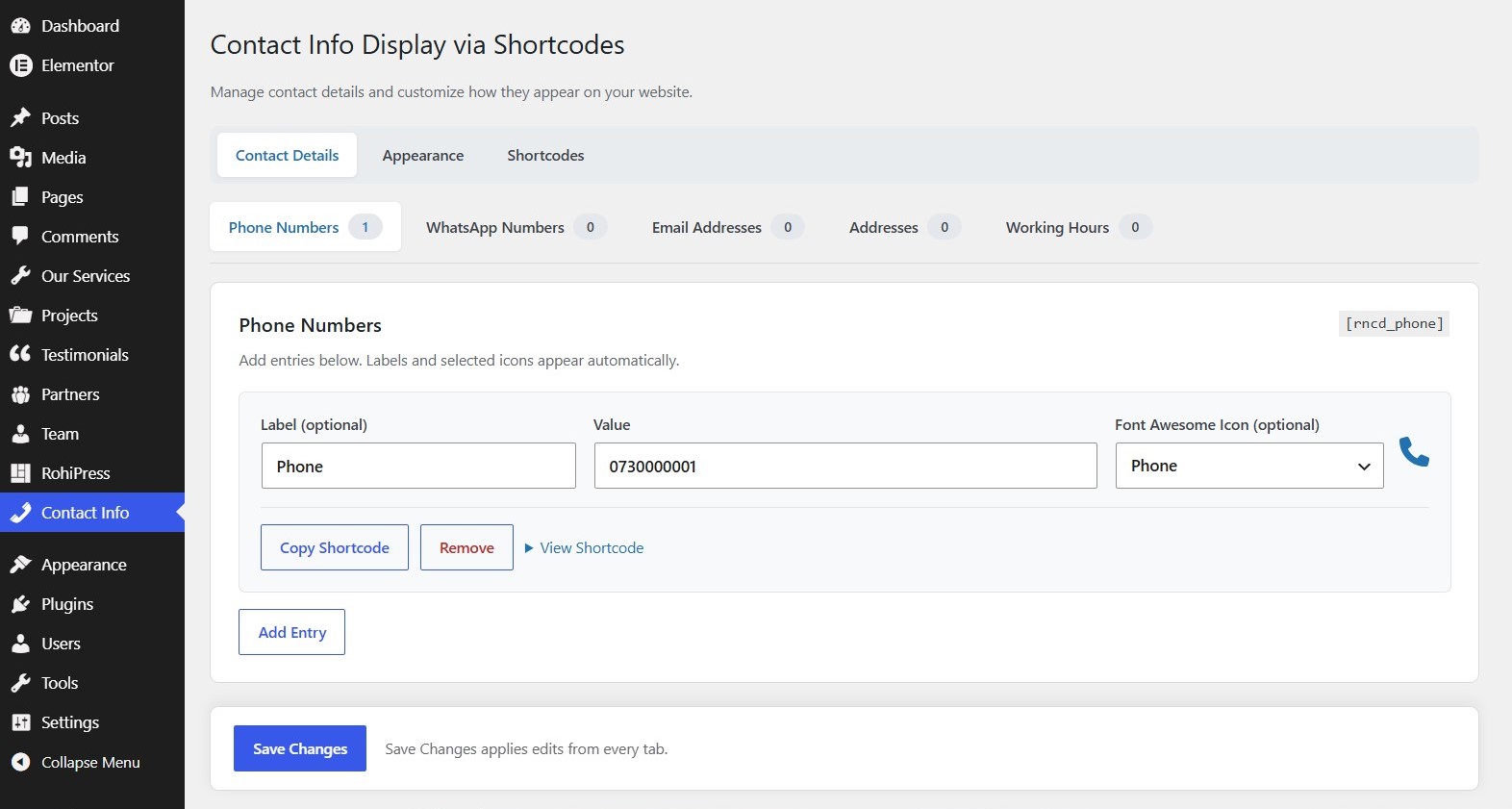
Each group supports multiple entries. Add or remove entries, assign optional labels and Font Awesome icons, and copy an entry’s shortcode. A configured label appears above its value; a selected icon appears beside the value. Empty labels and unselected icons create no placeholders.
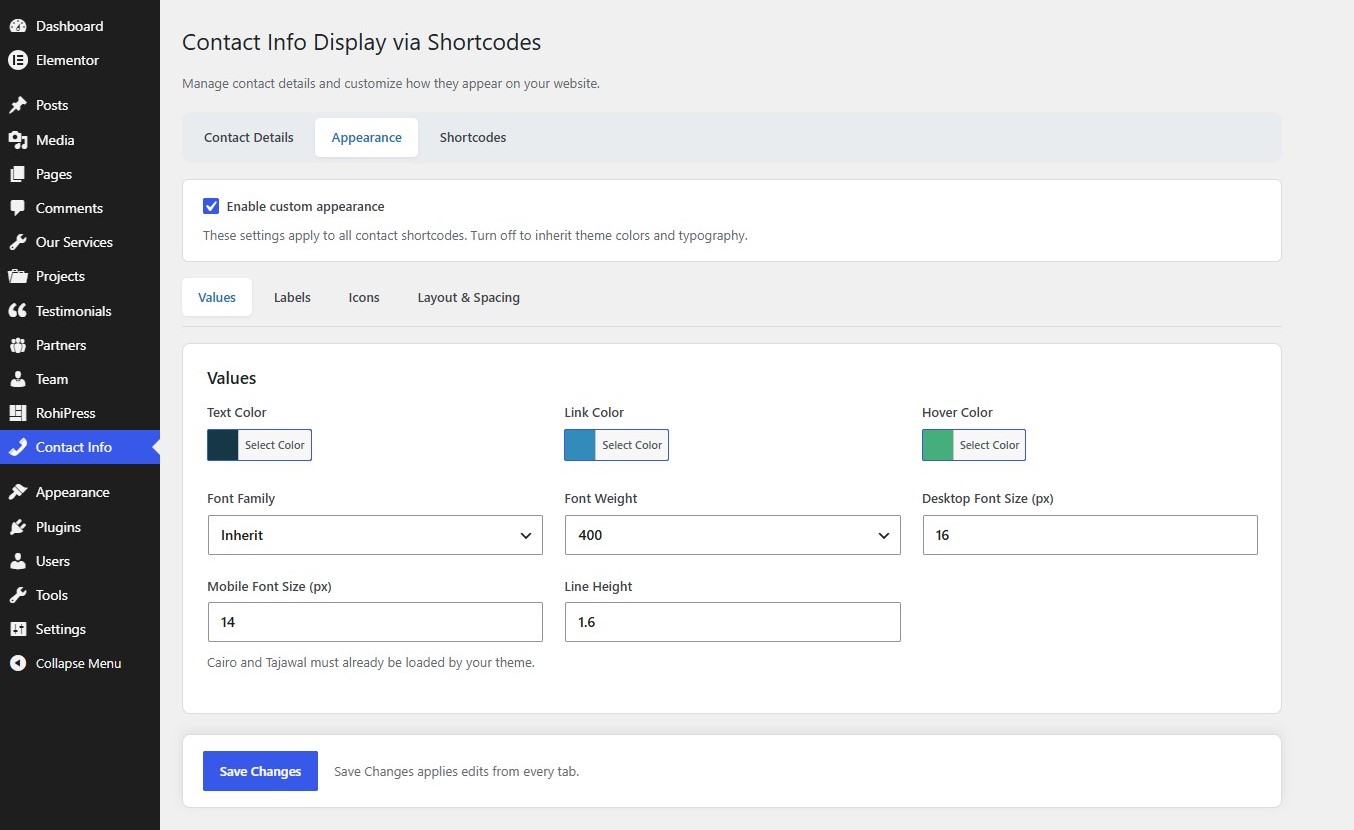
Appearance settings cover value and label typography, desktop and mobile sizes, icon sizes, HEX colors, hover colors, alignment and spacing. The standard WordPress color picker allows palette selection or direct HEX entry. Disable custom appearance to inherit your theme’s colors and typography.
Use the built-in Shortcode block or Elementor’s Shortcode widget. Elementor is optional and is not required for the plugin to work. Right-to-left layouts are supported; phone and email values retain left-to-right readability.
Shortcode examples
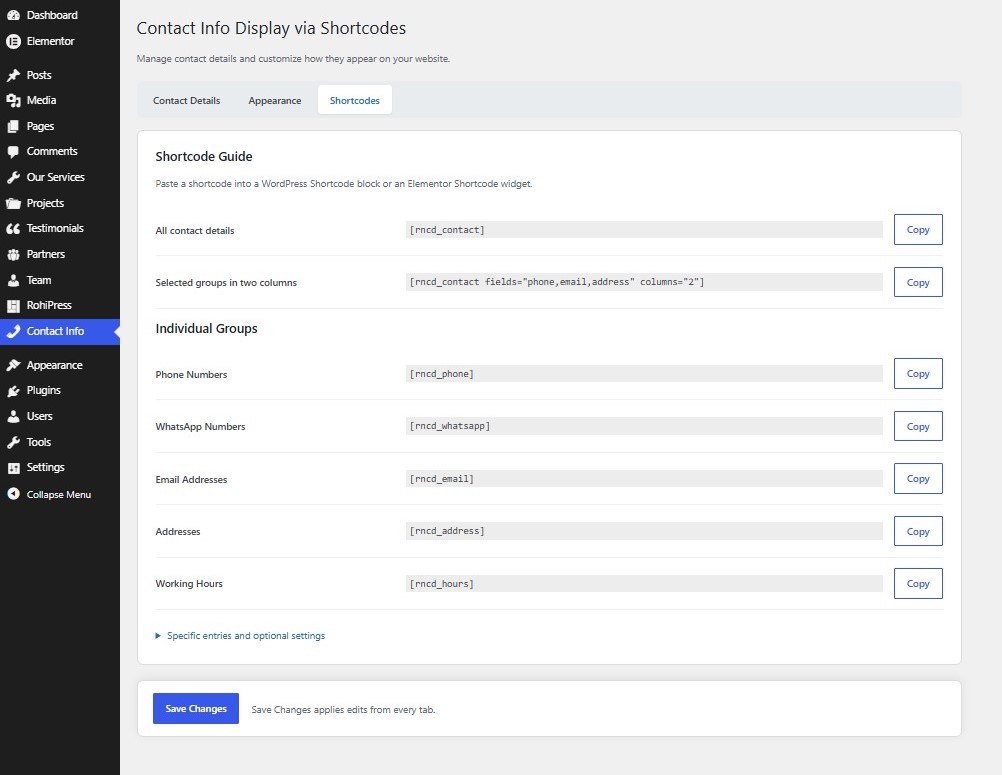
Display all configured contact groups:
[rncd_contact]
Select groups and use two columns:
[rncd_contact fields=”phone,email,address” columns=”2″]
Display individual groups:
[rncd_phone]
[rncd_whatsapp]
[rncd_email]
[rncd_address]
[rncd_hours]
Display one entry using the ID copied from the dashboard:
[rncd_phone id=”your-entry-id”]
Hide labels or icons:
[rncd_contact label=”no” icon=”no”]
Display values without links:
[rncd_phone link=”no”]
IDs remain stable when other entries are added or removed. Removing an entry means its individual shortcode no longer displays that entry. General shortcodes skip empty or undefined groups.
Privacy and external links
The plugin does not collect analytics, send contact data to a remote service, or download fonts or icons. Contact details entered by administrators are stored in the WordPress options database and displayed when a shortcode is used.
Phone links use tel:, email links use mailto:, and WhatsApp links point to https://wa.me/. Following a WhatsApp link opens WhatsApp’s service. Address links use the map URL configured by the administrator. These links are not background API requests.
WhatsApp terms: https://www.whatsapp.com/legal/terms-of-service
WhatsApp privacy policy: https://www.whatsapp.com/legal/privacy-policy
Bundled assets
The plugin includes a local subset of Font Awesome Free 6.7.2 SVG icons by Fonticons, Inc., licensed under CC BY 4.0. See THIRD-PARTY-LICENSES.txt for attribution and license details. No global Font Awesome stylesheet or font is loaded.
Screenshots
Installation
- Install and activate Contact Info Display via Shortcodes.
- Open Contact Info in the dashboard sidebar. The older Settings > Contact Info route is also available.
- In Contact Details, choose a group, add entries, and optionally configure labels and icons.
- Click Save Changes. Configure the Appearance tab if desired.
- Copy a shortcode from the Shortcodes tab.
- Paste it into a WordPress Shortcode block or an Elementor Shortcode widget.
FAQ
-
Is this a contact form?
-
No. It displays contact information and links. It does not receive messages or send emails.
-
Can I save more than one phone number or address?
-
Yes. Every contact group supports multiple entries.
-
How should I enter a WhatsApp number?
-
Use an international number with a plus sign and country code, such as +93700123456. Arabic and Persian digits are normalized.
-
Does it require Elementor or Font Awesome?
-
No. WordPress shortcodes work independently of Elementor. Icons are bundled locally.
-
Does it download Cairo or Tajawal?
-
No. Those fonts must already be available through your theme or another font provider.
-
Will updates preserve my settings?
-
Saved settings from Central Contact Info are copied once per site to rncd_settings_v3. Original options are retained. Replace old company_* shortcodes in your pages with the corresponding rncd_* shortcodes; the old names are no longer registered.
-
What happens on uninstall?
-
Settings are intentionally retained. To permanently remove them, delete rncd_settings_v3 and, if present from older versions, cci_settings_v3 and cci_contact_info from the relevant site after uninstalling. Back up first.
-
Does it work with multisite?
-
Settings are stored separately for each site. Configure entries and appearance in each site’s dashboard.
Reviews
There are no reviews for this plugin.
Contributors & Developers
“Contact Info Display via Shortcodes” is open source software. The following people have contributed to this plugin.
Contributors
Translate “Contact Info Display via Shortcodes” into your language.
Interested in development?
Browse the code, check out the SVN repository, or subscribe to the development log by RSS.
Changelog
0.6.3
- Rename the display name to Contact Info Display via Shortcodes.
- Clarify that the plugin displays saved contact information, rather than creating contact forms.
- Preserve existing settings, entry IDs, shortcode names and plugin identifiers.
0.6.2
- Rename the plugin and text domain for directory review.
- Use RNCD prefixes for declarations, settings, assets and shortcodes.
- Copy previous contact entries and appearance settings without deleting originals.
0.6.1
- Add Tested up to for the WordPress version used for the dashboard checks.
- Exclude internal preflight documentation from the distribution.
0.6.0
- Prepare the WordPress.org readme, license information and developer metadata.
- Translate bundled icon captions.
- Preserve saved settings and all existing shortcode names.
0.5.4
- Use the standard WordPress color picker across all six color settings.
- Support editable HEX values and six-digit HEX storage.
0.5.3
- Add a visual custom color palette with synchronized HEX input.
0.5.2
- Add direct HEX input and HEX-only color validation.
0.5.1
- Add a top-level Contact Info menu and preserve the previous Settings route.
0.5.0
- Organize settings into Contact Details, Appearance and Shortcodes.
- Add contact category tabs, counts and a sticky save bar.
0.4.0
- Display optional labels and locally bundled Font Awesome icons.
- Add independent label and icon appearance controls.
- Add the general-purpose contact shortcode and entry filters.
0.3.0
- Add repeatable contact entries, stable IDs and shortcode copying.
- Add input validation, legacy migration and scoped appearance settings.