
Description
A form submission tells you someone is interested. It does not tell you which
ad, email or search brought them, and by the time they get in touch the referrer
is long gone.
Ghizo Attribution Tracker records how every visitor found your site, keeps it
across visits, and attaches it to the form they submit and the order they place.
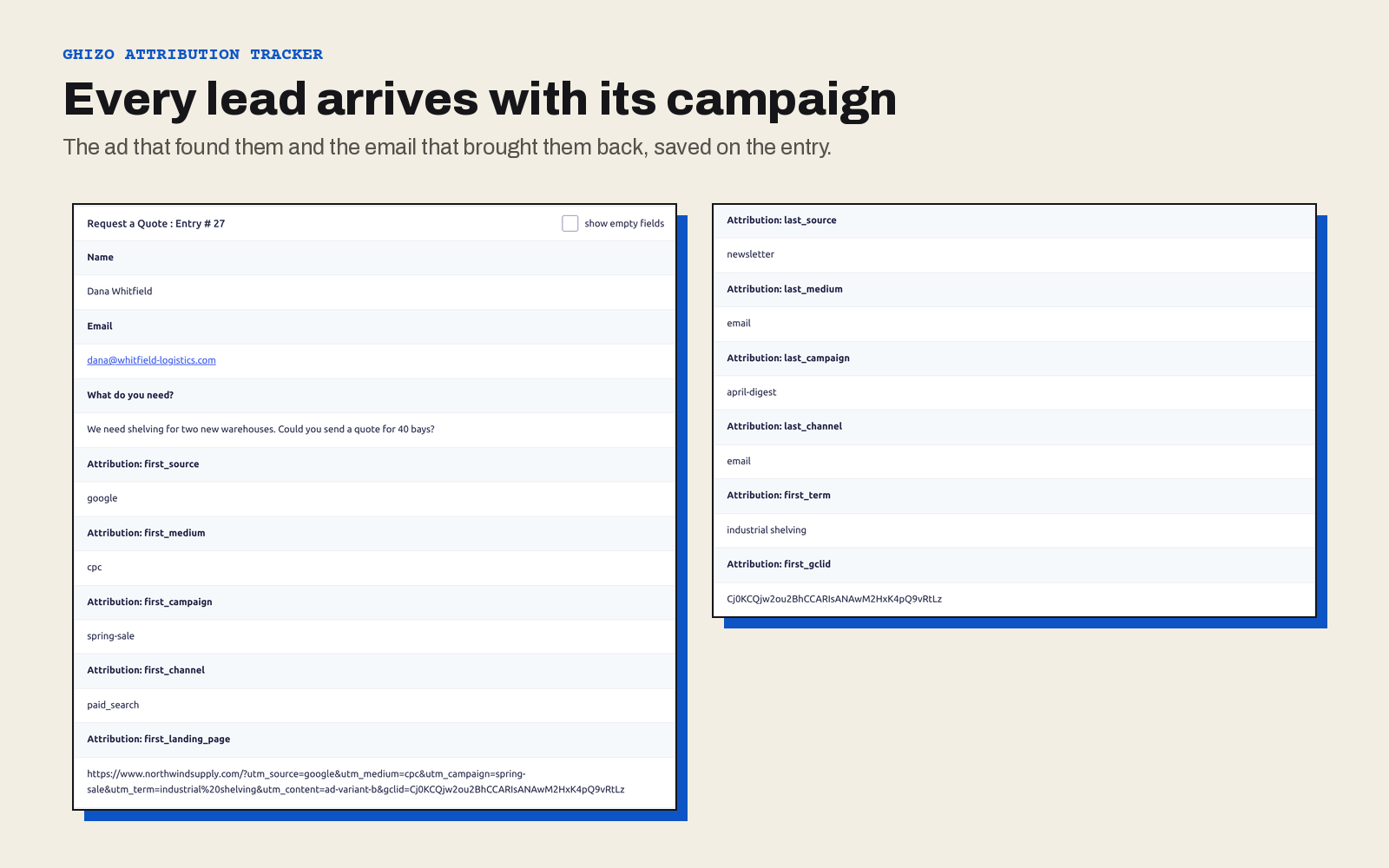
Each lead arrives with its campaign on it: where they first found you, and what
finally made them get in touch.
Features at a glance
- First and last touch, stored separately: the campaign that found the visitor and the one that converted them
- UTM parameters, the newer GA4 set, and ad click IDs from Google, Meta and Microsoft
- Channel classification: Paid Search, Organic Social, Email, Direct and more, worked out for you
- Six form plugins: Gravity Forms, Contact Form 7, WPForms, Fluent Forms, Ninja Forms and Elementor Pro
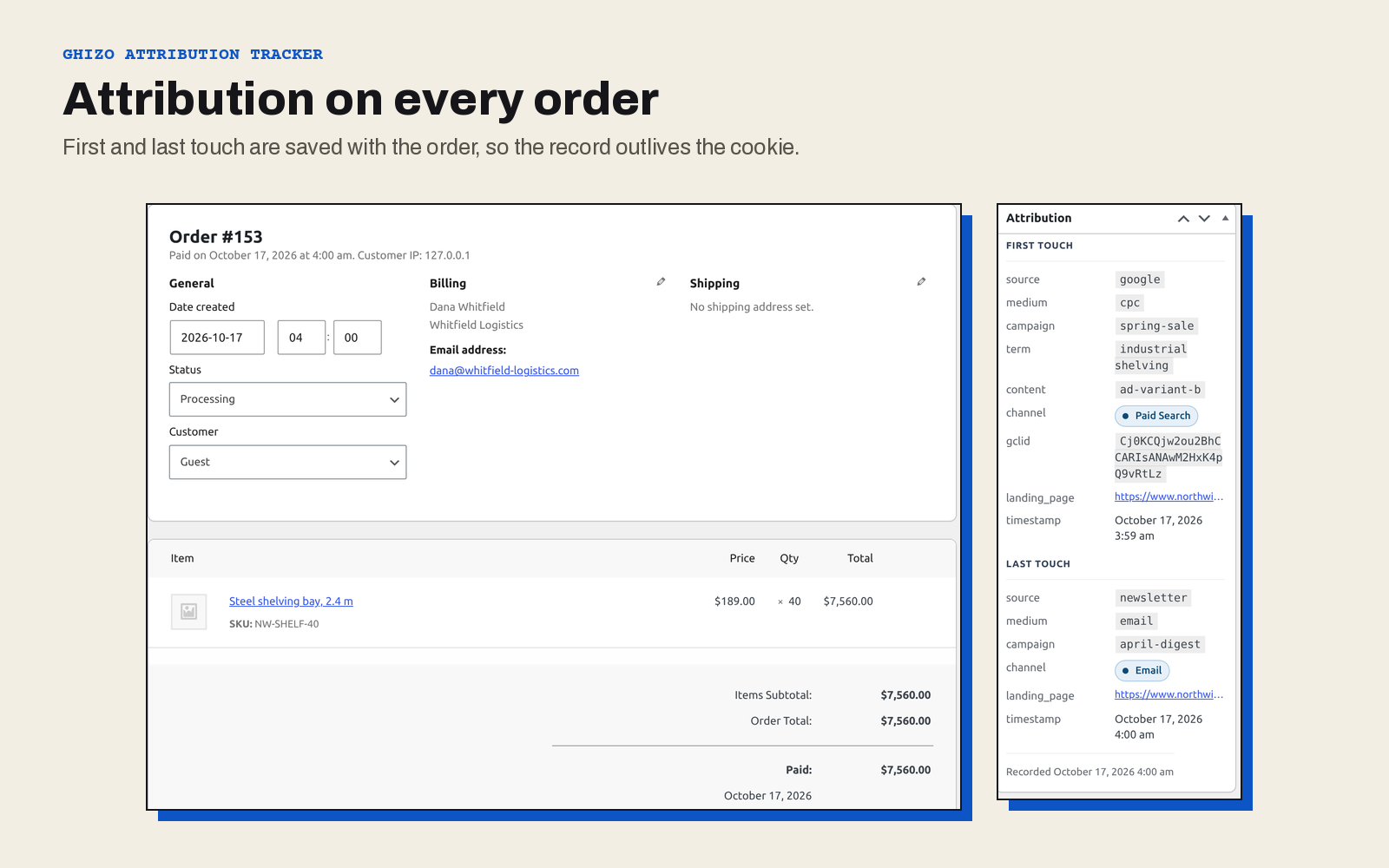
- WooCommerce: attribution saved on every order and shown on the order screen
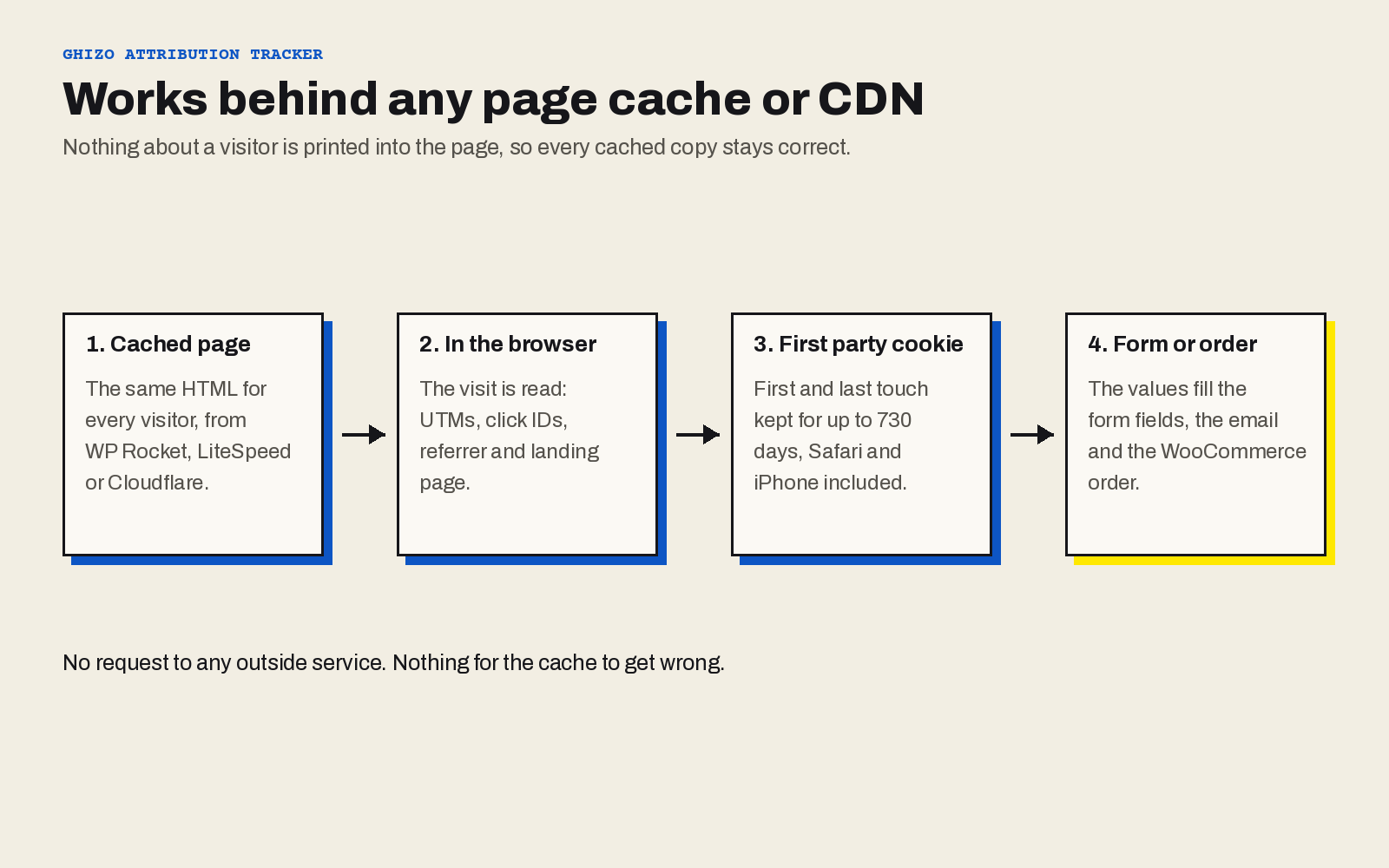
- Works behind any page cache or CDN: nothing visitor specific is ever printed into the page
- Full retention on Safari and iPhone, where most trackers lose the visitor after seven days
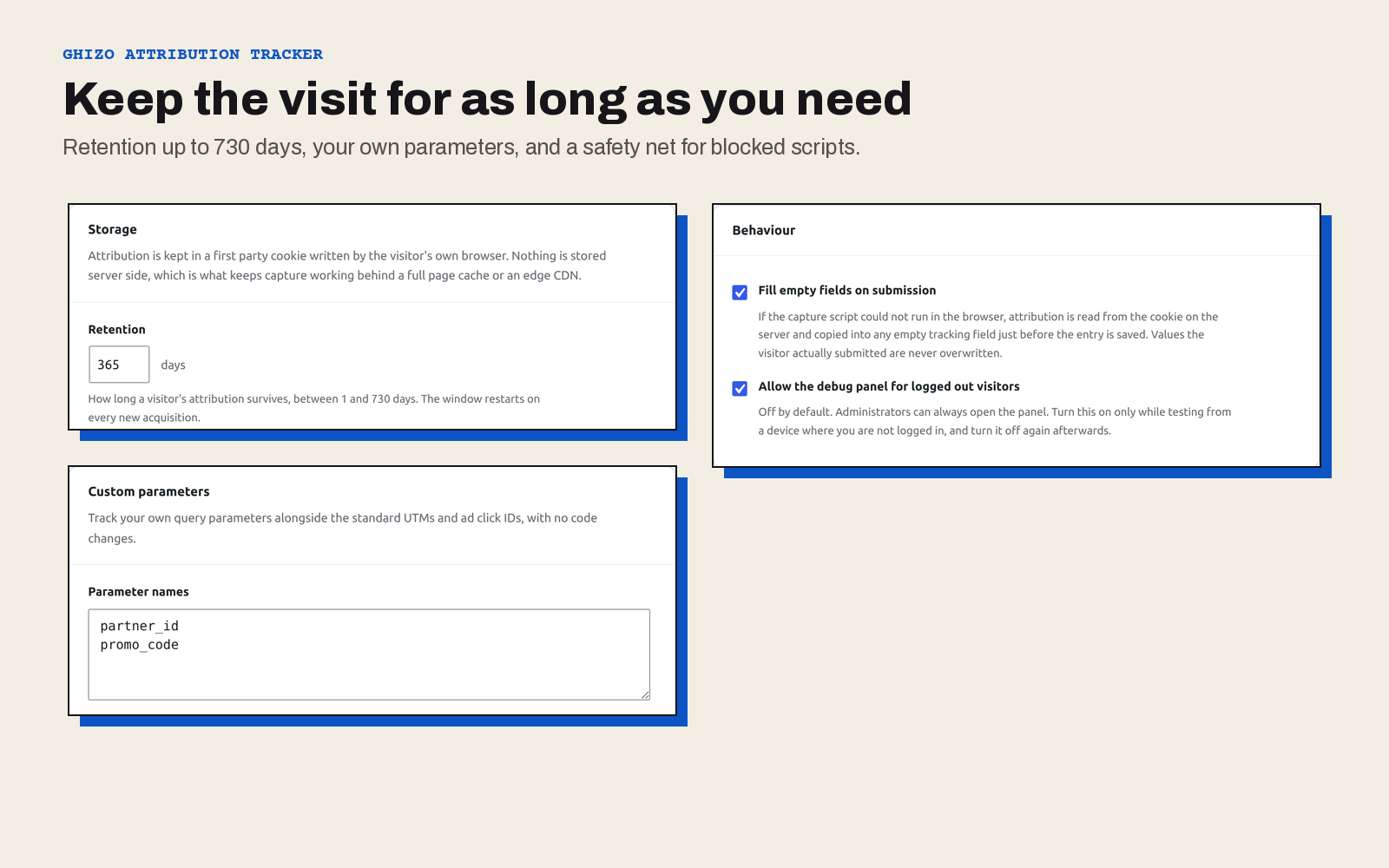
- Your own parameters: track partner IDs, promo codes or anything else in the URL
- No external requests and no personal data: everything stays on your site
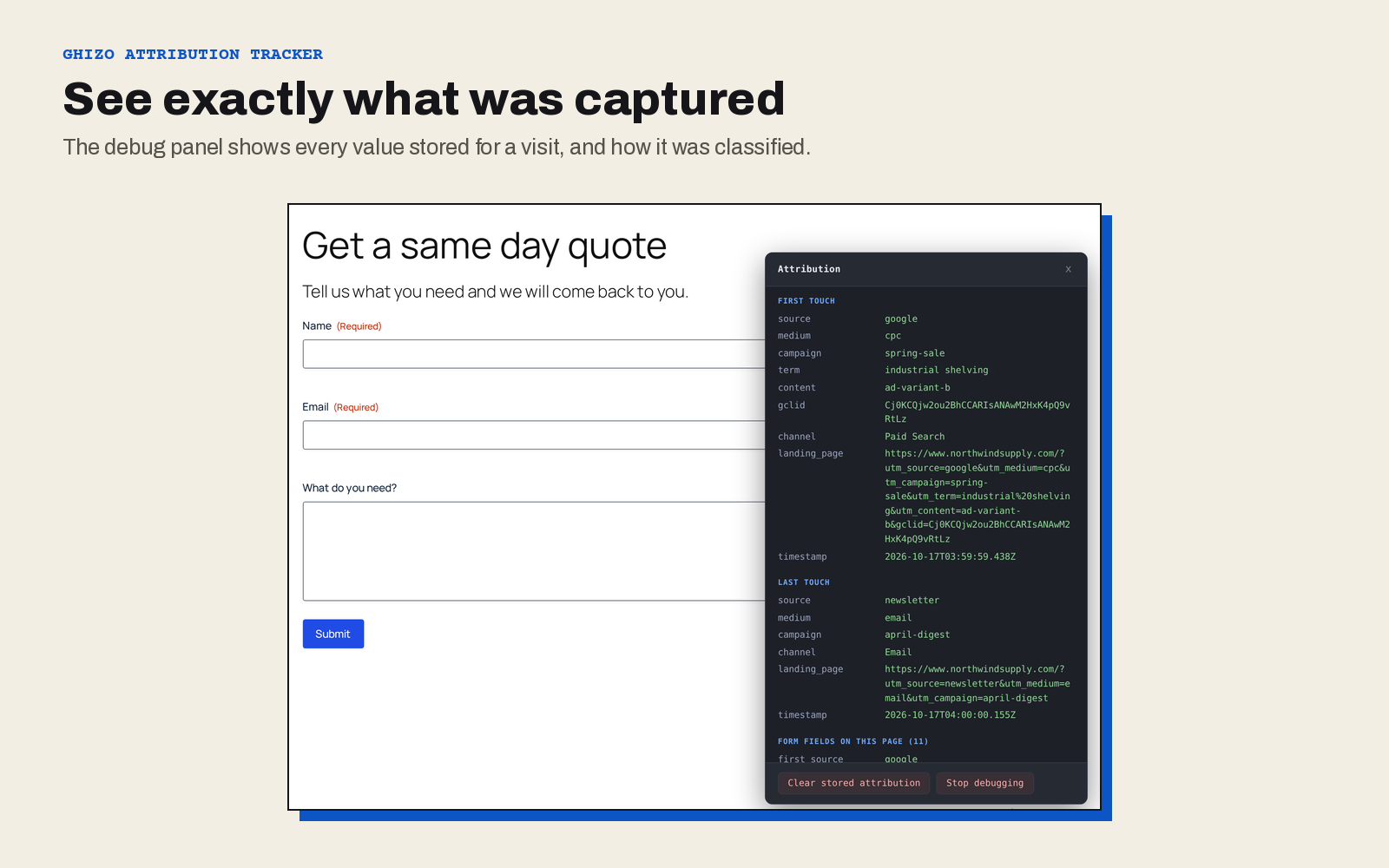
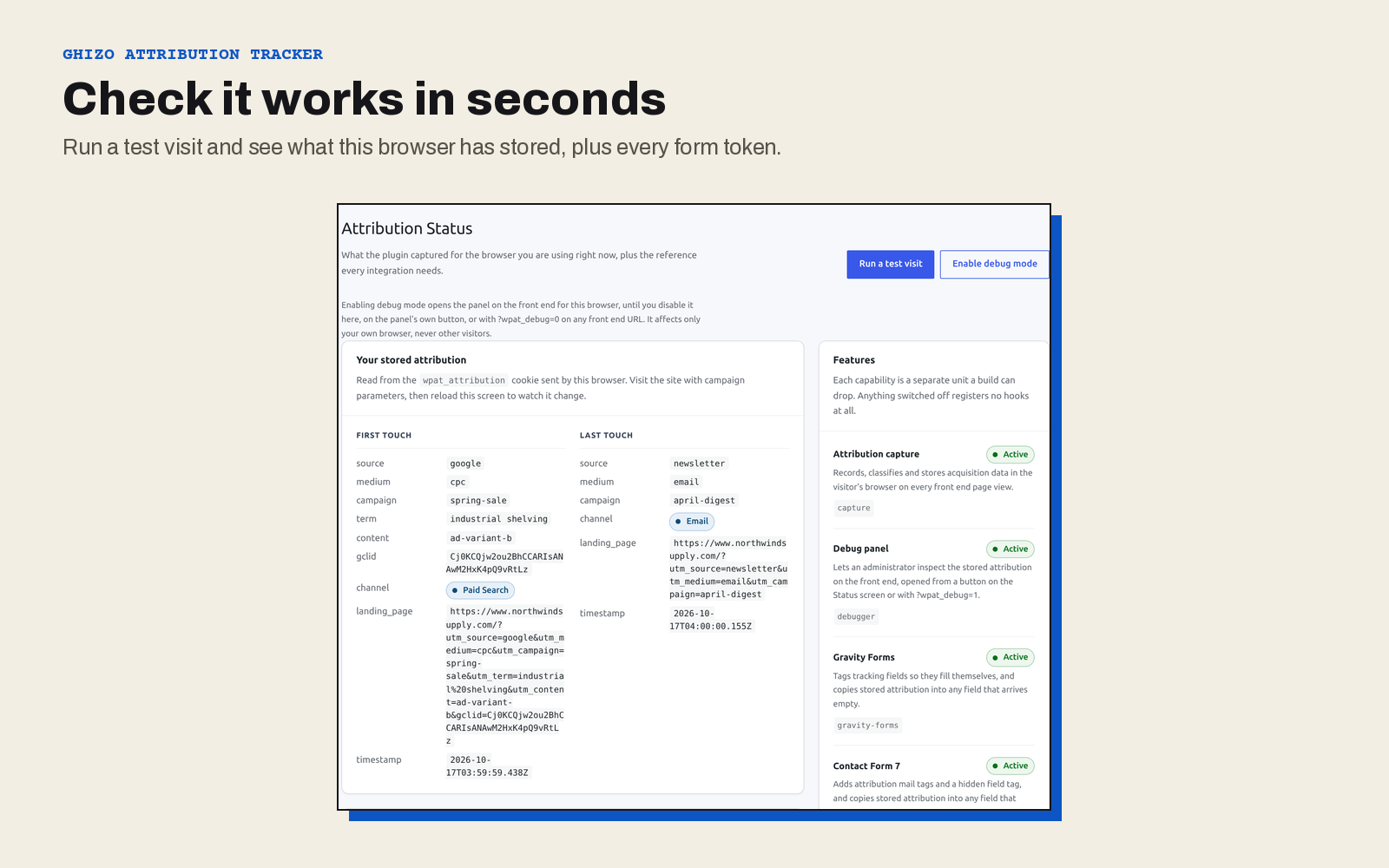
- A debug panel and a test visit, so you can see exactly what was captured and why
Every lead arrives with its campaign
Add the tracking to your forms the way each form plugin already works, and the
values fill themselves in.
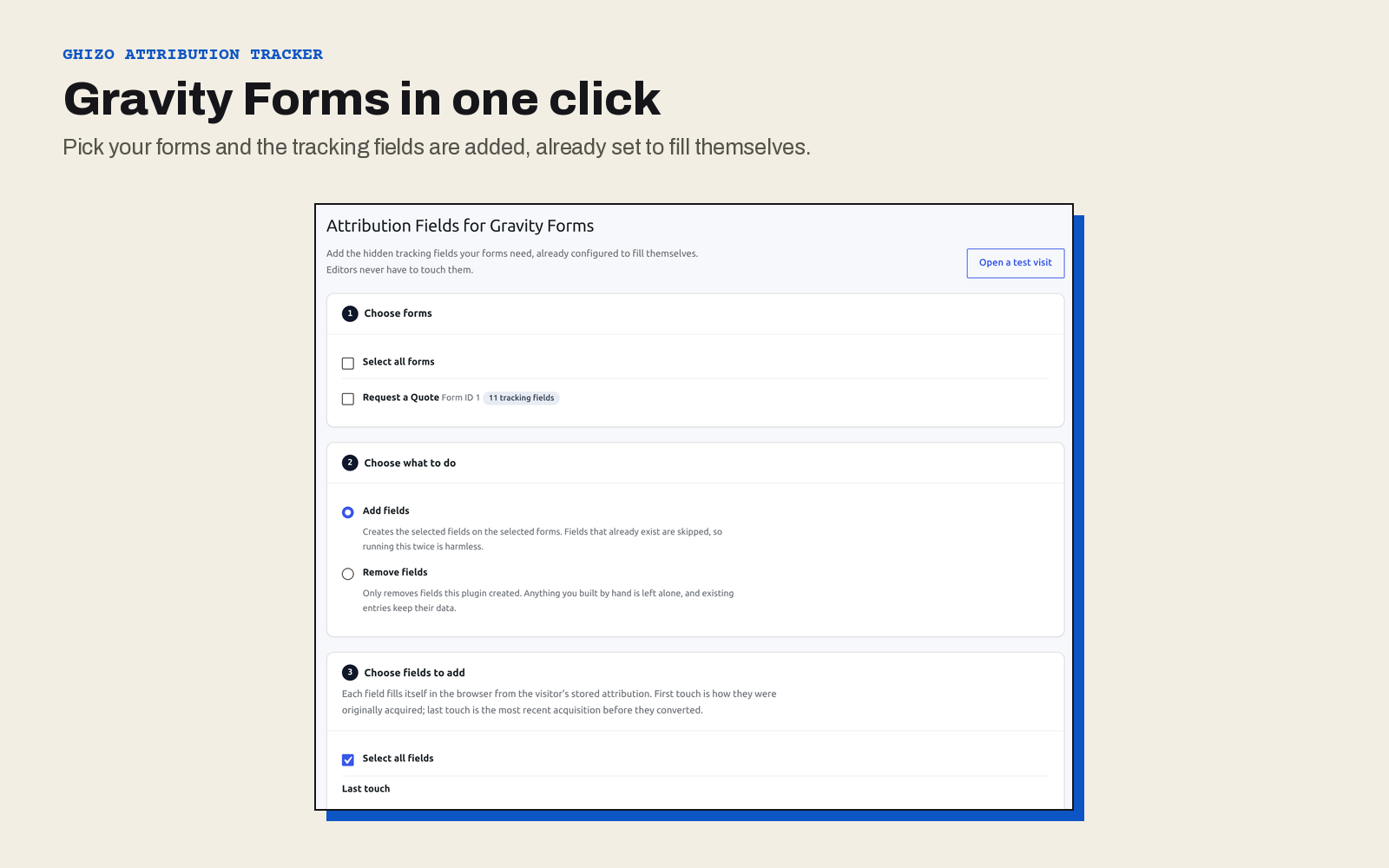
- Gravity Forms. Add the tracking fields to any form in one click. A server
side safety net fills any field that arrives empty, so a lead is never missing
its source because JavaScript was blocked. - Contact Form 7. Write
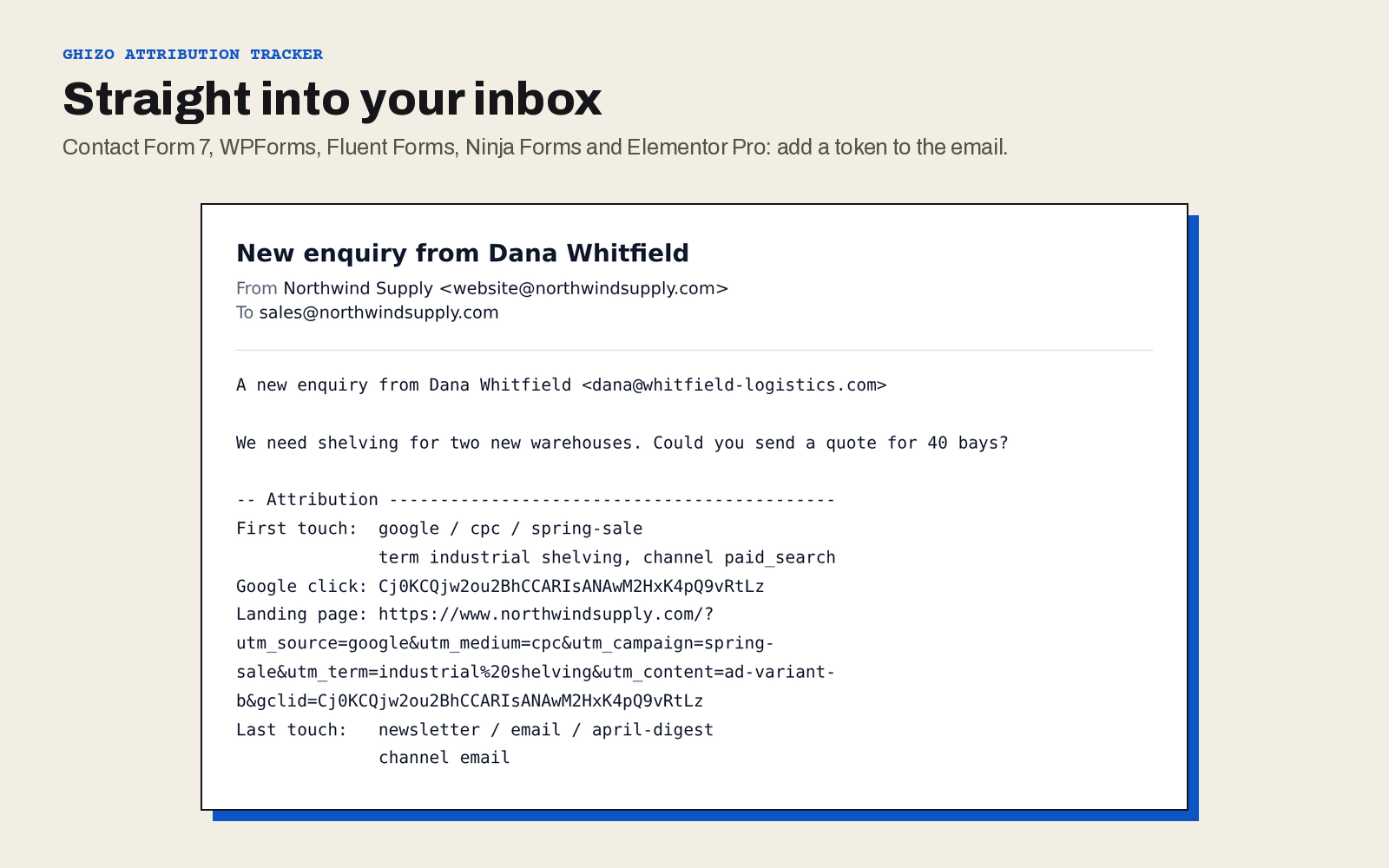
[wpat_last_source]or any other token in the mail
template. There is also a hidden field tag,[wpat_hidden last_source], for
the form itself. - WPForms. Use
{wpat_last_source}anywhere WPForms accepts a smart tag: a
notification, a confirmation, or a stored entry. - Fluent Forms. Use
{wpat.last_source}in a notification, a confirmation or
an integration, or name a hidden field after a token and it fills itself. - Ninja Forms. Use
{wpat:last_source}in a notification, an action, or a
hidden field’s default value. - Elementor Pro. Write
[wpat_last_source]in the form’s email, alongside
Elementor’s own field references. - WooCommerce. First and last touch are copied onto each order at checkout,
through the classic checkout or the checkout block, so the record outlives the
cookie.
Works with any page cache or CDN
Most attribution plugins decide on the server, which breaks the moment a page is
cached: one visitor’s campaign ends up served to the next. Ghizo Attribution
Tracker captures everything in the visitor’s own browser and keeps it in a first
party cookie, so WP Rocket, LiteSpeed, Cloudflare or any other cache can serve
the same page to everybody and the attribution still arrives.
Built for how people really buy
People rarely convert on their first visit. They click an ad, leave, and come
back weeks later through an email or a search. Attribution is kept for 90 days by
default and can be set to anything up to 730, and the window restarts on every new
campaign visit.
Safari and every browser on iPhone delete a cookie set by JavaScript after seven
days. This plugin also sets the cookie from the server, which those browsers do
not cut short, so the window you choose is the window you get.
What it captures
- UTM parameters:
utm_source,utm_medium,utm_campaign,utm_term,utm_content - The GA4 set:
utm_id,utm_source_platform,utm_creative_format,utm_marketing_tactic - Ad click IDs:
gclid,gbraid,wbraid,fbclid,msclkid - Your own query parameters, as many as you need
- The referrer and the landing page of each visit
- A classified channel, for example Paid Search, Organic Social or Direct
Privacy
No personal data is collected, no external service is contacted and there is no
telemetry of any kind. The only thing stored in the visitor’s browser is one
first party cookie holding the campaign values listed above. Deleting the plugin
removes its settings.
Documentation and support
- Documentation: setup for every form plugin, every token, and hooks for developers. The same guide ships inside the plugin.
- Support forum: questions and bug reports.
In the paid add-on
Attribution Tracker Pro is a separate plugin for teams that want the numbers in
WordPress:
- Revenue and orders by source, medium, campaign or channel
- First touch against last touch, side by side
- Form conversions reported alongside revenue
- An attribution column and filters on the WooCommerce orders list
- CSV export of any report
Available from ghizolabs.com.
Screenshots
Installation
- Install and activate the plugin from Plugins Add New.
- Open Attribution Status and press Run a test visit to see capture working.
- For Gravity Forms, go to Attribution Gravity Forms, pick your forms and add the tracking fields.
- For every other form plugin, add the tokens you want to the email or the notification. The Status screen lists every token, in each plugin’s own syntax.
FAQ
-
Does this work with a caching plugin or a CDN?
-
Yes, and that is the point. Capture and storage happen in the browser, so no
cached page can ever hold or leak one visitor’s attribution. -
What is the difference between first and last touch?
-
First touch is the campaign that introduced the visitor to your site. Last touch
is the one they arrived through when they finally converted. Both are kept, so
you can credit the ad that found them and the email that closed them. -
Why is nothing recorded when I visit directly?
-
A direct visit is recorded, as a Direct channel touch. If nothing at all appears,
JavaScript did not run, or the browser had cookies blocked. -
How long does the attribution last?
-
90 days by default, and up to 730 under Attribution Settings. Safari and
every browser on iPhone cap a cookie written by JavaScript at seven days, so the
plugin also has the server set the same cookie, which is not capped. That request
goes to a small endpoint that is never part of the cached page, and if it ever
fails the next page view simply tries again. -
How do I get attribution into a Contact Form 7 email?
-
Write the token in the mail template with a
wpat_prefix, for example
[wpat_last_source],[wpat_first_campaign]or[wpat_last_channel]. Contact
Form 7 does not store submissions, so the email is where the value is kept. To
put it in the form itself instead, add[wpat_hidden last_source]to the form
template. -
How do I get attribution into a WPForms notification?
-
Write the token as a smart tag, for example
{wpat_last_source}. It works
anywhere WPForms accepts text. Smart tags are used rather than a hidden field
because WPForms’ Hidden Field is only available in WPForms Pro. -
How do I get attribution into a Ninja Forms notification?
-
Write the token as a merge tag, for example
{wpat:last_source}. To store it on
the submission, add a Hidden field, set its key to the token, for example
last_source, and type the matching merge tag as its default value. -
How does the Elementor Pro integration work?
-
The email tokens use Elementor’s documented mail filter. Filling a hidden field
relies on Elementor’s submission record, so the plugin checks it is available
first and otherwise leaves the field empty. A form never breaks because of it. -
Does it record attribution on WooCommerce orders?
-
Yes. The first and last touch are copied onto the order at checkout and shown on
the order screen. Orders created in the admin are not attributed. -
Can I track a parameter that is not a UTM?
-
Yes. Add them under Attribution Settings, one per line, and each is
captured and exposed as a form token like everything else. -
Does deleting the plugin remove my data?
-
Deactivating changes nothing. Deleting removes the plugin’s own settings. Values
already written into form entries and orders belong to those records and are left
alone.
Reviews
There are no reviews for this plugin.
Contributors & Developers
“Ghizo Attribution Tracker” is open source software. The following people have contributed to this plugin.
Contributors
Translate “Ghizo Attribution Tracker” into your language.
Interested in development?
Browse the code, check out the SVN repository, or subscribe to the development log by RSS.
Changelog
1.0.0
First release.
- Capture of UTM parameters, the GA4 set, ad click IDs, referrer and landing
page, in the browser, so page caching is unaffected. - First and last touch stored separately, with channel classification.
- Gravity Forms, Contact Form 7, WPForms, Fluent Forms, Ninja Forms and
Elementor Pro, with a server side fill for fields that arrive empty. - WooCommerce, with first and last touch recorded on each order.
- The full retention window on Safari and iOS, through a server set cookie.
- A front end debug panel for administrators, and a Status screen with a test
visit. - Documentation bundled with the plugin, in the admin or on its own.