
Description
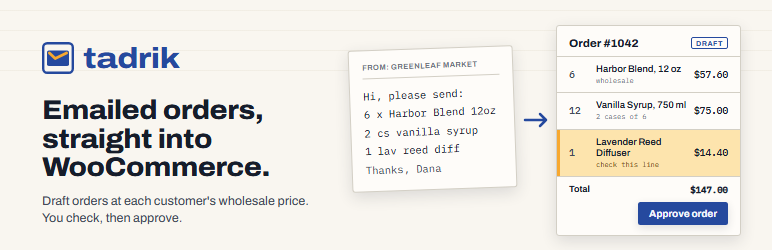
Your shops and stockists email you their orders: a PDF, a spreadsheet, a few lines in the email. Someone on your team types each one into WooCommerce, line by line, and looks up that customer’s prices.
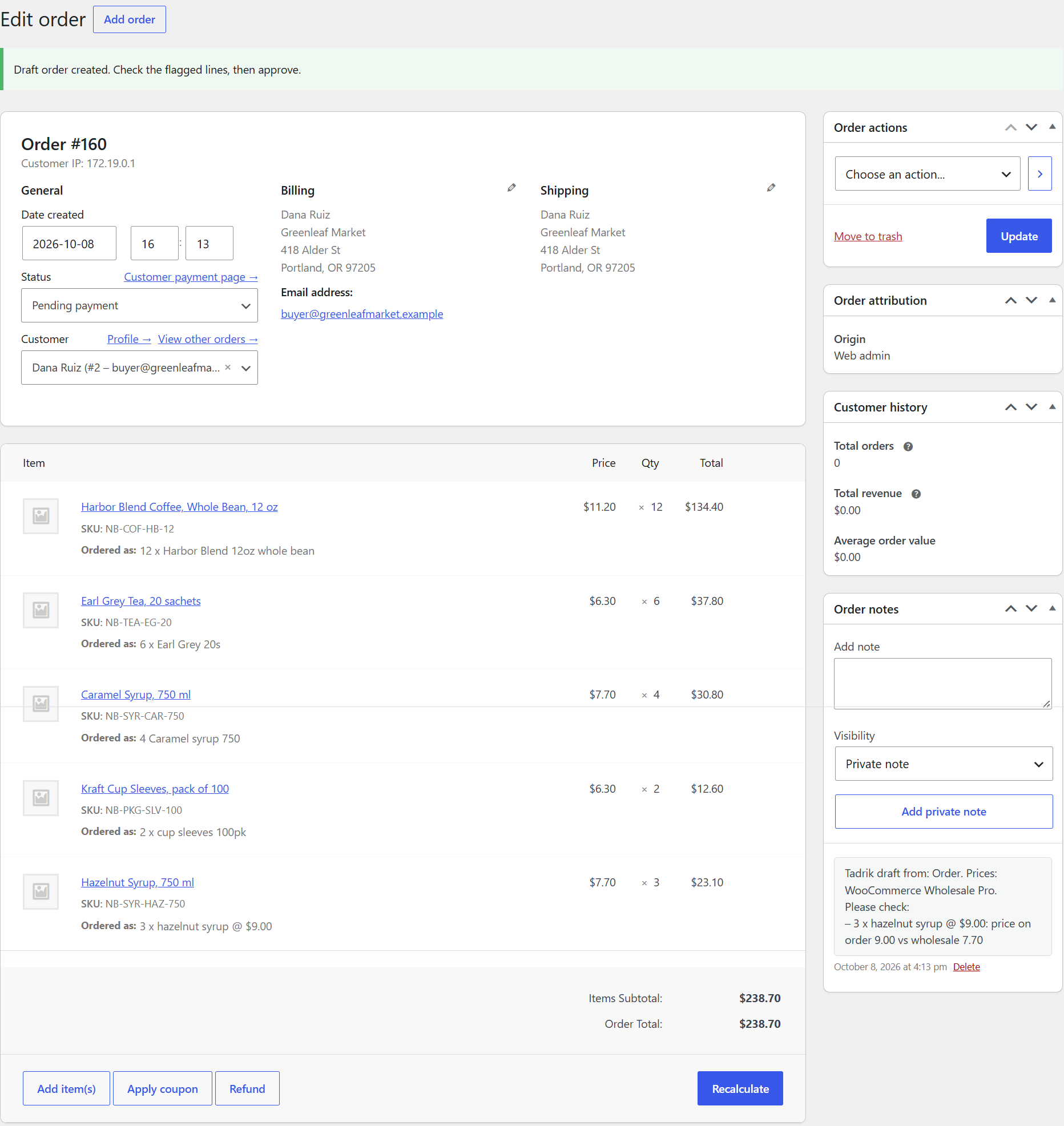
Tadrik does the typing. Upload the file or paste the email, and Tadrik reads it, matches every line to your products, and leaves a draft order in WooCommerce at that customer’s wholesale price. Anything it isn’t sure about is highlighted for you to check. Nothing reaches your customer until you approve it.
In this version
- Founding stores: the first 20 stores are free until 1 January 2027 (100 orders a month), then $49 a month. Everyone else starts on the free plan, 10 orders a month.
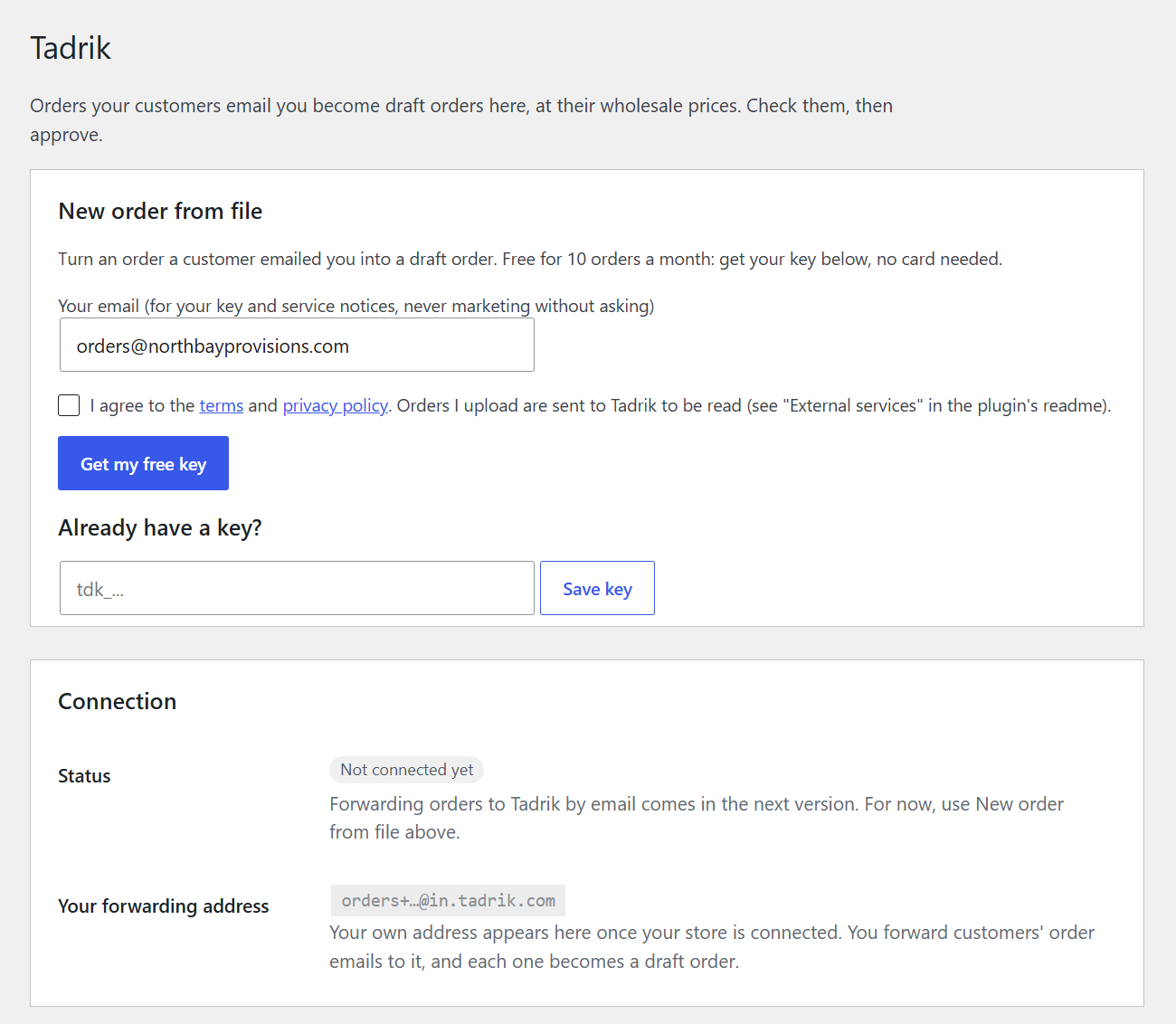
- Free: 10 orders a month. Get a key from WooCommerce > Tadrik with your email. No card, no trial clock.
- New order from file (WooCommerce > Tadrik): upload an order a customer sent you (PDF, Excel, CSV, Word or a photo) or paste the email text, pick the customer, and it becomes a pending draft order. Prices come from Wholesale Suite, WooCommerce Wholesale Pro (Barn2), B2BKing or Addify (B2B for WooCommerce, Wholesale Pricing) for that customer, or your regular prices without one.
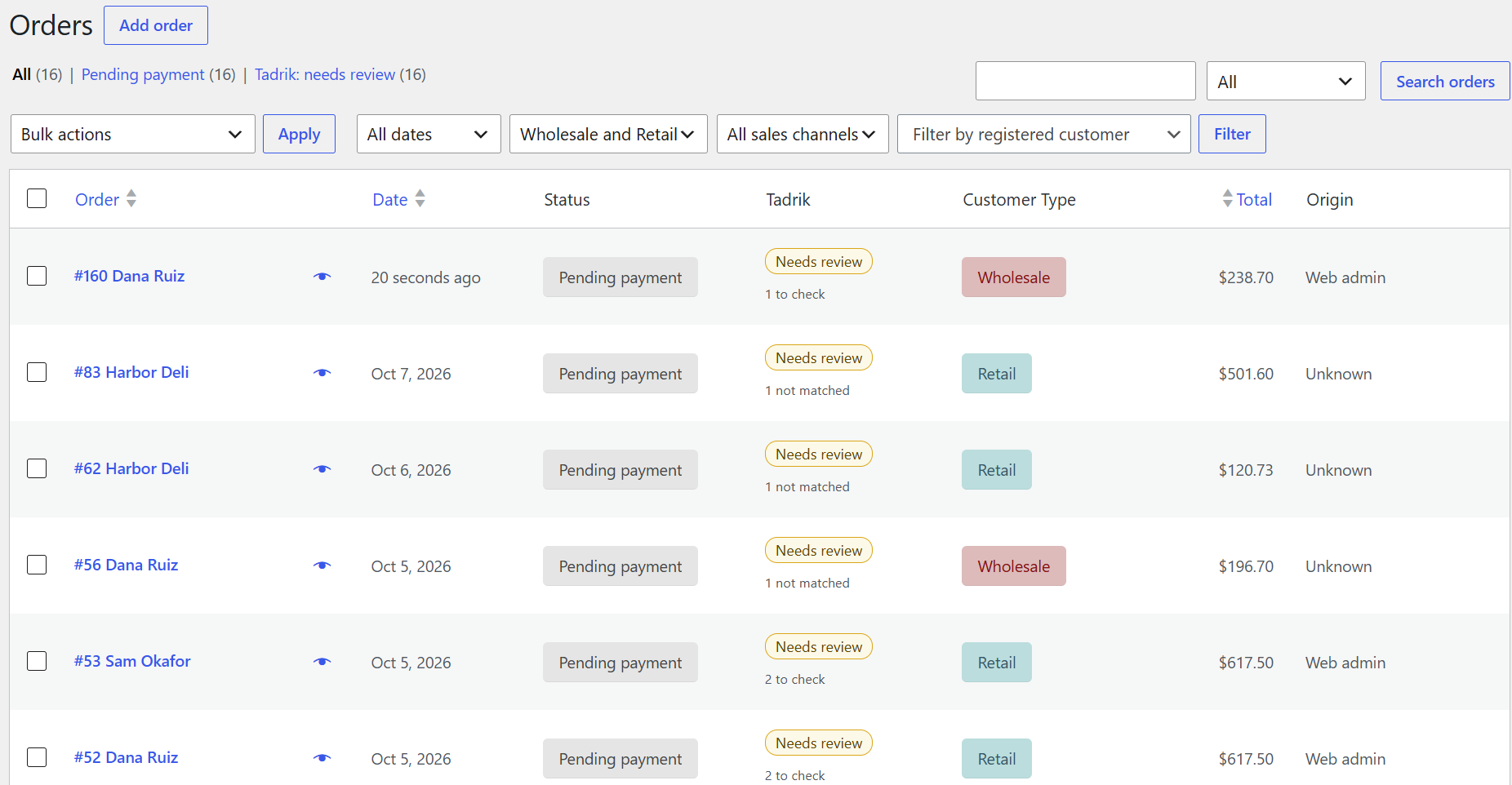
- A Tadrik page under WooCommerce lists the draft orders waiting for your review, with how many lines need a look and how many items weren’t matched.
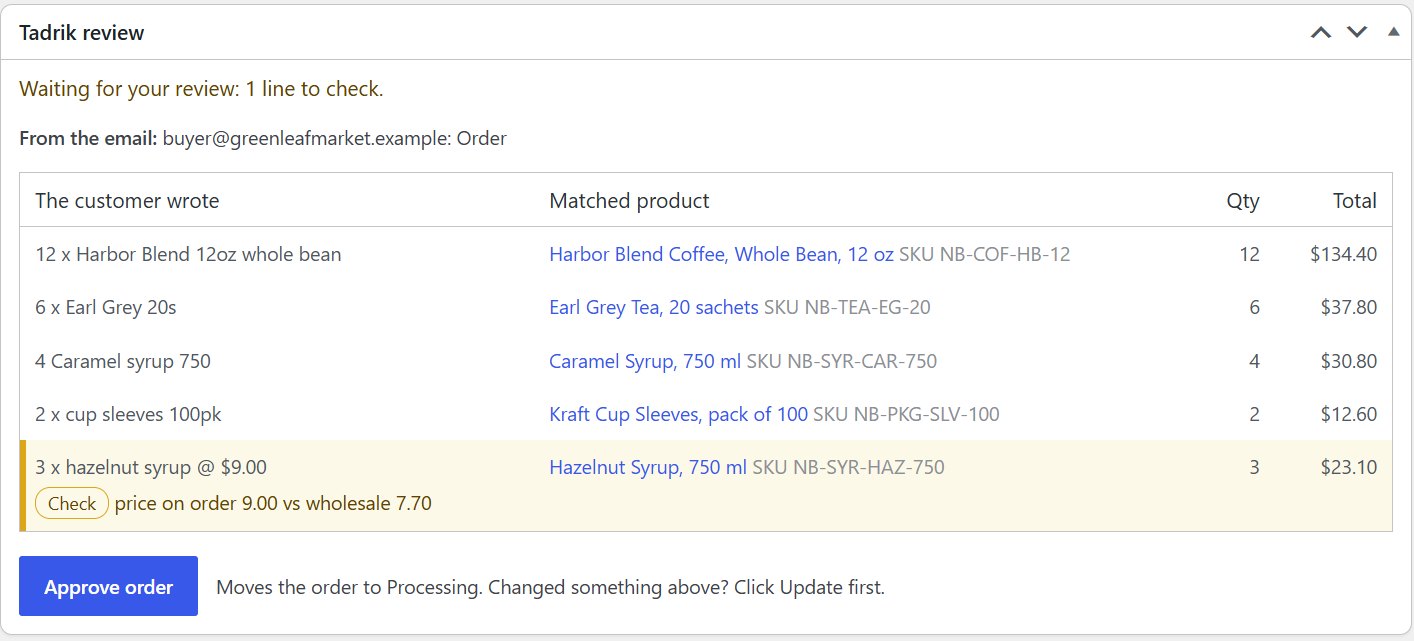
- On each draft order, a Tadrik review box shows what the customer wrote next to the product it was matched to. Lines that need a look are highlighted, and items that matched nothing are listed.
- One click on Approve order moves the draft to Processing and adds a note saying who approved it.
- The orders list gets a Tadrik column and a “Tadrik: needs review” view.
- Works with WooCommerce’s order tables (HPOS) and with the older order storage.
Paid plan: up to 100 orders a month, $49/month (https://tadrik.com). The first 20 stores to sign up use the paid plan free until 1 January 2027.
Coming next: your own forwarding address (orders arrive without uploading), memory of each customer’s product codes, and an “order received” email to your customer.
External services
Get my free key sends your store’s address and the email you enter to Tadrik’s service (api.tadrik.com), once, when you press it. Tadrik keeps them to identify your key, count your free orders and send service notices.
New order from file uses Tadrik’s order-reading service (api.tadrik.com), and only when you press “Make the draft order”. It sends:
- the order file or text you entered;
- your store’s name and address;
- the chosen customer’s email and company name;
- your published products’ names, SKUs and that customer’s prices, so the lines can be matched.
Tadrik reads the order with an AI model through providers that keep no data and don’t train on it, sends back the matched lines, and doesn’t store the file or the product list. The draft order itself is created in your store. Nothing is sent at any other time. You need a Tadrik key for this (free, see above). Terms: https://tadrik.com/terms. Privacy: https://tadrik.com/privacy.
Screenshots
Installation
- Make sure WooCommerce is installed and active.
- Upload the
tadrik-po-inboxfolder to/wp-content/plugins/, or upload the zip under Plugins > Add New > Upload Plugin. - Activate Tadrik Inbox.
- Open WooCommerce > Tadrik, enter your email and press Get my free key.
FAQ
-
Does anything get sent to my customer before I approve?
-
No. A draft is a Pending payment order. Your customer hears about it only through the emails WooCommerce sends once you approve it.
-
What does the free plan include?
-
10 orders read a month per store, every feature in this plugin, no card. The count starts again on the 1st of each month. The first 20 stores to sign up get 100 orders a month, free, until 1 January 2027; after that they move to the free plan or the $49/month plan.
-
Why is the plugin called Tadrik PO Inbox in my files?
-
It was renamed Tadrik Inbox. The folder and slug (
tadrik-po-inbox) stay the same so updates keep working. -
What does Approve do?
-
It moves the draft to Processing (WooCommerce’s usual “we’re preparing it” status), adds an order note with your name, and takes it off the review list. Developers can pick another status with the
tadrik_po_inbox_approved_statusfilter. -
Why can’t I approve an order with items that weren’t matched?
-
Approving would send your customer an order with “NOT MATCHED” lines in it. Add the right product for each one (or delete the line if you don’t stock it), click Update, then approve.
-
What happens to my orders if I delete the plugin?
-
They stay exactly as they are. Deleting the plugin removes only its own settings.
Reviews
There are no reviews for this plugin.
Contributors & Developers
“Tadrik Inbox – Emailed Orders to WooCommerce Draft Orders” is open source software. The following people have contributed to this plugin.
Contributors
Translate “Tadrik Inbox – Emailed Orders to WooCommerce Draft Orders” into your language.
Interested in development?
Browse the code, check out the SVN repository, or subscribe to the development log by RSS.
Changelog
0.6.2
- Renamed Tadrik Inbox. The first 20 stores get 100 orders a month, free, until 1 January 2027.
0.6.1
- The Tadrik page no longer shows the email-forwarding section before that feature is available.
0.6.0
- Free plan: get a key from WooCommerce > Tadrik with your email (10 orders a month), and see how many you’ve used.
- Deleting the plugin now also removes the saved key.
0.5.1
- Prices checked against each pricing plugin’s own checkout, to the cent, on a test store (64 checks across Wholesale Suite, Wholesale Pro, B2BKing, Addify B2B and Addify Wholesale Pricing).
- B2BKing: discount rules shown on the price (percentage or amount, by product, category, list or “all except”; for a customer, group, B2B or B2C customers) are now applied the way B2BKing does: the lowest price wins and replaces a sale price. Customer-specific prices are read only with B2BKing Pro, since B2BKing’s free plugin doesn’t charge them. The “check the prices” note now appears only for rules Tadrik can’t apply (cart discounts, rules with conditions, Pro fixed prices).
- Addify Wholesale Pricing: customer rows inside price rules are skipped, matching what its checkout charges.
0.5.0
- Addify prices (B2B for WooCommerce, Wholesale Pricing for WooCommerce): the customer’s price, else their role’s, else the first matching price rule, at the ordered quantity (quantity tiers included). With Addify active, the customer list shows every non-staff user.
0.4.0
- B2BKing prices: the customer’s own B2BKing price, else their customer group’s price (sale first). Subaccounts use the parent account. B2BKing’s discount and fixed-price rules aren’t applied yet; when a store has any, the draft says to check prices against them.
0.3.0
- WooCommerce Wholesale Pro (Barn2) prices: the price Wholesale Pro itself works out for the customer’s role.
0.2.0
- New order from file: upload or paste an order, pick the customer, get a pending draft at their Wholesale Suite prices.
0.1.0
- First version: the Tadrik page, the review box with Approve, and the orders list column and view.