

Description
Sila is a Syrian cash-on-delivery logistics platform that connects merchants to courier companies. This plugin connects a WooCommerce store to a Sila merchant account.
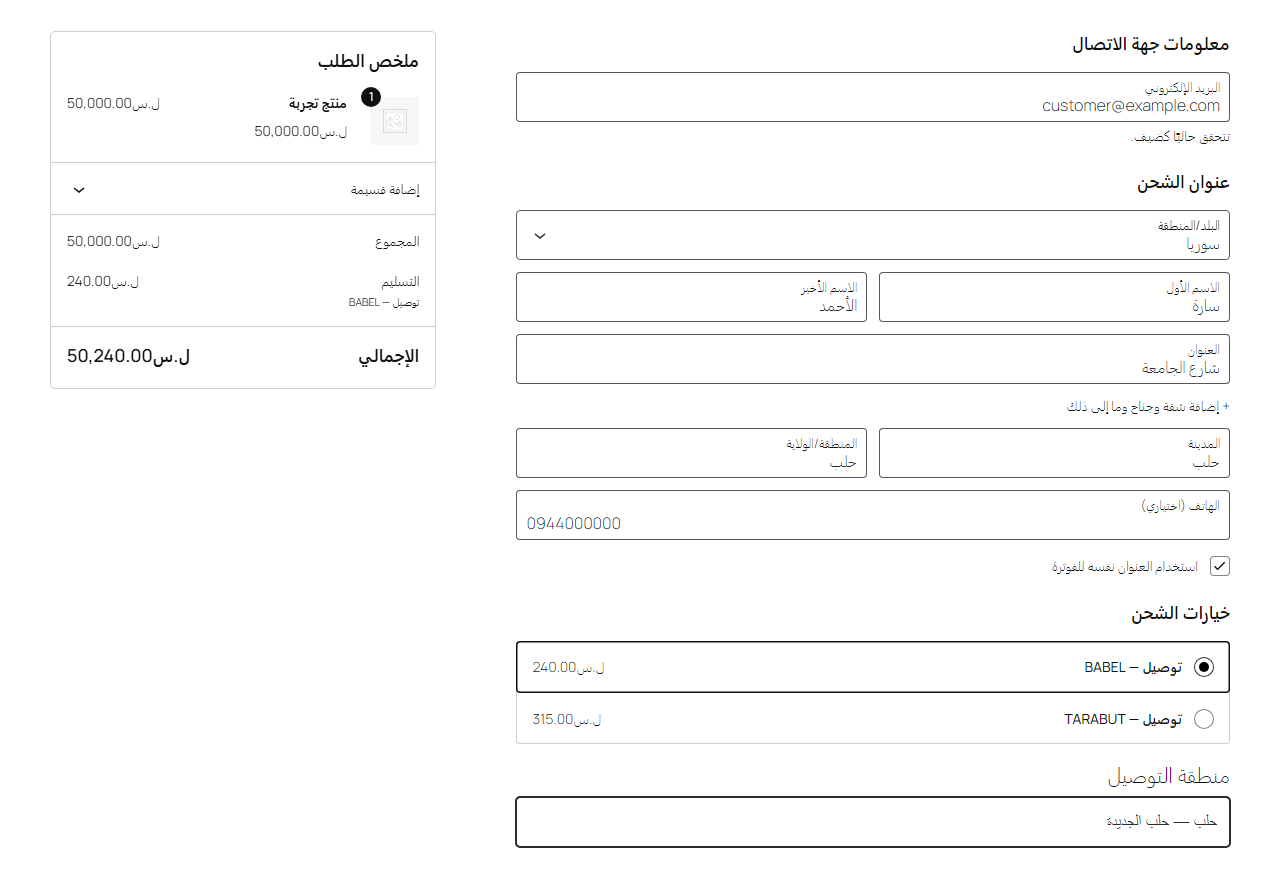
- Checkout (classic and block checkout): the customer picks the delivery area from Sila’s area catalogue and sees the couriers serving it, with Sila’s prices.
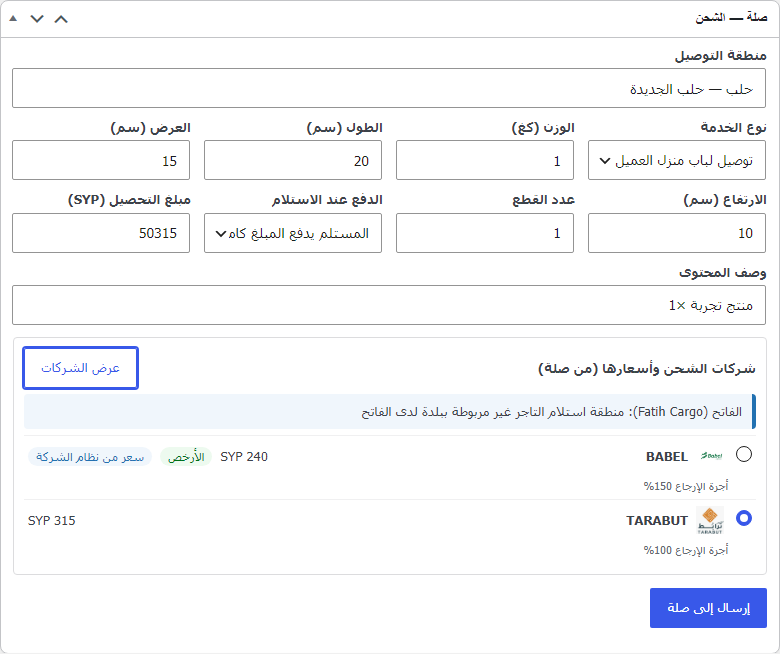
- Order screen: courier comparison, cash-on-delivery amount, parcel details, send / edit / cancel before pickup, label printing, tracking timeline.
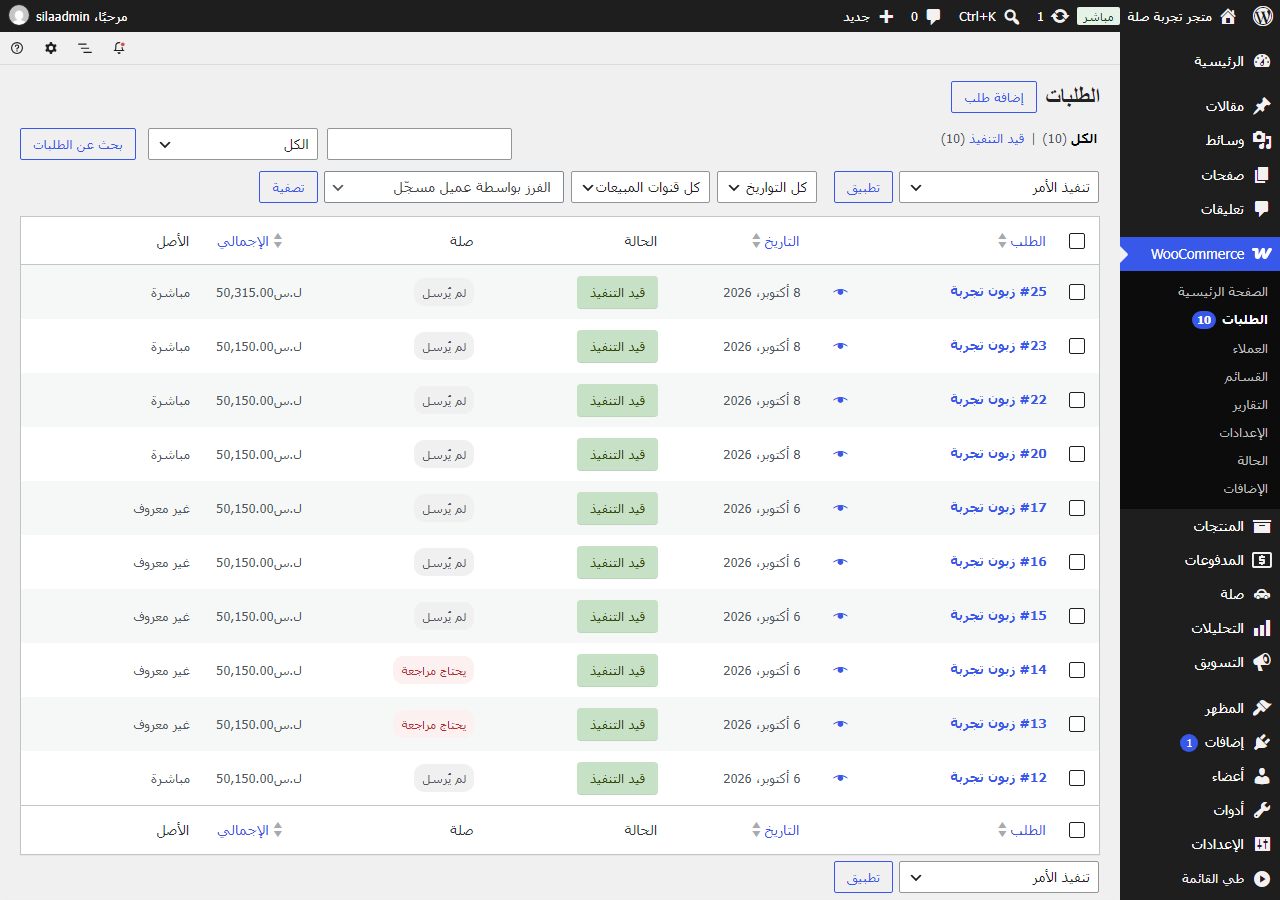
- Bulk and automatic sending in the background, paced under Sila’s per-key limit.
- Automatic order status from Sila (signed webhooks) plus an hourly self-healing check.
- Languages: English and Arabic. The texts follow the site’s language, or stay Arabic for every visitor (WooCommerce Settings Sila Advanced).
- For developers: filters, actions and functions to extend the plugin without editing it, stable within a major version — see DEVELOPERS.md.
The plugin never sets a price, never guesses an area and never moves a shipment along: prices and couriers come from Sila, the area is chosen by a person, and every delivery status comes from Sila. The only change it can make to a shipment is cancelling it before the courier has the parcel.
External services
This plugin is an interface to Sila (https://sila-sy.com), a third-party logistics service. It does not work without a Sila merchant account and API key.
Where the data goes: Sila’s API at https://qhdhjzyduwzqutmialgp.supabase.co/functions/v1/public-api (Sila’s servers, hosted on Supabase; changeable in the plugin’s advanced settings only on Sila’s instruction). Label and tracking pages open on https://sila-sy.com. Nothing is loaded from any other service.
What is sent to Sila, and when:
- Area search (when a customer types in the delivery-area field at checkout, or the merchant does in the order screen): the typed text. Sent from the store’s server, never from the customer’s browser.
- Courier prices (at checkout and in the order screen): the chosen Sila area, parcel weight and currency.
- Shipment creation (when the merchant sends an order, or automatically if enabled): recipient name, phone number, delivery area and address, cash-on-delivery amount and currency, parcel weight, dimensions, pieces and a description of the items, and the order reference.
- Edits and cancellation (only before the courier has the parcel): the same fields.
- Status checks (hourly, and when the order screen is opened): the Sila shipment id.
- Webhook registration (when the merchant enables automatic updates): the store’s webhook URL.
- Webhook removal (when the plugin is deleted): a request that retires the store’s webhook in Sila.
Sila sends back to the store: area names, courier prices, shipment numbers, label and tracking links, and status updates (signed with HMAC-SHA256 and verified before use).
Sila’s terms of service: https://sila-sy.com/terms?lang=en
Sila’s privacy policy: https://sila-sy.com/privacy?lang=en
Screenshots
Installation
- Upload and activate the plugin (WooCommerce must be active).
- In the Sila dashboard: “Connect your site” create an API key.
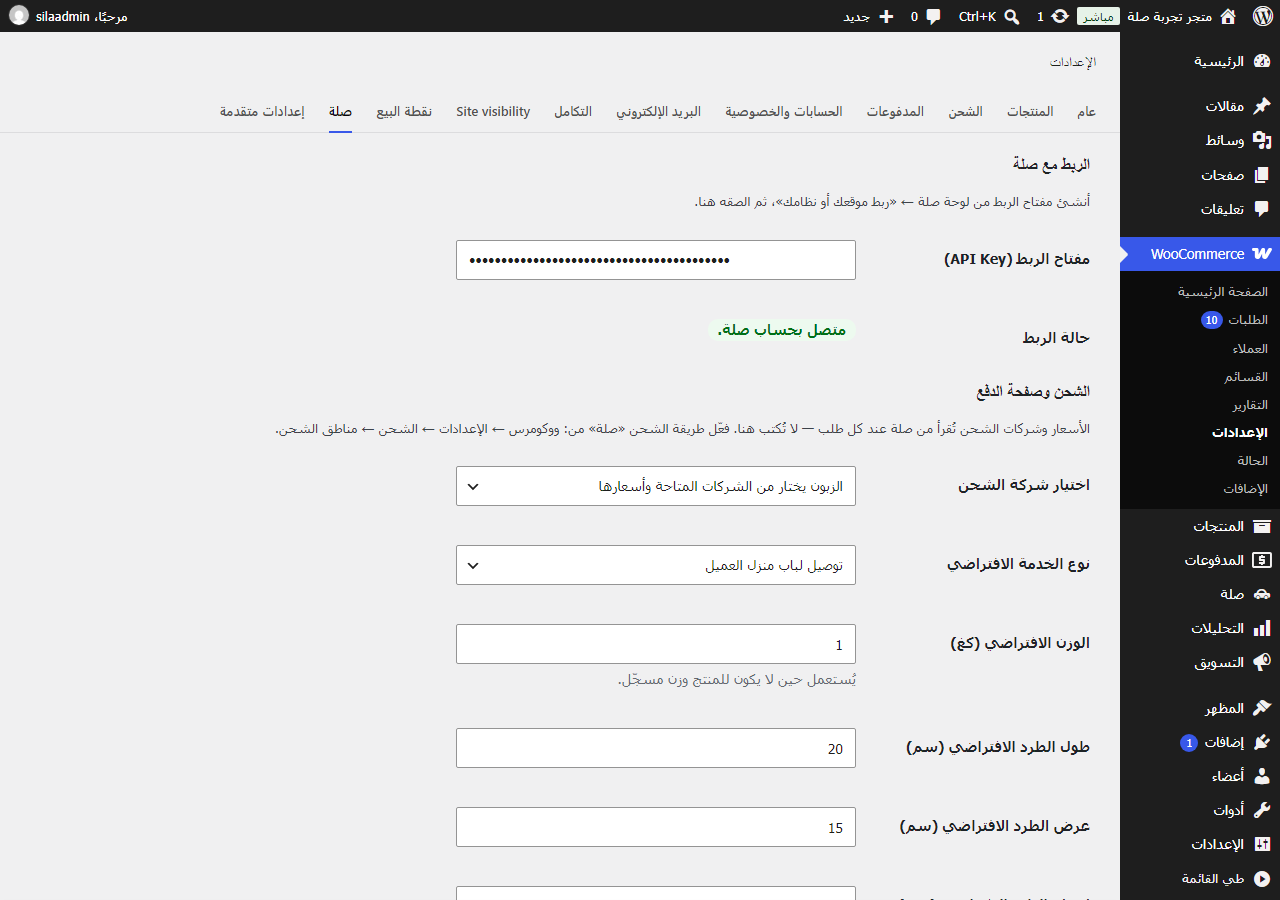
- WooCommerce Settings Sila: paste the key. The status must read “Connected”.
- On the same page enable “Notify the store” (requires https).
- WooCommerce Settings Shipping shipping zones: add the “Sila” method.
FAQ
-
Which currencies are supported?
-
Syrian pound (SYP) and US dollar (USD) — the currencies Sila settles in. The store currency must be one of them.
-
Does the plugin send WhatsApp or SMS messages?
-
No. It sends nothing to customers by itself. The tracking link appears in WooCommerce’s own order emails and the “My account” page.
-
Can I cancel a shipment from the store?
-
Only before the courier has received the parcel — Sila then cancels it at the courier as well. After that it can no longer be cancelled.
-
Where do I get support?
-
Sila dashboard Support (https://sila-sy.com/merchant/support).
-
Does it support WordPress Multisite?
-
Not supported.
Reviews
There are no reviews for this plugin.
Contributors & Developers
“Hamzatantoura Shipping with Sila for WooCommerce” is open source software. The following people have contributed to this plugin.
Contributors
Translate “Hamzatantoura Shipping with Sila for WooCommerce” into your language.
Interested in development?
Browse the code, check out the SVN repository, or subscribe to the development log by RSS.
Changelog
1.1.0
- Translatable: English source, Arabic included; «Plugin’s language» setting. A site upgrading from 1.0.0 keeps Arabic.
- For developers: filters, actions and functions with a stability promise (DEVELOPERS.md).
- Privacy: suggested policy text; Sila data included in WordPress’s export and erase tools.
- Deactivation takes queued orders out of the queue; settings upgrade between versions.
- Accessible delivery-area list (keyboard and screen readers).
- Full support for the block checkout: the area list sits in the shipping options, and a Sila rate needs a picked area.
- Couriers that work through branches (masarat, Karam): the merchant drops the parcel off at the branch and the customer collects it there — one «collect from branch» option per branch in the receiver’s province; the branch goes to Sila with the order.
1.0.0
- First release.