

Description
Your next website is already built.
Building a site from a blank page takes time: planning the layout, writing every section, finding images, setting up menus and forms. PageCore lets you skip that part. Pick a complete starter website, import it with a guided wizard, and start from a site that already looks finished. Then make it yours with your own words, photos and colours, in the WordPress Site Editor you already know.
Website | Help & documentation | Support forum
Why people choose PageCore
- Start finished, not from scratch. Import a whole website, not just a single template.
- Build new pages faster. Drop in ready-made sections or complete pages while you edit.
- Change the whole look together. Switch colours, fonts and spacing across your site with a ready-made style.
- Stay in WordPress. Everything is made with blocks and edited in the Site Editor. No page builder to learn, no code to write.
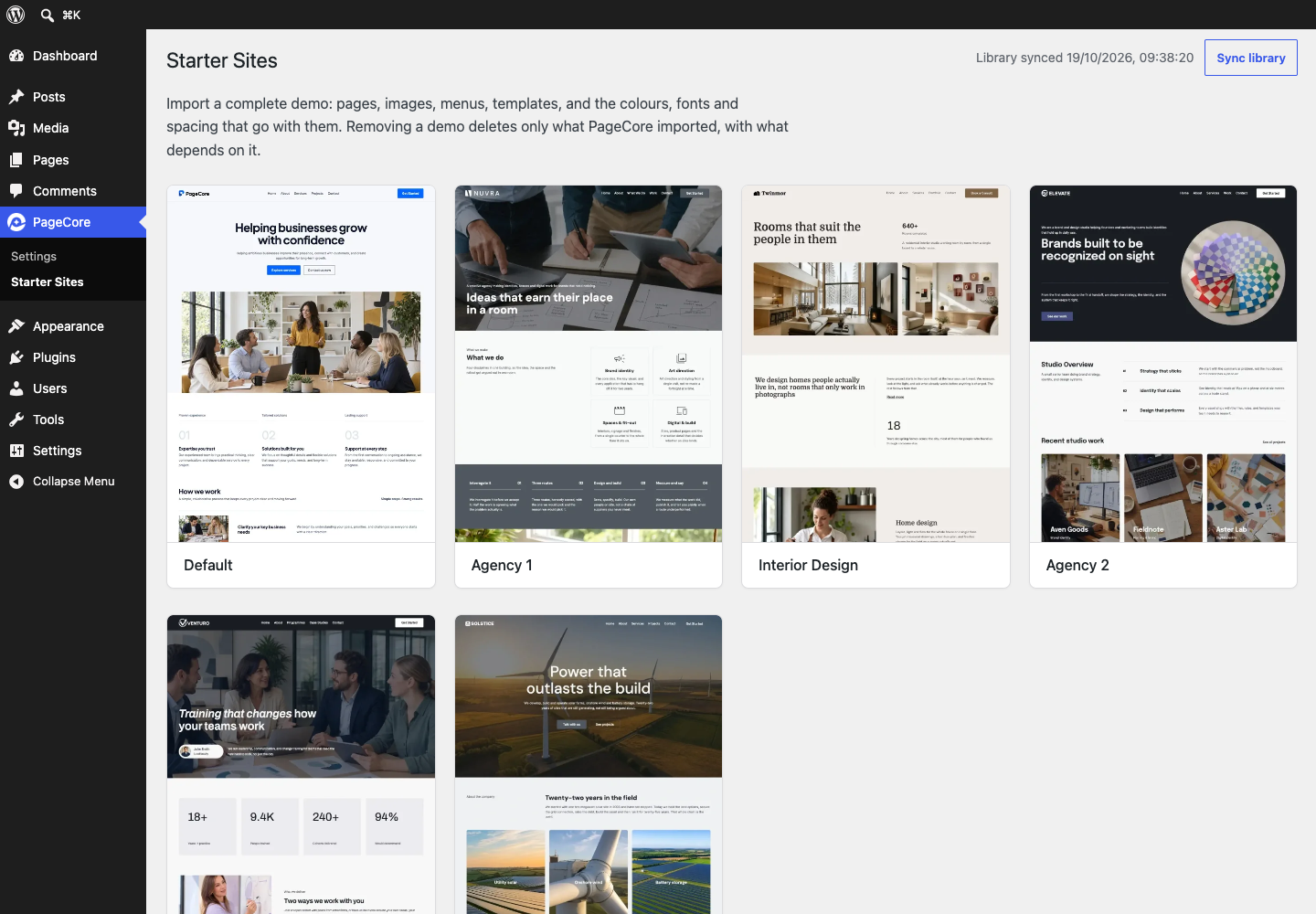
Starter Sites: a complete website to start from
Browse website designs for different kinds of businesses, preview each one live, and import the one you like. Pages, images, menus, header and footer, contact form, colours and fonts come in together, so your site looks complete from the start.
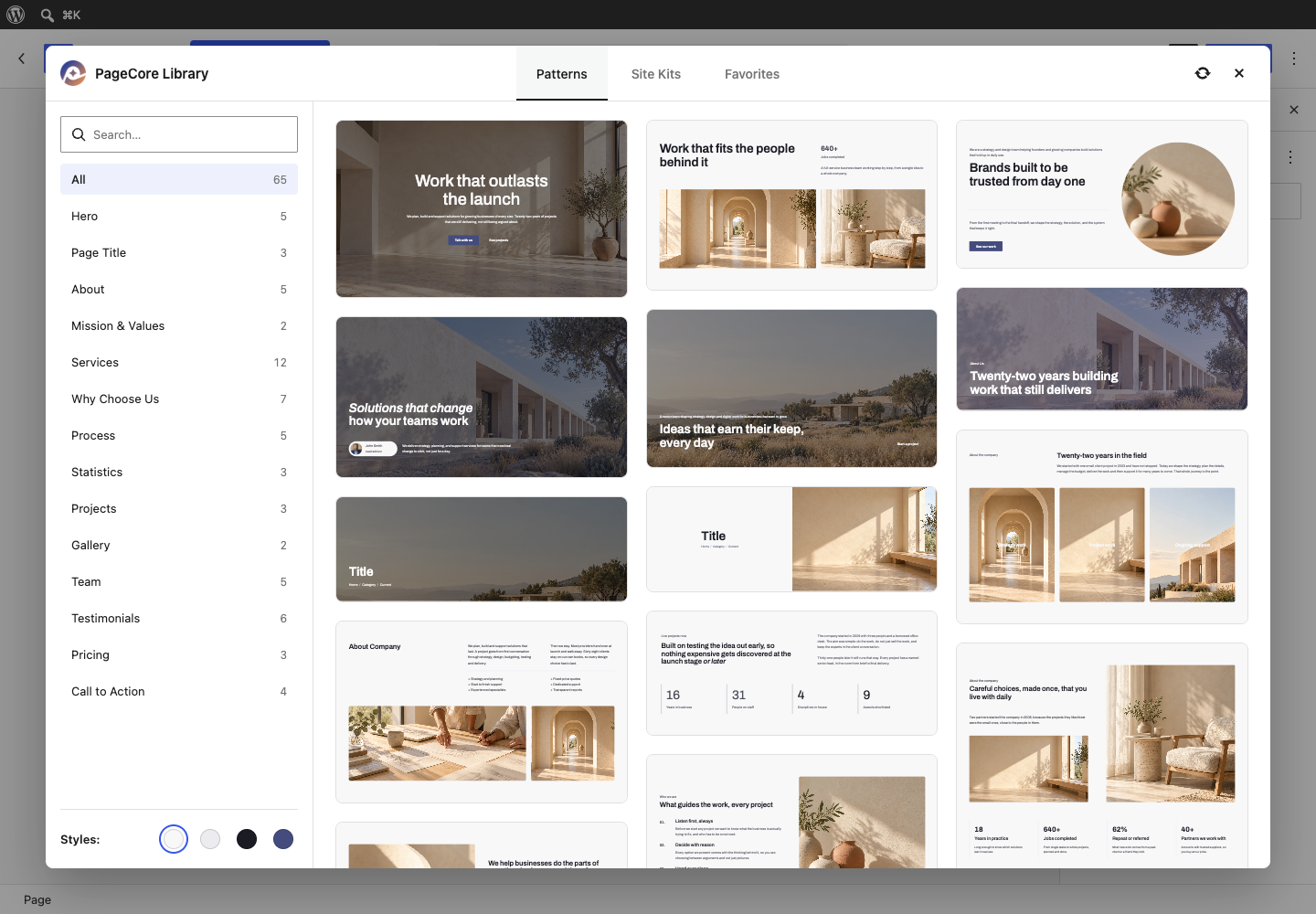
Design Library: ready-made sections while you edit
Need a hero, a services block, testimonials or a pricing table? Open the PageCore Library in the block editor and add it to your page, or bring in a whole page from any starter site. Then change the text and images.
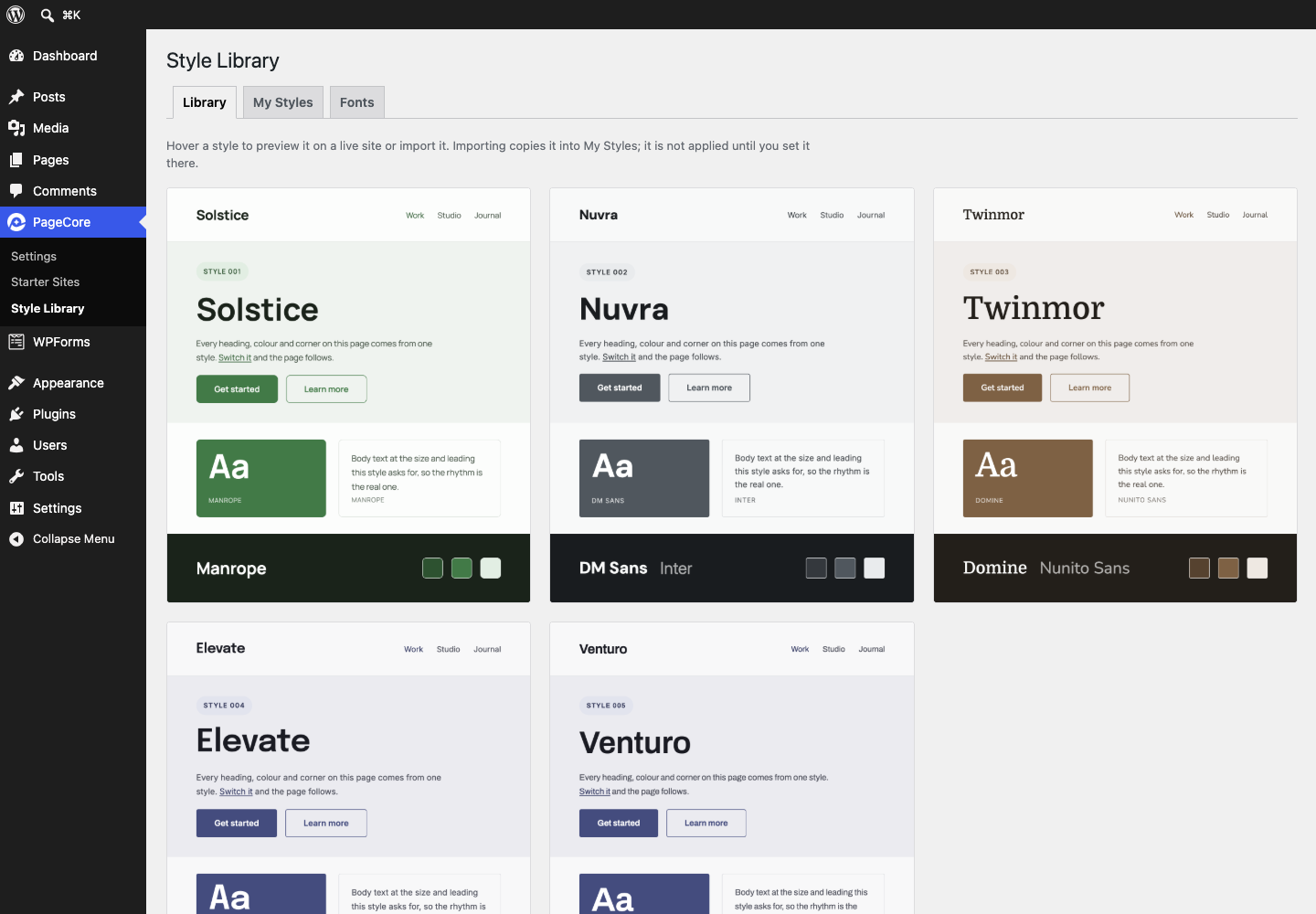
Style Library: a fresh look for your whole site
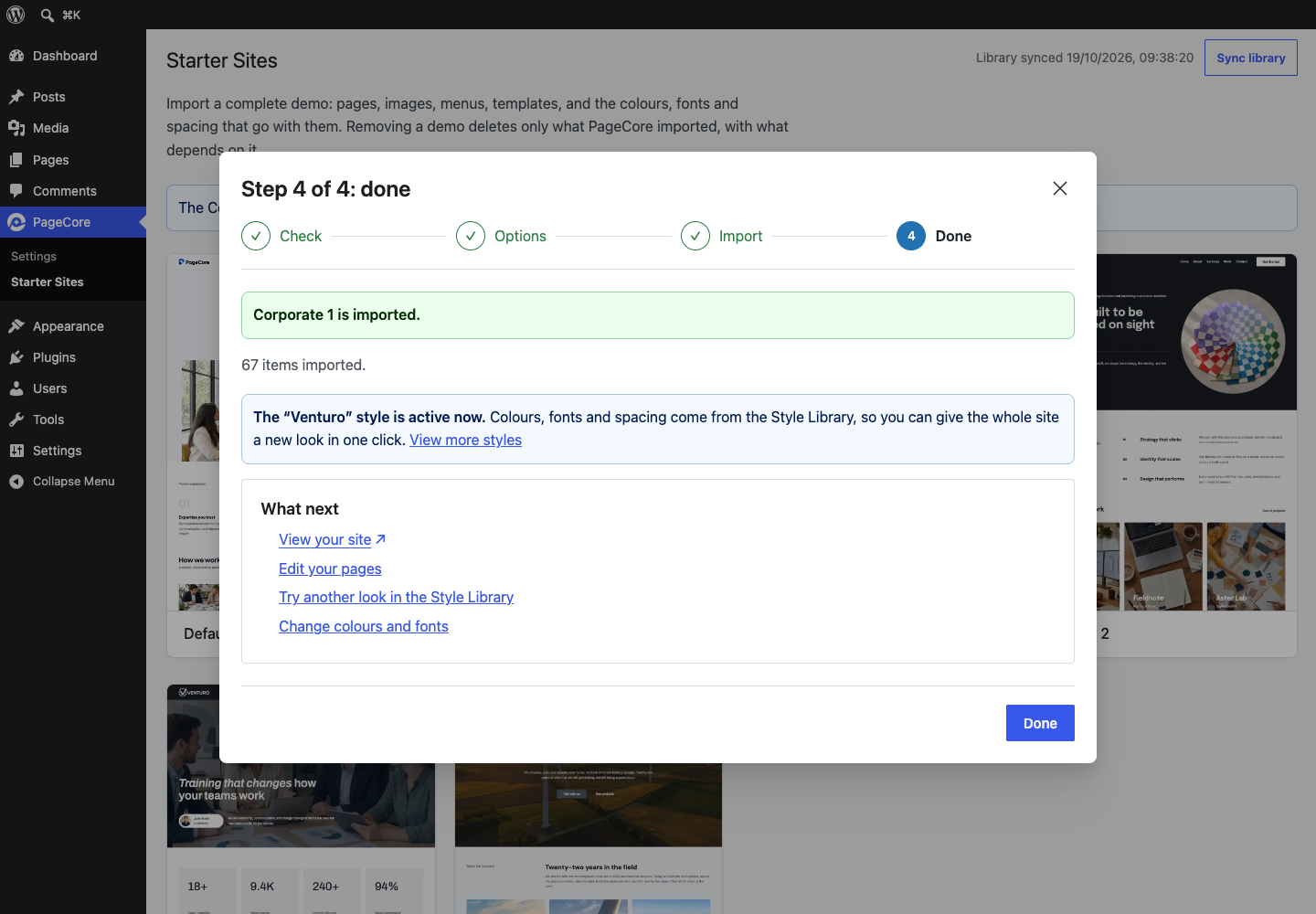
Try a different personality for your site. Ready-made styles change colours, fonts and spacing across your whole site at once, while your content stays as it is.
Made for the PageCore FSE theme
Starter sites are designed for the free PageCore FSE theme. The import wizard installs it for you if it is missing.
Install PageCore, choose a starter site, and watch your new website take shape.
Source code
The plugin includes the readable source code of its compiled JavaScript.
External services
PageCore downloads starter sites, designs, styles and fonts from PageCore’s servers when you use those features, and shows their preview images from there. These requests include the file being requested and the PageCore version; when your browser shows a preview image, it sends its usual information, such as your IP address.
Terms of service: https://pagecore.net/terms.html
Privacy policy: https://pagecore.net/privacy.html
The PageCore FSE theme, and WPForms Lite when a starter site’s contact form needs it, are installed from WordPress.org by WordPress itself. Privacy policy: https://wordpress.org/about/privacy/
Screenshots



Installation
- In your WordPress dashboard, go to Plugins > Add New Plugin and search for PageCore.
- Click Install Now, then Activate.
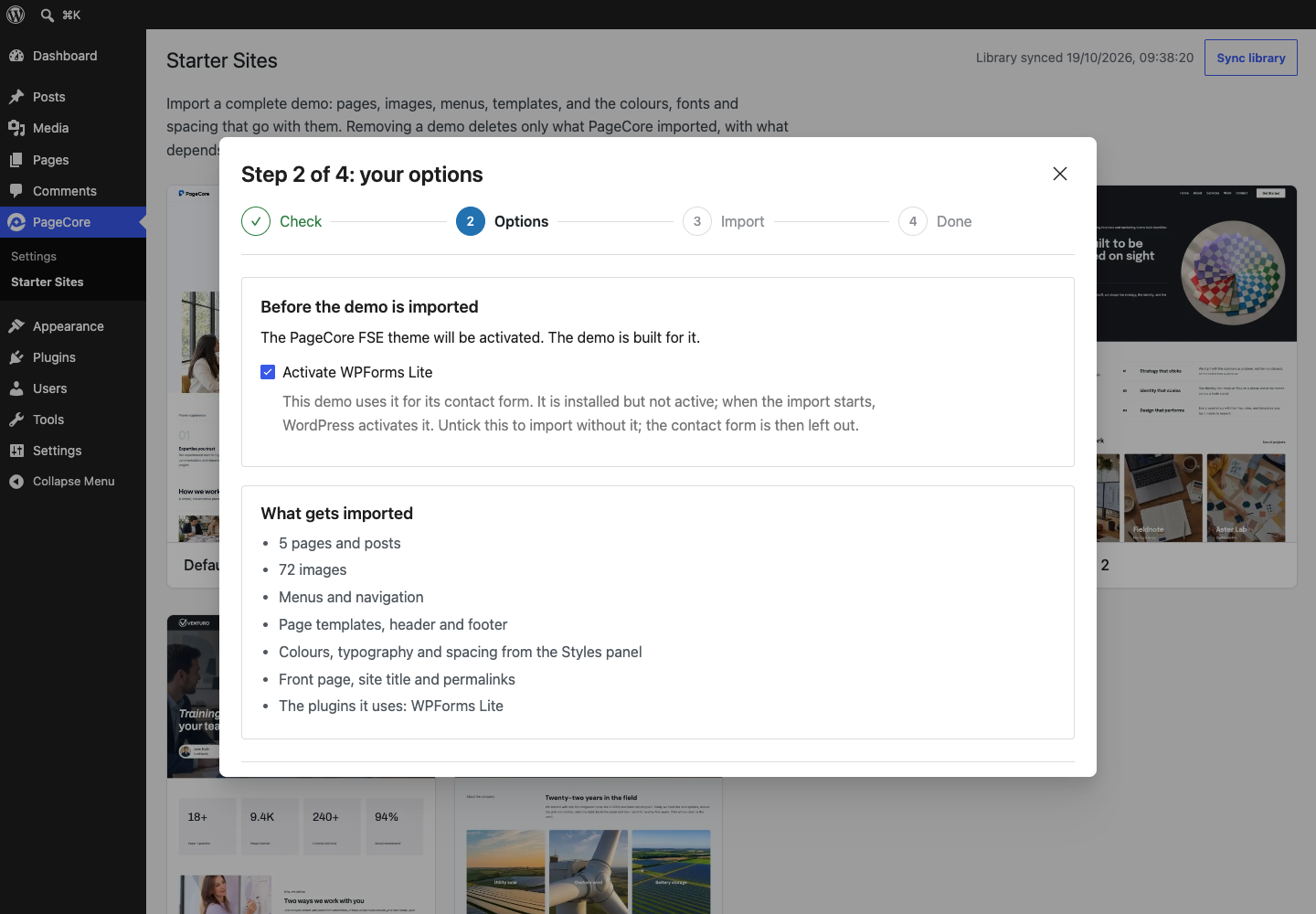
- Go to PageCore > Starter Sites, choose a design and click Import. The wizard guides you through the rest, including installing the PageCore FSE theme.
- To add single sections, open any page in the editor and click the PageCore Library button.
Step-by-step help with pictures: https://pagecore.net/help.html
FAQ
-
Do I need any coding skills?
-
No. You choose a starter site, follow the four-step import wizard, and then change text, images and layout with blocks in the WordPress Site Editor.
-
Which theme does PageCore need?
-
Starter sites are designed for the free PageCore FSE theme. If it is missing, the import wizard installs it from WordPress.org and activates it, after telling you. The Design Library also works with other block themes, although spacing and colours can look different from the previews. The Style Library appears only while PageCore FSE is active.
-
Is a page builder required?
-
No. PageCore works inside the block editor and Site Editor that come with WordPress. There is no separate builder to install, learn or pay for.
-
What is the difference between a starter site, a site kit and a pattern?
-
A starter site is a complete website: pages, images, menus, templates, forms and styles, imported together through the wizard. A site kit is the same starter site opened in the Design Library, where you can insert any one of its pages into the page you are editing. A pattern is a single ready-made section, such as a hero, a pricing table or a team grid.
-
Can I add a single page instead of a whole website?
-
Yes. In the editor, open the PageCore Library, go to Site Kits, pick a starter site and insert the page you want. Its images are copied to your media library. Nothing else from that starter site is imported.
-
Can I import a starter site into a site that already has content?
-
Yes. Your own pages, posts and forms stay. Before anything starts, the wizard lists what will be imported, including the front page, site title, permalinks and the site’s colours and fonts. A site holds one starter site at a time, so importing a new one replaces the PageCore demo already there, and the wizard asks you to agree first.
-
Can I change everything after importing?
-
Yes. Edit pages, headers, footers and templates in the Site Editor. Adjust colours and fonts under Styles, or give the whole site a different look from the Style Library.
-
Do I need to keep PageCore active after an import?
-
Yes, we recommend it. Your pages are ordinary blocks and stay in place either way. Some sections use PageCore’s colour schemes (Soft, Accent, Dark), and some blocks use its Tablet Navigation or Absolute Position options. With PageCore switched off, those parts lose that styling.
-
Will PageCore slow down my website?
-
PageCore does its work in the admin area. Imported images are stored in your own media library.
-
Do I need an account or a licence key?
-
No. There is nothing to sign up for. The External services section lists what PageCore connects to.
-
Does it work on WordPress multisite?
-
Yes. Each site in the network imports its own starter site and keeps its own styles and settings.
-
Where can I get help?
-
Step-by-step guides are on https://pagecore.net/help.html. For questions, use the PageCore support forum on WordPress.org.
Reviews
There are no reviews for this plugin.
Contributors & Developers
“PageCore” is open source software. The following people have contributed to this plugin.
Contributors
Translate “PageCore” into your language.
Interested in development?
Browse the code, check out the SVN repository, or subscribe to the development log by RSS.
Changelog
1.0.0
- Initial release.