
Description
Add a DIY e-liquid calculator to any page or post with one shortcode. Enter the batch you want and the nicotine base you have, and the recipe updates as you type.
Features
- Amount, target nicotine strength, PG/VG ratio and optional water or alcohol
- “Maximum VG” option that adds no extra PG
- Nicotine base with its own strength and PG/VG mix
- Any number of flavours, each counted as PG or VG based
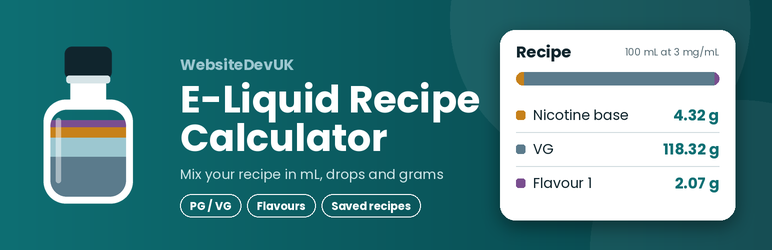
- Recipe table in grams, mL, drops and percentage, with the grams column shown first
- Colour bar showing the proportion of each ingredient
- Warnings when the base and flavours already exceed your PG or VG target
- Notes field and a Copy recipe button
- Logged-in users can save, reload and delete their own recipes
- Works on phones, uses no external services and loads no third-party scripts
Weights are estimates based on standard densities (PG 1.036, VG 1.261, water 1.00 g/mL), with the nicotine base weighted by its PG/VG mix. Calculations are a guide only: always double-check your figures before mixing. Nicotine is toxic. Label every bottle and keep it away from children and pets.
Privacy
The plugin stores recipe data (batch values, flavour names and notes that the user types) in user meta, only when a logged-in user clicks Save. It does not use cookies of its own, does not track visitors and does not contact any external service.
Installation
- Upload the
websitedevuk-e-liquid-recipe-calculatorfolder to/wp-content/plugins/, or install the plugin from the Plugins screen. - Activate the plugin.
- Create or edit a page and add the shortcode
[eliquid_calculator].
For saved recipes to work, visitors need a WordPress account. Logged-out visitors can still use the calculator and see a link to log in.
FAQ
-
How do I show the calculator?
-
Add
[eliquid_calculator]to a page or post. If you use a page cache, exclude that page from caching, because the save feature uses a per-visitor security token. -
Who can save recipes?
-
Only logged-in users. Each user sees only their own recipes, up to 100 per user.
-
Where are saved recipes stored?
-
In the WordPress user meta table, attached to the user who saved them. They are deleted when the user is deleted or when the plugin is deleted from the Plugins screen.
-
Does it work with dark mode?
-
The calculator always uses its own light colours so that it stays readable on any theme.
-
Why is the calculator showing one column on my phone?
-
On touch devices the recipe always sits below the inputs. Two columns are only used on wide screens with a mouse-type pointer. If a phone browser is set to “Desktop site”, turn that setting off.
Reviews
There are no reviews for this plugin.
Contributors & Developers
“WebsiteDevUK E-Liquid Recipe Calculator” is open source software. The following people have contributed to this plugin.
Contributors
Translate “WebsiteDevUK E-Liquid Recipe Calculator” into your language.
Interested in development?
Browse the code, check out the SVN repository, or subscribe to the development log by RSS.
Changelog
1.2.0
- First public release.
- Renamed internal functions, handles and REST route with a unique prefix. Recipes saved by earlier private versions are moved across automatically.
- Added uninstall cleanup.
1.1.1
- Two-column layout limited to wide screens with a fine pointer.
1.1.0
- Light colours only, grams column first, new defaults.
1.0.0
- Initial private version.