
Description
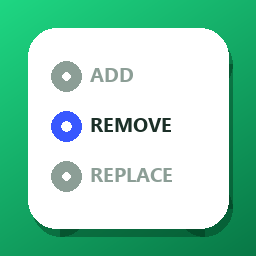
DawidKreator Bulk Category Editor for WooCommerce extends the built-in Products Bulk Edit screen with category actions:
- Add – assign additional categories without removing existing ones
- Remove – remove only the categories you select
- Replace – swap one category for another on products that have the source category
Operations affect only the exact categories you choose. Parent and child categories are never changed unless you explicitly select them. This plugin does not create categories and does not change the WooCommerce default category setting.
WooCommerce always keeps at least one category on a product. If you remove the last category, WooCommerce puts the product back in the store default category. That is normal WooCommerce behaviour, not a plugin bug.
If you need products “out of” the default category, create your own category first (for example New, Unassigned, or Inbox) under Products Categories, then use Replace (default your category) or Add that category before you Remove the old ones.
After you click Update, a confirmation dialog shows what will change. Categories are then updated in small batches with a progress bar, and the other bulk edit fields (price, stock, etc.) are saved by WooCommerce as usual. The confirmation for Add can be turned off per user; Remove and Replace always ask.
No extra admin menus, no custom product screens, and no changes to storefront behavior.
Screenshots


Installation
- Upload the plugin folder to
/wp-content/plugins/or install the ZIP from Plugins Add New. - Activate the plugin through the Plugins screen.
- Ensure WooCommerce is active.
- Go to Products, select products, choose Edit from Bulk actions, and use the Categories section.
FAQ
-
Does this replace the WooCommerce bulk editor?
-
No. It only adds a Categories section to the existing bulk edit form.
-
Will removing a parent category remove its children from products?
-
No. Only the selected category term is removed.
-
I unchecked every category, but the default one is still there. Why?
-
WooCommerce does not allow a product with zero categories. After the last category is removed, WooCommerce assigns the store default category again. Create a category such as New or Unassigned (Products Categories) and Replace the default category with that one instead of trying to leave the product empty.
-
Will this plugin create an “Unassigned” category for me?
-
No. You choose the name and you create it once in WooCommerce. Then use Add / Remove / Replace as usual.
Reviews
There are no reviews for this plugin.
Contributors & Developers
“DawidKreator Bulk Category Editor for WooCommerce” is open source software. The following people have contributed to this plugin.
Contributors
Translate “DawidKreator Bulk Category Editor for WooCommerce” into your language.
Interested in development?
Browse the code, check out the SVN repository, or subscribe to the development log by RSS.
Changelog
1.1.1
- Donate link on the WordPress.org plugin page.
1.1.0
- Distinctive plugin name and slug for the WordPress.org directory.
- Sanitize request fields as they are read.
- Translations via translate.wordpress.org after approval.