
Description
Skrybar Translate adds a one-click translation workflow to multilingual WordPress sites. It creates a draft of a post in the target language and translates all supported fields using your own DeepL or Google Cloud Translation API key.
Features
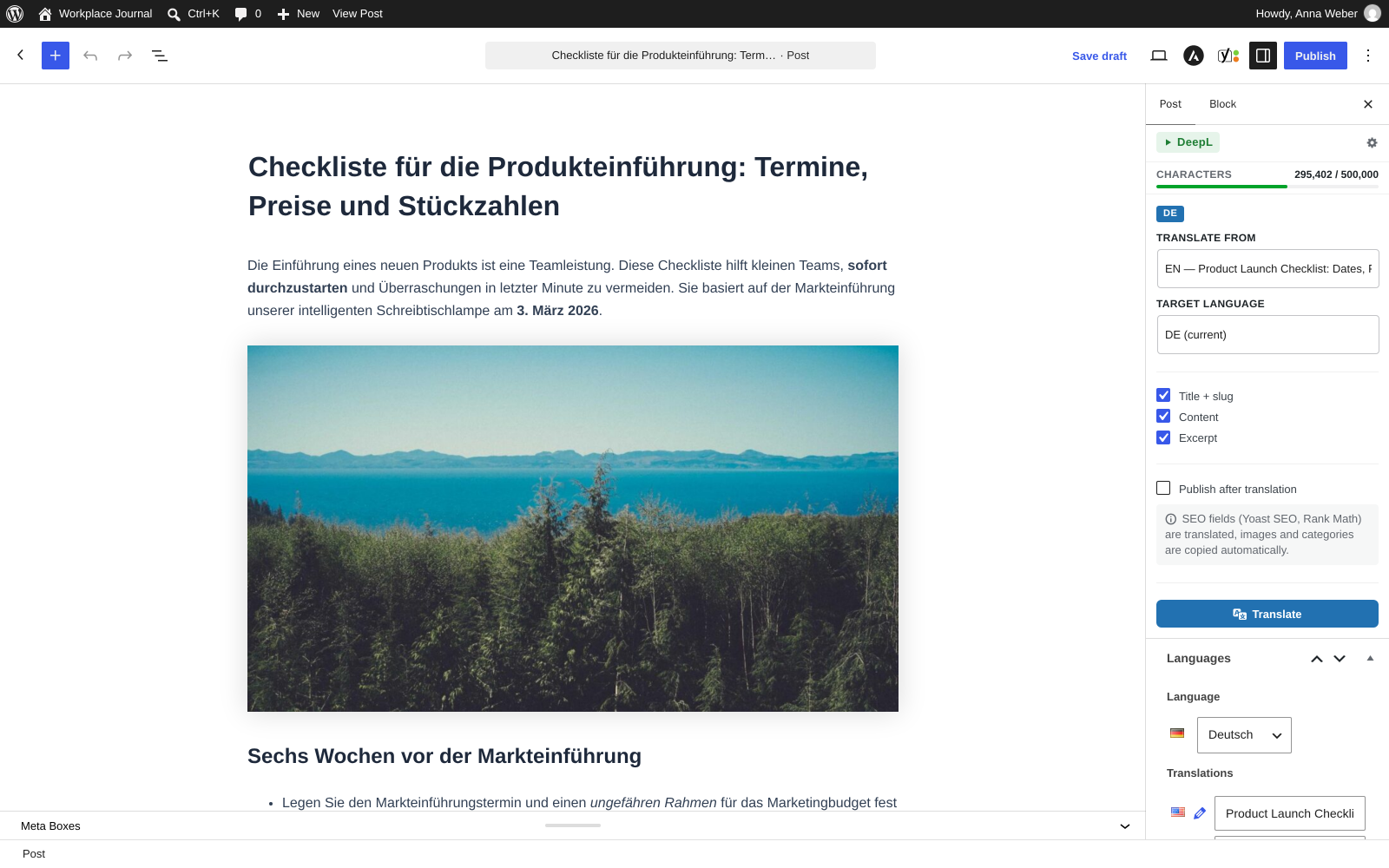
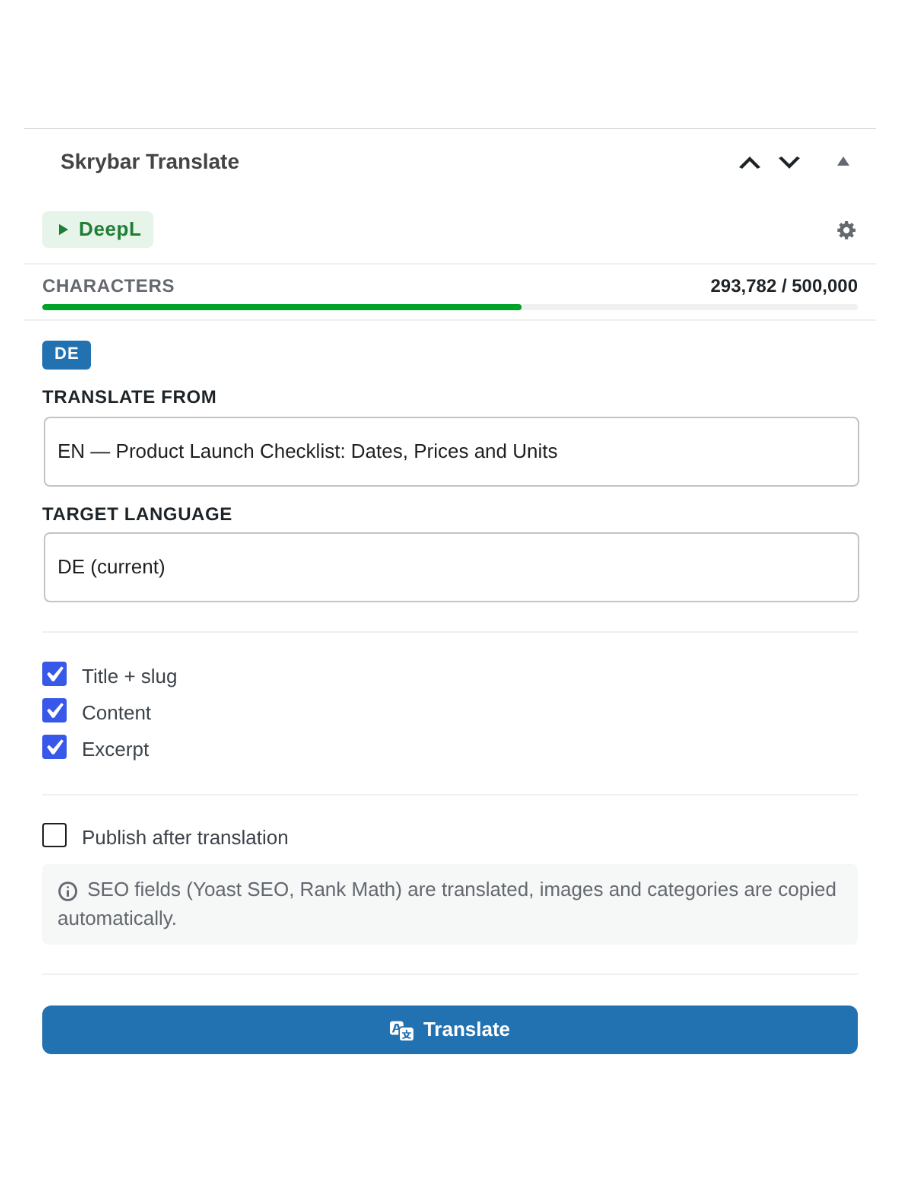
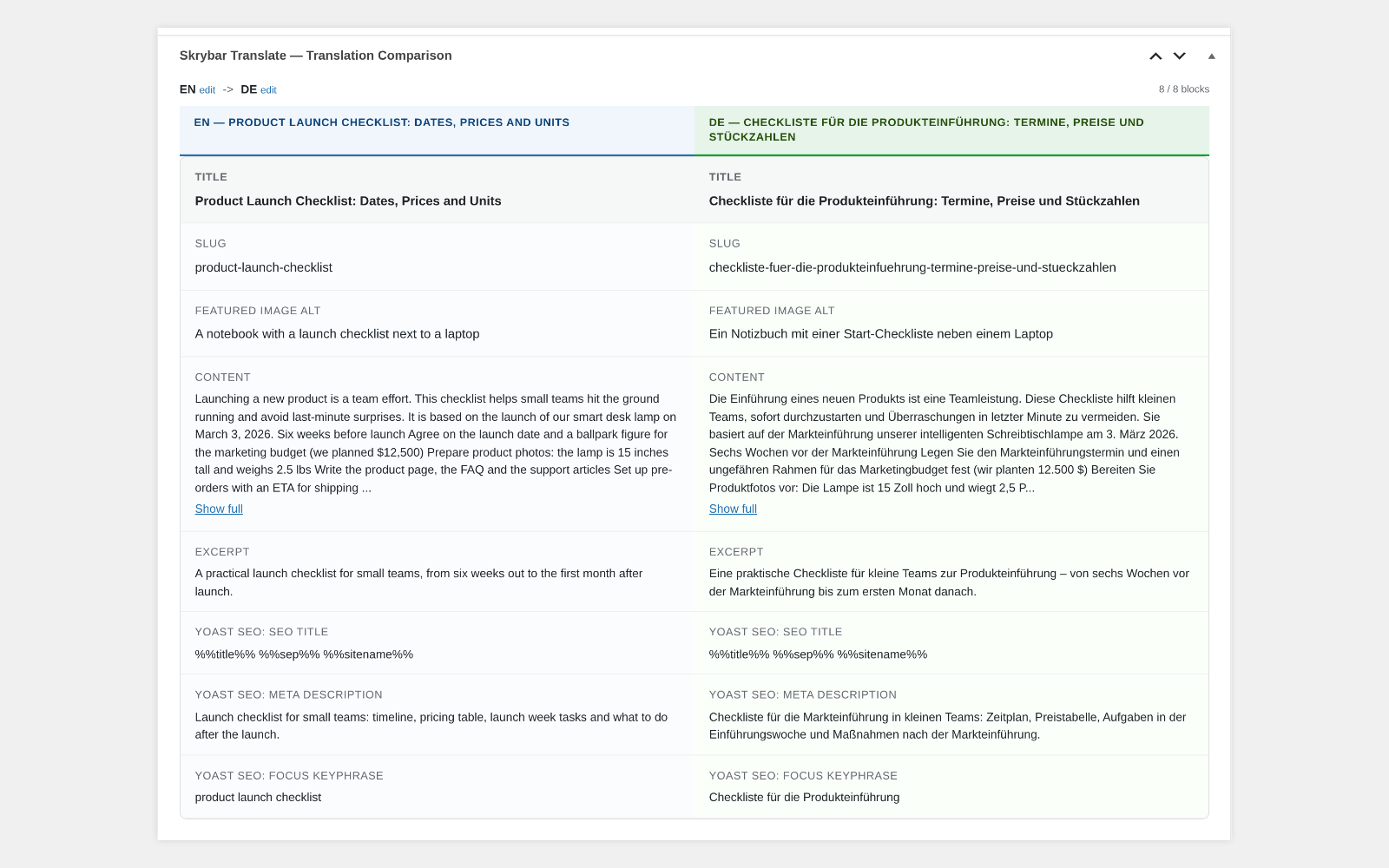
- Translate title, content (Gutenberg and Classic Editor), excerpt and slug
- ACF fields, including Group, Repeater and Flexible Content, with automatic field detection and a skip list: text is translated, other values are copied
- Yoast SEO and Rank Math: SEO title, meta description and focus keyphrase(s), with a warning when the translated keyphrase is missing from the translated SEO title or description
- Image alt text inside the content is translated
- Featured image and ACF images are copied to the translation; with media translation enabled (Polylang media languages, WPML Media Translation) the featured image alt text is translated on the target-language copy
- Categories, tags and custom taxonomies: existing translations of terms are reused, otherwise the original term is kept
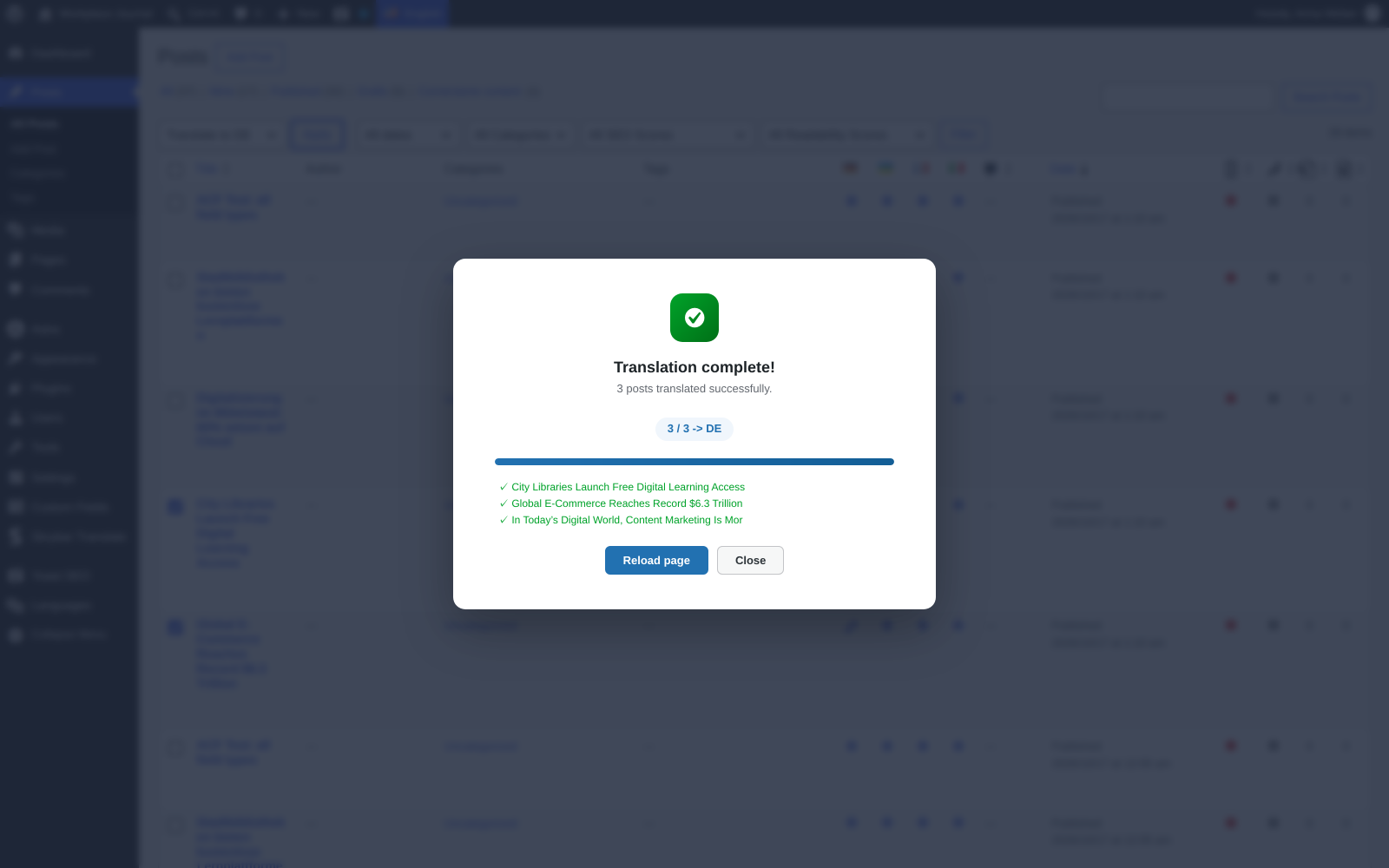
- Bulk translation from the post list, up to 20 posts per batch; translations that are not drafts are skipped
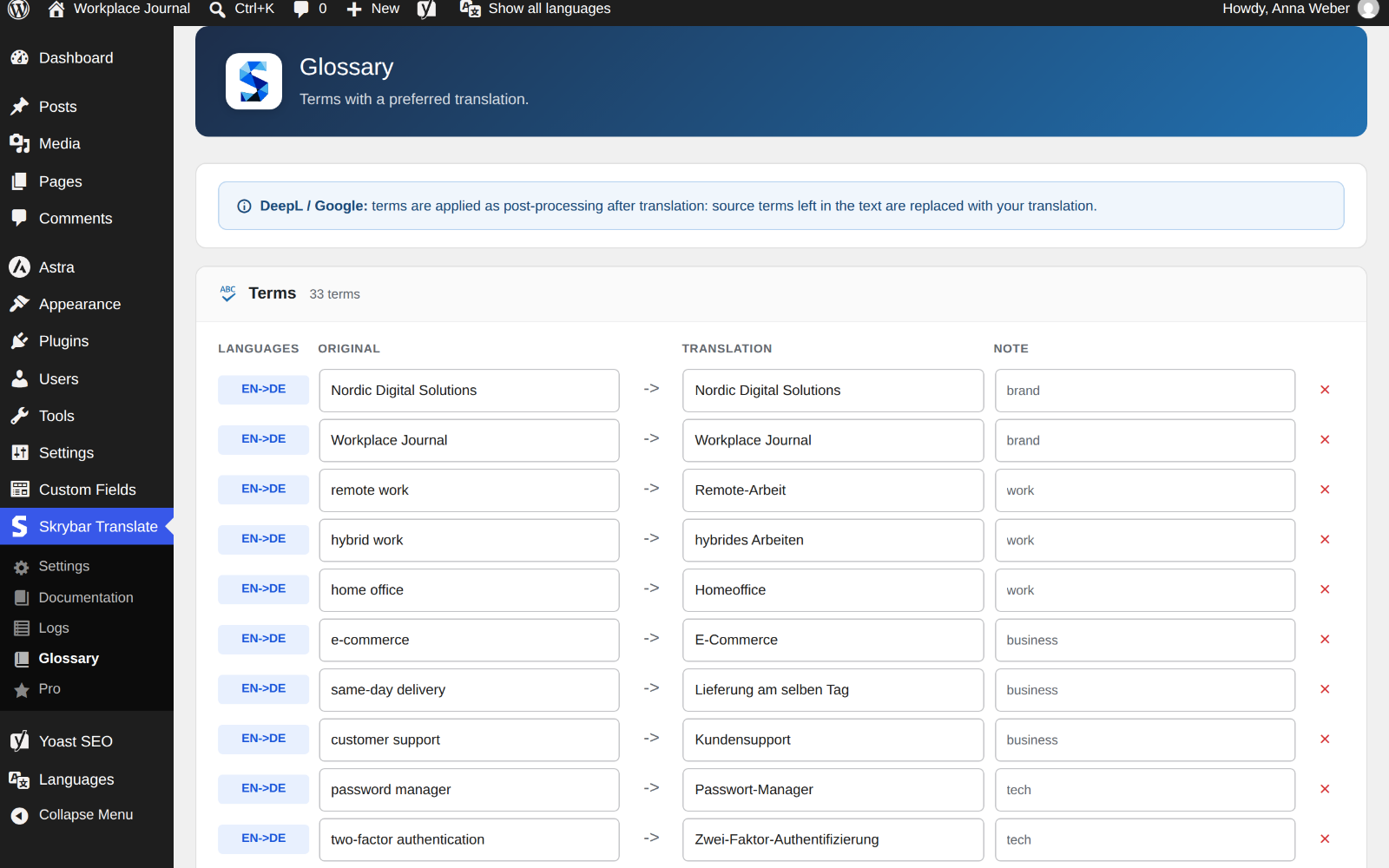
- Glossary per language pair: source terms left in the translation are replaced with your translation (works best with up to ~150 terms)
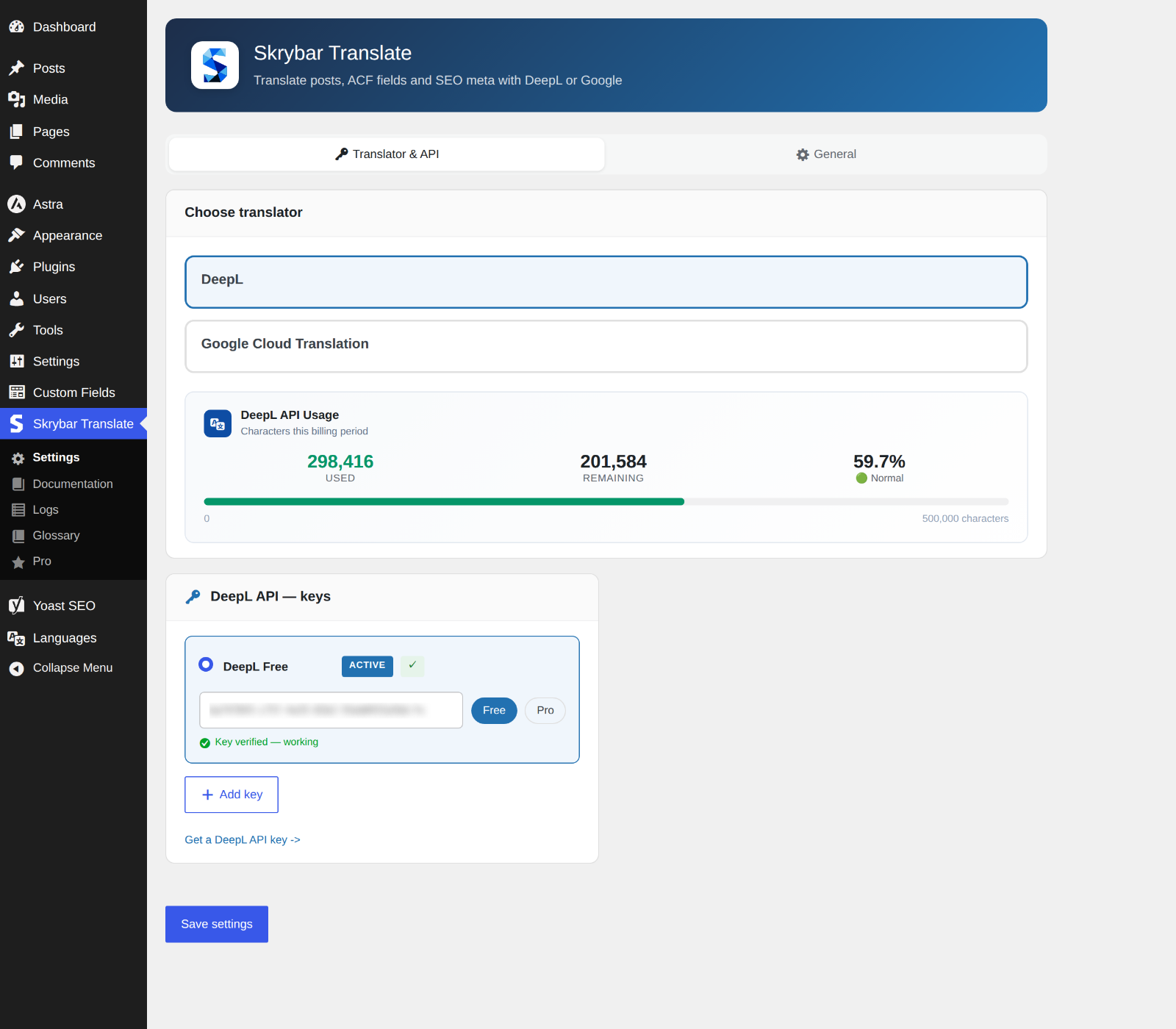
- DeepL API keys with validation and a usage indicator; choose the active key
- Form of address: formal (Sie, vous, usted) or informal (du, tu, tú) in the whole post, with DeepL; formal by default on new installations
- Optional auto-publish after translation and optional auto-translate when a published post is updated (the latter requires ACF); both off by default
- Detection of leftover Cyrillic words in translations into non-Cyrillic languages, with a warning right after translation
- Translation log with post, languages, translator, character count, translated fields, status and warnings
- API keys can be defined in
wp-config.php(SKRYBAR_DEEPL_API_KEY,SKRYBAR_GOOGLE_API_KEY) instead of the database - Translations are stored as regular posts in your WordPress database
Supported plugins
- Multilingual: Polylang and WPML
- SEO: Yoast SEO and Rank Math
- Custom fields: Advanced Custom Fields (ACF)
Requirements
- Polylang or WPML
- A DeepL API key or a Google Cloud Translation API key. Pricing is set by each provider; see their websites for current plans.
Skrybar Translate Pro (optional add-on)
For teams that need more, Skrybar Translate Pro is a separate plugin that installs next to Skrybar Translate and adds:
- Skrybar AI translation (tone-aware)
- Quality check with an AI editor report
- SEO meta & title generation for Yoast SEO and Rank Math
- Proofreader & rewriter
- E-E-A-T audit & readability score
- Expert comment & FAQ
- Text expansion
Learn more at skrybar.com. The comparison is also available in the plugin under Skrybar Translate > Pro.
External Services
This plugin sends content to a third-party translation service only when you start a translation: by clicking Translate, running a bulk translation, or, if you enable it in the settings, with Auto-translate (disabled by default). Apart from that, only the DeepL usage check described below is made. A DeepL or Google API key is required; without it no data is sent.
DeepL API
Used to translate text when DeepL is selected as the translator. Also used to validate your key when you save the settings, and to read your character usage when you open the settings page or the post editor (cached for one hour; only the API key is sent).
Data sent: the text of the fields being translated (title, content, excerpt, image alt text, SEO meta, text from ACF fields), for focus keyphrases also the post title, SEO title and description as context, the source and target language, and your API key.
* Terms: https://www.deepl.com/pro-license
* Privacy: https://www.deepl.com/privacy
Google Cloud Translation API
Used to translate text when Google is selected as the translator.
Data sent: the text of the fields being translated (title, content, excerpt, image alt text, SEO meta, text from ACF fields), the source and target language, and your API key.
* Terms: https://cloud.google.com/terms
* Privacy: https://policies.google.com/privacy
Privacy
- API keys are stored in your WordPress database (or in
wp-config.phpif you define them there). They are sent only to the translation service you select. - The translation log is stored in your own database. It contains the post and its title, the user who ran the translation, languages, translator, character count, translated fields, status and warnings, not the translated text.
- On uninstall you can choose to remove only settings and cache, or to remove all plugin data including logs and glossary.
Screenshots
Installation
- Upload the
skrybar-translatefolder to/wp-content/plugins/or install it via Plugins Add Plugin. - Activate the plugin. Make sure Polylang or WPML is installed and your languages are configured.
- Go to Skrybar Translate Settings and open the Translator & API tab.
- Choose DeepL or Google and enter your API key.
- In the General tab, set the default source and target language.
- Open a post and use the Skrybar Translate box to translate it, or select posts in the post list and choose “Translate to XX” in Bulk actions.
FAQ
-
Do I need a Skrybar account?
-
No. You only need a DeepL or Google Cloud Translation API key.
-
Is my content sent to external servers?
-
Yes, to the translator you chose (DeepL or Google), only when a translation runs (manually, in bulk or by Auto-translate if enabled). See External Services above.
-
Who can run translations?
-
Users who can edit a post can translate it. Publishing translated posts requires the Publish permission.
-
Does it work with WPML and Polylang?
-
Yes. The plugin has separate adapters for Polylang and WPML.
-
Which fields are translated?
-
Title, content, excerpt, slug, image alt text, SEO title, meta description and focus keyphrase (Yoast SEO, Rank Math), and text in ACF fields, including nested ones. Other ACF values are copied; links to other posts point to their translations when they exist, so translate linked posts first (Skrybar warns about missing ones). Images are reused.
-
Does it work with page builders?
-
It translates content stored as standard post content (block editor, Classic Editor) and ACF fields. Page builders are not supported yet. Elementor keeps page content in its own fields, which are not translated. Divi 4 and WPBakery keep the page layout as shortcodes in the post content; the shortcodes are sent to the translator together with the text, and the translator may change them and break the layout. Check a test page before translating builder pages.
-
How many posts can I translate at once?
-
Up to 20 posts per batch.
-
What is Skrybar Translate Pro?
-
A separate, optional plugin with AI translation and content tools, available at https://skrybar.com/products/skrybar-translate/pro
-
What is the difference between Skrybar Translate and Skrybar Translate Pro?
-
Skrybar Translate translates posts with DeepL or Google using your own API keys, including ACF fields, SEO meta, bulk translation and the glossary. Skrybar Translate Pro adds AI translation with quality review, SEO meta generation, a proofreader, a rewriter and a content audit. AI features run on the Skrybar service and require a subscription.
-
Do I lose my settings if I install Skrybar Translate Pro?
-
No. Skrybar Translate Pro uses the same settings, glossary, logs and translations.
-
Does Skrybar Translate show advertising?
-
Only inside its own screens: a “Pro” menu page with a feature comparison, a “Skrybar Translate Pro” link next to the plugin on the Plugins screen, a small card on the settings and documentation pages, and a single notice on the plugin’s pages after your first 10 successful translations that can be dismissed permanently. No advertising is shown on the dashboard or other admin pages (the dashboard widget is shown to administrators only, contains only your translation statistics and can be hidden in Screen Options). Links are not tracked, and all of it disappears when Skrybar Translate Pro is active.
Reviews
There are no reviews for this plugin.
Contributors & Developers
“Skrybar Translate” is open source software. The following people have contributed to this plugin.
Contributors
Translate “Skrybar Translate” into your language.
Interested in development?
Browse the code, check out the SVN repository, or subscribe to the development log by RSS.
Changelog
1.0.0
- Initial release.