
Description
SapphireIT Editorial Workflow adds a real editorial process on top of the posts
you already have. Every managed post gets a workflow status, an assigned
reviewer, a due date, workflow comments and a complete activity history —
managed from a Gutenberg sidebar, a classic editor meta box and an admin
dashboard.
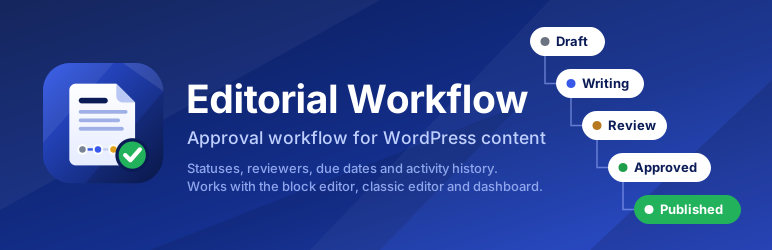
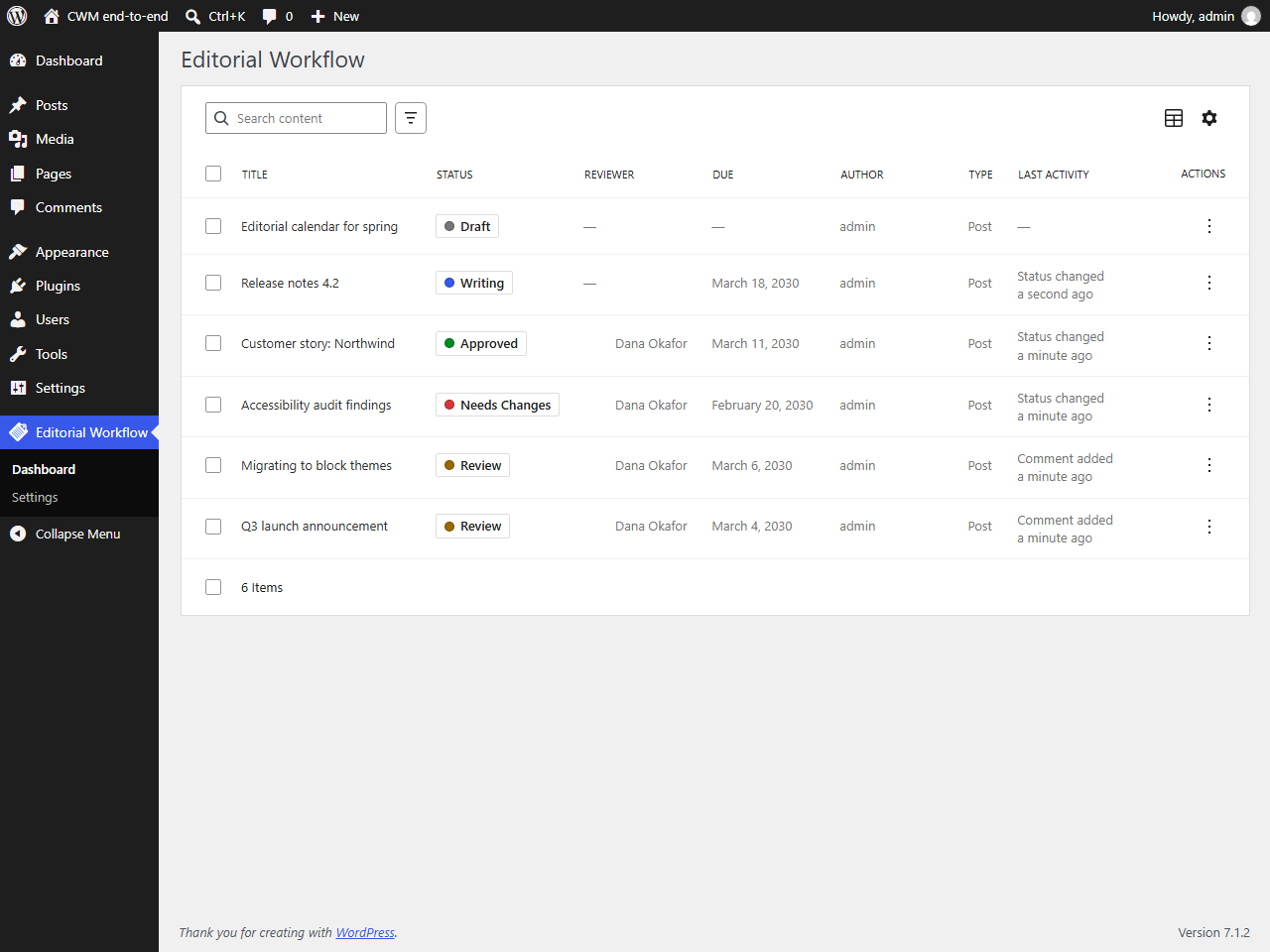
Six statuses, one clear path: Draft Writing Review Needs Changes
Approved Published, with explicit paths for sending content back and for
re-editing something that is already live.
What it does
- A real state machine. Only the moves in the transition graph are possible.
Nobody jumps a draft straight to approved, whatever their role. - Server-side enforcement. Every transition is re-checked in PHP against the
graph, the capability map and the post’s current stored status. The editor UI
shows you what you can do; it does not decide it. - Six dedicated capabilities, granted to roles at activation and editable
with any capability-management plugin. No hard-coded role checks. - Reviewer assignment and due dates, with an “overdue only” filter computed
in your site’s timezone. - Workflow comments that stay in the editorial log and never appear on the
front end. - A complete activity history in a dedicated indexed table: who changed
what, when. - Conflict protection. If two editors act on the same post at once, the
second one is told the post moved instead of silently overwriting the first. - An admin dashboard with server-side search, filtering, sorting and
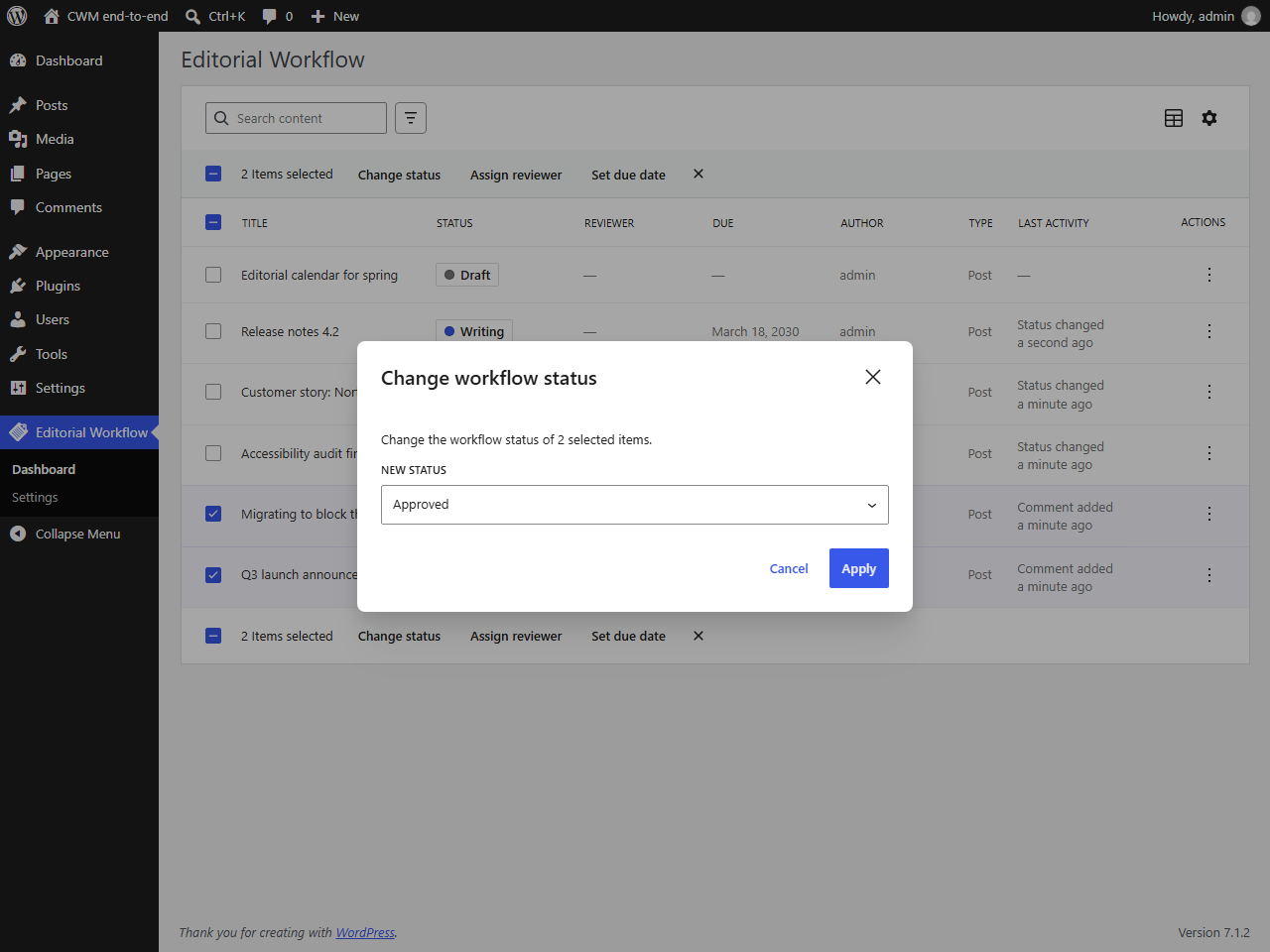
pagination, row actions, and bulk actions across up to 100 posts. - A documented REST API under
sit-cwm/v1. Everything the UI does is an
endpoint you can call yourself. - Works with what you have. Posts, pages and any custom post type, through
post meta. No custom post type of its own, and nothing to migrate.
What it deliberately does not do
Being straight about this matters more than a longer feature list:
- It does not send email. Assigning a reviewer notifies nobody in version
1.0. - It does not publish anything. Reaching the “Published” workflow status
records that the editorial process finished — it does not touch the
WordPress post status. Publishing stays a deliberate action by a human. The
two are separate fields on purpose, so that scheduled posts keep their
schedule and live content can be re-edited without being unpublished. - No Slack, no editorial calendar, no multiple workflows, no rules engine. Those
are on the roadmap, not hidden behind an upsell in this plugin.
Who can do what
- Draft, Writing, Review —
sit_cwm_change_workflow - Needs Changes —
sit_cwm_review_content - Approved —
sit_cwm_approve_content - Published —
sit_cwm_approve_contentplus WordPresspublish_post
Every change also requires WordPress’ own permission to edit that specific post.
By default administrators get everything, editors can review and approve,
authors and contributors can move their own content up to Review, and
subscribers get nothing.
Developers
The plugin is built as a thin React client over a PHP workflow engine, and fires
actions and filters at every lifecycle point (sit_cwm_status_changed,
sit_cwm_can_transition, sit_cwm_transition_map and more) so it can be
extended without editing its files.
Privacy
The plugin stores, in your own database: the user ID of whoever makes each
workflow change, the user ID of the assigned reviewer, the text of workflow
comments and the time of each action. This information is visible to users who
have the sit_cwm_view_activity capability. Nothing is sent off your site.
Screenshots
Installation
- Upload the plugin to
/wp-content/plugins/sapphireit-editorial-workflow/, or install it through Plugins Add New Upload Plugin. - Activate it through the Plugins menu. Activation creates the activity table and grants the workflow capabilities to your existing roles.
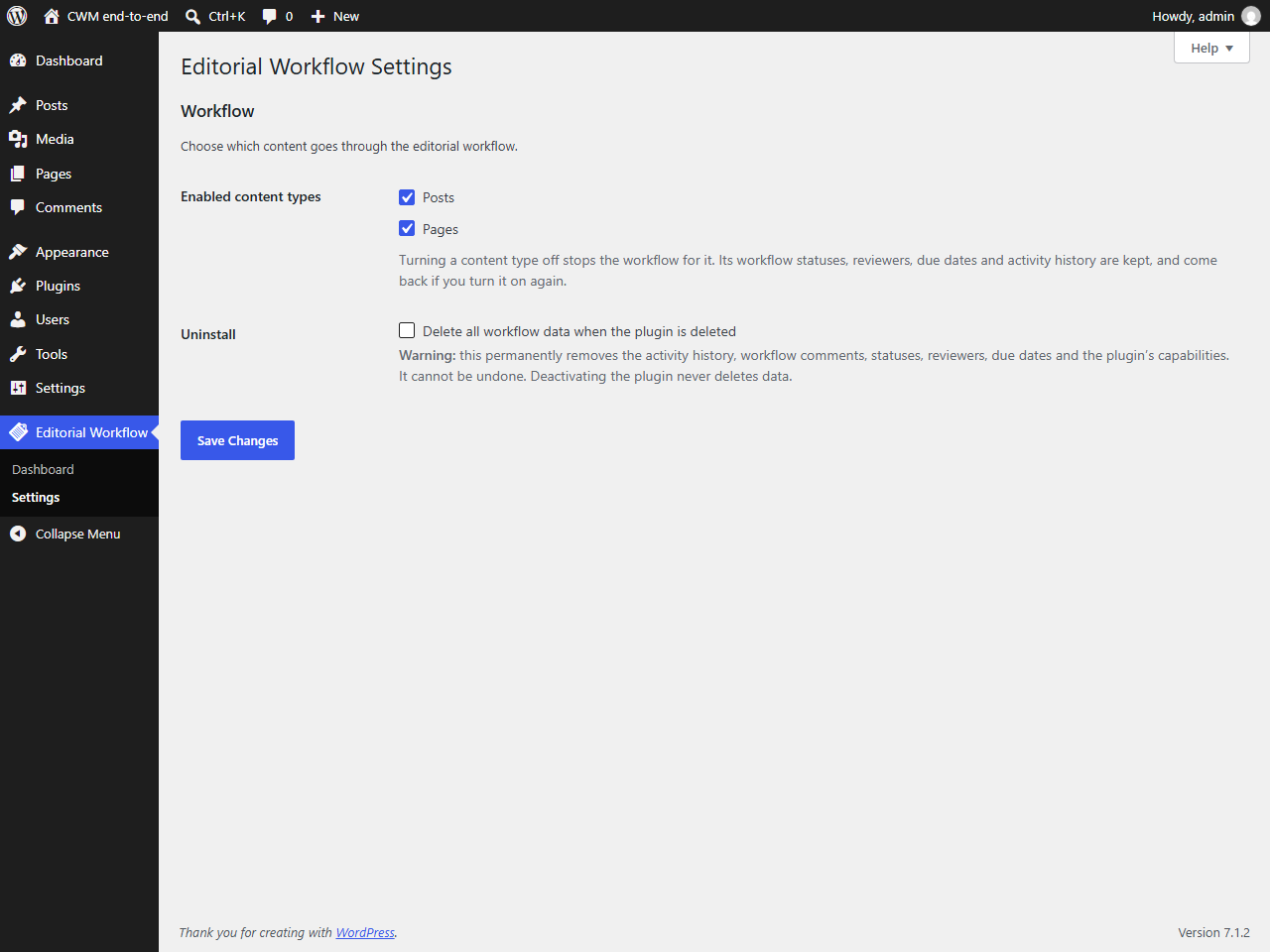
- Go to Editorial Workflow Settings and choose which post types the workflow applies to. Posts and pages are enabled by default.
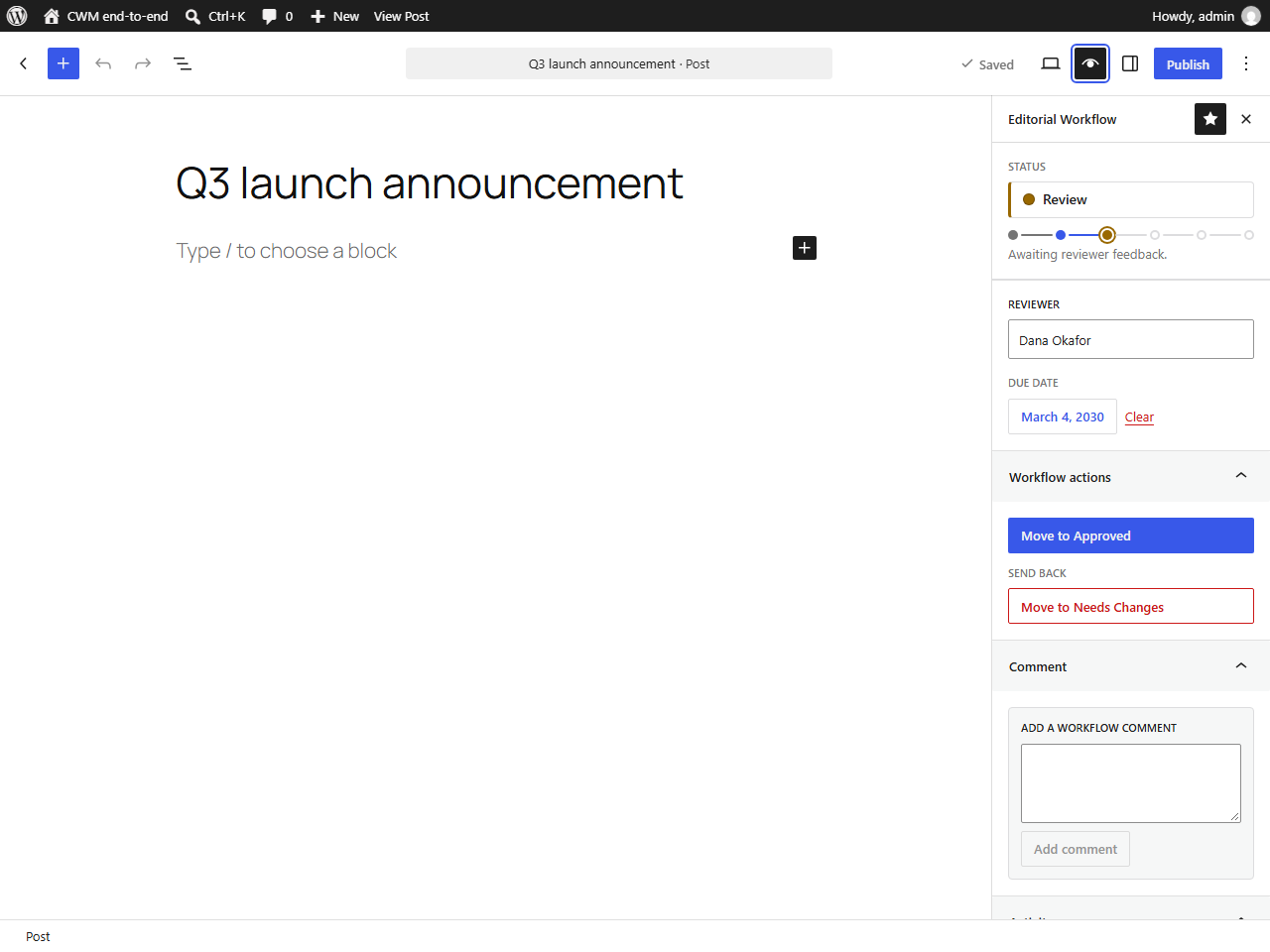
- Open any post in the block editor and click the Editorial Workflow icon in the top-right toolbar. In the classic editor, use the Editorial Workflow box in the sidebar column instead.
Deactivating or deleting the plugin keeps your workflow data by default. To remove everything when the plugin is deleted, tick Delete all workflow data when the plugin is deleted under Editorial Workflow Settings first; deleting the plugin then removes the activity table, the plugin’s post meta, its options and its capabilities.
FAQ
-
Does reaching “Published” publish my post?
-
No, and that is deliberate. The workflow status and the WordPress post status
are separate fields. Marking a post as Published in the workflow records that
the editorial process is complete; a human still hits Publish.Keeping them apart is what lets a scheduled post keep its schedule while it is
being approved, and lets an already-live article go back through a round of
edits without disappearing from your site. -
Does it send email when I assign a reviewer?
-
Not in version 1.0. Notifications are on the roadmap. The
sit_cwm_reviewer_assigned action fires on every assignment, so a few lines in
a site plugin can send whatever you need today. -
Can I change who is allowed to approve content?
-
Yes. The plugin adds six ordinary WordPress capabilities (
sit_cwm_*), so any
role or capability manager can move them around. For finer rules — “only the
assigned reviewer may approve”, say — thesit_cwm_can_transitionfilter has
the final word on every decision. -
Can I change the statuses or the order they go in?
-
The
sit_cwm_statusesandsit_cwm_transition_mapfilters replace the status
registry and the transition graph. Both results are validated, so a mistake in
your code cannot leave the plugin in a broken state. There is no settings screen
for editing statuses or building multiple workflows in version 1.0. -
Does it work with custom post types?
-
Yes. Any editorial content type (one with an admin UI, REST API support and the
editor feature) can be enabled in the settings. Back-office types such as shop
orders and coupons are not offered; developers can change the list with the
sit_cwm_available_post_types filter. The plugin uses post meta, so there is
nothing to migrate and nothing to convert. -
Does it work with the classic editor?
-
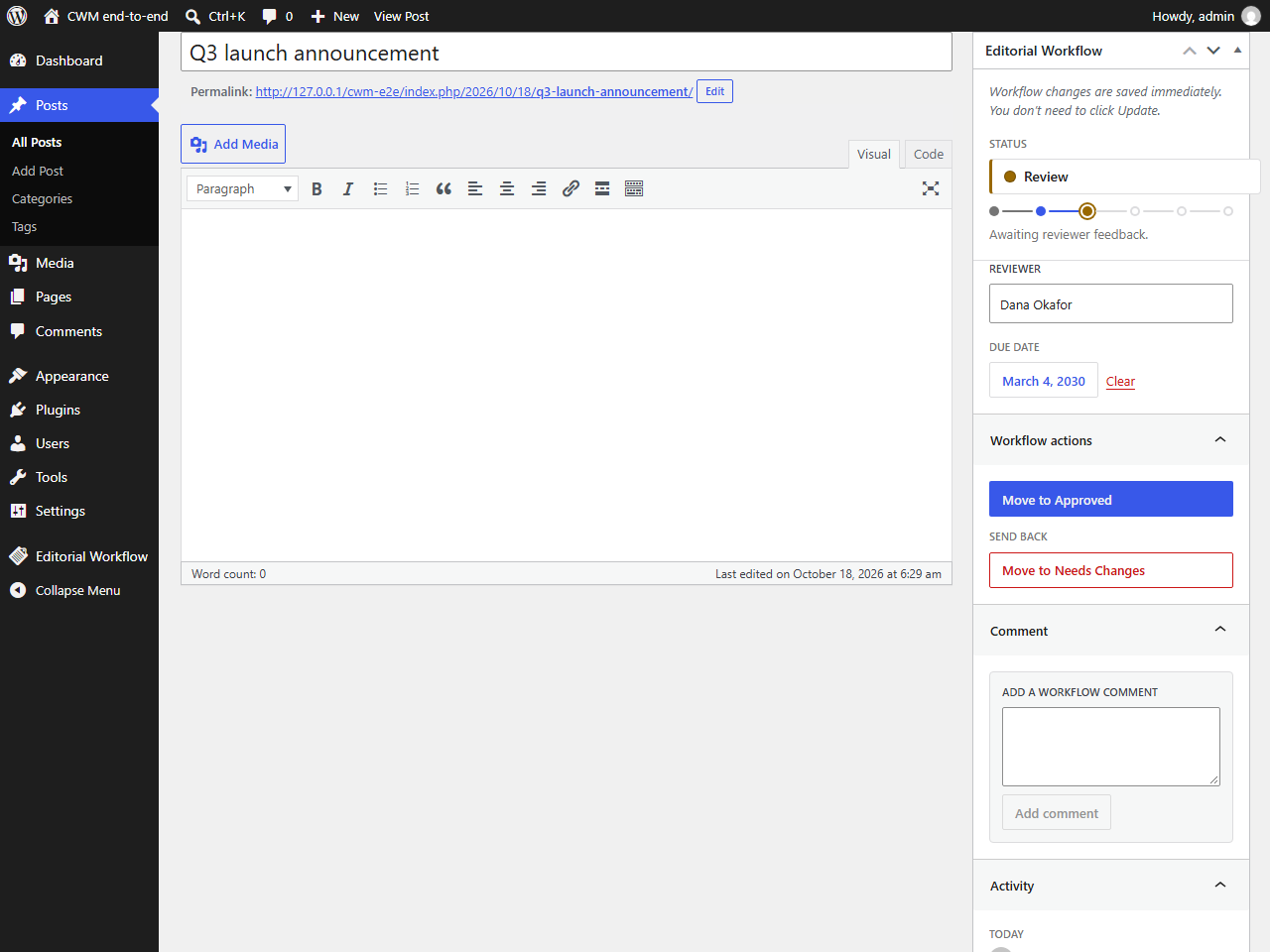
Yes. In the classic editor the workflow controls appear in an Editorial
Workflow box in the sidebar column. Changes there save immediately,
independently of the Update button. -
What happens to my data if I deactivate it?
-
Deactivating changes nothing — your statuses, reviewers, due dates and history
stay. Deleting the plugin keeps them too, unless you have ticked Delete all
workflow data when the plugin is deleted under Editorial Workflow
Settings. With that option on, deleting the plugin permanently removes the
activity table, workflow post meta, settings and capabilities. -
Where are the workflow comments?
-
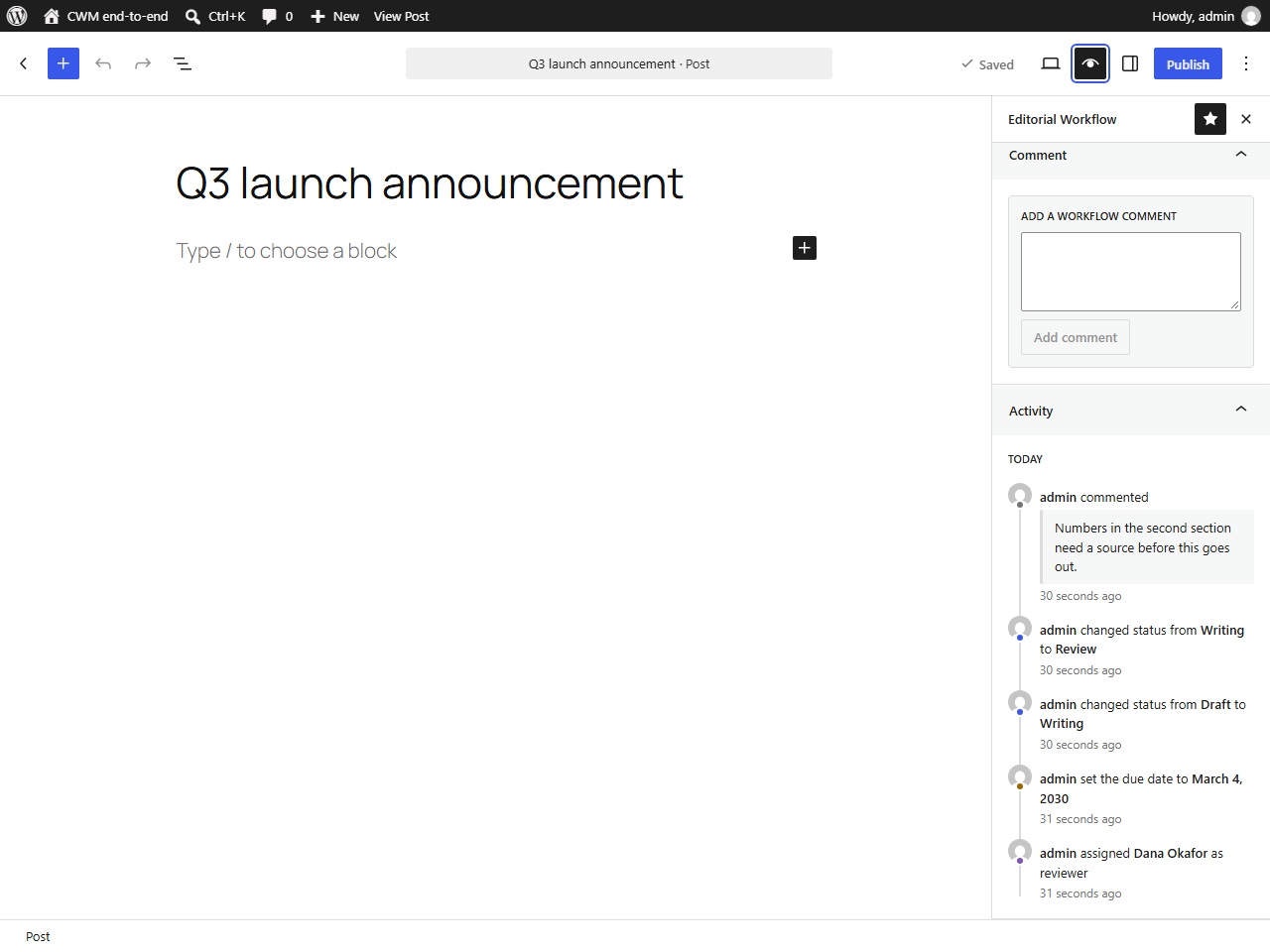
In the plugin’s own activity table, shown in the timeline in the sidebar (or
the classic editor box). They are editorial notes, so they never appear on the front end and are not mixed in
with your readers’ comments. -
Is there an API?
-
Yes, at
/wp-json/sit-cwm/v1/. Eight documented endpoints, all authenticated,
all with JSON schemas, and usable with application passwords. -
Does the plugin contact any external service?
-
No. It makes no remote requests, loads nothing from a CDN, sets no cookies of
its own and collects no usage data. Everything stays in your WordPress
database. -
Where is the source code for the JavaScript?
-
The editor sidebar, classic editor box and dashboard ship as compiled files in
assets/build/. The human-readable React source is in thesrc/directory of
the public repository at
https://github.com/rshalihin/sapphireit-editorial-workflow. Runnpm install
and thennpm run buildto rebuild the compiled files.
Reviews
There are no reviews for this plugin.
Contributors & Developers
“SapphireIT Editorial Workflow” is open source software. The following people have contributed to this plugin.
Contributors
Translate “SapphireIT Editorial Workflow” into your language.
Interested in development?
Browse the code, check out the SVN repository, or subscribe to the development log by RSS.
Changelog
1.0.0
- Initial release.
- Six-status editorial workflow with a validated transition graph and rollback
paths. - Server-side transition and permission enforcement; the UI never decides.
- Six dedicated capabilities with sensible default role grants.
- Reviewer assignment, due dates and an overdue filter.
- Workflow comments and a full activity history in a dedicated indexed table.
- Optimistic concurrency: conflicting edits are rejected, not silently merged.
- Gutenberg sidebar with an activity timeline.
- Classic editor support: the same workflow controls in an Editorial Workflow
meta box. - Admin dashboard with server-side filtering, sorting, pagination, row actions
and bulk actions. - Settings screen for choosing workflow-enabled post types.
- REST API under
sit-cwm/v1, with actions and filters for extending the
plugin.