

Description
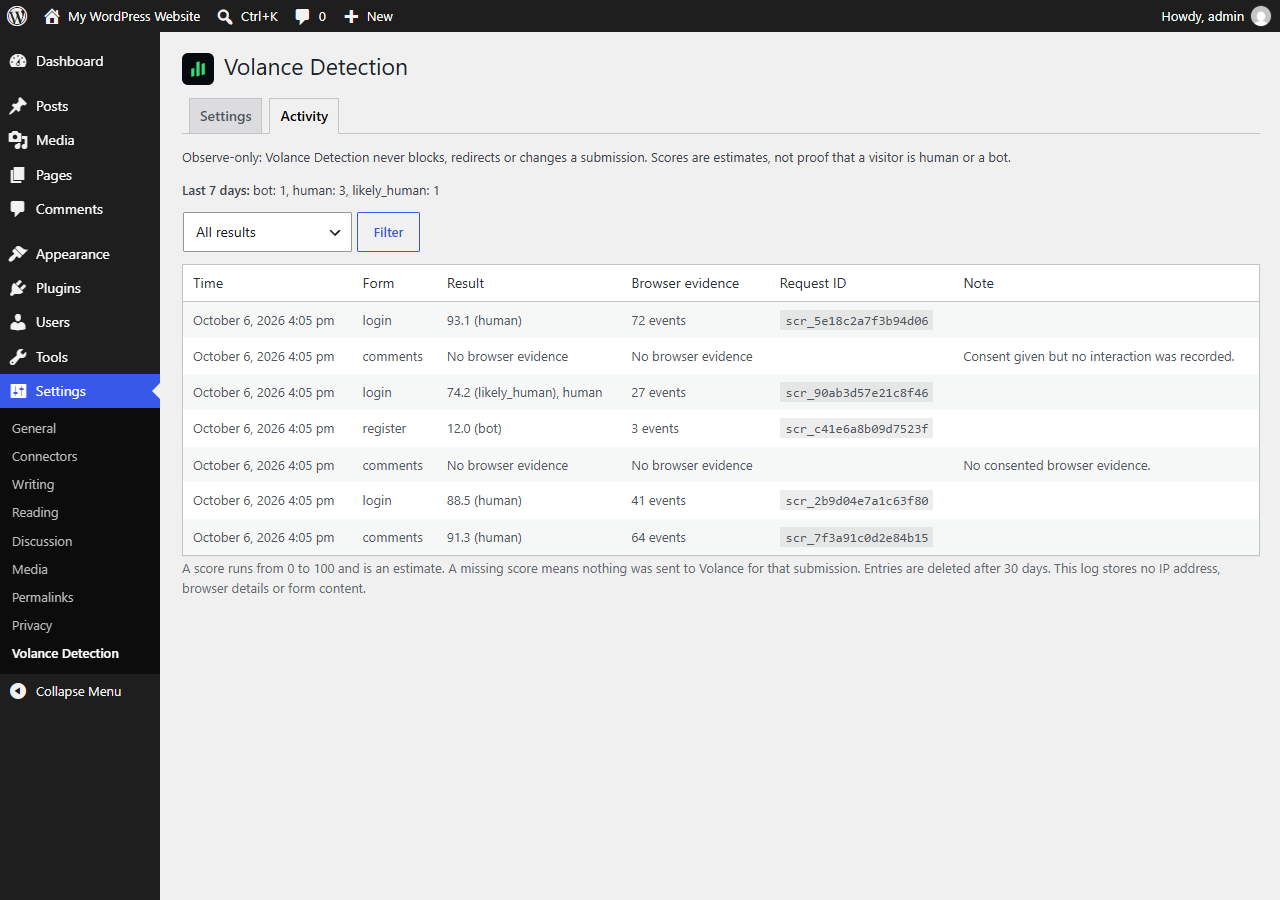
Volance Detection connects your site to the Volance service. When a visitor allows it, a small script records how they interact with the page, and your server passes that to Volance when they submit a login, registration or comment form. Volance returns an estimated human-likeness score, and the plugin shows it in your WordPress admin.
This plugin is observe-only. It never blocks a submission, never redirects and never changes what a visitor sees. If Volance is slow, down or over quota, your forms work exactly as before.
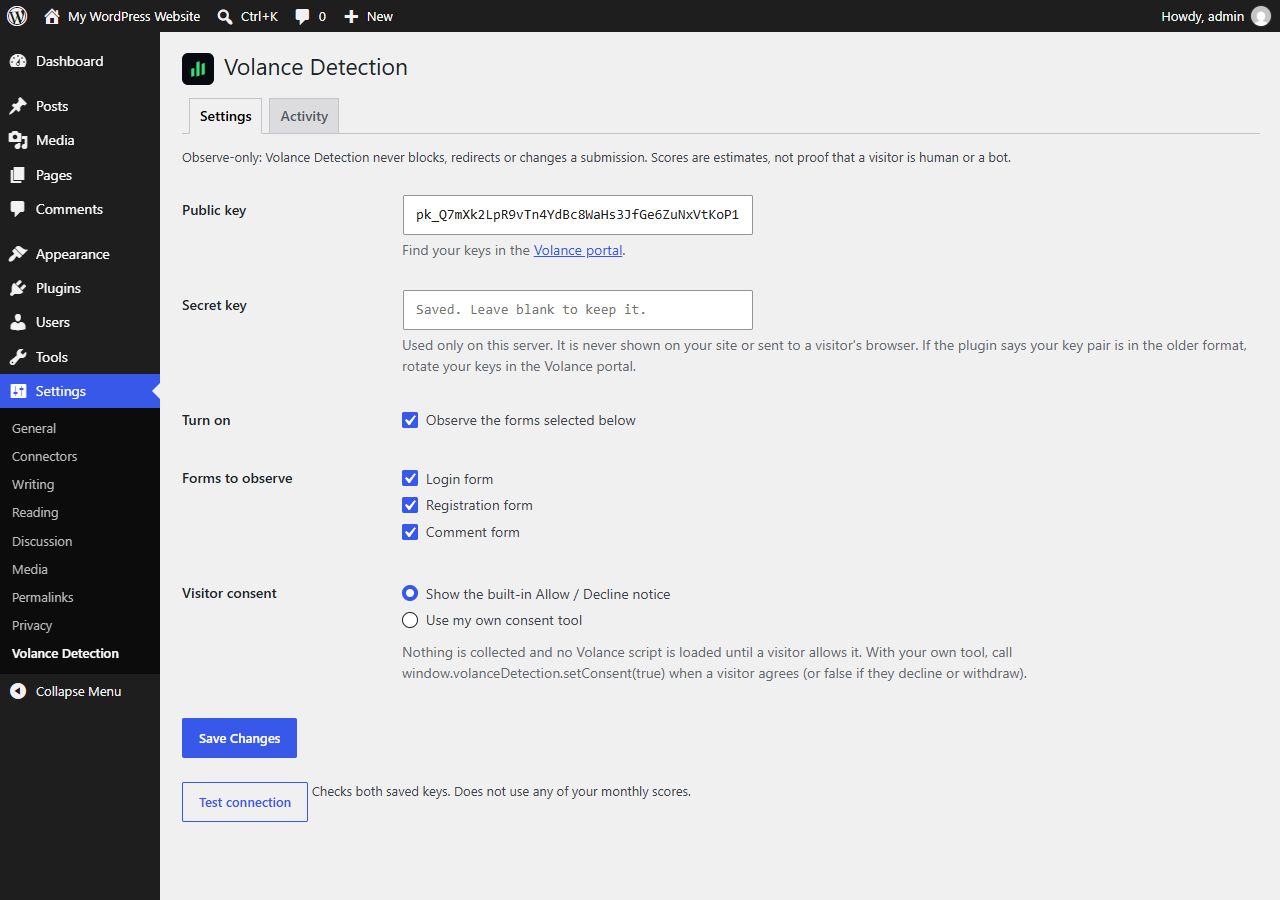
- Nothing is collected, and the Volance script is not even downloaded, until the visitor clicks Allow. A visitor who declines, or whose browser sends Global Privacy Control, is not observed.
- A score is an estimate. It is not proof that someone is human or a bot.
- Your secret key stays on your server. It is never printed on a page or sent to a browser.
- Fingerprinting is never used. If your Volance workspace has the fingerprint tier switched on, the plugin collects and sends nothing until you switch it off.
- The activity log keeps the score, verdict, form, time and request ID for 30 days. It stores no IP address, browser details or form content.
You need a Volance account. Create one at https://app.volance.com.
External services
This plugin connects to the Volance service, operated by Oops Games LLC, to estimate whether a form submission came from a human, an agent or a bot.
1. Volance script (visitor’s browser). After a visitor clicks Allow, their browser downloads and runs https://app.volance.com/trace.js. It makes no network requests of its own. Downloading it reveals the visitor’s IP address and browser details to Volance’s servers, as any web request does.
2. Volance scoring API (your server). When a visitor who allowed detection submits an observed form, your server sends Volance a request to https://app.volance.com/api/trace/session and then https://app.volance.com/api/trace/score, authenticated with your workspace keys. The request contains:
- interaction timing, pointer movement, wheel and scroll timing, key press timing (never which keys) and coarse browser and device descriptors recorded by the script;
- the visitor’s IP address, which Volance stores only as a one-way hash;
- the visitor’s User-Agent, Accept-Language, Sec-CH-UA and Sec-Fetch-Site / Sec-Fetch-Mode request headers.
It never contains typed characters, form values, clipboard contents, page text, page URLs or cookies. Without a visitor’s consent, nothing is sent.
3. Volance account calls (administrators). The Test connection button and the plan and usage line on the settings page call https://app.volance.com/api/trace/config, /session and /usage from your server with your keys. A scheduled task also checks your workspace settings twice a day.
Volance Terms: https://volance.com/terms
Volance Privacy Policy: https://volance.com/privacy
Screenshots
Installation
- Upload the plugin to
/wp-content/plugins/volance-detection, or install it from the Plugins screen. - Activate it.
- Go to Settings Volance Detection. Paste your public key (
pk_...) and secret key (sk_...) from the Volance portal and click Test connection. - Choose the forms to observe and how consent is asked, then tick Turn on.
If you prefer, define VOLANCE_DETECTION_SECRET_KEY in wp-config.php instead of saving the secret key in the database.
FAQ
-
Does this plugin block bots?
-
No. It scores and logs. Blocking is up to you.
-
What exactly is sent to Volance?
-
Only for a visitor who allowed detection and then submitted an observed form: interaction timing, pointer movement, wheel and scroll timing, key press timing (never which keys), coarse browser and device details, the visitor’s IP address, and the visitor’s User-Agent, Accept-Language, Sec-CH-UA and Sec-Fetch headers. Volance stores the IP address only as a one-way hash. See the External services section.
-
What is never collected?
-
The characters a visitor types, form values, clipboard contents and page text. The plugin also does not send page URLs or cookies. The plugin and the Volance service both reject content-bearing fields.
-
How do I ask visitors for consent?
-
Use the built-in Allow / Decline notice, or choose “Use my own consent tool” and call
window.volanceDetection.setConsent(true)when a visitor agrees (andfalseif they decline or withdraw). You can also dispatch avolance-detection:consentevent ondocumentwith{ detail: { granted: true } }. -
How long is data kept?
-
This plugin’s log is deleted after 30 days. Volance deletes raw scores and sessions after 30 days; see its privacy policy.
-
I use a proxy or CDN. Will the visitor IP be right?
-
By default the plugin sends
REMOTE_ADDR. If your site sits behind a trusted proxy, return the real address from thevolance_detection_visitor_ipfilter. -
Will it slow my forms down?
-
Scoring runs after the response has been sent on servers that support it (PHP-FPM and LiteSpeed). On other servers a submission can wait for up to a few seconds if Volance is slow; there is a 3 second limit per call and no retries.
-
What happens when I uninstall?
-
The plugin removes its settings, log table and scheduled task. Data already stored by Volance is managed in the Volance portal.
Reviews
There are no reviews for this plugin.
Contributors & Developers
“Volance Detection” is open source software. The following people have contributed to this plugin.
Contributors
Translate “Volance Detection” into your language.
Interested in development?
Browse the code, check out the SVN repository, or subscribe to the development log by RSS.
Changelog
0.1.0
- First release: settings, consent notice, observe-only scoring of login, registration and comment forms, activity log, plan and usage line.