
Description
GEO Ranking Tracker is a complete GEO, AEO and SEO tracker for WordPress. It asks the questions your buyers ask ChatGPT, Gemini and the other AI assistants and shows you the actual answers, engine by engine: is your company mentioned, is your website cited, which position are you in, who else is named. Not a score alone; the answer itself, kept from every check so you can see what changed and why. The same tracker follows your organic rankings on Google and Bing, featured snippets, People Also Ask and AI Overviews, and alerts you when something moves. Generative engine optimization, answer engine optimization and search engine optimization, measured in one place.
The free plugin is a complete tracker, with nothing in it capped or switched off:
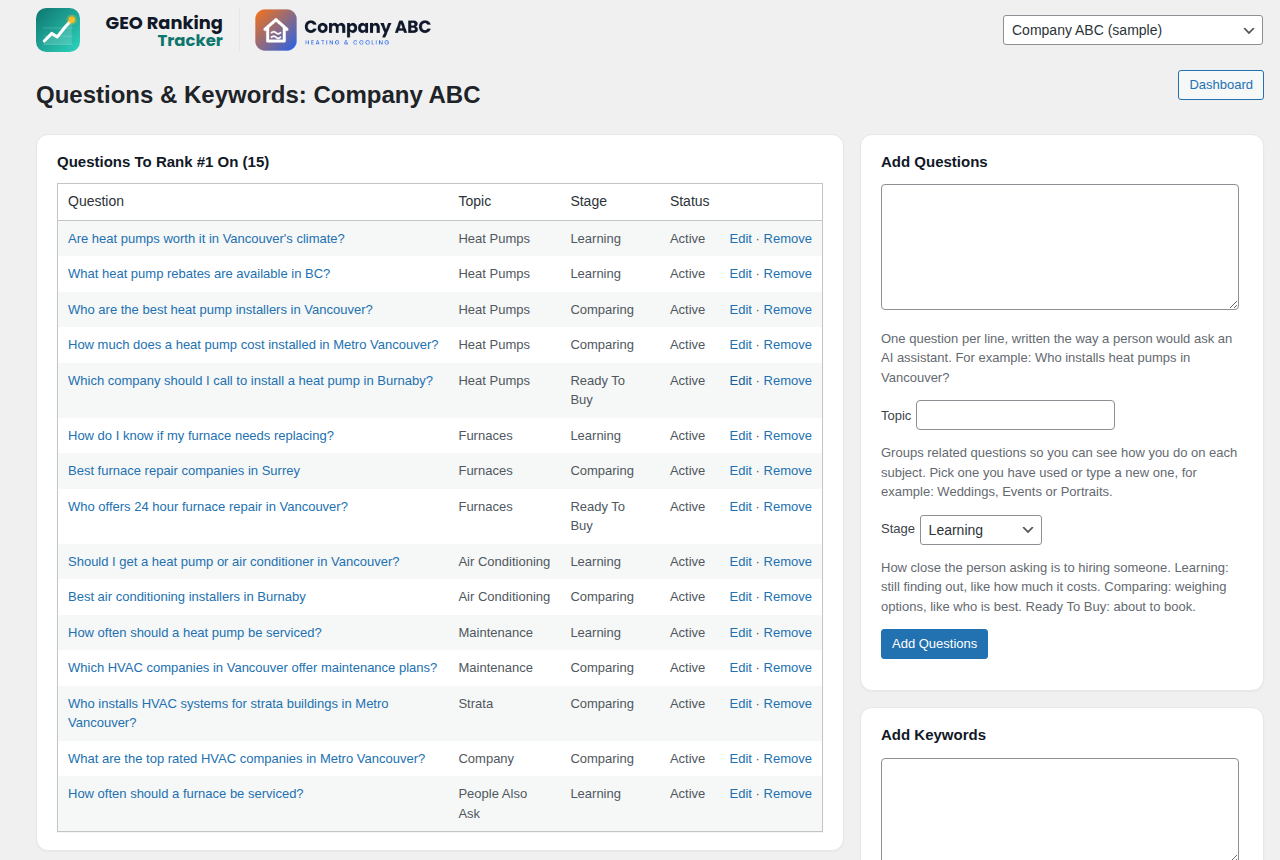
- As many projects, questions and keywords as you like, plus the Company ABC sample so every screen is filled in before you add a key
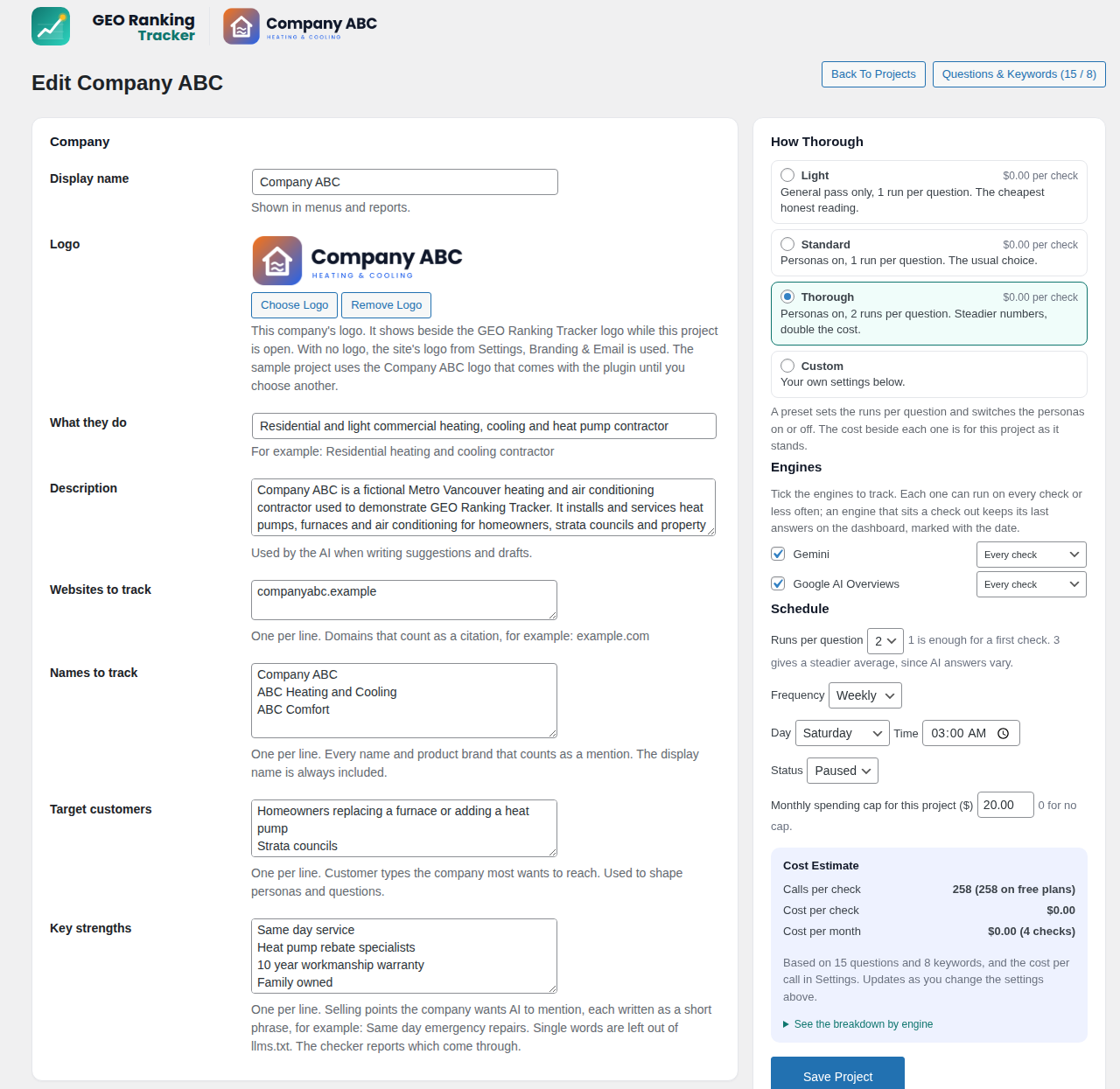
- Gemini and Google AI Overviews, checked daily, weekly or monthly, with up to five runs per question, buyer personas and several locations
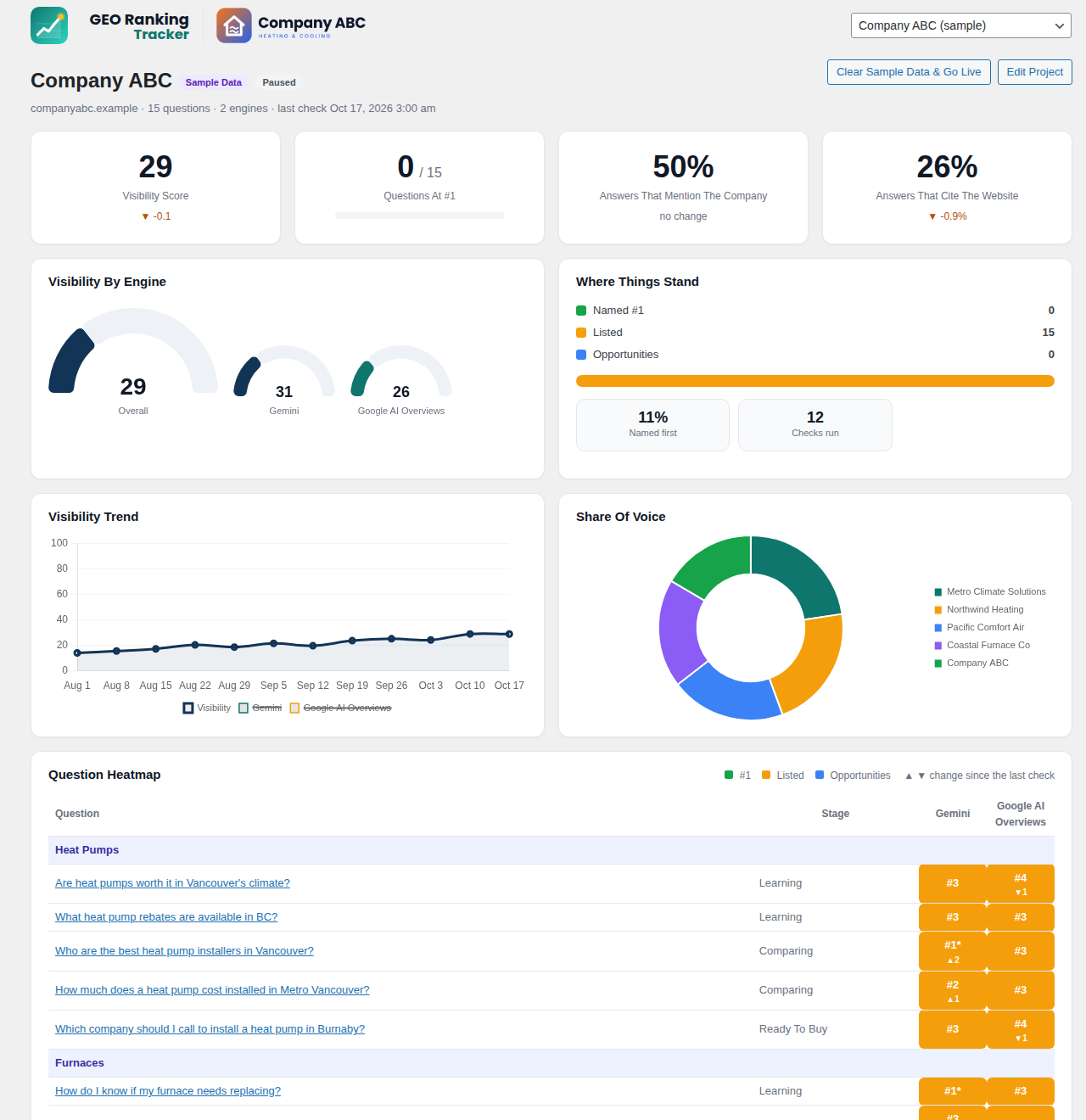
- Visibility by engine, the question heatmap, Movers, Organic Rankings and Alerts
- Featured snippets and People Also Ask for every keyword, with one click to track a question you are missing
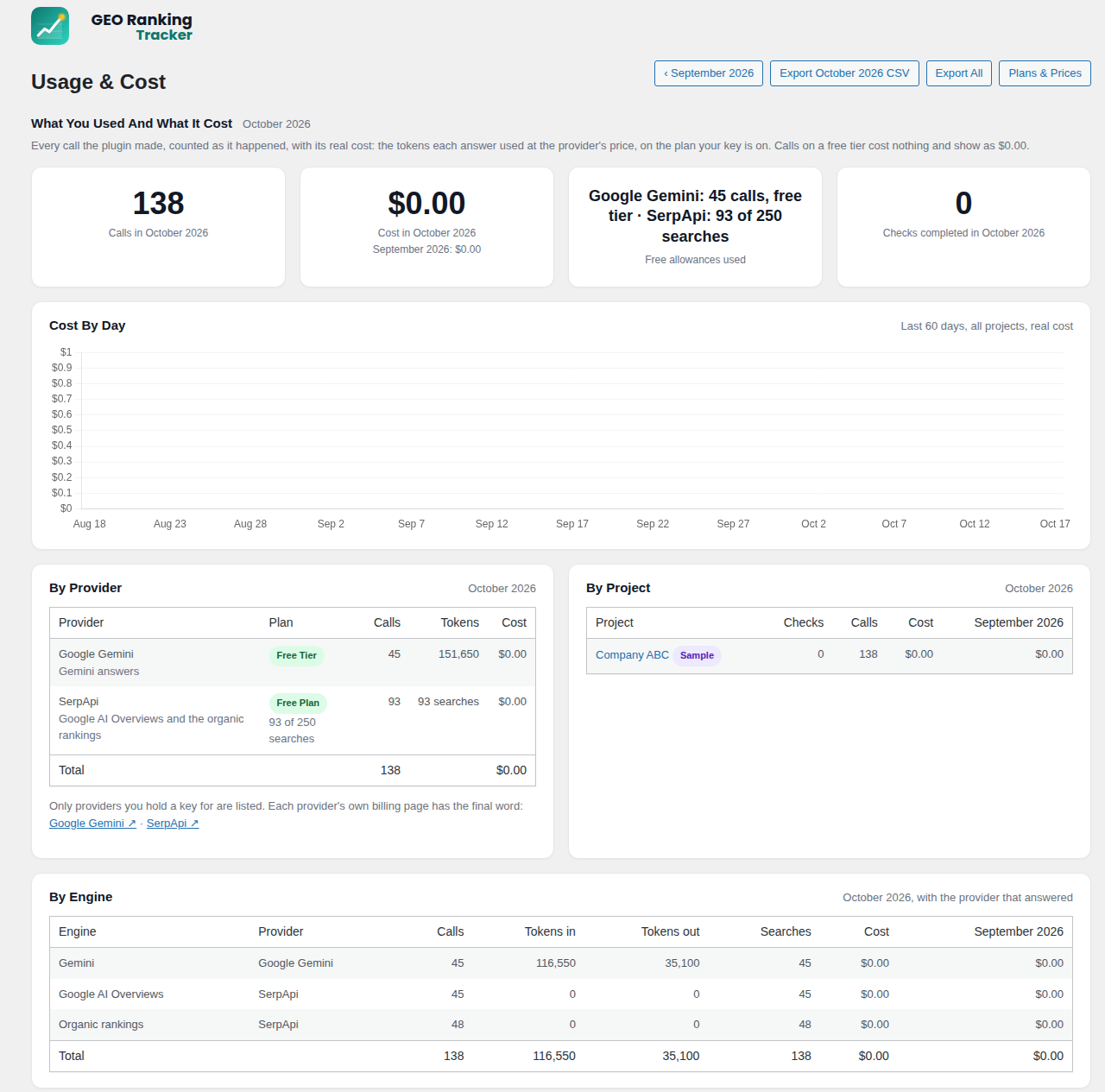
- Real costs: every call is priced from the tokens it used and the plan your key is on, so the free tiers show as $0.00
- A Getting Started page and a setup checklist that ticks itself off
- Backup and restore: one file holds everything the plugin stores, made weekly by itself; restoring it is also how you move to a new server
It runs on your own API keys and can run at no cost: Google AI Studio offers a free Gemini tier and SerpApi includes free searches every month. The plugin reads your plan from each provider (SerpApi reports it; Gemini shows its tier by whether live search is allowed) and carries a price list for every model it can use, so no price or allowance ever has to be typed in. On Gemini’s free tier the answers come from the model without live web search; add billing to the Google project and Gemini searches the web as it answers (5,000 searches a month included). Model names are checked against each provider and updated by the plugin when a provider retires one.
GEO Ranking Tracker Pro is a separate add on sold on candat.com; it is not part of this plugin and nothing here waits for it. It brings seven more engines (ChatGPT, Claude, Perplexity, Grok, DeepSeek, Google AI Mode and Microsoft Copilot), judge scoring, AI written suggestions with drafts, PDF reports, Site Readiness For AI with one click publishing, On Page SEO, and the Google Search Console and Google Analytics connection. See the Upgrade To Pro screen inside the plugin.
External Services
This plugin sends the questions you enter to two services you choose, using your own API keys, and stores their answers on your site. Nothing is sent until a key is saved, and nothing is sent anywhere else.
Google Gemini API (Google AI Studio)
What it is for: the AI answers. Each question in your project is sent to the Gemini API and the answer comes back and is stored on your site.
What is sent and when: the question text, the persona wording if you use personas, and your project’s brand facts, every time a check runs (on the schedule you set, or when you press Run Check Now). When you save or test a key, and once a day, the plugin also asks Gemini for its current model list with that key.
Gemini API Terms of Service, Google Privacy Policy
SerpApi
What it is for: Google AI Overviews and the organic rankings on Google, Bing and Yahoo, plus featured snippets and People Also Ask.
What is sent and when: each question and keyword in your project, with the location and language you chose, every time a check runs. When you save or test a key, and once a day, the plugin reads your SerpApi account’s plan and searches used, so costs show correctly.
SerpApi Terms of Service, SerpApi Privacy Policy
The publisher’s website, candat.com (optional, off by default)
What it is for: a newer price list. The list of what each provider charges per call ships inside the plugin; the publisher keeps a current copy at https://www.candat.com/?cls_data=geo-ranking-tracker-pro&file=prices.
What is sent and when: nothing about your site, your keys or your data; a plain download of that public JSON file. It happens only when you press Refresh Prices under Settings, Costs, or once a day if you tick “Check the publisher for price updates once a day” there, which is unticked until you tick it.
Canadian Data Solutions Privacy Policy
Source Code
Every PHP, JavaScript and CSS file in this plugin is hand written source; nothing is compiled or minified, so there are no build tools and the files in the plugin are the files to read and change. The one bundled library is Chart.js 4.5.1 (admin/assets/chart.umd.js, MIT licence, licence text beside it), whose source is at https://github.com/chartjs/Chart.js.
Screenshots
Installation
- Install from the plugin directory (Plugins, Add New, search for Canadian Data Solutions GEO Ranking Tracker) and activate. The Getting Started page opens with a setup checklist; it stays on the Dashboard until every step is done.
- Company ABC ships with sample data so you can see every screen straight away.
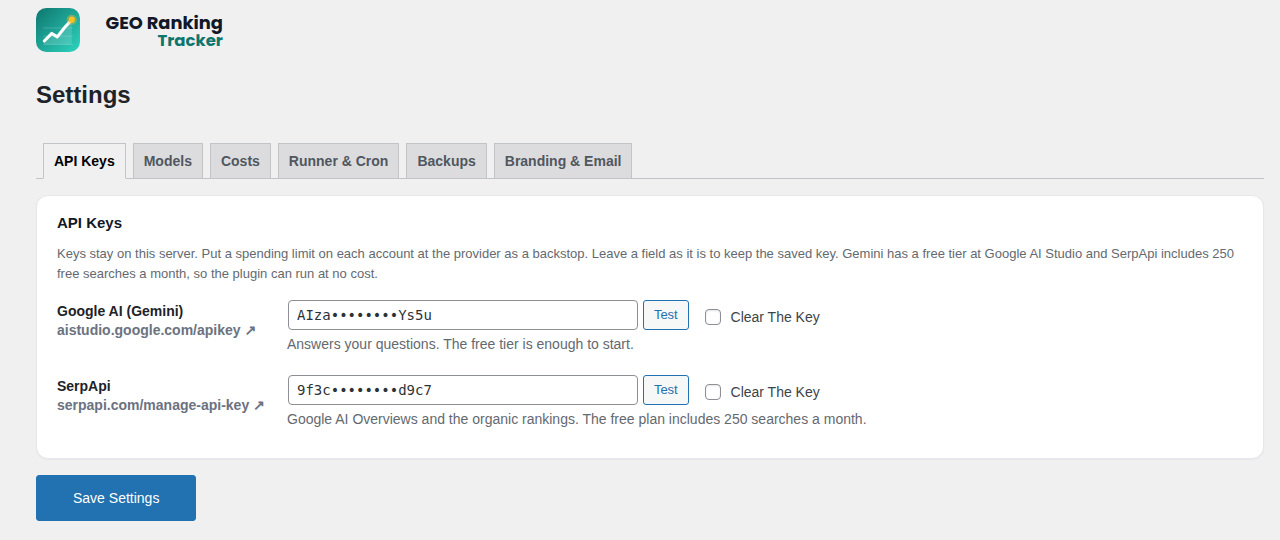
- Go to Settings, API Keys and paste a Gemini key (free at aistudio.google.com) and a SerpApi key (free plan). Press Test beside each. The plugin reads which plan each key is on.
- Add your project, its questions and keywords, and press Run Check Now.
- It works out of the box: a check you start finishes while the dashboard is open. For scheduled checks and alerts to run on time on a quiet site, add the one line cron shown under Settings, Runner & Cron to your hosting panel (every five minutes). The same tab shows whether background runs are arriving.
FAQ
-
Does the free edition cost anything to run?
-
No. Gemini has a free tier at Google AI Studio and SerpApi includes free searches every month. The plugin knows which plan each key is on, prices every call from the tokens it used, and shows the free tiers as $0.00. Usage & Cost shows what was used and what it cost, and separately what the coming checks will cost.
-
Where do the prices come from?
-
A price list for every model the plugin can use ships inside it. Each call’s cost is the tokens it used at those prices, on the plan your key is on. Settings, Costs shows the list and the date it carries, with a Refresh Prices button that checks the publisher’s website for a newer list when you want one (and a box to let it check once a day, off unless you tick it). A reminder appears when the list is a month old.
-
A provider retired the model name. What now?
-
Nothing. The plugin asks each provider for its current model list when you save or test a key and once a day, and switches to the current model by itself. Settings, Models shows what it uses and every switch it made.
-
Do I need to set up a cron job?
-
Not to get started. Checks you start by hand run while the dashboard is open. Scheduled checks and alerts ride on WordPress’s own scheduler, which fires when someone visits your site, so on a busy site they run on time by themselves. On a quiet site add the one line cron from Settings, Runner & Cron; the tab tells you if runs are falling behind.
-
Where is my data stored?
-
In your own WordPress database. API keys stay on your server.
-
How do I back it up, or move it to a new server?
-
Settings, Backups. The plugin makes a backup every week by itself and keeps the last four in a private folder; Make A Backup Now gives you one on demand, and each one can be downloaded. A backup holds every project, question, check, answer, ranking, suggestion, alert, usage line and your settings, but never your API keys or database connection, so the file is safe to keep anywhere. To move: install the plugin on the new site, enter the keys, upload the backup under Settings, Backups, review what it contains and press Restore. A safety copy of the current data is made before any restore.
Reviews
There are no reviews for this plugin.
Contributors & Developers
“Canadian Data Solutions GEO Ranking Tracker” is open source software. The following people have contributed to this plugin.
Contributors
Translate “Canadian Data Solutions GEO Ranking Tracker” into your language.
Interested in development?
Browse the code, check out the SVN repository, or subscribe to the development log by RSS.
Changelog
4.8.0
The Dashboard shows the cost of the next check near the top, draws a grey gauge for every engine that has no results yet, groups Share Of Voice past the top eight into Others, and keeps every engine on the Visibility Trend. When SerpApi’s monthly allowance is used up, the Dashboard, Organic Rankings, Usage & Cost and Costs screens say so and when it resets. Usage & Cost lists every active project under Spending Caps. Labels across the screens use Title Case, chart dates read Jul 22 style, and the New and Out markers are capitalised. Imported research files get General for empty or placeholder topic names.
4.7.0
The report footer and the email sender name now always read GEO Ranking Tracker, and the Branding & Email tab shows them as fixed text. Support for the Agency level of the Pro add on.
4.6.2
Styles and browser checks for the Pro add on’s Publish screen.
4.6.1
Styles for the file preview boxes used by the Pro add on.
4.6.0
The Key Strengths box asks for each strength as a short phrase, and project research writes them that way.
4.5.0
Each project can have its own logo, chosen in the project editor. It shows beside the GEO Ranking Tracker logo while that project is open; a project without one uses the site’s logo from Settings, Branding & Email. The Company ABC sample comes with its own logo.
4.4.1
The PRO tag sits right beside the GEO Ranking Tracker logo, before your own logo. The alert digest now goes out once a day, after 8:00 am site time, and the Mode box on Alerts says so.
4.4.0
The logo you upload under Settings, Branding & Email now sits beside the GEO Ranking Tracker logo on every screen instead of replacing it. Emails use the one logo and accent colour from Branding & Email.
4.3.0
The spending cap warning now works: a notice and one email a month when spending reaches the share you set. Organic lookups that could not be made show as Could Not Check instead of disappearing, and a search with no results counts as not ranked. After you add questions, the page scrolls to them and highlights them. Getting Started Text is grouped under plain names, and each box shows the wording in use. Checkbox rows are normal size, labels use Title Case, and price dates read like Oct 4, 2026.
4.2.0
Gemini’s sources now count as the real websites behind Google’s links, so citations of your site and your competitors show correctly. The dashboard shows only numbers this edition measures. New questions start at the Learning stage, the Topic and Stage boxes explain themselves, and counts read “1 question” rather than “1 questions”. Chart dates show the time when two checks fall on the same day, and the average position says how many lookups it covers. The Getting Started screen drops the two reminders it already covers.
4.0.2
The menu icon is now in colour. Entry boxes start empty, with examples and hints in the note under each box. The notice shown while a separate database is out of reach now says plainly that your data is safe there.
4.0.1
Each admin screen now runs inside its own function, so none of its working names are global. Nothing changes on screen.
4.0.0
Every name the plugin uses (classes, settings, tables, hooks, page addresses) now starts with cdsgeo. Settings, history, page settings and a separate database move to the new names by themselves on the first load after the update, and backups made with earlier versions still restore. Forms read each field with the sanitizing that fits it, every value printed on the screens is escaped, and the project you are working on is only remembered from the plugin’s own links.
3.1.0
The plugin now shows only what it does: no greyed out rows, placeholder cards or notes about other products on its screens. The publisher’s own sales tools and Google registration are gone from this plugin, and new installs no longer create the two tables they used. Refresh Prices reads the price list from its new address on the publisher’s website. The sample project shows the engines this install runs.
3.0.1
The price list reminder notice escapes its form field, so Plugin Check reports no errors.
3.0.0
Directory release. The plugin is listed as Canadian Data Solutions GEO Ranking Tracker (its folder is now canadian-data-solutions-geo-ranking-tracker). Nothing in the free plugin is capped any more: as many projects, questions, keywords, locations and personas as you like, daily, weekly or monthly checks and up to five runs per question. The daily price list check against the publisher’s website is now off by default, with a Refresh Prices button and a gentle reminder when the list is a month old. Every submitted value is sanitized before any handler sees it; uploads re check their nonce. Model list lookups for the Pro engines moved to the Pro add on. Readme: each external service documented with what is sent and when, correct SerpApi links, and a note on the source code.
Earlier
Versions before 3.0.0 were not published in the plugin directory.