
Description
ReadMarker helps visitors understand and control their reading experience. Show estimated reading time and word count, add reading progress, and let readers adjust text size and reading width.
Configure automatic output or place reading information yourself with shortcodes and the ReadMarker block. All features are free, with no account or paid upgrade required.
Features
- Reading-time estimates with adjustable words per minute (WPM) and optional word count.
- Simple, Badge, Meta, and Card styles for reading information.
- Twelve progress displays, including remaining-time estimates and inline progress.
- Six presets for common configurations.
- Optional Reader Controls and browser-local Reading Position Memory.
- Automatic placement, Custom Selector placement, and manual output.
- Content-type rules and individual post controls.
- A shortcode reference with copy buttons in the WordPress admin.
Requirements
- WordPress 6.0 or later.
- PHP 7.4 or later.
Progress, Reader Controls, and Reading Position Memory require JavaScript. Themes must include the standard WordPress footer hook for their scripts to load.
Getting Started
By default, ReadMarker shows reading time before the content of individual posts, using the Simple style and 200 WPM. Word count, progress, Reader Controls, and Reading Position Memory are off. Pages and other public content types can be enabled in Display Rules.
The ReadMarker admin menu contains:
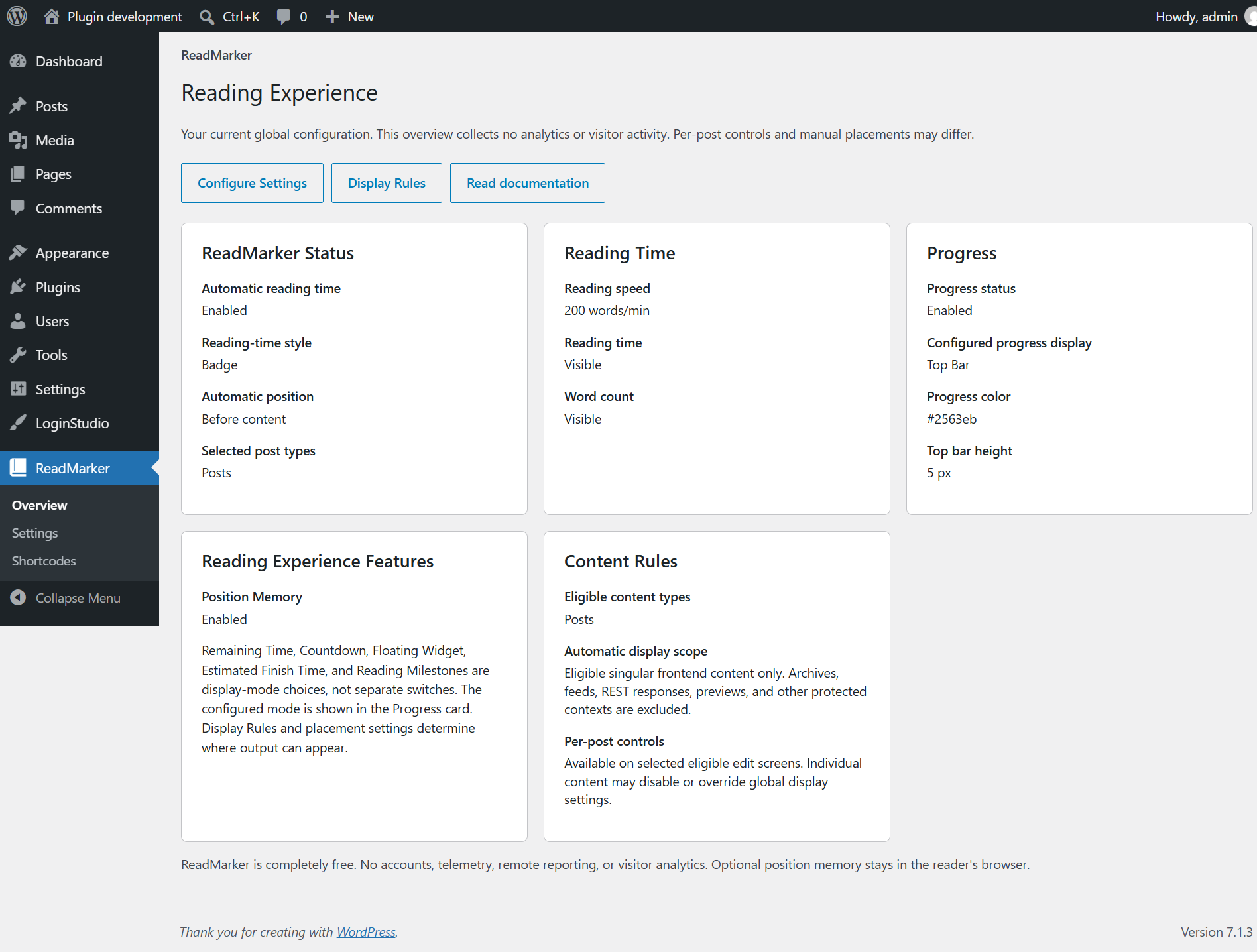
- Overview: a summary of the saved configuration and links to useful pages.
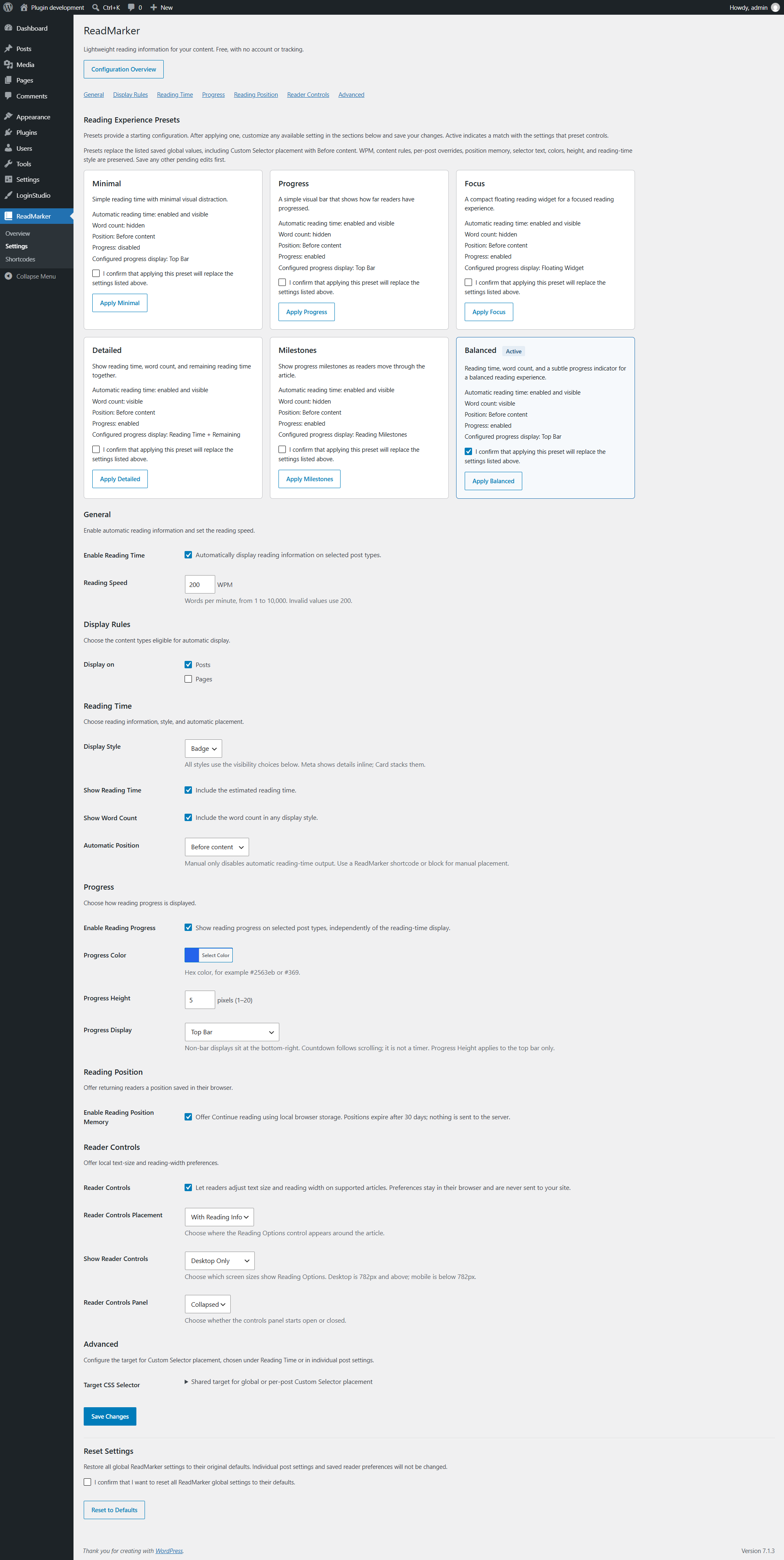
- Settings: reading information, progress, Reader Controls, placement, presets, and reset controls.
- Shortcodes: supported shortcode examples with Copy buttons.
In ReadMarker Settings, choose whether reading information appears before or after content, in a Custom Selector target, or only where you place it manually. Choose a reading-information style and whether to show word count.
Enable Reading Progress separately and choose a display mode. Top Bar is the default selection. Fixed progress displays are separate from automatic reading-information placement; choosing Manual only does not disable them. Inline Reading Progress follows the automatic placement setting instead.
For a starting configuration, confirm and apply a preset. Save any other pending edits first. You can adjust the saved settings afterward.
Reset to Defaults restores the global settings. It does not delete individual post overrides or clear browser-saved reader preferences and reading positions.
Display Modes
Choose one of these twelve displays in ReadMarker Settings:
- Top Bar: a progress bar at the top of the window.
- Circular: a progress ring with a percentage.
- Percentage: the current reading percentage.
- Top Bar + Percentage: both the top bar and percentage.
- Remaining Time: estimated reading time remaining.
- Reading Time + Remaining: total reading time and the remaining estimate.
- Percentage + Remaining: percentage and remaining time together.
- Countdown: remaining time as MM:SS, or HH:MM:SS for longer durations.
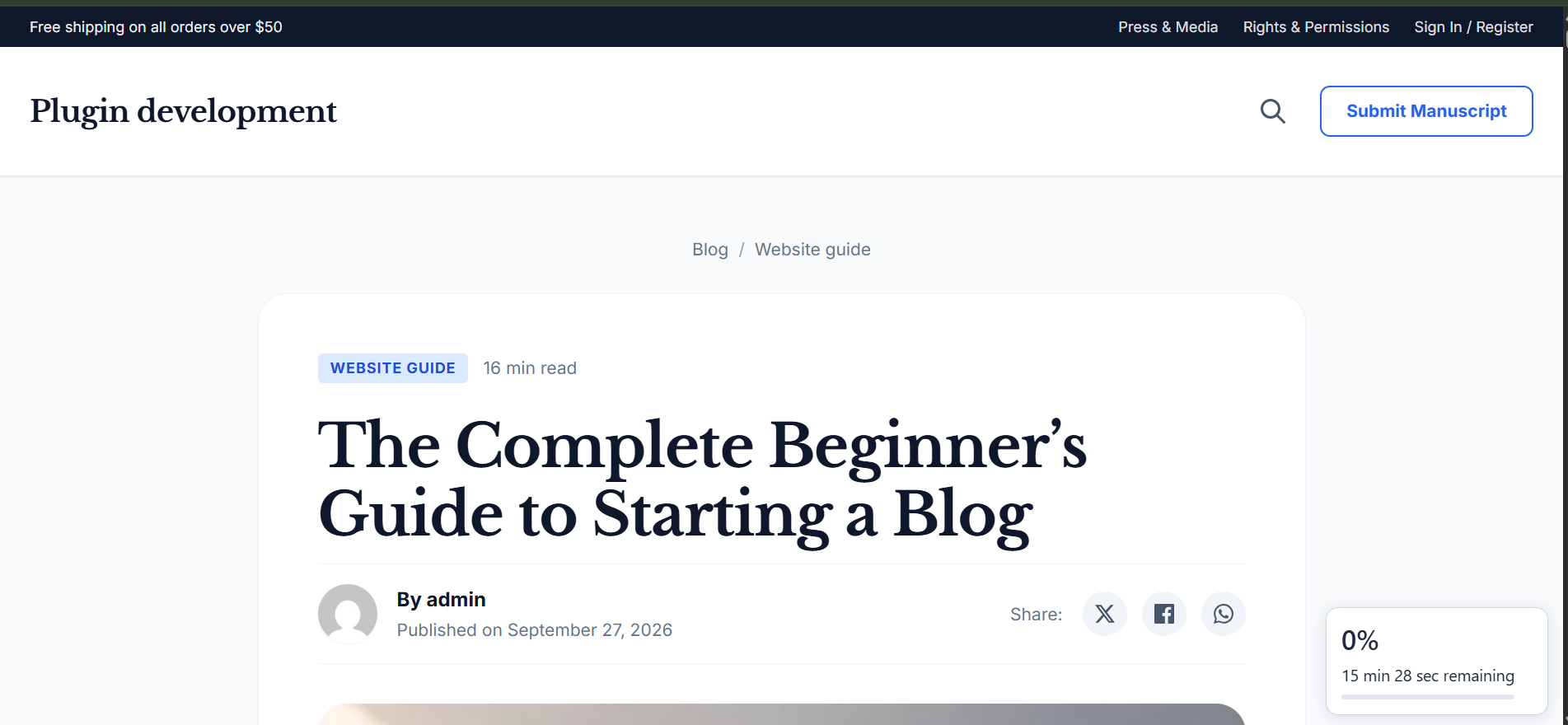
- Floating Widget: a compact percentage, remaining-time estimate, and progress bar.
- Estimated Finish Time: an estimated finish time using the reader’s local clock.
- Reading Milestones: progress through 25%, 50%, 75%, and 100%, with short status labels.
- Inline Reading Progress: a bar and percentage inside the article content.
Progress follows the reader’s position in the article. Scrolling backward updates the display accordingly. Remaining time and Countdown are scroll-based estimates, not timers. Estimated Finish Time updates with reading progress rather than ticking continuously.
Inline Reading Progress requires automatic reading information and Reading Progress to be enabled. Before content places it at the beginning inside the article wrapper; After content places it at the end. Custom Selector uses the configured target. Manual only prevents automatic inline output. Progress shortcodes and blocks can still be placed explicitly.
Progress indicators use accessible labels and progressbar semantics where appropriate, without announcing every update. Display styles include reduced-motion and forced-colors support.
Presets
ReadMarker Settings includes six presets, in this order:
- Minimal: reading time before content, without word count or progress.
- Progress: reading time before content and a Top Bar.
- Focus: reading time before content and the Floating Widget.
- Detailed: reading time and word count before content, plus Reading Time + Remaining.
- Milestones: reading time before content and Reading Milestones.
- Balanced: reading time and word count before content, plus a Top Bar.
Presets change automatic reading-information visibility, word-count visibility, placement, progress activation, and the selected progress display. They preserve WPM, content-type rules, reading-information style, progress color and height, selector text, Reader Controls, position memory, and per-post overrides.
The Active label reflects the saved settings that a preset controls. Changing one of those values can remove the match; changing an unrelated setting does not. Applying a preset requires confirmation.
Reader Controls
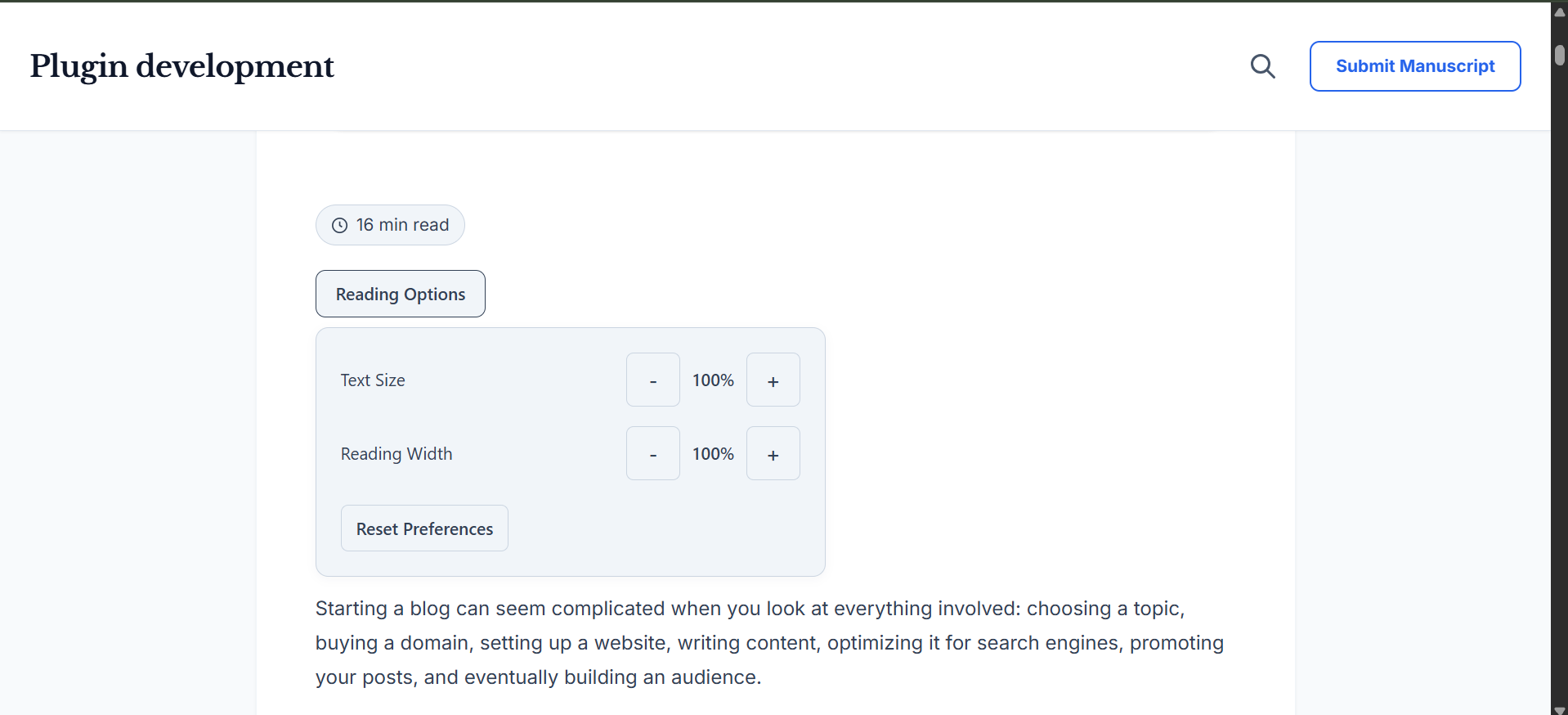
Optional Reader Controls provide a Reading Options button with Text Size, Reading Width, and Reset Preferences. Text size ranges from 80% to 140%; width ranges from 80% to 120%. Both default to 100%. Width remains limited by the surrounding theme layout.
Place controls above the article, below it, or with reading information. If reading information is absent, With Reading Info falls back above the article. Choose desktop and mobile visibility and whether the panel initially opens collapsed or expanded.
Readers use normal buttons and keyboard navigation. Escape closes the panel and returns focus to Reading Options. Clicking outside can close it without taking focus from another control. The button shows non-default preferences; panel open/closed state is not saved.
Preferences are saved in browser local storage and contain only a record version, text size, and reading width. If storage is unavailable, controls still work for the current page. Reset Preferences restores 100% for both values. Saved preferences still apply when the interface is hidden by its desktop/mobile setting.
Presentation changes refresh reading progress. Word count, WPM, and total estimated reading time do not change. Theme-specific typography and content added after page initialization may not scale uniformly.
Reading Position Memory
Reading Position Memory is optional and off by default. It stores an article identifier, progress fraction, update time, and record version in browser local storage, scoped to the site and article. It does not create server-side reading history.
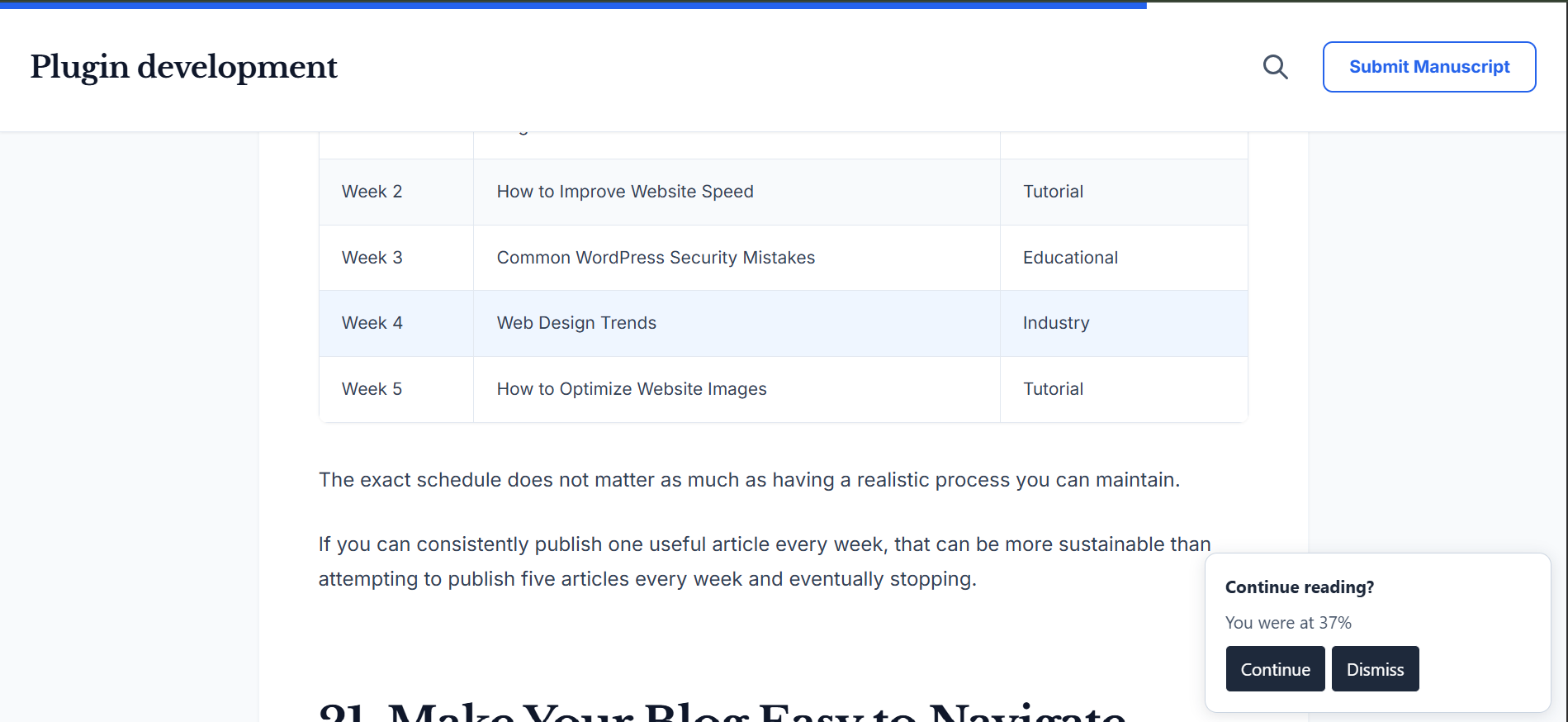
A saved position at or beyond 10% can offer Continue and Dismiss on a later visit. Continuing requires a click; ReadMarker does not automatically scroll on page load. Dismiss leaves the saved position available for a future visit. Completing an article removes its saved position. Records older than 30 days are ignored and removed when revisited.
Browser storage can be blocked or cleared. If it is unavailable, the page remains usable without position memory.
Shortcodes
Open ReadMarker Shortcodes for the reference and Copy buttons. Shortcodes use the current eligible article; they do not accept a post ID.
Reading information
[readmarker]
Displays reading information using the effective style and visibility settings. If reading time and word count are both hidden, it produces no reading-information output.
Reading time
[readmarker_time]
[readmarker_time format=”short”]
[readmarker_time format=”long”]
The default is short. Long format includes the reading-time label.
Word count
[readmarker_words]
[readmarker_words label=”true”]
[readmarker_words label=”false”]
The label is shown by default. Use false for the number alone.
Inline progress
[readmarker_progress]
[readmarker_progress show_percentage=”true”]
[readmarker_progress show_percentage=”false”]
The percentage is shown by default. This shortcode does not enable a fixed progress display or position memory.
Remaining time
[readmarker_remaining]
[readmarker_remaining format=”natural”]
[readmarker_remaining format=”short”]
[readmarker_remaining format=”clock”]
[readmarker_remaining format=”detailed”]
Natural is the default. Clock uses a time display; the other formats provide different text representations of the estimate.
Unsupported attributes are ignored and invalid values use safe defaults. Explicit shortcodes can work when automatic reading information is disabled, including a per-post Disable ReadMarker selection. Content-type rules and protected contexts still apply. Reading-information shortcodes suppress duplicate automatic reading information.
Progress and remaining-time shortcodes require an article rendered through the normal WordPress content flow. Arbitrary template locations or late insertion outside that flow may not provide a usable article target.
Gutenberg Block
Insert the ReadMarker block (readmarker/readmarker) from the Widgets category. Its content types are Reading Time, Word Count, Progress, Remaining Time, and Combined.
- Reading Time offers short and long formats.
- Word Count can show or hide its label.
- Progress can show or hide its percentage.
- Remaining Time offers natural, short, clock, and detailed formats.
- Combined displays reading time and word count together.
The editor preview is illustrative. The published block is rendered from the current article and follows the same eligibility and progress requirements as shortcodes.
Display Rules
Select which public content types can use ReadMarker. Posts are enabled by default; pages and public custom post types are optional. Attachments and non-public content types are excluded.
Automatic output is limited to the main article on its individual page. It is excluded from archives, excerpts, feeds, previews, password-locked content, admin pages, REST/JSON and AJAX responses, and secondary queries such as related-post lists. Individual overrides cannot bypass these protections.
Per-Post Controls
Eligible content has a ReadMarker panel in the editor:
- Use global settings: follow ReadMarker Settings.
- Disable ReadMarker: suppress automatic ReadMarker features for this item.
- Override settings: choose reading-time and word-count visibility and automatic placement for this item.
Overrides do not enable globally disabled features. Explicit shortcodes and blocks remain available subject to Display Rules. Custom Selector overrides use the same shared selector configured globally.
Custom Selector
Choose Custom Selector as the automatic position to place output inside a matching page element. Set Target CSS Selector in the Advanced section of ReadMarker Settings. This shared field is also available for per-post Custom Selector placement, even when the global position is Before or After content.
Use a valid CSS selector for an element supplied by your theme, such as .single-post .post-header. ReadMarker appends output to the first matching element without replacing its contents. An empty, invalid, or missing target produces no fallback placement.
The target normally needs to exist when the page initializes. JavaScript and the theme’s WordPress footer hook are required. Reader Controls use their own placement setting rather than this selector.
Privacy
ReadMarker uses no analytics, telemetry, cookies, external APIs, remote reporting, or server-side reading history. Global configuration and per-post overrides are stored in the WordPress database.
Reader Controls preferences and optional reading-position records stay in browser local storage as described above. They are not sent to a ReadMarker service. Clipboard actions on the Shortcodes page copy text locally without storing or sending it.
Uninstall
Uninstalling ReadMarker retains global settings and per-post overrides for a later reinstall. It does not delete content or clear browser-saved reader preferences and reading positions.
Compatibility Notes
Estimates use saved article text. Content generated by shortcodes, dynamic blocks, or reusable/synced content is not expanded for word counting. Images do not add reading time. Word counting is primarily English-oriented, and estimates are not measurements of an individual reader’s speed.
ReadMarker wraps the article for progress-related features. Themes relying on direct-child selectors or special wide-block layouts may need compatibility checks. Missing or ambiguous article targets disable the enhancement instead of choosing an unrelated element.
Development
Rename compatibility
ReadMarker was previously named ReadFlow. Existing readflow shortcodes and readflow/readflow blocks remain supported; use the ReadMarker names for new content. Global settings, per-post overrides, and browser-saved preferences and positions retain their original storage identifiers. No data migration is required.
The previous readflow_loaded and readflow_can_display hooks, ReadFlow JavaScript interfaces, and readflow:placement-ready, readflow:content-presentation-changed, and readflow:progress events remain supported. New integrations should use the corresponding ReadMarker/readmarker names and subscribe to one event name rather than both.
The plugin uses PHP, JavaScript, and CSS without a build step. Settings defaults and validation are centralized. An internal schema version supports legacy migrations; current settings are not rewritten on every read. Future-version settings are read compatibly without automatic downgrading. Explicit saves and resets use the installed schema.
Admin changes require the existing capability and nonce checks. Integrations should preserve Display Rules and per-post protections rather than bypassing them.
Placement integrations
For targets added after initialization, window.ReadMarker.placement.retry() explicitly retries Custom Selector placement. It returns true when output is already placed or placement succeeds, and false otherwise. Alternatively, dispatch readmarker:placement-ready on document to request a retry after adding the target. Repeated retries do not duplicate output; there is no automatic polling.
Presentation changes
Reader Controls emits a lightweight DOM CustomEvent after changed preferences are applied:
document.addEventListener('readmarker:content-presentation-changed', function () {
    // React to ReadMarker article presentation changes.
});
Its detail contains only reason: reader-controls or reset, with no user or article data. Unchanged values do not emit it. Storage failure does not prevent the event. Listening is optional; the existing progress system already refreshes in response.
Release packaging
Run tools/package.ps1 from PowerShell to build .release/readmarker.zip. The package includes only the runtime PHP, block metadata/editor script, local assets, translations, readme, and uninstall handler. Tests, tools, reports, local configuration, and generated artifacts remain in the development tree and are excluded from the ZIP.
With Plugin Check installed, run its normal checks against the extracted ZIP before release. For static checks without a runtime drop-in, use wp eval-file tools/plugin-check.php readmarker. Replace readmarker with an extracted package directory to audit that package. This helper does not replace browser/runtime compatibility testing.
Testing
The PHP CLI suite uses the surrounding WordPress core with in-memory fixtures. Run it from this plugin directory within a WordPress installation:
php tests/display-test.php
This includes the calculator and other PHP regression suites. It does not connect to the site’s database or change saved settings.
Run every JavaScript suite with Node.js. In PowerShell:
Get-ChildItem tests/*-test.js | ForEach-Object {
    node $_.FullName
    if ($LASTEXITCODE -ne 0) { throw "JavaScript test failed" }
}
JavaScript tests use DOM doubles. They do not replace real-browser checks of layout, keyboard behavior, clipboard permissions, or theme compatibility. Test those separately on a local or staging site.
Screenshots



Blocks
This plugin provides 1 block.
- ReadMarker Display reading time, progress, word count, or remaining reading time.
Installation
- Upload the readmarker folder to wp-content/plugins, or install the plugin ZIP through Plugins Add New.
- Activate ReadMarker from Plugins.
- Open ReadMarker in the WordPress admin.
- Open ReadMarker Settings to adjust the configuration if needed.
Reviews
There are no reviews for this plugin.
Contributors & Developers
“ReadMarker” is open source software. The following people have contributed to this plugin.
Contributors
Translate “ReadMarker” into your language.
Interested in development?
Browse the code, check out the SVN repository, or subscribe to the development log by RSS.
Changelog
1.0.0
- Set the ReadMarker release version to 1.0.0. Existing functionality and settings are unchanged.
0.1.0
Development milestones for this version:
- Established the plugin foundation, then added calculation, settings, and reading-information styles.
- Added the shared article-progress engine, Top Bar, Circular, Percentage, and combined displays.
- Added the remaining-duration layer and formatters, followed by remaining-time displays and the Finished state.
- Added Floating Widget, Estimated Finish Time, and reversible Reading Milestones without timer-based progress.
- Added optional browser-local Reading Position Memory with Continue/Dismiss, completion cleanup, and 30-day expiry.
- Centralized Display Rules and added secure per-post controls.
- Added shortcodes, the ReadMarker block, Custom Selector placement, Reader Controls, and Inline Reading Progress.
- Added presets, global settings reset, schema migration safety, and admin usability improvements.
- Organized the admin into Overview, Settings, and Shortcodes; added Balanced and derived active-preset indicators.