

Description
Build structured content for WordPress. Create field groups visually, choose where they appear, enter values and display them with blocks, shortcodes or your own templates.
Free includes all 26 field types, including repeaters, flexible layouts, galleries, reusable groups and relationships. Add custom post types, taxonomies and site options pages without buying an add-on. No account or licence is required for Free.
Build fields around your content
- Start with a field-group starter kit or your own fields. Reorder, duplicate and preview them.
- Collect text, numbers, dates, rich text, media and choices. Use repeaters for multiple entries and flexible layouts for different row structures.
- Configure conditions and validation. Hidden fields keep their stored values.
- Add fields to posts, pages, custom post types, users, existing taxonomy terms or named site options pages.
- Connect content with searchable post, user and term relationships.
Display what you build
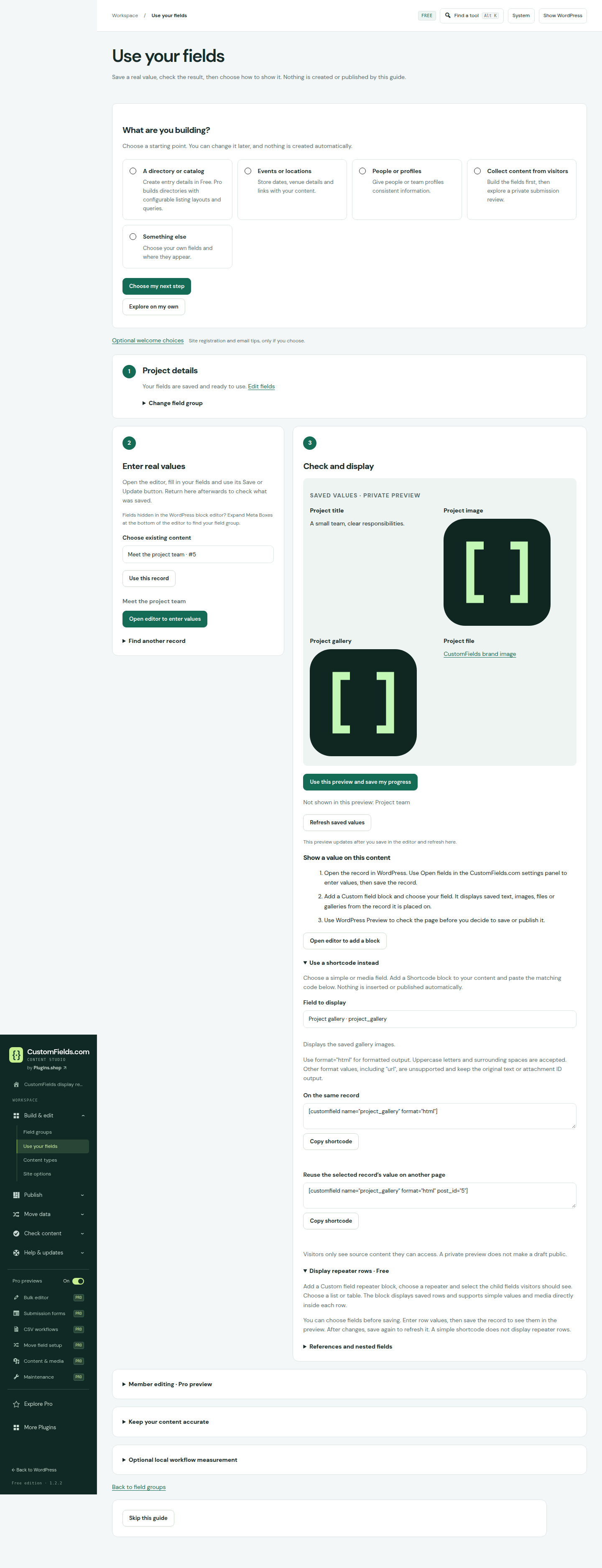
Use the Custom field block for supported saved values or the shortcode for scalar text. Create named blocks with their own controls and values. PHP helpers, block bindings and authenticated REST integration are also included.
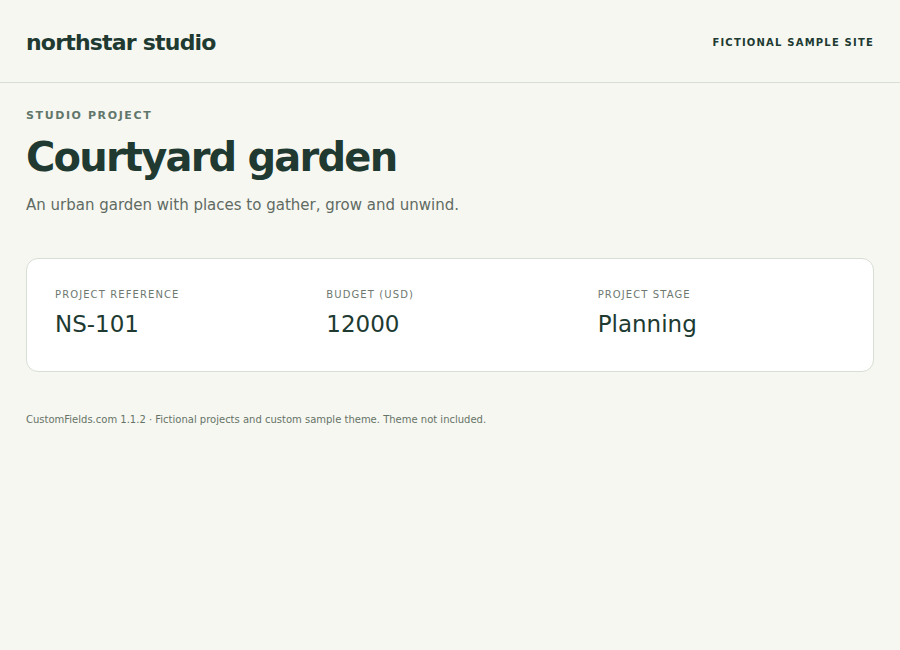
For example, create a Team member content type, add role and portrait fields, then display saved details on that person’s page. Repeater and flexible-layout output may need a matching theme template.
Keep everyday content work in Free
- Compare supported CSV data with existing posts and export findings. Free comparison is read-only.
- Check content and compare definitions, with coverage limits visible.
- Review JSON imports, schema history, compatible field revisions and recovery drafts.
- Migrate supported ACF, Secure Custom Fields or Meta Box values while preserving their source.
When you need Pro
Pro adds the directory/listing builder and visitor search, reviewed CSV updates with saved mappings, submission approvals, bulk editing, deployment, content transfers and scheduled checks with report history.
Existing saved listings render in Free; creating or changing listing definitions requires activated Pro. Pro requires Free and one successful licence activation on the site. Marketing choices are separate.
Getting started and documentation | Compare Pro plans
Privacy
Free content tools need no account or external service. Goals, display preferences, private CSV comparisons, content checks and optional workflow counts remain on your WordPress site. Optional counts are off by default. A deliberately selected Pro workflow is remembered locally for seven days; preview visits are not tracked. Optional welcome choices are described separately below.
Source code and development
The complete, readable PHP, JavaScript and CSS source is included in this plugin. The files under assets/ (including nested directories) are the editable source and are loaded directly by WordPress; there are no separate minified bundles or missing build inputs. No compilation, npm or Composer installation is required. See the bundled SOURCE.txt for source locations, editing and packaging steps, optional syntax checks, translation commands and dependency attribution.
Self-hosted DM Sans fonts are licensed under SIL OFL 1.1; see assets/fonts/OFL.txt. Font project source: https://github.com/googlefonts/dm-fonts
Optional welcome service
After a meaningful save, CustomFields offers two independent, initially unchecked choices. You can continue without sharing and use every Free tool. Reopen Welcome choices from the plugin workspace at any time.
Domain registration sends only the displayed public hostname to https://customfields.com/newsletter-api/v1/customfields-welcome/ with a random connection identifier, authentication token, consent version and request timestamp. It does not send the full URL, WordPress/PHP versions, language, edition, field definitions or content. The registration expires after 90 days unless you explicitly refresh it. No background registration or status requests run. The server sees ordinary network connection information such as the source IP.
Email signup independently sends your entered email address and the same kind of consent/connection metadata to that service. Email-only signup does not attach the site domain in its payload or User-Agent. Inbox confirmation is required before new marketing email eligibility. An existing subscriber keeps their preferences; a submitted request does not guarantee a new confirmation email.
Use the separate Remove site registration and Stop these emails actions to withdraw a linked choice. Email withdrawal stops this connection’s own confirmed signup; independently existing subscriptions remain managed through their email preference/unsubscribe links. Failed withdrawals retain a local retry option and do not silently resubmit enrollment. Deactivating or removing the plugin is not a remote unsubscribe request.
Local saved choices, the selected domain/email and protected request credentials remain in this WordPress database until you remove that choice. A matching WordPress personal-data erasure request can also remove the email choice; domain registration is independent. Remote expiry does not automatically erase the local record. A removal attempt immediately clears its local domain/email payload; a protected request credential and, for email retry matching, a keyed email reference can remain until remote removal is confirmed.
Domain records are retained for up to 90 days. Pending newsletter requests expire after 48 hours; confirmed subscriptions follow the newsletter retention policy. Withdrawal markers prevent delayed requests from reinstating withdrawn choices. These choices are independent of Pro licence activation and optional update checks.
Privacy: https://customfields.com/privacy/
Newsletter choices and retention: https://customfields.com/newsletter/privacy
Terms: https://customfields.com/terms/
Screenshots

Blocks
This plugin provides 2 blocks.
- CustomFields.com listing
- Custom field
Installation
- Install and activate CustomFields.com – Fields & Content Builder.
- Create a field group, choose where it appears and save.
- Choose Enter values, complete the fields in the matching WordPress editor and save the content.
- Preview saved values, then follow the group-specific block, shortcode or template instructions to display them.
Back up before updating. Update Free first, then matching Pro 1.1.4; do not uninstall to upgrade. For the earlier customfields folder, deactivate that Free copy before activating customfields-com and keep it inactive. Saved data retains its identifiers.
FAQ
-
Does it work with Elementor?
-
Elementor Free supports the field-value and saved-listing widgets. Creating or changing a listing requires CustomFields.com Pro. The dynamic tag requires Elementor’s own supported edition, normally Elementor Pro; no Elementor licence is included.
-
Can I import existing fields and values?
-
JSON definition imports and supported value migrations are separate, reviewed workflows. Source values are preserved. Templates and arbitrary third-party structures are not automatically converted. The bundled developer guide documents adapter limits.
-
What happens when I deactivate the plugin or Pro expires?
-
Stored definitions and content are retained; plugin-powered tools require the relevant plugin to run. Activated local Pro tools continue through ordinary expiry or temporary outages. Explicit disconnection locks new Pro work and pauses workers. Active entitlement governs private downloads and support.
-
What should I check before building a larger project?
-
Schemas allow 100 groups, 200 fields per group, three composite levels and 1 MB JSON imports. Hosting limits can be smaller. Comment, menu and network-settings targets are not supported. Migration, recovery and structured fields have further documented bounds; test your intended workflow on staging.
See the bundled README.md and docs/FEATURE-REFERENCE.md for permissions, storage, developer APIs, rendering and migration limits. Online documentation covers setup.
Reviews
There are no reviews for this plugin.
Contributors & Developers
“CustomFields.com – Fields & Content Builder” is open source software. The following people have contributed to this plugin.
Contributors
Translate “CustomFields.com – Fields & Content Builder” into your language.
Interested in development?
Browse the code, check out the SVN repository, or subscribe to the development log by RSS.
Changelog
1.1.4
- Lead the plugin listing with Free’s field builder, structured fields, content types and display tools.
- Use five relevant feature tags and clearer getting-started, edition and migration guidance.
- Move detailed reference material and older release notes into bundled documentation; retain service and privacy disclosures.
- Prepare matching Free and Pro 1.1.4 release metadata. This update does not change content tools or stored data.
1.1.3
- Align conditional field visibility and numeric comparisons with saved-value validation, preserving hidden data.
- Restore reliable Rich text Visual editing and clearer invalid-field guidance.
- Keep the saved workflow after optional welcome choices; improve dark contrast, help navigation and beginner instructions.
- Refresh block API compatibility, contextual suggestions and pluginsshop author metadata.
Earlier release notes are included in changelog.txt.