
Description
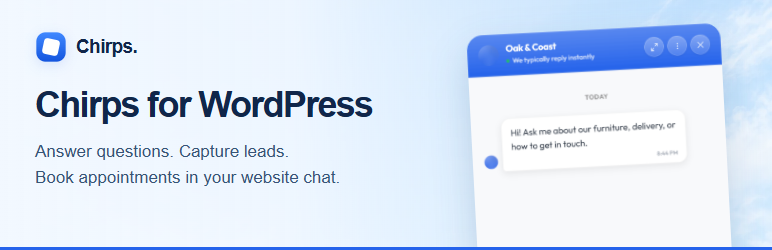
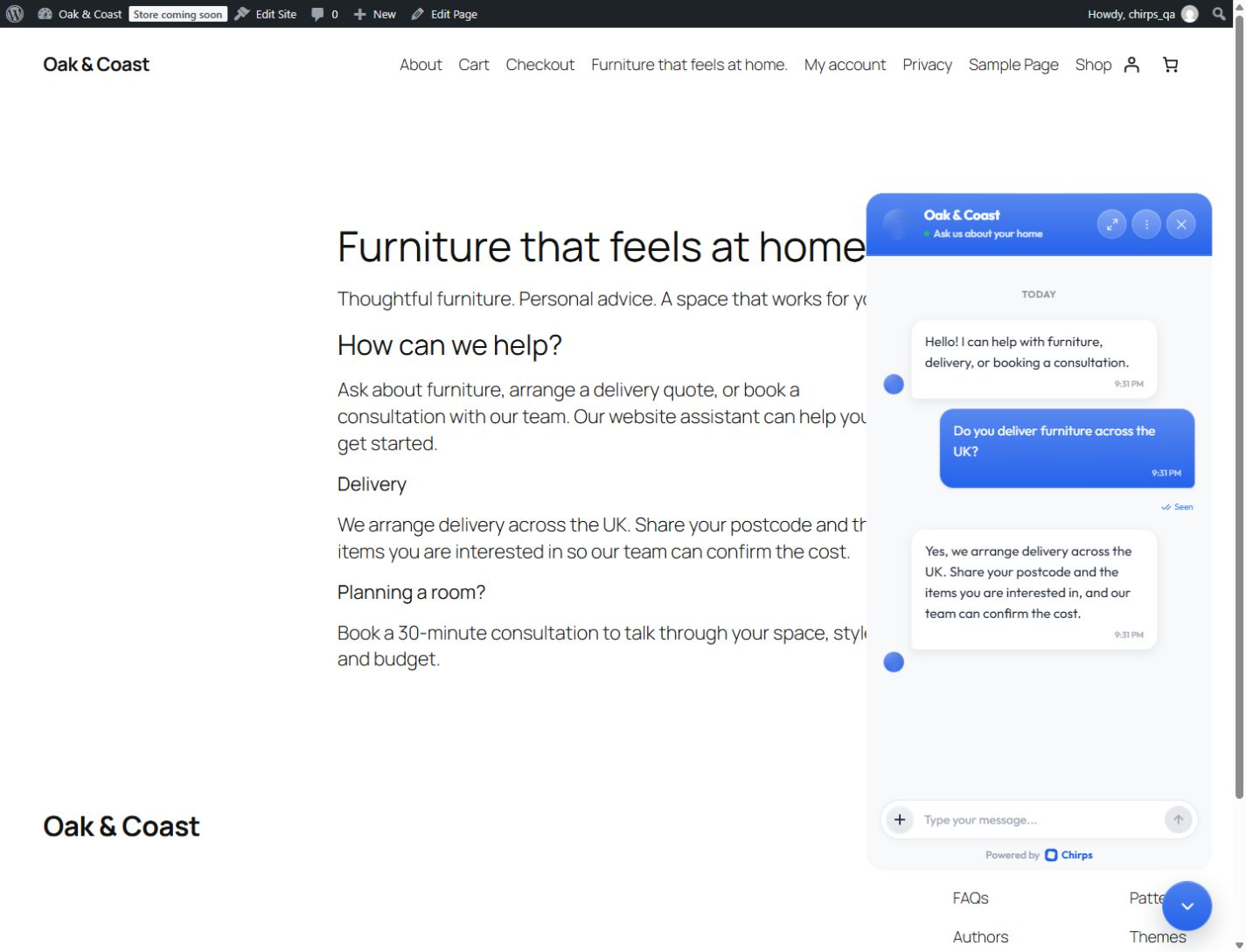
Your visitors have questions before they buy, book, or get in touch. Chirps adds an AI chatbot to your WordPress website that can answer from your business information, collect an inquiry, and help a visitor book an appointment inside the conversation.
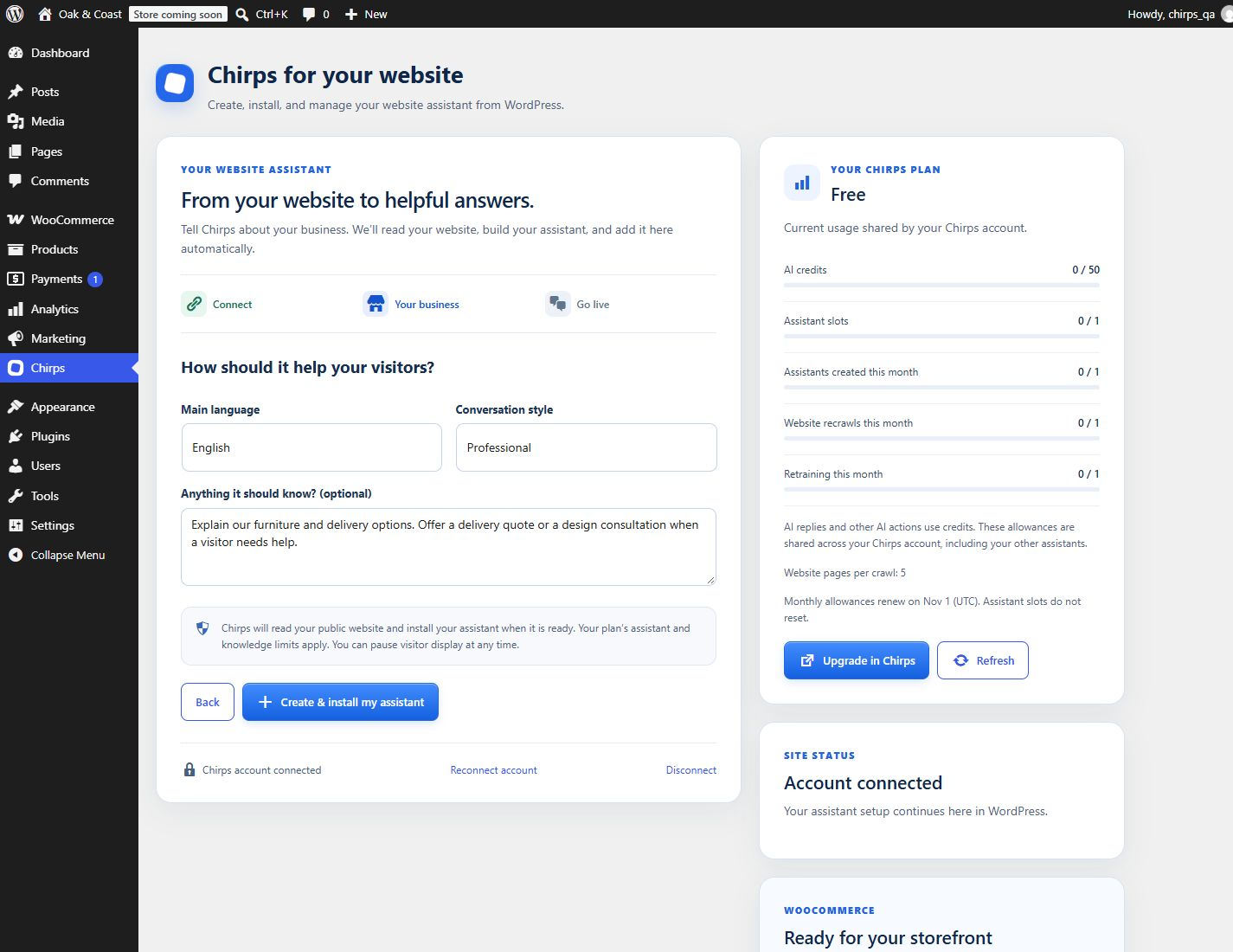
Connect your Chirps account once, then create your assistant directly in WordPress. Enter your business name and public website, choose its language and conversation style, and add instructions. Chirps reads your website and installs the assistant automatically when it is ready. Already have an assistant? Choose it during connection. Your team can read conversations in real time and take over when a customer needs a person.
The plugin connects your site to the Chirps service. A Chirps account is required; you can create your first assistant inside the plugin. The plugin is free to install; Chirps offers free and paid plans. Assistant features and usage limits depend on your plan and configuration. See current plans.
Answer questions using your business knowledge
Give your assistant the information your customers ask for: services, policies, opening hours, product information, and FAQs. Add website sources, upload business documents, and set instructions in Chirps. When search is enabled, the assistant can look through business knowledge and the web and show source links with its answers.
Capture leads while visitors are interested
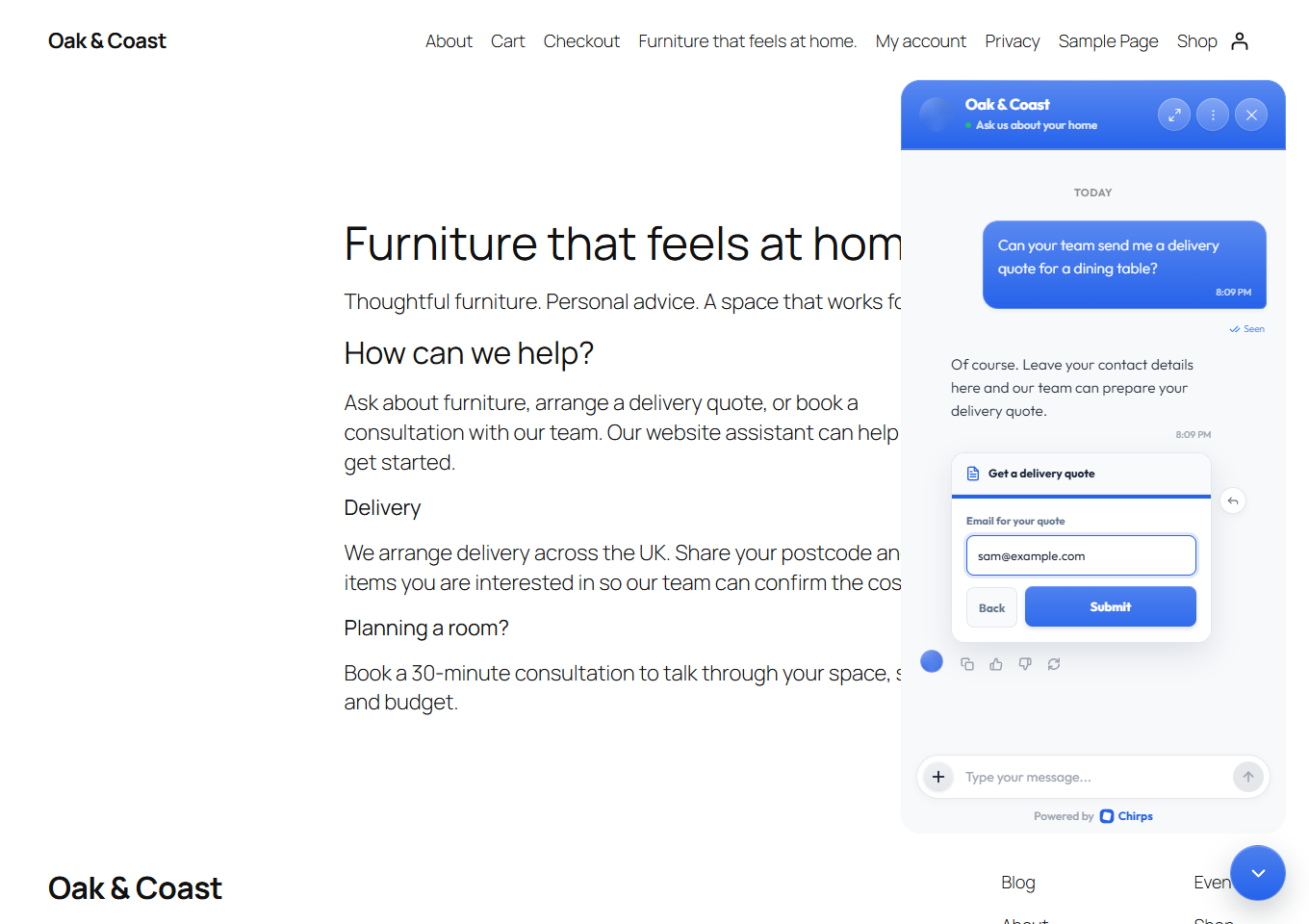
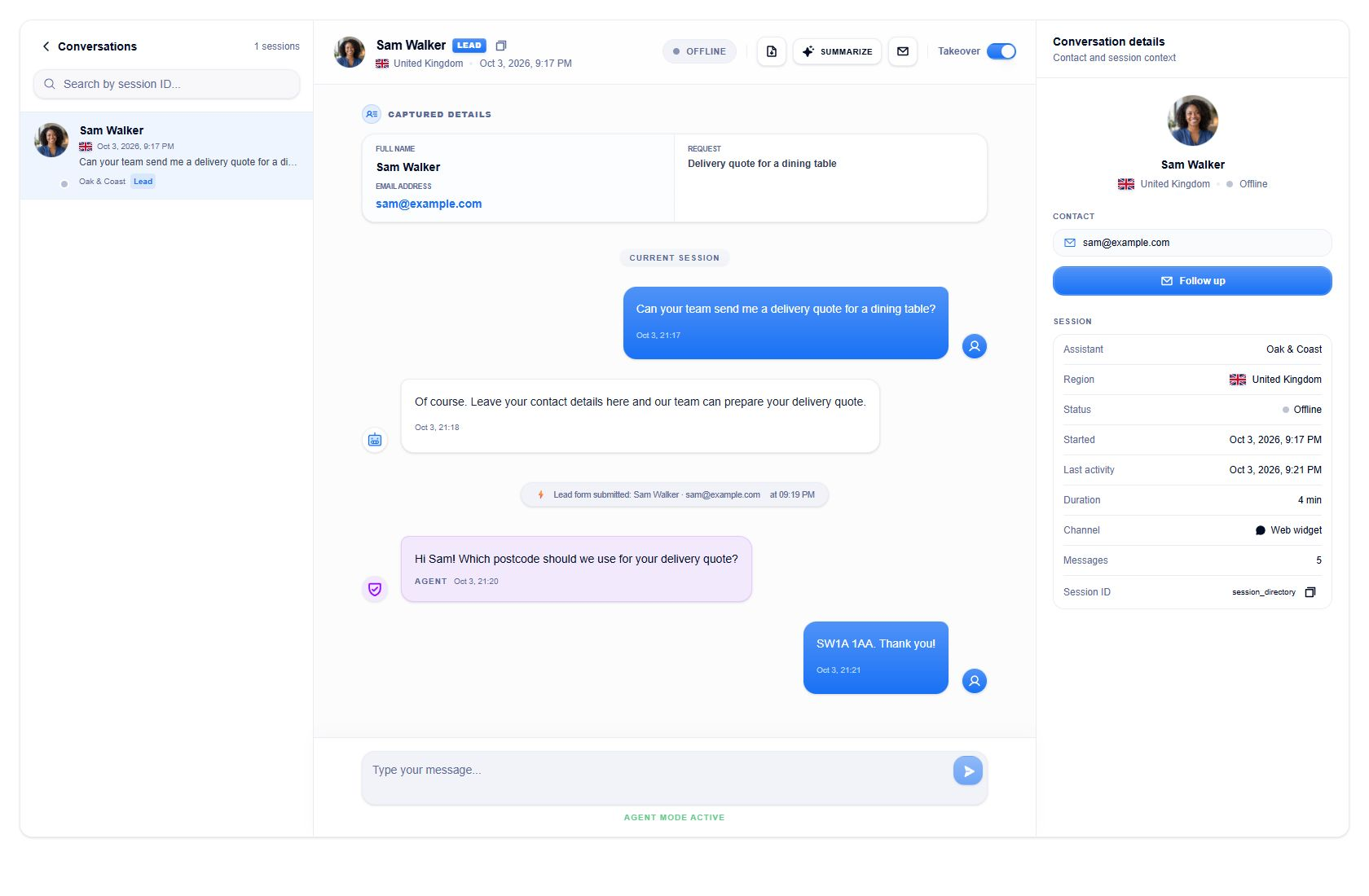
Let visitors share their contact details and what they need through a form inside the chat. Review the resulting leads in your Chirps workspace and give your team the context to follow up. Configure the fields and when your assistant should offer a form in Chirps.
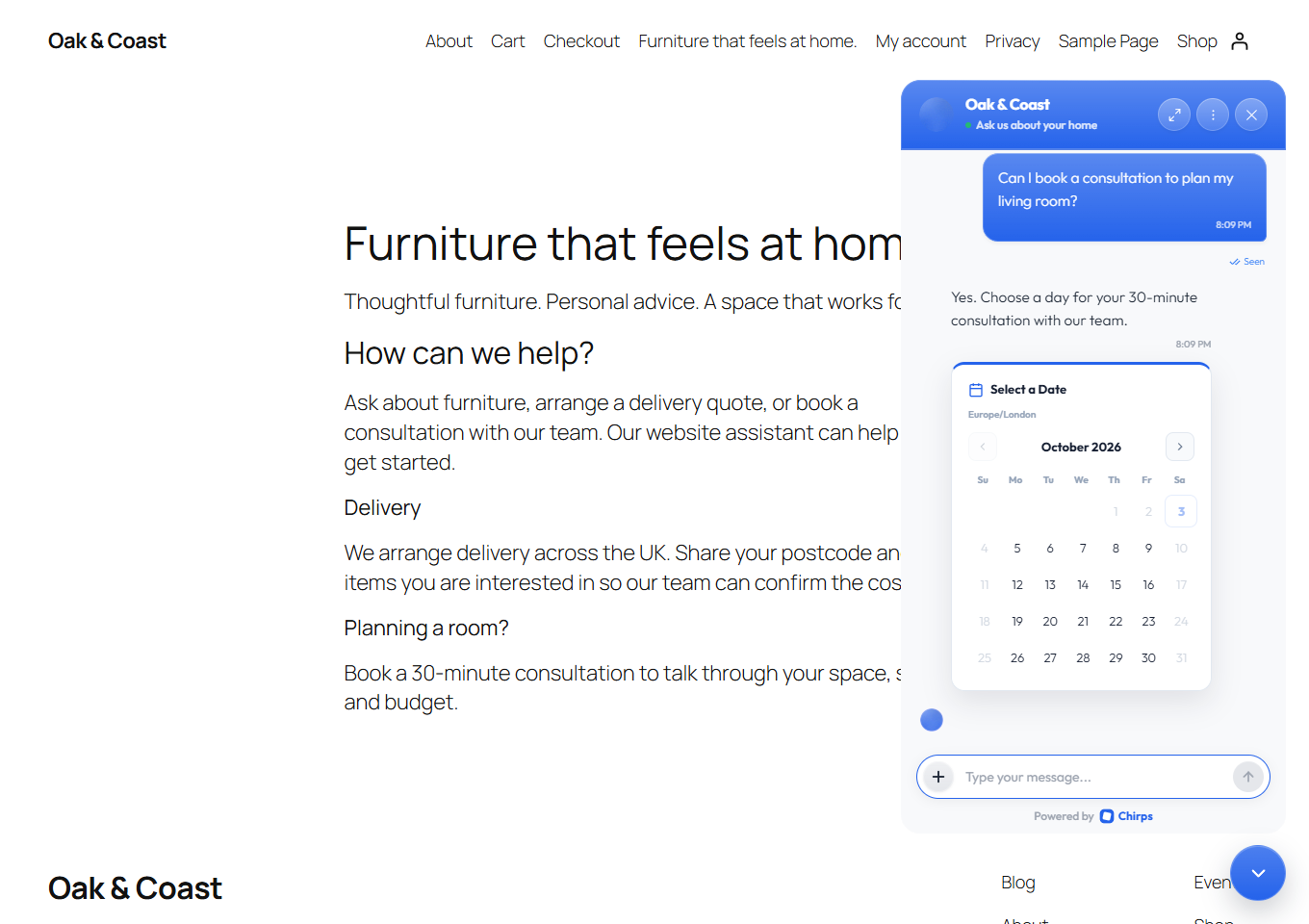
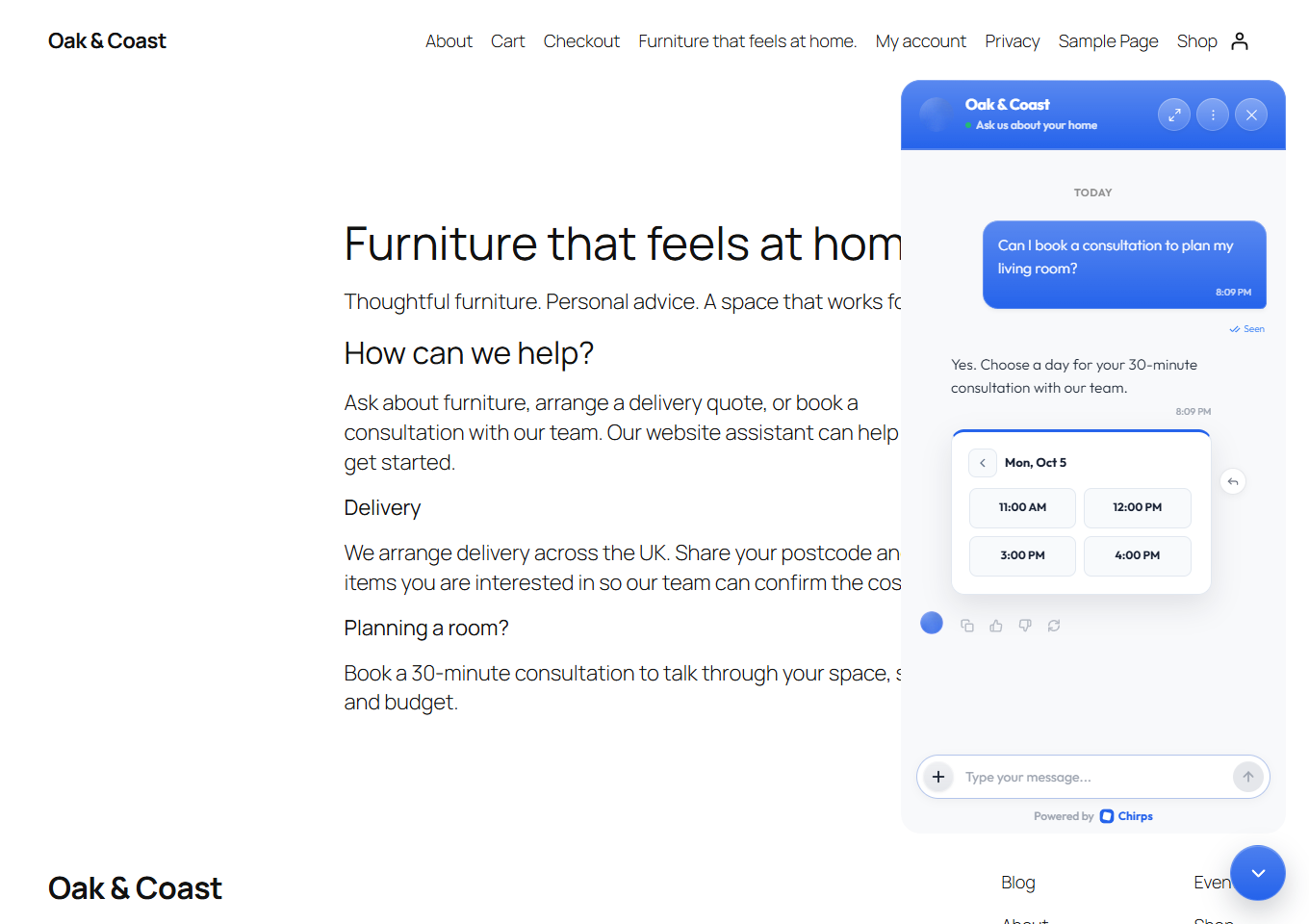
Let customers book an appointment in the conversation
Offer your configured booking options without sending visitors to find another page. Customers can choose an available time inside the widget, and your team can review bookings in Chirps. Set up your booking availability before enabling this feature.
Use AI support and human live chat together
Read incoming visitor messages in the Chirps inbox. Take over a conversation to reply yourself, pausing the assistant’s automated replies while your team handles it. Conversations, leads, and bookings stay in your Chirps workspace rather than separate WordPress admin screens.
Make the widget work for your business
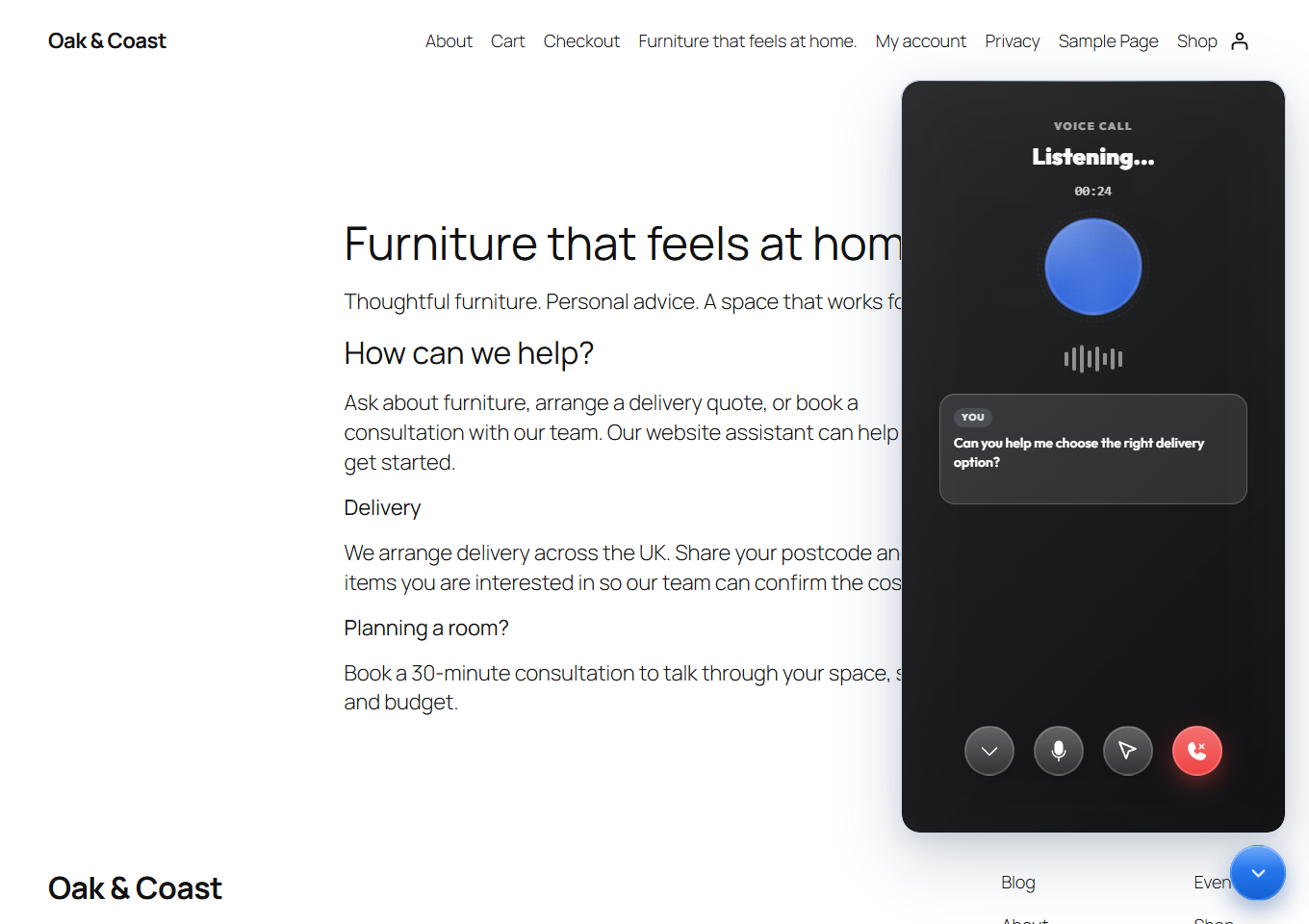
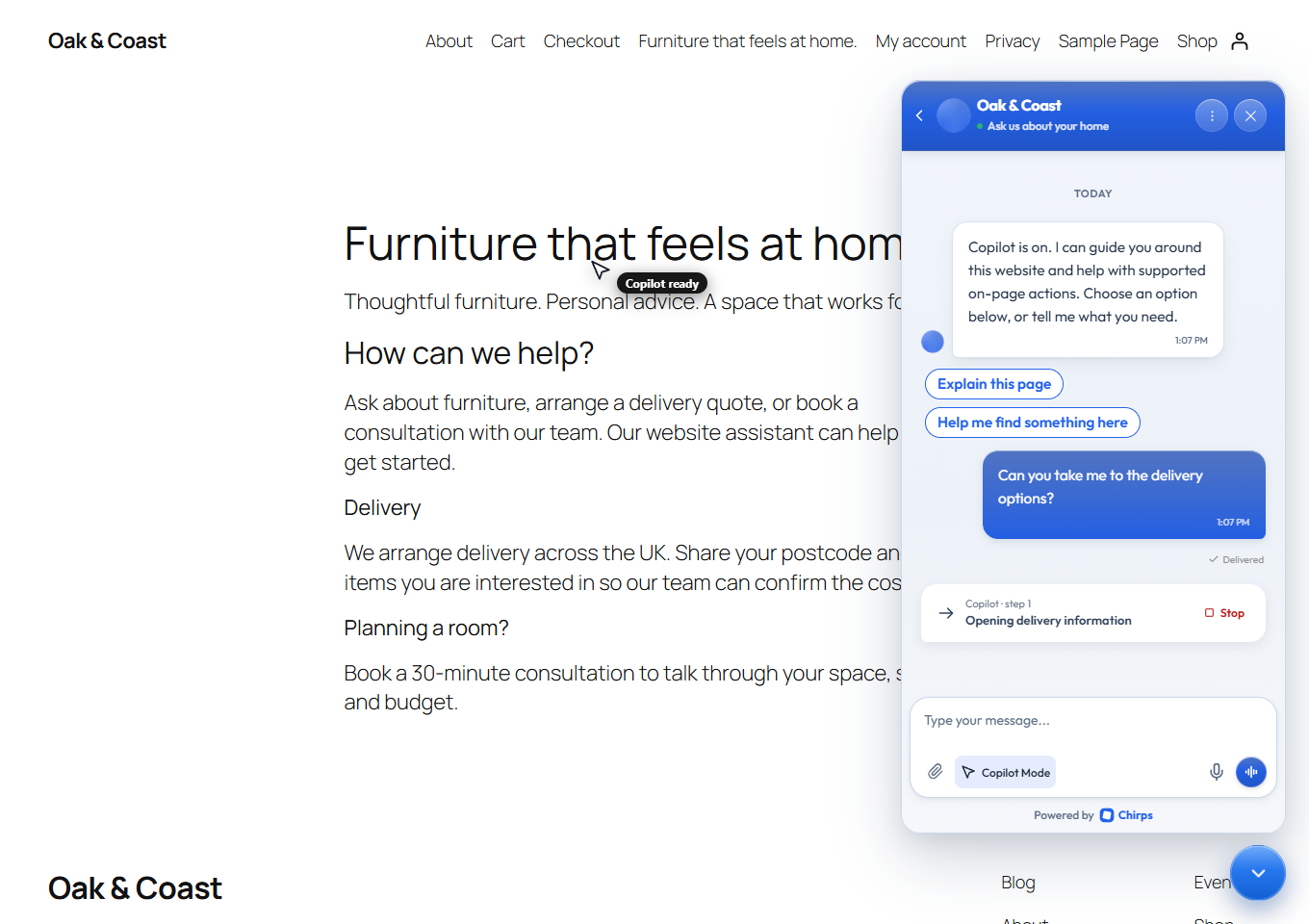
Configure your assistant’s instructions, welcome message, suggested questions, logo, colors, and chat and launcher styles in Chirps. Enable voice conversations if your plan supports them. Your WordPress site uses the official Chirps widget and your assistant’s saved configuration.
Choose where your chatbot appears
WordPress display controls let you:
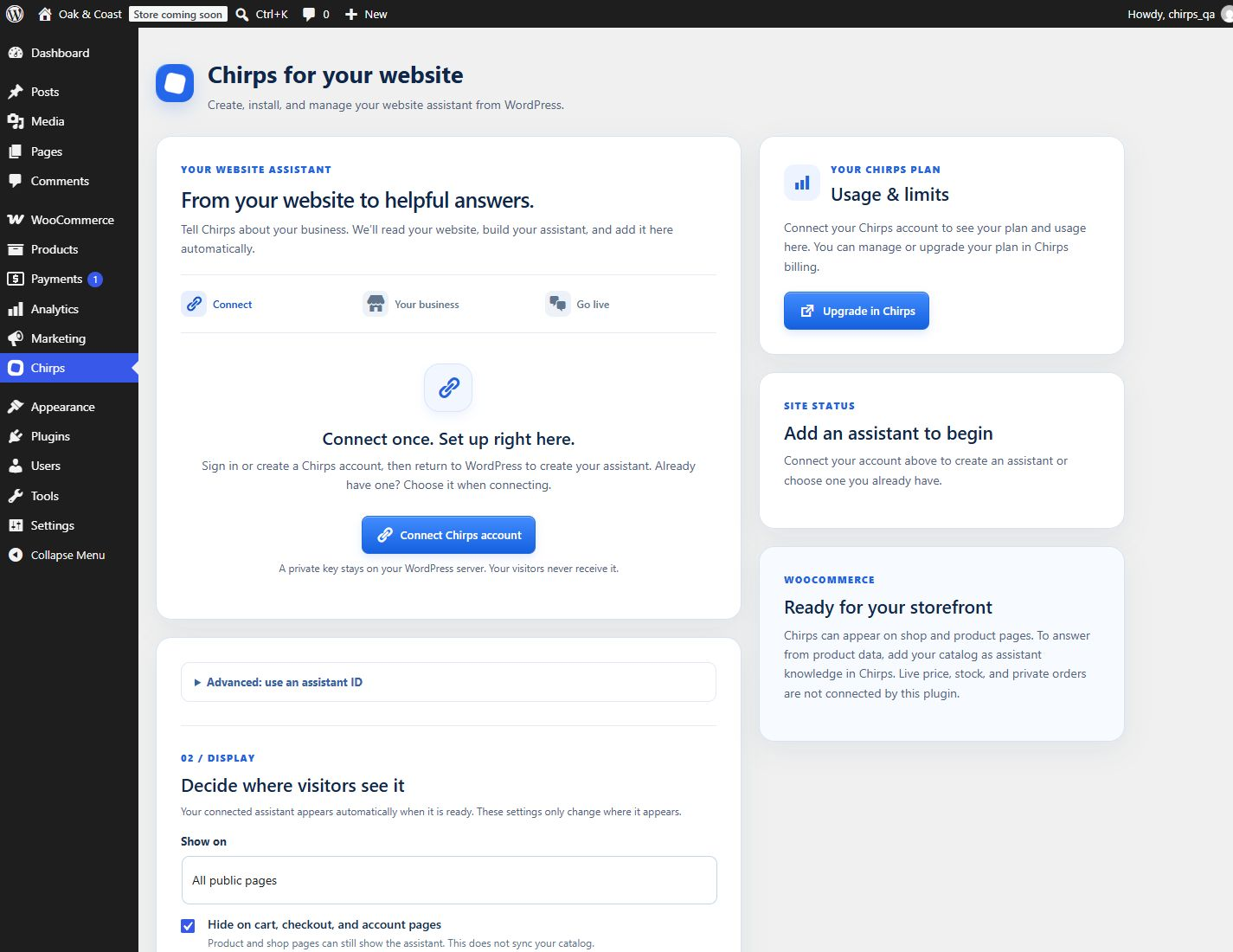
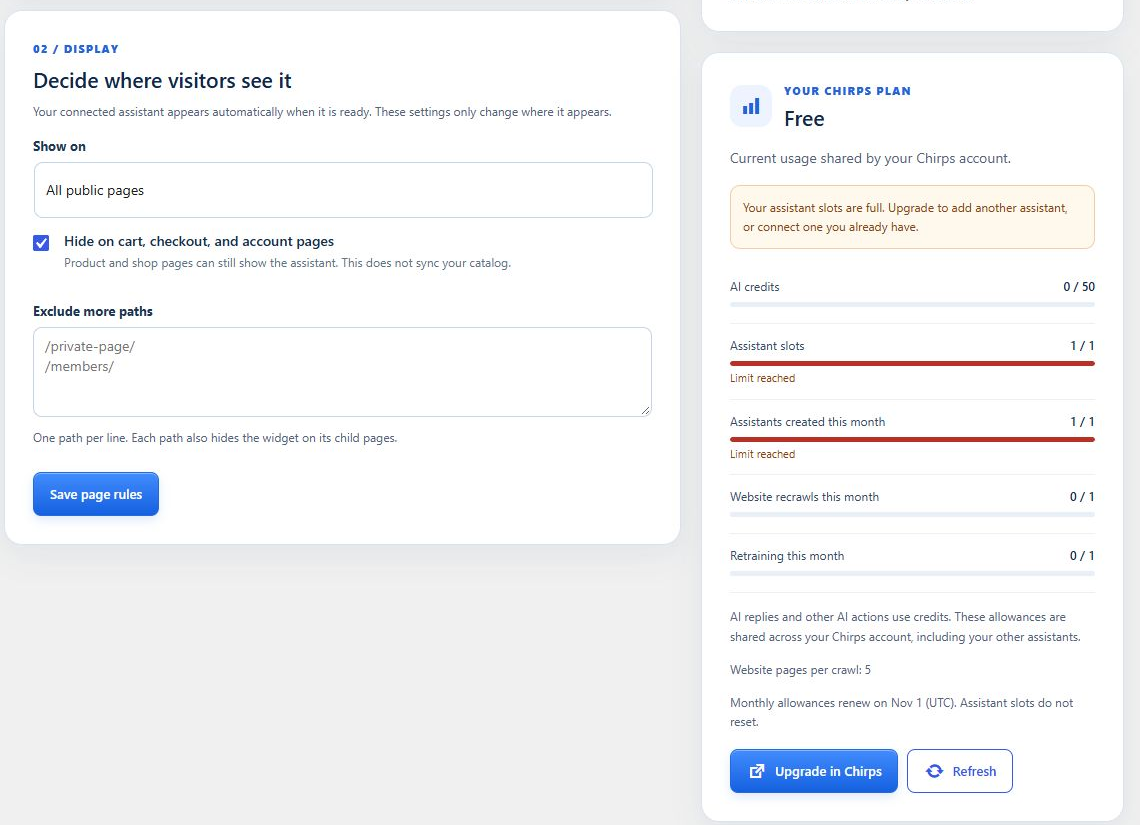
- Show the widget across eligible public pages, or limit it to pages, posts, or WooCommerce product pages.
- Exclude specific site paths and their subpages.
- Preview the widget as a site administrator before showing it to visitors.
- Pause visitor display without deleting your assistant or its conversations.
- Check the assistant connection and identify a website domain mismatch.
Account connection automatically creates an installation-specific developer API key. The plugin stores it encrypted on your WordPress server; it never appears in visitor scripts or admin JavaScript. It can create and train only the assistant assigned to this installation. Disconnecting revokes the key and pauses the widget without deleting your assistant. You can also revoke it in Chirps > Developers API. Keys expire after one year; reconnect to renew. You do not need to paste an API key.
WordPress websites and WooCommerce storefronts
Use Chirps on a business website, service website, blog, or WooCommerce storefront. WooCommerce is optional. On a store, the widget can appear on shop and product pages; cart, checkout, and customer account pages are excluded by default.
This version does not automatically sync your WooCommerce catalog, live prices, stock, or orders. Add relevant public product information to your assistant’s knowledge in Chirps. The plugin does not provide private order lookup or cart actions.
The widget loads through WordPress’s standard script enqueue system and does not require a particular page builder. Your theme must include the standard WordPress footer hook. The loader is asynchronous, and the plugin does not make server-to-server Chirps requests during normal visitor page rendering.
For businesses and agencies
Use one assistant for your own business, or connect a client’s website to the assistant you manage for that business in Chirps. Each WordPress installation has its own assistant connection and display settings. Assistant management and team access remain in Chirps.
External service and privacy
Chirps provides the hosted assistant and chat service. Basic setup happens in WordPress through the Chirps developer API. Advanced knowledge, appearance, booking, and team settings open the relevant screen on chirps.cc.
- Starting account connection sends this site’s URL, the WordPress return URL, a temporary state, and a PKCE challenge to chirps.cc. WordPress privately exchanges a short-lived, single-use authorization code for its installation key.
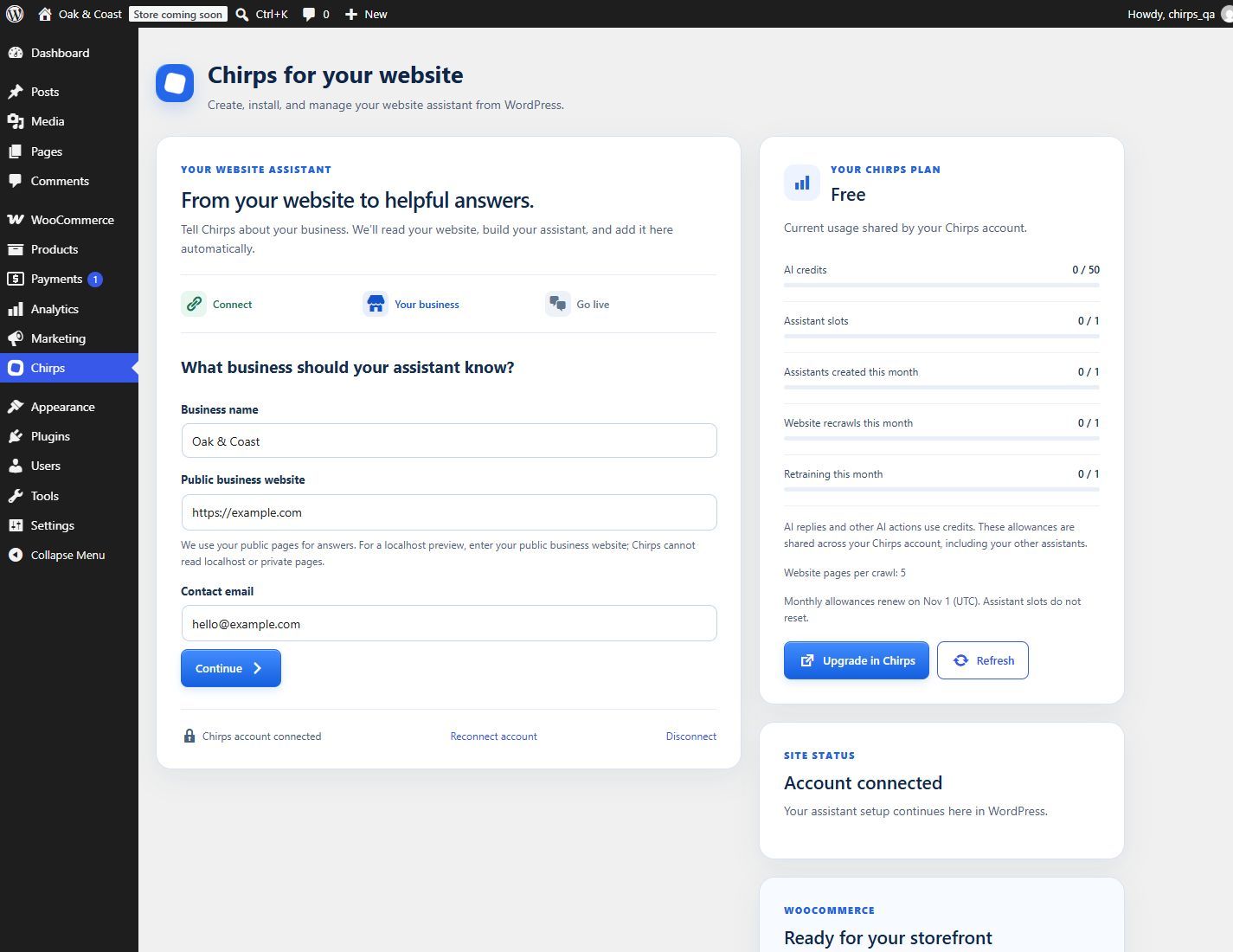
- Creating an assistant sends the business name, public business website, main language, conversation style, contact email, and optional instructions you enter to Chirps. Training reads public website pages within your plan’s limits. The admin screen polls Chirps for setup progress.
- A connection check sends the public assistant ID and this site’s URL to chirps.cc.
- While an administrator opens the plugin screen, WordPress requests setup status, account usage, and summary counts for the connected assistant. Customer messages and contact details are not copied into WordPress. Usage and activity polling pauses when that screen is hidden.
- When an enabled page or an administrator preview loads, the visitor’s browser contacts chirps.cc to load the official widget and its configuration.
- Chat messages, and any lead details, booking details, or voice input a visitor submits, are sent to Chirps to provide the configured assistant features.
The plugin does not store visitor conversations in WordPress or automatically export WordPress users, private posts, or WooCommerce orders. Site owners should explain their use of the chat service in their site’s privacy information and configure any required consent tools.
Screenshots
Installation
- Install and activate Chirps AI Chatbot.
- Open Chirps in the WordPress sidebar and choose Connect Chirps account. Sign in or register in Chirps.
- Choose Connect & continue in WordPress to create an assistant here, or choose an existing assistant for this site’s domain.
- Back in WordPress, enter your business details and choose Create & install my assistant. Your progress is saved if you reload the page. Chirps trains the assistant and activates the widget automatically when it is ready.
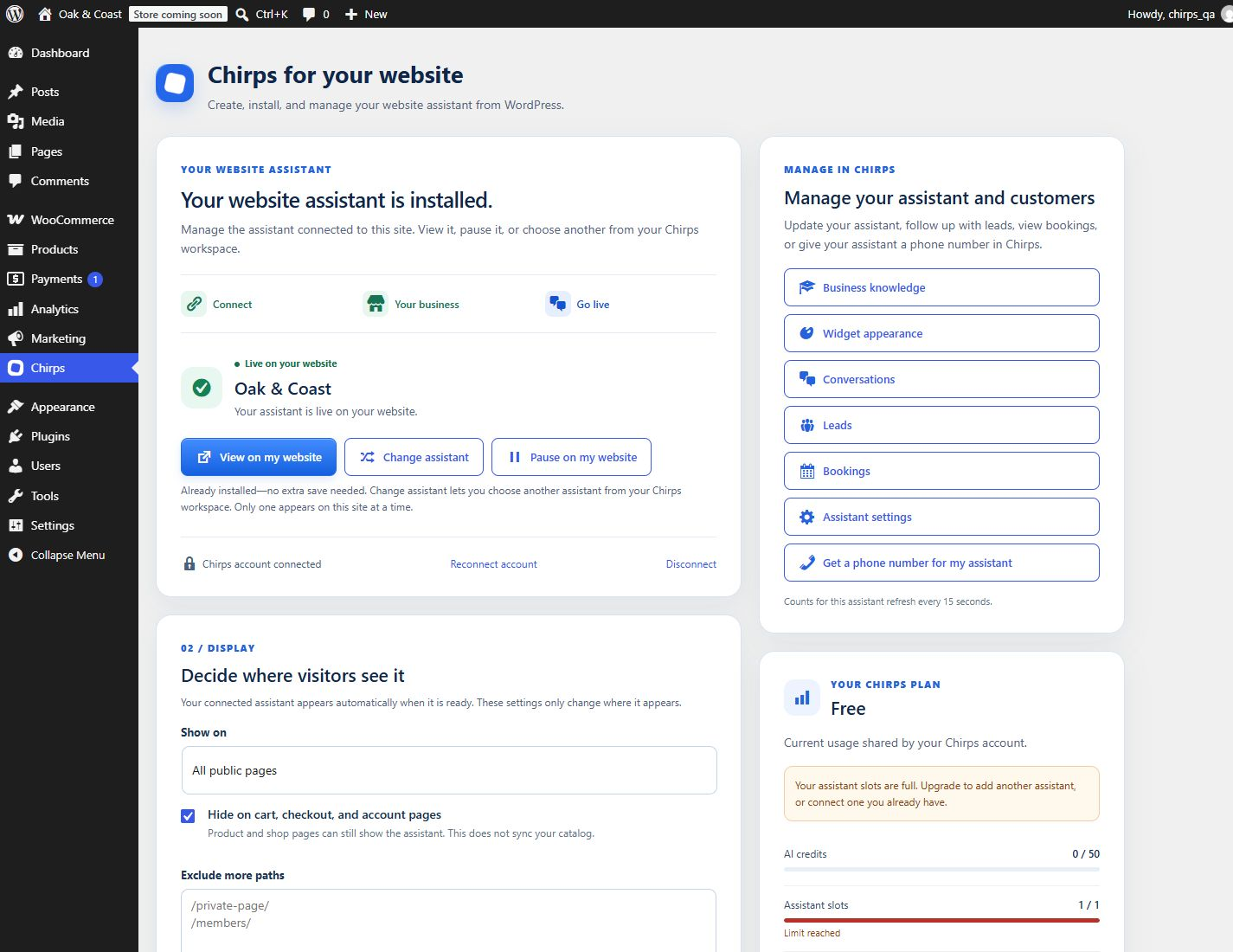
- When ready, it is already installed—no checkbox or extra save. Choose View on my website. Pause or resume immediately from the assistant card. Change assistant opens your Chirps assistant picker and replaces the active widget after you select another ready assistant. Save page rules only when you change display scope or excluded paths.
For a manual embed, copy the public assistant ID from Chirps and enter it under Advanced: use an assistant ID. This method does not connect an account or enable creation inside WordPress.
FAQ
-
Is Chirps free?
-
The WordPress plugin is free to install. The connected Chirps service has free and paid plans with different usage limits and features. You need a Chirps account; you can create an assistant in WordPress. Check the pricing page for current details.
-
Where can I see my usage or upgrade?
-
Open Chirps in the WordPress sidebar. After connecting your account, the plan card shows shared AI credits, assistant slots, monthly assistant creation, website recrawl, and retraining allowances. Near-limit and exhausted-limit notices explain what needs attention. AI replies and other AI actions consume credits; this is not a promise of one message per credit. Usage refreshes while you keep the page open; use Refresh for an immediate update. The Upgrade in Chirps button opens your Chirps billing dashboard. Payments and plan changes happen in Chirps.
When a plan limit blocks creation, WordPress keeps your business form and shows an upgrade link. Running out of AI credits prevents new AI replies; it does not delete your assistant or turn off your WordPress display settings. You can connect an existing assistant even when no new assistant slots are available.
-
Do I need to enable the widget after training?
-
No. Create & install my assistant publishes it automatically once training succeeds. The plugin checks readiness while the setup page is open and through a background WordPress job after you leave. Background checks use WP-Cron, which runs on site visits unless your host provides a scheduled cron runner. The assistant card lets you pause or resume without saving a form.
-
Can I change which assistant appears on my website?
-
Yes. Choose Change assistant in the assistant card. Your authenticated Chirps picker lets you search and choose another assistant that is ready for your site’s domain. On return, the plugin replaces the site’s active widget automatically. Only one assistant appears on the site at a time. Changing assistants does not delete their conversations or knowledge.
-
How do I train the chatbot on my website?
-
Enter your public business website during setup in WordPress. Chirps reads public pages and prepares answers. The Business knowledge link opens Chirps to add documents and further sources. The plugin does not upload private posts, WordPress users, or files automatically.
-
Can it collect leads and book appointments?
-
Yes, when you configure those features on your Chirps assistant. Visitors can complete lead forms and choose available booking times inside the chat. Review the records in your Chirps workspace.
-
Can my team reply to a visitor?
-
Yes. Use the Chirps inbox to read messages and take over a conversation. Your team replies from Chirps, not from the WordPress settings page.
-
Does it work without WooCommerce?
-
Yes. WooCommerce is optional. The plugin also displays the widget on ordinary WordPress websites under your chosen display settings.
-
Does it automatically know my WooCommerce products and orders?
-
No. This version adds the widget to your storefront but does not sync your catalog, live stock, prices, or orders. Provide the product information you want your assistant to use through Chirps knowledge sources.
-
Does it require an AI provider API key?
-
No. Connect your Chirps account or enter your public assistant ID. The hosted Chirps service handles the assistant; you do not need to supply a separate AI provider API key to this plugin.
-
Can I use it for client websites?
-
Yes. Connect each client’s WordPress installation to an assistant configured for that site’s business and domain. Manage the assistants and relevant team access in Chirps.
-
Can I hide the widget on certain pages?
-
Yes. Choose a display scope or add excluded site paths in Chirps in the WordPress sidebar. You can also pause all visitor display without deleting your Chirps assistant.
-
Why does Check connection report a domain problem?
-
Set the assistant’s website address in Chirps to this site’s public domain, including its current domain or subdomain. Then check again.
-
Can I connect a local WordPress installation?
-
Yes. WordPress on http://localhost or http://127.0.0.1 can connect through the hosted Chirps service, including subdirectory installations. Choose an active assistant from your workspace. Its business website address stays unchanged. Chirps cannot crawl a localhost website; train your assistant using a public website or uploaded documents. Public websites still require HTTPS and a matching assistant domain.
-
What happens if I uninstall the plugin?
-
Use Disconnect before uninstalling to revoke the private installation key. Uninstalling removes local options, including the encrypted key. It does not delete your assistant, conversations, leads, or bookings from Chirps. You can also revoke a remaining installation key in Chirps > Developers API.
Reviews

Contributors & Developers
“Chirps AI Chatbot – Live Chat & Lead Generation” is open source software. The following people have contributed to this plugin.
Contributors
Translate “Chirps AI Chatbot – Live Chat & Lead Generation” into your language.
Interested in development?
Browse the code, check out the SVN repository, or subscribe to the development log by RSS.
Changelog
0.3.1
- Match the translation text domain to the assigned WordPress.org plugin slug.
- Package the plugin under its assigned directory slug for community translations.
0.3.0
- Prepare the WordPress.org release with listing screenshots and license information.
- Escape admin icon output and document translated message placeholders.
- Use an explicitly allowed Chirps host for the secure account connection redirect.
- Version the widget loader to refresh cached scripts when updating the plugin.
- Use the WordPress integration page as the plugin URI, separate from the Chirps author website.
0.2.7
- Show unread visitor messages, new leads, and upcoming bookings on management buttons for the connected assistant.
- Refresh counts every 15 seconds while the Chirps page is visible and when returning from the dashboard.
- Reuse Chirps unread state, hide zero badges, and show unavailable status when counts cannot be loaded.
- Keep private credentials server-side and return counts only, without customer messages or contact details. Requires the Chirps activity endpoint update.
0.2.6
- Put Manage in Chirps above your plan and usage card.
- Add direct links to leads, bookings, assistant settings, and phone number setup with bundled icons.
- Keep management buttons full width and readable on smaller screens.
0.2.5
- Fix automatic installation, pause, resume, and assistant replacement under WordPress’s registered settings sanitizer.
- Recover incomplete installations automatically when opening Chirps, while preserving an explicit pause.
- Confirm the widget settings were saved before recording a successful installation.
0.2.4
- Automatically publish ready assistants with background completion checks, even after leaving setup.
- Pause and resume immediately without a checkbox or settings-save step.
- Change the active assistant from the ready card through the authenticated Chirps picker.
- Prevent stale placement forms from replacing or disabling the active connected assistant.
- Refresh supported full-page caches when widget display changes.
0.2.3
- See shared AI credits, assistant slots, monthly creation, recrawl, and retraining allowances in WordPress.
- Get near-limit and exhausted-limit notices with direct links to Chirps billing.
- Preserve upgrade actions when setup is blocked by a plan limit.
0.2.2
- Open assistant setup directly from the WordPress sidebar through a dedicated Chirps tab and brand icon.
- Preserve older settings bookmarks through an administrator-only redirect.
0.2.1
- Center icons consistently in buttons and setup steps under WordPress admin styles.
- Improve button spacing and touch targets on desktop and mobile.
0.2.0
- Create and train an assistant inside WordPress with a two-step business setup form and saved progress.
- Install the official widget automatically after successful training.
- Private, installation-specific developer API keys with PKCE exchange, encryption, expiry, revocation, and assistant restrictions.
- Searchable assistant picker with favicons, website/status filters, and pagination.
- Responsive setup screens, bundled icons, and direct links to advanced assistant settings.
0.1.1
- Support local WordPress connections through the hosted Chirps service without changing the assistant’s business domain. Requires the corresponding Chirps connection update.
0.1.0
- Initial WordPress widget connection, administrator preview, display controls, and connection check.
- Optional WooCommerce storefront placement with cart, checkout, and account exclusions enabled by default.