
Description
CWW Login Studio Lite turns the default WordPress login page into a secure, on-brand entry point for your site — no coding required.
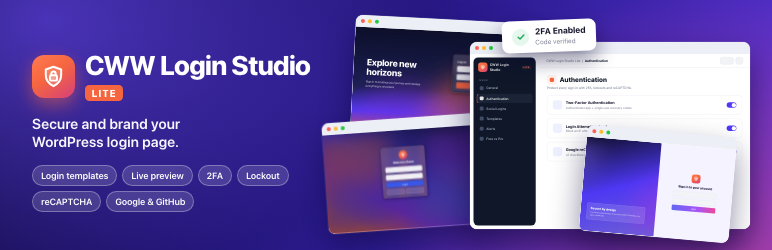
Protect every login attempt with two-factor authentication, automatic IP lockout after repeated failed logins, Google reCAPTCHA, and one-click Google or GitHub sign-in. Add a choice of ready-made login page templates and email alerts for suspicious activity, and you have a lightweight WordPress login page customizer and login security plugin you can set up in minutes.
Included in the free version
- Custom login URL that hides the default
wp-login.php/wp-adminentry points. - Two-Factor Authentication (authenticator app) with recovery codes, set up by each user on their own profile.
- Login attempt lockout after repeated failed logins from one IP address.
- Google reCAPTCHA on the login form.
- Google and GitHub social login.
- Four login page templates (Default, Glassmorphism, Explore Horizons, Sliding Images) with a live preview, custom logo and typography.
- Email alerts for failed login bursts, new-device logins, suspicious activity and critical settings changes.
- Settings import and export.
Available in Login Studio Pro
- Password Audit (strength and data-breach check)
- Email OTP login and OTP password reset
- Passwordless login and Magic Links
- Passkey login (biometrics / security keys)
- Apple and Facebook login
- Role-based login and logout redirections
- Geo-Restrictions
- Force Login and page locking
- Security & access logs viewer
- Additional login page templates
- Active and Inactive users on a site and option to disable inactive users
The “Free vs Pro” tab in the plugin settings has a full side-by-side comparison. Nothing in the free version is locked or time-limited.
Documentation & Support
Full setup documentation is available on our documentation page. For help, reach out directly via Code Work Web.
External Services
This plugin connects to third-party services only when you turn the matching feature on:
- Google reCAPTCHA (Authentication tab) — the login form loads Google’s reCAPTCHA script and sends the visitor’s response token and IP address to Google to verify it. Terms of Service · Privacy Policy
- Google Sign-In (Social Logins tab) — visitors who choose “Login with Google” are sent to Google to authenticate; their email address and name are returned to your site. Terms of Service · Privacy Policy
- GitHub Sign-In (Social Logins tab) — visitors who choose “Login with GitHub” are sent to GitHub to authenticate; their email address and name are returned to your site. Terms of Service · Privacy Policy
- Google Fonts (Templates tab) — fonts you pick for a login template are downloaded from Google Fonts to your own server once and served from there (“Load Google Fonts Locally” is on by default), so visitors’ browsers don’t contact Google. Turning that option off loads the fonts directly from Google. Terms of Service · Privacy Policy
Installation
- Upload the
cww-login-studio-litefolder to the/wp-content/plugins/directory, or install it from the Plugins screen. - Activate the plugin through the ‘Plugins’ menu in WordPress.
- Open “CWW Login Studio” in the WordPress admin menu to configure it.
Reviews


Contributors & Developers
“CWW Login Studio Lite – Login Security & Templates” is open source software. The following people have contributed to this plugin.
Contributors
Translate “CWW Login Studio Lite – Login Security & Templates” into your language.
Interested in development?
Browse the code, check out the SVN repository, or subscribe to the development log by RSS.
Changelog
1.0.4
- Minor bugs fixed.
1.0.3
- Minor bugs fixed.
1.0.2
- Minor bugs fixed.
1.0.1
- Minor bugs fixed.
1.0.0
- Initial release