
Description
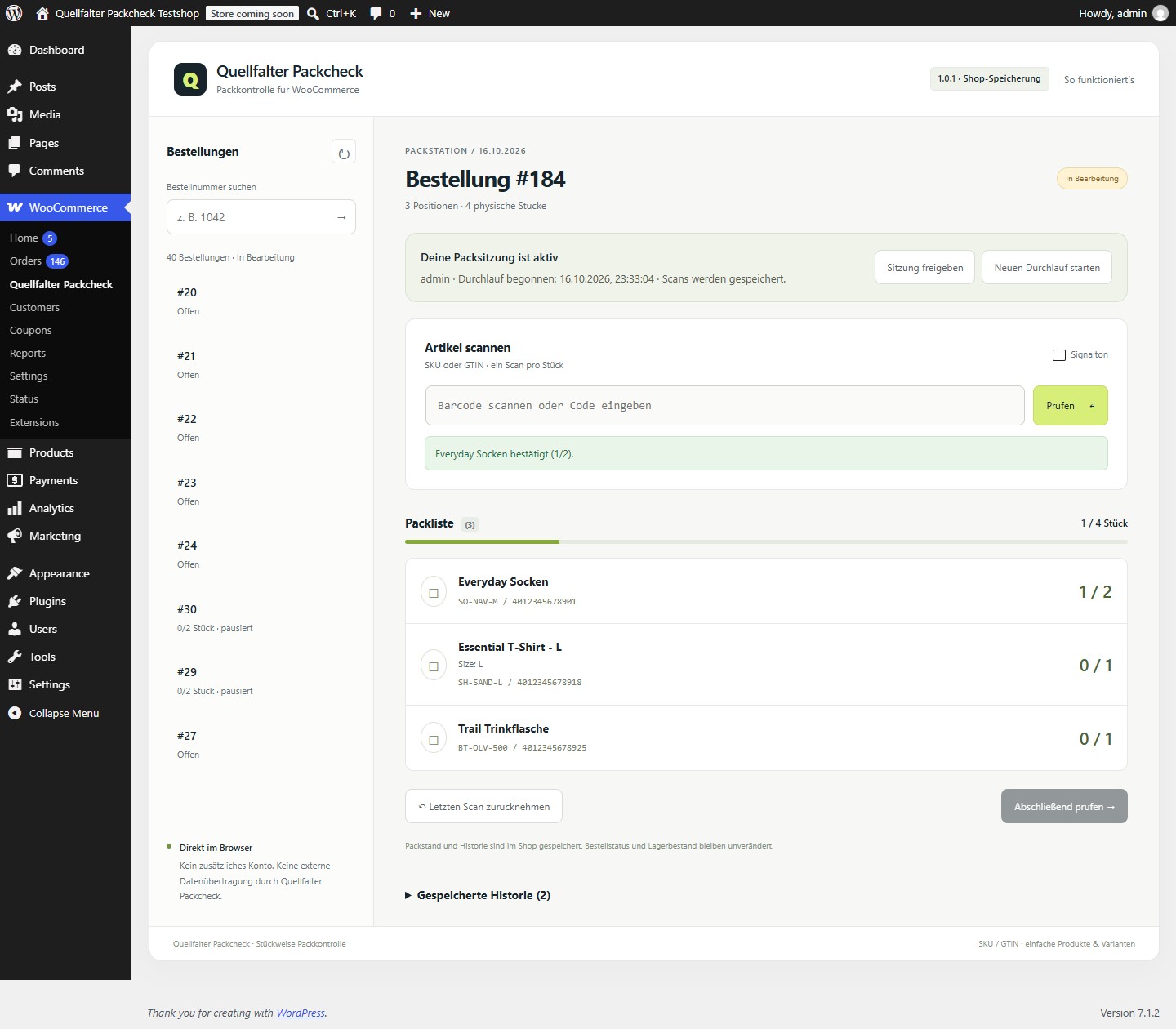
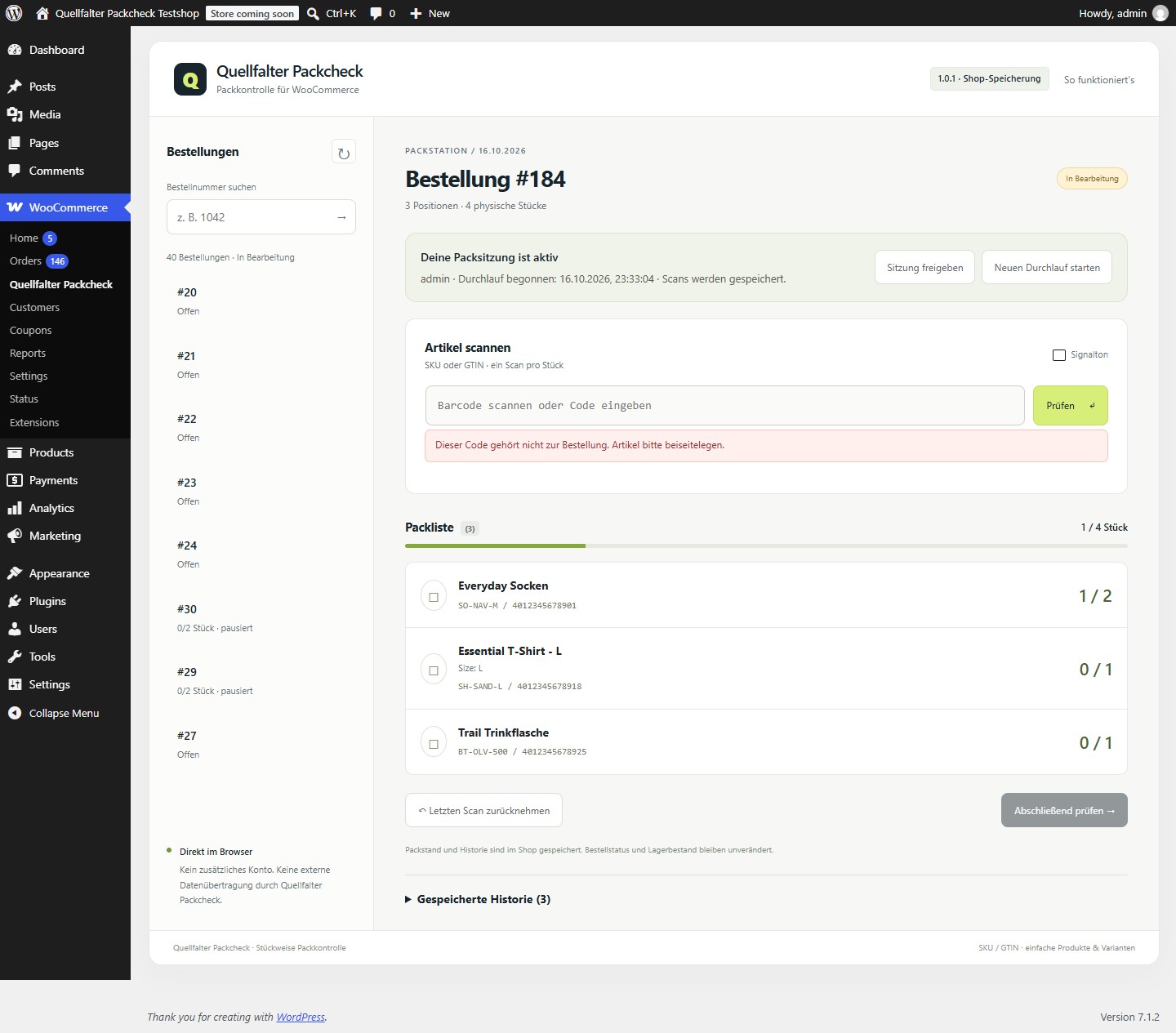
Quellfalter Packcheck adds a packing station under WooCommerce > Quellfalter Packcheck. Select an order, start a packing session and enter each item’s SKU or native WooCommerce GTIN. Each accepted input counts one piece. Wrong variants, unknown or ambiguous codes and quantities beyond the order are rejected.
Quellfalter Packcheck is for shops packing simple physical products and individual variations with whole quantities and distinct product codes. The interface is currently in German. Use a keyboard-style barcode scanner configured to send Enter after each code, or type the code and press Enter. Wait for the saved confirmation before entering the next piece.
Included features
- Check every piece against the order’s products, variations and required quantities.
- Save accepted pieces in the shop database and explicitly resume interrupted sessions.
- Allow one active packing session per order; an explicit takeover removes the older session’s write access.
- Reject unknown codes, wrong variants, extra pieces and ambiguous product codes.
- Account for quantity refunds; amount-only refunds do not change required quantities.
- Mark an old packing run as outdated when an order change is detected and retain its earlier history.
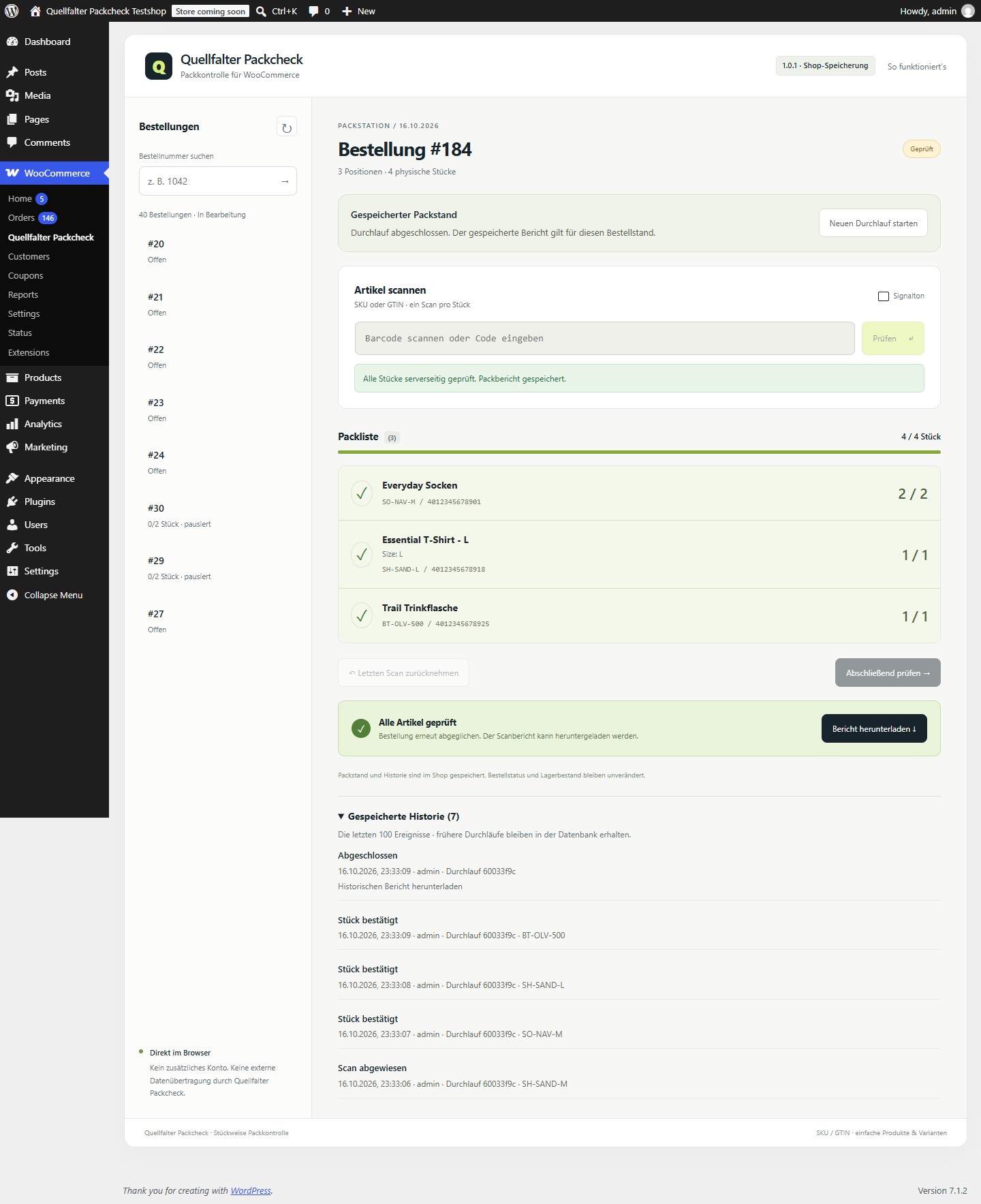
- Show packing status in WooCommerce orders and download a JSON report after completion.
Completing a check does not change WooCommerce order status or stock. Scanning checks the submitted code, not the physical contents of a package. The report records the checked order at a particular time; it is not a tamper-proof shipping certificate.
Requirements and limits
WooCommerce 9.2 or later, PHP 8.0 or later and MySQL/MariaDB with InnoDB are required. SQLite is not supported. The account needs both manage_woocommerce and edit_shop_orders capabilities. Variations require their own SKU or native GTIN.
Bundles, fractional quantities, partial shipments, camera scanning and packing data from other extensions are not supported. Missing or deleted products and missing or ambiguous product codes can prevent completion. The list shows the 40 oldest processing orders; another order can be opened using its internal ID. Custom order numbers are resolved only within the loaded list.
This release was checked with WordPress 7.1.2 / WooCommerce 11.1.2 / PHP 8.2.12 using HPOS, MariaDB 11.4.8 with InnoDB and order synchronization disabled. Test on a staging copy first.
Data and privacy
Quellfalter Packcheck makes no external service requests and does not collect analytics. Packing progress, events and request identifiers are stored in three dedicated database tables. Events and exported reports can include product names and codes, order identifiers, staff identifiers and times. Quellfalter Packcheck does not display customer addresses in its packing screen.
Deactivating or deleting the plugin retains these tables and their history. There is currently no automatic retention or deletion schedule. The shop operator manages backups, retention and any later removal of these tables. Exported reports should not be posted publicly without checking their contents.
All included packing features work without a Quellfalter Packcheck account, license key, subscription, payment or time limit.
Screenshots
Installation
- Make a backup and use a staging copy for your first test. Install and activate WooCommerce.
- Under Plugins > Add Plugin > Upload Plugin, select the Quellfalter Packcheck plugin ZIP, install it and activate it. Upload the inner plugin ZIP, not the larger offline test kit.
- Confirm that the database uses MySQL or MariaDB with InnoDB and that physical products and variations have distinct SKU or native GTIN values.
- Open WooCommerce > Quellfalter Packcheck and select a processing order or enter its internal ID.
- Choose Packsitzung beginnen. Enter one item code and press Enter, then wait for the server confirmation before entering the next piece.
- When all pieces have been accepted, choose Abschließend prüfen. The completed JSON packing report can be downloaded.
After a page reload, saved progress remains available but you must explicitly resume or take over the session. If the order changed, start a new run; the earlier history remains stored.
FAQ
-
Do I need a scanner?
-
No. Type a product’s SKU or native GTIN and press Enter. A keyboard-style scanner uses the same field; configure it to send Enter after each code.
-
Does completion mark an order as shipped or reduce stock?
-
No. Quellfalter Packcheck stores its own packing status. WooCommerce order status, payment, shipping and stock are unchanged.
-
Can two people pack the same order?
-
Only one session can write at a time. An explicit takeover transfers control and blocks the older session.
-
What happens if the connection is interrupted?
-
The screen blocks new scans while a request is uncertain. Retry the same request or reload the saved state. Retrying a request that already succeeded does not count the same piece again.
-
What happens when I delete the plugin?
-
The packing tables and their history remain. Export what you need and arrange their retention or removal with your shop administrator.
-
Is the interface available in English?
-
The current interface is German. This listing explains the supported workflow and limits in English.
Reviews
There are no reviews for this plugin.
Contributors & Developers
“Quellfalter Packcheck – Packing Checks for WooCommerce” is open source software. The following people have contributed to this plugin.
Contributors
Translate “Quellfalter Packcheck – Packing Checks for WooCommerce” into your language.
Interested in development?
Browse the code, check out the SVN repository, or subscribe to the development log by RSS.
Changelog
1.0.1
Initial release with piece-by-piece SKU/GTIN checks, saved packing progress, exclusive sessions, request replay protection and packing history.