
Description
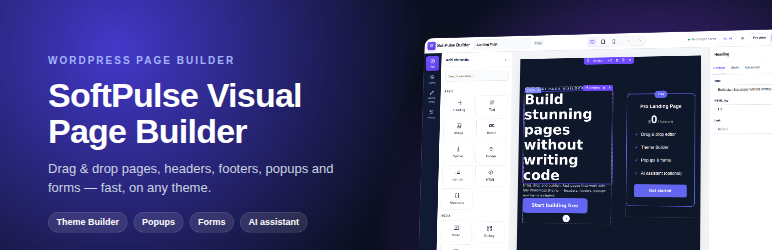
SoftPulse Visual Page Builder is a lightweight visual page builder for any WordPress theme. It loads its CSS and JavaScript only on pages built with it, uses no jQuery on the frontend, and keeps your design as clean, sanitized data.
Builder
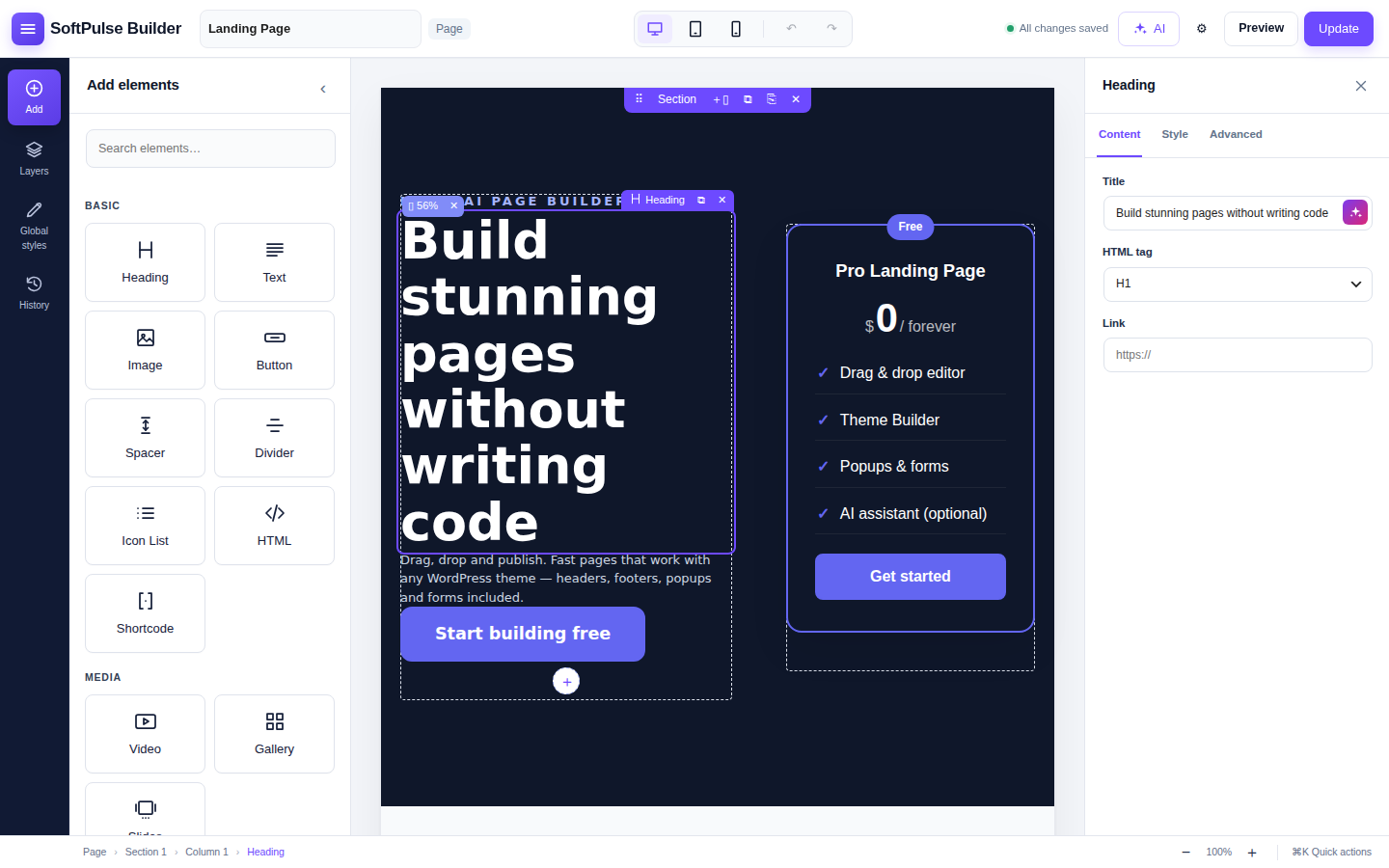
- Drag & drop editor — sections, columns and 20+ widgets, live preview, undo/redo, desktop/tablet/mobile preview, keyboard shortcuts and browser crash recovery.
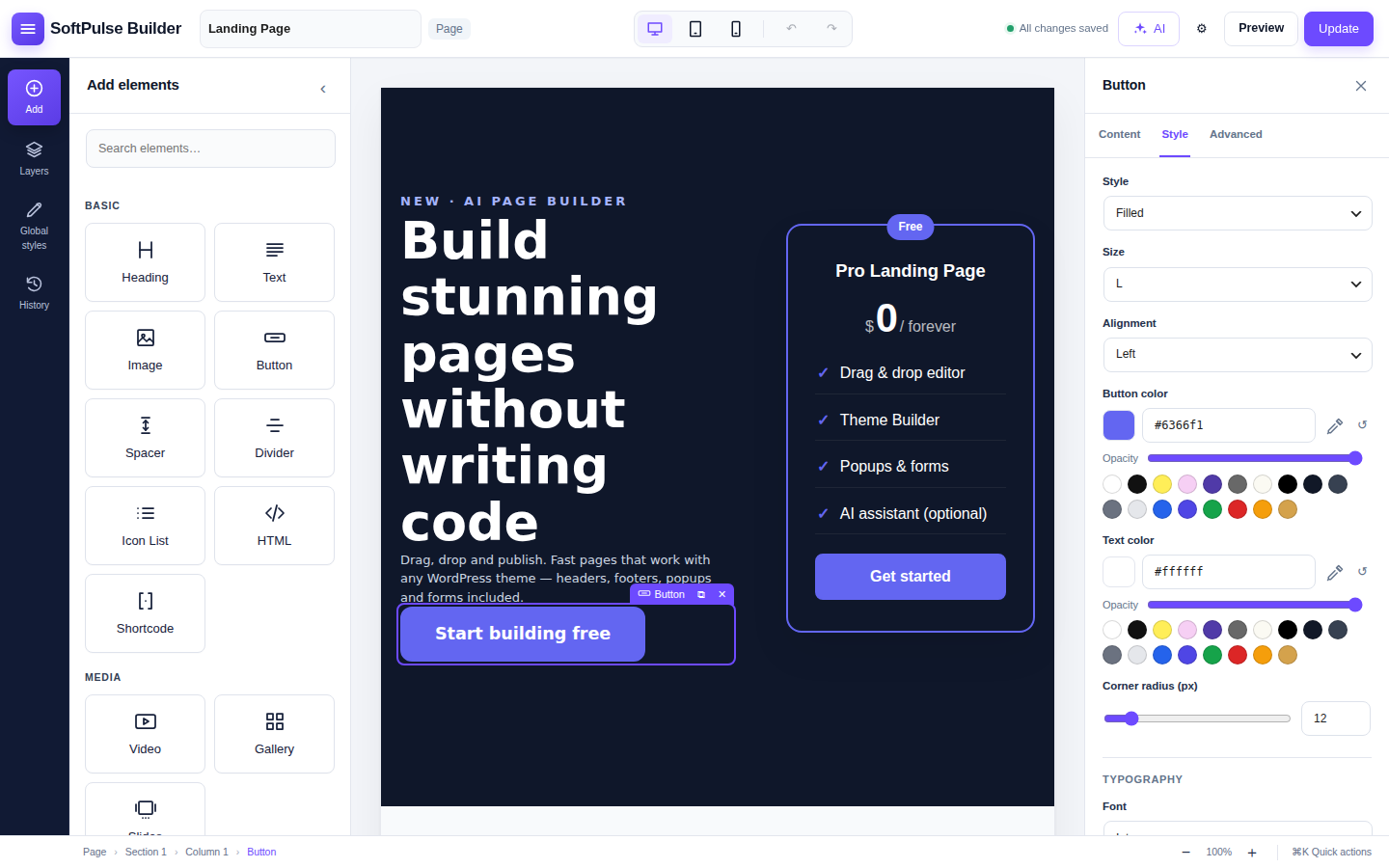
- Focused three-panel workspace — searchable element library, visual Layers navigator, Global Styles, session History and a dedicated inspector.
- 3D design controls — perspective, rotate X/Y/Z, depth/translate-Z, 3D entrance effects and pointer-following tilt without a heavy frontend library.
- Widgets — Heading, Text, Image, Button, Spacer, Divider, Icon List, Video (lite YouTube embed), Gallery with lightbox, Slides, Pricing Table, Testimonials, Accordion/FAQ (with FAQ schema), Countdown, Form, Social Icons, Nav Menu, Site Logo, Saved Template, HTML, Shortcode and WooCommerce Products.
- Page templates — theme default, full width or blank canvas.
- Typography — 35+ fonts (Google Fonts incl. Urdu, Arabic and Hindi) with size, mobile size, weight, line height and letter spacing.
- Motion effects — 18 entrance animations, hover effects (incl. 3D tilt), loop animations and CSS scroll-driven effects. Respects “reduce motion”.
Theme Builder
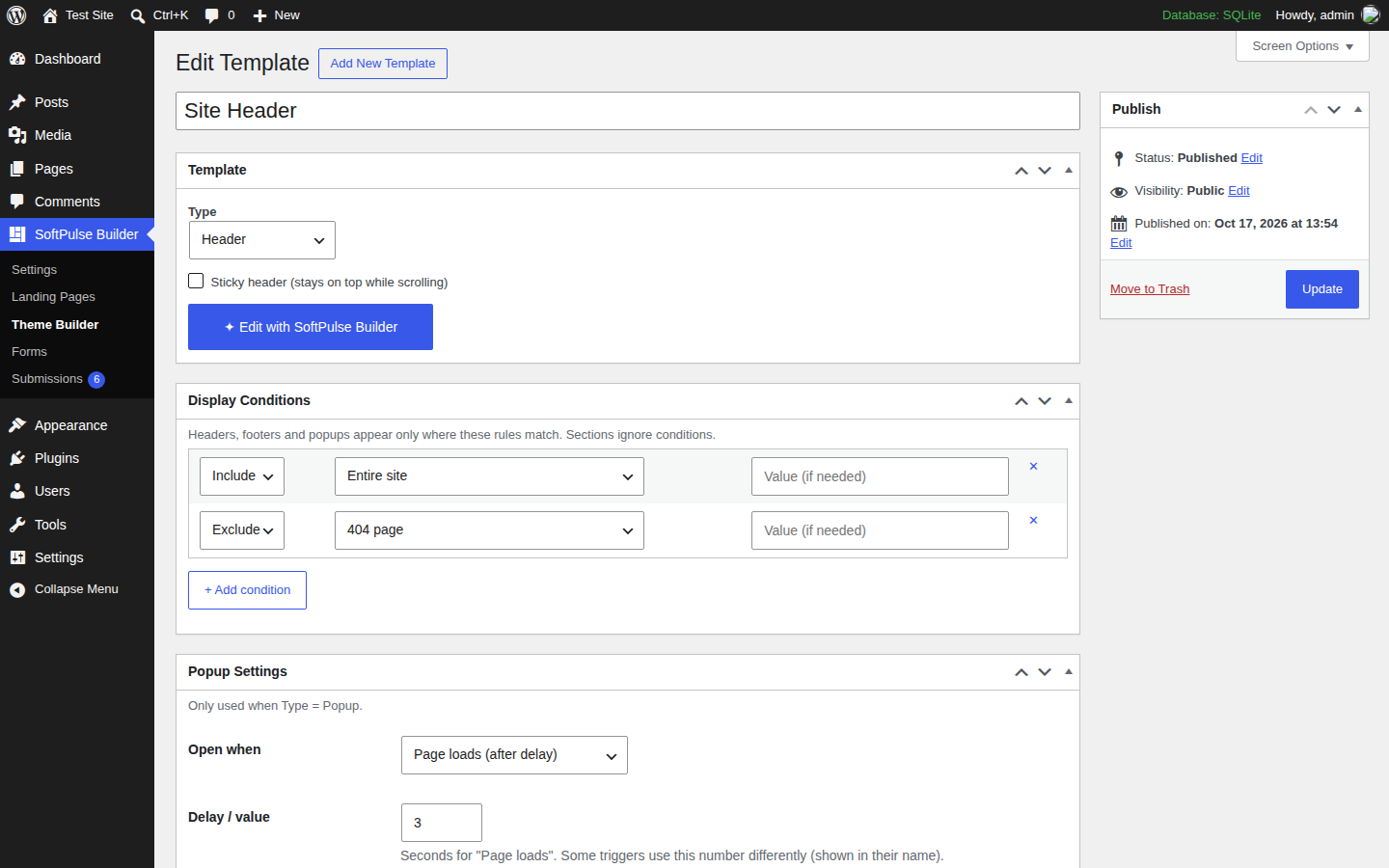
- Design your own header and footer. Works with block themes and classic themes (Astra, GeneratePress, Kadence, OceanWP, Neve and others).
- Display conditions — entire site, specific pages, post types, archives, logged-in users, user roles, URLs and more.
- Reusable section templates you can place anywhere with a widget or shortcode.
Popups
- Open on page load, scroll, exit intent or click; once per visit or every X days; modal, slide-in or bar.
Forms
- Build forms, store submissions in their own database table, email notifications, webhooks (Zapier, Make, n8n), CSV export, file uploads and spam protection (honeypot, time check, rate limit). Works with page caching.
AI (optional)
- Write, improve and translate text, or draft a whole page from a prompt.
- On WordPress 7.0+ SoftPulse Visual Page Builder uses the WordPress AI Client: connect a provider once in Settings Connectors and every AI plugin can use it. AI needs WordPress 7.0 or newer; this plugin stores no API keys.
- AI agents — registers WordPress Abilities so authorized AI agents (for example through the MCP Adapter) can list, create and edit pages. New pages are always saved as drafts.
All builder features work without AI.
SoftPulse Builder Pro
SoftPulse Visual Page Builder is complete and free. SoftPulse Builder Pro is an optional add-on for professional web designers with 10 extra widgets, custom CSS on any widget or section, white label and automatic updates.
External services
This plugin can connect to third-party services. Nothing is sent unless you configure or use the feature.
AI providers (optional). When you use an AI button in the editor, or an AI agent asks SoftPulse Visual Page Builder to draft a page, the text you write (prompt, selected text) is sent from your server to the AI provider you chose:
- The request goes through the WordPress AI Client in WordPress core (WordPress 7.0+) to the provider you connected in Settings Connectors. This plugin does not contact any AI service itself. The provider’s terms and privacy policy apply.
YouTube (Video widget). When you add a YouTube link, the video thumbnail is loaded from i.ytimg.com. The player (youtube-nocookie.com) loads only after the visitor clicks play. YouTube Terms, Google Privacy
Google Fonts (optional, off by default). Google Fonts are not loaded on a new install. If you enable them and pick a Google font, the font stylesheet is loaded from fonts.googleapis.com / fonts.gstatic.com for visitors of those pages. To enable them, untick SoftPulse Builder Settings “Do not load Google Fonts”; tick it again to turn them off. Google Fonts privacy FAQ, Google Privacy
Form webhooks (optional). If you enter a webhook URL in a form, each submission is sent to that URL.
Screenshots
Installation
- Upload the plugin and activate it.
- Go to SoftPulse Builder Settings.
- Open any page and click Edit with SoftPulse Builder, or use New with SoftPulse Builder on the Pages screen.
FAQ
-
Does it work with my theme?
-
Yes. Builder pages work with any theme. Header/footer templates replace the theme’s header and footer automatically for block themes and popular classic themes; for other themes you can set a CSS selector in Settings.
-
Is AI required?
-
No. All builder features work without AI.
-
Does the plugin store AI API keys?
-
No. AI runs through the WordPress AI Client (WordPress 7.0+). You connect a provider in Settings Connectors and WordPress manages the credentials.
-
Is my data deleted if I delete the plugin?
-
No. Page designs, templates, forms and submissions are kept. To remove everything, tick “Delete all SoftPulse Builder data when the plugin is deleted” in Settings first.
-
What happens if I deactivate the plugin?
-
Your layouts are kept and come back when you reactivate. While the plugin is inactive, each builder page shows the plain copy of its content (headings, text, links and images, without styling) that the builder keeps in the normal WordPress content field. If a page had other content before you first saved it with the builder, that original content is kept in the
_buildvex_original_contentcustom field. -
Does it work with SEO plugins?
-
Builder pages are normal WordPress posts: SEO plugins keep full control of titles, meta descriptions, canonical URLs, sitemaps and schema. On every save the builder also writes a plain copy of the page into the normal content field, so search, excerpts, the REST API and SEO tools (automatic descriptions, content analysis) see the real page text.
-
I’m upgrading from an earlier version — do I need to do anything?
-
No. Your pages, templates, forms, submissions and settings are kept. If an earlier copy of this plugin is still active under its previous folder name, this version stays inactive and shows a notice until you deactivate the old copy (your content is shared, so nothing is lost).
Version 1.1 renamed the internal prefix (as required by WordPress.org) and moves your pages, templates, forms, submissions and settings over automatically the first time it loads. Shortcodes in posts are updated too:
[bvx_form]is now[buildvex_form],[bvx_template]is[buildvex_template]and[bvx_page]is[buildvex_page]. If you pasted one of the old shortcodes into a text widget or theme file, update it by hand.
Reviews
There are no reviews for this plugin.
Contributors & Developers
“SoftPulse Visual Page Builder” is open source software. The following people have contributed to this plugin.
Contributors
Translate “SoftPulse Visual Page Builder” into your language.
Interested in development?
Browse the code, check out the SVN repository, or subscribe to the development log by RSS.
Changelog
1.3.5
- Changed: the plugin and author links on the Plugins screen now point to the plugin’s WordPress.org page.
1.3.4
- Removed: page-level Custom CSS field. Styling is done only through the builder’s controls.
- Changed: the HTML widget is now filtered with wp_kses_post() for every user; scripts and inline event handlers are no longer allowed.
- Changed: all front-end CSS is added through enqueued stylesheets (wp_add_inline_style).
1.3.3
- Changed: AI now runs only through the WordPress AI Client (WordPress 7.0+, Settings Connectors). The plugin no longer contacts AI providers directly and no longer stores API keys; keys saved by older versions are deleted on update.
1.3.2
- Changed: the editor’s element library no longer lists locked, non-draggable Pro widget cards. It shows only widgets that are available; Pro widgets appear when the optional Pro add-on is active.
1.3.1
- Fixed: the background update of pages saved before 1.3.0 changed their “last modified” date (and sitemap dates), stored a revision without an author and triggered cache purges and search-engine notifications. It now only adds the readable copy; normal edits behave as before.
- Fixed: pressing Ctrl+S (Cmd+S) right after typing a hex colour could save the previous colour.
1.3.0
- Renamed to SoftPulse Visual Page Builder (slug
softpulse-visual-page-builder). Saved pages, templates, forms, settings and the Pro add-on keep working; internalbuildvex_keys are unchanged. - Security: stricter validation of display conditions, popup triggers, form fields and editor JSON input (nested arrays are rejected before use); late escaping in widget output.
- Fixed: invalid values in optional form fields (email, URL, number, date, choices) are now reported instead of being stored as empty; valid URLs are no longer rejected when the site cannot resolve their host.
- Accessibility: invalid form fields set aria-invalid and point to their error text; radio and checkbox groups are labelled.
- Compatibility: works when the plugin loads after the Pro add-on (new folder name).
- Compatibility: builder pages now keep a plain copy of their content in post_content (search, REST API, excerpts, SEO plugins’ automatic descriptions). Existing pages are updated in the background.
- Fixed: two FAQ accordions on one page produced two FAQPage schema blocks; now one combined block.
- Fixed: canvas pages had no
1.2.0
- New: redesigned three-panel editor with a compact tool rail, searchable element library, right-side inspector and bottom breadcrumb/zoom bar.
- New: visual Layers navigator and clickable session History.
- New: Global Styles can update the shared accent, body font and heading font from inside the editor (administrator only).
- New: browser-only recovery copy protects unsaved work after a crash or accidental tab close.
- New: 3D perspective, rotate X/Y/Z and depth controls for every widget, alongside the existing pointer-following tilt and 3D entrance effects.
- New: Command/Ctrl+K Quick Actions palette and 50–150% canvas zoom.
- Dev: added
buildvex_page_settings_saveandbuildvex_post_htmlhooks for page-level add-on features. - Security: rejects oversized editor payloads before JSON decoding.
- Fixed: page-level Pro Custom CSS now saves and renders correctly.
1.1.5
- New: Pro widget catalog in the editor panel. Pro widgets are shown with a “PRO” badge and link to the Pro page; they are not draggable and nothing in the free plugin is locked.
- Changed: Google Fonts are now off by default on new installs (privacy). Enable them in SoftPulse Builder Settings.
- Fixed: editor panel no longer fails when a category has only Pro widgets.
- Dev: editor JS globals renamed to
buildvexBuilderandbuildvexBuilderData. - Dev: stricter input sanitizing on the submissions screen and form uploads.
1.1.4
- New: line icons for every widget in the editor panel, from a central icon registry (
Buildvex_Icons). Add-ons can register more icons with thebuildvex_iconsfilter. - New: widgets can provide search keywords and a small badge; the widget search also matches category and keywords, and hides empty categories.
- Old text symbols still work as a fallback for add-ons that have not updated.
1.1.0
- WordPress.org compliance: all classes, functions, hooks, options, post types and shortcodes now use the unique
buildvexprefix. Existing 1.0 data is migrated automatically. - New: WordPress AI Client support (WordPress 7.0+ Settings Connectors) — no API key needed in SoftPulse Visual Page Builder.
- New: developer hooks for add-ons (
buildvex_register_widgets,buildvex_widget_categories,buildvex_widget_advanced_controls,buildvex_section_controls,buildvex_widget_classes,buildvex_widget_html,buildvex_frontend_enqueue,buildvex_editor_enqueueand more). - Improved: editor placeholders (“Choose an image”, “Select a menu”) are no longer shown to site visitors.
- Improved: inline styles and scripts now use the WordPress enqueue APIs.
- Improved: the editor screen has a proper admin title (fixes a PHP 8 deprecation notice).
- Fixed: uninstall removes SoftPulse Visual Page Builder rate-limit transients.
- Fixed: CSV export on PHP 8.4.
- Removed: an unused database table and two unused settings.
1.0.1
- Motion effects: 18 entrance animations, hover, loop and scroll effects.
- Typography controls and Google Fonts (only fonts in use are loaded).
- Color control accepts hex, rgba and hsl, with opacity, swatches and eyedropper.
- Social Icons widget with brand icons.
- Editor menu with “Back to Dashboard”.
- Your designs are now kept when the plugin is deleted (opt-in to delete).
1.0.0
- First release.