
Description
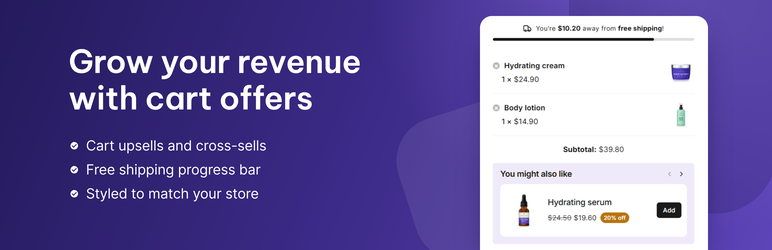
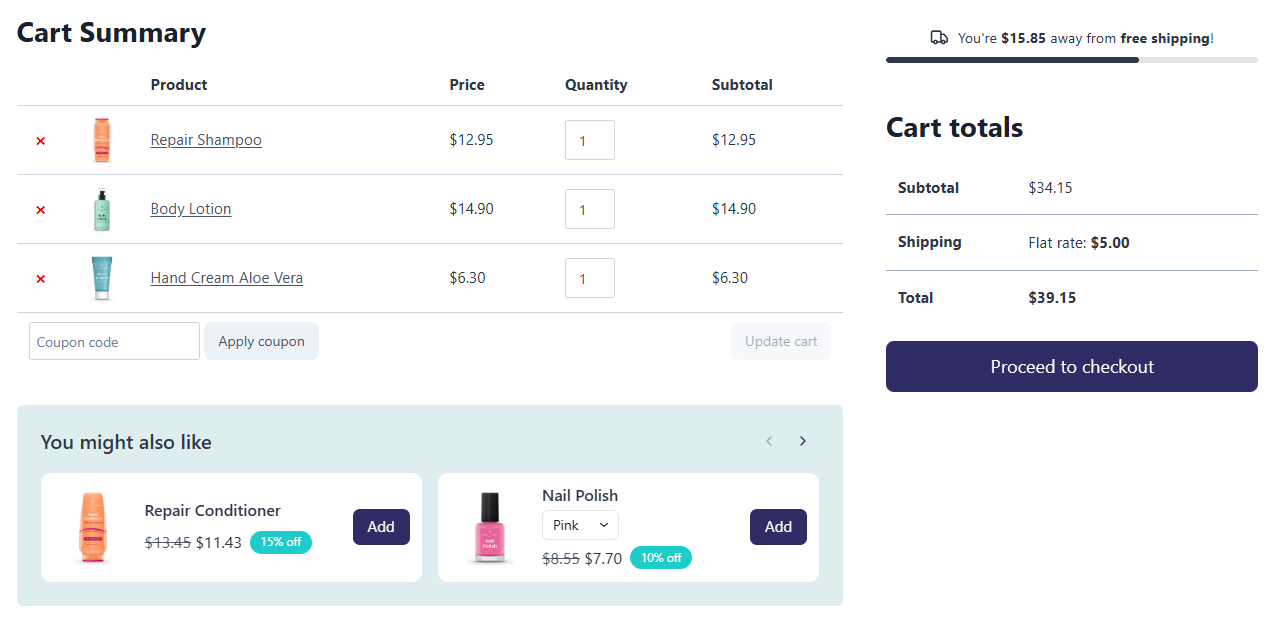
CartNudge is a WooCommerce plugin for cart upsells and cross-sells, shown in the cart, mini cart, and side cart, where customers add them with one click. It also adds a free shipping progress bar that shows customers how much is left until shipping is free. Small nudges at the right moment – and more revenue from the orders you already get.
Key features
Global cart offers
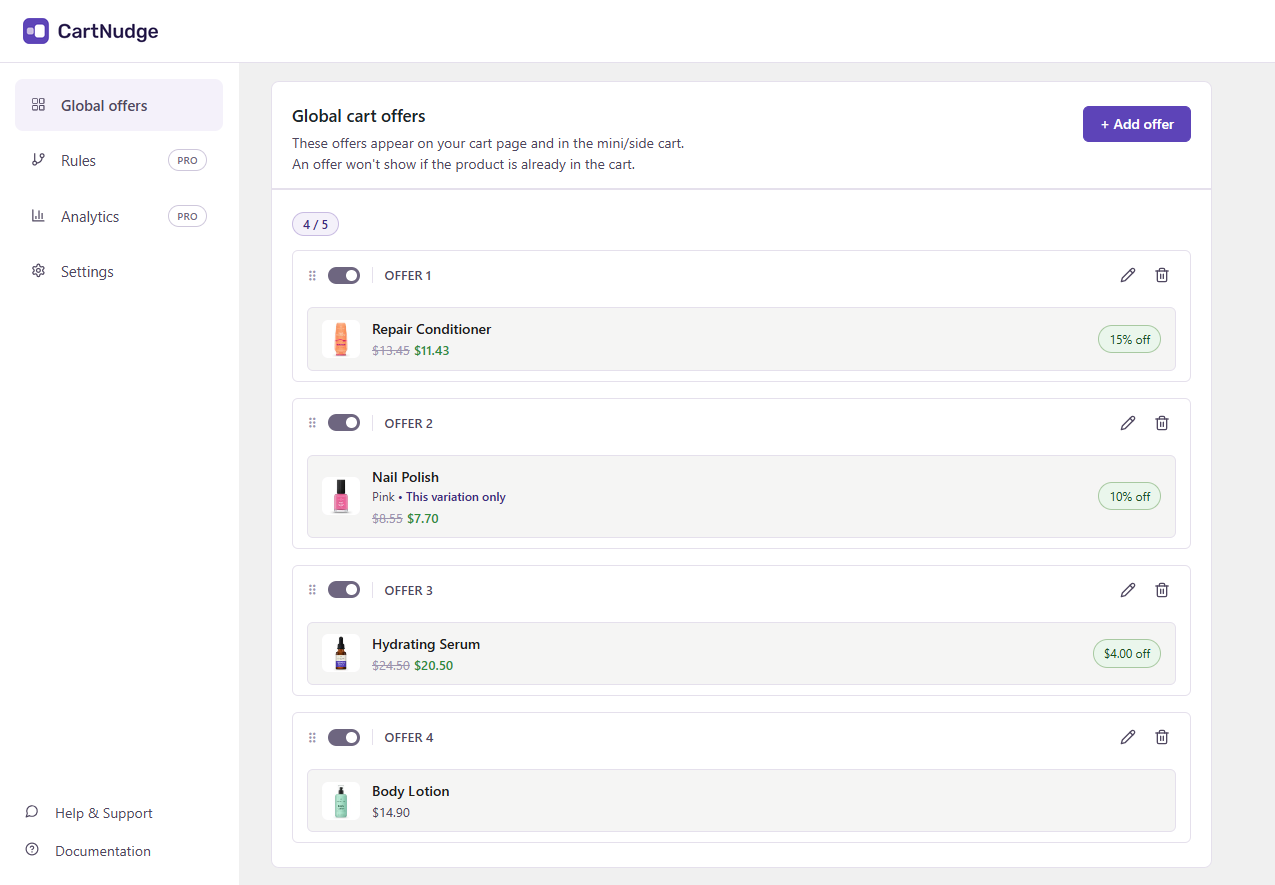
Choose the products you want to offer in the cart. Customers add them without leaving the cart.
- Shown in all carts, whatever the customer is buying.
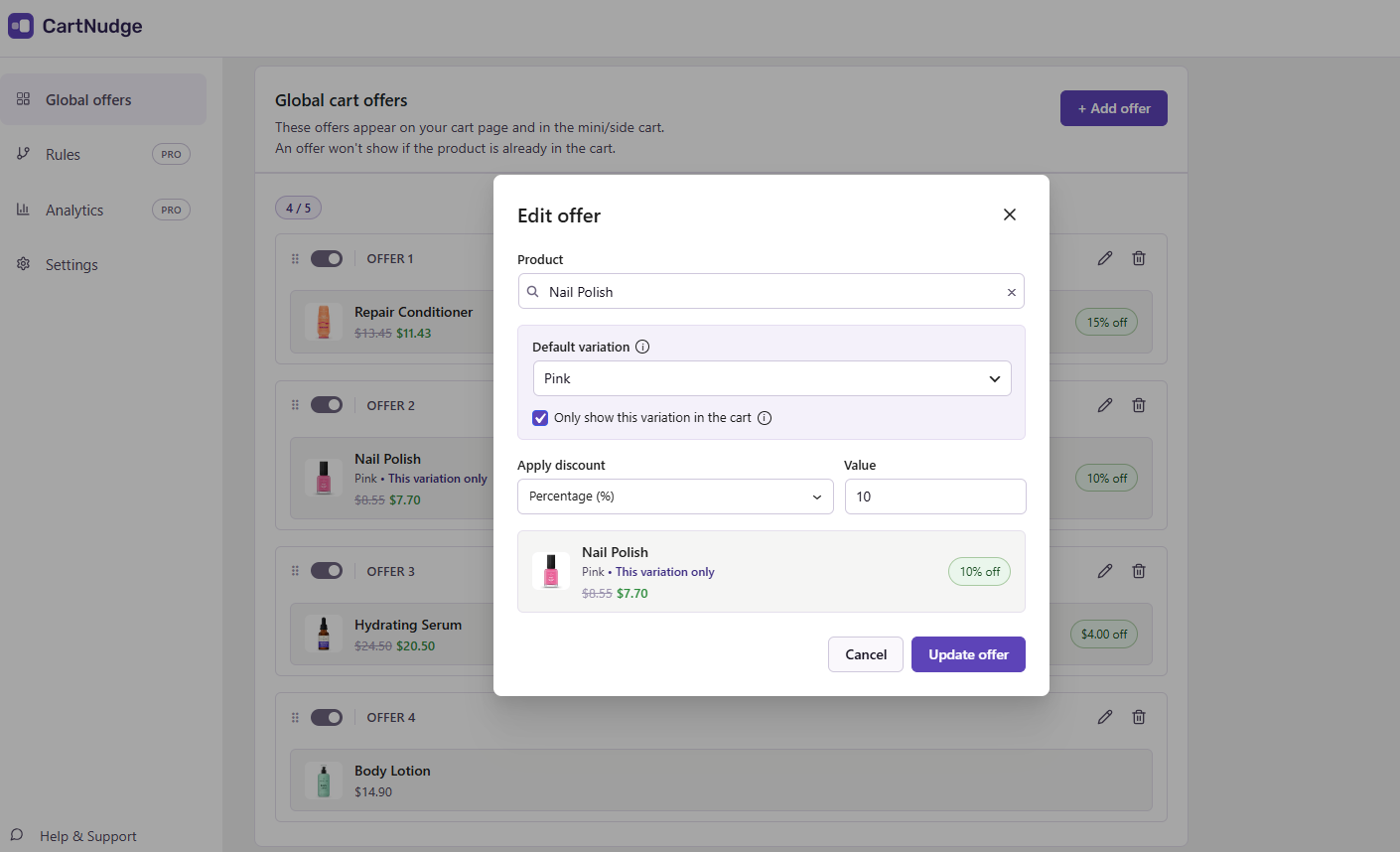
- Optional discount – a percentage or a fixed amount.
- Simple and variable products.
- Products already in the cart or out of stock are hidden automatically.
- If a product is already on sale, the lower price wins.
Free shipping progress bar
Show customers how much more they need to spend to get free shipping. The bar updates as they add or remove products.
- Reads the free shipping threshold directly from your WooCommerce shipping settings, so there is nothing to set twice.
- Takes coupons into account.
- Shows a message once free shipping is reached.
Cart, mini cart, and side cart
Offers and the free shipping bar appear wherever customers review their cart.
- Cart page – the classic cart and the Cart block.
- Mini cart, including the Mini-Cart block.
- Popular side cart plugins, listed in the FAQ.
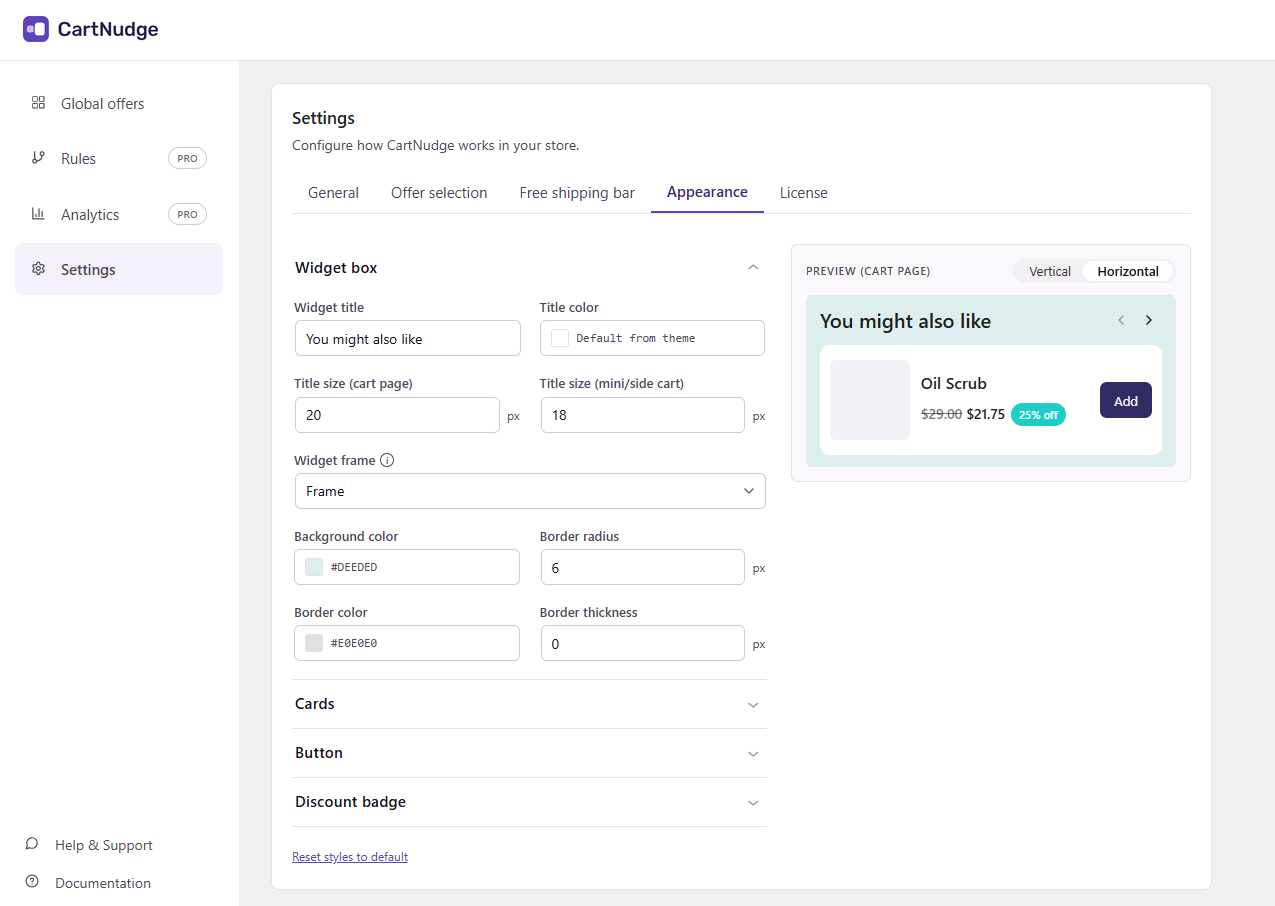
Appearance
Style the widget to match your store’s branding, without writing any code.
- Card layout – horizontal or vertical cards in a slider.
- Your own colors and font sizes.
- Button, border, and discount badge styles.
CartNudge Pro
Global offers are a great start. CartNudge Pro takes it further: it matches offers to what’s in the cart and shows you which ones bring in revenue.
- Cart offer rules – show targeted offers based on the products in the cart, product categories, or cart value.
- Offer selection mode – choose how offers are picked: by priority, best conversion rate, random rotation, or your own order.
- Analytics – track impressions, conversion rate, and revenue for each offer, so you know which ones to keep and which to change. There is no third-party tracking, so data stays in your store’s database.
See features and pricing at cartnudge.co.
External services
CartNudge uses the Freemius SDK for licensing and upgrades to CartNudge Pro. Nothing is sent by default, and your store’s visitors never connect to Freemius. Data is sent only when you:
- Opt in through the “Opt In” link on the Plugins screen: your name, e-mail address, site address, WordPress, PHP and plugin versions, plugin events, and optionally your list of plugins and themes. The opt-in screen shows exactly what is shared.
- Answer the deactivation question, if you submit it: your reason and any comment, sent with the opt-in details above. If you tick “Anonymous feedback”, only the reason and comment are sent, with an anonymous site ID.
- Activate or deactivate a PRO license: your license key, your name and e-mail address, site address, and WordPress, PHP and plugin versions, to verify the license. While a license is active, the site checks it with Freemius periodically. PRO downloads also come from Freemius.
- Buy or renew PRO: the checkout is hosted by Freemius.
Freemius terms of service and privacy policy.
Screenshots

Installation
- Make sure WooCommerce is installed and active.
- In your WordPress admin, go to Plugins Add Plugin, search for “CartNudge”, then install and activate it.
- Go to CartNudge Global offers and choose the products you want to offer.
- Go to CartNudge Settings to turn on the free shipping bar and match the widget to your store.
To install manually, download the ZIP file, go to Plugins Add Plugin Upload Plugin, choose the file, then install and activate it.
FAQ
-
What’s the difference between the free version and CartNudge Pro?
-
The free version includes global cart offers with optional discounts, the free shipping progress bar, display in the cart, mini cart, and side cart, and all appearance settings. CartNudge Pro adds cart offer rules for targeted offers, offer selection modes, and analytics. Learn more at cartnudge.co.
-
How do I add upsells and cross-sells to the WooCommerce cart?
-
Install CartNudge, go to CartNudge Global offers, and choose the products you want to offer. They show up right away, and customers can add them to the cart with one click.
-
How many offers can I add?
-
You can add up to 5 global cart offers and choose how many of them to show in the cart at once. They are shown in the order you set. CartNudge Pro adds unlimited cart offer rules on top of global offers, so you can also show different offers depending on what’s in the cart.
-
Can I offer a discount on upsell products?
-
Yes. You can add an optional discount to each offer – a percentage or a fixed amount. A badge in the offer shows customers how much they save.
-
How do I add a free shipping progress bar to WooCommerce?
-
Turn it on in CartNudge Settings Free shipping bar. The plugin reads the free shipping threshold directly from your WooCommerce shipping settings, so there is nothing to set twice. When you change the amount in WooCommerce, the bar follows.
-
Does CartNudge work with the mini cart and side carts?
-
Yes. Offers and the free shipping bar appear on the cart page, in the mini cart, and in popular side cart plugins like Side Cart WooCommerce (XootiX), Caddy, FunnelKit Cart, Modern Cart, and WPC Fly Cart. CartNudge works with both the classic cart and the Cart and Mini-Cart blocks.
-
Offers don’t look right or don’t appear in my mini cart or side cart. What can I do?
-
CartNudge adds offers through standard WooCommerce hooks, so it works with most themes and side carts out of the box. Some themes and side cart plugins build their own cart without these hooks, or style it in their own way, so offers may not appear there or may not look right. In that case, turn off “Show in mini/side cart” in CartNudge Settings General. Offers keep showing on the cart page. Then contact us through the support forum and tell us which theme or side cart you use, so we can add support for it.
-
Which themes and page builders does CartNudge work with?
-
CartNudge has been tested with Storefront, Astra, Twenty Twenty-Five, Kadence, Blocksy, Flatsome, Avada, Divi, and the Elementor page builder. Other themes that follow WooCommerce standards should work too. If something doesn’t look right in your theme, contact us through the support forum and we’ll work on a fix right away.
-
Does CartNudge work with variable products?
-
Yes. You can offer both simple and variable products.
-
What happens if an offered product is already on sale?
-
The customer always gets the lower price. If the WooCommerce sale price is lower than the price with your CartNudge discount, the sale price is used and the badge shows the actual saving. Discounts are never added together.
-
Does CartNudge collect any data?
-
CartNudge doesn’t send your store’s or your customers’ data to third parties. The free version doesn’t record analytics at all. In CartNudge Pro, analytics are stored in your own store’s database.
Data about your site is sent to Freemius only if you opt in, activate a PRO license or submit the deactivation form — see External services below.
Reviews
There are no reviews for this plugin.
Contributors & Developers
“CartNudge – Cart Upsells, Cross-sells & Free Shipping Bar for WooCommerce” is open source software. The following people have contributed to this plugin.
Contributors
Interested in development?
Browse the code, check out the SVN repository, or subscribe to the development log by RSS.
Changelog
1.0.0
- Initial release.