
Description
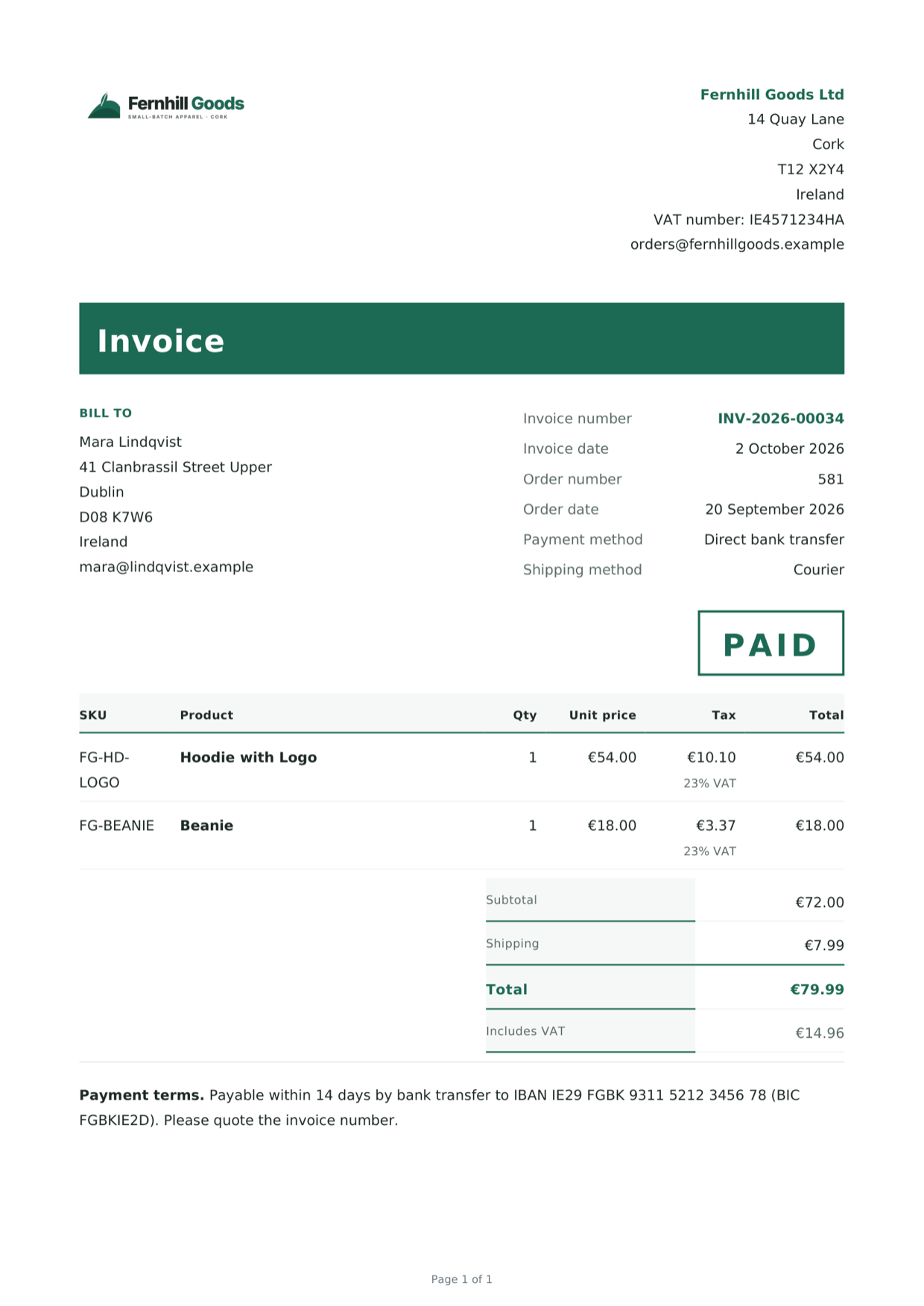
Paperwork issues the documents a WooCommerce shop is required to keep, and keeps them the way an
auditor expects to find them: numbered without gaps, stored as issued, and explainable months later.
A default install does one thing — an invoice on a paid order — and stays out of the way. Five
further document types are there when a shop needs them and switched off until then, and ten more
come with the premium version.
What it does
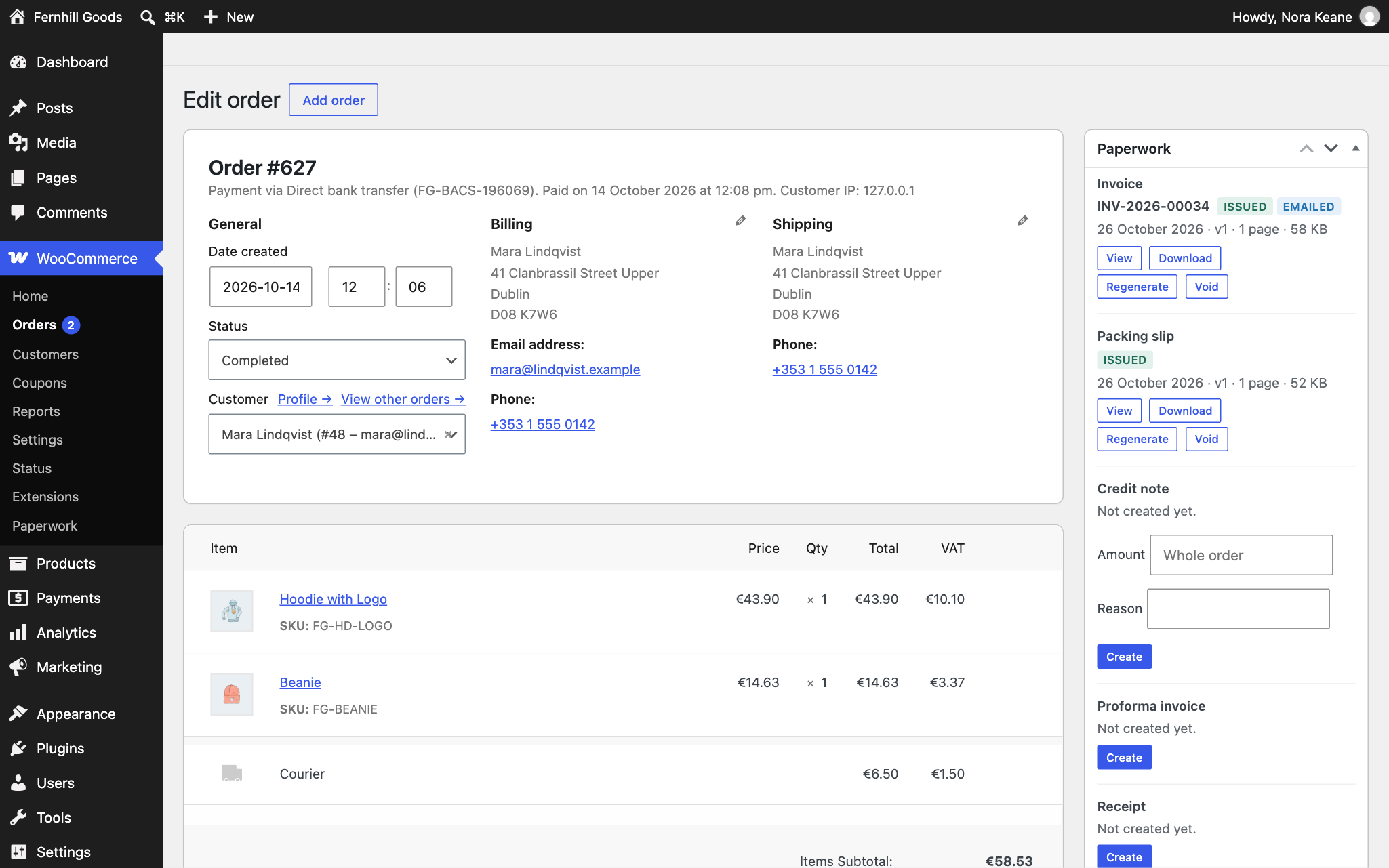
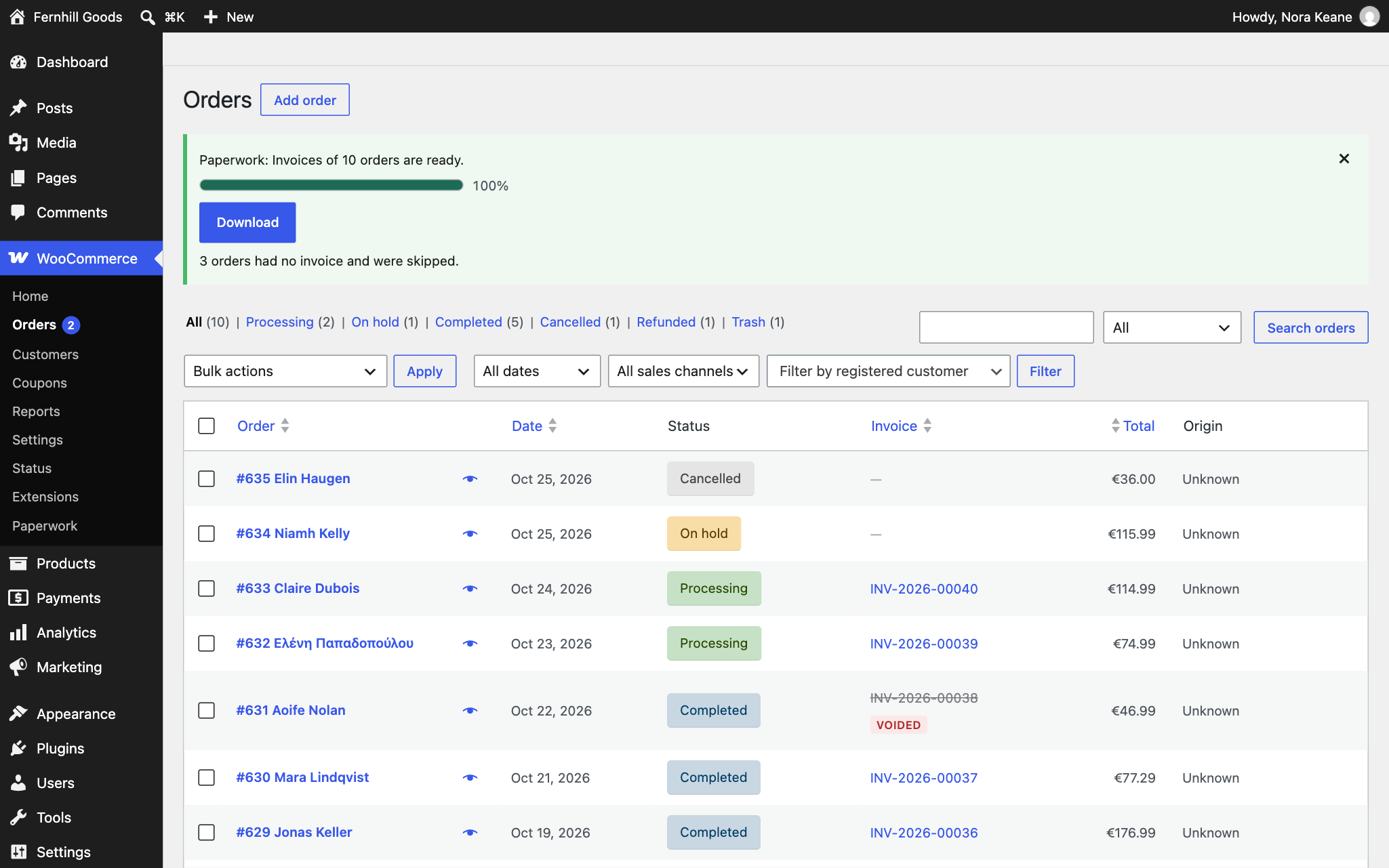
- Invoices, packing slips and credit notes, attached to the emails you choose, downloadable from
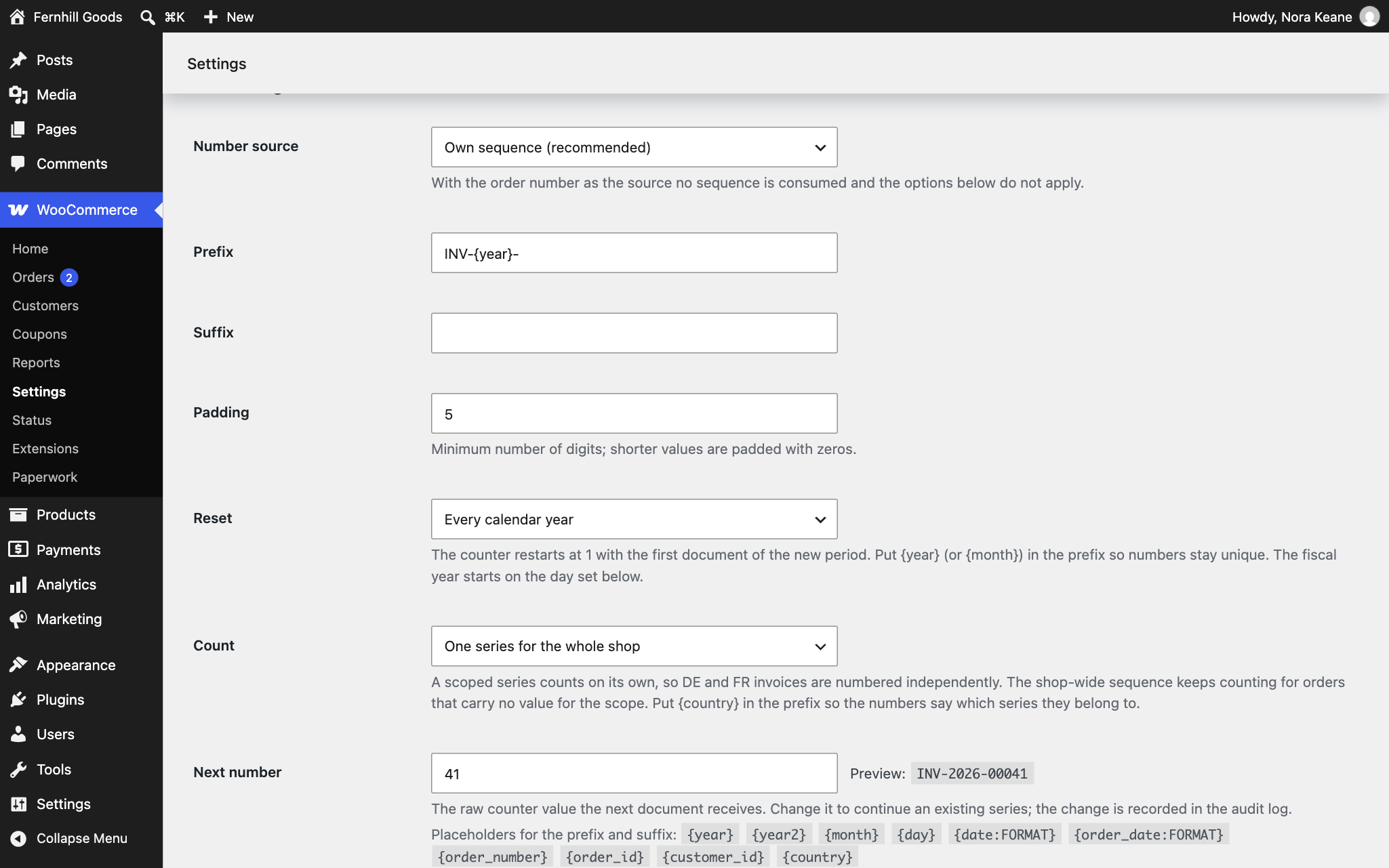
My Account, and available in bulk from the orders list. - Numbering that does not skip. Numbers are allocated atomically, so two orders completing at the
same moment cannot take the same one. When a number is never used, the Status page counts it and
wp paperwork gaps says which, and why, from the audit trail. - An archive, not a renderer. A document is rendered once, at the moment it is issued, and every
later download serves that same file. An invoice a customer received in March still says in
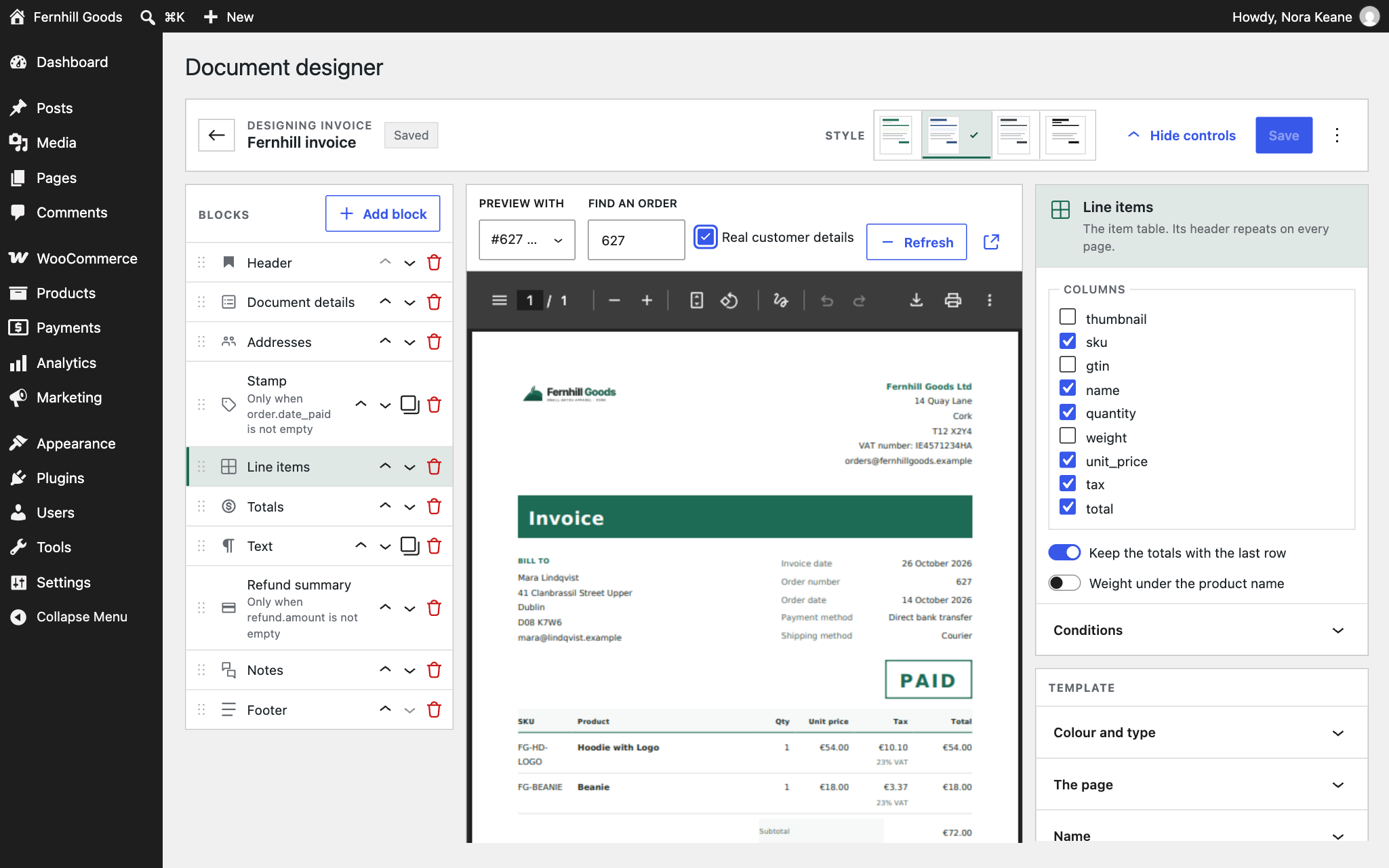
December what it said in March, whatever has changed in your settings since. - A visual template designer. Drag the blocks your documents are made of, per document type, with
your own logo, colours and wording. Templates are data, so they survive updates. - Sixteen document types in all. Six in the free plugin — invoice, credit note, proforma,
receipt, packing slip and delivery note — and ten in the premium version: quotes, order
confirmations, deposit and balance invoices, statements, gift receipts, return forms, pick lists,
shipping and address labels. - Written for real shops. HPOS-compatible, multilingual-aware, RTL-aware, and every template is
overridable from your theme.
E-invoicing (premium)
For shops that have to file electronically, the premium version serialises one EN 16931 semantic model into
UBL 2.1, Peppol BIS 3.0, CII D16B, Factur-X and ZUGFeRD, and XRechnung. Each document is validated
against a shipped XSD before it is allowed out, and the report says which business rules were
checked rather than implying an official rule set was run.
E-invoicing is off by default and stays off until you review your VAT categories, because a
wrong VAT category is a filing error rather than a rendering glitch. An unmapped tax rate produces no
document and names the rate instead of guessing.
Free and premium
Everything above is free except where the premium version is named. Premium adds the fulfilment,
sales, automation and compliance capabilities: shipping labels, pick lists, per-shipment documents,
returns, quotes, statements, deposit and balance invoices, the export centre, cloud backups,
automatic printing, the REST API, the payment helpers, VAT validation, e-invoicing and Peppol
delivery.
The plugin in the WordPress.org directory is the free version and contains none of the premium
code. The premium version is a separate download from https://paperwork.u2code.com/, and a shop
that stops paying for it keeps every document it has ever issued: losing access stops new documents
being made, it never removes old ones.
External services
Paperwork does not need an account or an API key for anything it does. Two connections can exist,
both of them yours to make:
- Freemius. The plugin includes the Freemius SDK, which offers the premium version and, only if
you opt in when asked after activation, sends anonymous usage data (site address, WordPress and
plugin versions, the admin e-mail address) to Freemius. Nothing is sent before you opt in, and
declining changes nothing about how the plugin works. Terms: https://freemius.com/terms/ —
privacy policy: https://freemius.com/privacy/ - A Chromium conversion service. Optional, off by default. If you switch the Chromium renderer
on and enter the address of a Gotenberg-compatible service you run, the HTML of each document
rendered that way is sent to that address and the PDF comes back. The plugin ships with no such
service and names none.
Source code
The template designer is a React application. It ships compiled, in assets/designer/, and as
source, in js-source/. To rebuild it from source:
cd js-source && npm install && npm run build
Everything else is plain PHP, CSS and JavaScript, shipped as written. The PHP libraries in
vendor-prefixed/ are unmodified copies of their upstream releases, namespaced to avoid clashes.
Built to be checked
This plugin is developed against acceptance scripts that run on a real shop rather than only against
unit tests: a thousand numbers pulled by twenty parallel workers, five hundred orders exported at
once, and every admin screen opened over real HTTP. Where something cannot be verified — a service
with no account, a format whose official validator will not run on PHP — the plugin says so in its
own diagnostics rather than claiming otherwise.
Screenshots
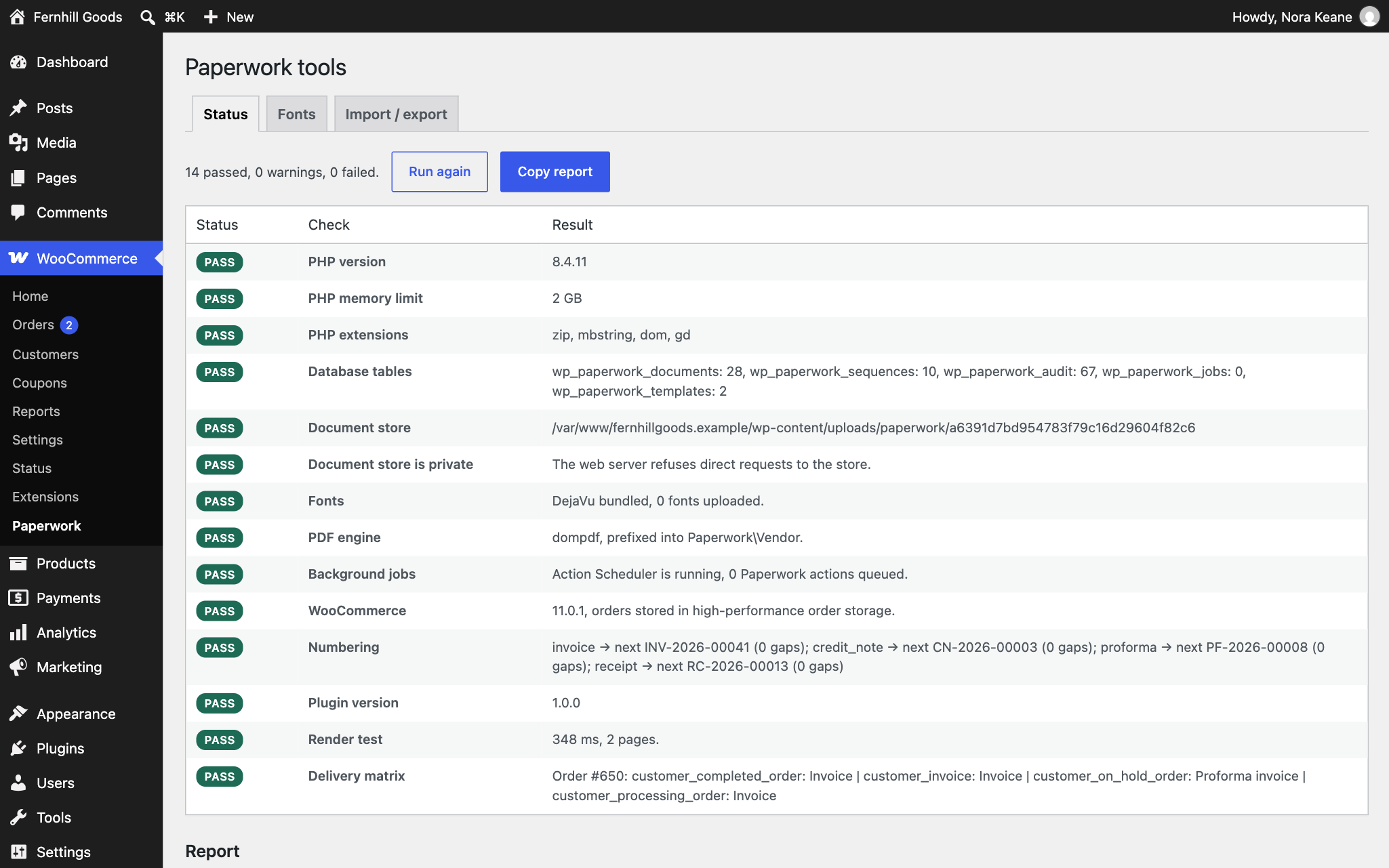
Installation
- Install and activate WooCommerce 8.0 or newer. Paperwork declares WooCommerce as a required plugin and will not run without it.
- Upload the plugin through Plugins Add New Upload Plugin, or install it from the plugin directory, then activate it.
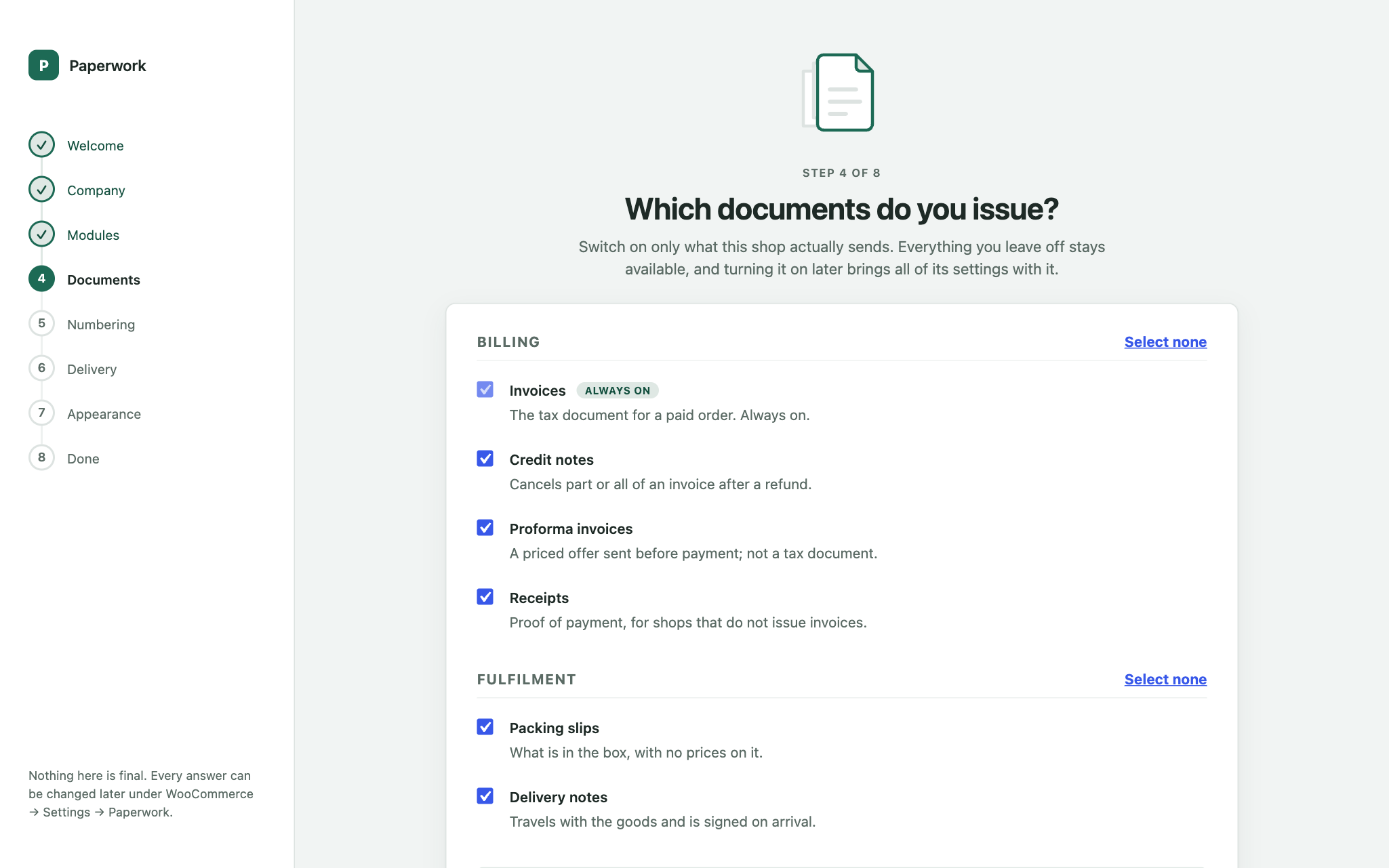
- The setup wizard opens on activation. Seven short steps: your company details, which documents you want, how they are numbered, how they look, and when they are sent. Skip it and the defaults issue an invoice on a paid order.
- Settings afterwards live under WooCommerce Settings Paperwork.
Requires PHP 8.1 or newer. No external service, account or API key is needed for anything described under “What it does”.
FAQ
-
Does it work with High-Performance Order Storage?
-
Yes. Paperwork declares HPOS compatibility and reads orders through the WooCommerce order API, never
through post meta, so it behaves the same with the legacy tables or with HPOS. -
Will my invoice numbers have gaps?
-
Not from Paperwork’s side. Numbers are allocated atomically, so concurrent orders cannot collide or
skip, and a voided document keeps its number, so voiding leaves no gap either. A gap can still
appear when a render fails after its number was drawn; the audit trail records that as an orphaned
allocation. The Status page counts the gaps of every sequence, andwp paperwork gapslists each
missing number with the reason from the audit trail, which is the answer an auditor is actually
asking for. -
What happens to my documents if I switch a document type off?
-
Nothing. Switching a type off stops new documents of that type being created. Every document already
issued stays in the archive, stays downloadable from My Account, stays attached to the emails your
customers have already received, and stays in bulk export. Disabling is not deletion. -
Can I edit an invoice after it has been issued?
-
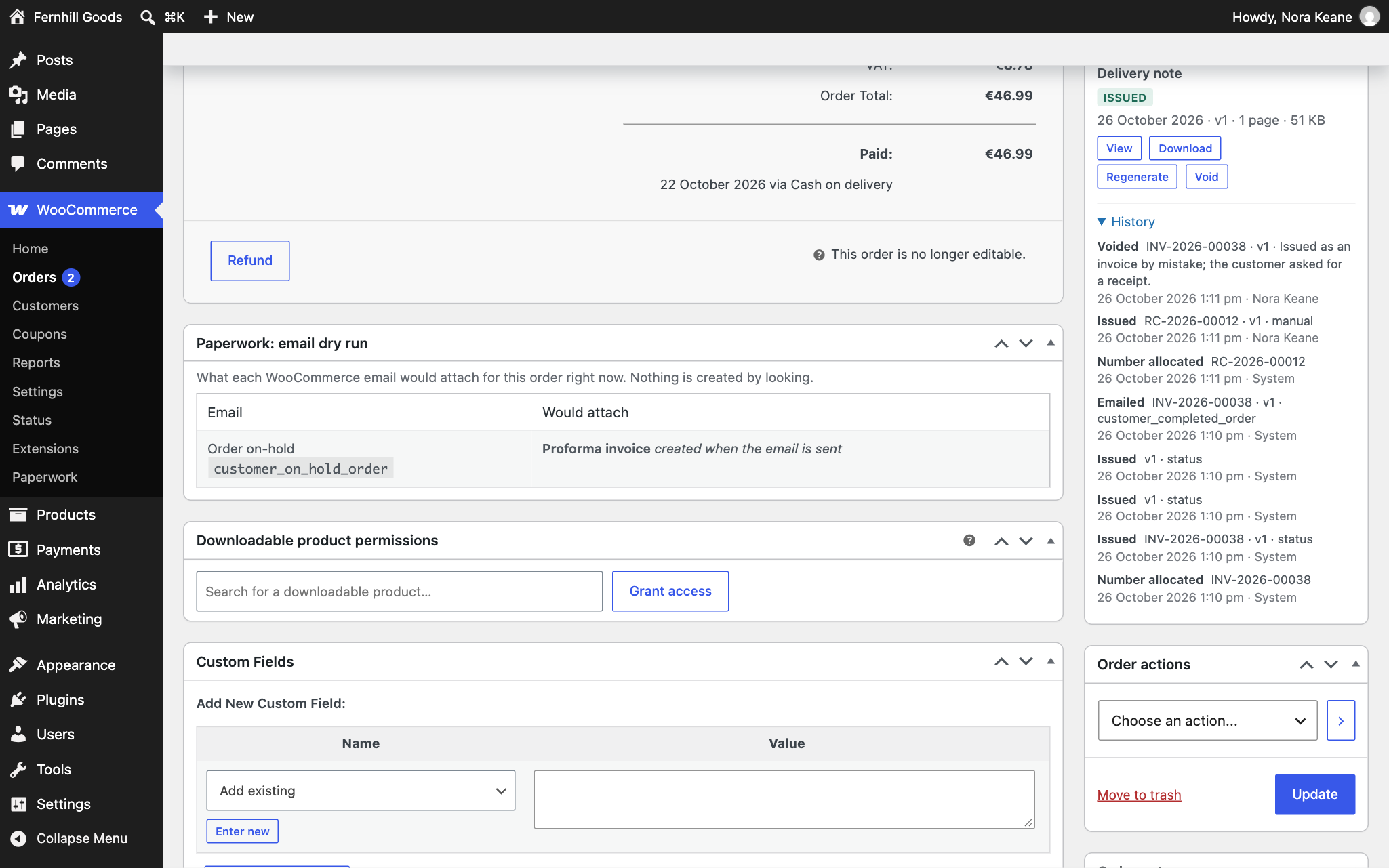
Not in place, deliberately — that is the point of an archive. You can regenerate a document, which
issues a new version and retires the old one while keeping both, and you can void one with a reason.
Both are recorded in the audit trail. -
Do Factur-X and ZUGFeRD produce a single PDF?
-
E-invoicing is part of the premium version. There, Factur-X and ZUGFeRD embed their XML in a
PDF/A-3, which needs an optional second PDF engine the premium version can install on request;
without it, the XML is produced alongside the PDF and a warning is recorded, and an ordinary PDF is
never labelled as Factur-X. -
Can Paperwork send my invoices over Peppol?
-
Peppol delivery is part of the premium version, and requires an account with an access point
provider: Paperwork builds and signs the request and hands it over. It is not a Peppol access point
itself, and it will tell you it is not connected until you have configured one. -
Are my PDFs publicly accessible?
-
No. Documents are stored outside the web root’s reach with directory listing and direct access
blocked, and customer links are signed and time-limited. -
Can I change the templates in my theme?
-
Yes. Copy a template out of the plugin’s
views/frontend/directory into
your-theme/paperwork-for-woocommerce/ and edit it there. Everything a template needs is passed to it
explicitly, so a template never has to query anything. -
Is there WP-CLI support?
-
Yes: generating, regenerating, voiding, listing, exporting, renumbering and a gap report, plus
wp paperwork doctor, which runs every diagnostic check and exits non-zero if one fails.
Reviews
There are no reviews for this plugin.
Contributors & Developers
“Paperwork – Invoices & Documents for WooCommerce” is open source software. The following people have contributed to this plugin.
Contributors
Translate “Paperwork – Invoices & Documents for WooCommerce” into your language.
Interested in development?
Browse the code, check out the SVN repository, or subscribe to the development log by RSS.
Changelog
1.0.0 – 2026-09-16
- Initial release.
- New: Settings tab under WooCommerce Settings.