Description
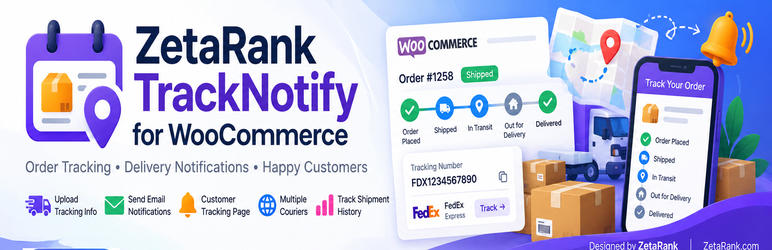
ZetaRank TrackNotify helps WooCommerce stores add clear shipment information without forcing an order to Completed. Store the courier, optional delivery service, tracking number or full tracking URL, then send a dedicated tracking email and show the shipment in the customer’s order details.
Free features:
* Provider-aware tracking number or full HTTPS tracking URL.
* Multiple packages per WooCommerce order.
* Optional service name and shipment date.
* Dedicated WooCommerce HTML/plain-text shipment email.
* Save only, Save & Notify, corrections and explicit resend.
* Customer shipment cards inside order details.
* Private expiring tracking access links and Track Order page.
* Provider directory with approved tracking domains and templates.
* Notification history and duplicate protection for TrackNotify emails.
* HPOS-compatible WooCommerce order APIs.
* Privacy export/erasure integration and configurable uninstall retention.
TrackNotify Free does not contact ZetaRank or any third-party API. It does not include telemetry. Customer-facing tracking links open the courier/provider site selected by the store administrator.
TrackNotify Pro is a separate commercial upgrade that adds automatic ShipStation import, WooCommerce Fulfillments and metadata bridges, Omnisend, EasyPost live tracking, optional Twilio SMS/WhatsApp, CSV tools, authenticated REST API, and licensed automatic updates.
Installation
- Back up the store and test on staging first.
- Upload the plugin ZIP from Plugins > Add New > Upload Plugin.
- Activate with WooCommerce 9.0+ and PHP 8.1+.
- Open WooCommerce > TrackNotify > Settings.
- Choose the default courier and brand name.
- Open an order and use the TrackNotify panel to add a package.
- Use Save & Notify to send the dedicated tracking email.
FAQ
-
Is a tracking number required?
-
No. A provider name plus a valid public HTTPS tracking URL is enough.
-
Does adding tracking change the order status?
-
No. TrackNotify does not mark an order Completed simply because tracking was added.
-
Can an order have more than one package?
-
Yes. Multiple package records are supported.
-
Does the Free plugin send data to ZetaRank?
-
No. The Free edition has no ZetaRank licensing call, telemetry, advertising call, or third-party messaging API.
-
What shortcode creates the Track Order request page?
-
Use
[zetatrsh_tracknotify]. The legacy[zetarank_tracking]alias is also retained for compatibility.
Reviews
There are no reviews for this plugin.
Contributors & Developers
“ZetaRank TrackNotify for WooCommerce” is open source software. The following people have contributed to this plugin.
Contributors
Translate “ZetaRank TrackNotify for WooCommerce” into your language.
Interested in development?
Browse the code, check out the SVN repository, or subscribe to the development log by RSS.
Changelog
1.2.2
- Updated the plugin name and WordPress.org slug to ZetaRank TrackNotify for WooCommerce / zetarank-tracknotify-woocommerce.
1.2.1
- Renamed all internal identifiers (options, transients, meta keys, cron hooks, nonces, constants, script/style handles, shortcode) from the 3-character
zst_prefix to the WordPress.org-compliant 4+ characterzetatrsh_prefix. - Replaced the hand-written
<link>tag on the tracking portal page withwp_enqueue_style()/wp_print_styles().
1.1.0
- Rebranded as ZetaRank TrackNotify.
- Added a shared, upgrade-safe Free/Pro data model.
- Added [tracknotify] shortcode alias.
- Kept provider-aware manual shipment tracking, dedicated WooCommerce email and customer tracking pages in Free.
1.0.1
- Shipment tracking engine and customer notification reliability improvements.