

Description
Beacon Events is an events calendar that does the basics properly and doesn’t charge you for them.
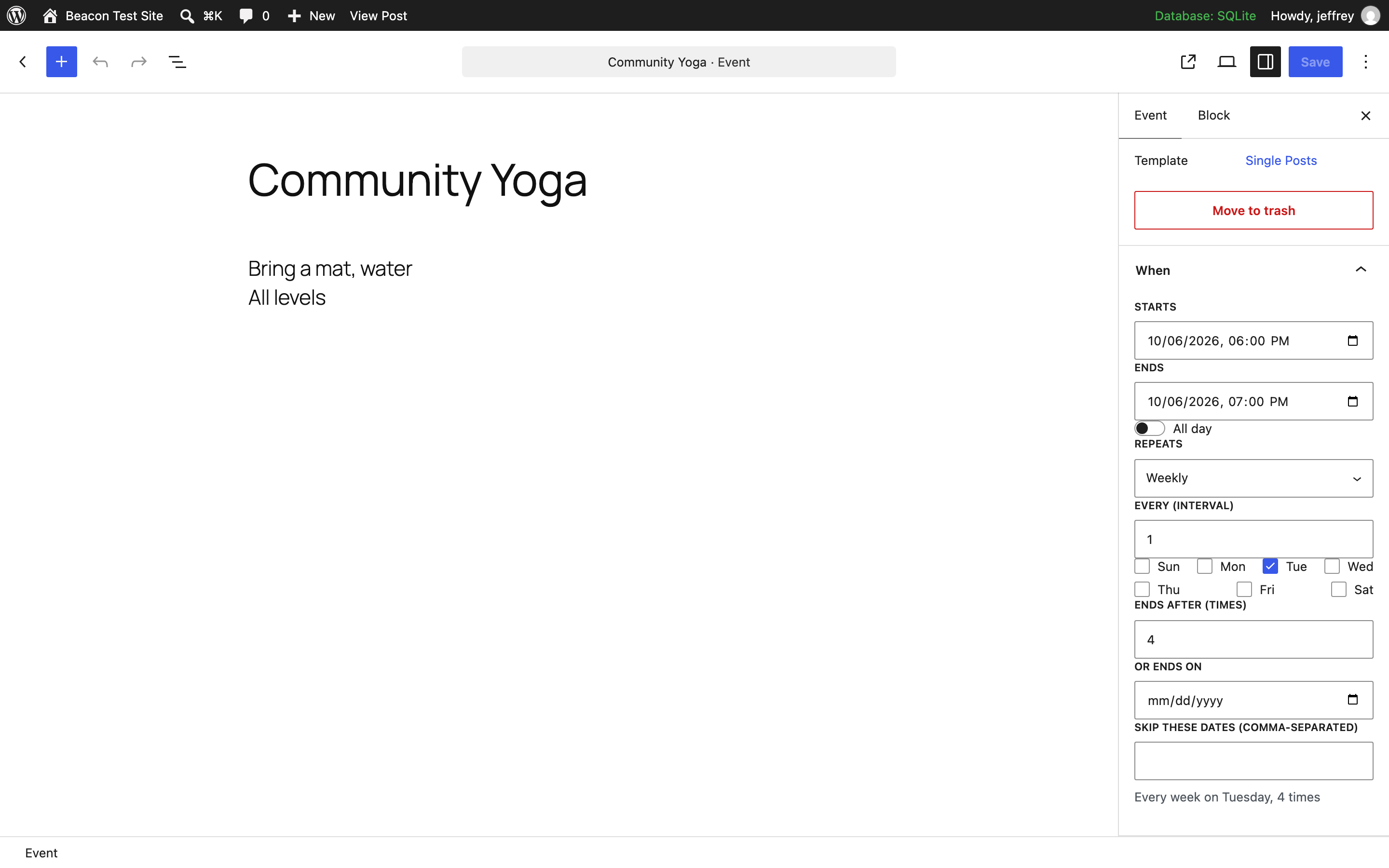
- Recurring events are free. Daily, weekly, monthly (“second Tuesday”, “last Friday”), yearly — with an end date or a count, and dates you can skip.
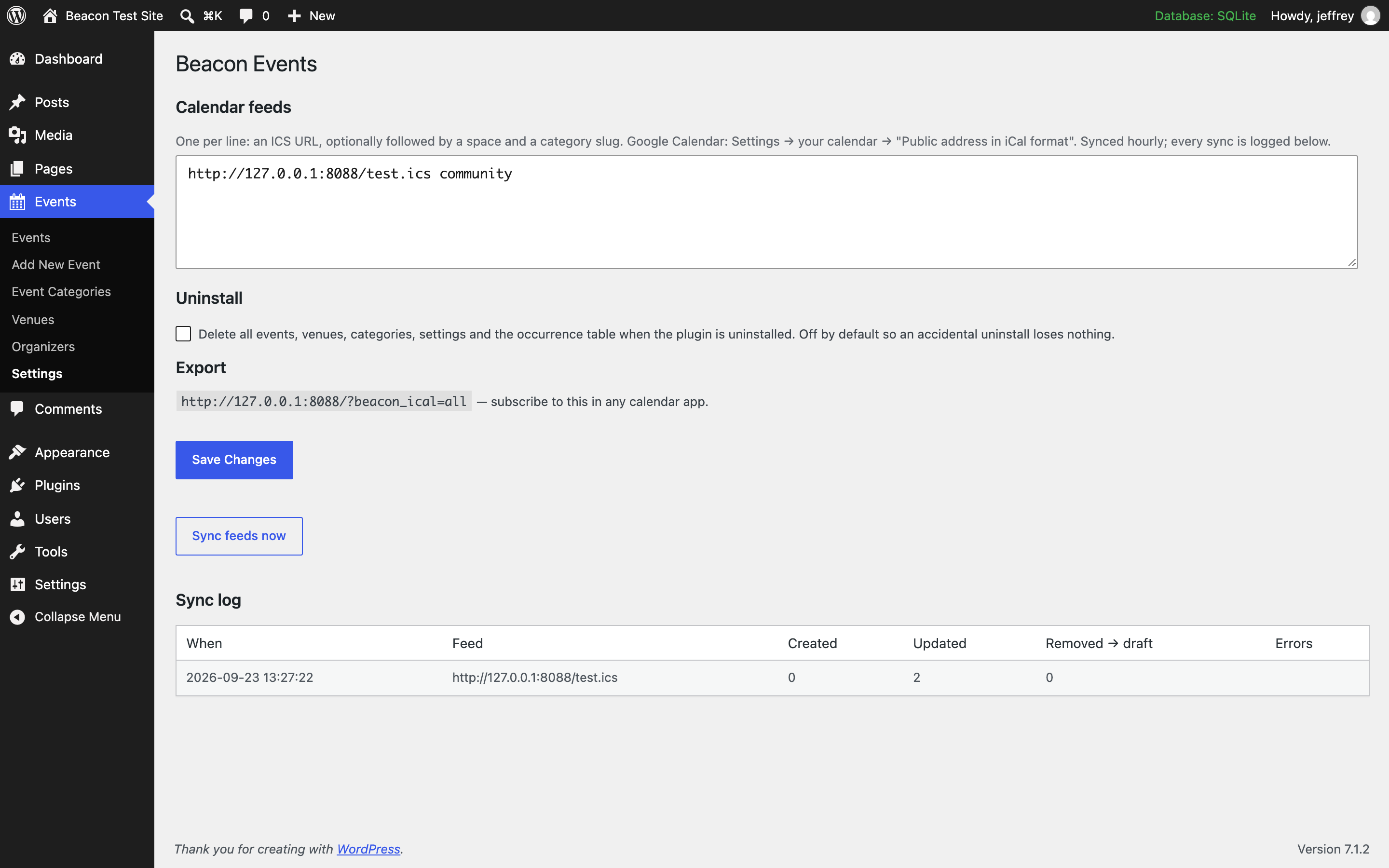
- Import from Google Calendar or any ICS feed, and stay in sync. Feeds are checked hourly. Every sync is logged — created, updated, removed — so nothing drifts silently. Events that disappear from a feed are set to draft, never deleted behind your back.
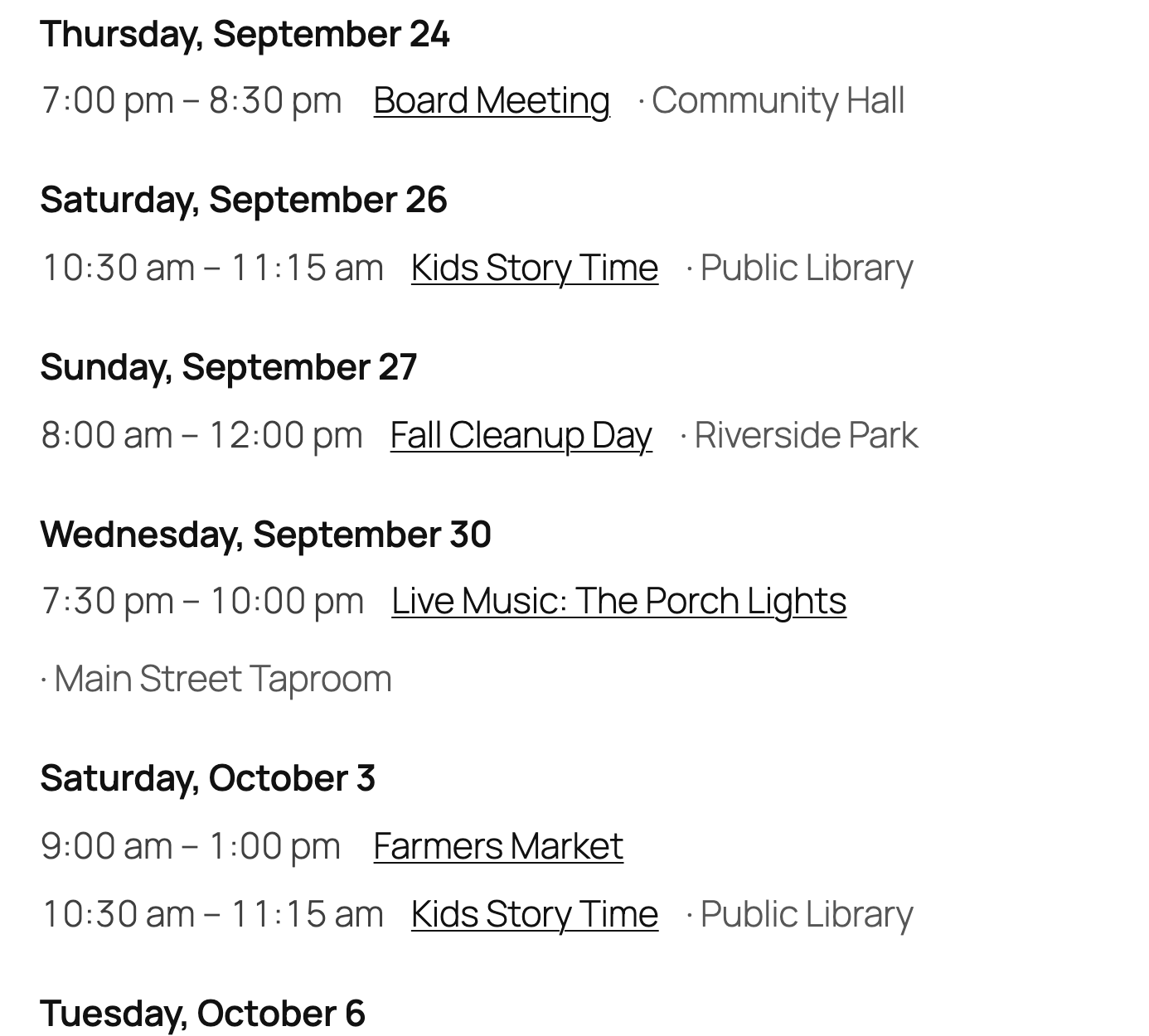
- Views that look like your site. List and month views as blocks or shortcodes. Our stylesheet does layout only — colours and fonts come from your theme, and every element has a class you can target.
- No bloat. Styles load only on pages that show events. No add-on store, no upsell screens, no nag notices.
- Venues with addresses. Each venue has a street address, shown on the event with a map link — no API key, no embedded map slowing the page down.
- Export. Every event has “Add to calendar (.ics)” and “Add to Google Calendar” links, and your whole calendar has a subscribable feed.
- Uninstalls clean. Turn on “delete all data on uninstall” and the plugin removes everything it created — events, venues, categories, settings, its table.
External services
Beacon Events does not phone home, track anything, or load scripts from third parties. Two things touch the outside world, both under your control:
- Calendar feeds you add. If you enter an ICS URL under Events Settings (for example your Google Calendar’s public iCal address), the plugin fetches that URL from your server once an hour to keep events in sync. Nothing is fetched unless you add a feed.
- Plain links. The “Map” and “Add to Google Calendar” links on an event are ordinary hyperlinks to google.com/maps and calendar.google.com. They open in the visitor’s browser; the plugin sends nothing itself. Google’s terms: https://policies.google.com/terms
Data the plugin stores
One database table, {prefix}beacon_occurrences, holding the expanded dates of each event. It is removed on uninstall only if you turn on “delete all data on uninstall” under Events Settings.
Shortcode
[beacon_events view="list" days="60" limit="20" category="workshops"] — `category` takes one slug or several, comma-separated (`category="workshops,talks"` shows events in either).
[beacon_events view="month"]
Block
Add the Events block and choose list or month in the sidebar.
Tickets and RSVP
Free covers the calendar. If you need people to sign up or pay — RSVP with capacity, Stripe tickets, attendee export, visitor-submitted events — there is a paid add-on, Beacon Events Pro. Nothing in the free plugin is time-limited, crippled or nagged.
Screenshots

Blocks
This plugin provides 1 block.
- Events
FAQ
Are recurring events really free?
Yes. That’s the point.
How do I connect Google Calendar?
In Google Calendar, open the calendar’s settings and copy the “Public address in iCal format”. Paste it under Events Settings Calendar feeds. It syncs hourly, and you can press “Sync feeds now” any time.
What happens if an event is removed from my Google Calendar?
It’s set to draft on your site and the removal is written to the sync log. You decide whether to delete it.
Will it change how my site looks?
No. The stylesheet only does layout. Colours, fonts and spacing inherit from your theme.
What’s in the paid version?
Tickets and RSVPs with card payments, attendee export, and priority support. Nothing in the free version moves behind a paywall.
Reviews
There are no reviews for this plugin.
Contributors & Developers
“Beacon Events – Events Calendar with Recurring Events & Google Calendar Sync” is open source software. The following people have contributed to this plugin.
Contributors
Interested in development?
Browse the code, check out the SVN repository, or subscribe to the development log by RSS.
Changelog
0.2.3
- The
categoryattribute (block and shortcode) accepts several slugs separated by commas; an event in any of them is shown.
0.2.2
- A small review link in the footer of Beacon’s own admin screens. Still no admin notices anywhere.
0.2.1
- Event and archive URLs now work immediately after activation, instead of 404ing until permalinks were re-saved.
- Admin styles are enqueued properly and load only on the event editor.
- Calendar export hardened: carriage returns and control characters in a site name or venue can no longer break the .ics file.
0.2.0
- Events archive and single-event pages now use proper event templates on block themes (no more “Written by” on an event).
- Venues have a street address, shown with a map link and sent to calendar apps.
- “Add to Google Calendar” link alongside the .ics download.
- The “When” panel opens by default in the editor and fills in an end time for you.
- One “Tickets & RSVP” page describing the optional paid add-on. No banners anywhere else.
0.1.0
- First release: events, venues, organizers, categories; recurring rules; list and month views as blocks and shortcodes; ICS and Google Calendar import with hourly sync and a log; iCal export; clean uninstall.