

Description
Handing a finished website to a client usually means writing the same “how to edit your site” instructions again and again, or answering the same support emails for months.
This plugin scans the site and writes a manual about that specific site:
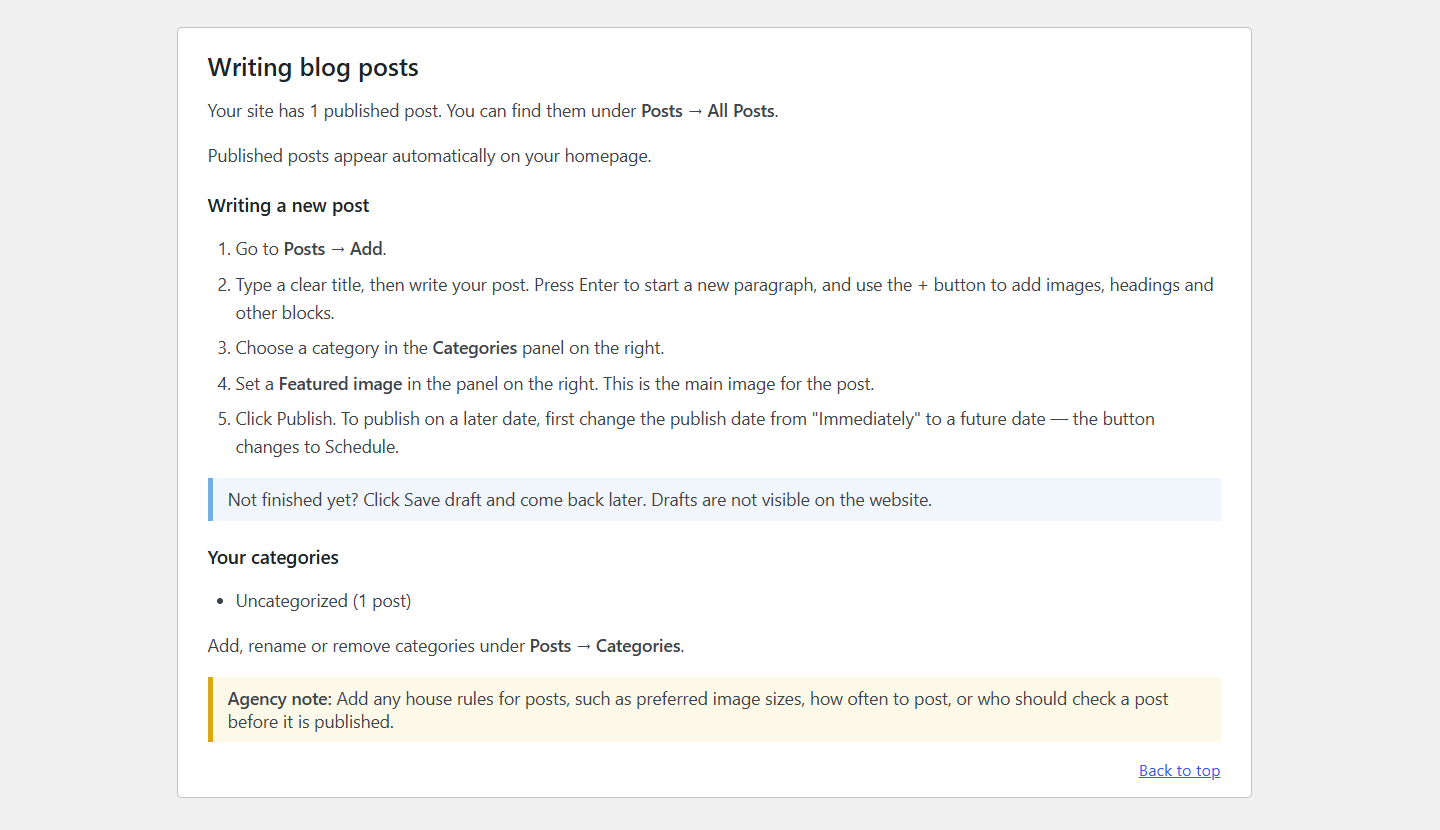
- Your real pages, with links that open each one in the right editor
- Custom post types, such as “Team Members”, with their own step-by-step section that lists the site’s real fields (ACF), categories and examples
- The page builder each page uses (Elementor, Beaver Builder, Divi, WPBakery, Bricks) and how to edit with it
- WooCommerce: adding products, handling orders, refunds, and the site’s enabled payment methods and shipping zones
- Forms (Contact Form 7, WPForms, Gravity Forms, Ninja Forms, Fluent Forms, Formidable): which forms exist, who receives them, and whether submissions are saved
- Menus and the theme locations they appear in, block-theme navigation, widget areas, and ACF options pages
- SEO and caching plugins, including what to do when a change doesn’t show up
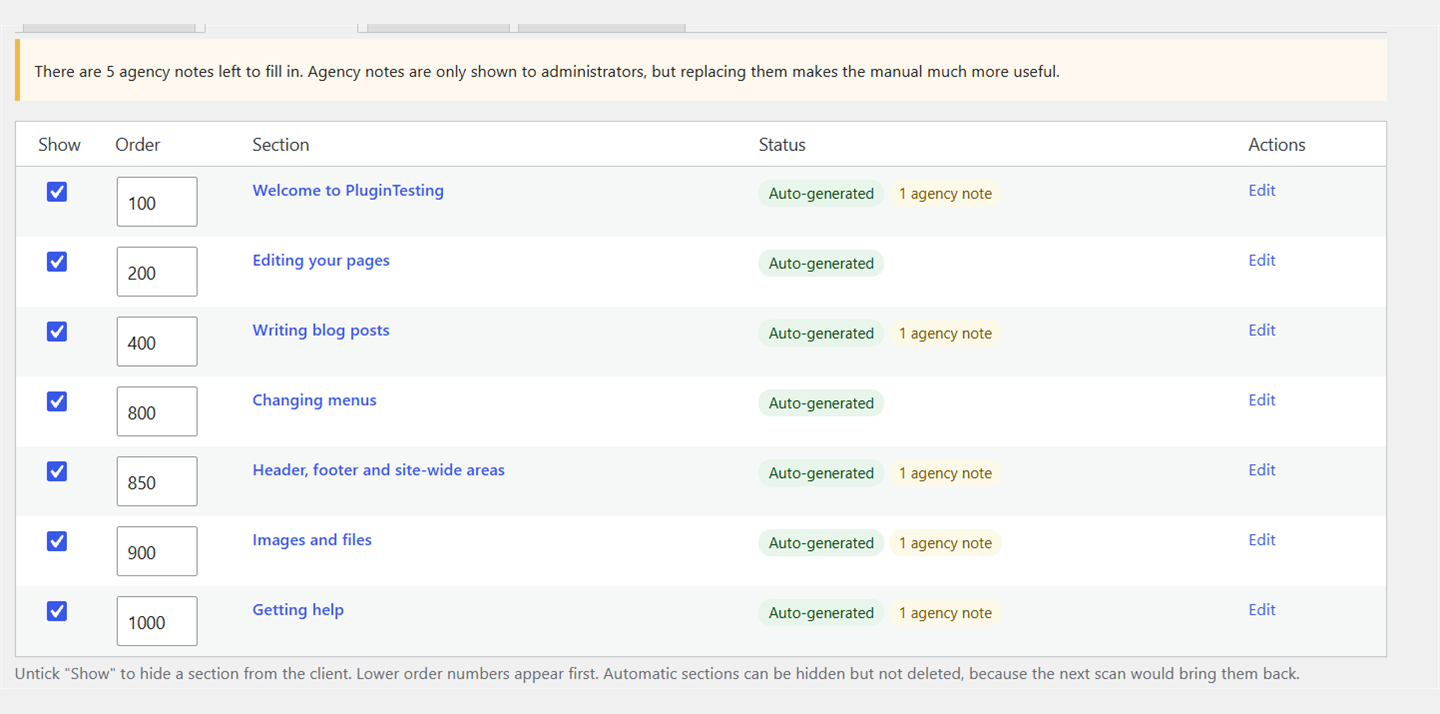
Sections are only created for things the scan actually finds. Anything a scan can’t know (for example, where a custom post type appears on the site) is added as a yellow agency note. Administrators see these notes, and clients who aren’t administrators don’t.
How it works
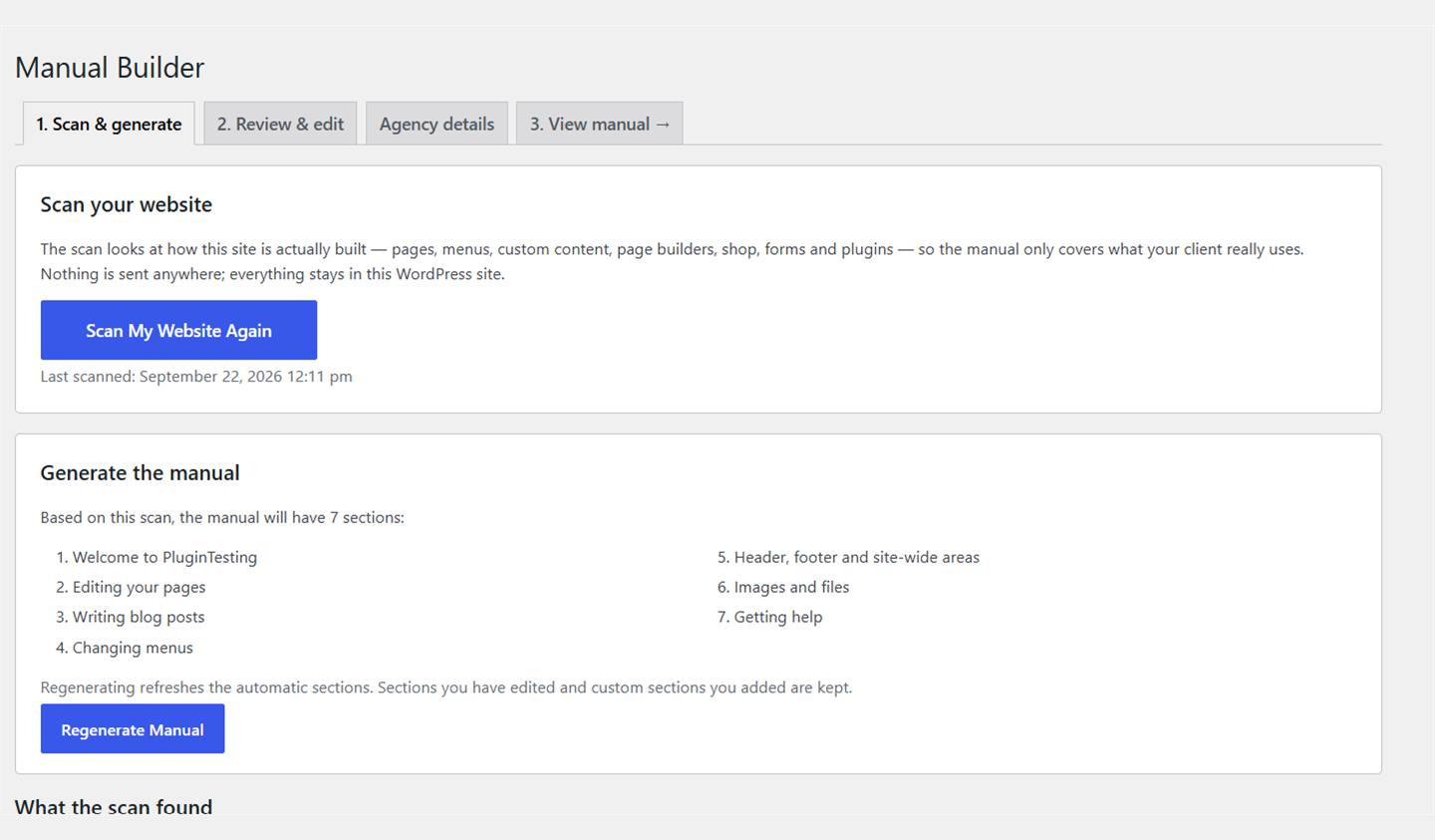
- Go to Website Manual Manual Builder and click Scan My Website.
- Review what was found and click Generate Manual.
- Edit any section, hide sections, reorder them, or add your own.
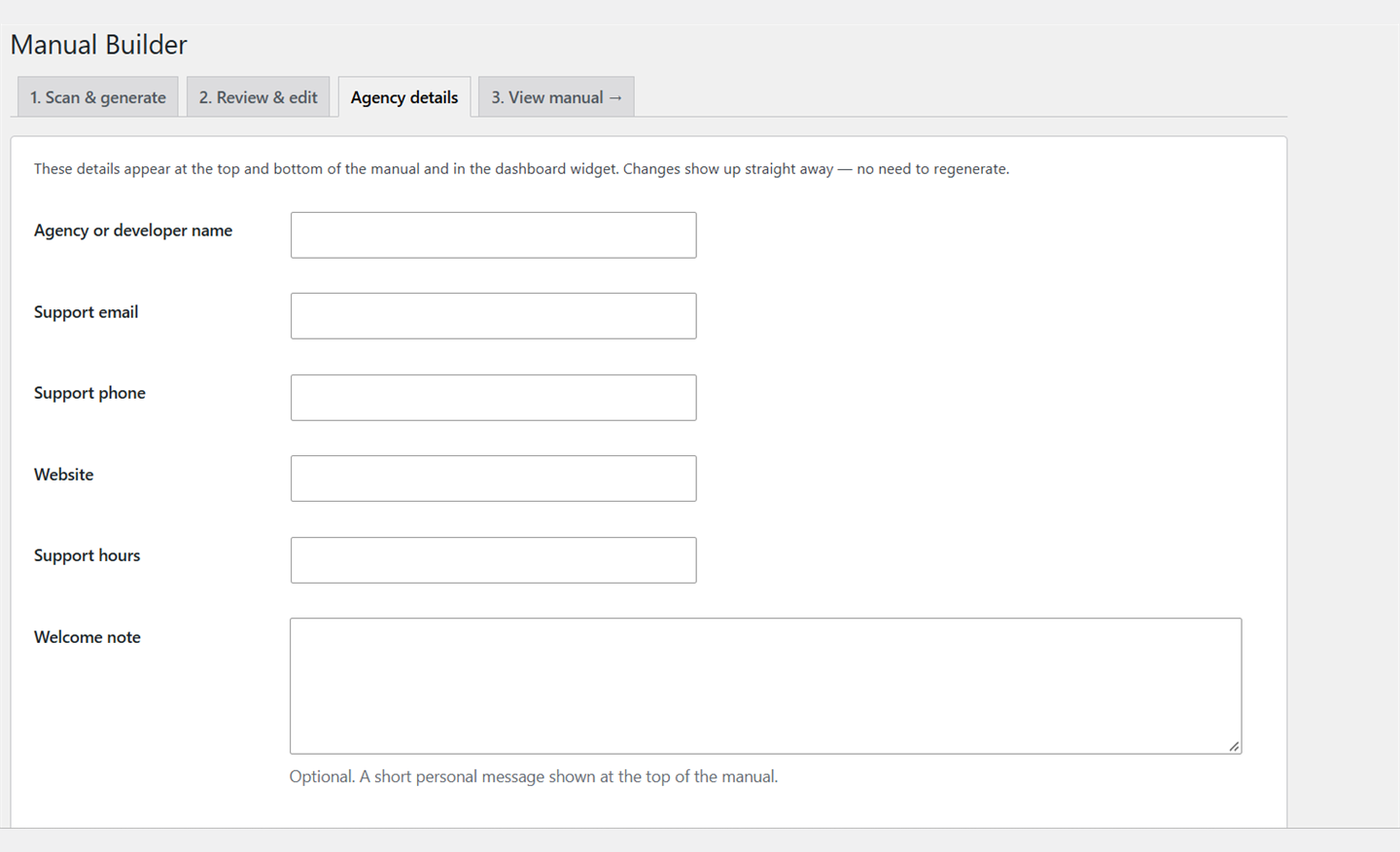
- Add your agency’s contact details.
- Your client opens Website Manual in their dashboard. They can search it and print it or save it as a PDF.
Everything stays inside WordPress. There’s no external service, no API key and no account.
Screenshots
FAQ
Who can see the manual?
Anyone who can edit posts (Editors, Authors, Administrators, Shop Managers) can read it. Only administrators can scan, generate and edit it.
Will re-scanning overwrite my edits?
No. Regenerating refreshes only the automatic sections you haven’t edited. Edited sections and custom sections are kept. You can reset an edited section to the generated version at any time.
My client is an Administrator — will they see the agency notes?
Yes. Agency notes are hidden from everyone except administrators, so replace or delete them before handing the site over.
Reviews
There are no reviews for this plugin.
Contributors & Developers
“GetIced Site Manual” is open source software. The following people have contributed to this plugin.
Contributors
Translate “GetIced Site Manual” into your language.
Interested in development?
Browse the code, check out the SVN repository, or subscribe to the development log by RSS.
Changelog
0.1.0
- First version: scan, generate, edit and view the manual.