
Description
Masonique Grid turns your posts and pages into cards carrying a title, thumbnail and short summary, then lays them out in columns of uneven height, the way a dry stone wall is built.
Newer entries sit above older ones, so the list still reads top to bottom even though the columns never line up.
What it does
- Masonry layout that keeps its order. The newest entries stay at the top, and the columns finish at close to the same height.
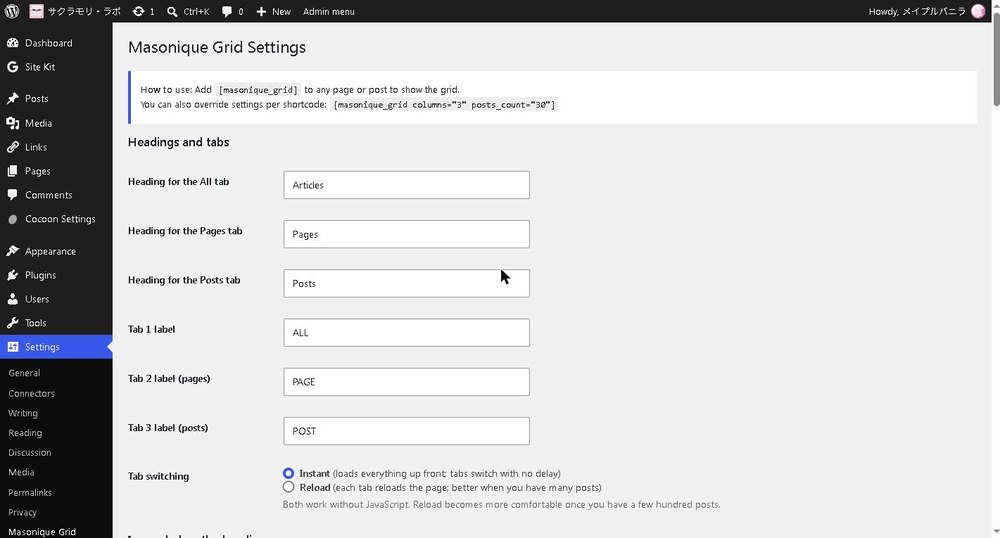
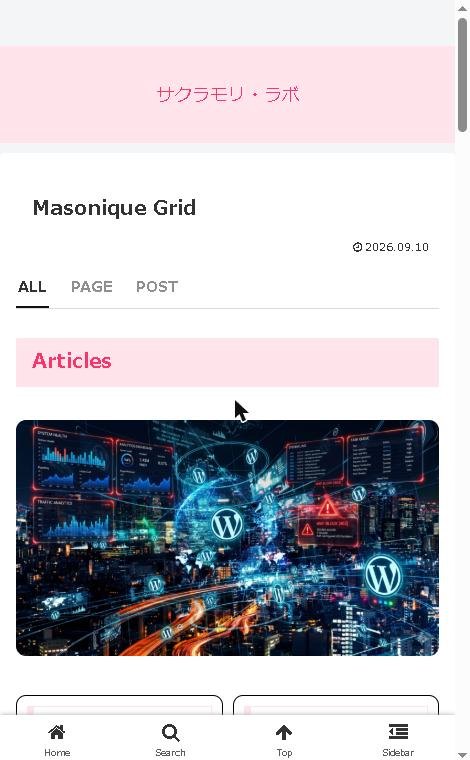
- Tabs for filtering. Switch between everything, pages only, or posts only. Tabs can switch instantly or reload the page, whichever suits the size of your site.
- NEW and UPDATE badges. Recently published and recently edited entries are marked automatically. You choose the window, the wording and the colours.
- Summaries that need no work. Each card takes its text from a dedicated field, the standard excerpt, or the opening of the post, in that order. The grid looks complete from the moment you switch it on.
- Works with any theme. Nothing in your theme is modified, and switching the plugin off leaves no trace.
- Readable without JavaScript. The order and the styling come from the server. JavaScript only fine-tunes the column heights once the browser knows how tall everything really is.
Showing the grid
Add the shortcode to any page or post:
[masonique_grid]
Settings can be overridden per shortcode:
[masonique_grid columns="3" posts_count="12"]
Pro version
The Pro version adds:
- Custom heading and tab text, which search engines can read
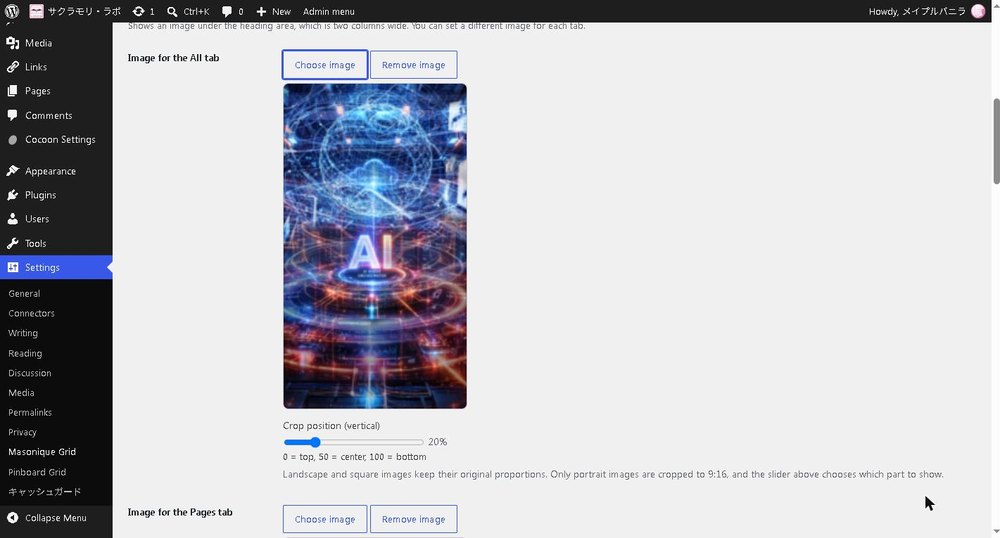
- An image below the heading, two columns wide, with a slider for cropping portrait images
- A Load more button that adds another batch without disturbing what is already on screen
- Replacing your blog listing and archives with the grid, without touching theme files
Screenshots

Installation
- Go to Plugins, then Add New, then Upload Plugin.
- Choose the ZIP file and install it.
- Activate the plugin.
- Open Settings, then Masonique Grid, to adjust the layout.
Installing over FTP works too: upload the masonique-grid folder to /wp-content/plugins/.
FAQ
-
Does it work with my theme?
-
Yes. The grid brings its own styling and never edits theme files. Turning the plugin off restores everything exactly as it was.
-
Do I have to write a summary for every post?
-
No. When no summary has been written, the standard excerpt is used, and failing that the opening of the post itself. You can fill in summaries gradually, starting with the posts that matter most.
-
What happens without JavaScript?
-
The grid still displays, in the correct order, with all of its styling. Only the fine adjustment of column heights is skipped.
-
Can I put the grid on my blog listing page?
-
Yes, with the Pro version. Archive replacement covers the blog home on its own, or categories, tags and date archives as well.
-
Which languages are included?
-
English and Japanese. The plugin follows your site’s language setting.
Reviews
There are no reviews for this plugin.
Contributors & Developers
“Masonique Grid” is open source software. The following people have contributed to this plugin.
Contributors

Translate “Masonique Grid” into your language.
Interested in development?
Browse the code, check out the SVN repository, or subscribe to the development log by RSS.
Changelog
1.1.2
- 48 and 60 are now available as post counts.
- Shortcode attributes are checked against the supported list, and the post count is capped at 60 so a very large number cannot slow the page down.
- The post editor script is now loaded with wp_enqueue_script().
1.1.1
- The Plugin URI now points to the plugin’s own page.
1.1.0
- The free version now contains only the features it offers. Pro features are delivered in the Pro version, so the free settings screen no longer lists items it cannot use.
- Tidied up the settings screen.
1.0.2
- Reworked output handling so every value is escaped at the point it is printed.
- Moved inline styles into the stylesheet.
1.0.1
- Confirmed compatibility with the current WordPress release.
1.0.0
- First release.