
Description
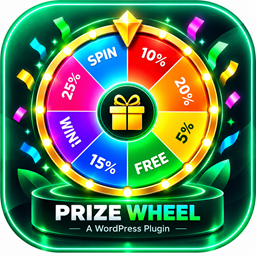
EgyDevInfo Prize Wheel adds a fixed left-side tab to your site that opens a full-height spin wheel panel. Visitors enter their email, spin the wheel, and receive a discount coupon — helping you grow your email list while rewarding customers.
Key features:
- Weighted spin wheel with up to 5 configurable prize slices (automatically duplicated for a fuller wheel)
- Optional “Sorry” slices to control win rate
- Auto-generates unique, single-use WooCommerce percentage coupons for each winner (requires WooCommerce)
- Email uniqueness check — each visitor can only play once per configurable period
- Leads table in the admin with email, result, coupon code, IP, and date
- CSV export of all leads
- Customizable title, subtitle, consent text, button labels, and privacy link
- Single primary color picker that styles the wheel, tab, buttons, and pointer
- Fully responsive — polished mobile layout with sticky coupon display
- ARIA labels and keyboard accessible
WooCommerce is optional. The wheel and email capture work without it; coupon auto-generation requires an active WooCommerce installation.
Screenshots


Installation
- Upload the
egydevinfo-prize-wheelfolder to your/wp-content/plugins/directory, or install via Plugins > Add New. - Activate the plugin through the Plugins menu in WordPress.
- Go to Prize Wheel in your admin sidebar to configure prizes, colors, and labels.
- If you want auto-generated coupons, make sure WooCommerce is active and enable Auto-generate Coupons in the settings.
FAQ
-
Does this plugin require WooCommerce?
-
No. The spin wheel and email capture work on any WordPress site. Automatic coupon generation requires WooCommerce.
-
Where do I see who has played?
-
Go to Prize Wheel > Leads in your WordPress admin. You can also download all entries as a CSV file.
-
How do I control how often a visitor can play?
-
Set Open once (days) in the settings. A visitor who has already played will not see the auto-open popup again for that many days, and attempting to spin again returns an error.
-
Can I change the wheel colors?
-
Yes. The Wheel Primary Color setting controls the primary color used for the wheel slices, the side tab, the buttons, and the arrow pointer.
-
How are the “Sorry” slices used?
-
“Sorry” slices are non-winning segments mixed into the wheel. Increase the count to reduce the overall win rate.
Reviews
There are no reviews for this plugin.
Contributors & Developers
“EgyDevInfo Prize Wheel” is open source software. The following people have contributed to this plugin.
Contributors
Translate “EgyDevInfo Prize Wheel” into your language.
Interested in development?
Browse the code, check out the SVN repository, or subscribe to the development log by RSS.
Changelog
1.4.0
- Initial public release.