
Description
Reordering an existing table should not mean rebuilding it. Yamabiko Table Reorder adds row and column reordering directly to supported Table blocks in the WordPress block editor.
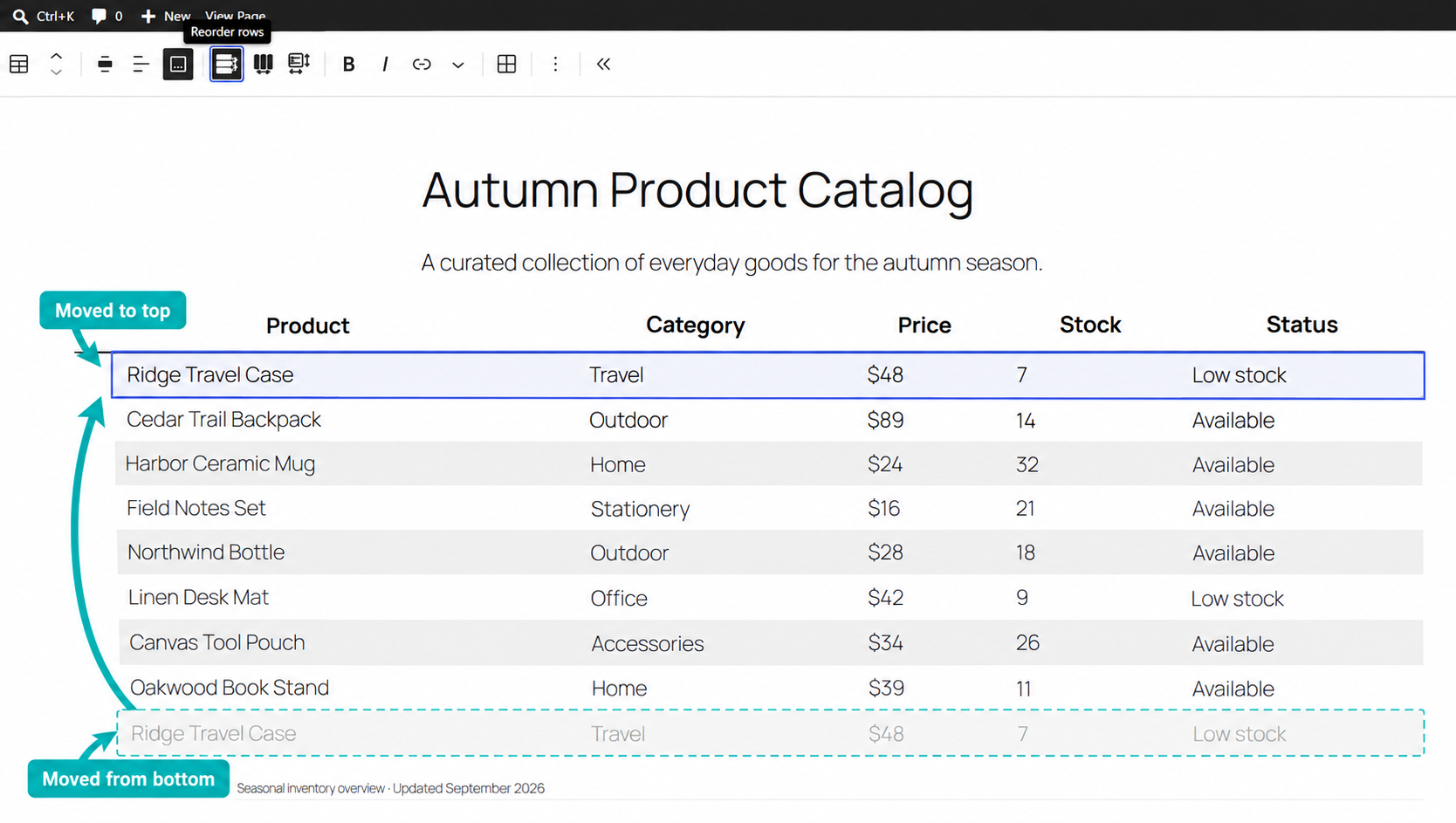
Row Reordering
Choose Reorder rows from the Table toolbar, then drag body rows with Mouse or Touch. Valid moves change the row order while preserving the supported Table structure.
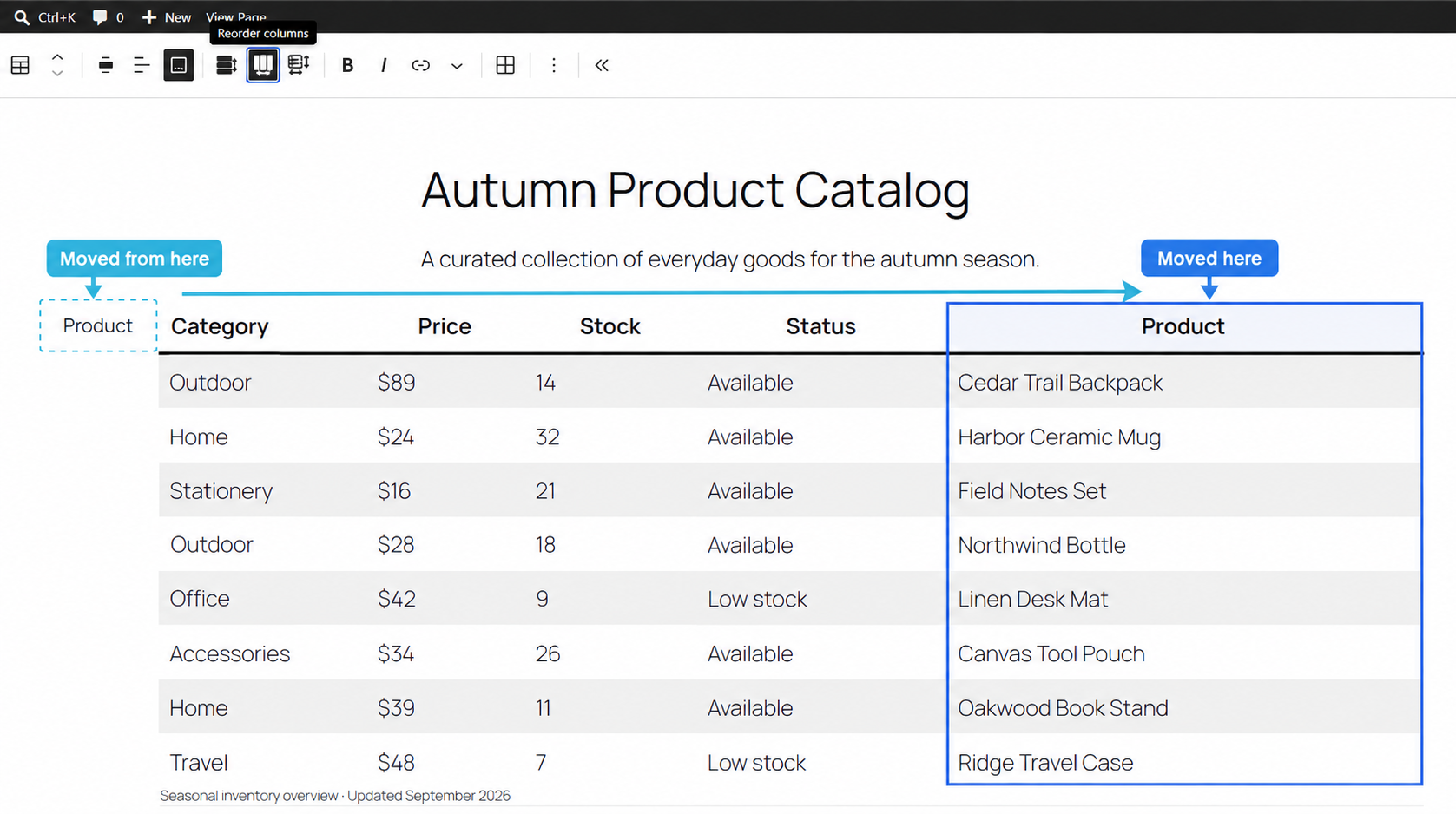
Column Reordering
Choose Reorder columns from the Table toolbar, then drag Table columns with Mouse or Touch.
When the current editor layout does not provide reliable horizontal column positions, column drag-and-drop stays unavailable and Reorder with form remains available instead.
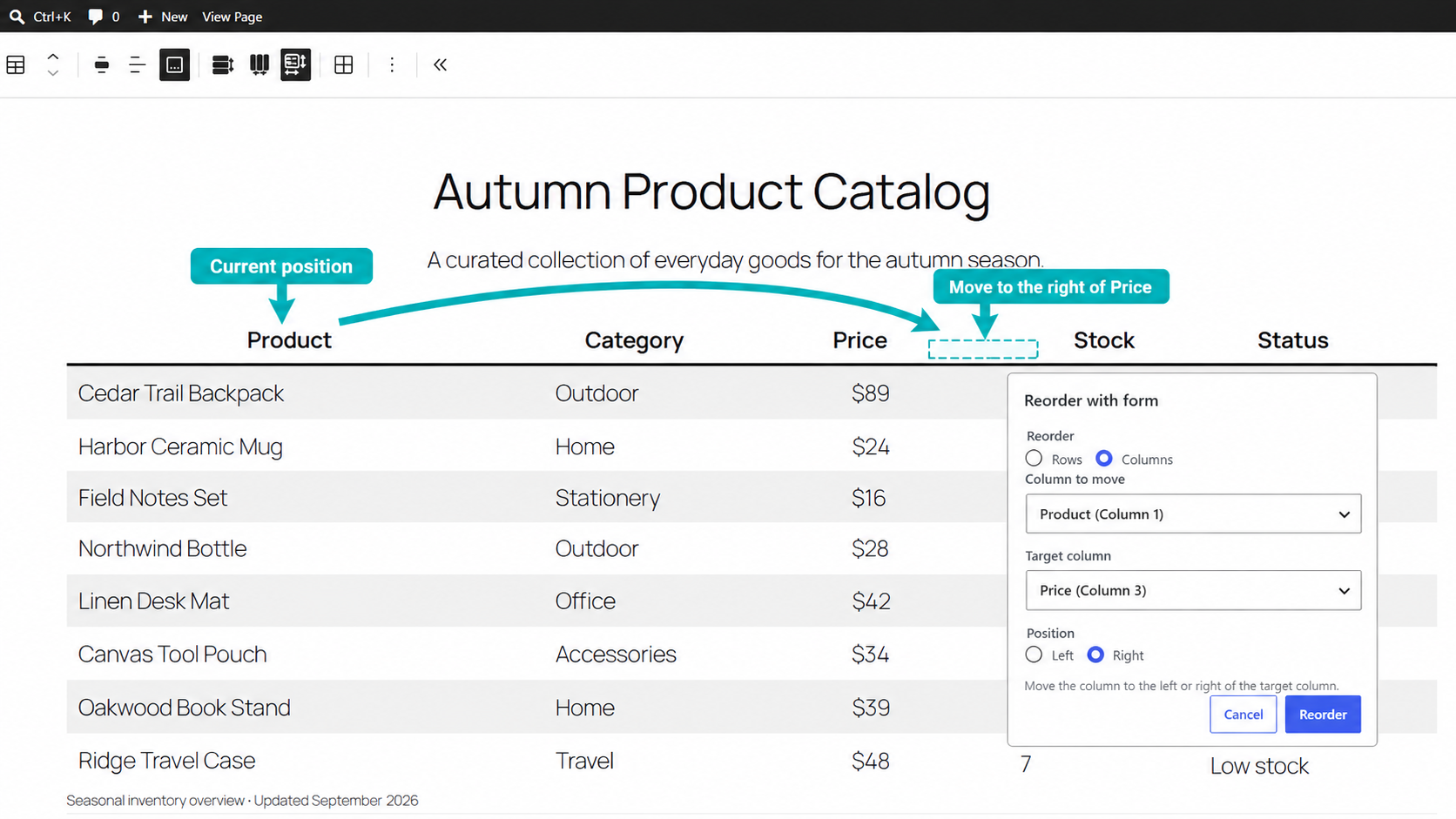
Reorder Without Drag-and-Drop
Choose Reorder with form from the Table toolbar to move a row or column by selecting the source, destination, and destination side.
Supported Table Blocks
Yamabiko Table Reorder supports the WordPress Core Table block and Flexible Table Block.
Built for Real Tables
Merged cells are taken into account, and moves that would break the supported Table structure are rejected. For larger changes that may take noticeable time to apply, the plugin asks for confirmation before updating the Table.
Demo
Try Yamabiko Table Reorder in WordPress Playground:
The demo uses the latest stable release.
Source Code
Source code and development documentation are available on GitHub.
To install dependencies and build a release ZIP from source:
npm ci
npm run plugin-zip
The generated archive is yamabiko-table-reorder.zip.
Screenshots
Installation
- In WordPress, go to Plugins > Add Plugin.
- Search for
Yamabiko Table Reorder. - Select Install Now.
- Activate Yamabiko Table Reorder.
For manual installation, upload a released yamabiko-table-reorder.zip from GitHub Releases using Plugins > Add Plugin > Upload Plugin.
FAQ
-
Which Table blocks are supported?
-
Yamabiko Table Reorder supports the WordPress Core Table block and Flexible Table Block.
-
Can I reorder a Table that contains merged cells?
-
Yes, when the requested move preserves the supported Table structure. Moves that would break merged-cell constraints are rejected and the Table is left unchanged.
-
Does it support Touch?
-
Yes. Row and Column Reorder support drag-and-drop with both Mouse and Touch.
-
Can I reorder without drag-and-drop?
-
Yes. Reorder with form lets you choose the source, destination, and destination side without dragging.
-
How does it behave with larger Tables?
-
For reorders that affect enough cells to take noticeable time, Yamabiko Table Reorder asks for confirmation before applying the change. Only the target Table enters a temporary applying state, and editing resumes when the update is complete.
Reviews
There are no reviews for this plugin.
Contributors & Developers
“Yamabiko Table Reorder” is open source software. The following people have contributed to this plugin.
Contributors
Translate “Yamabiko Table Reorder” into your language.
Interested in development?
Browse the code, check out the SVN repository, or subscribe to the development log by RSS.
Changelog
1.0.0
- Added: Completed the WordPress.org registration baseline accessibility work for Reorder Form, including keyboard operation, validation semantics, responsive collapsed-state semantics, focus handling, and accessible result announcements.
- Changed: Improved Reorder Form focus behavior across open, cancel, confirmation, applying, and successful completion so keyboard operation resumes at the relevant control or reordered result.
- Changed: Added accessible blocked, no-op, success, and failure announcements for Reorder Form and aligned Row / Column reorder completion feedback with the shared accessibility presentation.
- Fixed: Added the missing Column Reorder safe-termination notice presentation so interrupted or invalid drag endings are reported consistently with Row Reorder.
Earlier release history is available in changelog.txt.