

Description
Want more sales without a bigger ad budget? FlyAffiliate gives every affiliate a referral link and a dashboard, and gives you a commission ledger that knows the difference between money earned, money owed and money paid.
FlyAffiliate is a standalone affiliate-marketing plugin for WordPress that integrates with the platforms you sell on, WooCommerce first, made by weDevs — the team behind Dokan, WP User Frontend and weMail. It runs an affiliate programme the way a store owner actually runs one: someone applies, you approve them, they share a link, orders come in, commissions mature once the order has settled, and you pay people in batches through whatever channel you already use.
Everything happens on your own site. FlyAffiliate sends nothing anywhere unless you choose to share usage data, and stores nothing that identifies a visitor: a visit keeps only a salted hash of the IP address and user agent (see Privacy below).
How it works
- An affiliate joins. Through the registration form on your site (email-only signup with a one-time activation link) or because you added them from the admin. Every affiliate is a WordPress user with the Affiliate role.
- They share their link. Each affiliate gets a referral link; add
?affiliate=IDto any product URL to send visitors straight to it. A visit is recorded and a first-party cookie remembers who sent them. - An order comes in. FlyAffiliate creates one pending commission per order item, at the product’s rate or your default rate, clamped to the maximum you allow.
- The commission follows the order. It becomes unpaid the moment the order is paid; an order that fails, is cancelled or (optionally) refunded rejects it; an order that recovers puts it back.
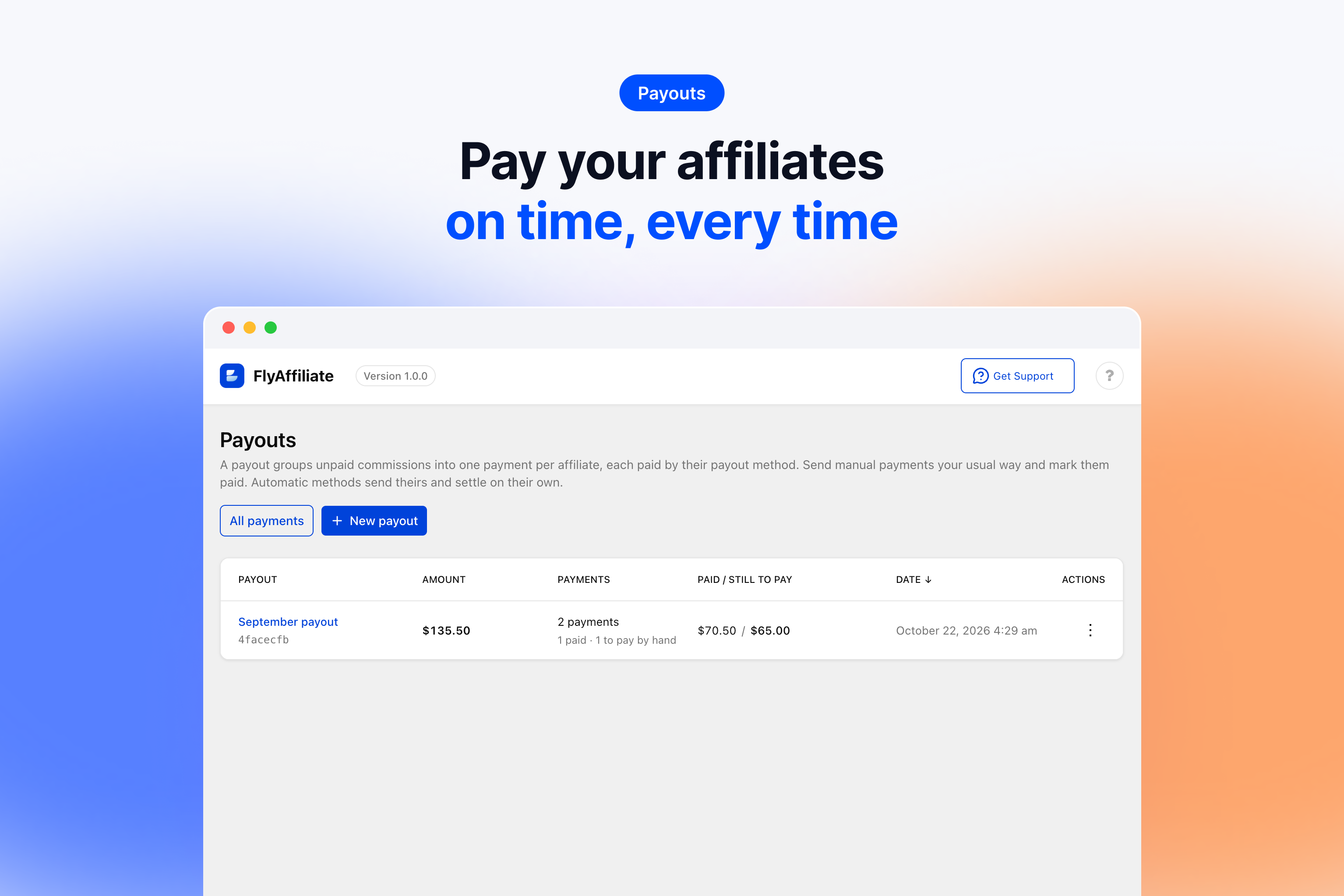
- You pay in batches. A payout turns every unpaid commission into one payment per affiliate. Send the money your way, mark each payment paid, export the batch as CSV.
For store owners
- Per-item commissions, not per order — a mixed cart pays the right amount on the right products.
- A rate hierarchy: product default, clamped to a maximum, with shipping and tax excluded unless you say otherwise.
- A hold period that keeps an unpaid commission out of payouts until enough time has passed to be sure the order stays paid.
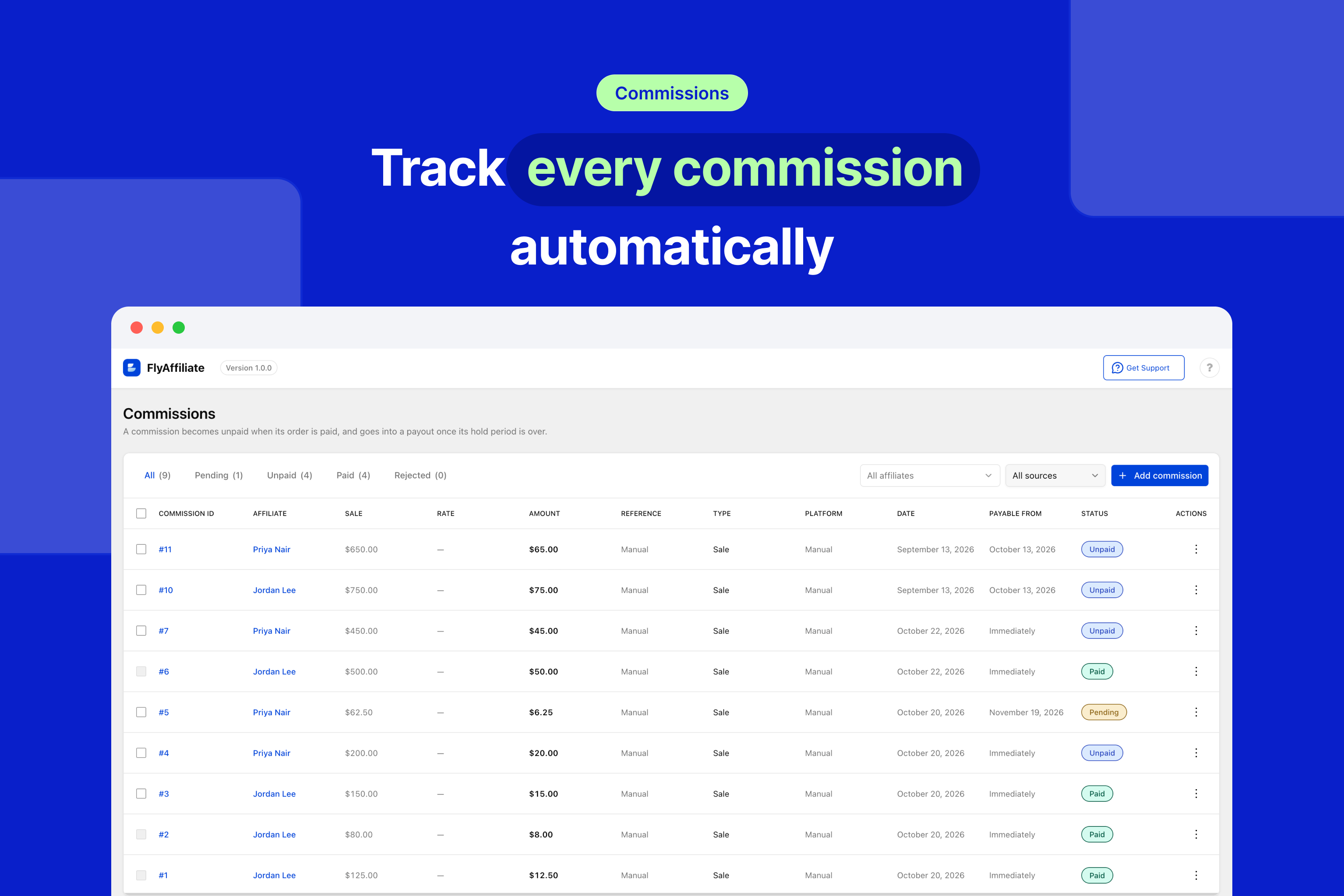
- Commission statuses that follow the order, as in the affiliate tools you may already know: pending, unpaid, paid, rejected.
- Two-step payouts: create a payout, send the money, mark it paid. A commission inside a payment is never deleted or moved by an order; you can still correct it, and an unpaid payment follows.
- Hand-entered commissions for bonuses, corrections and offline sales, with the same fields you would expect: affiliate, amount, reference, origin, date, type and status.
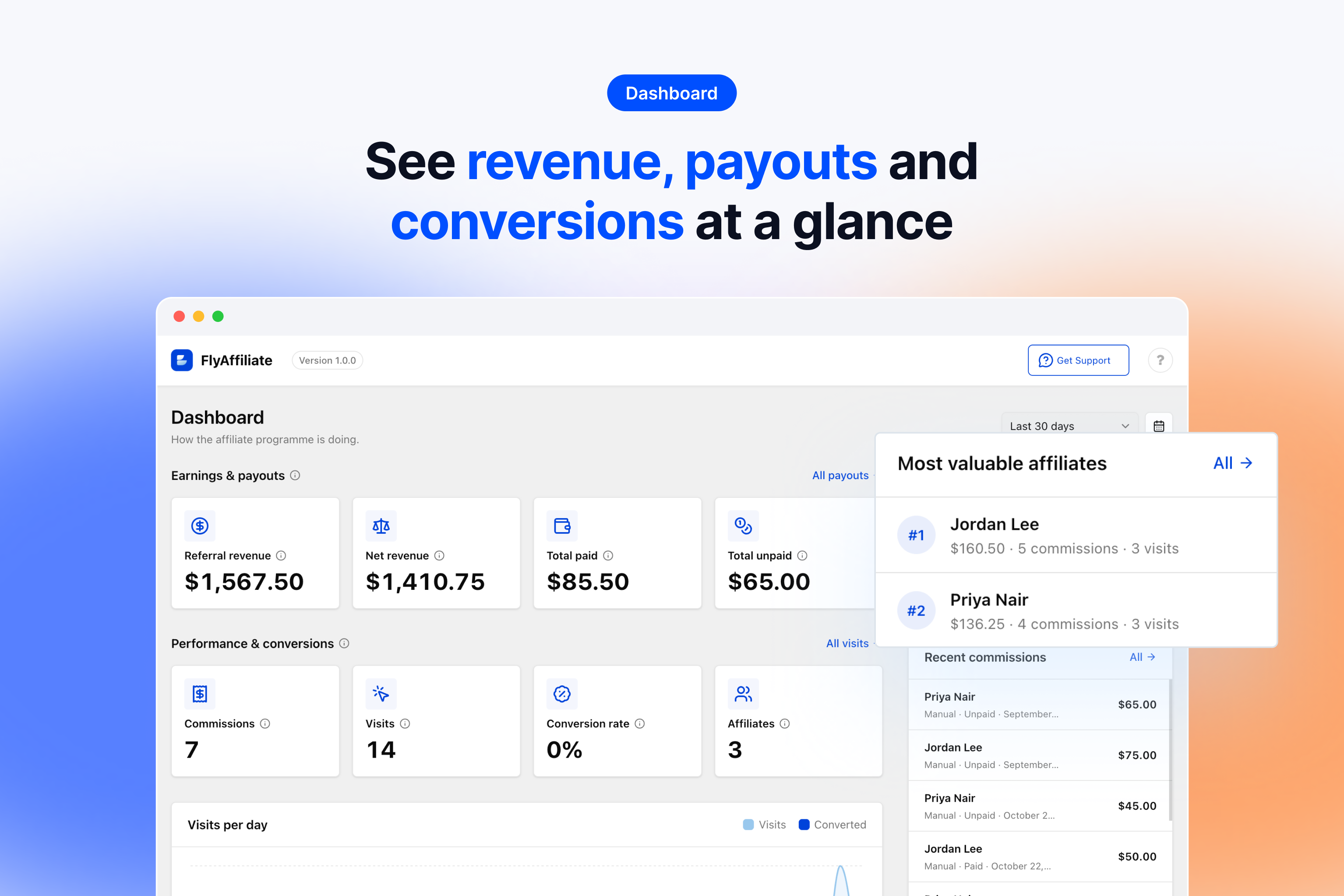
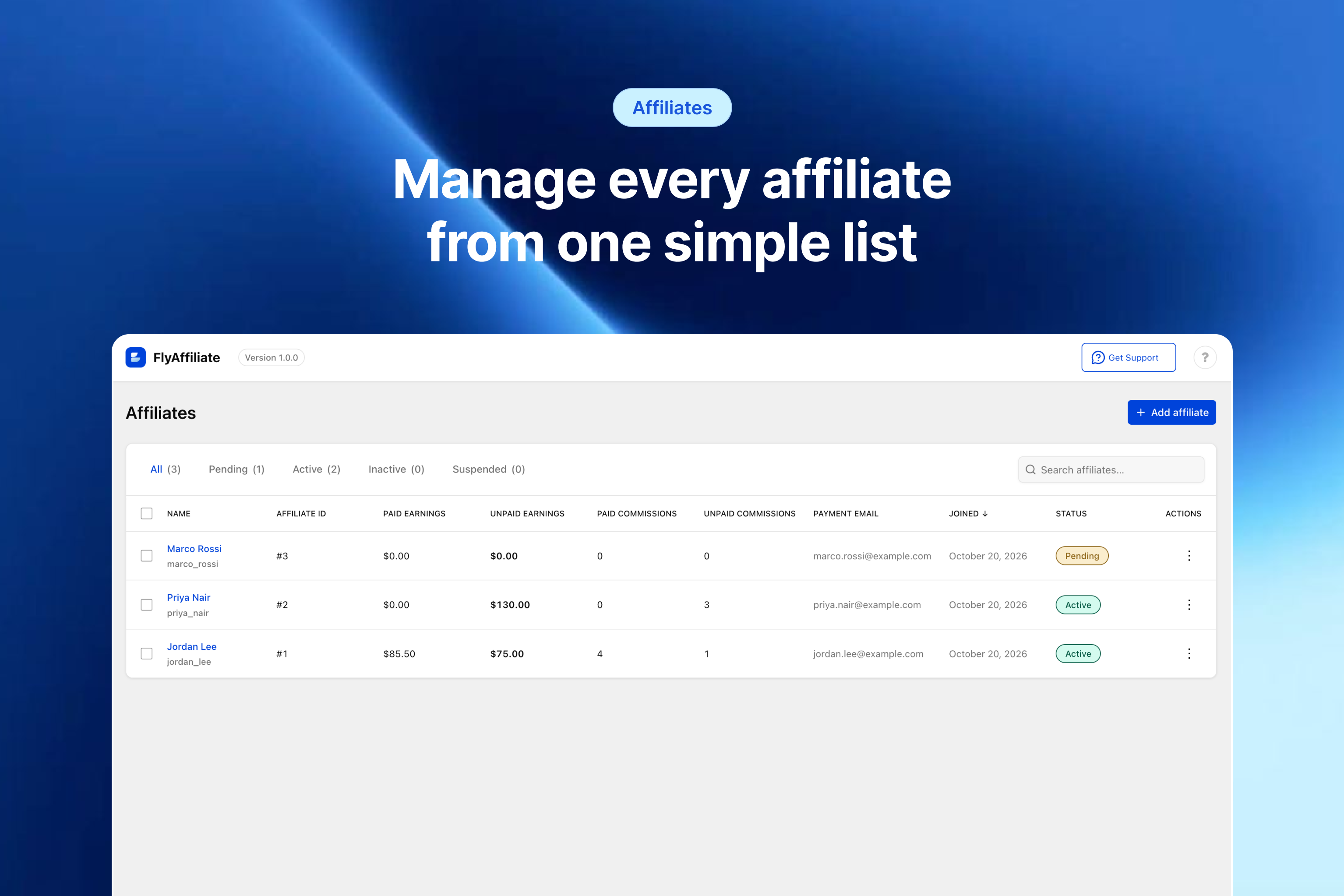
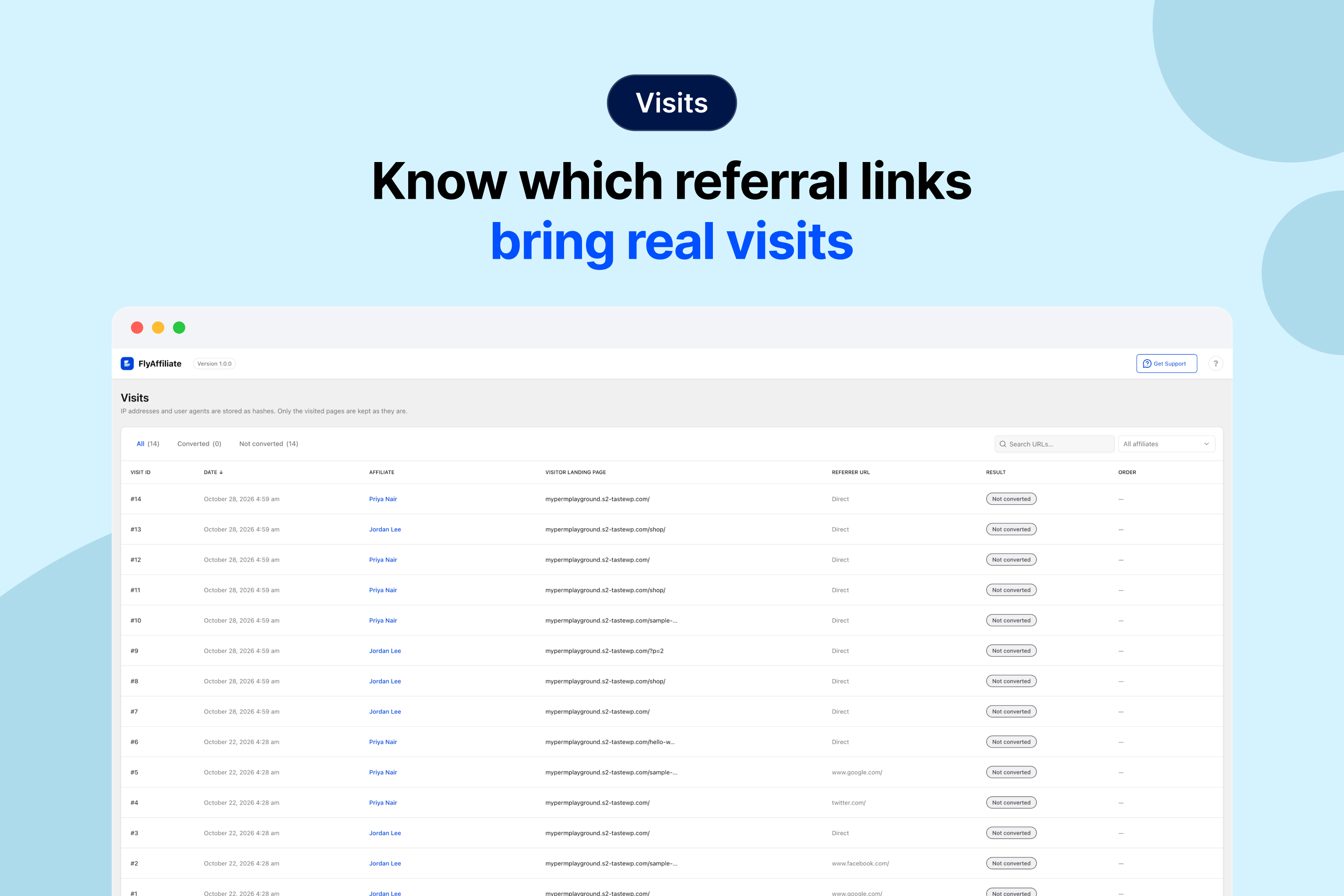
- Admin screens for affiliates, commissions, visits, payouts and settings, plus a dashboard with the figures that matter and a notice when an application is waiting.
- A setup wizard that asks for the three numbers a programme needs: default rate, maximum rate, hold period.
For affiliates
- A frontend dashboard (
[flyaffiliate_dashboard]) with their referral link, balance, commissions, visits and payouts. - A registration form (
[flyaffiliate_register]) that needs only an email address. - Self-referral protection, so nobody earns a commission on their own order — unless you allow it.
Built to be extended
FlyAffiliate mirrors the architecture of Dokan: a dependency-injection container, service providers, manager classes, overridable templates, a REST API under flyaffiliate/v1 for every resource, and flyaffiliate_ hooks throughout. The admin and the affiliate dashboard are React applications on weDevs’ plugin UI kit. A Dokan integration — where the vendor, not the marketplace, funds the commission — is in development.
Privacy
FlyAffiliate stores no personal data about a visitor. A visit record keeps a hashed IP address and a hashed user agent — salted with your site’s own key, not reversible, and not portable to another site.
Attribution uses one first-party cookie, flyaffiliate_ref, which holds two numbers: the affiliate id and the visit id. It is HttpOnly, it is never shared with anyone, and its lifetime is the attribution window you configure — 30 days by default.
Usage data (Appsero)
FlyAffiliate uses the Appsero SDK to collect usage data, only once you allow it. This helps us troubleshoot problems faster and make product improvements.
The SDK sends nothing by default. It starts only when an administrator turns on Share Essentials in the setup wizard or clicks Allow on its admin notice. From then on it sends, once a week, to Appsero (api.appsero.com): your site’s name and URL, the first administrator’s name and the site’s admin email address, the server environment (PHP, MySQL, server and WordPress versions, memory limit, debug mode), the site language, the active theme, the number of users per role and of active and inactive plugins, how many affiliates and commissions you have, whether FlyAffiliate Pro is active, and the WooCommerce and FlyAffiliate versions. Nothing about your affiliates or your visitors is sent. To include the server’s public IP address, the SDK first asks icanhazip.com, a service run by Cloudflare (privacy policy).
Choosing No thanks, or leaving Share Essentials off, tells Appsero only that this site declined. When you deactivate the plugin, a form asks why: Submit & Deactivate sends your answer with the data above, Skip & Deactivate sends nothing.
Learn more about how Appsero collects and uses this data.
Contribute
FlyAffiliate is developed in the open on GitHub. Bug reports, pull requests and ideas are welcome there.
The JavaScript and CSS shipped in assets/ are compiled from the TypeScript and SCSS sources under src/ in that repository; npm run build reproduces them.
Screenshots

Installation
- Upload the plugin to
/wp-content/plugins/flyaffiliate, or install it through Plugins Add New. - If you sell with WooCommerce, have it active: FlyAffiliate creates commissions from its orders.
- Activate the plugin. The Affiliate Dashboard and Affiliate Registration pages are created for you.
- Follow the setup wizard, or go to FlyAffiliate Settings and set your default commission rate, your maximum rate and the hold period.
FAQ
-
Q. Do I need WooCommerce?
-
A. No. Affiliates, referral links, visits, commissions you record by hand and payouts all work on WordPress alone. Commissions from orders come from WooCommerce today, and its integration switches on by itself when WooCommerce is active. More platforms are planned.
-
Q. Do affiliates get a user role?
-
A. Yes. Every affiliate’s user carries the Affiliate role (
flyaffiliate_affiliate), so you can filter them on the Users screen. The role grants nothing beyond reading the site; whether someone is an affiliate, and whether they are active, is decided on the FlyAffiliate Affiliates screen. Giving a user the role on their profile makes them an active affiliate. -
Q. How is a commission calculated?
-
A. Per order item. The rate is resolved from the product, then your global default, and is always clamped to the maximum rate you set. Shipping and tax are excluded from the amount the rate applies to, unless you turn that off.
-
Q. When does a commission become payable?
-
A. A commission becomes unpaid as soon as its order is processing or completed (cash on delivery: completed). A payout takes it once the hold period has passed since the order. With a hold period of zero it is payable the moment the order is paid.
-
Q. What happens when an order is refunded?
-
A. Nothing, unless you turn on Reject commissions on refund under Commissions Rules: then a refunded order rejects its commissions that have not been paid yet. An order that fails or is cancelled always rejects them, and an order that is paid again puts them back. A commission that has already been paid out is never reversed.
-
Q. Can I add a commission by hand?
-
A. Yes. FlyAffiliate Commissions Add commission takes the affiliate, the amount, the order it refers to, the sale amount, the origin, the date, the type and the status. A commission with the WooCommerce origin and an order follows that order like any other.
-
Q. How do affiliates get paid?
-
A. You create a payout from the unpaid commissions, optionally with a minimum amount, and pay through whatever channel you already use. FlyAffiliate records one payment per affiliate, you mark each one paid once the money has gone, and the batch exports as CSV. There is no automated transfer in this version.
-
Q. Can an affiliate earn commission on their own purchase?
-
A. Not by default. Self-referral is blocked, and you can allow it in Settings if your programme works that way.
-
A. One:
flyaffiliate_ref. It is set when someone arrives through a referral link and holds the affiliate id and the visit id, so that a purchase made later in the same browser can be credited to the affiliate who sent them. It is a first-party cookie, it isHttpOnly, and it lasts for the attribution window you configure (30 days by default). No third-party cookie is set, and what the cookie holds never leaves your site. -
Q. Can I override the templates?
-
A. Yes. Copy a file from the plugin’s
templatesdirectory into aflyaffiliatedirectory in your theme, keeping the same path, and your copy is used instead. -
Q. Does it work with Dokan?
-
A. FlyAffiliate works on any WordPress site. Integrations are optional and switch on when their plugin is active: WooCommerce today. A Dokan integration, where each vendor funds the commissions on their own products, is in development.
Reviews
There are no reviews for this plugin.
Contributors & Developers
“FlyAffiliate” is open source software. The following people have contributed to this plugin.
Contributors

Translate “FlyAffiliate” into your language.
Interested in development?
Browse the code, check out the SVN repository, or subscribe to the development log by RSS.
Changelog
v1.0.0 ( Oct 29, 2026 )
- new: Affiliates — email-only signup with a one-time activation link, an Affiliate user role, pending/active/inactive/suspended statuses, and an admin form with the payment email, website, promotion method and an optional welcome email
- new: Tracking — a referral link per affiliate, a visit log with hashed visitor data, and a signed first-party cookie for the attribution window
- new: Referral links — affiliates generate a link to any page of your site from their dashboard and keep the ones they use, each with its visit count; you see them on the affiliate’s page
- new: Commissions — one commission per order item at checkout (classic and block), a product default rate hierarchy clamped to a maximum, shipping and tax excluded by choice, and self-referral blocked by default
- new: Hold period — every commission carries the date its hold ends, fixed when it is created; a payout takes a commission only once that date has passed
- new: Order sync — commissions follow the order: pending at checkout, unpaid once the order is paid; failed, cancelled and (optionally) refunded orders reject them, a recovered order restores them, a paid one is never reversed
- new: Hand-entered commissions — affiliate, amount, reference order (checked against WooCommerce), reference amount, origin, date, type and status, on their own page, with the same fields on edit
- new: Payouts — preview grouped by payout method, create one payment per affiliate, mark paid or unpaid, take a commission out, delete an unpaid payment, export CSV; each payment keeps the address it was sent to
- new: Payout methods — Manual payouts to the affiliate’s payment email, ready for more methods; affiliates choose how they are paid in their dashboard
- new: WooCommerce Analytics — an Affiliate Commission box on Analytics Overview that counts the orders the report counts
- new: Admin — a React admin on weDevs’ plugin UI: dashboard with a chart, affiliates, commissions, visits, payouts, settings and a setup wizard that opens on a first install only; other plugins’ notices are kept off its screens
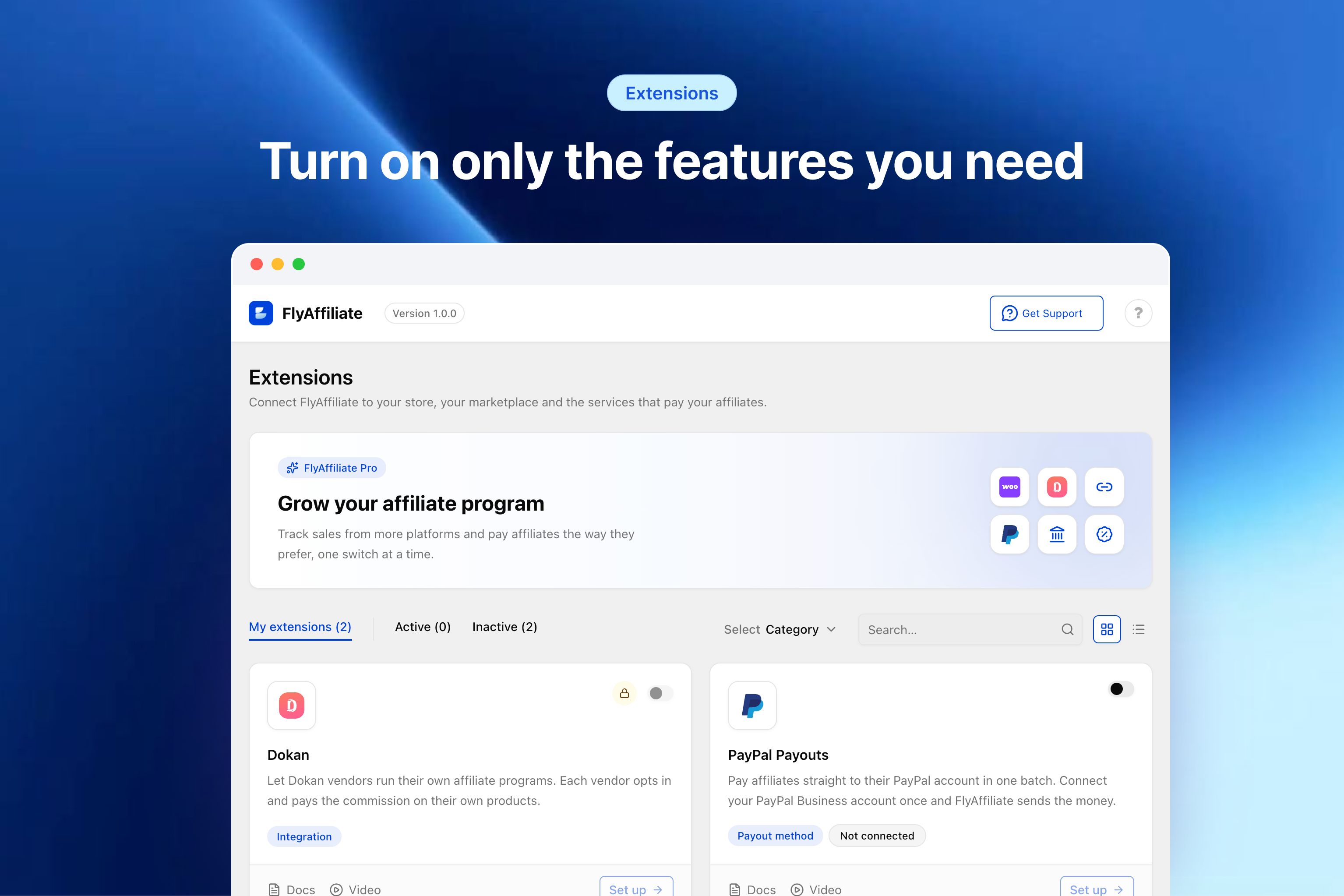
- new: Extensions — a page that previews FlyAffiliate Pro’s extensions while Pro is not active
- new: Affiliate dashboard —
[flyaffiliate_dashboard]with the referral link and a link generator, balance, commissions, visits, payouts and settings;[flyaffiliate_register]for signup - new: Usage data — opt-in Appsero Insights; nothing is sent until an administrator allows it (see Privacy)
- new: REST API under
flyaffiliate/v1for affiliates, commissions, visits, referral links, payouts, payout methods, settings and the affiliate’s own data - new: WP-CLI
wp flyaffiliate seedfor demo data