

Description
ChargeForms is a fast, free drag-and-drop form builder for WordPress — contact forms, surveys, multi-step forms, and payment forms, without page reloads or a bloated front-end bundle slowing your site down.
Every feature in this plugin — conditional logic, payments, SMTP email delivery, CSV import, every field type — is included free, with no paid license required and no feature locked behind a paywall. ChargeForms.com | Documentation
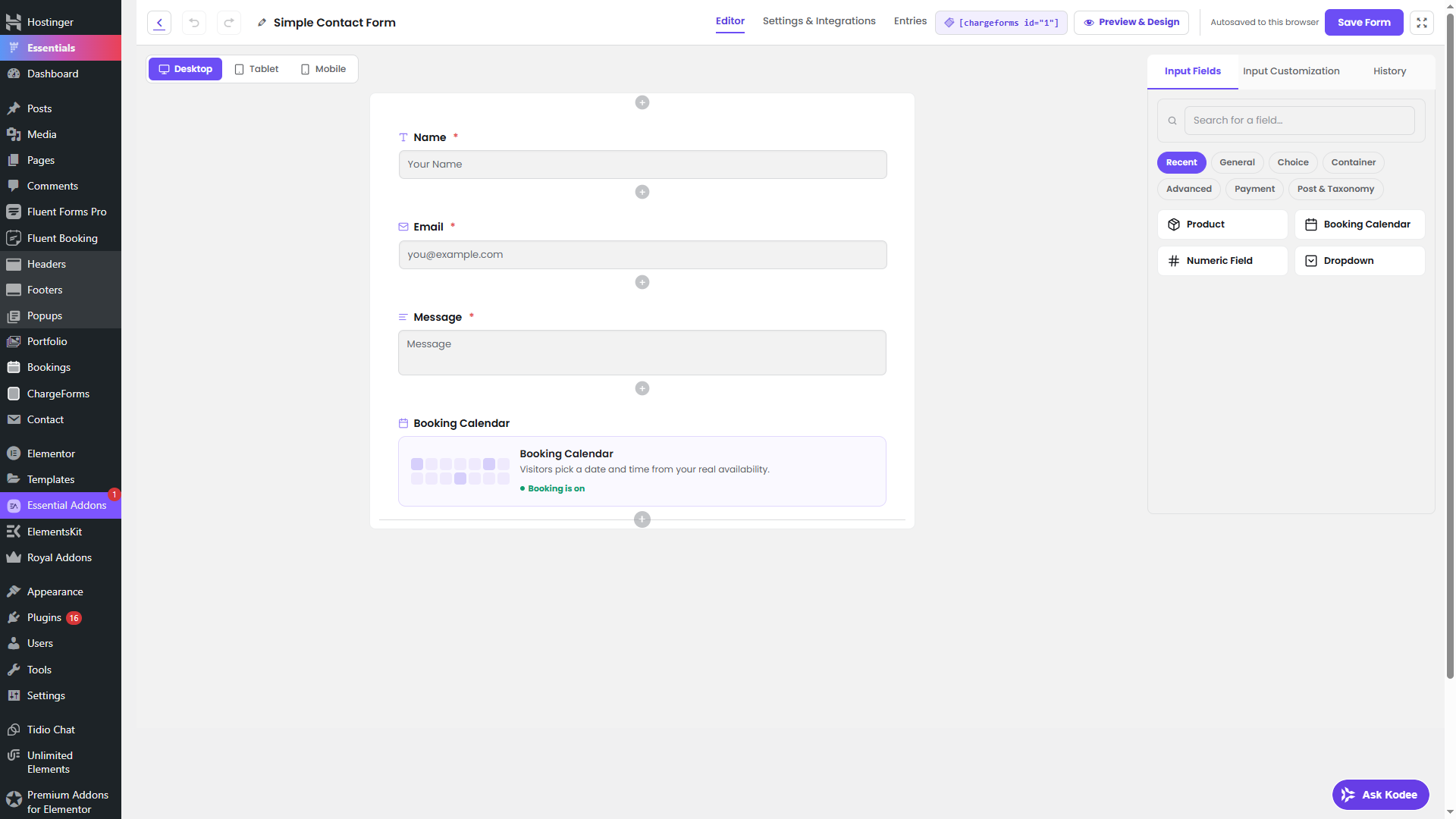
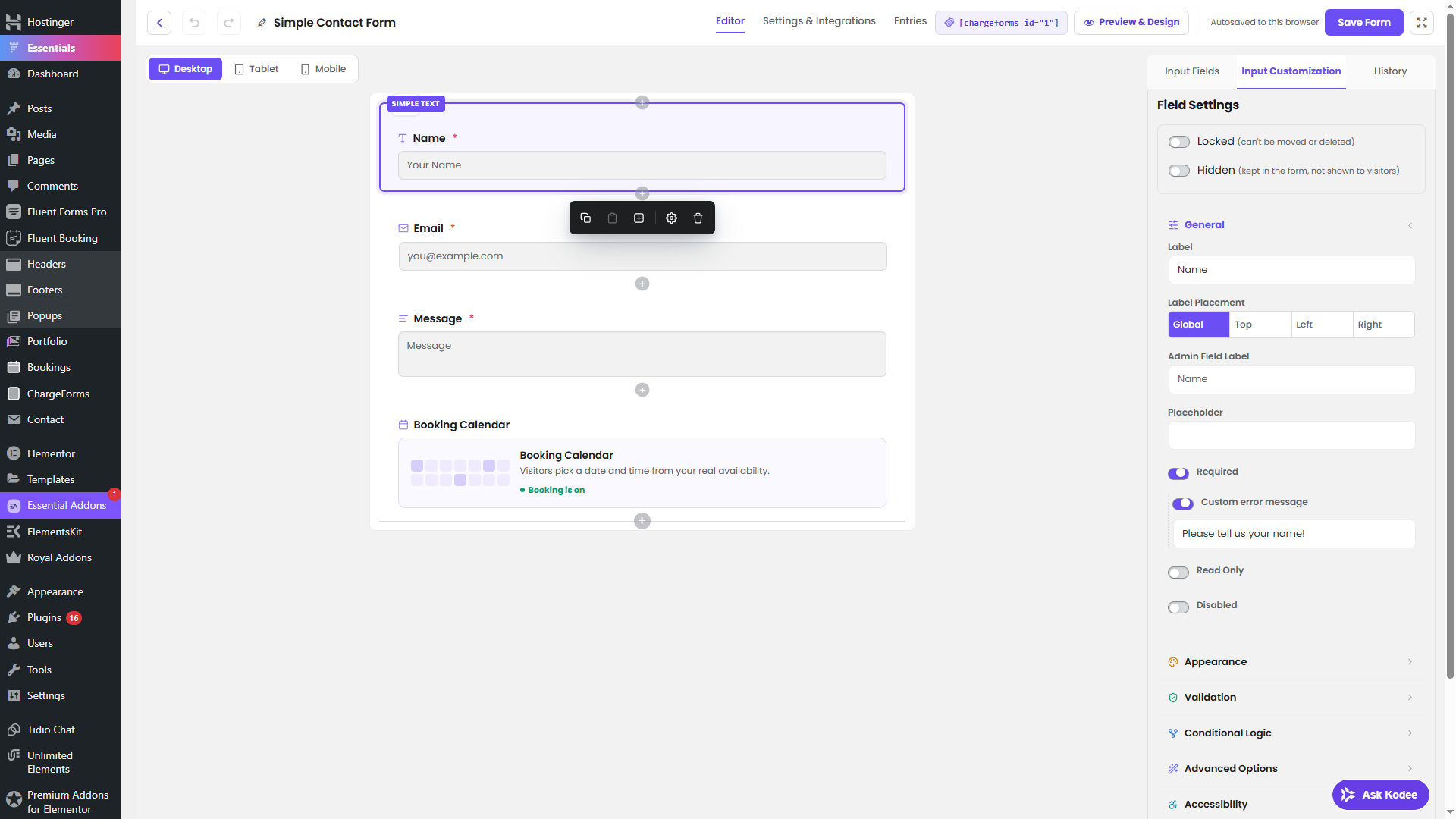
Drag-and-Drop Form Builder
- 30+ field types out of the box — text, address, ratings, file upload, payment fields, and more
- Conditional logic with nested AND/OR/NOT groups — show or hide fields based on other answers
- Multi-step forms with a progress bar and per-step validation
- All bundled form templates, Save & Resume, and CSV entry import
- Lightweight front-end rendering — visitors never load an admin-sized JS bundle
Accept Payments
- Stripe and PayPal, including Stripe recurring subscriptions (monthly/yearly plans, free trials, cancellation)
- Payment Item, Custom Amount, Payment Method, and Payment Summary fields
- No platform fee on top of your payment processor’s own rate
Entry Management
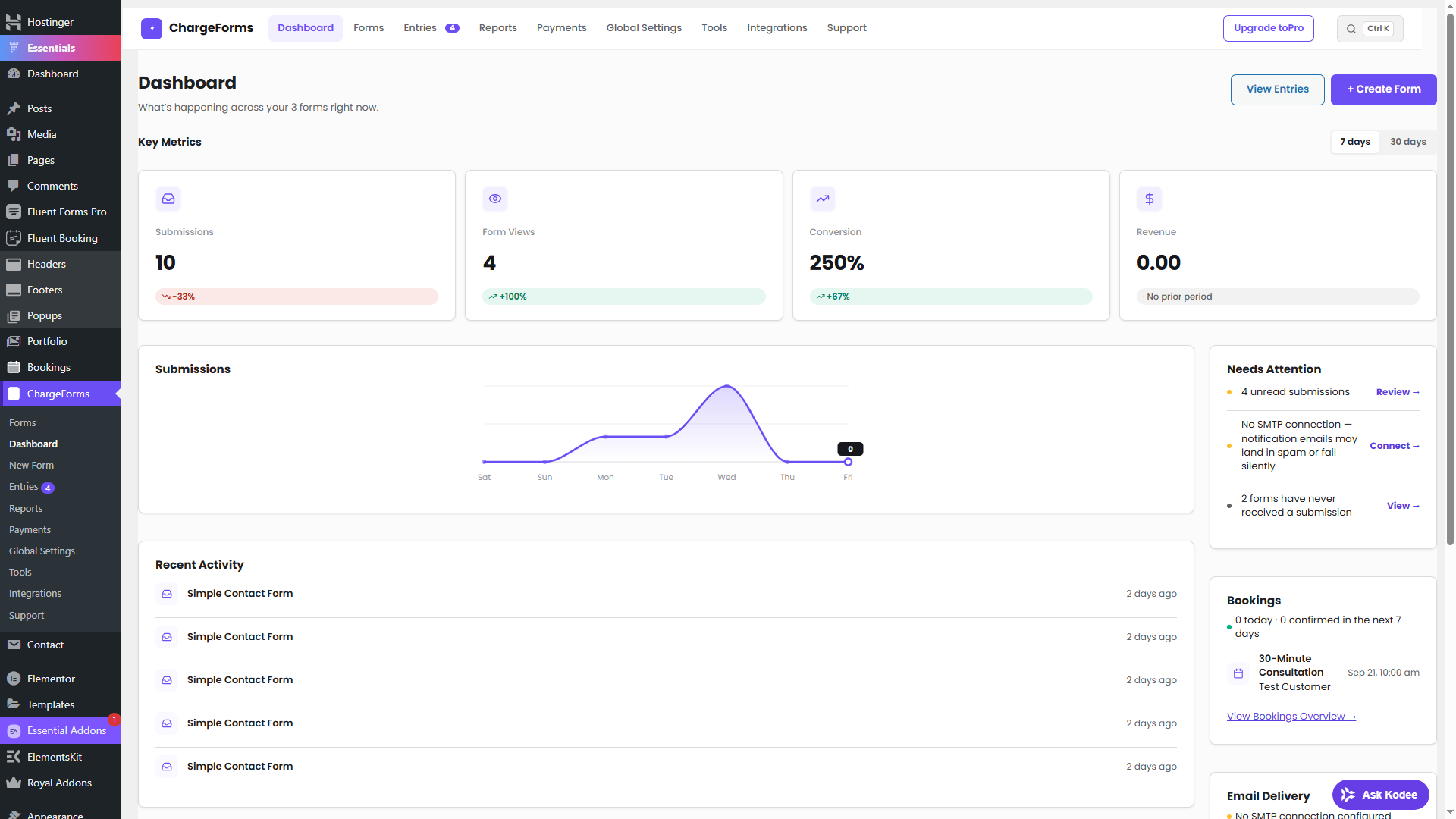
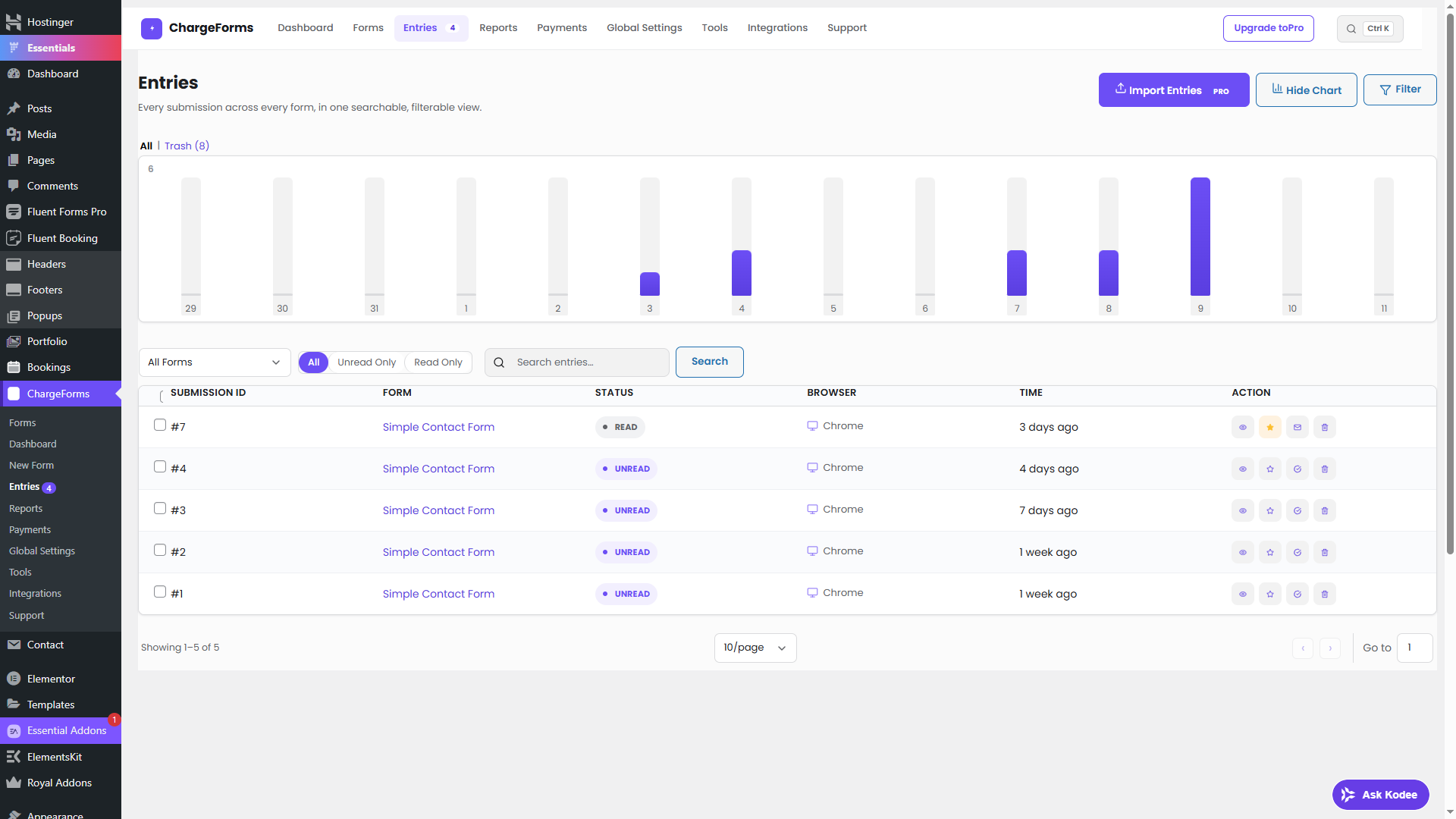
- A full entries dashboard in wp-admin — view, edit, filter, export, and manage every submission
- Email notifications on every submission, with delivery logging and automatic retry
Email Delivery (Native SMTP)
- Connect Gmail, Microsoft 365, Amazon SES, SendGrid, Mailgun, Brevo, Postmark, Zoho, or any custom SMTP server
- Encrypted credentials, multiple SMTP connections, real test-email sending, and a full delivery log
Integrations
- Webhook — send every submission as JSON to Zapier, Make, n8n, or your own endpoint
- Mailchimp, Brevo, ActiveCampaign, Slack, Discord, Telegram, Notion, HubSpot, Google Sheets
Spam & Security
- Honeypot spam protection built in
- reCAPTCHA, hCaptcha, Cloudflare Turnstile, or CleanTalk — your choice, off by default
- Double opt-in for email confirmation
Planned for Future Releases
- Additional integrations beyond generic Webhook (CRM, marketing platforms)
- Conversational (one-question-at-a-time) form mode
- AI form generation
External services
This plugin optionally connects to a number of third-party services, every one of them off by default. Full detail on each is in the “What external services does this plugin use?” FAQ above; summarized here per the WordPress.org guideline:
- Google Fonts — loads the Poppins typeface on ChargeForms’ own wp-admin screens only (never your site’s front end), when enabled under Global Settings. Sends the admin’s IP/browser info to Google on every admin page load while enabled. Terms / Privacy.
- reCAPTCHA, hCaptcha, Cloudflare Turnstile, CleanTalk — optional spam-protection providers; only loaded on a form’s front end if you enable one under Global Settings > Security. Processes the visitor’s IP/browser data when a protected form is viewed/submitted. Google Privacy / hCaptcha Privacy / Cloudflare Privacy / CleanTalk Privacy.
- Stripe, PayPal — only active on a form with a Payment field where you’ve connected your own account. Sends the payment amount and the payer’s entered billing details when a visitor pays. Stripe Privacy / PayPal Privacy.
- Webhook, Mailchimp, Slack, Discord, Telegram, Notion, HubSpot, Google Sheets — only send data if you explicitly connect them yourself under the Integrations screen, to the endpoint/account you configure, at the moment a form is submitted. Mailchimp Terms / Privacy — Notion Terms & Privacy / Privacy — HubSpot Terms / Privacy — Telegram Terms / Privacy.
- Address autocomplete — optional; sends each keystroke in an Address field’s autocomplete box to OpenStreetMap’s Nominatim API. Usage Policy / OSMF Privacy.
- chargeforms.com license API — only contacted if you activate a Pro license key, to verify it. Terms / Privacy.
Screenshots
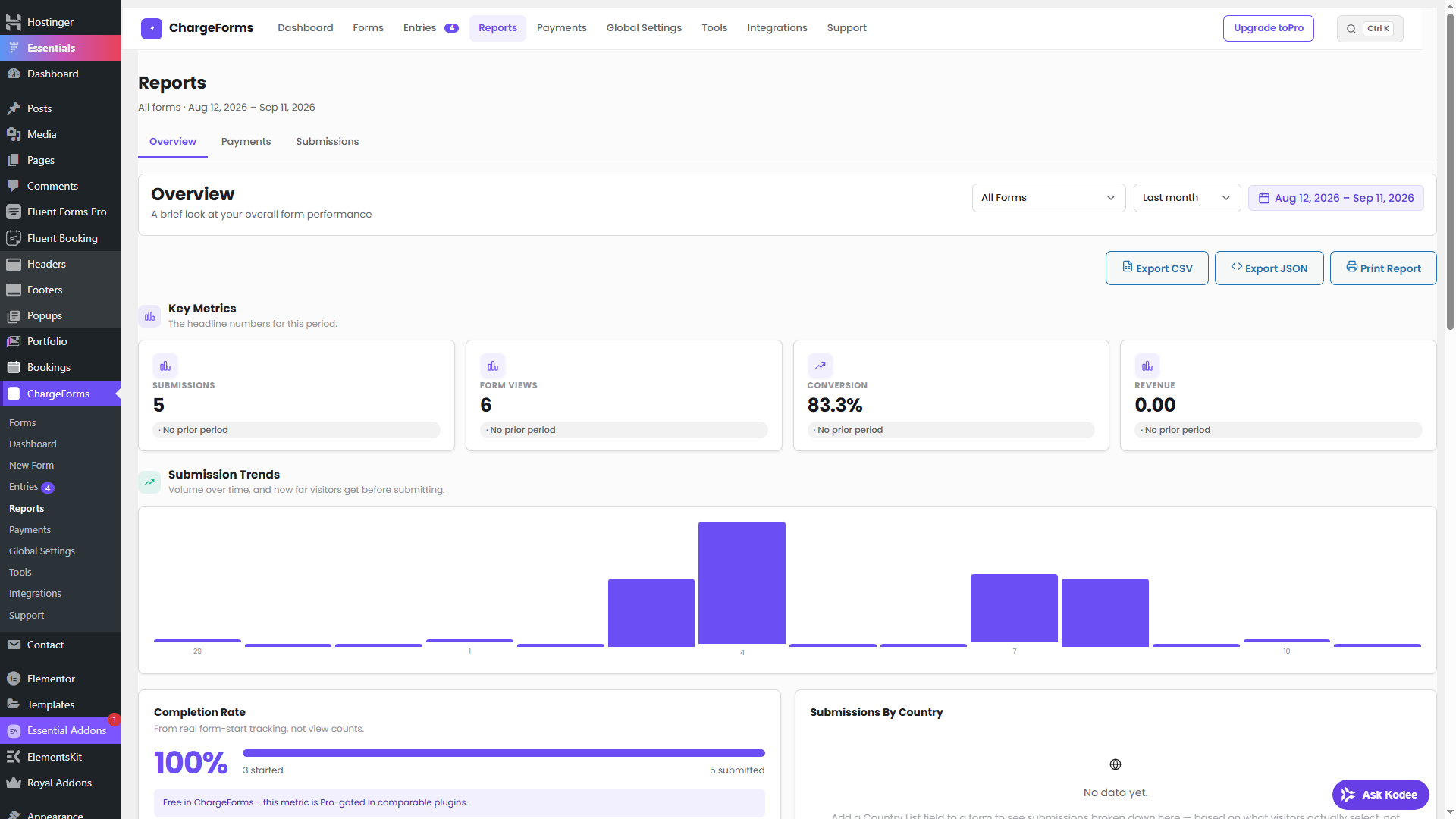
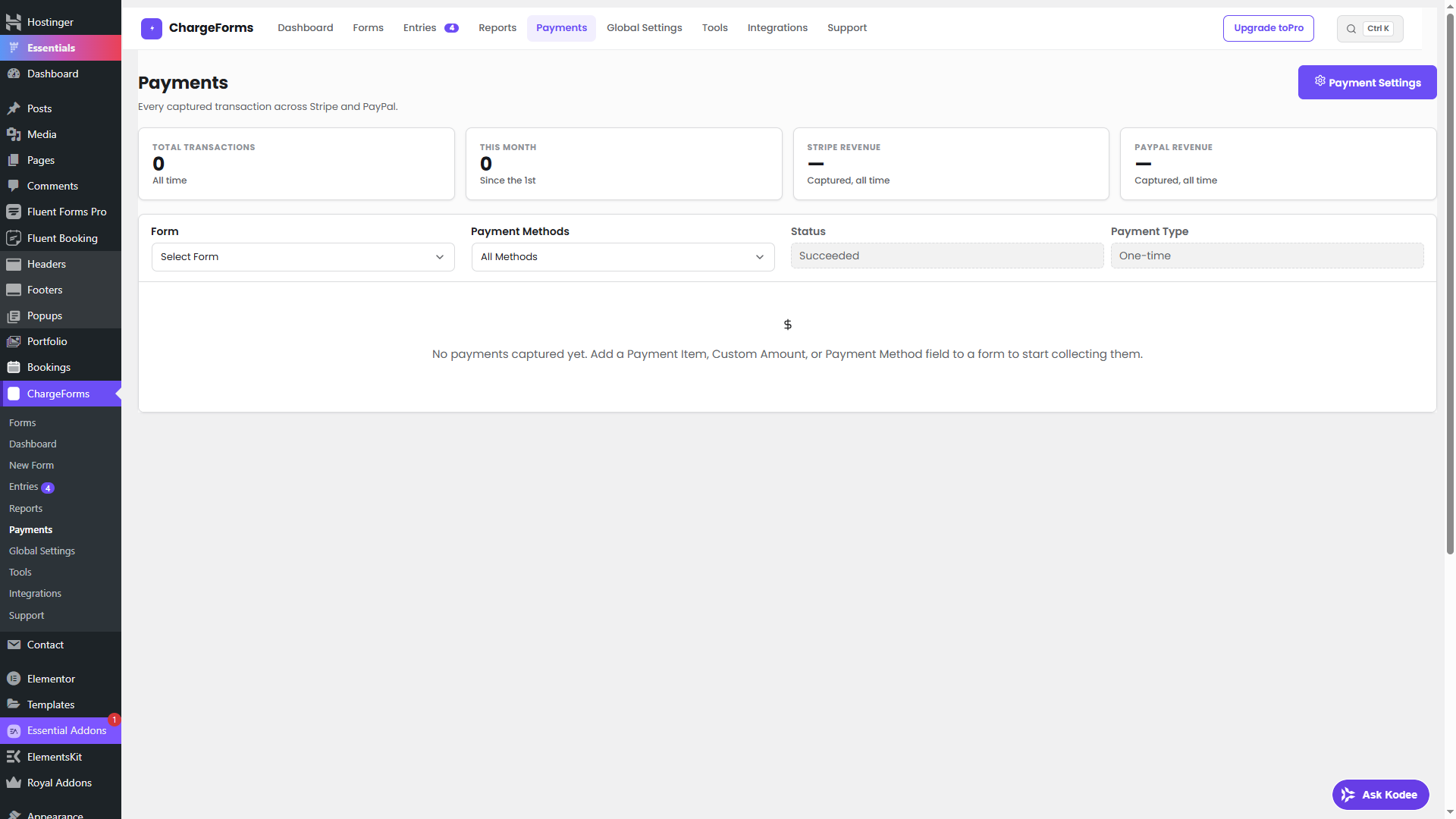
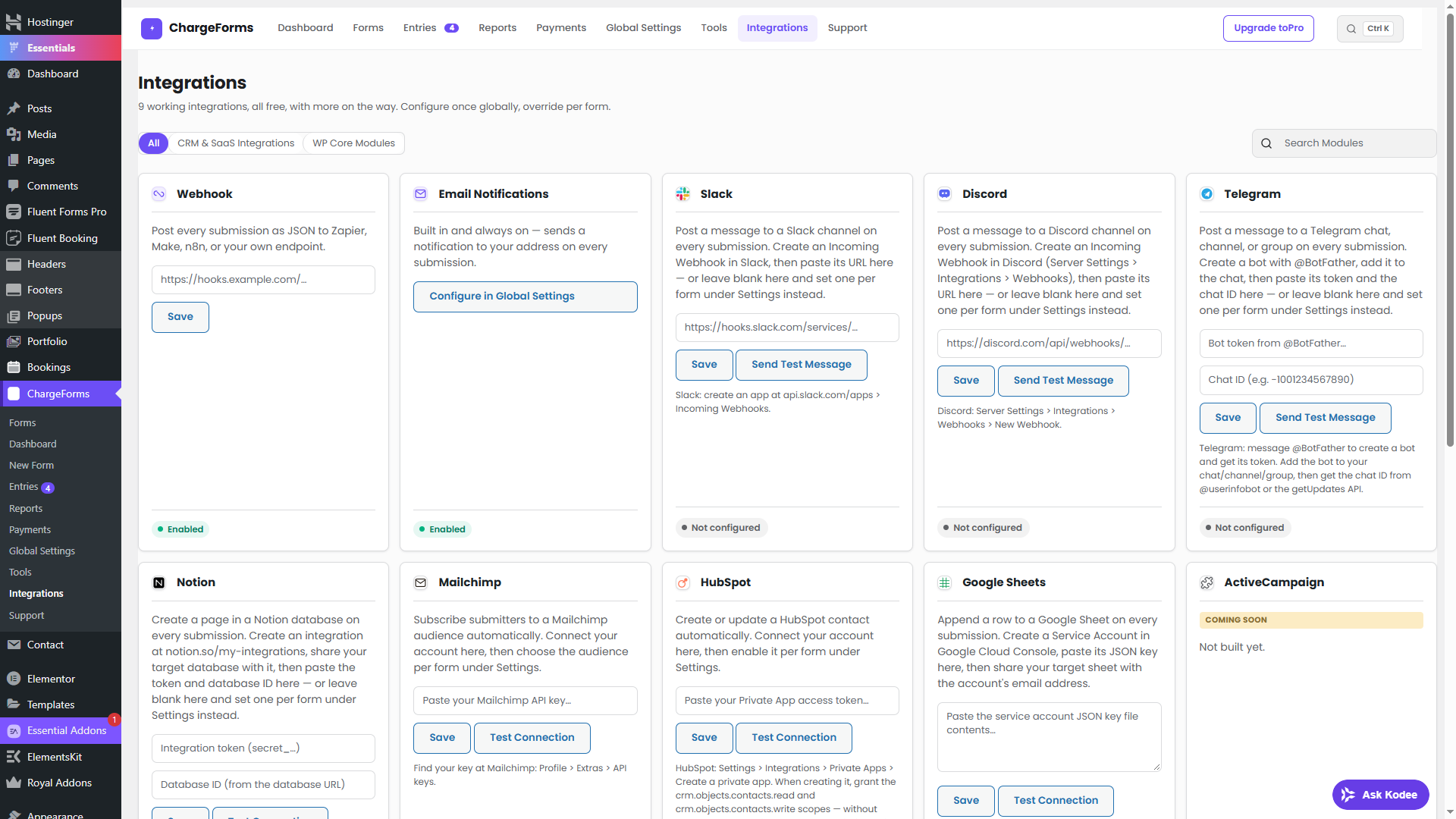
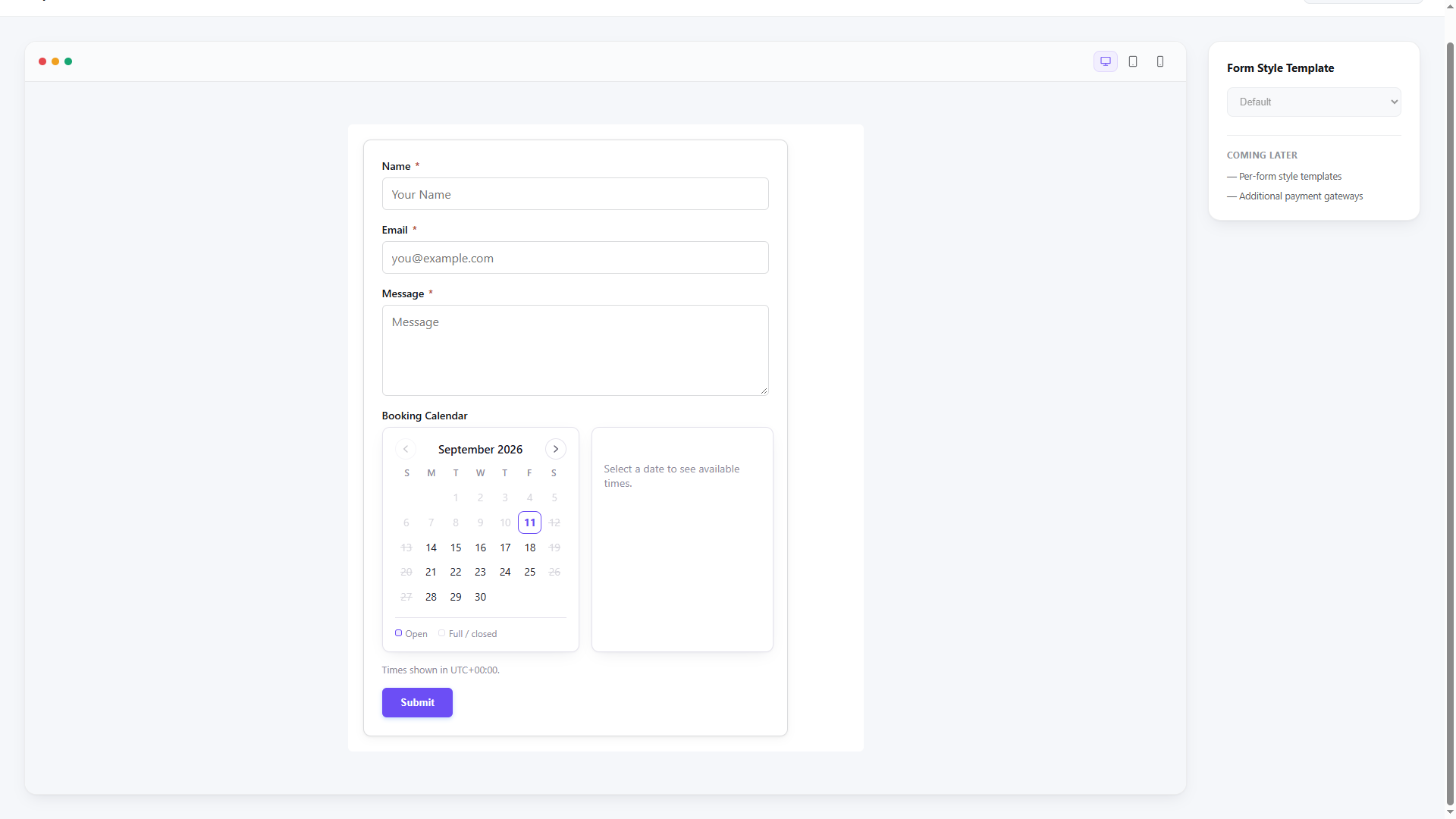
Installation
- Upload the
chargeformsfolder to/wp-content/plugins/, or install directly from the WordPress Plugin Directory. - Activate the plugin through the ‘Plugins’ menu in WordPress.
- Go to ChargeForms in your admin sidebar to build your first form.
- Paste the
[chargeforms id="X"]shortcode into any page or post.
FAQ
-
Is this really free?
-
Yes. Every feature included in this WordPress.org plugin is available without a paid license, time limit, or submission cap.
-
Do I need coding skills to use ChargeForms?
-
No. Everything is drag-and-drop — fields, conditional logic, multi-step layout, and payment setup are all configured from the builder UI, no code required.
-
Will ChargeForms slow down my website?
-
No. The front end only loads the JS/CSS a given form actually uses, not an admin-sized bundle — visitors never download builder code they’ll never run.
-
Can I use conditional logic when building a form?
-
Yes. Show or hide any field based on other answers, with nested AND/OR/NOT groups for more complex rules.
-
Can I build multi-step forms?
-
Yes. Multi-step forms come with a progress bar and per-step validation built in.
-
Can I export or import form submission data?
-
Yes. Every entry can be filtered, exported, and managed from the wp-admin entries dashboard, and CSV entry import is included free.
-
Can I migrate from Contact Form 7, WPForms, or Ninja Forms?
-
Yes. The built-in Migrator (Tools screen) reads your existing forms directly from each plugin’s own data and rebuilds them as ChargeForms forms.
-
I want to report a bug, where do I report it?
-
Please use the support forum — that’s actively monitored.
-
Where’s the human-readable source for the built JS/CSS files?
-
The
assets/build/files shipped in this plugin (builder.js, frontend.js, and their CSS) are compiled by webpack from real, unminified source — nothing here is obfuscated, only minified for production the same way every WordPress admin ships its own JS. That source ships in this same plugin package: seeassets/src/for the real, readable JavaScript, andwebpack.config.js/webpack.vue.config.jspluspackage.jsonfor the exact build configuration and tooling versions used to produceassets/build/from it. To rebuild it yourself:npm cifollowed bynpm run build(the admin builder and public front-end bundle) andnpm run vue:build(the Vue-based Forms List screen). -
What external services does this plugin use?
-
Google Fonts (optional, off by default). Turned on under Global Settings > General, this plugin loads the Poppins typeface from Google Fonts (
fonts.googleapis.com/fonts.gstatic.com) on ChargeForms’ own wp-admin screens only (never on your site’s front end, never on a visitor-facing page) so the admin UI matches its own design. No request to Google happens until you enable it; the admin UI uses your system font stack otherwise. While enabled, this sends the logged-in admin’s IP address and browser info to Google on every admin page load, the same as any page that embeds a Google Fonts stylesheet. Google’s terms: https://developers.google.com/fonts/faq and privacy policy: https://policies.google.com/privacy.reCAPTCHA / hCaptcha / Cloudflare Turnstile / CleanTalk. Entirely optional, off by default. If you turn one on (Global Settings > Security) to add spam protection to your forms, the corresponding third-party service’s own script loads on your front-end forms and processes the visitor’s IP/browser data per that service’s own terms — Google (reCAPTCHA): https://policies.google.com/privacy, hCaptcha: https://www.hcaptcha.com/privacy, Cloudflare (Turnstile): https://www.cloudflare.com/privacypolicy/, CleanTalk: https://cleantalk.org/privacy.
Stripe / PayPal (optional). Only active on a form where you’ve added a Payment field and connected your own Stripe or PayPal account (Global Settings > Payment Settings). When a visitor pays, the payment amount and the payer’s billing details they entered are sent directly to Stripe (https://stripe.com/privacy) or PayPal (https://www.paypal.com/privacy) to process the charge — standard for any WordPress payment plugin. Nothing is sent to either service on a form with no Payment field.
Your own configured integrations (Webhook, Mailchimp, Slack, Discord, Telegram, Notion, HubSpot, Google Sheets). Only ever send data if you explicitly connect them yourself (Integrations screen) — nothing is sent to any of these unless you’ve entered your own API key/URL for that specific service. When connected, every submission’s data is sent to that service at the time of submission: Mailchimp (subscriber added to your list) — https://mailchimp.com/legal/terms/ / https://mailchimp.com/legal/privacy/; Notion (a page created in your database) — https://notion.notion.site/Terms-and-Privacy-28ffdd083dc3473e9c2da6ec011b58ac / https://www.notion.com/trust/privacy-policy; HubSpot (a contact created/updated in your CRM) — https://legal.hubspot.com/terms-of-service / https://legal.hubspot.com/privacy-policy; Telegram (a message sent via your bot) — https://telegram.org/tos / https://telegram.org/privacy.
Address autocomplete (optional). If a form uses the Address field’s autocomplete feature, each keystroke in the address box is sent to OpenStreetMap’s Nominatim search API (
nominatim.openstreetmap.org) to fetch matching addresses. Nominatim usage policy: https://operations.osmfoundation.org/policies/nominatim/ — OSM Foundation privacy policy: https://wiki.osmfoundation.org/wiki/Privacy_Policy.License validation (Pro only). If you activate a Pro license key, that key and your site URL are sent to chargeforms.com to verify it. Nothing is sent if you’re on the free plan. Terms: https://chargeforms.com/legal/terms — Privacy: https://chargeforms.com/legal/privacy.
Reviews

Contributors & Developers
“ChargeForms” is open source software. The following people have contributed to this plugin.
Contributors
Translate “ChargeForms” into your language.
Interested in development?
Browse the code, check out the SVN repository, or subscribe to the development log by RSS.
Changelog
0.270.13
- Fixed: removed
chargeformsfrom the Contributors header — not a registered WordPress.org username, so it was silently dropped on import. Onlyuzairrehmanremains. - Changed: rewrote the Description section into organized feature sections (Form Builder, Payments, Entry Management, Email Delivery, Integrations, Spam & Security) and expanded the FAQ with questions on performance, conditional logic, multi-step forms, entry export/import, and migrating from Contact Form 7, WPForms, or Ninja Forms.
- Changed: updated plugin tags to better reflect the plugin’s actual differentiators (payment form, multi-step form, conditional logic).
0.270.12
- Fixed: escape generated form markup, SVG icons, and report output at the point of rendering for WordPress.org security compliance.
- Changed: CSV entry import, all bundled templates, Save & Resume, multiple SMTP connections, and every implemented builder field are available without a paid license.
- Improved: the readme and license screen now state clearly that every feature shipped in the WordPress.org plugin is free.
0.268.0
- Fix: Keep existing Pro fields editable through MCP when a license expires, while blocking new unlicensed Pro fields.
- Test: Validate structured AI previews and WordPress identifier placeholders.
0.267.0
- Fix: Pro access requires a verified paid license activated on this site.
- Fix: Paid expiry is enforced locally; temporary verification outages have a bounded 72-hour grace period.
- Fix: Display accurate site limits and retry remote site-slot release after a failed deactivation.
0.266.0
- Fixed: two function signatures used PHP 8.4’s deprecated implicit-nullable form (
array $x = null). They are now written explicitly as?array $x = null— identical behaviour, no deprecation notice. The explicit form still works on the plugin’s minimum PHP 7.4. - Improved: the test suite no longer prints deprecation notices from its own REST request stub when run with full error reporting. No plugin behaviour changed in this release.
0.265.0
- Fixed: a column’s width only ever applied on desktop. The width was printed into the page as an inline flex-basis, which overrides every media query in the stylesheet, so the builder’s Tablet and Mobile previews had no effect on the real form and two-column rows did not stack properly on smaller screens. Columns now carry their width as CSS variables and the stylesheet applies the right one per screen size: tablet (up to 1024px) falls back to the desktop width, and mobile (up to 600px) falls back to full width unless you set a specific mobile width.
- Added: per-device column widths in the builder — select a column, switch the preview to Tablet or Mobile, and set a width just for that screen size, or choose Inherit to reuse the wider device’s width.
- Fixed: a column could not be selected in the form builder at all. Clicking a column always selected its parent row instead, so the Column Width setting had no way to appear. Columns are now selectable like any other field, including with the keyboard.
- Improved: verified the plugin still parses cleanly under PHP 7.4+ and that the existing test suite and build stay green.
0.264.0
- Fixed: form submissions silently stopped working on sites using a page cache or CDN. The form’s security nonce is printed into the page, so a cached page kept serving the same nonce until it expired (WordPress nonces last roughly 12-24 hours), after which every submission was rejected with “Security check failed” and nothing on the page explained why. The form now refreshes its own nonce when the page loads, so cached pages keep submitting normally.
- Fixed: the Forms screen loaded about 1.3 MB of JavaScript and CSS it never used. The older Vue version of that screen is retired, but its files were still being loaded on every visit even though the page renders the standard table. They now load only when the Vue screen is explicitly requested, removing that dead weight from every Forms page load.
- Improved: verified the plugin still parses cleanly under PHP 7.4+ (its declared minimum) and that the existing test suite and build stay green.
0.263.0
- Fixed: third-round review findings — Notion’s Terms/Privacy URLs and the license API’s chargeforms.com Terms/Privacy URLs in the readme were broken (401/404); replaced with verified-working links (chargeforms.com’s real paths are under
/legal/, not/terms//privacy). Added HubSpot’s Terms/Privacy links, which the readme had omitted. Removed the admin-notice-suppression feature entirely (Menu and Builder_Page both cleared WordPress core’s and other plugins’ admin_notices on ChargeForms’ own screens) — not something WordPress.org guidelines allow scoping down, only removing, same as the earlier Custom CSS/JS removal.
0.262.0
- Fixed: WordPress.org’s automated submission scan rejected 0.261.0 outright (
PluginCheck.CodeAnalysis.Heredoc.NotAllowed) — thewp_add_inline_script()/wp_add_inline_style()conversions in 0.261.0 used heredoc/nowdoc (<<<) syntax to hold the JS/CSS strings, which this scanner disallows entirely regardless of content. All 18 heredoc/nowdoc blocks rewritten as plain quoted PHP strings (multi-line single-quoted strings, or string concatenation where a translated value needed to be inserted) with identical JS/CSS content — no behavior change, just different PHP string syntax.
0.261.0
- Fixed: addressed the WordPress.org directory’s second review pass — text domain renamed to match the reviewed plugin slug (
chargeforms), the Custom CSS/JS feature removed entirely (arbitrary code insertion isn’t permitted, only removing it satisfies the guideline), every remaining inline<script>/<style>block converted towp_enqueue_script/wp_add_inline_script/wp_add_inline_style, two unused core-file includes removed, Google Fonts changed from always-on to an explicit opt-in toggle (Global Settings > General, off by default), four previously-undisclosed external services documented (Mailchimp, Notion, Telegram, Nominatim/OpenStreetMap), and the built JS/CSS source now ships inside the plugin package itself (assets/src/,webpack.config.js,package.json) since this plugin’s repository stays private.
0.260.0
- Fixed: the live Plugin Check scan’s remaining 18
WordPress.DB.PreparedSQL.NotPreparederrors (entries/forms/form-starts data layer). Two earlier restructuring attempts failed (0.255.0’s variable-held query text, 0.257.0’s single-ternary-of-literals both still tripped the check); the actual fix the scanner accepts is duplicating each conditional branch so$wpdb->prepare()‘s query-text argument is a genuine inline literal at every call site, with zero variable indirection of any kind — verified against the live scanner one method at a time before applying it everywhere.
0.254.0
- Fixed: every remaining direct-SQL “prepared statement” warning from the site’s live Plugin Check scan (table names built from string concatenation, even though every value was already placeholdered) — rewritten to use
$wpdb->prepare()‘s%iidentifier placeholder (WP 6.2+) across the entries, activity log, drafts, subscriptions, form starts, notification log, API log, email log, forms, install migration, and legacy-importer data layers. Minimum required WordPress version raised from 6.0 to 6.2 for%isupport.
0.253.0
- Fixed: a few more nonce-recommended/sanitization warnings caught after re-running the site’s own live Plugin Check tool (its results don’t match the automated pre-review email’s tool 1:1), plus mixed line endings in class-email-log.php.
0.252.0
- Fixed: a second, larger round of WordPress.org Plugin Check findings caught by the tool’s live in-admin scan after 0.251.0’s release — more escaping gaps in field-rendering helpers, a genuine i18n string wrapped in raw HTML,
ini_set()sniff coverage, an unprefixed global in uninstall.php, and every remaining direct-database-query/prepared-SQL warning across the data layer (verified safe — each is a fixed internal table-name constant alongside properly placeholdered values, not user input) is now explicitly annotated with its reasoning instead of silently triggering the scanner.
0.250.0
- Fixed: a batch of WordPress.org Plugin Check findings from the plugin’s first directory submission review — nonce unslashing/sanitization (18 spots), $_FILES name/type sanitization, missing translators comments, corrected phpcs:ignore sniff codes on file operations, Stripe billing-portal redirect now uses wp_safe_redirect(), removed load_plugin_textdomain()/Domain Path header (unneeded since WP 4.6), dropped hotlinked third-party icons from the Migrator tool, added an == External services == readme section, and fixed a dead CleanTalk privacy-policy link.
Older versions
The full changelog going back to 0.208.0 (including 0.244.0 and earlier) is in CHANGELOG.md, shipped in this plugin’s own files (this section is capped at 5000 characters).
Additional opt-in contact integrations
Brevo and ActiveCampaign: when configured and enabled for a form, send visitor email and configured name values to the selected list. Brevo terms/privacy: https://www.brevo.com/legal/termsofuse/ and https://www.brevo.com/legal/privacypolicy/. ActiveCampaign terms/privacy: https://www.activecampaign.com/legal/terms-of-service and https://www.activecampaign.com/legal/privacy-policy. No requests run until connected and enabled, except an explicitly requested read-only connection test.