
Description
Vite Wholesale adds a wholesale channel to your WooCommerce store. Customers apply for wholesale access, you approve them and give them a badge, and they see wholesale prices across your shop while everyone else keeps paying retail.
It works on any WooCommerce store. You don’t need Vitepos or any other plugin.
Website | Features | Documentation | Pricing
How it works
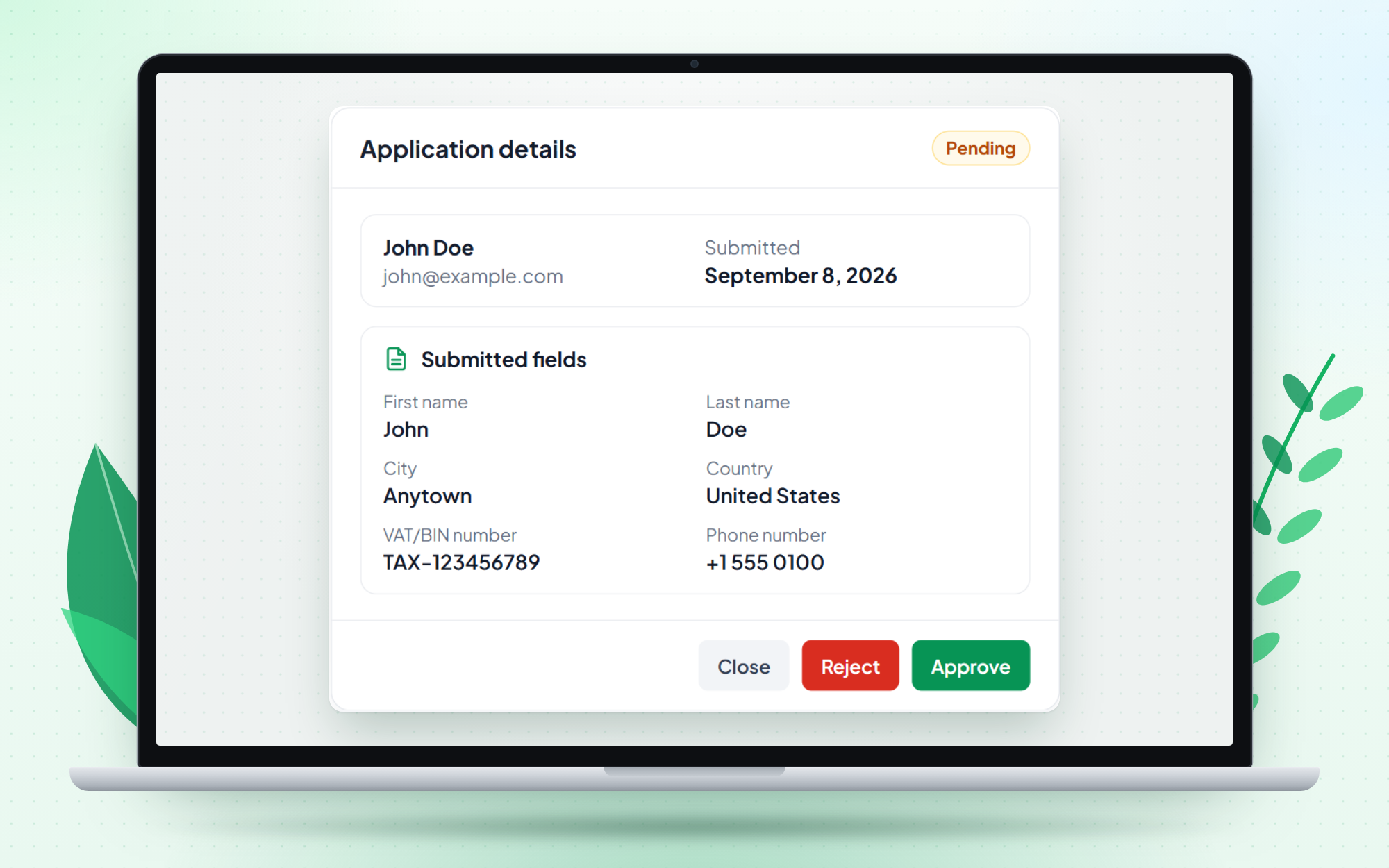
- Applications – a logged-in customer opens My Account Wholesale and submits the wholesale application form. You approve or reject it with one click.
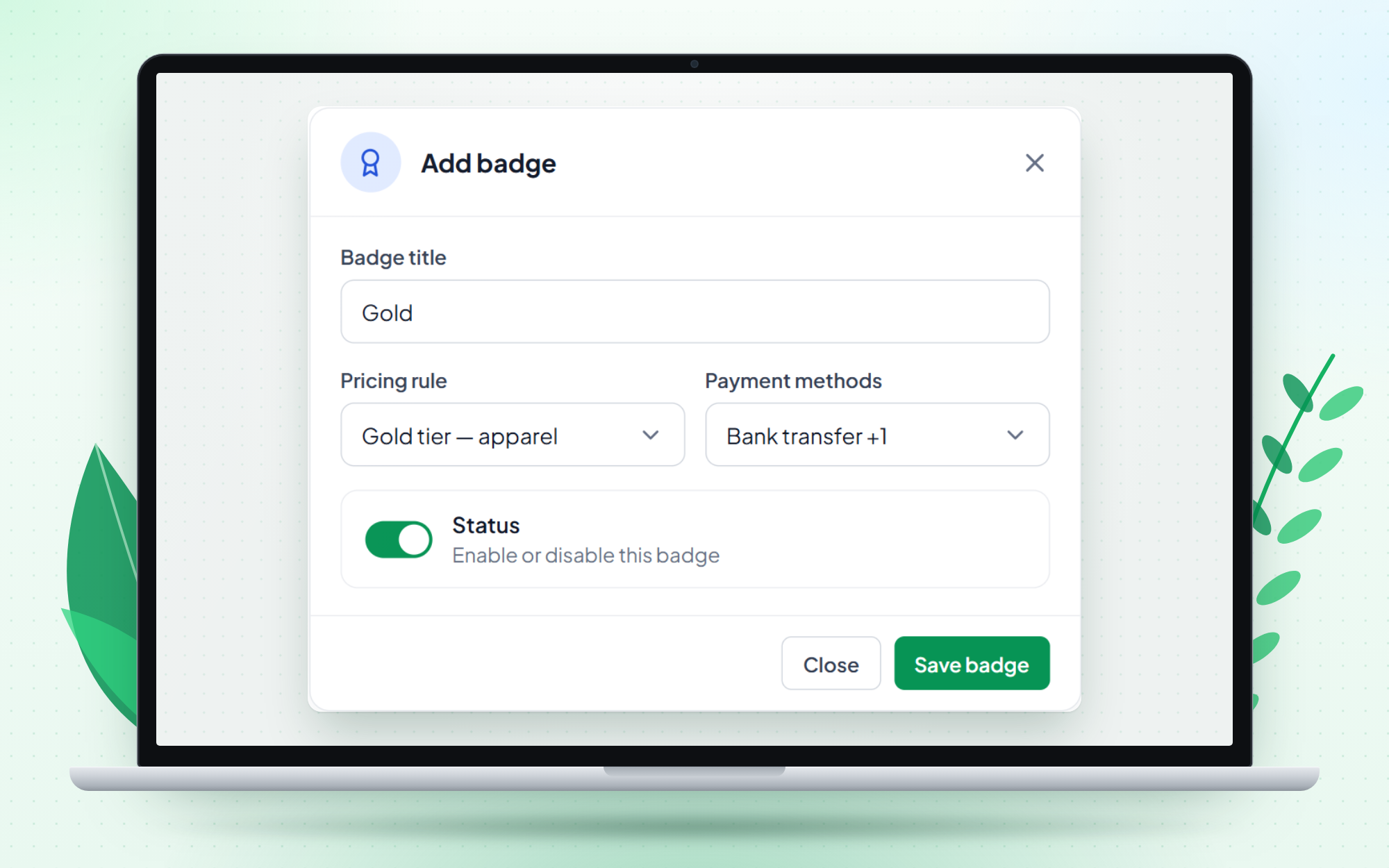
- Badges – a badge is a wholesale tier, such as Silver or Gold. Each approved customer holds one badge. The badge decides which pricing rules apply to them and, optionally, which payment methods they can use.
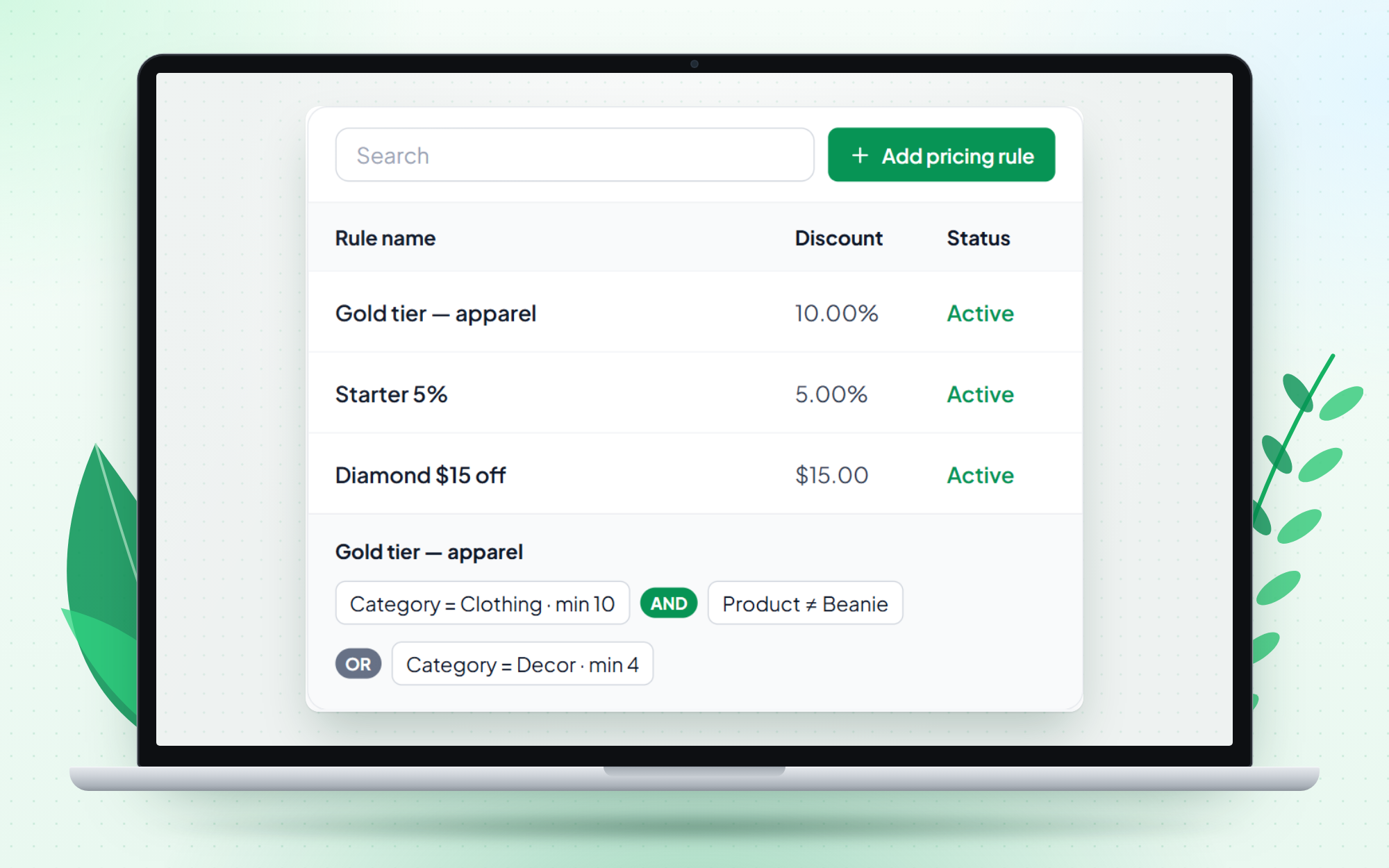
- Pricing rules – a percentage or fixed discount for the products, categories and minimum quantities you choose. You attach rules to badges.
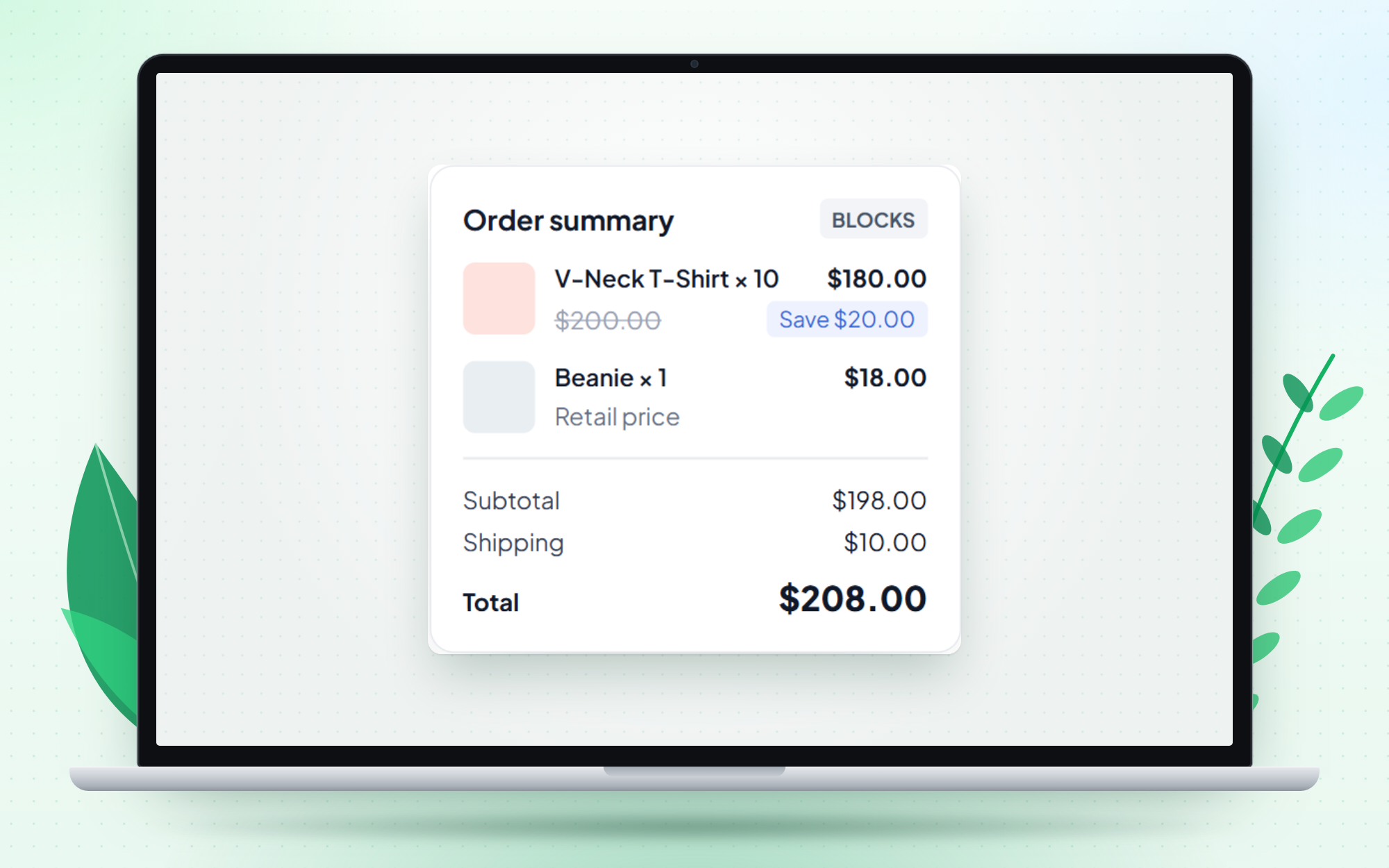
- Storefront pricing – customers with a badge see their wholesale price on product pages, in the cart, at checkout and on the order, including the WooCommerce Blocks cart and checkout.
Guests and customers without a badge see your normal WooCommerce prices and use your normal checkout.
Free features
- Wholesale applications from WooCommerce My Account, with one-click approve and reject, plus re-apply
- Customer badges (price tiers), with a default badge, their own pricing rule and allowed payment methods
- Pricing rules with AND / OR rule groups
- Conditions on category or product (equals / excluding) and minimum quantity
- Percentage or fixed discounts
- Wholesale prices everywhere – product page, cart, checkout and order line items, with both the classic and the Blocks checkout
- Customer management – assign badges and turn wholesale access off
- Settings for price strategy, base price, cost protection, coupons and badge payment methods
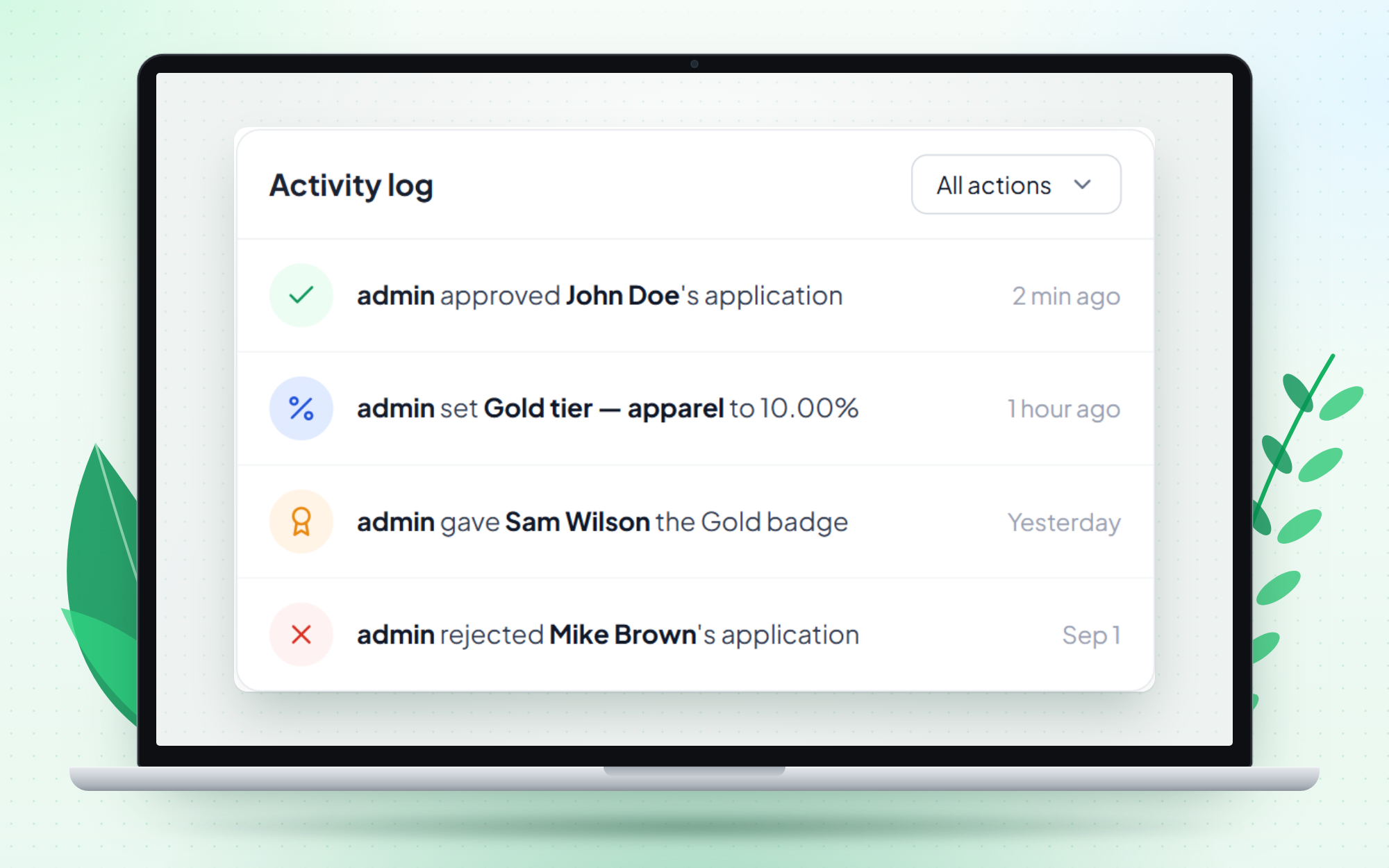
- Activity log
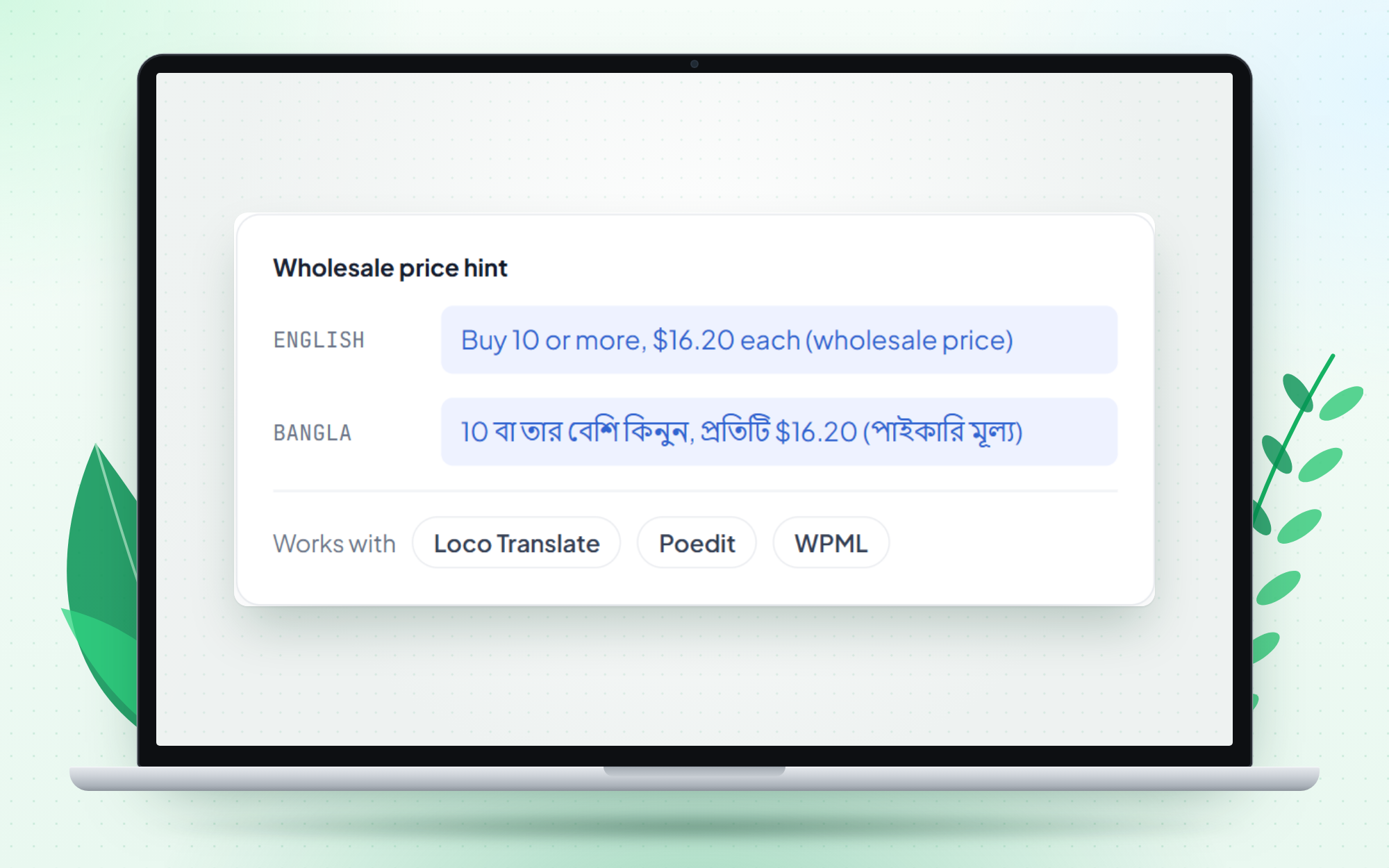
- Translation-ready with Loco Translate, Poedit or WPML
- Unlimited sites, free forever
Vite Wholesale Pro
Vite Wholesale Pro adds more tools on top of the free plugin:
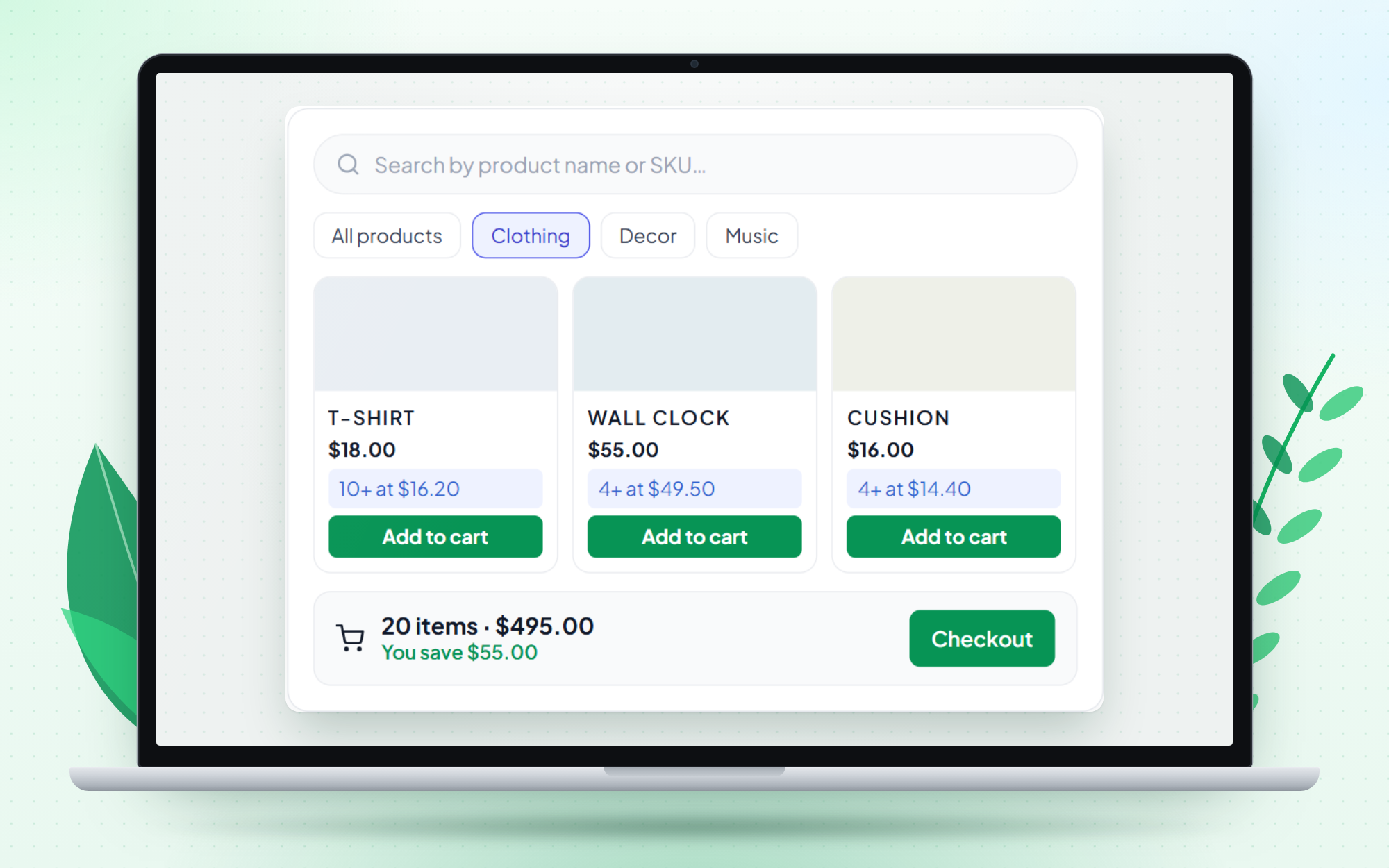
- Wholesale Shop – a dedicated fast order page (auto-created, or a shortcode) with search by name or SKU, category filters and a side cart
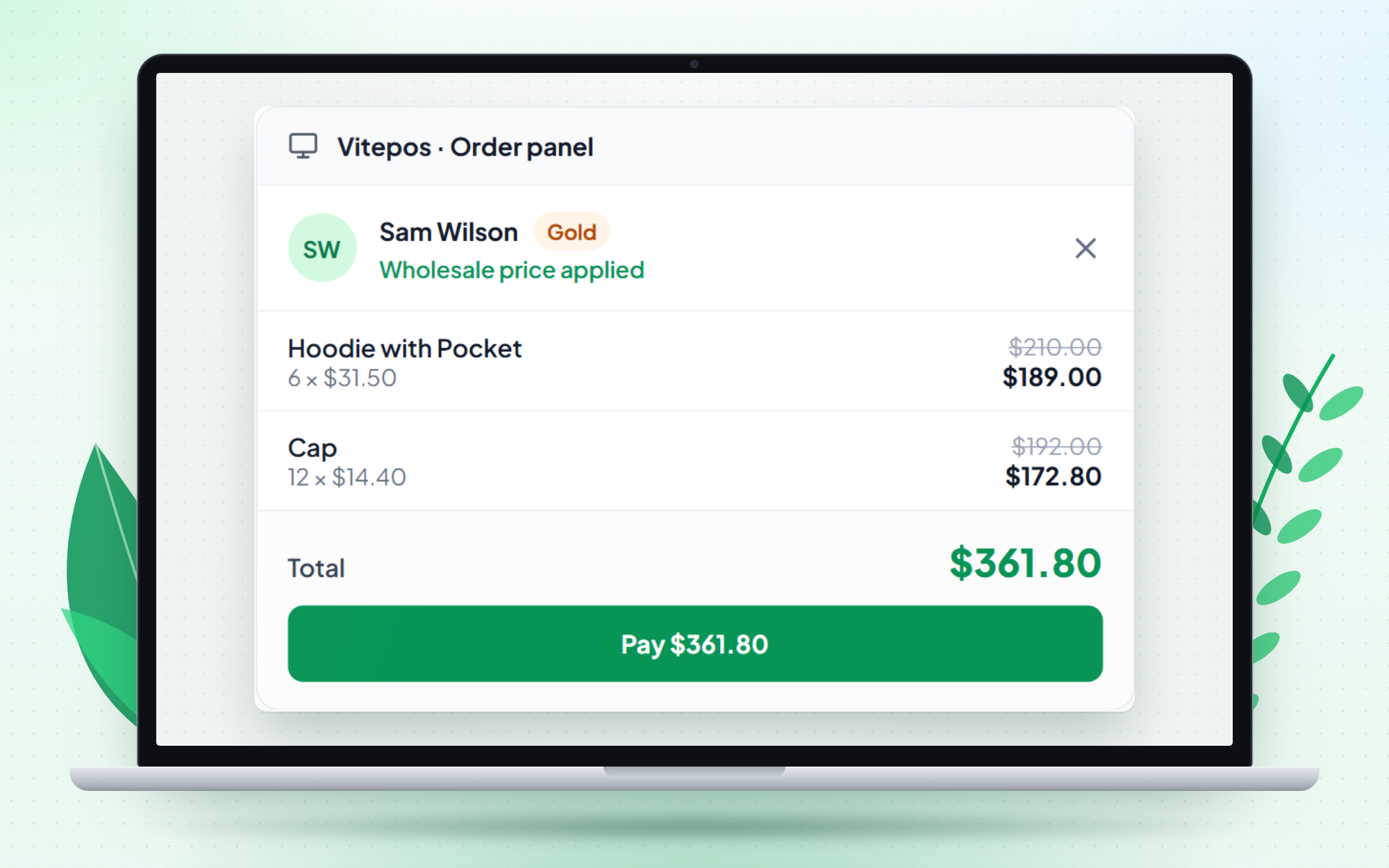
- Vitepos order panel pricing (only if you use Vitepos) – select a customer in the Vitepos order panel; if they are a wholesale customer, every product added to the cart gets their wholesale price
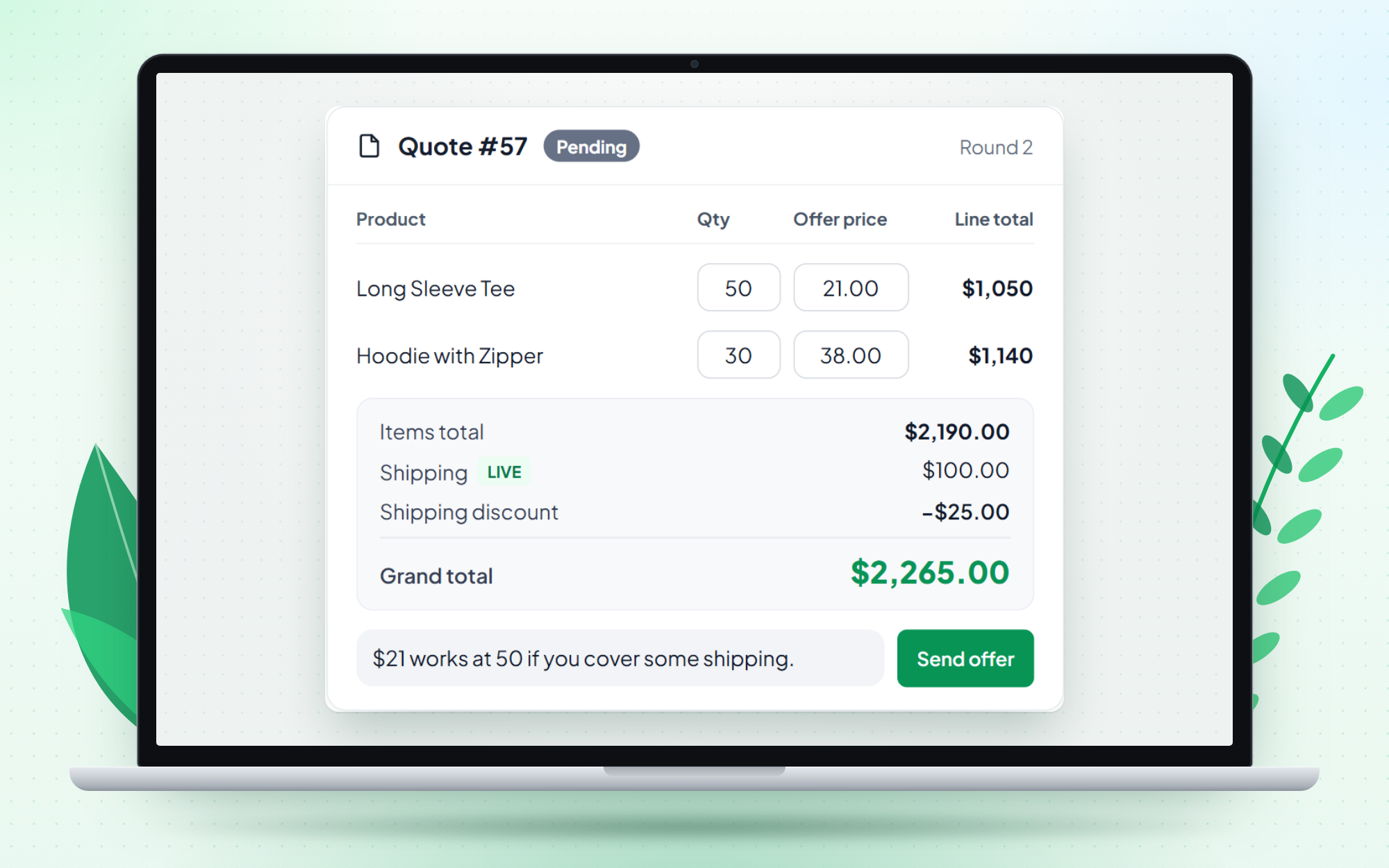
- Quote negotiation – cart to quote request, multi-round offers, accepted quotes become WooCommerce orders
- Live shipping calculator for quotes
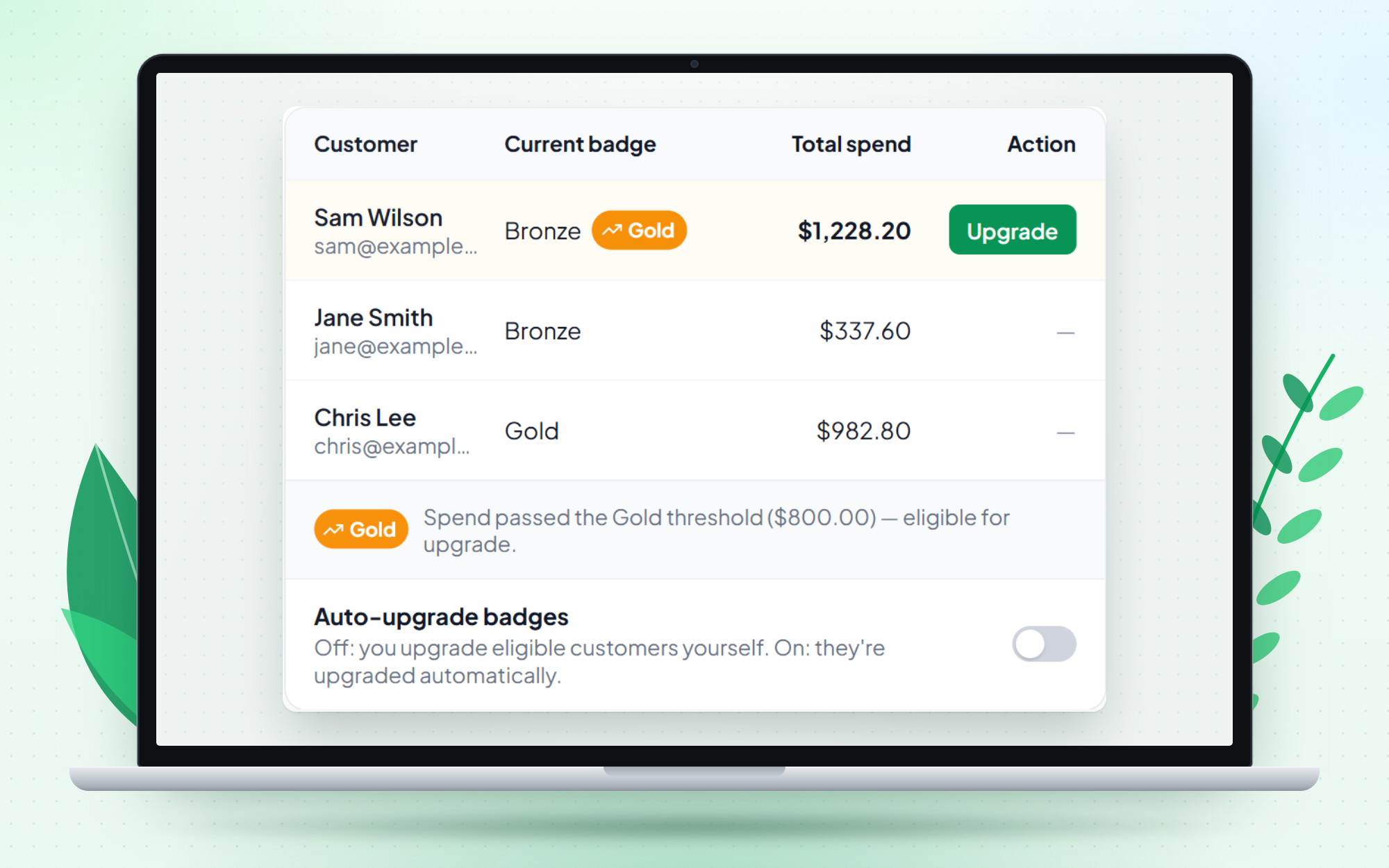
- Badge upgrades by lifetime spend – customers who pass a higher badge’s spend threshold are flagged as eligible on the Customers screen, and you upgrade them with one click. An optional auto-upgrade setting (off by default) upgrades eligible customers automatically.
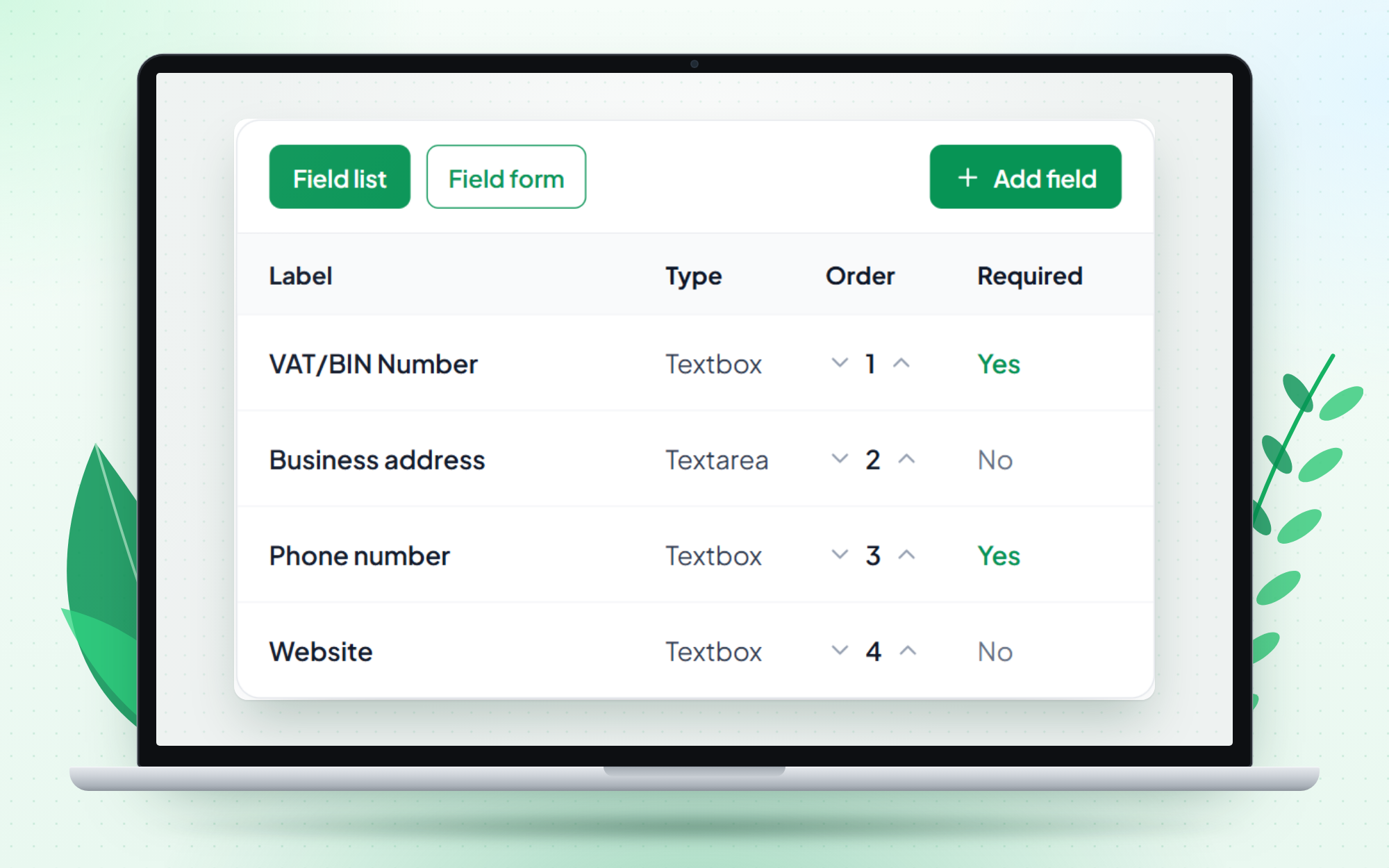
- Custom fields on the wholesale application form
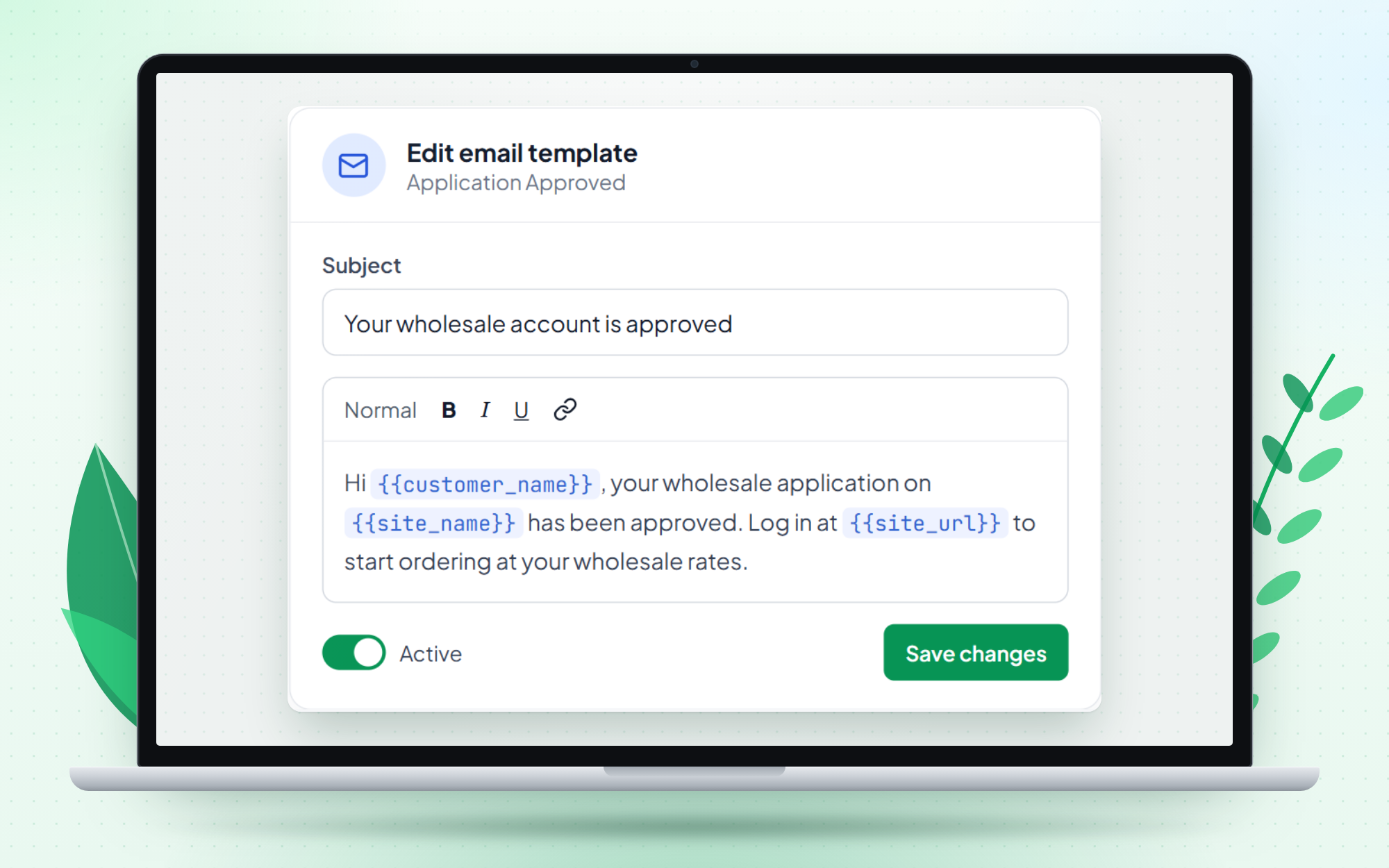
- 8 editable email templates for the application, quote and badge-upgrade lifecycle
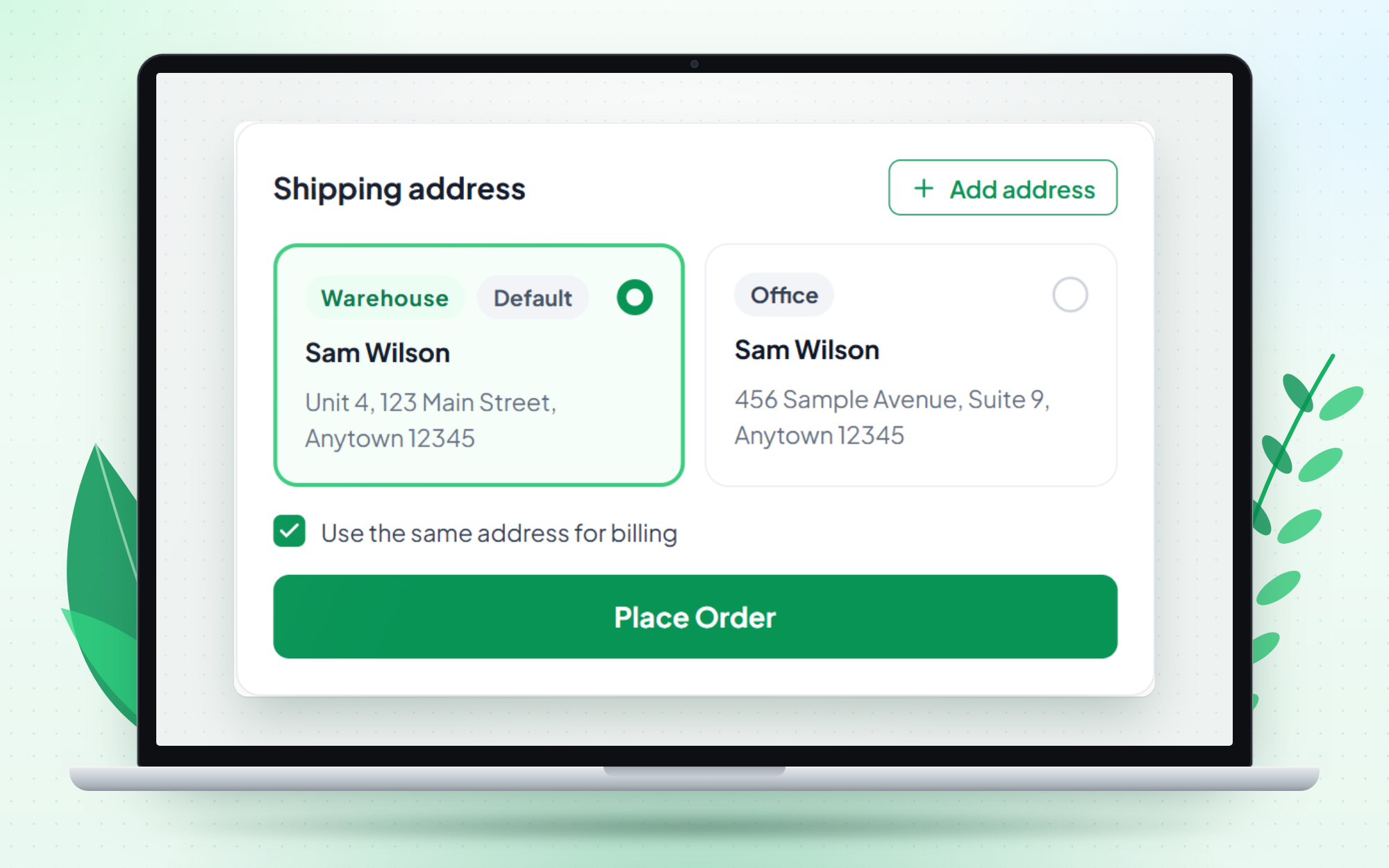
- Customer address book (Home, Office, Warehouse…) and a checkout address picker
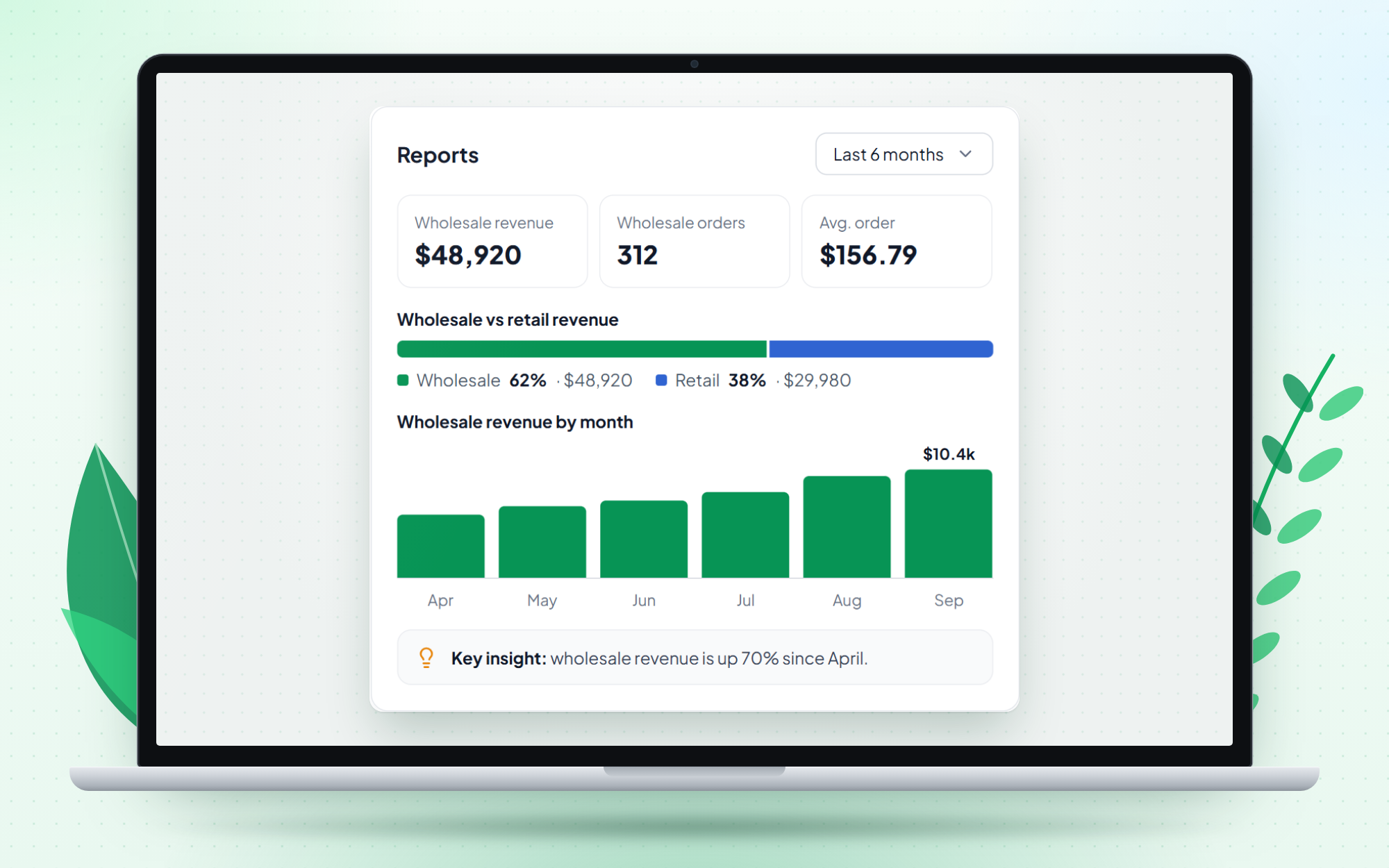
- Wholesale reports – stat tiles, wholesale vs retail revenue and revenue trend
Every Pro plan comes with a 30-day money-back guarantee. Compare Free and Pro.
Javascript Source link
https://github.com/appsbd/vite-wholesale-js
Screenshots
Installation
Requirements
- WordPress with WooCommerce installed and active
- PHP 7.4 or newer
From the WordPress plugin directory
- Go to Plugins Add New Plugin.
- Search for Vite Wholesale.
- Click Install Now, then Activate.
From a zip file
- Go to Plugins Add New Plugin Upload Plugin.
- Choose the Vite Wholesale zip file and click Install Now.
- Click Activate Plugin.
After installing
- A ViteWholesale item appears in your admin menu. It opens on Settings first – review the defaults.
- Make sure your products have a regular price. Products without a regular price never get wholesale pricing.
- Create a pricing rule under ViteWholesale Pricing Rules.
- Create a badge under ViteWholesale Badges and attach the rule to it.
- Approve an application under ViteWholesale Applications, or assign a badge to a customer from ViteWholesale Customers.
Updating
Update Vite Wholesale like any other plugin. If a screen looks out of date after an update, go to ViteWholesale Settings and click Refresh App. This re-checks the plugin’s database tables.
FAQ
-
Do I need Vitepos?
-
No. Vite Wholesale works on any WooCommerce store. If you also run Vitepos, add Pro and your wholesale prices work in the Vitepos order panel too.
-
Does Vitepos support need Pro?
-
Yes. With Vite Wholesale Pro, select a customer in the Vitepos order panel. If they are a wholesale customer, every product you add to the cart gets their wholesale price.
-
Who sees wholesale prices?
-
Logged-in customers who hold a wholesale badge. They see wholesale prices on products matched by the active pricing rules assigned to their badge. A customer gets a badge when you approve their application or assign one from ViteWholesale Customers.
-
What do retail customers and guests see?
-
Your normal WooCommerce prices. Visitors who aren’t logged in, and customers without a badge, pay your regular prices through your regular checkout. Logged-in customers can apply for wholesale access from My Account Wholesale.
-
Does it work with the Blocks cart and checkout?
-
Yes. Wholesale prices show on product pages, the cart, checkout and the order line items, with both the classic and the Blocks checkout.
-
Can wholesale customers use coupons?
-
That’s up to you. Turn on Disable Coupon under ViteWholesale Settings General Settings to stop wholesale customers from applying coupons on the cart and checkout pages.
-
Can I limit payment methods for wholesale customers?
-
Yes. Choose the allowed Payment Methods on each badge, then turn on Enable Badge Payment in ViteWholesale Settings General Settings. At checkout, customers only see the methods their badge allows.
-
Are badge upgrades automatic?
-
Badge upgrades are a Pro feature, and they are not automatic by default. When a customer’s lifetime spend passes a higher badge’s threshold, the Customers screen flags them as eligible and you upgrade them with one click. You can turn on the optional auto-upgrade so eligible customers are upgraded by a daily check.
-
Can I translate it?
-
Yes. Every admin and customer screen is translation-ready with Loco Translate, Poedit or WPML, with no rebuild needed.
-
Where can I find the documentation?
-
Step-by-step guides for every feature are at wholesale.vitepos.com/docs.
Reviews
There are no reviews for this plugin.
Contributors & Developers
“Vite Wholesale – Wholesale Prices and B2B Tiers for WooCommerce” is open source software. The following people have contributed to this plugin.
Contributors

Translate “Vite Wholesale – Wholesale Prices and B2B Tiers for WooCommerce” into your language.
Interested in development?
Browse the code, check out the SVN repository, or subscribe to the development log by RSS.
Changelog
1.0.1
- New: Basic Reports dashboard for the free plugin – last 30 days wholesale vs retail revenue, total orders, wholesale orders, wholesale customers and retail users.
- New: Preview of the Pro report views on the Reports screen.
- Improvement: New admin menu icon.
- Fix: Reports screen no longer blocked for free users.
- Fix: 30-day report window could cover 31 days on servers ahead of UTC.
- Fix: Translations saved in the plugin’s own languages folder (Loco Translate “Author” location or Poedit) were not loaded.
- Fix: Issues reported by the WordPress Plugin Check tool.
1.0.0
- New: Wholesale applications from WooCommerce My Account, with approve and reject.
- New: Customer badges (price tiers), each with its own pricing rule and allowed payment methods.
- New: Pricing rules with AND / OR rule groups, category and product conditions, minimum quantity, and percentage or fixed discounts.
- New: Wholesale prices on product pages, cart, checkout and orders – classic and Blocks checkout.
- New: Activity log.
- New: Translation-ready with Loco Translate, Poedit or WPML.