
Description
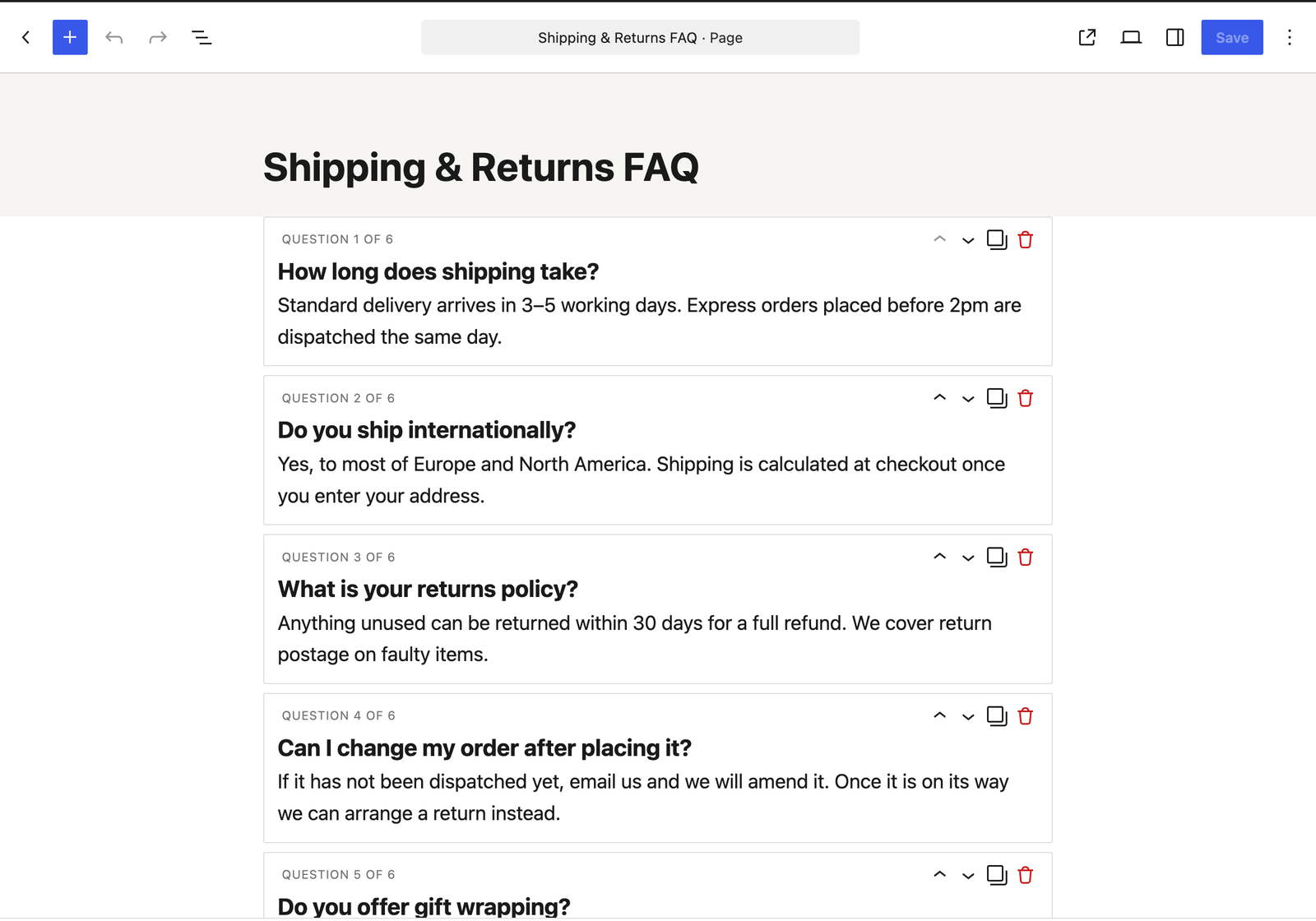
Ordessa is an FAQ and accordion block for the WordPress block editor, built around one idea: your whole FAQ lives in a single block.
Most FAQ plugins and accordion blocks make you insert a new block for every question. Adding the twentieth question means twenty separate blocks to insert, style and keep consistent — and reordering them means dragging twenty blocks around.
Ordessa takes the other approach: one block holds every question. Add, reorder, duplicate and delete questions inside it, or paste an entire FAQ in at once and have it split into questions and answers automatically.
Add 20 questions without inserting 20 blocks
- Add question button right inside the block. No block inserter, no dialog.
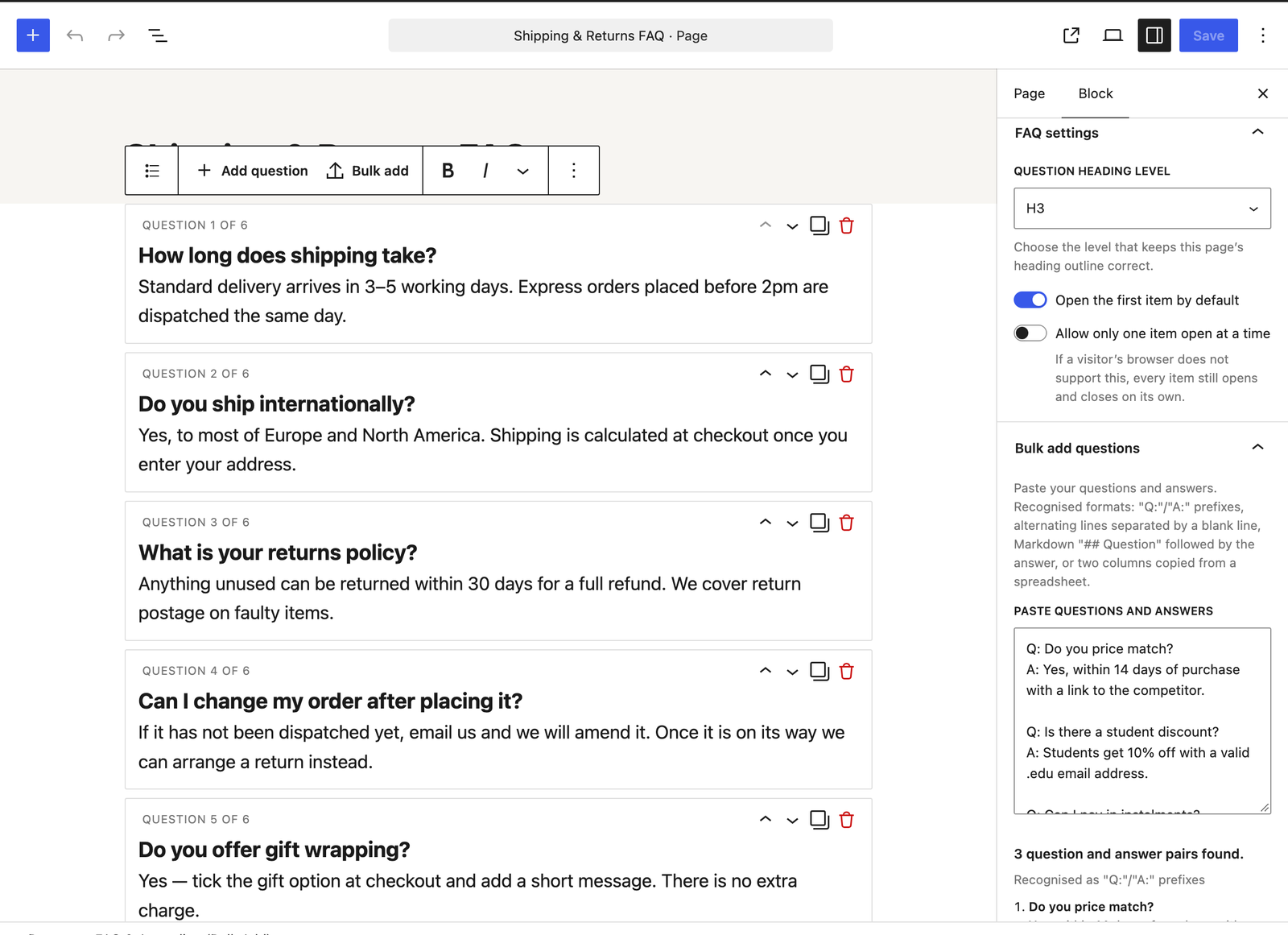
- Bulk paste an entire FAQ from a document or spreadsheet and have it parsed into questions and answers automatically.
- Reorder by drag and drop, or with keyboard-accessible move up / move down buttons.
- Duplicate or delete any question in one click.
- Keyboard-first authoring — press Enter at the end of a question to jump to its answer, and again at the end of an answer to create the next question. A ten question FAQ can be typed end to end without touching the mouse.
Bulk paste understands the formats you already have
Paste your text and the block detects the format automatically:
Q: ... / A: ...prefixed lines (Question:andAnswer:also work, in any capitalisation)- Alternating lines, separated by blank lines
- Markdown-style
## Questionfollowed by the answer text - Two columns copied from a spreadsheet — questions in one column, answers in the next
Numbered and bulleted lists are handled as well, so a 1. or a - at the start of a question does not end up inside the question text.
You see a preview of what was parsed — which format it recognised, how many questions, and the first few pairs — before anything is added. Then choose to append to the existing questions or replace them. Either way it is a single undo step.
The preview is there so you can check the pairing before you commit. When the block spots that your text is not one of the formats above — leftover columns from a spreadsheet, comma-separated values, or a run of alternating lines that does not pair up evenly — it says so and imports nothing rather than importing it wrongly. It cannot detect every unusual layout, so give the preview a quick look before adding.
Built to stay out of the way
- Uses native
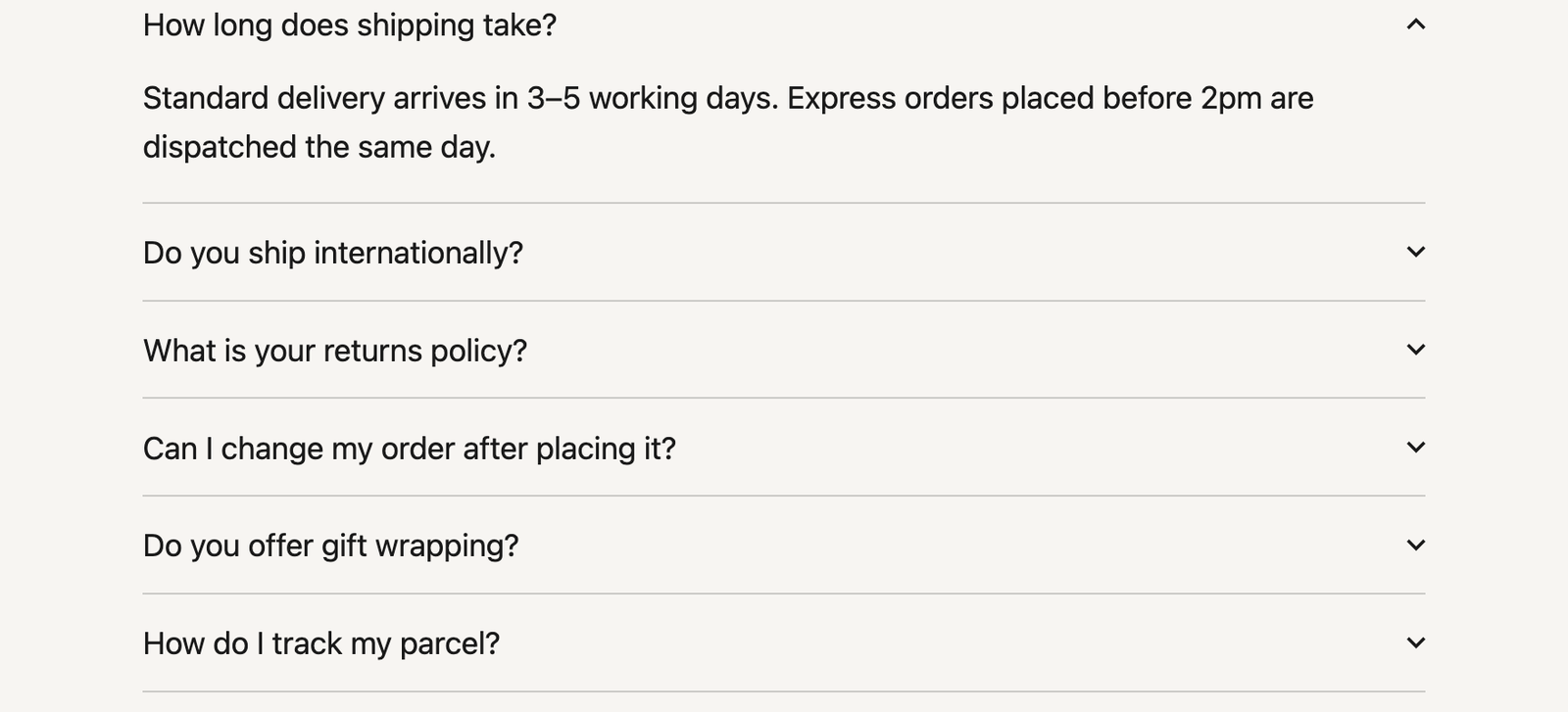
<details>and<summary>markup. Expanding and collapsing works with JavaScript disabled. - No JavaScript required on the front end. An optional script of well under 2 KB is used only for the “allow only one open at a time” option, and everything still opens and closes without it.
- No per-page inline CSS. One small stylesheet, loaded only on pages that actually use the block. A page with ten of these blocks loads exactly the same CSS as a page with one.
- Inherits your theme. Typography and colours come from your theme rather than being overridden, and the question heading level (H2 to H6) is yours to choose so the block does not break your document outline.
- No settings page and no database rows. Nothing to configure, nothing left behind.
Accessibility
Questions are real <summary> elements inside a heading of your chosen level. They are reachable with Tab, toggled with Enter or Space, and show a visible focus outline. The open and closed state is conveyed by the browser natively rather than being simulated.
Who this is for
- Anyone maintaining a long FAQ page — support, policy, pricing or shipping questions that get added to over time.
- Documentation and knowledge-base pages where questions need reordering as priorities change.
- Migrating an existing FAQ from a Word document, Google Doc, Notion page or spreadsheet — paste it in rather than retyping it.
- Anyone who wants a lightweight accordion block without loading a full page-builder or block-library suite.
What this plugin does not do
Being straightforward about this saves everyone time:
- It does not output FAQ schema / structured data. Google restricted FAQ rich results to government and health sites in 2023, so for almost every site that markup no longer produces the rich result people install it for.
- It does not allow arbitrary blocks inside an answer. Answers are rich text — bold, italics, links and lists. That constraint is what makes pasting and reordering a whole FAQ fast.
- It is not a page builder and adds no design controls beyond the standard WordPress colour, typography, spacing and border settings.
Screenshots
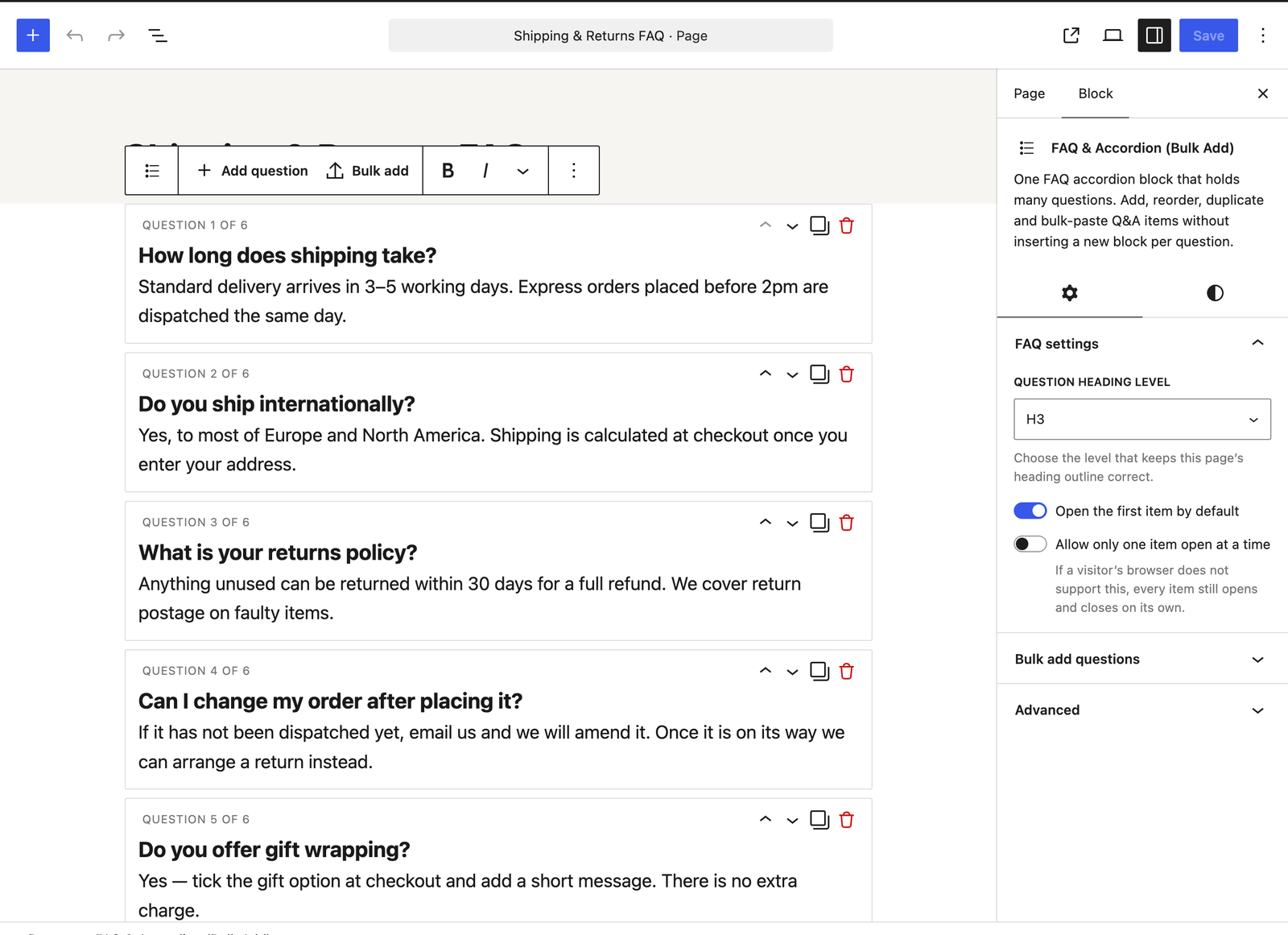
Blocks
This plugin provides 1 block.
- FAQ & Accordion (Bulk Add) One FAQ accordion block that holds many questions. Add, reorder, duplicate and bulk-paste Q&A items without inserting a new block per question.
Installation
- Go to Plugins > Add New in your WordPress admin.
- Search for “Ordessa”.
- Click Install Now, then Activate.
- Edit any post or page, add the FAQ & Accordion (Bulk Add) block, and start typing — or open the Bulk add panel and paste an existing FAQ.
You can also upload the plugin ZIP under Plugins > Add New > Upload Plugin.
FAQ
-
Do I need a separate block for each question?
-
No — that is the whole point of this plugin. One block holds all of your questions. Use the “Add question” button inside the block to add more.
-
Can I paste in an FAQ I already wrote?
-
Yes. Open the Bulk add panel, paste the text, and it will be parsed into separate questions and answers. You will see how many were found and a preview of the first few before you commit, and you can choose to add them to what is already there or replace it.
-
What if my pasted text is in an unusual format?
-
The block recognises
Q:/A:prefixes, alternating lines, Markdown-style headings, and two columns copied straight out of a spreadsheet. Numbered and bulleted lists are understood too — the1.or-is not included in the question text. If a line cannot be interpreted, nothing is imported at all and you are told which line caused the problem — an import is never half-applied, so you can fix the line and paste again.Some layouts it does not model — a Markdown table, for instance, or pairs written one-per-line and joined by a comma or a dash — can still be read the wrong way round without a warning. That is what the preview is for: it shows you the first few pairs as the block understood them, so check those before you commit.
-
Can I paste my FAQ straight from a spreadsheet?
-
Yes. Copy the two columns — questions in the first, answers in the second — and paste them in. The preview tells you it recognised a spreadsheet and how many pairs it found before anything is added. If a row is missing its question or its answer, or the columns do not line up, it reports the row and imports nothing rather than importing the pairs wrongly.
-
Can I show the same FAQ on more than one page?
-
Yes, using WordPress’s own synced patterns. Select the block, create a pattern from it and turn on syncing, then place that pattern on any page that needs it. Editing it in one place updates every page it appears on.
-
Does the accordion work without JavaScript?
-
Yes. It uses the browser’s own
<details>element, so opening and closing works with JavaScript turned off. The only feature that uses JavaScript is the optional “allow only one open at a time” setting, and even then every question still opens and closes normally if that script does not load. -
Not in this version. Answers are rich text — bold, italics, links and lists. Keeping answers as text is what makes pasting a whole FAQ in at once and reordering questions fast, which is the problem this block exists to solve.
-
Does this add FAQ schema or structured data?
-
No. Google restricted FAQ rich results to government and health sites in 2023, so for almost every site the search benefit people associate with FAQ schema is no longer available. Rather than imply a benefit you would not get, this plugin leaves it out.
-
Will it match my theme?
-
It inherits your theme’s fonts and colours by default, and supports the standard WordPress colour, typography, spacing and border controls if you want to adjust it.
-
Where is the source code, and how do I build it?
-
The complete, unminified source is included in this plugin under
src/. The files inbuild/are generated from it — nothing is obfuscated, and no third-party libraries are bundled.The build uses @wordpress/scripts, the official WordPress build tooling, configured in the included
package.json. To regeneratebuild/fromsrc/:- Install Node.js (18 or newer).
- From the plugin directory, run
npm install. -
Run
npm run build.npm run start builds in watch mode for development.
npm run lint:jsandnpm run lint:cssrun the WordPress coding-standards linters.
Reviews
There are no reviews for this plugin.
Contributors & Developers
“Ordessa – FAQ & Accordion Block with Bulk Add” is open source software. The following people have contributed to this plugin.
Contributors
Translate “Ordessa – FAQ & Accordion Block with Bulk Add” into your language.
Interested in development?
Browse the code, check out the SVN repository, or subscribe to the development log by RSS.
Changelog
0.1.2
- Fixed
<details>and<summary>appearing as escaped text rather than as element names in the plugin description. - Clearer listing: an expanded description, sections covering who the plugin is for and what it deliberately does not do, and updated tags.
- No changes to the block or to any content you have already saved.
0.1.1
- Bulk paste now understands two columns copied from a spreadsheet.
- Numbered and bulleted list markers are no longer included in the question text when pasting a list of questions.
- Several kinds of unrecognised paste are now reported instead of being imported incorrectly — leftover spreadsheet columns, comma-separated values, and alternating lines that do not pair up evenly. Previously these were imported with the questions and answers matched up wrongly, without any warning. Other unusual layouts can still be misread, so the preview remains the place to check the pairing.
- The paste preview now names the format it recognised, alongside the number of pairs found.
- Questions left blank are now flagged in the editor, so an empty row does not reach visitors unnoticed.
0.1.0
- Initial release.
- FAQ & Accordion (Bulk Add) block: multiple questions in a single block, with add, reorder, duplicate and delete.
- Bulk paste import with automatic format detection and a preview before committing.
- Keyboard-first authoring flow.
- Native
<details>/<summary>rendering with no required front-end JavaScript.