

Description
Works, from The Solo Software Group, is a CRM that runs entirely on
your own WordPress install. Your client records live in your
database on your host. Nothing is uploaded to us, there is no
account to create, and no usage data is sent anywhere.
It is built for the person who runs a small service business and
does their own paperwork: the client calls, you send a quote, they
sign it on their phone, you do the work, you send the invoice, they
pay it by card, and the whole trail stays in one place.
Clients
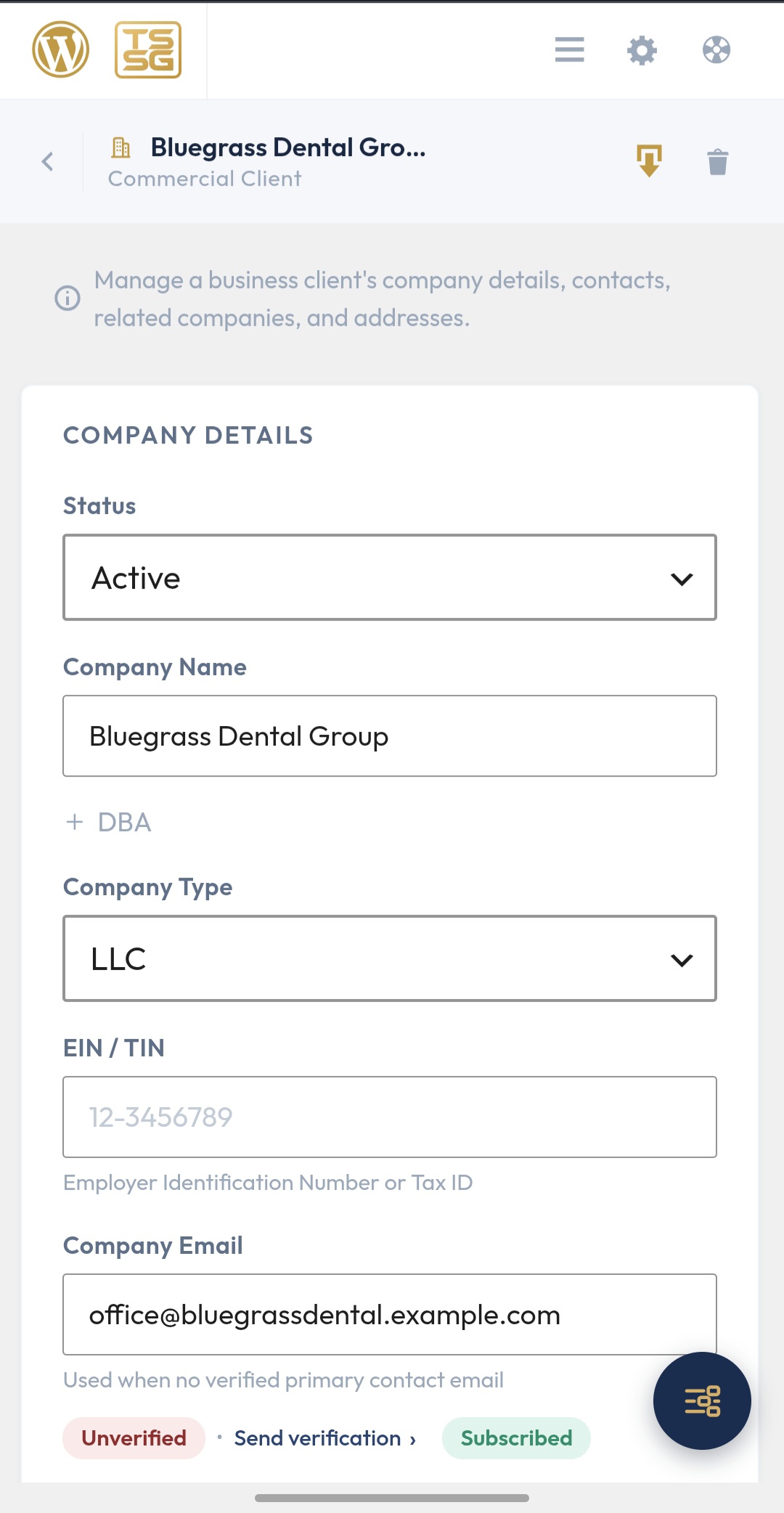
- Residential and business clients, each with contacts, addresses,
files, and a full activity history - Company relationships: which contact works for which business
- Import from CSV, XLSX, ODS, or vCard, and export back out
Quotes and estimates
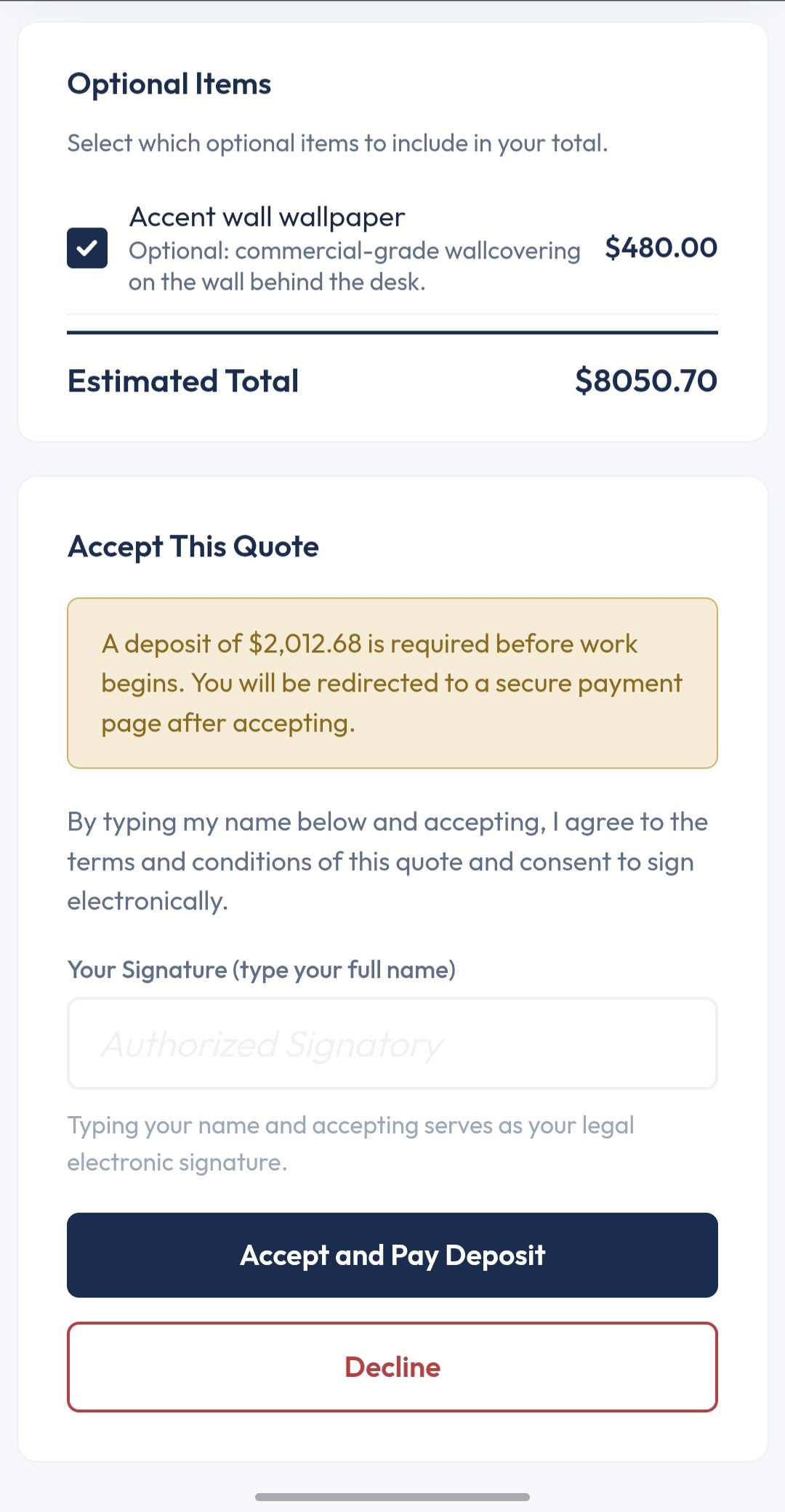
- Line items, taxes, discounts, deposits, optional items, and terms
- Custom proposals: free-form documents beyond quote and estimate
- A public link the client opens on any device
- E-signature on the page, or signed in person on your own device
- Change orders against an accepted quote, with a redline showing
what moved - Presets: save any quote, job, or invoice and apply it to the next
one in one tap
Invoices
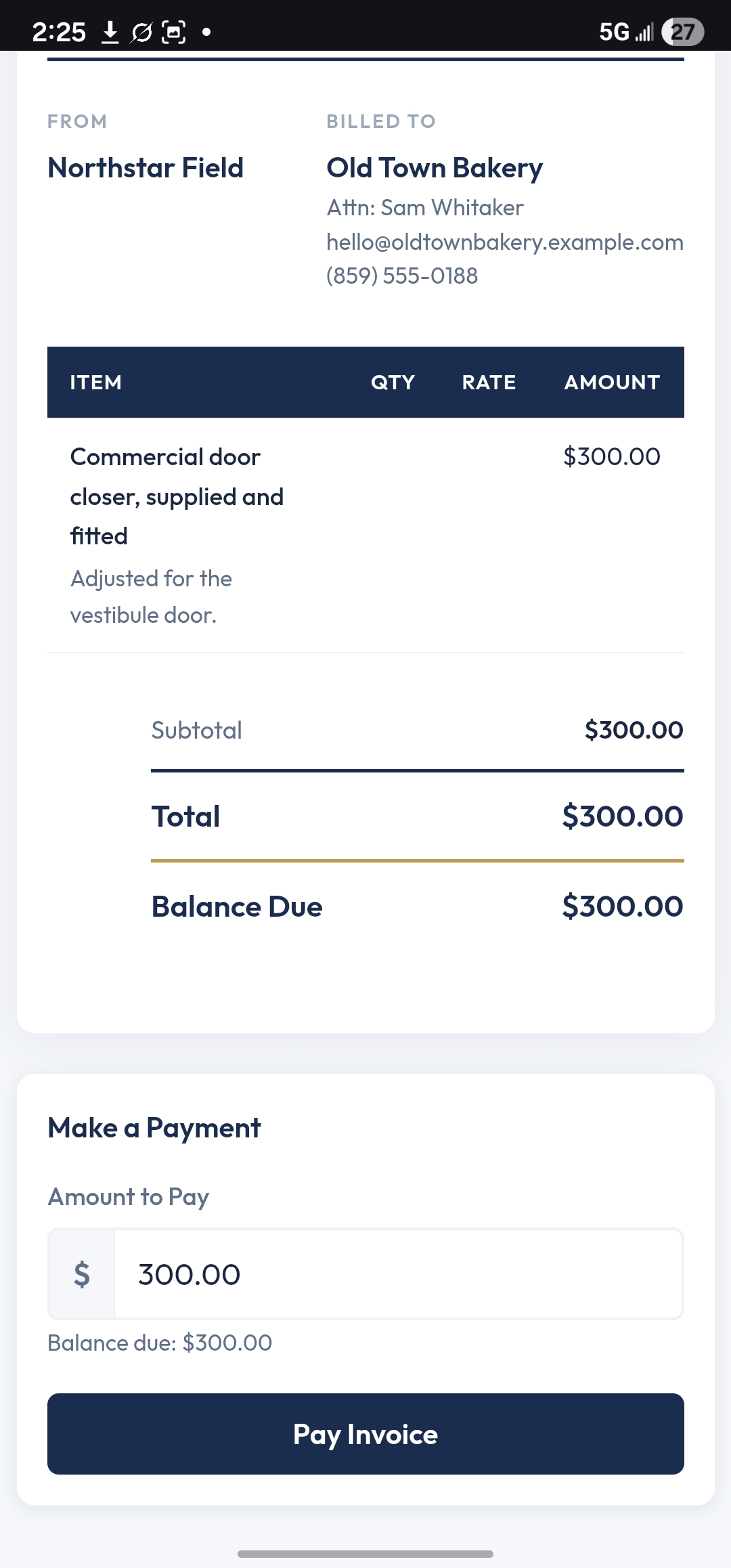
- One-off invoices, created from a quote or from scratch
- Card payment through Stripe Checkout on the client’s link
- Receipts, partial payments, adjustments, and refunds
- Receipt and refund records the client can open any time
Jobs and tasks
- Projects with tasks, cost tracking, files, and notes
- Meetings proposed to the client, accepted or rescheduled on their
link, with calendar files
Calendar
- Your meetings, project dates, and task due dates in one calendar,
as an agenda, a day, a week, or a month - Today and the week ahead on the dashboard
- A private feed you can subscribe to in Google, Apple, or Outlook
calendar, and an .ics download
Notifications
- Email templates for every step: proposal sent, viewed, accepted,
invoice sent, paid, receipt, meeting booked, and more - Merge tags, your own wording, your own sign-off
- A queue you can see, with a log of everything that went out
Reminders and follow-ups
- Proposal expiry reminders and follow-ups
- Project and task reminders
- Overdue invoice reminders and late fees
- All on your site’s own schedule; nothing is sent to an outside
service
Everything else
- A dashboard that opens every module, with a setup checklist that
tracks what is left to configure - A setup wizard; company name is the only required field
- Activity log, message log, and an append-only consent ledger
- Branded sign-in at /tssg on your own site
The Solo Software Group Works Pro
The Solo Software Group Works Pro is a separate plugin, sold from
thesolosoftwaregroup.com. It adds recurring invoices, credit notes,
text messaging through your own Twilio account, campaigns and promo
codes, surveys and testimonials, recurring services with visit
schedules, service plans, bulk sending, team seats, and an
assistant.
Both editions share the same database tables, so upgrading keeps
every client, quote, invoice, and file you already have: upload the
Pro plugin and activate it, and this plugin steps aside on its own
(it deactivates itself, never the other one). Nothing
in this free plugin is locked, trial-limited, or waiting on a
purchase; a card on the dashboard and a link on the Plugins screen
point to the paid plugin.
Third-Party Services
This plugin connects to one outside service, and only after you
configure it. Until then it contacts nothing, apart from the one
reachability check described below.
Stripe processes card payments through Stripe Checkout. You
supply your own Stripe account credentials. When a client pays,
the invoice amount, currency, and reference are sent to Stripe,
and the client completes payment on a page hosted by Stripe. When
they return, the plugin asks Stripe whether that checkout was paid
and records the answer; a Stripe webhook can deliver the same
confirmation if you set one up. No card details ever pass through
this plugin or your server. Your Stripe account is your own
relationship with them.
Service: https://stripe.com
Terms: https://stripe.com/legal/ssa
Privacy: https://stripe.com/privacy
The setup wizard’s environment check makes one request to
api.stripe.com to confirm your server can reach the internet over
HTTPS. It sends no data.
Fonts
The plugin’s typefaces (Outfit and Cormorant Garamond) are bundled
with the plugin under the SIL Open Font License. Nothing is loaded
from a font service.
Bundled libraries and data
- Cropper.js 2.2.0 (image cropping), MIT License,
https://github.com/fengyuanchen/cropperjs - illuminate/view, illuminate/container and illuminate/events (the
Blade template engine), MIT License, with the packages they
depend on, all MIT License: illuminate/bus, collections,
conditionable, contracts, filesystem, macroable, pipeline,
reflection and support; symfony/clock, finder, translation,
translation-contracts, deprecation-contracts, polyfill-mbstring
and polyfill-php83 through polyfill-php86; psr/clock, container
and simple-cache; doctrine/inflector; voku/portable-ascii;
carbonphp/carbon-doctrine-types - openspout/openspout (spreadsheet import and export), MIT License;
one component under the Apache License 2.0, whose licence text
ships with it - nesbot/carbon (dates), MIT License
- Outfit and Cormorant Garamond typefaces, SIL Open Font License
- The US ZIP code table, from SimpleMaps US Zips, CC BY 4.0,
https://creativecommons.org/licenses/by/4.0/
Each ships with its licence text, and the unminified source sits
next to any minified file.
Privacy
Client records stay in your WordPress database. Public links carry
an unguessable token and are marked noindex. A personal calendar
feed is off until you turn it on in My Profile; its address is a
private, unguessable link, and its events carry titles only unless
you switch on client names and addresses. Regenerate or turn off the
feed and the old address stops working. The plugin sends nothing to
The Solo Software Group: no telemetry, no usage statistics, and no
error reports.
Terms of Service: https://thesolosoftwaregroup.com/terms-of-service/
Privacy Policy: https://thesolosoftwaregroup.com/privacy-policy/
Screenshots

Installation
- Install through Plugins > Add New Plugin, search for “The Solo Software Group Works”, and click Install Now. Or upload the zip, or copy the plugin folder into /wp-content/plugins/.
- Activate it on the Plugins screen. Activation creates the plugin’s own database tables and seeds its stock notification templates.
- The first admin page load opens the setup wizard. Company name is the only required field, and it starts as your site title; everything else can be skipped and changed later under The Solo Software Group Works > Settings.
- Optional: add Stripe keys under Settings > Integrations to take card payments on invoices.
WordPress 6.4 or newer and PHP 8.3 or newer are required. Permalinks must not be set to Plain: the public proposal, invoice, and meeting links are rewrite rules.
FAQ
-
Does my client data leave my server?
-
Not unless you set up card payments. Then the invoice amount,
currency, and reference go to Stripe when a client pays.
A calendar feed you turn on sends the schedule your calendar shows
you to the calendar app you subscribe it in.
Everything else stays in your own database. -
Do I need a Stripe account?
-
Only to take card payments on invoices. Without one, invoices still
send and you record payments by hand. -
Can clients sign a quote on their phone?
-
Yes. The public link carries a signature field: the client types
their name to sign, and the signature, the time, and the address
it came from are stored with the quote. -
Can I text clients?
-
Text messaging is a feature of The Solo Software Group Works Pro.
The free plugin sends email when you act (send a quote, send an
invoice, book a meeting), and it also sends the follow-up, expiry
and overdue reminders and the project and task reminders you
configure, on your site’s own schedule. -
Will I lose anything if I upgrade to The Solo Software Group Works Pro?
-
No. Pro is a separate plugin that uses the same tables. Download
the zip from thesolosoftwaregroup.com/download/, upload it under
Plugins > Add New Plugin and activate it; this plugin sees
Pro is active and deactivates itself, and every record is where you
left it. A notice then points you to the license box. Deleting the
retired free plugin afterwards removes nothing while Pro is active. -
What happens if I uninstall?
-
Nothing is deleted by default. Deleting the plugin from the Plugins
screen leaves your tables, settings, and uploaded files in place,
so a reinstall picks up where it left off. Settings > System > Data
has a checkbox to delete everything on uninstall if that is what
you want. -
Where do I get help?
-
Ask in this plugin’s support forum on WordPress.org. The plugin has
no built-in support form and sends nothing to its maker. -
Does it work on multisite?
-
Each site gets its own tables and settings. Uninstall cleans up per
site when the delete option is on.
Reviews
There are no reviews for this plugin.
Contributors & Developers
“The Solo Software Group Works” is open source software. The following people have contributed to this plugin.
Contributors
Translate “The Solo Software Group Works” into your language.
Interested in development?
Browse the code, check out the SVN repository, or subscribe to the development log by RSS.
Changelog
2.0.0
- Works is now a suite of apps, and the CRM is its first app. The
brand tile in the header opens an app grid; with one app installed
the grid has one tile, and every page opens where it always did. - Role names: CRM User, CRM Manager and CRM Admin are now Works User,
Works Manager and Works Admin. Servicer is unchanged. What each
role may do does not change. - Each person’s access to an app is set on the Team tab; everyone who
had access to the CRM keeps it. - Under the hood the CRM’s code moved into its own namespace, and
stored references to it are rewritten once on update. No table
changes; your data is untouched.
1.1.11
- Payment notices from Stripe are checked field by field before a
payment or refund is recorded. - Refunds made in the Stripe dashboard are recorded on every Stripe
API version. - The Back link on an activity entry only returns to a page of this
plugin. - The plugin no longer ships an unused translation template; your
language comes from WordPress.org’s language packs. - Housekeeping for the WordPress.org review: the security checks are
written in the form its scanner reads, and the edition guard asks
WordPress which plugins are active. Nothing changes in use.
1.1.10
- The setup wizard’s environment checks and the dashboard checklist
say when the server’s PHP is missing the October 2026 security
fixes, with the release to ask your host for. Advisory only; the
plugin keeps running. - The Pro page points at the download page for the Pro zip.
1.1.9
- The setup wizard no longer places your stored Stripe secret key and
webhook secret in the page; it shows the masked form the Settings
tabs use. Otherwise keeps this edition’s version in step with Pro.
1.1.8
- Keeps this edition’s version in step with Pro; nothing in the free
edition changes.
1.1.7
- After each update, the dashboard shows what’s new, once for each
person, until they dismiss it.
1.1.6
- Groundwork so a later switch to the Pro edition keeps every record
in place; the Pro page now lists AI app connections.
1.1.5
- A message sent “now” goes out on the next page load on every
site; on sites ahead of UTC it could wait for the next scheduled
run.
1.1.4
- “Last saved” in a record’s header counts from your site’s time
zone, rather than reading hours off right after a save.
1.1.3
- Going Back to the Calendar from a visit or a log now shows what
you changed there, instead of the calendar as you left it. - Unfinished drafts are kept for the full time set in Settings,
rather than a few hours less depending on your time zone.
1.1.2
- Calendar items are raised cards with a soft shadow, and an empty
day lies flat beside them. - An item booked over another one for the same person shows a grey
“Overlaps” tag instead of a red outline.
1.1.1
- A Week view on the Calendar: the seven days side by side on a
computer, with multi-day projects as bars across the top; on a
phone, the week as a row of days with the picked day’s list below. - The Calendar sits in a panel like the other screens, its dates are
in the same type as the rest of the app, and an empty day looks
like a busy one: the same heading, then a “Nothing scheduled” row. - The “+” on a day is the gold add button, always at the end of the
day’s heading. - Rounded buttons and links keep their shape when tapped on a phone,
and the month no longer leaves the last-tapped day highlighted. - Clients are named the same way everywhere on the calendar, as the
client list names them. - Calendar items are plain cards with a coloured dot for their kind,
and an empty day’s card matches them.
1.1.0
- A calendar. The dashboard opens on today’s schedule, and the new
Calendar page shows your tasks, projects and meetings by agenda,
day or month. Tap an item to see it and open its record. - A personal calendar feed in My Profile adds your schedule to
Google, Outlook or Apple Calendar. It is off until you turn it on,
shows titles only unless you include client names and addresses,
and stops working when you regenerate or turn it off. You can also
download it once as an .ics file. - Meetings remember who sent them, and a meeting with no time is an
all-day event in calendar files. Accepted meetings now stay as
history instead of being moved to the trash once their day passes. - Fixed: a task with only a title disappeared from its job.
- Fixed: restoring a trashed record brings back its scheduled
reminders. - Fixed: a project that starts on its start date is started, and
noted in its activity, once instead of twice. - Fixed: a name with an ampersand, such as “Pat & Lee”, showed a
stray “amp;” after the “&” on the calendar, lists and messages,
and in the email sender name, and a site title like “Smith & Sons”
reached the setup wizard’s company name the same way. Names now
show as typed. - Pale grey hints, captions, labels and counts, and amber warnings,
are now dark enough to read comfortably (WCAG AA). Gold badge
text, the outlines of checkboxes, and the edges of text boxes,
search boxes and dropdowns (on the pages your clients open too)
are a shade darker for the same reason; other borders, icons and
placeholders keep their lighter look. - Invoice, quote and job pages open faster with a large client list.
- The setup wizard, Settings and the invoice page no longer mention
recurring invoices, which this plugin does not include. - Fixed: the email you get when a client declines a meeting showed
the reason’s formatting as code. It now shows the reason, and a
test email shows a decline reason and notes as the real email
does. - Fixed: searching jobs, proposals and invoices by a team member’s
name now finds names with &, < or > in them, such as
“B&B Hauling”. - Fixed: copying a client’s address onto a job showed “Done”
instead of saying so. - Fixed: on a phone, the file viewer’s title and description ran
past the edge of the screen and hid the edit pencil. - Links you send clients (invoices, quotes, receipts, files, opt-in
and unsubscribe pages) now open directly instead of passing
through a redirect first; links already sent keep working. - Private files are kept out of the WordPress media library and
its REST endpoint. - If an update cannot finish, Settings > System and the setup
checklist say so, and it is retried a few minutes later.
1.0.12
- The plugin opens straight onto its setup wizard, inside WordPress’s
own toolbar and admin menu. The terms screen that stood in front of
it is gone; the Terms and Privacy Policy stay linked under
Settings > System. - Fixed: the setup wizard showed without its styles, and offered to
turn on pretty permalinks when they were already on. - Skip setup keeps your site title as the company name and names you
as the owner, so a first quote can go out straight away. - The Report a Bug button is gone; ask in the support forum instead.
- The sign-in page at /tssg no longer links to The Solo Software
Group, and the dashboard no longer shows its logo. - Settings, preset fields, and list filters for recurring invoices,
services, and service plans no longer appear, since this plugin
does not include those features.
1.0.11
- Translations come from WordPress.org language packs, which
WordPress loads by itself; the plugin no longer loads its own
translation files. - Admin requests check their security token with WordPress’s own
nonce check wherever a value is read. Nothing changes in use.
1.0.10
- Presets fill a new record’s terms, tax rate, follow-up, and
reminder even where the site defaults were already filled in, and
undo puts those defaults back. - Saving a record as a preset no longer captures the site’s default
terms or a zero tax rate, so applying it later keeps the record’s
own. - The apply-preset list shows every preset instead of the first 20.
1.0.9
- Fixed: a sent quote or proposal could stop accepting a signature
after its edit page was merely opened or a line’s price field was
tapped, because those saves marked it revised. Saves that change
nothing no longer revise it. - A proposal edited after sending now tells the client it is being
updated, instead of showing the document with nowhere to sign,
and the change is recorded in its activity. - Send now refuses a proposal whose expiry date has passed, with a
note to choose a new one first. - Fixed: accepting a quote with a deposit due immediately, without
Stripe connected, showed a bare page; it now links to the deposit
invoice.
1.0.8
- Fixed: on a brand-new install, one database link between
proposals and jobs was skipped. Updating adds it.
1.0.7
- Every link and form that creates or changes a record now carries
its own security token: the Add New menu, the pickers’ Add New
links, and the background requests on the client-facing pages.
A page left open for more than a day asks for a reload instead
of failing quietly. - When the Pro edition is activated over this plugin, this plugin
deactivates itself and leaves a notice; it never touches the
other one. Every record is kept. - Scheduled maintenance (reminders, the message queue, the
external cron endpoint) works within the host’s own time limit
instead of asking for more. - Exports, reports and attachments are written straight to the
download; the email previews load their styling from a
stylesheet. - Fixed: filtering survey responses by status, score, source or
question failed with an error; the import clean-up task had
been matching nothing since the rename; a soft-deleted client’s
verification link still worked; the licence text of one bundled
component now ships with a .txt extension.
1.0.6
- The bundled libraries now ship under this plugin’s own namespace,
so another plugin or theme carrying a different version of the
same library can no longer change which copy this plugin runs.
Nothing about how the plugin works changed.
1.0.5
- Renamed to The Solo Software Group Works; the paid edition is
The Solo Software Group Works Pro. Menus, the setup wizard, the
sign-in page, and the Plugins screen use the new name. The CRM
is the first module of Works; nothing about how it works
changed
1.0.4
- Changes from the WordPress.org plugin review: every request value
is sanitized where it is read and every printed value is escaped
where it is printed, every public form carries a nonce, and the
client-facing pages load their styles and scripts through
WordPress - Reminders, follow-ups, proposal expiry, overdue sequences and late
fees are part of the free edition - The free edition carries no locked pages or padlocks; one Pro page
describes what The Solo Software Group Works Pro adds - The crop tool for the profile photo and the company logo runs on
Cropper.js 2.2.0; the bundled Blade and OpenSpout libraries are
updated - Requires WordPress 6.4 or newer
- Every request input is unslashed before it is sanitized
1.0.3
- The plugin header no longer repeats the author’s site as the
Author URI, which the WordPress.org upload check refuses
1.0.2
- The return from Stripe Checkout no longer trips host firewalls
that block a parameter named session_id
1.0.1
- Card payments are recorded the moment the client returns from
Stripe, with or without a webhook
1.0.0
- First release on WordPress.org
- Presets and custom proposals are included
- The Solo Software Group Works Pro replaces this plugin on activation and keeps every
record; one Pro page in the menu describes what it adds - Typefaces are bundled with the plugin instead of loaded from a
font service - Settings > System has a Data section with an opt-in delete on
uninstall
0.1.13
- The About panel’s Check for updates button no longer changes
size while it works, and the maker link sits on its own row,
pointing at the plain-language page about the plugin
0.1.12
- Settings > System has an About panel showing the version you are
running, a link to The Solo Software Group, and an Update button
when a newer version is available - Check for updates from that panel instead of waiting for the next
scheduled check
0.1.11
- The dashboard shows only the modules your role can open
- An unverified email address no longer hides a client’s email
notifiers or drops them from a bulk send; both warn instead - Converting a proposal to an invoice no longer copies the
proposal’s personal note through its preset - The toolbar’s WordPress menu handle is drawn from the standard
WordPress icon font rather than a bundled copy of the logo
0.1.10
- Meetings can be cancelled
- The update runner clears compiled templates again
- Scheduled jobs start on their start date again
- The setup check reports the real PHP floor, 8.3
0.1.9
- Schema version bumped so new tables install on update, not only
on a fresh activation
0.1.8
- Proposal type conversion between quote and contract
- Notification templates no longer send with nothing to report
0.1.7
- Tested against WordPress 7.1
0.1.6
- Plugin icon on the updates screen and in the version details
modal
0.1.5
- Requires PHP 8.3, matching the dependency tree the plugin has
always shipped
0.1.3
- Security pass: merge tag escaping, sandboxed log previews,
export tokens gated at mint, import ownership checks, and one
source for visitor IP - Branded sign-in at /tssg, carrying the site’s own identity
- Header navigation, account menu, and list pills reworked
- WordPress account details stay off client-facing documents and
invites - Invoices: a corrected refundable ceiling and a past due filter
0.1.2
- Append-only consent ledger
- Third-party service disclosure