
Description
Connect your WooCommerce store to Partners Storefronts for print-on-demand fulfillment.
Partners Storefronts Integration for WooCommerce connects your store to Storefronts Connect so you can sell customized products with local production and fulfillment.
Install either this plugin or Gelato Integration for WooCommerce — not both on the same store.
What you get with Partners Storefronts:
- Connect your WooCommerce store to Storefronts Connect in a few steps
- Automatic order transfer when customers purchase Partners Storefronts products
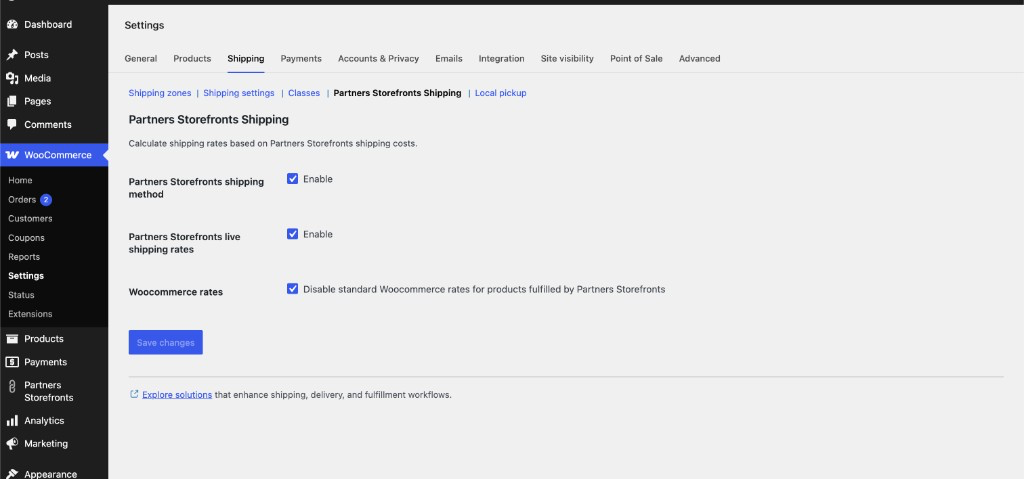
- Live shipping rates: Give multiple shipping options to your customers
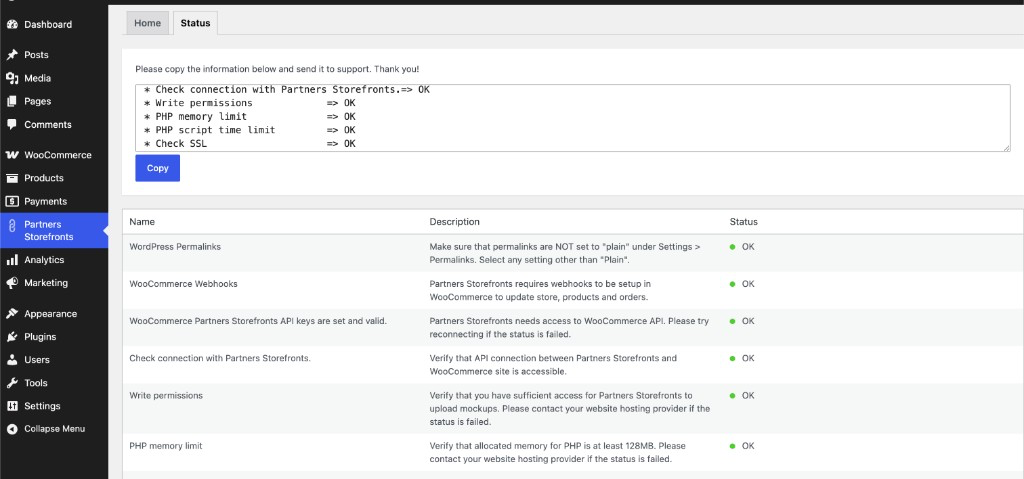
- Status checks: Verify webhooks, API access, SSL, and site configuration
- Dedicated admin menu for connection and troubleshooting
How does it work?
When a customer buys a Partners Storefronts product in your WooCommerce store, the order is automatically transferred to Partners Storefronts for production and delivery.
About Partners Storefronts
Partners Storefronts is the Storefronts Connect integration for partner merchants. It uses the same fulfillment network with a dedicated connect flow (appHandle=partners_storefronts).
Known Limitations
- Requires WooCommerce plugin 5.0.0 and up.
- Do not install Gelato Integration for WooCommerce on the same store.
External services
This plugin connects your WooCommerce store to Partners Storefronts (Storefronts Connect) and Gelato-hosted APIs. Data is sent only when you use the features below.
Storefronts Connect (connection flow)
When you click Connect to Partners Storefronts, your browser is sent to Storefronts Connect so you can authorize the link between your store and Partners Storefronts. Connection uses your WordPress site URL and the Partners Storefronts app identifier (partners_storefronts).
* Service: Storefronts Connect
* Terms of service: https://www.gelato.com/legal/terms-and-conditions
* Privacy policy: https://www.gelato.com/legal/privacy-policy
Gelato shipping rates API
When WooCommerce calculates shipping and the Partners Storefronts shipping method is enabled, the plugin sends a request to Gelato’s shipping service with your store URL, cart contents (products and quantities), and the customer’s shipping address so live or flat shipping rates can be returned for checkout.
* Service host: shipping-rates.ecommerce.ie.live.gelato.tech
* Data is sent: during checkout/shipping rate calculation when the method is active
* Terms of service: https://www.gelato.com/legal/terms-and-conditions
* Privacy policy: https://www.gelato.com/legal/privacy-policy
Gelato connection health API
When you open the plugin Status screen (or when the plugin checks whether connection is allowed), it calls Gelato’s connection-health endpoint with your site URL (home option) and the Partners Storefronts app handle to verify webhooks, API access, and related configuration.
* Service host: shipping-rates.ecommerce.ie.live.gelato.tech (path /v1/woocommerce/connection-health)
* Data is sent: when status checks run in wp-admin
* Terms of service: https://www.gelato.com/legal/terms-and-conditions
* Privacy policy: https://www.gelato.com/legal/privacy-policy
Screenshots

Installation
Connecting Partners Storefronts with your WooCommerce store is easy:
- Download plugin and unzip if needed
- Upload ‘partners-storefronts-integration-for-woocommerce’ to the ‘/wp-content/plugins/’ directory
- Activate the plugin
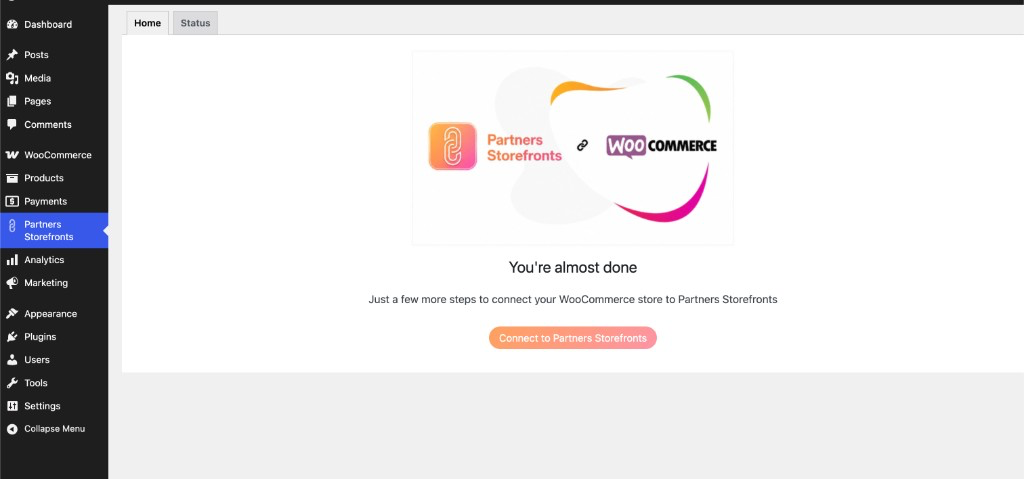
- Click Partners Storefronts in left menu
- Click Connect to Partners Storefronts button and follow the instructions
- Enable shipping rate calculation in WooCommerce->Settings->Shipping->Partners Storefronts Shipping tab
Reviews
There are no reviews for this plugin.
Contributors & Developers
“Partners Storefronts Integration for WooCommerce” is open source software. The following people have contributed to this plugin.
Contributors
Translate “Partners Storefronts Integration for WooCommerce” into your language.
Interested in development?
Browse the code, check out the SVN repository, or subscribe to the development log by RSS.
Changelog
1.0.1
- Deactivating or deleting the plugin removes its WooCommerce API keys and webhooks, including when WooCommerce is inactive
1.0.0
- First release