
Description
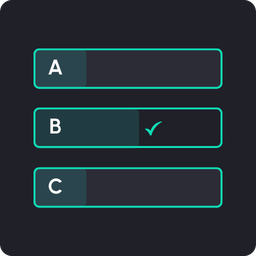
CuysDigital Pollcraft lets you create unlimited polls with up to 8 answers each. Visitors vote without reloading the page, and results appear instantly as animated progress bars.
Built by CuysDigital to be lightweight, privacy-friendly, and fully brandable to match your site.
Key features:
- Unlimited polls, each with 2 to 8 answers
- Vote without page reload (instant results)
- Results shown as progress bars with percentages
- Remembers each visitor’s choice
- Global styling: set your colors, style preset, and custom CSS once for all polls
- Two style presets: Rounded/Soft and Flat/Minimal
- Shortcode support:
[cuysdigital_poll id="123"] - Cookie-based single voting (no personal data stored)
- Edit vote counts to correct results (e.g. remove test votes)
- Restart a poll to reset counts and reopen voting
- Clean, branded admin dashboard
Privacy-friendly: CuysDigital Pollcraft does not store IP addresses or any personal data. Voting is tracked with a simple browser cookie.
Screenshots


Installation
- Upload the
cuysdigital-pollcraftfolder to the/wp-content/plugins/directory, or install through the WordPress Plugins screen directly. - Activate the plugin through the “Plugins” screen in WordPress.
- Go to CuysDigital Pollcraft > Add New Poll to create your first poll.
- Add your answers and publish.
- Copy the shortcode from CuysDigital Pollcraft > All Polls and paste it into any page or post.
FAQ
-
How do I add a poll to a page?
-
Create a poll, then copy its shortcode (e.g.
[cuysdigital_poll id="123"]) from the All Polls screen and paste it into any page, post, or text widget. -
How many answers can a poll have?
-
Between 2 and 8 answers.
-
Does CuysDigital Pollcraft store personal data?
-
No. CuysDigital Pollcraft does not store IP addresses or any personally identifiable information. A single browser cookie is used to remember that a visitor has voted.
-
Can visitors vote more than once?
-
By default, a browser cookie prevents repeat voting. Clearing cookies or using a different browser would allow another vote, which is standard behavior for lightweight polls.
-
How do I change the poll colors?
-
Go to CuysDigital Pollcraft > Settings to set the background, heading, text, and accent colors. These apply to all polls on your site.
-
How do I remove test votes?
-
Go to CuysDigital Pollcraft > Poll Results, select your poll, edit the vote counts, and save.
Reviews
There are no reviews for this plugin.
Contributors & Developers
“CuysDigital Pollcraft” is open source software. The following people have contributed to this plugin.
Contributors
Translate “CuysDigital Pollcraft” into your language.
Interested in development?
Browse the code, check out the SVN repository, or subscribe to the development log by RSS.
Changelog
1.1.0
- Added: URL-based voting for email campaigns, with a confirmation step and an “I changed my mind” option.
- Added: A notice above the poll when a returning visitor has already voted.
- Added: Results overview chart on the Poll Results screen.
- Added: Setting to show or hide the total vote count on the front end.
- Added: Optional button hover color, with automatic text contrast for readability.
- Changed: Redesigned front-end results — separate progress bar per answer with the chosen answer highlighted, and a percentage label that auto-adjusts its color for readability.
- Changed: Renamed “Vote Counts” to “Edit Vote Counts” and placed it beside Restart Poll.
- Changed: Dashboard welcome message now sits inside the header.
1.0.0
- Initial release.