
Description
Divi 5’s built-in migrator predicts what will convert. Tumil’s Migration Safety Net proves what did.
Workflow:
- Snapshot — capture how every public page renders, before you migrate.
- Run Divi’s migrator (or update the theme, or change anything).
- Re-scan — take a second snapshot.
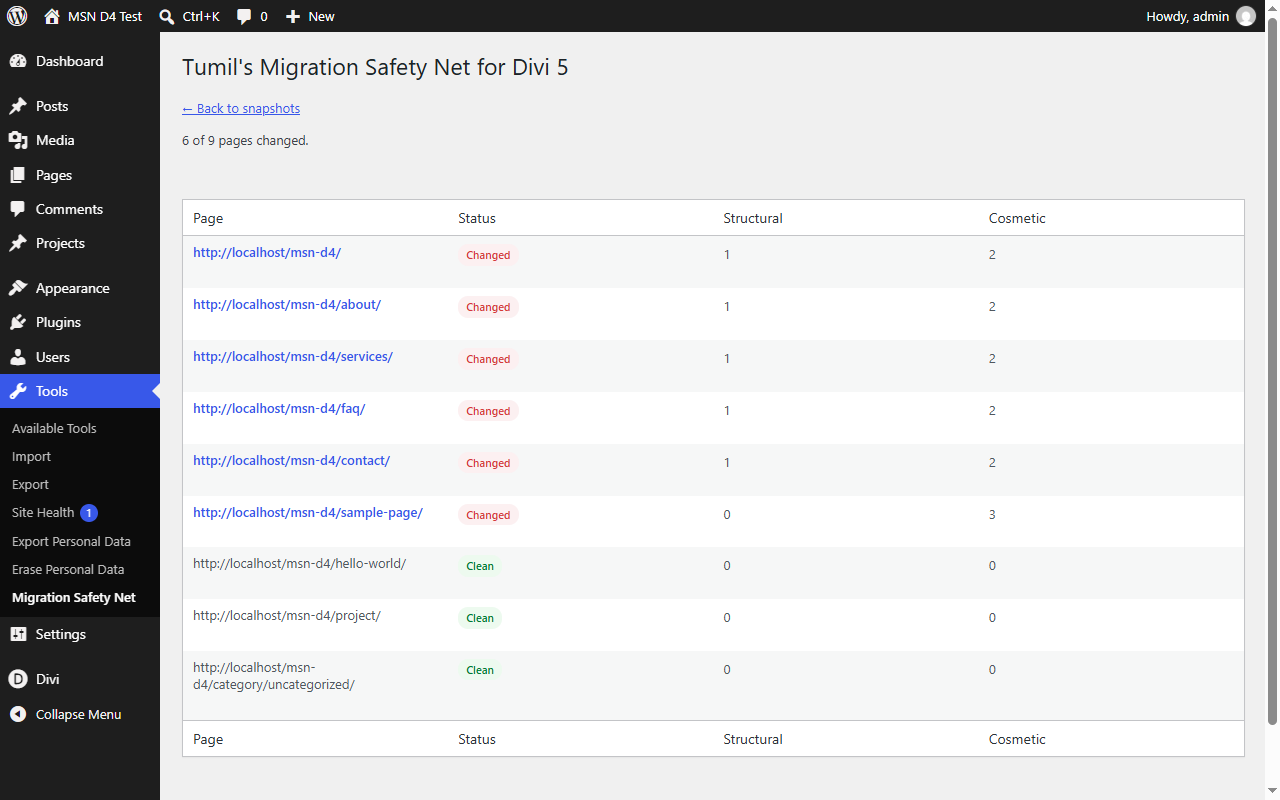
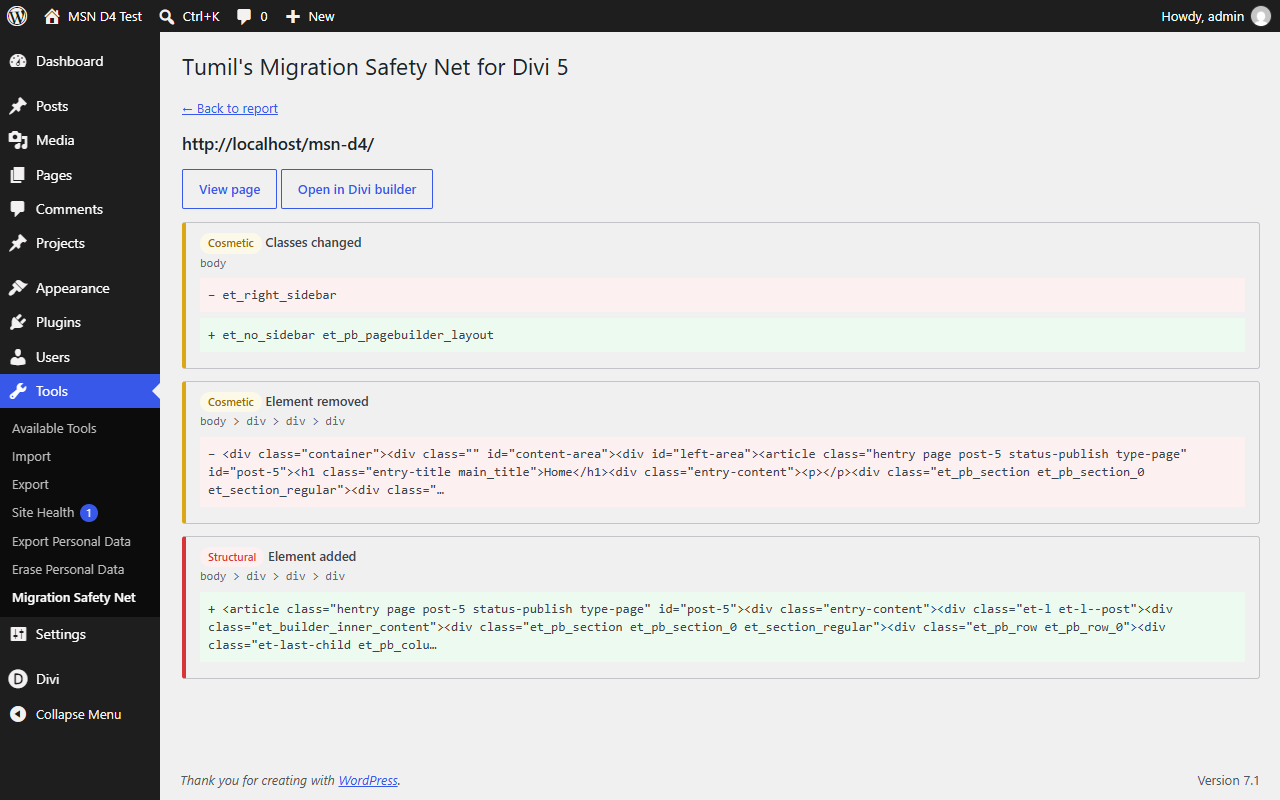
- Compare — a noise-filtered DOM diff of every page: structure changes, class changes, text changes, ranked by severity.
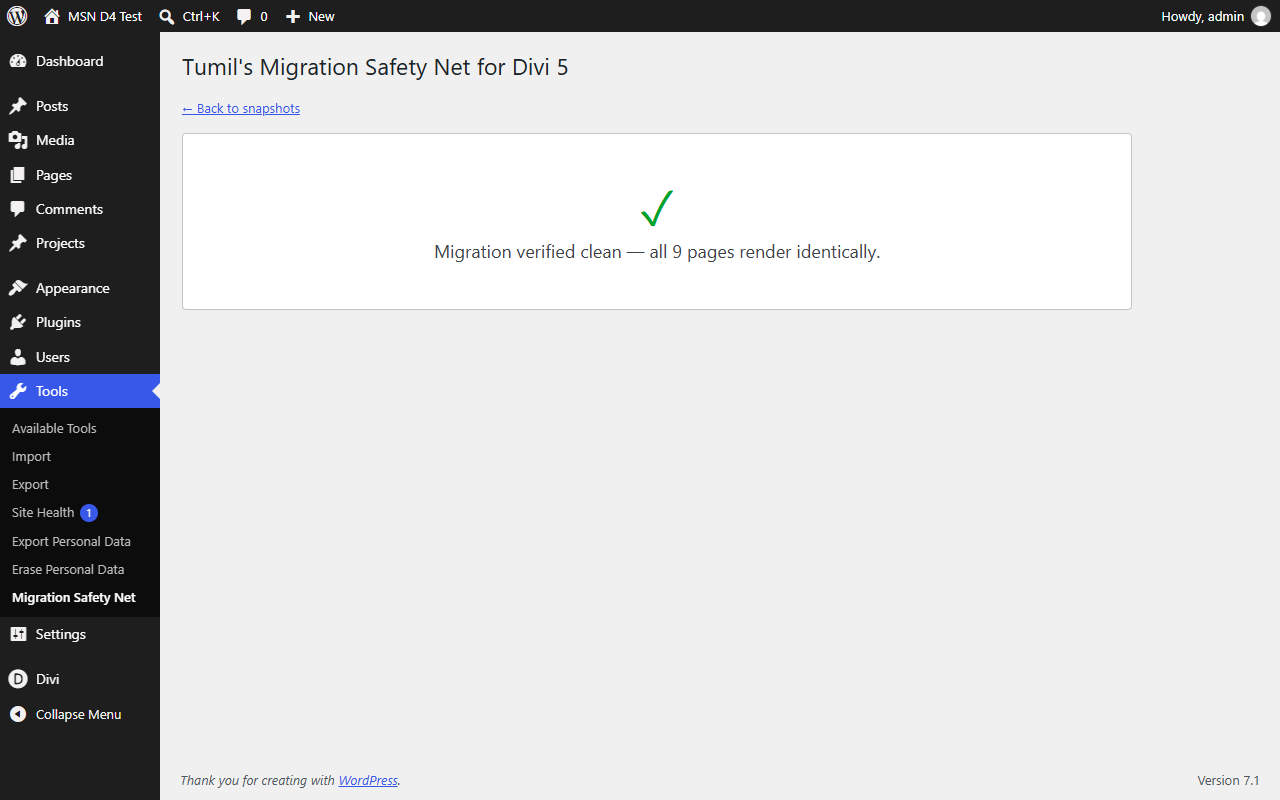
A clean result is a first-class outcome: “Migration verified clean” is your proof that nothing silently broke.
Works on any host — pages are captured with WordPress’s own HTTP layer. No headless browser, no external services, nothing leaves your server.
Not just for migrations: snapshot before any theme update, plugin update, or bulk edit and verify the result.
Privacy: this plugin makes no external requests and collects no data. Snapshots are stored in your own uploads folder.
This plugin is not affiliated with or endorsed by Elegant Themes. Divi is a trademark of Elegant Themes, Inc.
Screenshots

FAQ
Does it take screenshots?
No — it compares the rendered HTML structure (DOM), which catches layout-relevant changes without needing a browser engine on your server.
Will it slow down my site?
Snapshots run only when you click the button, in small batches, using WordPress’s own HTTP layer.
How many pages does it capture?
Published pages, posts, and custom post types (up to 200 by default — filterable via
tumils_msn_max_urls), plus your front page and a sample of each archive.
Reviews
There are no reviews for this plugin.
Contributors & Developers
“Tumil's Migration Safety Net for Divi 5” is open source software. The following people have contributed to this plugin.
Contributors
Translate “Tumil's Migration Safety Net for Divi 5” into your language.
Interested in development?
Browse the code, check out the SVN repository, or subscribe to the development log by RSS.
Changelog
1.0.0
- Initial release: snapshot engine, DOM diff engine with severity classification, comparison report.