Description
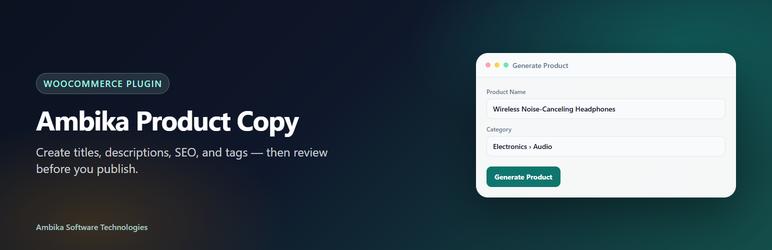
Ambika Product Copy Generator for WooCommerce helps store owners create product listings faster.
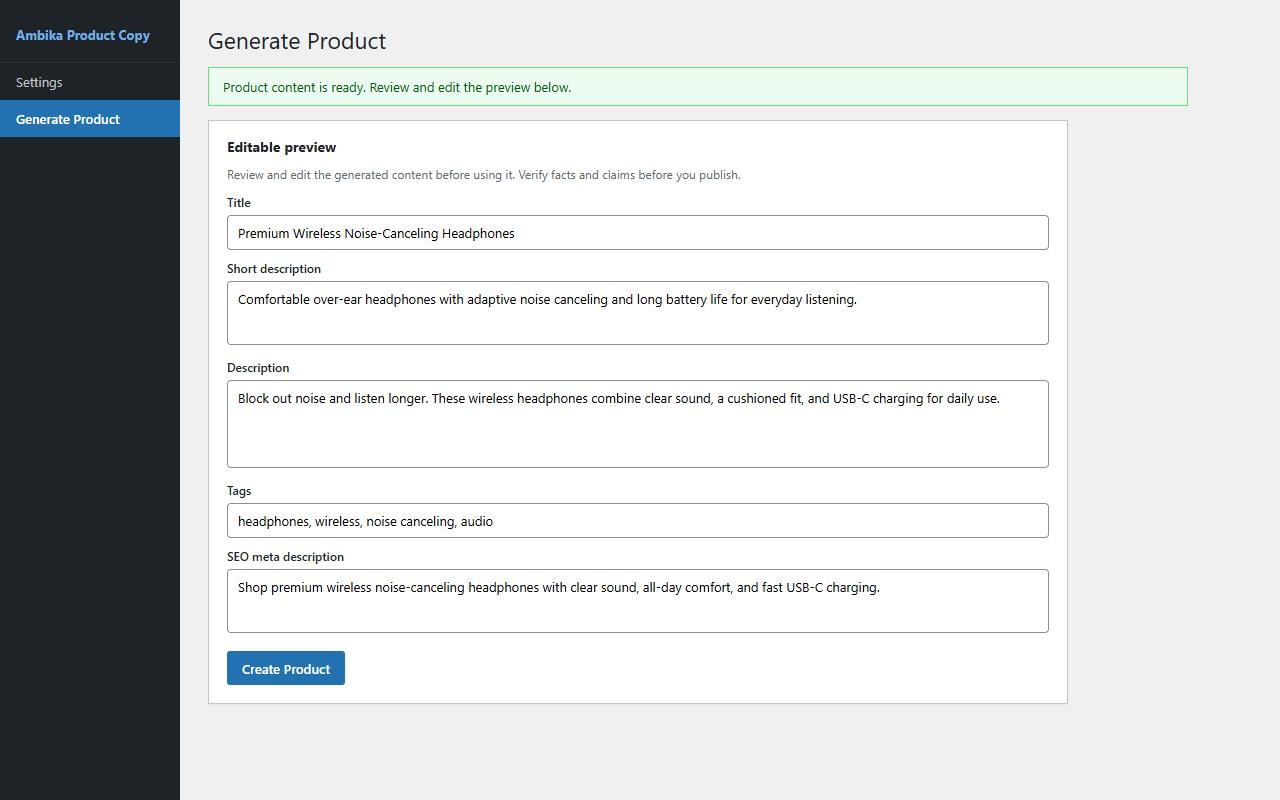
Enter a product name, category, and SKU. The plugin generates:
- Product title
- Short and full descriptions
- Tags
- SEO meta description
You always review and edit the preview before creating the WooCommerce product. Always verify AI-generated text before publishing.
Plans
- Free — limited product generations on one site; Google Gemini supported (bring your own API key — free tier friendly)
- Pro / higher plans — higher or unlimited generations, OpenAI + Claude + Gemini (see the product page for current limits)
Paid upgrades are optional. The free plan is usable without purchasing a paid plan.
Requirements
- WordPress 5.8+
- PHP 7.4+
- WooCommerce installed and active
- At least one WooCommerce product category
External services
This plugin is a thin client. It does not call external services until you explicitly configure a license key and/or an AI provider API key in Ambika Product Copy Settings, then take an action such as Save Settings, Check License, Load Models, or Generate Product.
1. Ambika Software Technologies API
Purpose: license validation, plan limits, and forwarding your generation request to the AI provider you chose (using your API key).
Endpoint: https://api.ambikasoftwaretechnologies.in
When data is sent:
- Check License or Save Settings (when a license key is present) — license validation
- Load Models — list available models for the provider/API key you configured
- Generate Product — create AI product copy from the fields you entered
Data sent (over HTTPS):
- License key and site URL (license validation / domain binding / plan limits)
- Product name, category, SKU, and selected provider/model (generation)
- Your AI provider API key (only with generation and model-list requests; not stored permanently on Ambika servers for later use)
Policies:
- Privacy Policy: https://ambikasoftwaretechnologies.in/privacy
- Terms of Service: https://ambikasoftwaretechnologies.in/terms
- Product page: https://ambikasoftwaretechnologies.in/products/ai-product-generator
2. OpenAI (optional — only if you choose OpenAI and enter your OpenAI API key)
Purpose: generate product text using your OpenAI account.
When: only after you select OpenAI, save your OpenAI API key, and run Load Models or Generate Product.
Data sent via Ambika’s API to OpenAI: your OpenAI API key plus the generation/model-list prompt payload derived from the product fields you entered.
Policies:
- Terms of Use: https://openai.com/policies/terms-of-use
- Privacy Policy: https://openai.com/policies/privacy-policy
3. Anthropic Claude (optional — only if you choose Claude and enter your Anthropic API key)
Purpose: generate product text using your Anthropic account.
When: only after you select Claude, save your Anthropic API key, and run Load Models or Generate Product.
Data sent via Ambika’s API to Anthropic: your Anthropic API key plus the generation/model-list prompt payload derived from the product fields you entered.
Policies:
- Terms of Service: https://www.anthropic.com/legal/terms
- Privacy Policy: https://www.anthropic.com/legal/privacy
4. Google Gemini (optional — only if you choose Google Gemini and enter your Google AI API key)
Purpose: generate product text using your Google AI account.
When: only after you select Google Gemini, save your Google AI API key, and run Load Models or Generate Product.
Data sent via Ambika’s API to Google: your Google AI API key plus the generation/model-list prompt payload derived from the product fields you entered.
Policies:
- Gemini API Terms of Service: https://ai.google.dev/gemini-api/terms
- Google Privacy Policy: https://policies.google.com/privacy
License and AI keys are stored encrypted in your WordPress database. Keys are transmitted over HTTPS only when needed for the actions above.
Screenshots


Installation
- Install and activate WooCommerce if it is not already active.
- Upload the plugin ZIP via Plugins Add New Upload Plugin, or install from the WordPress.org directory.
- Activate Ambika Product Copy Generator for WooCommerce.
- Go to Ambika Product Copy Settings.
- Enter your license key and AI provider API key, choose a provider/model, then save.
- Click Check License to confirm activation.
- Open Generate Product to create your first listing.
More help: product page
FAQ
-
Do I need my own AI API key?
-
Yes. You connect your own OpenAI, Claude, or Gemini key in Settings. That provider bills you for AI usage.
-
Does this work without WooCommerce?
-
No. WooCommerce must be installed and active.
-
Is a license required?
-
Yes. License validation runs through our hosted API. A free license with limited generations is available from the product page.
-
When does the plugin contact external services?
-
Only after you enter a license key and/or AI provider API key in Settings and then click Save Settings, Check License, Load Models, or Generate Product. No outbound AI/license calls are made until you configure and authorize those actions.
-
Are my API keys safe?
-
License and AI keys are stored encrypted in your WordPress database. Keys are transmitted over HTTPS only when needed for license checks or generation. For stronger protection, set a dedicated
AIPG_ENCRYPTION_KEYinwp-config.php. -
Can I edit content before publishing?
-
Yes. Every generation opens in an editable preview. Adjust title, descriptions, pricing, tags, and SEO before creating the product.
-
What does this plugin generate?
-
It generates text content only: product title, short and full descriptions, tags, and an SEO meta description from the details you enter.
-
Will the plugin update automatically from wordpress.org?
-
Once hosted on WordPress.org, updates are delivered through the normal Plugins screen. Private ZIP installs update when you upload a newer package (or when an update server is configured).
Reviews
There are no reviews for this plugin.
Contributors & Developers
“Ambika Product Copy Generator for WooCommerce” is open source software. The following people have contributed to this plugin.
Contributors
Translate “Ambika Product Copy Generator for WooCommerce” into your language.
Interested in development?
Browse the code, check out the SVN repository, or subscribe to the development log by RSS.
Changelog
1.0.25
- Rename to Ambika Product Copy Generator for WooCommerce (distinctive brand-first name)
- Requested WordPress.org slug: ambika-product-copy-generator-woocommerce
- Replace inline admin script with enqueued admin.js handler
1.0.24
- Align Text Domain and ZIP folder with the previous WordPress.org slug
- Update readme “Tested up to” to WordPress 7.1
1.0.23
- WordPress.org resubmission: third-party page enrichment and remote image retrieval code fully removed
- Expanded External services disclosure (Ambika + OpenAI + Anthropic + Google Gemini), including what/when data is sent and provider policy links
- Clarified that outbound connections occur only after the merchant configures keys and takes an explicit action
1.0.22
- WordPress.org text-only release
- Generates title, short/full descriptions, tags, and SEO meta description from merchant-entered fields
1.0.21
- AI verify-before-publish notes on the Generate page
- Packaging and admin UX improvements
1.0.20
- Longer HTTP timeout and clearer generation error handling
1.0.19
- Optional dedicated
AIPG_ENCRYPTION_KEYfor stronger encryption of license and AI keys - Admin notice when the dedicated encryption key is not configured
1.0.18
- Safer license key handling on Check License (avoids browser autofill overwriting the saved key)
- Feature flags from the license API applied more reliably after save
1.0.17
- Fix Save Settings overwriting license feature flags after Check License
1.0.16
- License feature flags follow Admin plan entitlements
- Generate Product refreshes license features automatically after plan changes
1.0.15
- Declare WooCommerce feature compatibility (HPOS, Cart & Checkout blocks, product block editor)
1.0.14
- WordPress.org packaging: add readme.txt, disclose external API service in Settings
1.0.13
- In-place license upgrade links pass the current license key to checkout
- Production API URLs aligned with ambikasoftwaretechnologies.in