

Description
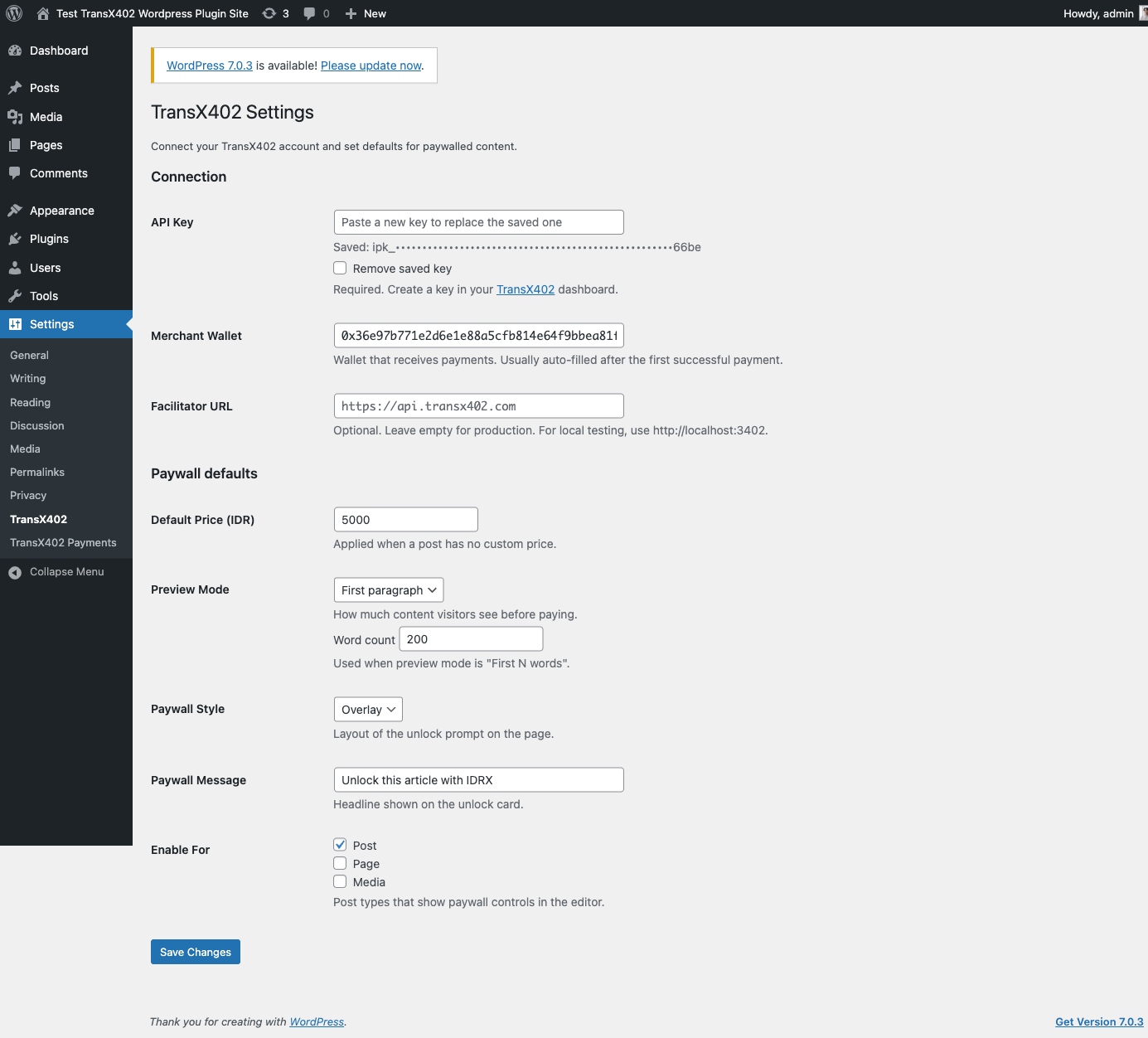
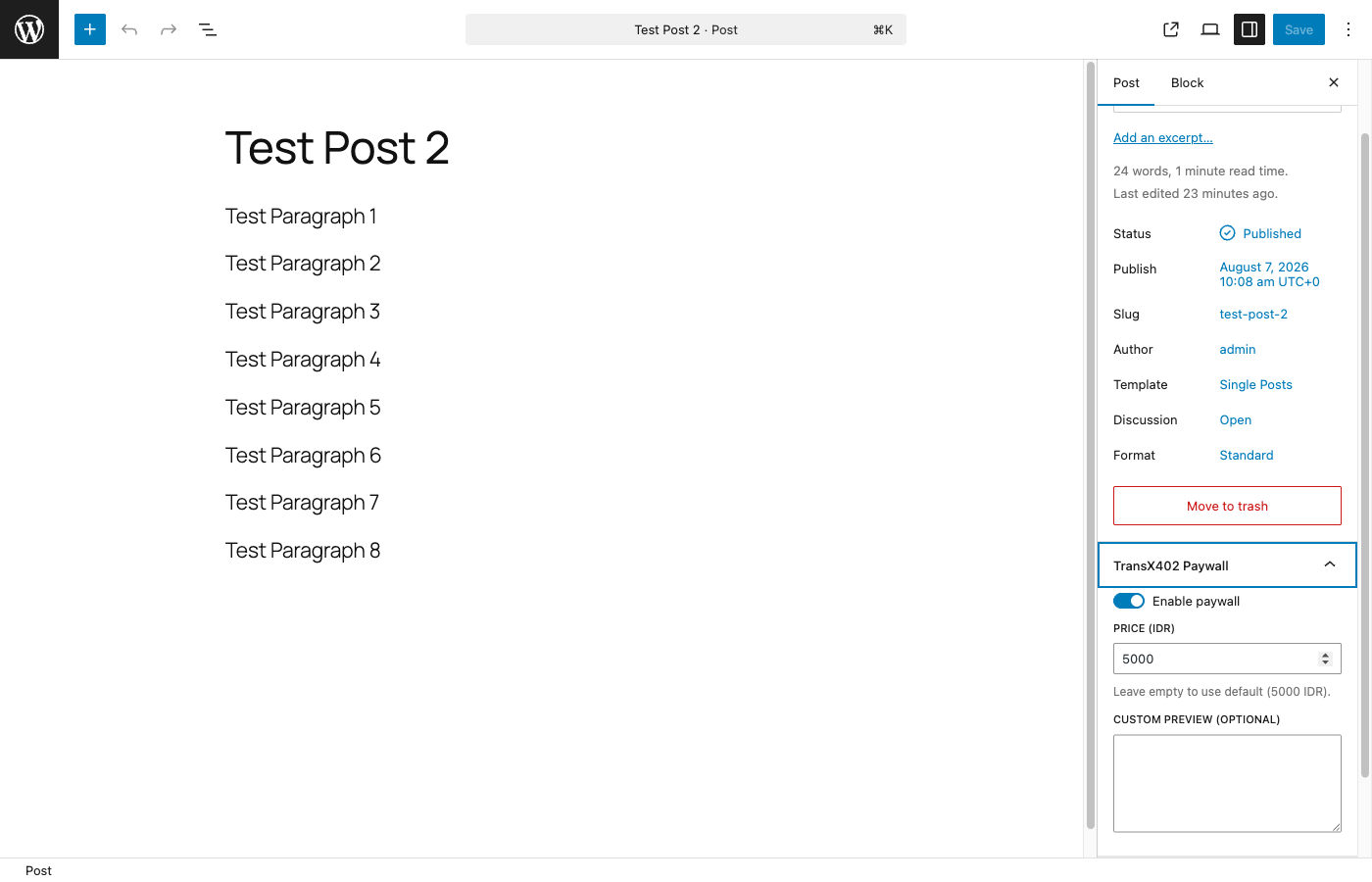
TransX402 Paywall lets site owners sell individual articles with IDRX stablecoin micropayments. Configure your TransX402 API key, set prices in IDR, and enable paywalls per post.
This plugin requires a free TransX402 account and API key (sandbox or live). All plugin code is fully available; payment settlement is provided by the TransX402 service.
Features
- Server-side settlement — your API key stays on the server
- Payment history stored in your WordPress database
- Return visits unlock via a signed HttpOnly access cookie
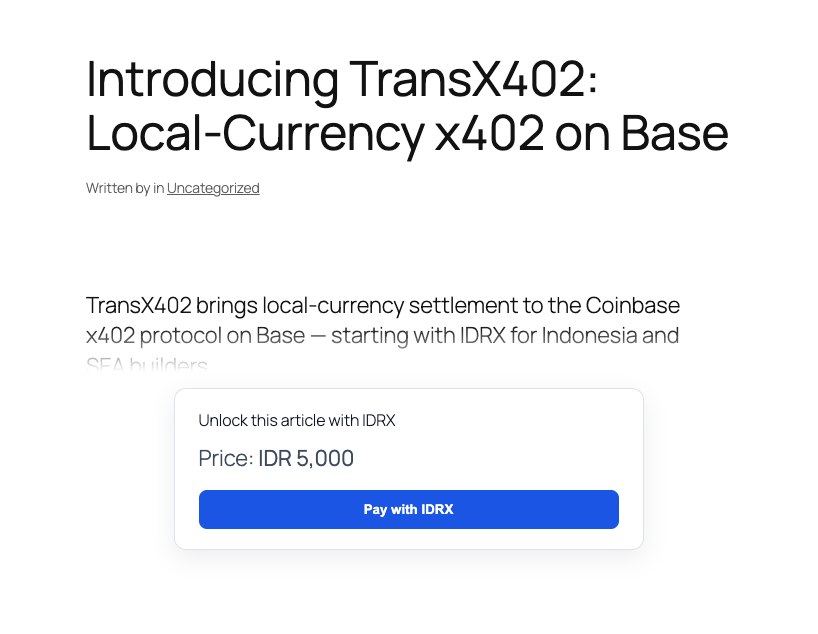
- Preview modes: first paragraph, word count, or excerpt
- Overlay, inline, and blur paywall styles
- Paywalled content gated on singular views, REST API, RSS, excerpts, and search
Source
Development repository: https://github.com/campinvestment/transx402-wordpress-plugin
External services
This plugin connects to external services to process payments and display admin links:
- TransX402 API (
https://api.transx402.com, or an admin-configured allowlisted facilitator URL) — payment facilitation and verification. The site sends the API key (server-side only), payment signatures, and transaction hashes. No visitor API keys are exposed in the browser. Terms: https://transx402.com/terms. Privacy: https://transx402.com/privacy - Block explorers (
https://basescan.org,https://testnet-explorer.onchainfolio.com) — used only in the WordPress admin payments list to link transaction hashes. No visitor data is sent to these services.
Service provider: Camp Investment / TransX402 — https://transx402.com
Privacy
- Stores payment history (payer wallet address, transaction hash, post ID, amount) in your WordPress database.
- Sends payment payloads and transaction hashes to the TransX402 facilitator when a visitor pays.
- Sets an HttpOnly, SameSite=Lax signed access cookie (Secure when the site uses HTTPS) after a successful payment so return visits can unlock content without re-paying.
Credits
- @transx402/client v0.2.5 (MIT) — browser payment SDK, bundled at
assets/vendor/transx402.browser.min.js. Source and build instructions: https://github.com/campinvestment/transx402-client. Sync with./scripts/sync-client.sh. - Bundled transitive dependencies (MIT/BSD as noted in the vendor file footer) include noble-hashes, noble-curves, buffer, and ieee754.
Screenshots
Installation
- Upload the plugin ZIP via Plugins > Add New > Upload Plugin
- Activate TransX402 Paywall
- Go to Settings > TransX402 and enter your API key and merchant wallet
- Enable paywall on individual posts from the editor sidebar
FAQ
-
Do I need a TransX402 account?
-
Yes. Register at dashboard.transx402.com and create a sandbox (
ipk_sandbox_…) or live (ipk_live_…) API key. The plugin will not settle payments without a configured key. -
Where do I find my merchant wallet?
-
Copy it from the TransX402 dashboard. It is also auto-detected after your first successful payment.
-
The plugin sets an HttpOnly access cookie only after a successful payment so return visits can unlock content. Site owners in the EU (or similar jurisdictions) should disclose this cookie in their cookie policy / CMP if required for their region.
-
What are the TransX402 terms of use?
-
See https://transx402.com/terms and https://transx402.com/privacy (or the terms linked from your TransX402 dashboard).
Reviews
There are no reviews for this plugin.
Contributors & Developers
“TransX402 Paywall” is open source software. The following people have contributed to this plugin.
Contributors
Translate “TransX402 Paywall” into your language.
Interested in development?
Browse the code, check out the SVN repository, or subscribe to the development log by RSS.
Changelog
1.0.0
- Initial release with server settlement and WordPress DB payment history