
Description
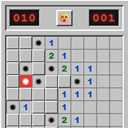
Classic Minefield adds the familiar logic game to any WordPress website without advertising, tracking, external services, or brand-specific assets.
Project page: Classic Minefield at Software Kunze
Features:
- Beginner, intermediate, and expert presets
- Configurable custom boards from 5 x 5 up to 30 x 50 fields
- A safe first move
- Mouse, keyboard, pen, and touch controls
- Responsive layout with horizontal scrolling for large boards
- Local best times stored only in the visitor’s browser
- Dynamic Gutenberg block
[classic_minefield]shortcode- Compatibility for the former
[classic_minesweeper]shortcode and block name - Multiple independent games on one page
- Scoped styles designed to coexist with page builders and themes
- Fully internationalized with the
classic-minefieldtext domain and ready for WordPress.org language packs - No external requests, accounts, cookies, advertising, or telemetry
The visual design uses original CSS and neutral Unicode symbols. It does not include copied operating-system graphics or sounds.
Shortcode
Use the global defaults:
[classic_minefield]
Choose a preset:
[classic_minefield difficulty="expert"]
Create a custom board:
[classic_minefield difficulty="custom" rows="12" columns="18" mines="36"]
Hide the local best time for one instance:
[classic_minefield show_best_times="false"]
The former [classic_minesweeper] shortcode remains available for existing content. New content should use [classic_minefield].
Supported attributes:
difficulty:beginner,intermediate,expert, orcustomrows: 5 to 30 for a custom boardcolumns: 5 to 50 for a custom boardmines: 1 to one less than the number of fieldsshow_best_times:trueorfalse
Controls
Mouse:
- Left-click: reveal a field
- Right-click: cycle through flag, question mark, and unmarked
- Click a revealed number: reveal adjacent fields when the correct number of flags is present
Keyboard:
- Arrow keys: move between fields
- Enter or Space: reveal
- F or Shift + Enter/Space: cycle the marking
Touch and pen:
- Tap: reveal
- Press and hold: cycle the marking
Privacy
The game runs entirely in the browser. If best times are enabled, they are written to the browser’s local storage for the relevant board configuration. No best time or personal data is submitted to WordPress or any third party.
Installation
- Upload the
classic-minefieldfolder to/wp-content/plugins/, or install the ZIP file in Plugins > Add New > Upload Plugin. - Activate Classic Minefield.
- Add the “Classic Minefield” block to a page, or insert
[classic_minefield]in a shortcode block. - Optional defaults are available in Settings > Classic Minefield.
When upgrading from the former plugin name, deactivate the old plugin but leave it installed until Classic Minefield has been activated. The renamed plugin copies existing settings and continues to support the former shortcode and Gutenberg block name. The old plugin can then be deleted.
FAQ
-
Can I place multiple games on one page?
-
Yes. Each block and shortcode instance has its own game state and timer.
-
Is the first move always safe?
-
Yes. The first selected field never contains a mine. Whenever the chosen density permits it, its surrounding fields are kept safe as well.
-
Does the plugin need an account or external API?
-
No. It does not make external requests.
-
Can visitors select another difficulty?
-
Yes. Every game includes a difficulty selector and custom board controls.
-
Where are best times stored?
-
Only in that visitor’s browser, separately for each board size and mine count.
Reviews
There are no reviews for this plugin.
Contributors & Developers
“Classic Minefield” is open source software. The following people have contributed to this plugin.
Contributors
Translate “Classic Minefield” into your language.
Interested in development?
Browse the code, check out the SVN repository, or subscribe to the development log by RSS.
Changelog
1.1.2
- Removed bundled PO and MO translation files from the WordPress.org distribution package.
- Kept the POT translation template and the
classic-minefieldtext domain for the WordPress.org translation workflow.
1.1.1
- Added a localized warning when more flags are placed than the board contains mines.
- Kept the classic unrestricted flagging behavior while making over-marked boards easier to diagnose.
1.1.0
- Renamed the plugin, directory, text domain, PHP identifiers, assets, shortcode, and Gutenberg block to Classic Minefield.
- Added migration for existing settings and browser-stored best times.
- Kept the former shortcode and Gutenberg block name as compatibility aliases for existing content.
- Improved WordPress.org repository compatibility by rendering conditional hidden attributes as static HTML.
- Moved directory screenshots out of the installable plugin package and corrected the project URL.
- Removed an unused activation-time version option while retaining legacy uninstall cleanup.
- Added complete French, Spanish, Italian, Dutch, Polish, Brazilian Portuguese, Russian, Turkish, Japanese, and Simplified Chinese translations.
- Translated the game, settings page, Gutenberg controls, status messages, and screen-reader field descriptions.
- Added translator notes for all localized strings that contain placeholders.
- Switched to WordPress automatic language-pack loading for WordPress.org compatibility.
1.0.3
- Added complete German project documentation.
- Added two screenshots and the public project page.
- Updated contributor and WordPress compatibility metadata.
1.0.2
- Bound the outer game frame to the fixed minefield width.
- Wrapped long win and loss messages without adding empty space beside the grid.
1.0.1
- Kept every cell at a fixed size when fields are revealed or marked.
- Prevented status and content changes from recalculating the board width.
1.0.0
- Initial release.
- Added classic presets and configurable custom boards.
- Added Gutenberg block and shortcode.
- Added responsive mouse, keyboard, pen, and touch controls.
- Added optional local best times and configurable colors.