

Description
CarbonGuru Merchant Offset connects your WooCommerce store to your CarbonGuru account (Plus plan or higher required):
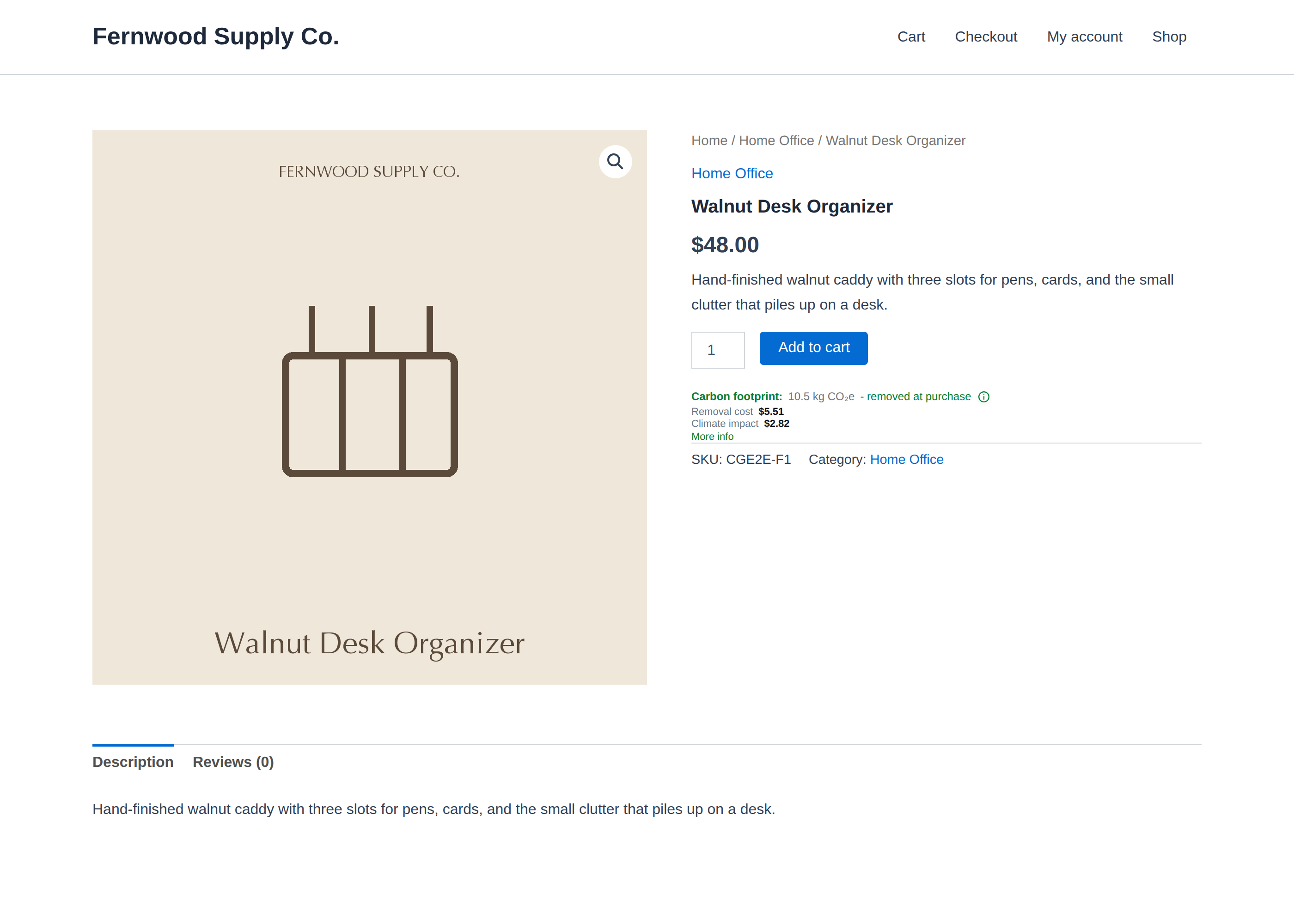
- Per-product carbon footprints displayed on your product pages — from actual analysis of your products, not order-level estimates.
- Automatic offsetting of every paid order — merchant-settled: your shoppers are never charged and never see a payment surface. Your checkout is never modified.
- No code: the plugin places the display card and reports paid orders for you. Products, offsets, payment, and consent are managed in your CarbonGuru panel.
How it works
- One-click connect: sign in to CarbonGuru, accept the merchant terms, and your keys are provisioned automatically — nothing to copy or paste.
- Your product catalog is analyzed for carbon footprints (within your plan’s allowance; nothing is analyzed or charged without your confirmation).
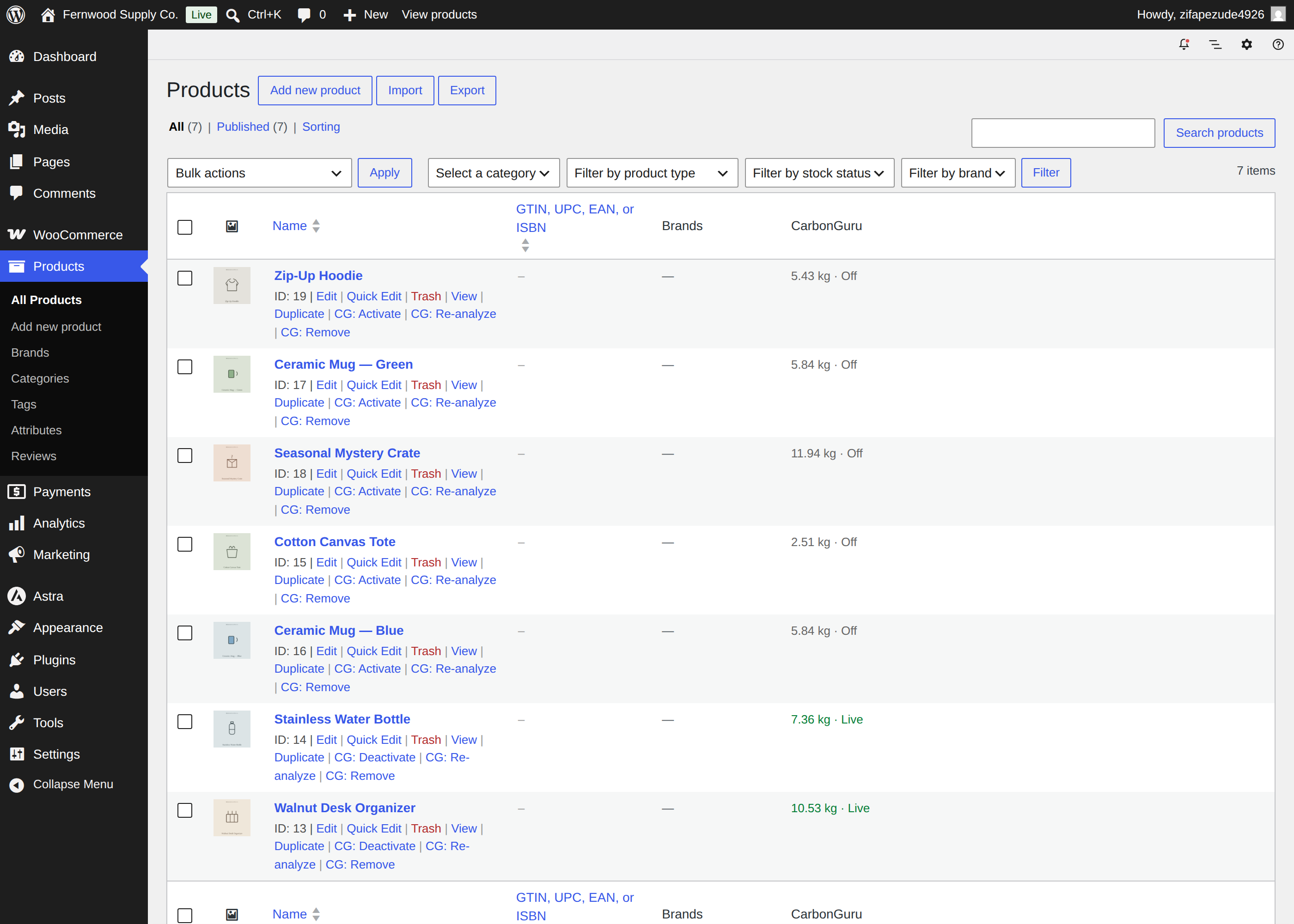
- You review each footprint and switch on the products you want live — from your WooCommerce Products list or your CarbonGuru panel.
- The footprint card appears on your product pages automatically.
- When an order is paid, the plugin reports its line items; with automatic offsetting on, the order’s carbon is offset and billed to the payment method saved in your CarbonGuru account.
External service disclosure: this plugin communicates with carbonguru.io. Terms of service: https://carbonguru.io/merchant-terms/ — Privacy policy: https://carbonguru.io/privacy/
- Product pages load the CarbonGuru display card script. The card sends only your embed key and the product page address — never anything your customer types, and no cookies are set.
- When an order is paid, the plugin sends the order’s line items (product identifiers and quantities) and an order reference to your CarbonGuru merchant account — no customer names, emails, or addresses.
- Offset purchases are billed to the payment method saved in your CarbonGuru account. Retired carbon cannot be un-retired — offset purchases are non-refundable.
Screenshots
Installation
- Install and activate the plugin (USD stores; WooCommerce 8.0+; single-site — network activation is unsupported).
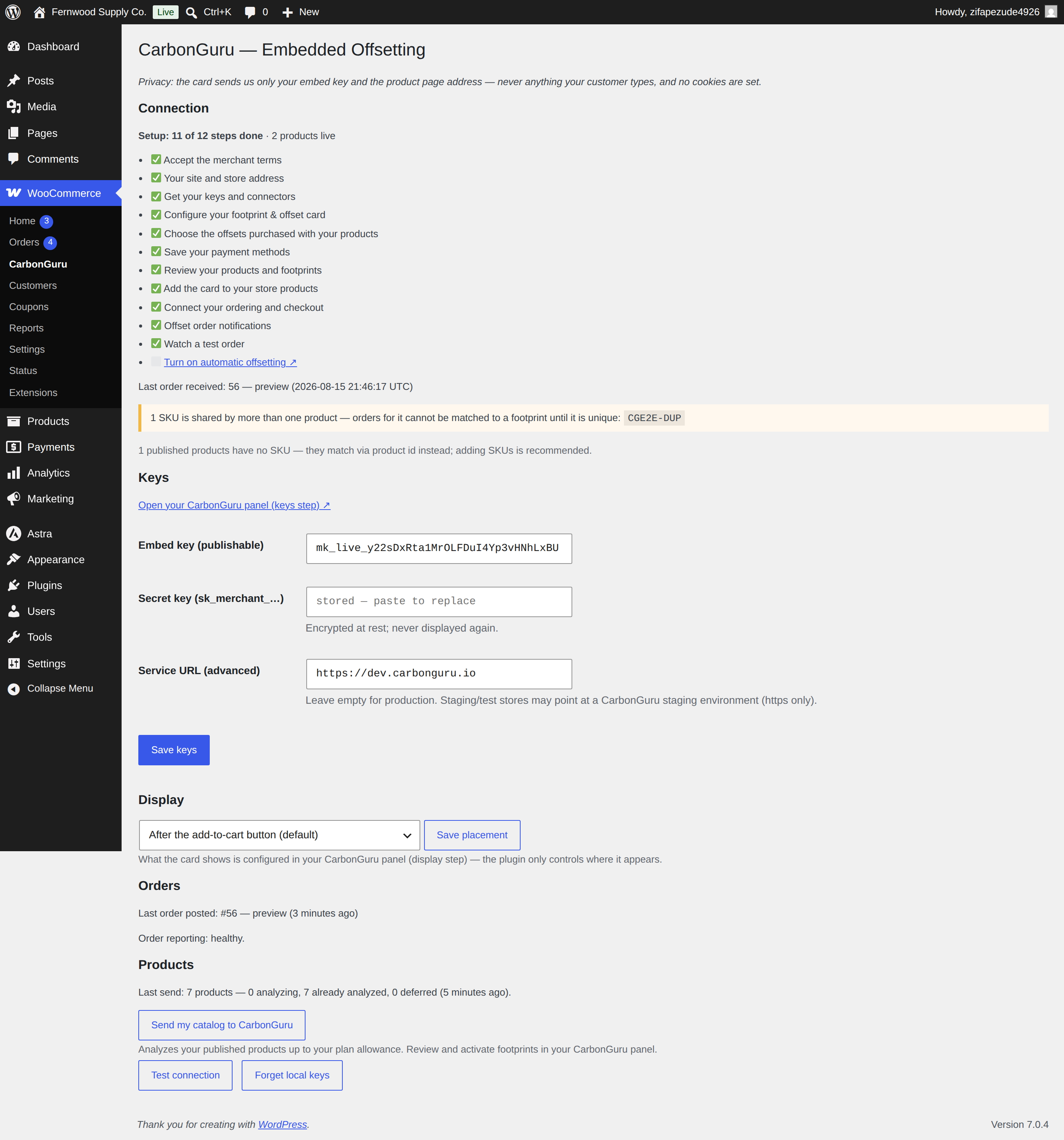
- Open WooCommerce CarbonGuru and connect your CarbonGuru account.
- Set up payment and activate products in your CarbonGuru panel.
- Turn on automatic offsetting. Done — every paid order is offset automatically.
FAQ
-
Do my customers pay for the offsets?
-
No. Offsetting is merchant-settled: purchases are billed to the payment method saved in your CarbonGuru account. Your shoppers never see a charge, a fee, or a payment surface, and your cart and checkout are never modified.
-
Where do the carbon footprints come from?
-
Each product is individually analyzed by CarbonGuru from your actual product data — not estimated from order totals or category averages. You review every footprint before switching a product on; nothing displays and nothing is offset until you do.
-
What does the plugin change on my store?
-
Two things only: it renders the footprint card on product pages for products you’ve switched on, and it reports paid orders to your CarbonGuru account. It adds no scripts to your cart or checkout, sets no cookies for your shoppers, and sends no customer personal data.
-
Does it work with my theme?
-
Yes — block and classic themes. You can choose where the card renders relative to the add-to-cart button in the plugin settings.
-
What are the requirements?
-
WordPress 6.0+, WooCommerce 8.0+, PHP 7.4+, a store trading in USD (v1), and a CarbonGuru account on the Plus plan or higher. Single-site installs only — network activation is unsupported.
-
How do I activate, deactivate, re-analyze, or remove a product’s footprint?
-
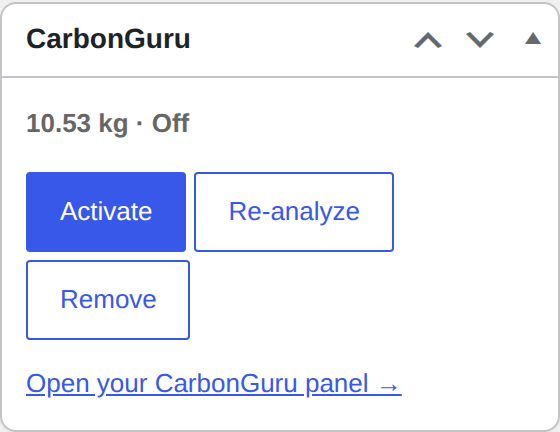
Per product, right in your store: hover any product in the WooCommerce Products list for CarbonGuru: Activate / Deactivate / Re-analyze / Remove actions, or use the same buttons in the CarbonGuru box on the product edit screen. For many at once, tick products and use the Bulk actions menu (activate / deactivate / analyze). The CarbonGuru column shows each product’s live/off state and footprint. (Removing is permanent and starts a 30-day cooldown, so it always asks first — to just hide a product, use Deactivate.) You can also manage everything from your CarbonGuru panel; the plugin remote-controls that state rather than keeping a second copy of it.
-
Can I turn it off?
-
Any time. Pause automatic offsetting from your CarbonGuru panel, or deactivate the plugin — deactivation disconnects your store server-side: keys are revoked, no further orders are reported, and no new purchases are made. Orders already charged are still fulfilled (retired carbon cannot be un-retired).
-
Are offsets refundable?
-
No. Once carbon is retired it cannot be un-retired, so offset purchases are final. You confirm this explicitly before automatic offsetting is ever turned on.
Reviews
There are no reviews for this plugin.
Contributors & Developers
“CarbonGuru Merchant Offset” is open source software. The following people have contributed to this plugin.
Contributors
Translate “CarbonGuru Merchant Offset” into your language.
Interested in development?
Browse the code, check out the SVN repository, or subscribe to the development log by RSS.
Changelog
1.0.3
- Directory review round 2: all internal names (classes, defines, options, transients, AJAX actions, script handles) renamed from the 3-character cgm prefix to cgmof, per the directory’s 4-character prefix minimum. Existing installs migrate their stored settings and connection automatically on update.
1.0.2
- Directory review round 1: order-confirmation offset poller moved to an enqueued static file (no inline script); dependency/currency admin notices scoped to relevant screens only; external-service disclosure links reformatted.
1.0.1
- WordPress.org readiness (Plugin Check): enqueue the embed loader via wp_enqueue_script + [data-cg-mount] positioning (no inline script tag); readme “Tested up to” 7.0; short description trimmed; sanitize the connect secret input.
1.0.0
- First stable release. Embedded Offsetting for WooCommerce: one-click connect, per-product carbon footprints on your product pages, in-store footprint management (per-product and bulk), automatic merchant-settled offsetting of paid orders, order confirmation surfaces, and signed one-click updates.
0.8.0
- Per-product footprint controls in the store: Activate / Deactivate / Re-analyze / Remove as row actions in the Products list and as buttons in the product-edit CarbonGuru box (no longer bulk-only). Remove is confirm-gated. Uses the same server operations as the bulk actions.
0.7.0
- Signed self-hosted updates: one-click updates from carbonguru.io with sha256 + Ed25519 manifest verification against a pinned key.
- Server-advertised minimum supported version: too-old plugin versions go inert with an admin notice instead of failing dirty; queued orders are preserved and rescheduled.
0.6.4
- Configurable service base URL for staging stores.
0.6.3
- SKU-coverage preflight now shown before connecting (duplicate-SKU and missing-SKU checks where fixing them is cheapest).
0.6.2
- Display default written at provisioning; order-ceiling attention email; “Analyzing…” state for in-flight products; SKU-coverage preflight on the settings page.
0.6.1
- Deactivating the plugin now performs a full server-side disconnect (keys revoked, products switched off).
0.6.0
- In-store catalog management: CarbonGuru column in the Products list, activate/deactivate/analyze row and bulk actions, product-edit metabox.
0.5.0
- One-click Connect with CarbonGuru (secure one-time-code flow — no keys to copy), with terms acceptance and store domain binding.
0.4.0
- Catalog push at connect: products analyzed within your plan allowance, with explicit confirmation.
0.3.0
- Order confirmation surfaces: thank-you page offset status and hosted receipt link.
0.2.0
- Product-page display card injection and paid-order reporting.
0.1.0
- Scaffold: connection (paste keys + test), encrypted secret storage, setup-status mirror, USD gate.