

Description
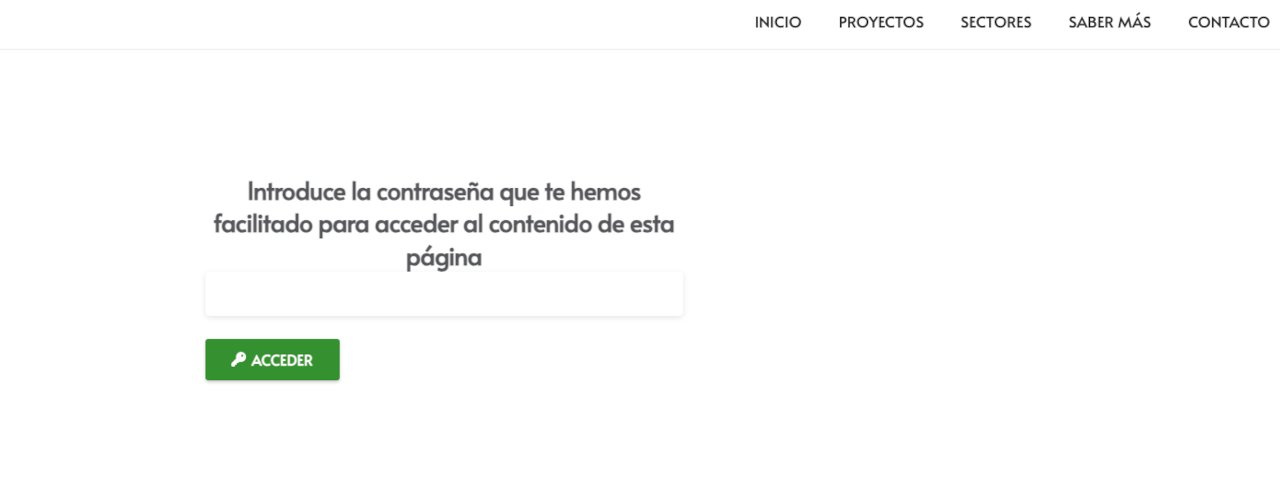
GlocalSaino WebPagesPassworded creates a single access page that acts as a gateway for a group of password-protected child pages. Place the [glocalsaino_wppw] shortcode on a parent page: the plugin renders a password form and, on a correct match, redirects the visitor directly to the matching child page.
Every feature listed below is included, free and unlimited — nothing is locked behind a license or upgrade.
How it works
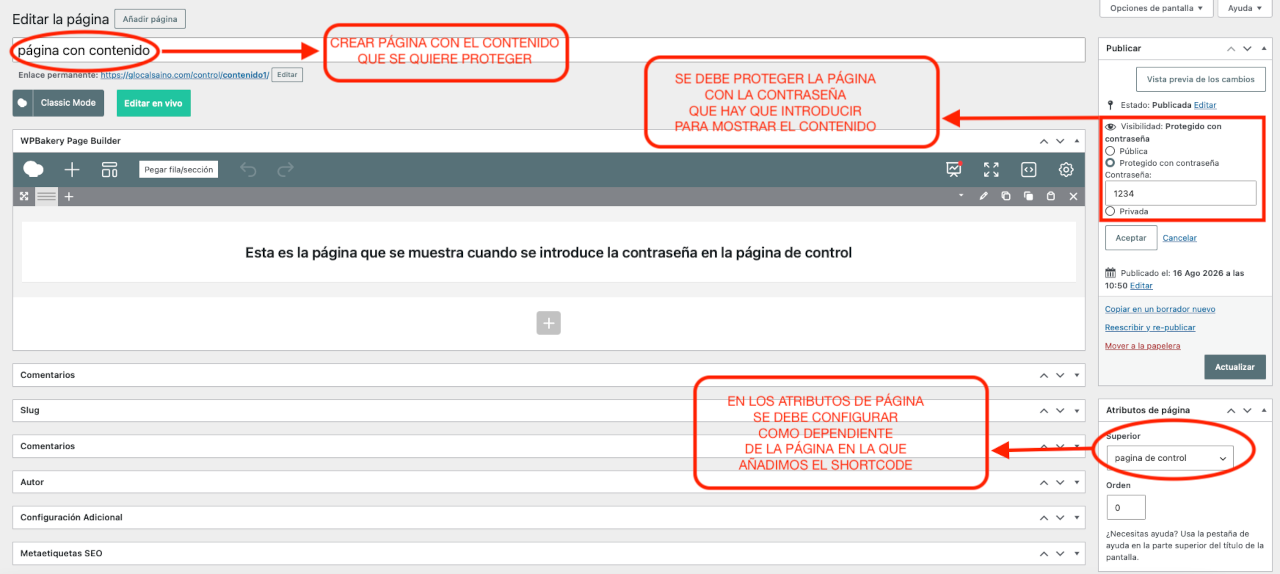
- In WordPress, create a parent page (e.g. “Private Area”) and set the pages you want to protect as its children.
- Assign each child page its own password via Publish Visibility Password protected in the editor.
- Insert the
[glocalsaino_wppw]shortcode on the parent page. - When a visitor arrives, they see the plugin’s password form. If the password matches a child page, they are redirected to it automatically.
Features
- Single entry point — one page with the shortcode gives access to all protected child pages.
- Automatic redirect — the visitor lands directly on the right page without extra steps.
- Session cookie — the password is stored in a cookie for 10 days so the visitor does not need to re-enter it on subsequent visits.
- Security nonce — the form includes a WordPress nonce to guard submissions against CSRF attacks.
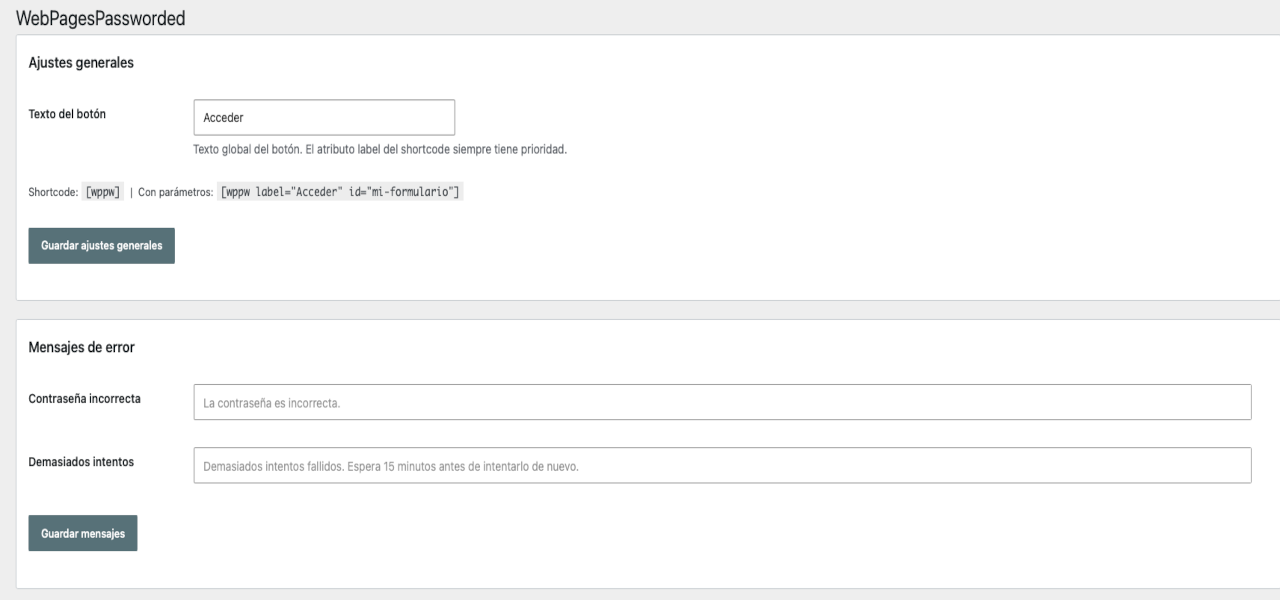
- Customisable error messages — configure the wrong-password and lockout messages from the settings panel.
- Brute-force protection — after 5 failed attempts from the same IP, access is locked for 15 minutes using WordPress transients, with no extra database tables.
- Secure cookie — the session cookie is set with
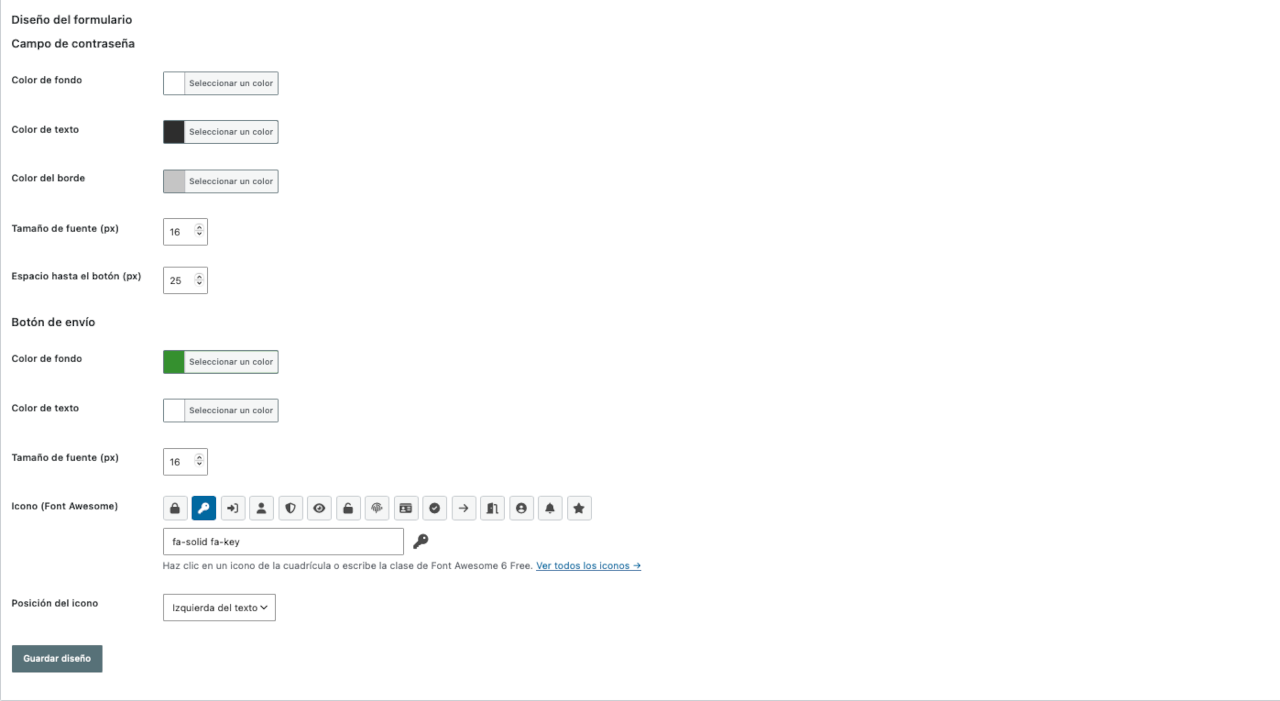
HttpOnlyandSameSite=Strictflags. - Form design — adjust the colours, font sizes, and spacing of the form fields and button directly from the settings panel.
- Button icon — choose a Font Awesome icon to display on the submit button, with configurable position (left, right, or above the text).
- No external dependencies — the plugin loads no external libraries or remote resources.
Usage
Insert the shortcode on the parent page that will act as the access form:
[glocalsaino_wppw]
Optional shortcode parameters:
label— submit button text. Default:Enter.id—idattribute of the<form>element. Default:glocalsaino-wppw-login.parent— ID of the parent page whose children will be searched. Default: the current page ID.
Example with parameters:
[glocalsaino_wppw label="Log in" id="my-form"]
Requirements
- WordPress 5.0 or higher.
- PHP 7.4 or higher.
- Child pages must be published and have a password configured from the WordPress editor.
Privacy Policy
GlocalSaino WebPagesPassworded does not collect, store, or transmit any personal data.
- The plugin reads the password entered in the form only to compare it against the passwords of the child pages stored in the WordPress database. That comparison happens entirely on the server and the data is not saved or sent to any third party.
- A cookie (
wp-postpass_*) is stored in the visitor’s browser to maintain access for 10 days. This is a standard WordPress cookie and contains only the hash of the password, never the password in plain text. - No external connections of any kind are made.
Screenshots
![WordPress editor showing the parent page with the [glocalsaino_wppw] shortcode inserted.](https://ps.w.org/glocalsaino-webpagespassworded/assets/screenshot-4.png?rev=3650426)
Installation
- Upload the
glocalsaino-webpagespasswordedfolder to/wp-content/plugins/. - Activate the plugin from Plugins Installed Plugins.
- Create a parent page and add child pages with their passwords via Publish Visibility Password protected.
- Insert
[glocalsaino_wppw]on the parent page.
FAQ
-
Can I have several parent pages each with their own group of child pages?
-
Yes. The
[glocalsaino_wppw]shortcode placed on each parent page searches only among its direct child pages. Each group is independent. -
The visitor is redirected to the most recently published child page that matches the entered password.
-
10 days. After that, or if the visitor clears their browser cookies, they will need to enter the password again.
-
Does it work with HTTPS?
-
Yes. If the site uses HTTPS the cookie is automatically marked as
Secure. -
I entered the correct password but I see the lockout message. What should I do?
-
The lockout lasts 15 minutes and is tied to the IP address. If you are the administrator and need to clear it early, delete the transients with the prefix
glocalsaino_wppw_lock_andglocalsaino_wppw_fail_from the database or with a transient management plugin. -
Is it compatible with page-exclusion plugins?
-
Yes. If the site has a plugin that exposes
pause_exclude_pages()/resume_exclude_pages()(a common pattern in menu and listing exclusion plugins), the plugin calls them around its query to ensure protected pages are always found. -
The password is correct but the visitor is not redirected. What could be wrong?
-
Check that:
- The child page is published (not a draft).
- The child page is a direct child of the page containing the shortcode, not a grandchild.
- The password in WordPress is saved without leading or trailing spaces.
Reviews
There are no reviews for this plugin.
Contributors & Developers
“GlocalSaino WebPagesPassworded” is open source software. The following people have contributed to this plugin.
Contributors


Translate “GlocalSaino WebPagesPassworded” into your language.
Interested in development?
Browse the code, check out the SVN repository, or subscribe to the development log by RSS.
Changelog
4.4.3
- Tweak: rename first submenu item from “WebPagesPassworded” to “Configuración” so it fits in the sidebar.
4.4.2
- Fix: rename $wppw_core, $wppw_admin, $wppw_styles to use the glocalsaino_wppw_ prefix in the main plugin file (PHPCS PrefixAllGlobals).
4.4.1
- Plugin renamed to GlocalSaino WebPagesPassworded (slug: glocalsaino-webpagespassworded).
- Shortcode changed to [glocalsaino_wppw].
- All features (custom error messages, form design, button icon) are now fully free and unlimited.
- Magic links feature removed from this plugin; will be released as a separate add-on.
- Inline styles replaced with wp_add_inline_style() for WP.org compliance.
- All registration identifiers (menu slug, option names, script handles, transient keys) updated with the glocalsaino_wppw_ prefix.
4.3.1
- Fix: admin assets (Font Awesome, colour pickers) not loading after moving to top-level menu.
- Fix: update admin enqueue hook from settings_page_ to toplevel_page_.
- Added composer.json to satisfy WP.org plugin checker.
- Author unified to Glocal Saino across all files.