

Description
Yaxii Product Workspace is a focused WooCommerce product creation and editing workspace. It brings the fields you use most — pricing, stock, categories, images, attributes, and variations — into one organized screen, so adding and updating products takes fewer clicks and less scrolling than moving between WordPress’s post editor tabs and WooCommerce’s Product Data metabox.
It is built specifically for WooCommerce. Products you create or edit through the workspace are ordinary WooCommerce products, stored in your WooCommerce catalog like any other — no proprietary product format, no lock-in.
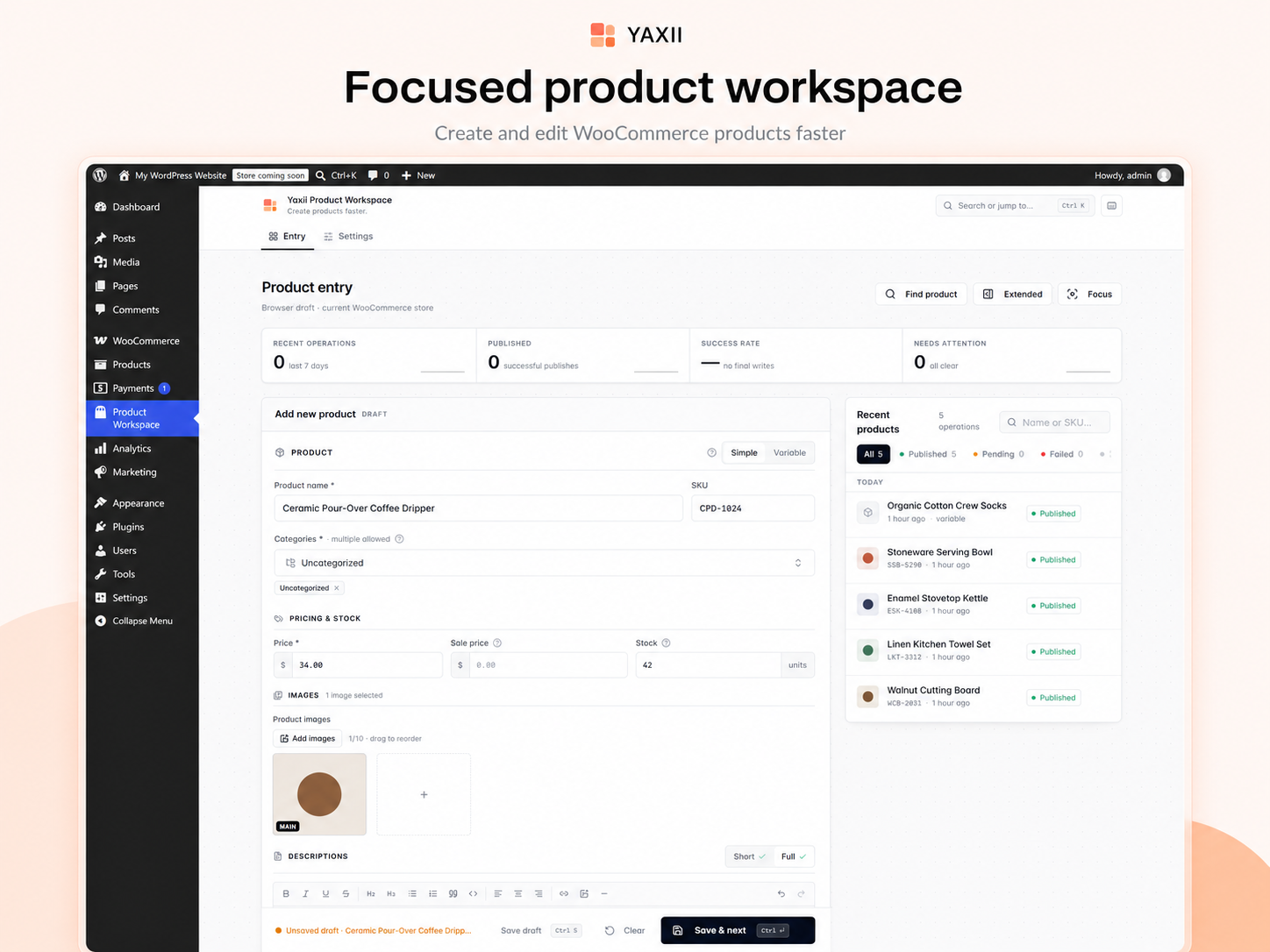
Create WooCommerce products from one focused workspace
Simple and variable products share the same starting screen, so switching between the two is one click, not a different editor. Product identity, pricing, inventory, images, and descriptions stay visible together instead of being spread across tabs.
Product creation features
Product essentials
- Simple and variable products
- Product name and slug
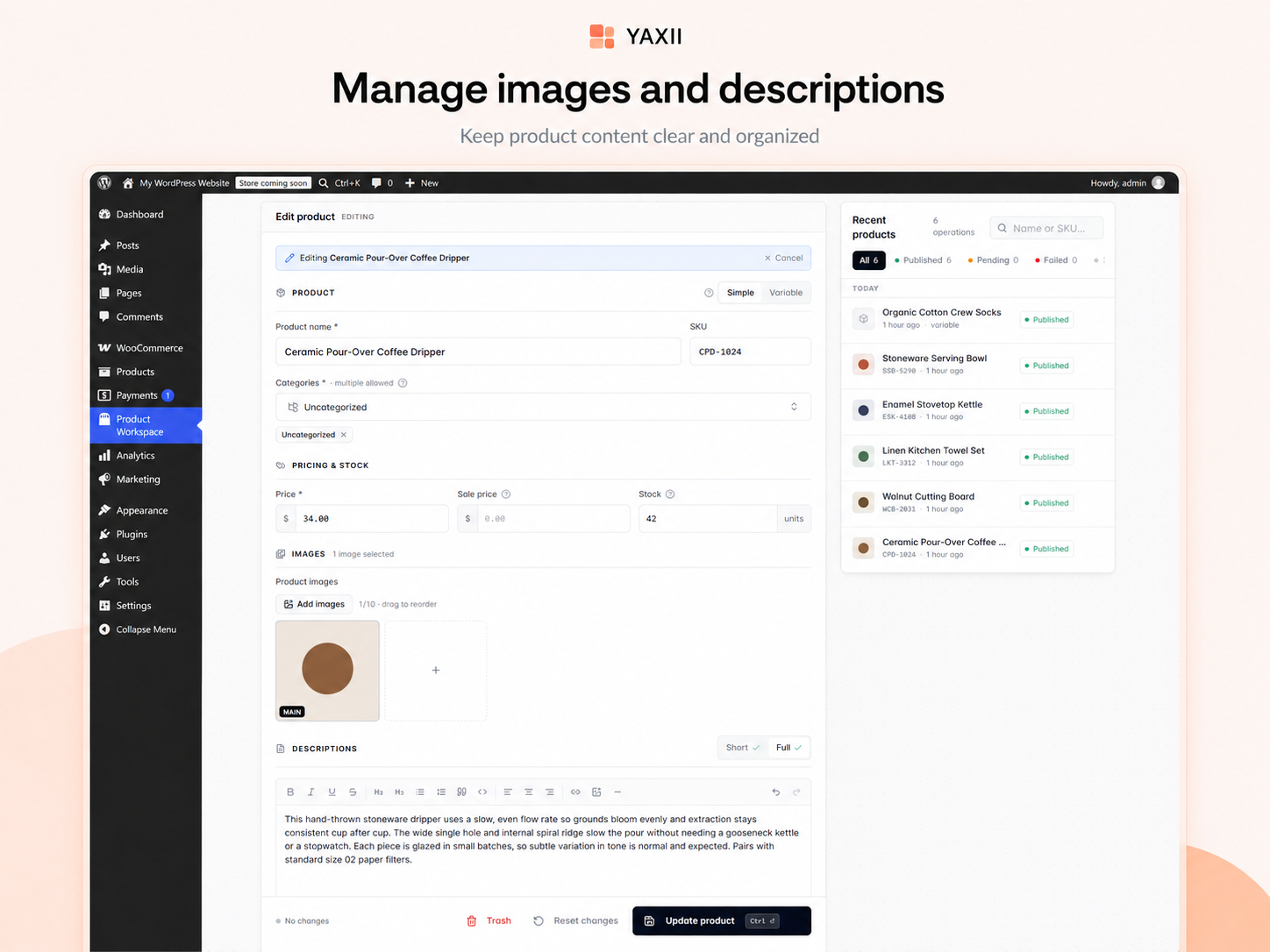
- Short and full descriptions, with a rich text editor
- Categories and tags
- Featured image and image gallery
- Status (draft, pending, published) and catalog visibility
Pricing & inventory
- Regular and sale pricing, with scheduled sale dates
- SKU
- Stock quantity and stock status
- Backorder handling
- Sold individually
- Weight, dimensions, and shipping class
- Tax status and tax class
Variable products
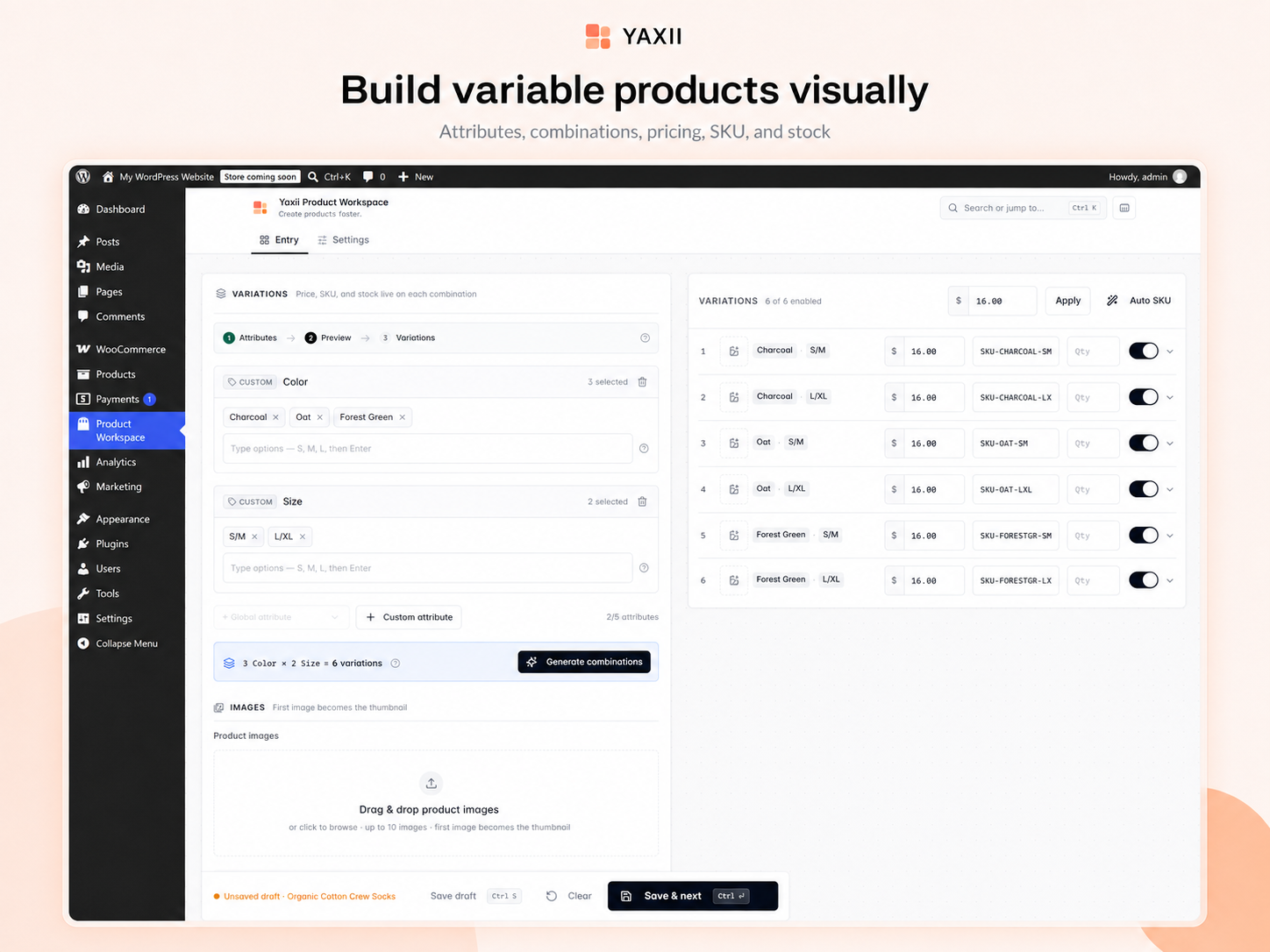
- Global WooCommerce attributes and custom (product-specific) attributes
- One-step combination generation from attribute values
- Per-variation price, SKU, stock, image, and enabled state
- Bulk-set price across all generated variations in one action
Productivity
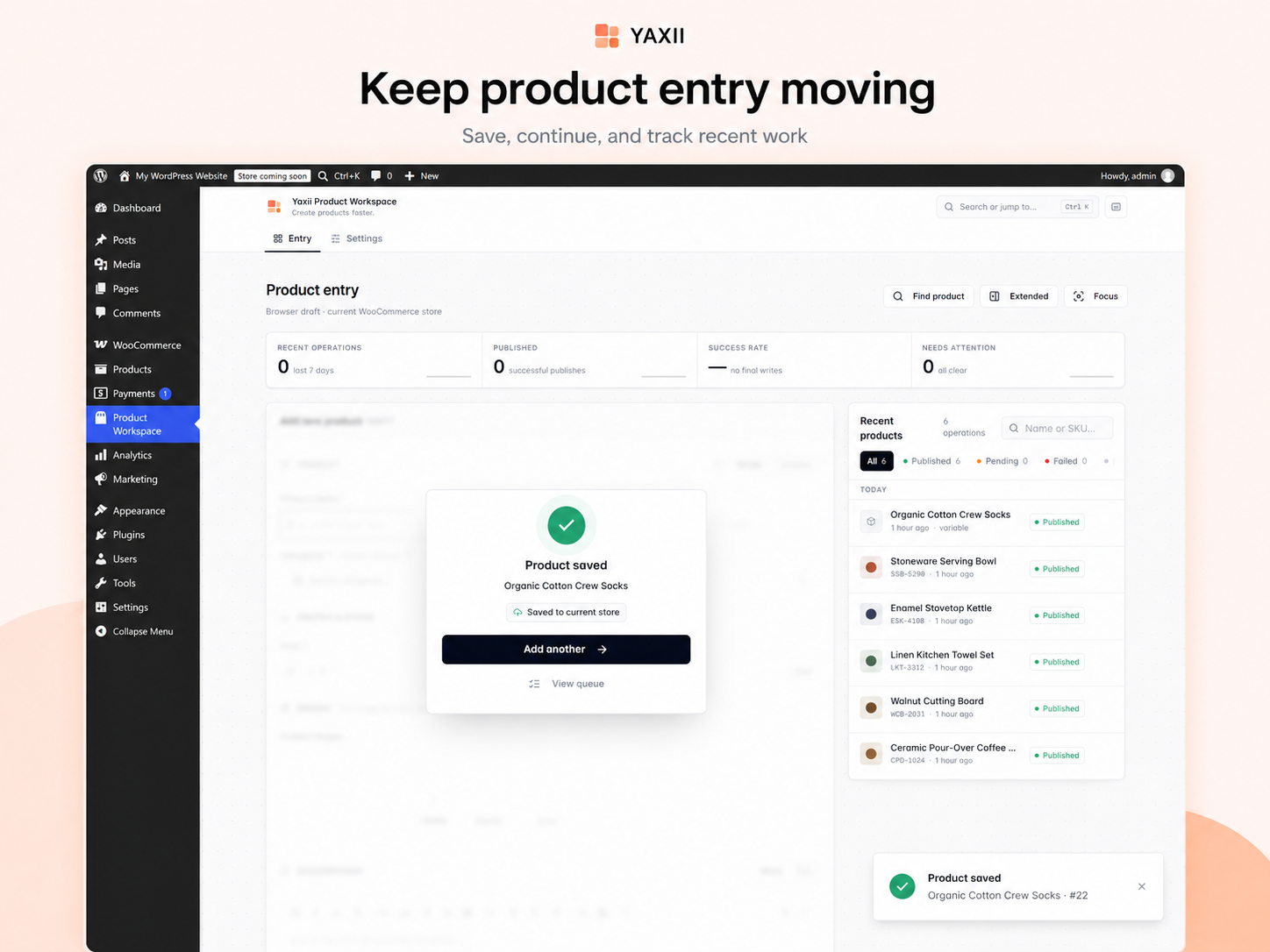
- Save & Next to move straight to the next product
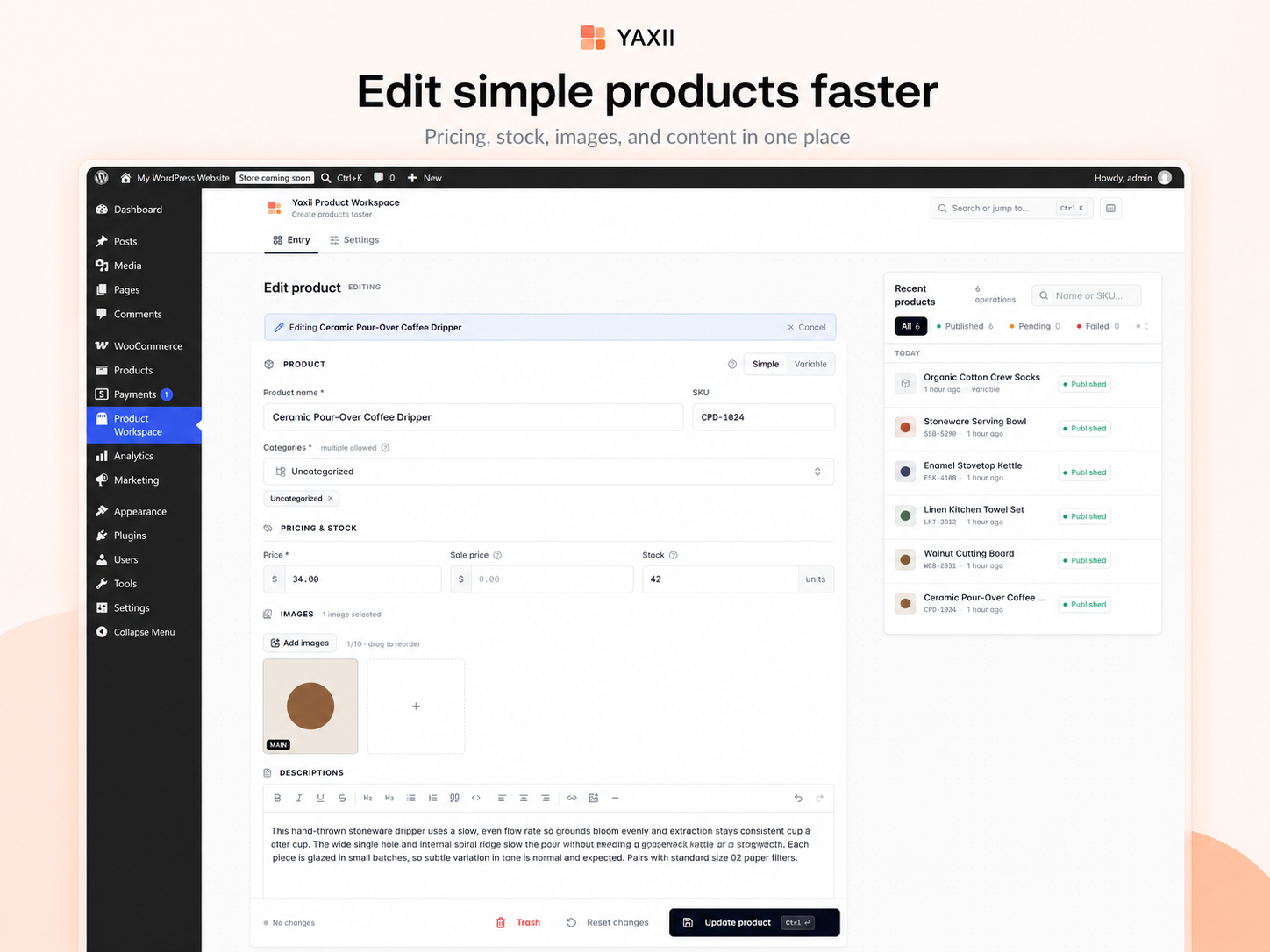
- Find and reopen an existing product without leaving the workspace
- A recent operations queue with published, pending, draft, and failed filters
- Duplicate an existing product as a starting point
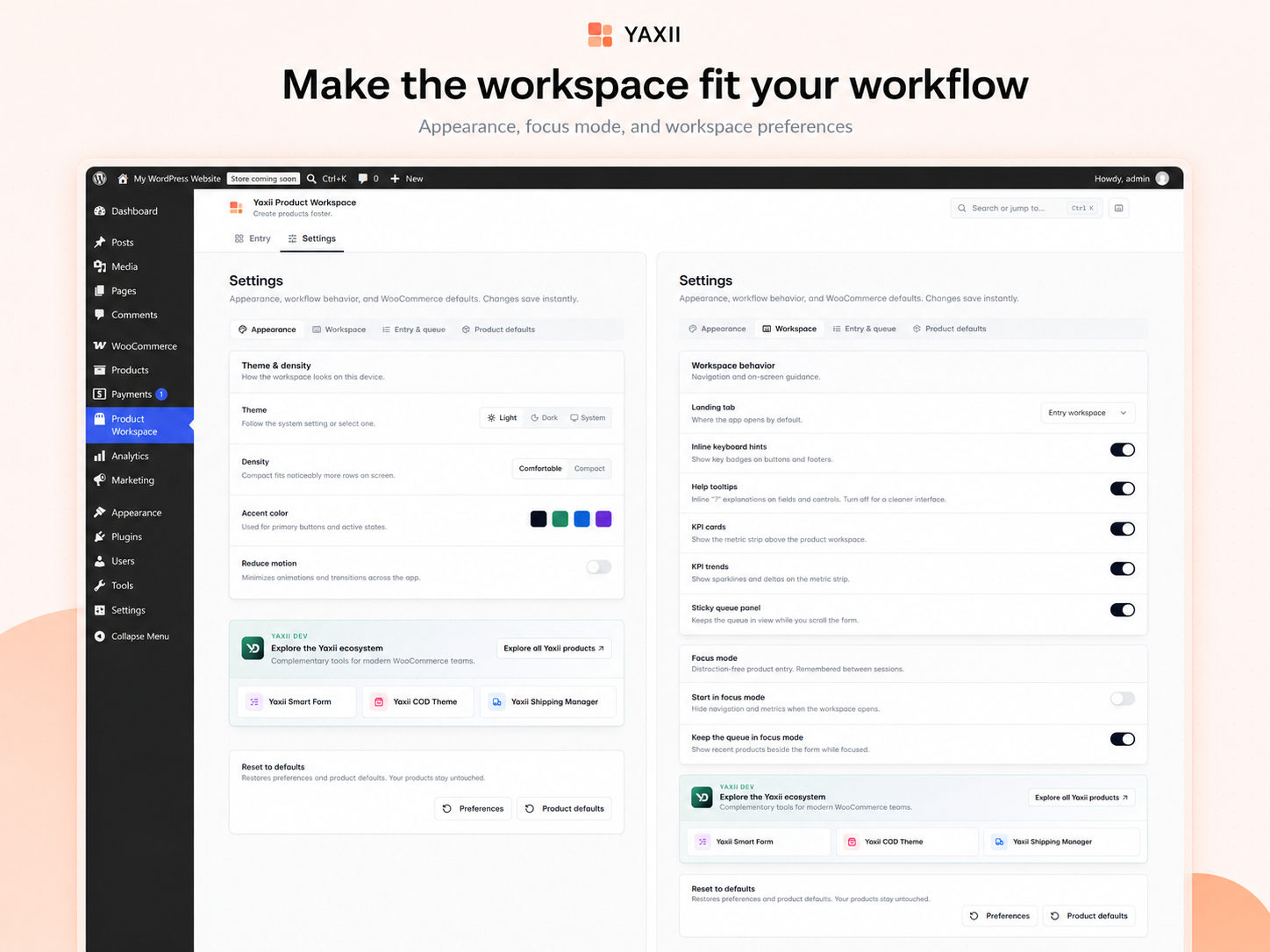
- Focus Mode for a distraction-reduced editing view
- Light, dark, or system theme, and compact or comfortable density
- Keyboard shortcuts for search, save, and save-and-next
Built for WordPress and WooCommerce
- Operates directly on your current WooCommerce store — no data migration or import step.
- Products, variations, categories, tags, and media are managed through standard WordPress and WooCommerce APIs.
- No WooCommerce REST API keys, consumer secrets, or external credentials are required or stored.
- No Yaxii account, license key, or activation is required.
- Version 1.0.0 has no telemetry, tracking, or external service calls.
- Internationalized and built with RTL layout support.
Privacy
The plugin stores a site-local operation ledger for safe product writes and operation history, plus workspace preferences in WordPress user metadata. It adds internal operation markers to products and variations created through the workspace. The browser keeps a bounded draft in session storage.
No telemetry or tracking is performed, and no plugin data is sent to Yaxii or another external service. Deactivation retains data. Uninstall removes plugin-owned storage and markers but never deletes WooCommerce products, variations, terms, or media.
Screenshots
Installation
- Install and activate WooCommerce.
- Install and activate Yaxii Product Workspace.
- Open Product Workspace from the WordPress administration menu.
- Start creating or editing products.
FAQ
-
Does Yaxii Product Workspace require WooCommerce?
-
Yes. It is built on top of WooCommerce and requires WooCommerce to be installed and active. Without it, the plugin stays non-fatal and shows an availability notice instead.
-
Can I create simple products?
-
Yes. Simple products cover name, descriptions, categories, tags, images, pricing, stock, shipping, and tax in one form.
-
Can I create variable products and variations?
-
Yes. Add global or custom attributes, generate variation combinations automatically, then set price, SKU, stock, image, and enabled state per variation.
-
Can I edit existing WooCommerce products?
-
Yes. Use Find product to locate and reopen an existing simple or variable product for editing.
-
Does it replace or modify my existing products?
-
No. Products created or edited through the workspace remain standard WooCommerce products, fully visible and editable from the default WooCommerce product editor as well.
-
Does it require API keys or a Yaxii account?
-
No. The plugin runs entirely inside your WordPress admin using same-site REST requests. It does not use WooCommerce REST API consumer keys, and no Yaxii account or license is required.
-
Does it send store or product data to an external service?
-
No. Version 1.0.0 has no telemetry, tracking, license call, or external API request.
-
What happens if I deactivate the plugin?
-
Your WooCommerce products are untouched. Deactivation only removes access to the workspace screen; product data stays in WooCommerce as usual.
-
Where can developers find the human-readable frontend source?
-
The complete Free source (PHP, React/TypeScript, and build tooling) is maintained publicly on the
devbranch at https://github.com/ghost4tech/yaxii-product-workspace/tree/dev. A clean clone of that branch can reproduce the distributed assets without any private service; seedocs/development/TOOLING.mdon that branch.
Reviews
There are no reviews for this plugin.
Contributors & Developers
“Yaxii Product Workspace” is open source software. The following people have contributed to this plugin.
Contributors
Translate “Yaxii Product Workspace” into your language.
Interested in development?
Browse the code, check out the SVN repository, or subscribe to the development log by RSS.
Changelog
1.0.0
- Initial public Free release.
- Simple and variable WooCommerce product creation and editing in one workspace.
- Product search, editing, duplication, categories, media, rich descriptions, operation history, and preferences.
- Light, dark, and system themes with compact and comfortable density.
- Internationalized and built with RTL layout support.