

Description
Turn your WooCommerce store into a price-free catalogue: hide every price, replace Add to cart with a Request a quote button, and answer each enquiry yourself. Built for B2B, wholesale, made-to-order and dealer stores that publish a catalogue but price every customer individually.
PriceVeil hides WooCommerce prices at every surface a price can leak — not only the visible label, but the numeric fields in the Store API JSON that block themes ship to every visitor, in SEO schema, in feeds and in GraphQL.
The approach: find every surface that leaks a price, close it, and prove it stays closed.
What it covers
- Storefront: single product, shop loop, related products, grouped products, variable price ranges and the inline variation JSON — numeric fields included, not just the label.
- Store API (block themes): product prices,
price_html, the collection price-range aggregation and cart totals are blanked server-side, so client-rendered themes have nothing to show. - Structured data: WooCommerce core JSON-LD offers, plus Rank Math, Yoast SEO, All in One SEO and Schema & Structured Data for WP product schema.
- WooCommerce REST API (
wc/v3,wc/v2): product and variation price fields, so a read-scoped API key handed to a third-party service reveals nothing. - GraphQL (WPGraphQL / WooGraphQL): product price fields blanked at field resolution.
- Cart, mini-cart, checkout, emails: classic PHP-rendered price output and quote-order customer emails.
- Catalog mode: add-to-cart disappears from classic and block templates, and the Store API rejects cart writes — the API cannot be used as a side door around the missing button.
Request a quote
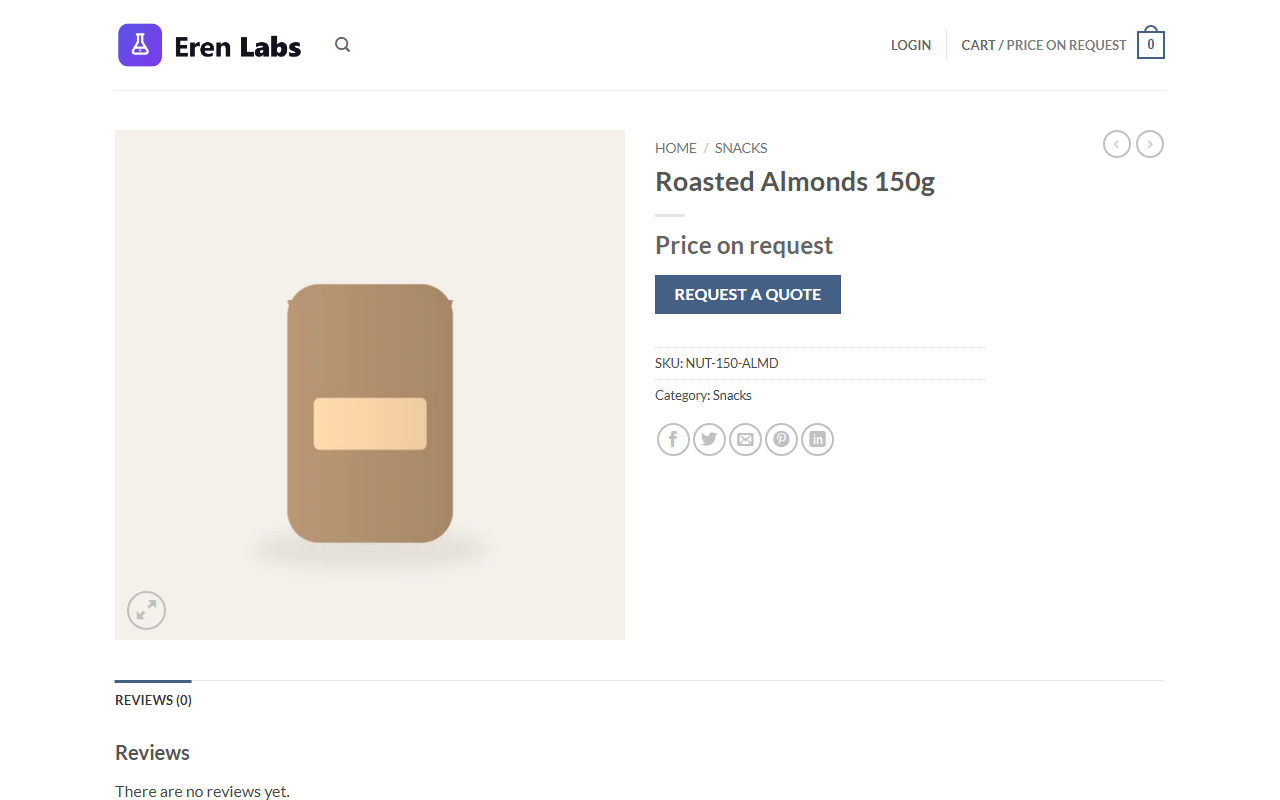
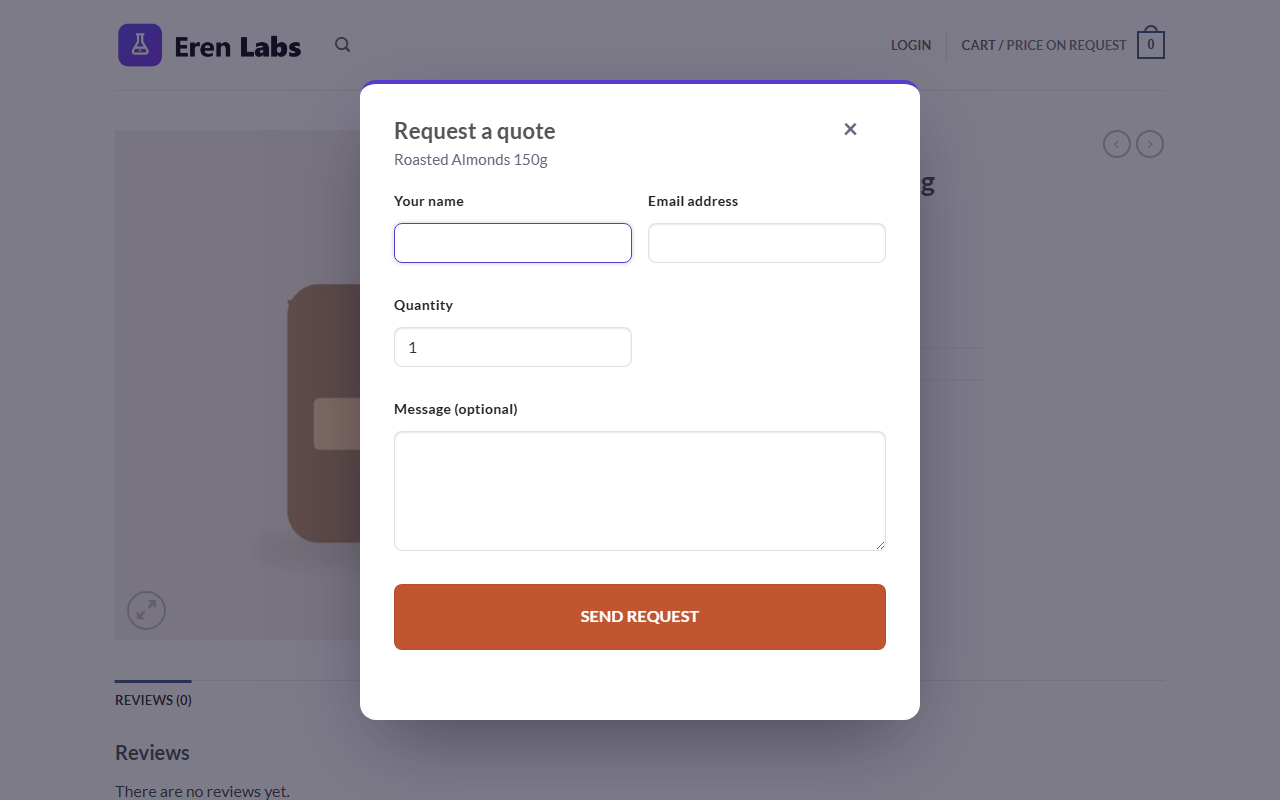
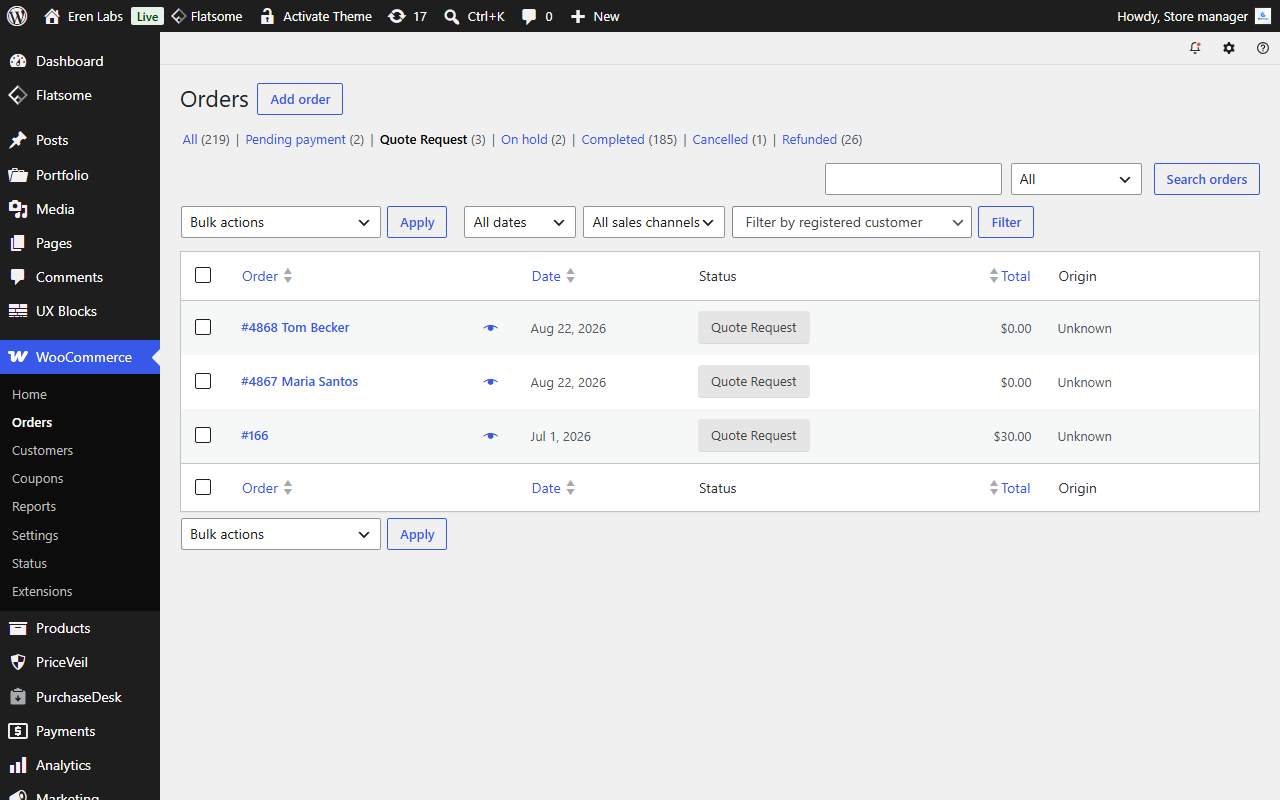
A configurable button and form replace the price on product pages (also available as the [priceveil_form] shortcode). Requests arrive as Quote Request orders in your normal WooCommerce orders screen — HPOS-compatible, never counted as revenue, never in reports — and you get an email with one-click reply to the customer.
The public form is protected by a nonce, a honeypot and a per-IP rate limit.
Speaks your customers’ language
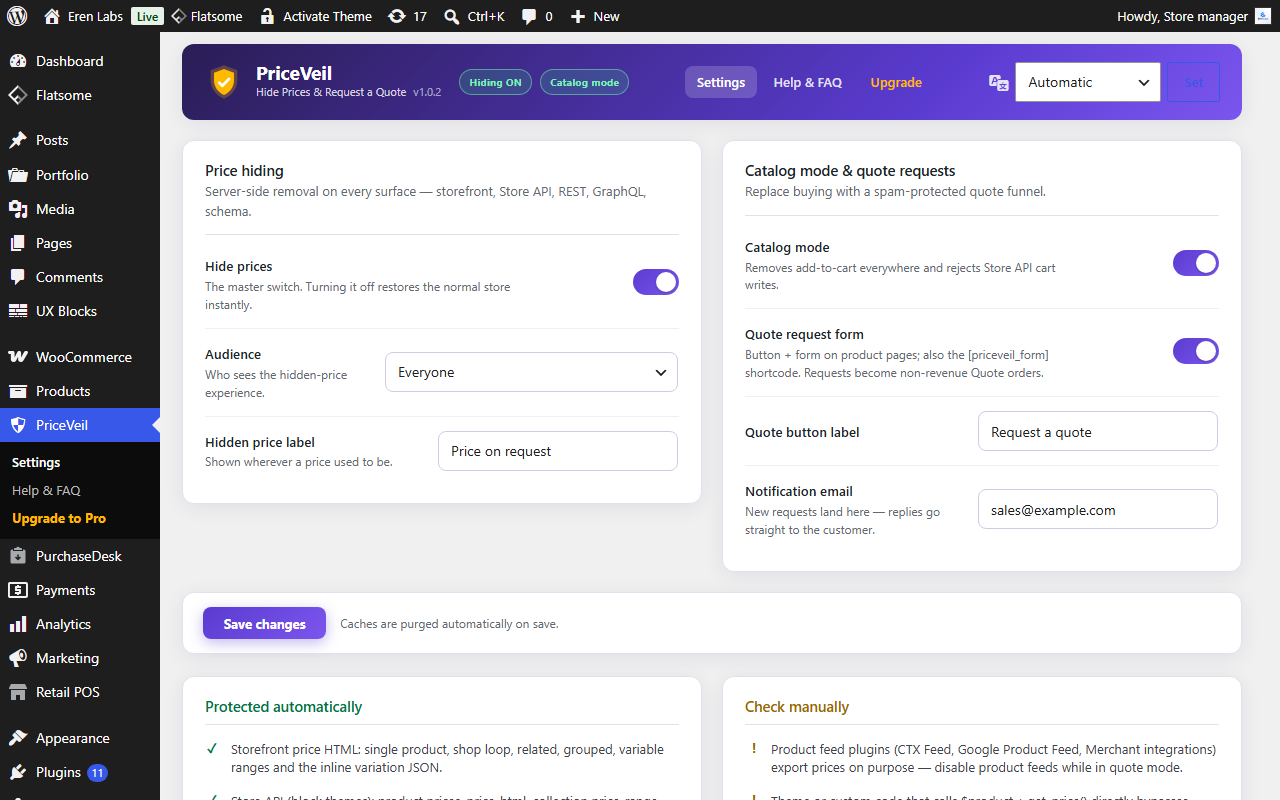
PriceVeil ships in 8 languages — English, Turkish, Spanish, German, French, Italian, Brazilian Portuguese and Arabic (with right-to-left layout). It follows the site language automatically and falls back to English for anything else, and admins can switch the plugin’s own language from a control in the header without changing the rest of wp-admin. (In PriceVeil Pro, the customer’s quote page also detects each visitor’s own language and offers a switcher on the quote itself.)
Honest coverage reporting
The settings screen shows exactly which surfaces are protected automatically and which you should check once yourself (product feed plugins, custom themes calling get_price() directly, edge caches). With WP-CLI you can run wp priceveil selftest after every WooCommerce update — it re-verifies every server-reachable surface and fails loudly on any leak.
Choose your audience
Hide prices for everyone, or for guests only so logged-in customers can see prices and buy normally.
Screenshots
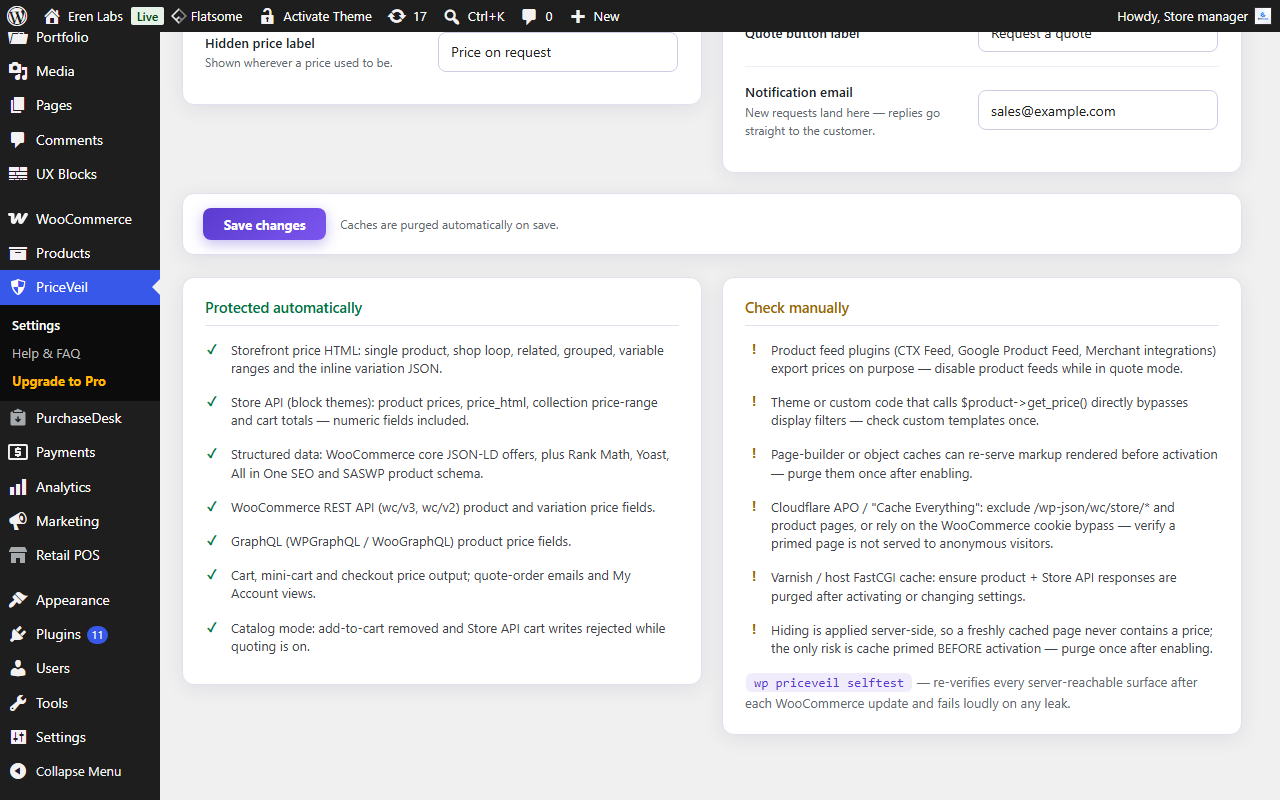
Blocks
This plugin provides 1 block.
- PriceVeil Quote Form
Installation
- Upload the
priceveil-for-woocommercefolder to/wp-content/plugins/, or install it through the WordPress Plugins screen. - Activate the plugin. WooCommerce must be installed and active.
- Prices are hidden immediately. Fine-tune everything under WooCommerce PriceVeil.
FAQ
-
Removed server-side. The price fields are blanked before the HTML or JSON leaves your server, so cached pages, API responses and view-source contain no price at all.
-
Does it work with block themes?
-
Yes. Block themes render prices from the Store API JSON, and PriceVeil blanks the numeric fields in those responses server-side.
-
Can logged-in customers still see prices?
-
Yes — set “Hide prices for” to Guests only and logged-in users get the normal store, including purchasing.
-
Where do quote requests go?
-
They are created as native WooCommerce orders with a special “Quote Request” status: visible in your orders list, excluded from revenue and reports, and announced by email. No extra tables, HPOS-compatible.
-
Do quote orders affect my revenue reports?
-
No. The Quote Request status is excluded from paid statuses and from WooCommerce reports.
-
What is NOT covered automatically?
-
Product feed plugins (they export prices on purpose), custom theme code that calls
$product->get_price()directly, and edge caches primed before activation. The settings screen lists these, andwp priceveil selftestverifies everything that is reachable server-side.
Reviews
There are no reviews for this plugin.
Contributors & Developers
“PriceVeil – Hide Prices & Request a Quote for WooCommerce” is open source software. The following people have contributed to this plugin.
Contributors
Translate “PriceVeil – Hide Prices & Request a Quote for WooCommerce” into your language.
Interested in development?
Browse the code, check out the SVN repository, or subscribe to the development log by RSS.
Changelog
1.0.2
- Tested with WooCommerce 11.
- Pro: updated the bundled licensing framework to its latest release.
1.0.1
- The plugin is now called PriceVeil. The text domain, language files and internal identifiers were renamed to match; behaviour and settings are unchanged.
1.0.0
- First public release: leak-tested price hiding across the storefront, Store API, structured data, the WooCommerce REST API and GraphQL; catalog mode; and a request-a-quote flow (nonce, honeypot and per-IP rate limit) that lands as native Quote Request orders excluded from revenue and reports.
- Available in 8 languages — English, Turkish, Spanish, German, French, Italian, Brazilian Portuguese and Arabic (right-to-left) — chosen automatically from the site/visitor language, with a per-user language switcher in the admin header and a language switcher on the customer quote page.
0.10.2
- Pro: the Requests console now spells out that sending a quote e-mails the customer — a note under the Send button shows the exact address the quote goes to, and the confirmation after sending states that it was e-mailed (with the accept/decline link) to that address.
0.10.1
- Pro: preparing a quote in the Requests console no longer reloads the page each time you add or remove a product — lines are added and removed in place and the live customer preview updates instantly.
- Pro: a product you add to a quote now defaults to an “Optional” add-on (the customer can choose to add it); switch it to Required or Alternative from the Type column if you prefer.
0.10.0
- Pro: the multi-product quote list is now a polished slide-in “quote drawer”. Adding a product slides it in from the side with the collected items — each with its thumbnail, a quantity stepper and a remove control — a live count, an empty state, and one clear “Request a quote for these items” action. A floating launcher reopens it anytime. It is a progressive enhancement of an in-flow list (usable without JavaScript), is keyboard-accessible (focus trap, Esc, scroll lock) and supports light and dark. Prices stay hidden throughout.
0.9.9
- Fixed: submitting the “Request a quote” form from the product-page modal failed with a generic “Error”. The form’s request was being sent to the wrong URL (a hidden field named “action” was shadowing the form’s action property in the browser), so no quote was created. Quote requests now submit correctly.
0.9.8
- Fixed: on variable products in catalog (quote) mode the “Add to cart” button could still appear alongside the variations form — it is now fully removed, matching simple products, so only the quote flow remains.
- Pro: the multi-product quote list is now a live mini-cart. Adding or removing a product updates the list and its counter instantly without reloading the page, and the “Add to quote list” button shows a running count and a brief confirmation.
For older releases, see changelog.txt.