

Description
Velox Map Locator helps you manage business locations once and present them through reusable, configurable Locators anywhere on your WordPress site.
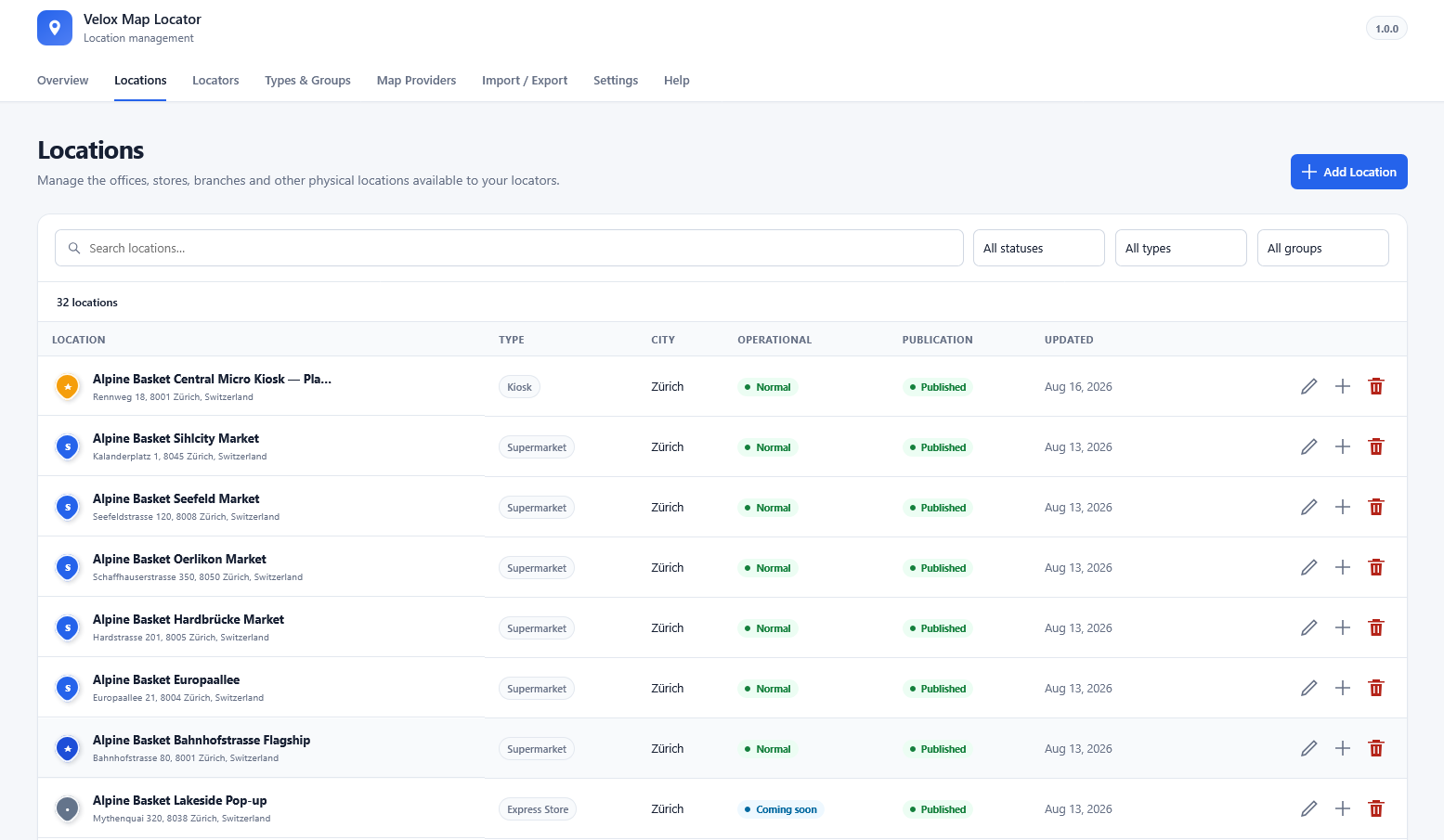
A Location can represent an office, store, kiosk, service centre, branch, dealer, facility, or any other place with coordinates. A Locator decides which Locations to show and how visitors interact with them.
Key features
- Unlimited Locations, Types, Groups, and reusable Locators.
- Structured addresses, coordinates, contacts, business hours, images, markers, and additional fields.
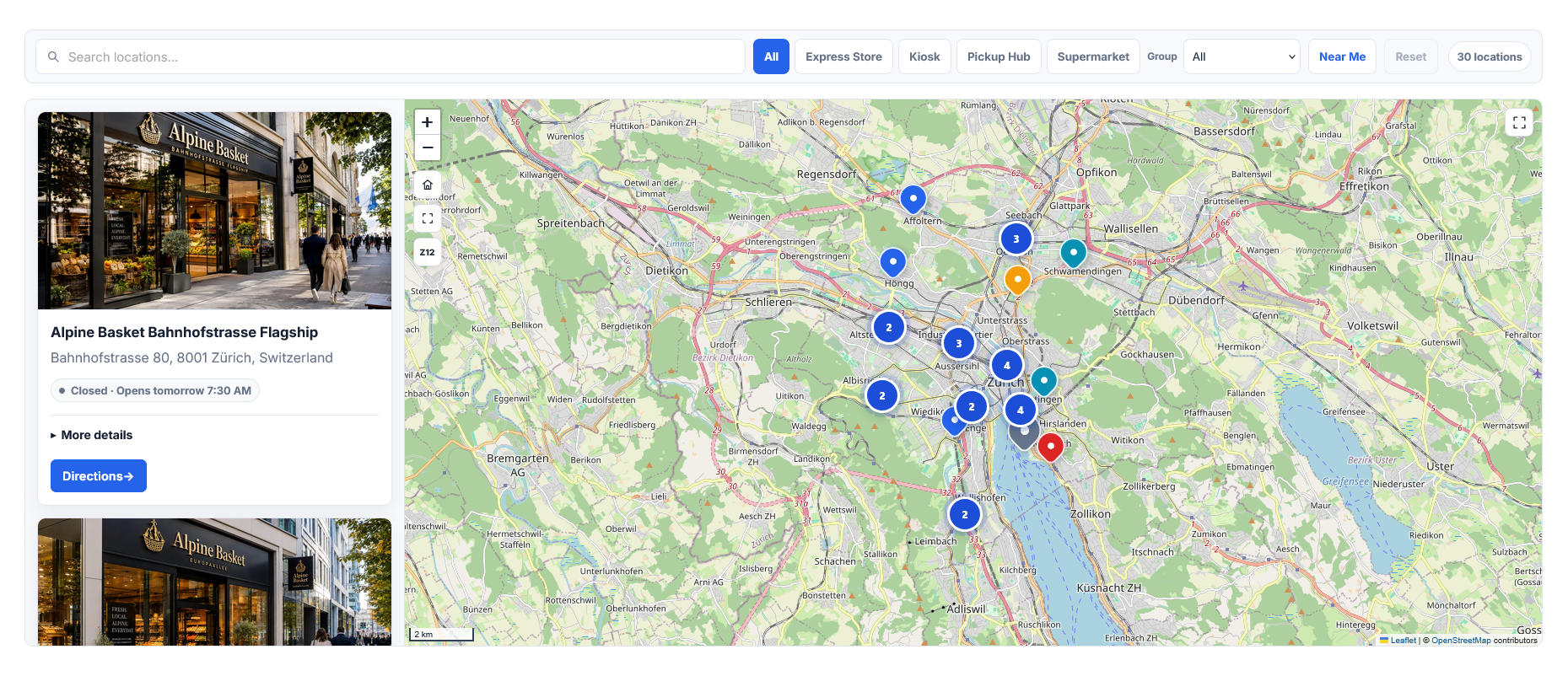
- Split Map + List, Map Only, and List Only layouts.
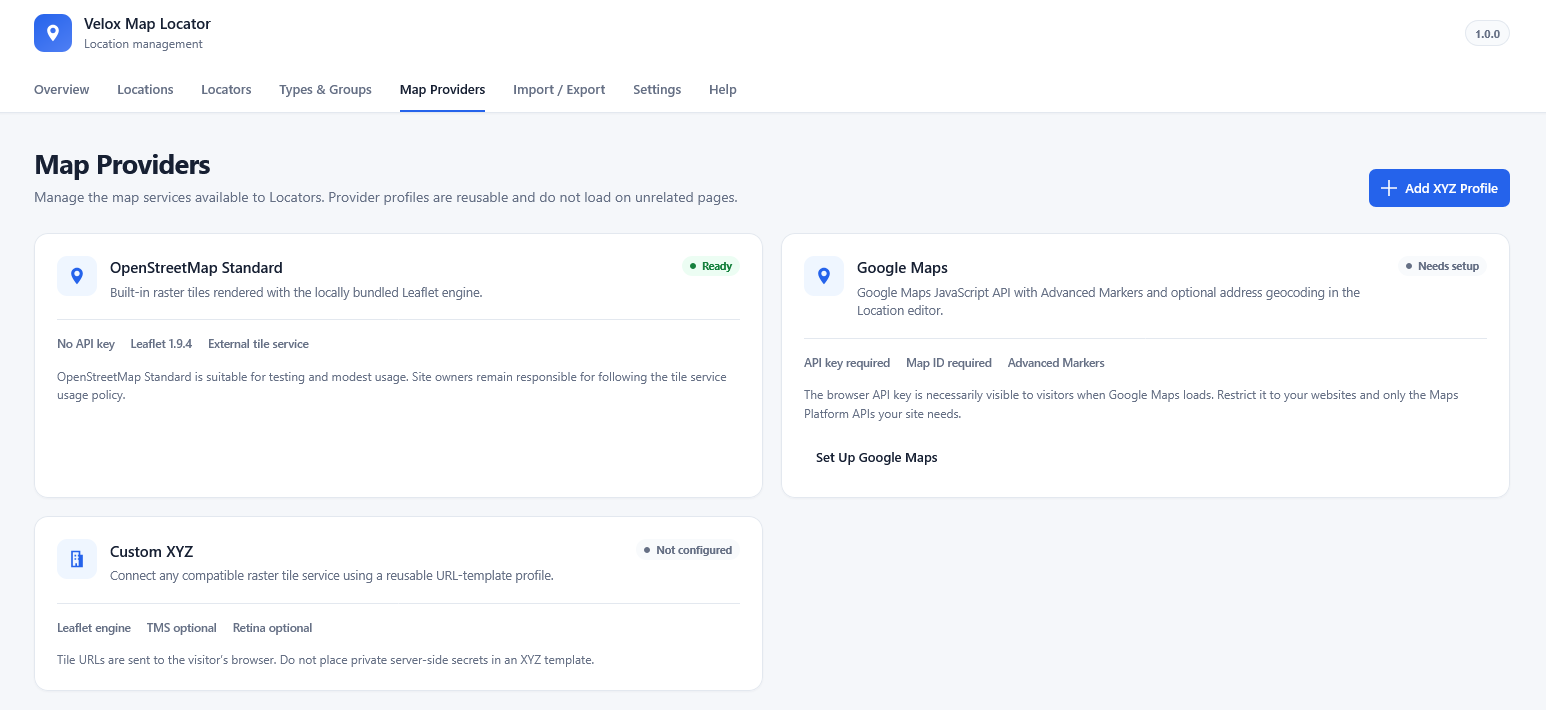
- OpenStreetMap Standard tiles through locally bundled Leaflet 1.9.4.
- Google Maps JavaScript API support using an administrator-supplied browser API key and Map ID.
- Reusable Custom XYZ raster tile profiles.
- Search plus Type, Group, Country, and City filters.
- Near Me distance sorting using visitor-approved browser geolocation. Velox does not store visitor coordinates.
- Automatic, enabled, or disabled marker clustering with coincident-location handling.
- Synchronized map markers and Location cards.
- Home, Fit All, zoom, scale, and fullscreen map controls.
- Structured weekly hours, split shifts, overnight hours, special-date overrides, and timezone-aware public status.
- Velox, Slate, Azure, and Forest themes with Light, Dark, or Auto modes.
- Responsive, RTL-aware layouts, including narrow page-builder columns.
- Interaction Privacy Mode that can keep an external map provider unloaded until the visitor chooses Load Map.
- CSV Import / Export with validation preview, External ID update/create behavior, portable Type and Group slugs, and spreadsheet-injection protection.
- Dynamic Gutenberg block and
[velox_map_locator]shortcode. - Built-in Help section with a complete workflow guide, task instructions, troubleshooting, and searchable glossary.
- No Velox telemetry, tracking service, remote Velox scripts, or Velox account requirement.
Recommended workflow
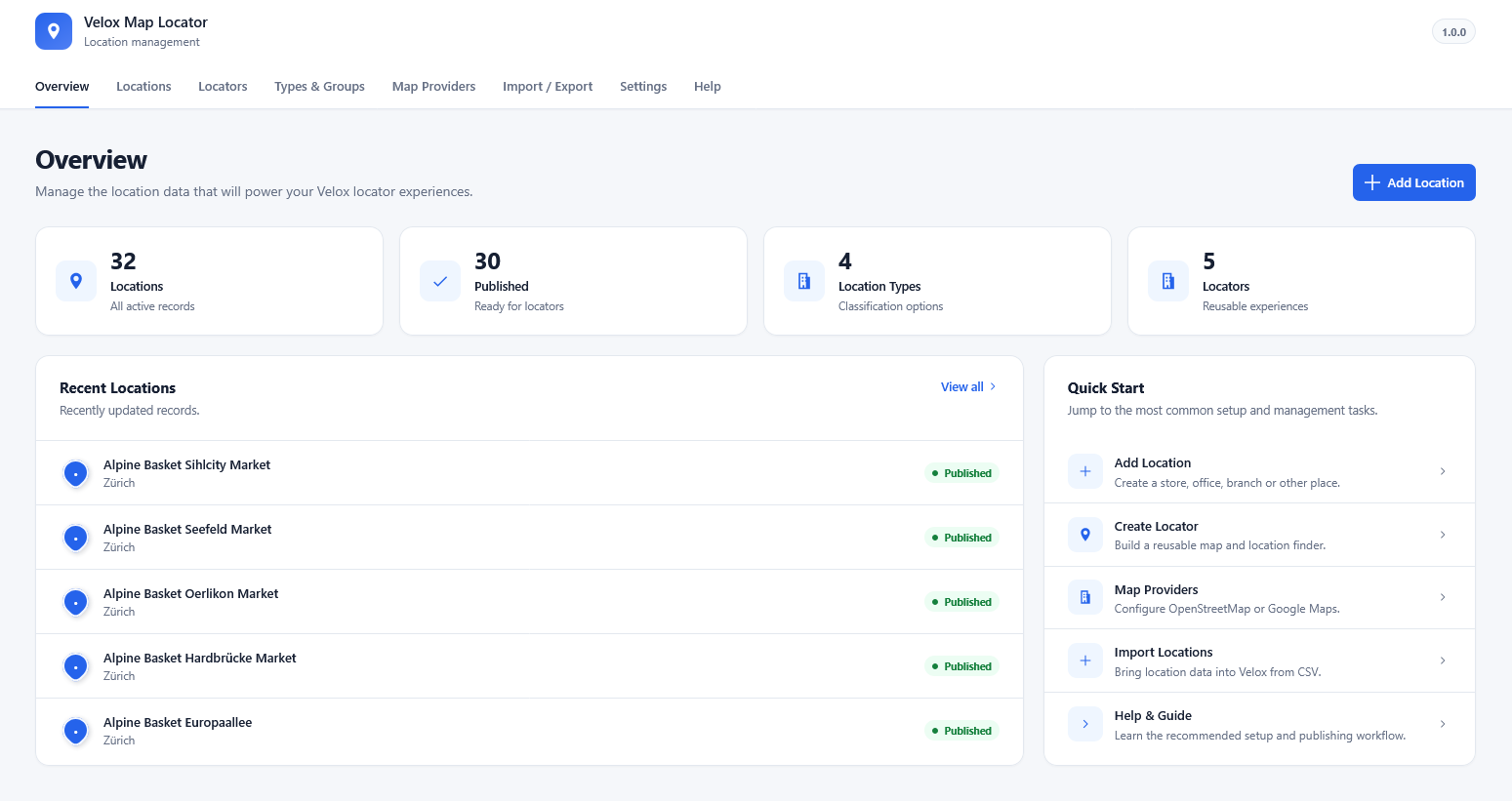
- Open Velox Map Locator > Map Providers and configure the map services you intend to use.
- Review Settings for global defaults such as distance units, default provider, map controls, appearance, and privacy behavior.
- Create useful Types & Groups for classification and filtering.
- Add several representative Locations with valid latitude and longitude values.
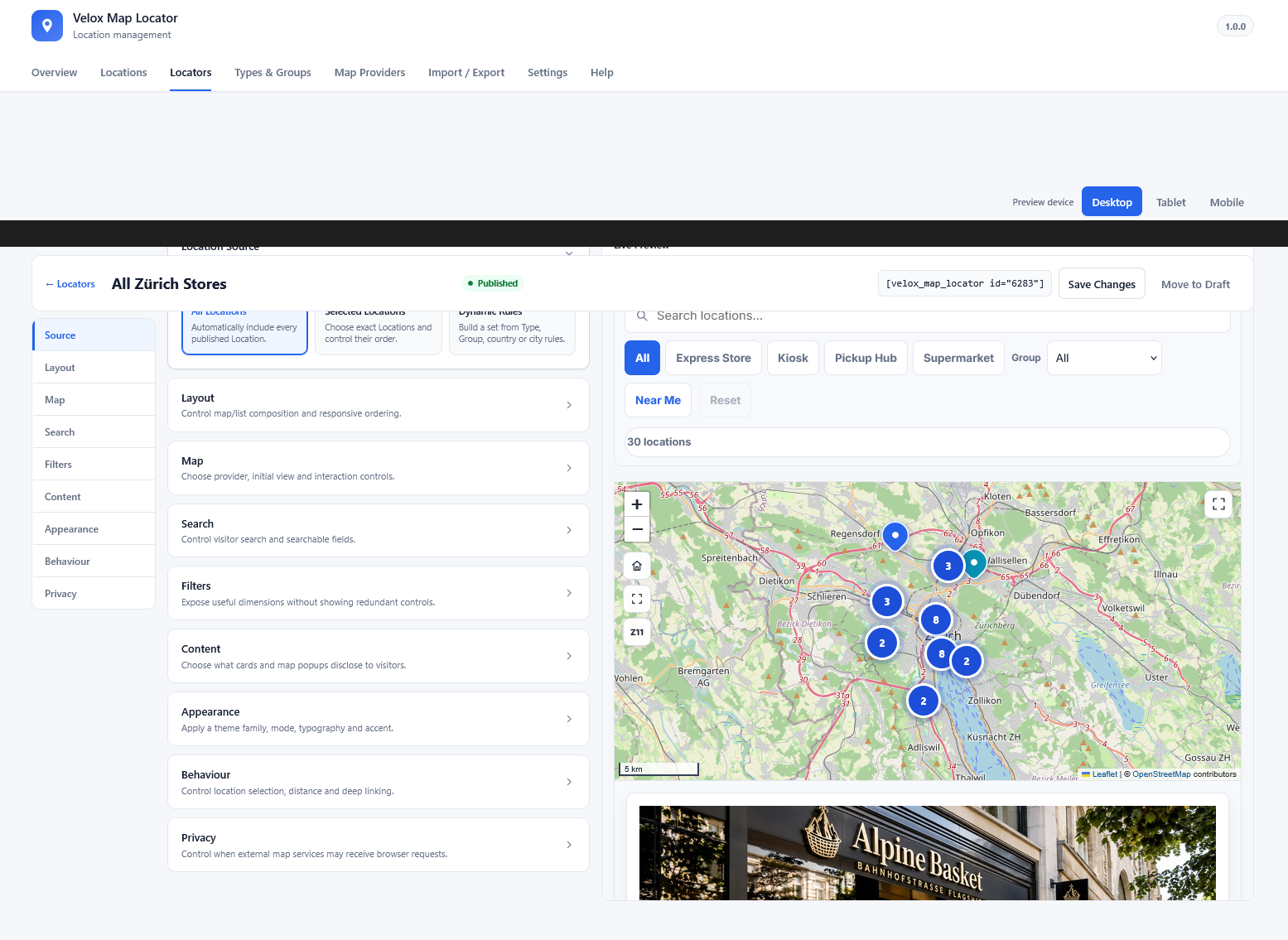
- Create a Locator and choose All Locations, Selected Locations, or Dynamic Rules as its source.
- Use the Locator Builder to configure layout, map, search, filters, content, appearance, behavior, and privacy.
- Embed the Locator with the Gutenberg block or shortcode and test the public page at desktop and mobile widths.
- Use Import / Export when bulk maintenance becomes more efficient than manual editing.
For detailed instructions, open Velox Map Locator > Help after activation.
Privacy
Velox Map Locator does not include Velox telemetry or tracking and does not set a Velox analytics cookie.
Near Me geolocation is user initiated and processed in the browser. Velox Map Locator does not persist visitor coordinates.
When a map is configured, the visitor’s browser may connect directly to the selected external map provider. Interaction Privacy Mode can defer those requests until the visitor chooses Load Map. Administrators remain responsible for the external services they configure.
External Services
Velox Map Locator can connect to external map services selected by the site administrator. These services are not operated by Velox Plugins. Requests are made directly by the visitor’s browser when the relevant map is loaded, or by an administrator when explicitly using a provider-specific admin action.
OpenStreetMap Standard tiles
When an OpenStreetMap-backed map loads, the visitor’s browser requests raster tiles from tile.openstreetmap.org. The map displays the required OpenStreetMap attribution. OpenStreetMap’s public tile service is subject to its usage policy and privacy practices.
- Service: https://www.openstreetmap.org/
- Tile usage policy: https://operations.osmfoundation.org/policies/tiles/
- Privacy policy: https://osmfoundation.org/wiki/Privacy_Policy
Google Maps Platform
When a Google-backed Locator loads, the visitor’s browser requests the Google Maps JavaScript API and map content from Google. The browser API key is included in browser requests and should use appropriate Google Cloud restrictions.
When an administrator explicitly clicks Find on Map in the Location editor, the entered address is sent to Google’s browser-side geocoding service to resolve coordinates. Typing an address alone does not trigger Google autocomplete or geocoding.
- Service: https://mapsplatform.google.com/
- Google Maps Platform Terms: https://cloud.google.com/maps-platform/terms
- Google Privacy Policy: https://policies.google.com/privacy
Administrators who enable Google Maps are responsible for complying with the applicable Google Maps Platform terms and end-user notice/privacy requirements for their own site.
Custom XYZ tile services
Administrators can configure their own HTTP(S) XYZ raster tile providers. When a Locator using such a profile loads, the visitor’s browser requests tiles directly from the configured URL. The administrator is responsible for the selected provider’s terms, attribution, privacy requirements, credentials, and usage limits. Any access token placed in a browser tile URL is visible to visitors and must not be treated as a secret.
Development Source
Human-readable source for Velox JavaScript and stylesheets is included under src/ alongside build/. Production assets are built with @wordpress/scripts; development configuration is included in the separate source distribution. Leaflet 1.9.4 source is available at https://github.com/Leaflet/Leaflet/tree/v1.9.4 and its bundled license details are in third-party-notices.txt.
Screenshots
Blocks
This plugin provides 1 block.
- Velox Map Locator Display a configured Velox Map Locator.
Installation
- Upload the Velox Map Locator ZIP through Plugins > Add New > Upload Plugin, or copy the plugin folder to
/wp-content/plugins/. - Activate Velox Map Locator.
- Open Velox Map Locator > Help for the recommended setup workflow.
- Configure any required map provider under Map Providers.
- Create Locations, create a Locator, publish it, and embed it with the block or shortcode.
OpenStreetMap Standard can be used without a Google API key, subject to the OpenStreetMap tile usage policy described under External Services.
FAQ
-
What is the difference between a Location and a Locator?
-
A Location is one place and its data. A Locator chooses which Locations to show and controls their public layout, map provider, filters, content, styling, behavior, and privacy.
-
Do I need a Google Maps API key?
-
No. You can use OpenStreetMap Standard or an administrator-configured Custom XYZ provider. Google Maps requires your own browser API key and Map ID.
-
Does Velox Map Locator send data to Velox servers?
-
No. The plugin contains no Velox telemetry and does not require a Velox account. External network requests occur only when functionality you configure requires a map service, as explained under External Services.
-
Does Near Me store a visitor’s location?
-
No. Near Me requests browser geolocation only after the visitor activates it. Distance calculations occur in the visitor’s browser, and Velox Map Locator does not persist or transmit the visitor’s coordinates.
-
Can I delay external map requests until the visitor agrees to load the map?
-
Yes. Set the Locator’s map loading behavior to Require visitor to click Load Map. The Location list can remain available while the external map provider stays unloaded until activation.
-
Can I show a directory without a map?
-
Yes. Use List Only. Map libraries and map-provider requests are not needed for that layout.
-
How do I embed a Locator?
-
Use the Velox Map Locator Gutenberg block and select a published Locator, or use:
[velox_map_locator id="123"]Replace
123with the Locator ID. -
How are marker styles chosen?
-
A Location-specific marker override has highest priority. Otherwise the Location’s Primary Type can provide the marker, followed by Locator/theme defaults.
-
Can I import Locations from CSV?
-
Yes. Import / Export provides upload, column mapping, full validation preview, confirmation, and chunked writes. External ID can be used for controlled update-or-create imports. Types use portable slugs and Groups use hierarchical slug paths.
-
Does uninstalling remove my data?
-
Not by default. Deactivation is non-destructive. Destructive uninstall cleanup must be explicitly enabled in Settings. On multisite, that choice is respected per site. Media Library attachments are never deleted by the plugin uninstall routine.
-
Where can I find detailed documentation?
-
Open Velox Map Locator > Help. The workflow guide, instructions, troubleshooting, and glossary are bundled locally with the plugin.
Reviews
There are no reviews for this plugin.
Contributors & Developers
“Velox Map Locator” is open source software. The following people have contributed to this plugin.
Contributors
Translate “Velox Map Locator” into your language.
Interested in development?
Browse the code, check out the SVN repository, or subscribe to the development log by RSS.
Changelog
1.0.0
- Initial public release of Velox Map Locator.
- Includes reusable Location and Locator management, OSM/Google/XYZ maps, synchronized map/list interaction, search, filters, Near Me, clustering, business hours, themes, privacy-aware loading, Gutenberg block, shortcode, CSV Import / Export, global Settings, responsive/RTL behavior, multisite-safe lifecycle handling, and built-in Help documentation.