

Description
Free to use, and no card is needed to start.
Go to aisupportforge.com, point it at your website, and it reads your
pages and builds a support agent that answers your visitors’ questions. Copy the site key it gives you,
paste it into this plugin, and you are done. Setup takes about a minute and there is nothing to code.
The free plan is the whole product, not a crippled trial. Your own knowledge base, real conversations,
saved leads and handover to a human all work exactly as they do on a paid plan. It covers 50 replies a
month and shows a small “Powered by AISupportForge” badge on the chat window. If you outgrow it, paid
plans start at $14.99 a month and remove the badge, but nothing here expires and you will never be
charged without choosing to be.
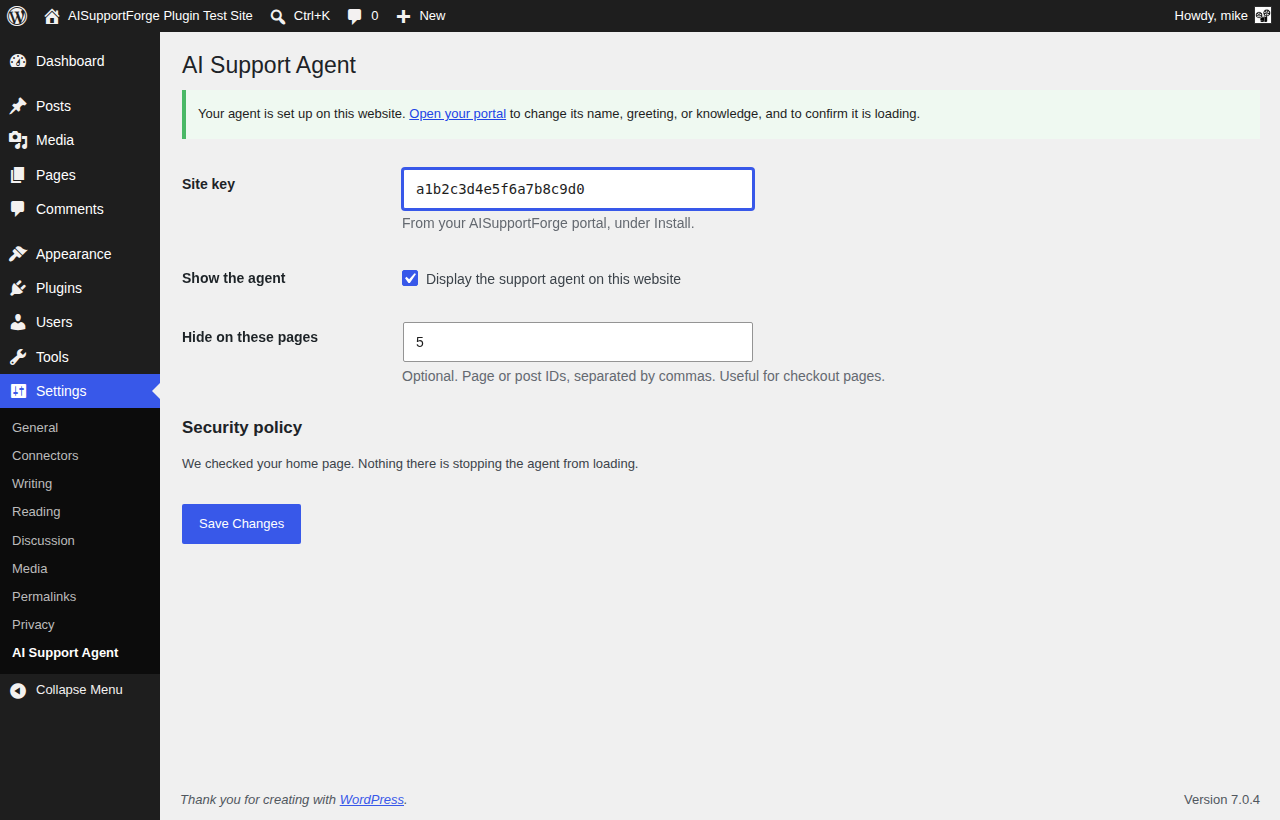
This plugin connects your WordPress site to that account and displays the agent on the front end. You
paste one value, your site key, and the plugin adds the agent for you.
Without this plugin you would edit your theme’s footer template by hand. This does it for you, and
survives theme updates.
What it does
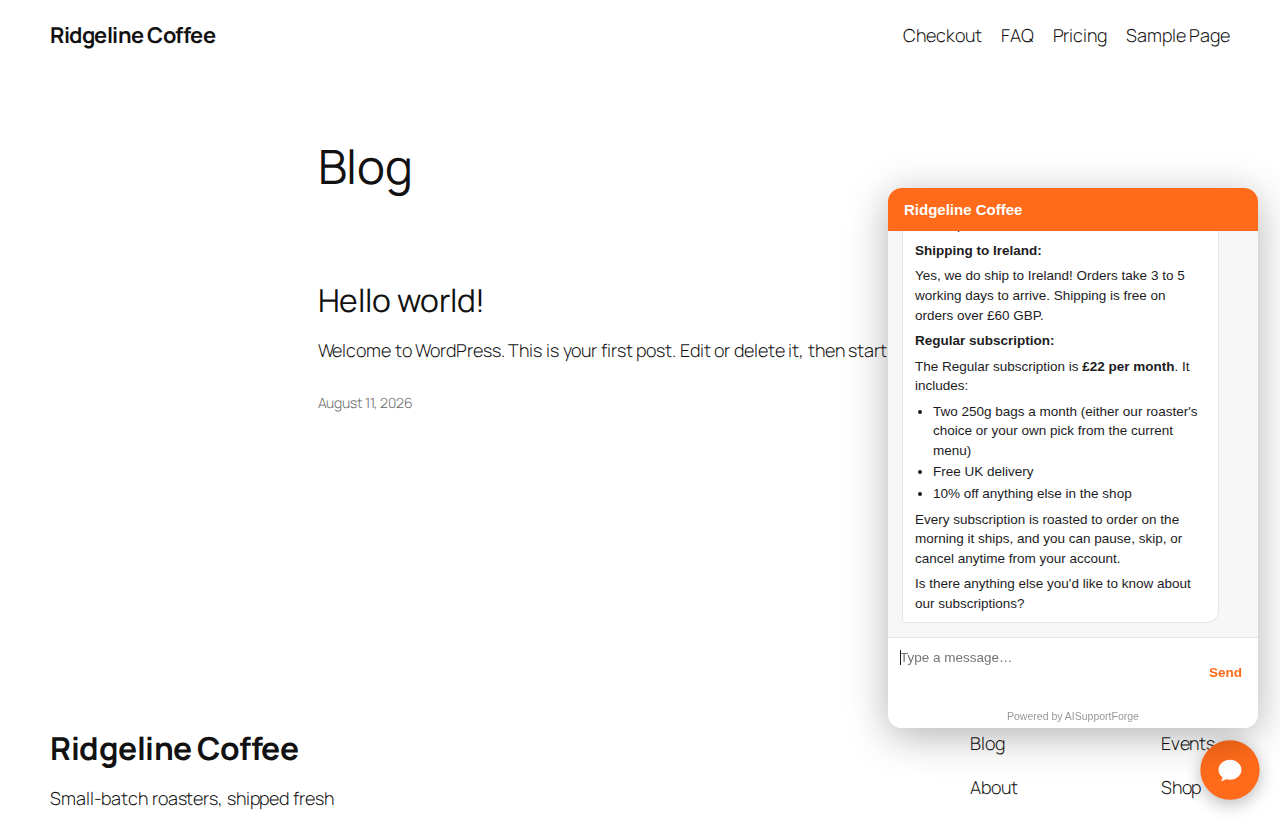
- Adds your support agent to every page of your site
- Registers this website with your AISupportForge account so the agent is permitted to run here
- Lets you hide the agent on chosen pages, for example a checkout page
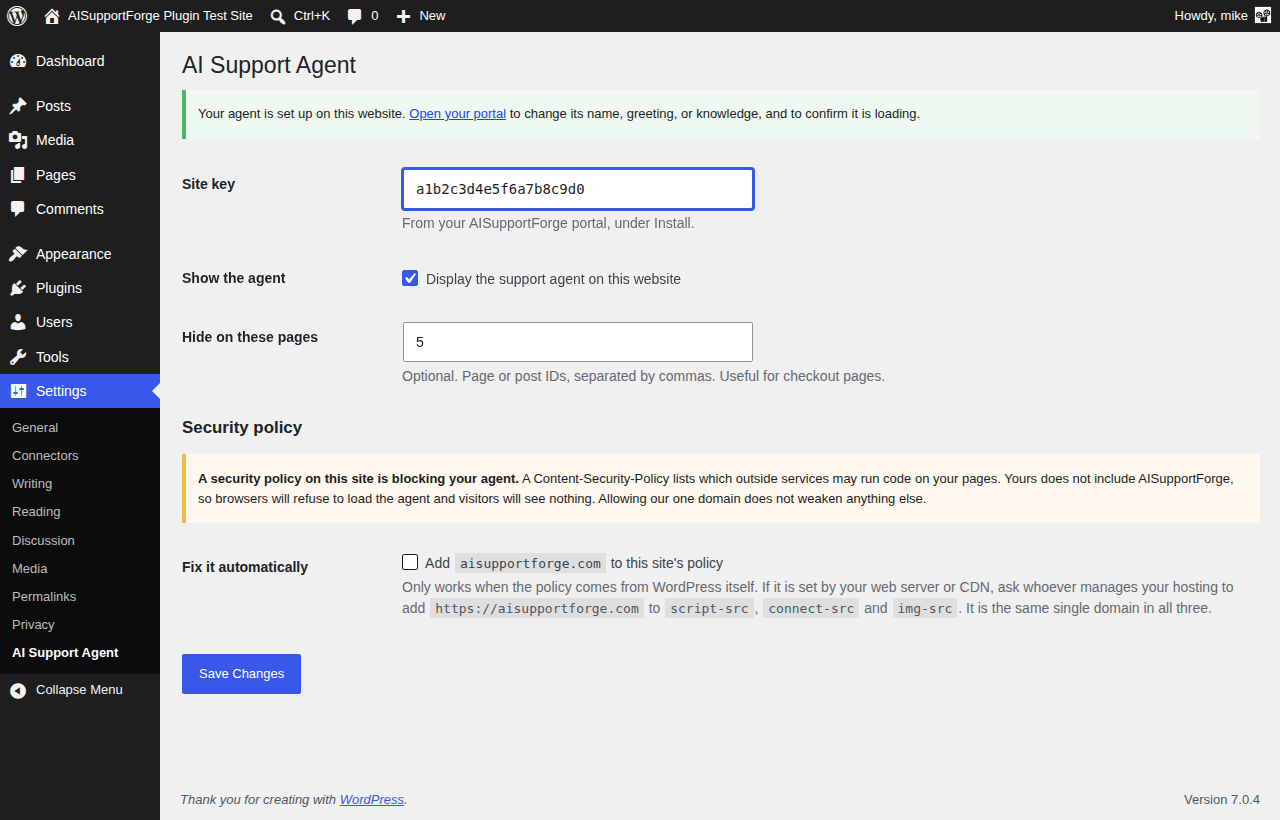
- Detects a Content-Security-Policy that would block the agent, explains it in plain language, and can
add our domain to it for you if you choose - Optionally lets the agent recognise your logged-in customers, so it can answer about their own
account. Paste one secret; no code to write and no files to edit
What it does not do
Your agent’s name, greeting, tone, knowledge sources, conversations and billing are all managed in your
AISupportForge portal, not in WordPress. That keeps one source of truth and means changes take effect
immediately without a plugin update.
External service
This plugin relies on AISupportForge, a third-party service that provides the AI support agent.
The plugin is not useful without an AISupportForge account.
Service: https://aisupportforge.com
Terms of Use: https://aisupportforge.com/terms
Privacy Policy: https://aisupportforge.com/privacy.html
What is sent to AISupportForge, and when
-
When you save a site key in the plugin settings, the plugin sends your site key and this website’s
domain name (for exampleexample.com) tohttps://aisupportforge.com/api/w/register-domain. This
registers the website with your account so the agent is allowed to run on it. No visitor data and no
WordPress user data is sent. This request only happens when an administrator clicks Save. -
On your public pages, the plugin outputs a script tag that loads the agent from
https://aisupportforge.com. From that point the agent runs in the visitor’s browser and communicates
with AISupportForge directly, exactly as it would if you pasted the snippet into your theme yourself.
What the agent collects is described in the AISupportForge privacy policy. -
Only if you switch on “Recognise logged-in customers” by entering a signing secret in the plugin
settings, the plugin adds a short-lived signed token to that script tag for logged-in WordPress users.
The token contains the WordPress user ID, the user’s email address and display name, and an expiry one
hour ahead, and it is signed with your secret so it cannot be forged. It lets the agent greet a
customer by name and see which account it is helping. This is off by default: with no secret
configured no token is created and nothing about your users is sent. Logged-out visitors never get a
token. The stored data is covered by the AISupportForge privacy policy linked above.
The plugin does not send anything to AISupportForge until you enter a site key and save.
Screenshots
Installation
- Create a free account at aisupportforge.com and let it read your website. No card is required.
- Install and activate this plugin.
- Go to Settings, then AI Support Agent.
- Paste the site key from your AISupportForge portal, under Install.
- Save. The agent appears on your site straight away.
To confirm it is live, open your AISupportForge portal and use the site check on the Install page. It loads your page in a real browser and tells you whether the agent actually ran.
FAQ
-
Is the site key a password?
-
No. The site key is a public identifier that appears in your page source anyway, similar to an analytics
ID. Your account password and signing secret are never used by this plugin. -
My agent is not appearing. Why?
-
The most common cause is a Content-Security-Policy on your site that does not list AISupportForge.
Open Settings, then AI Support Agent, and look at the Security policy section. If the policy comes from
your web server or a CDN such as Cloudflare rather than from WordPress, the plugin cannot see or change
it, and whoever manages your hosting needs to addhttps://aisupportforge.comtoscript-src,
connect-src andimg-src. It is the same single domain in all three, and adding it does not
weaken any other part of your policy. -
Can I hide the agent on some pages?
-
Yes. Enter the page or post IDs in the “Hide on these pages” field, separated by commas.
-
Does this slow my site down?
-
The agent script is loaded asynchronously and does not block your page rendering.
Reviews
There are no reviews for this plugin.
Contributors & Developers
“AISupportForge” is open source software. The following people have contributed to this plugin.
Contributors
Translate “AISupportForge” into your language.
Interested in development?
Browse the code, check out the SVN repository, or subscribe to the development log by RSS.
Changelog
1.6.0
- Renamed all functions, constants and stored settings to the longer aisupp_ prefix, per WordPress.org guidelines. Existing settings are migrated automatically and the previous ASF_IDENTITY_SECRET constant still works.
- Documented the optional logged-in identity token in the External service section.
1.5.0
- New, optional: the agent can now recognise your logged-in customers, so it can answer about their
own account rather than general questions only. Paste your signing secret in the settings and the
plugin does the rest. Previously this needed hand-written PHP and an edit to wp-config.php. - The secret can also be set as a constant in wp-config.php, which keeps it out of your database. If
you do that, it is used automatically.
1.4.0
- Renamed to AISupportForge, matching the service and the plugin’s text domain. The settings screen is
still found under Settings, AI Support Agent. Nothing else changed.
1.3.0
- The agent script is now added with wp_enqueue_script() instead of being printed directly, so it
behaves like any other script on your site and is visible to caching and optimisation plugins.
It still loads asynchronously and still respects your page exclusions.
1.2.0
- The security policy check now looks at your public home page instead of the WordPress admin page.
Those are different requests and can carry different headers, so the old check could be wrong in
either direction. - WordPress sends its own security policy on admin screens, which is about page framing and has
nothing to do with the agent. The plugin no longer reports that as though it mattered. - The Security policy section is now shown only when there is something to tell you or to fix.
1.1.0
- The security policy helper now also covers
img-src, alongsidescript-srcandconnect-src.
Still the same single domain. This is forward-looking: the agent does not load remote images
today, but including the directive now means a future version that does will work on sites
running an older copy of this plugin.
1.0.0
- First release.