
Description
Webris Alt Text Inspector adds two small tools to the WordPress Media Library list view:
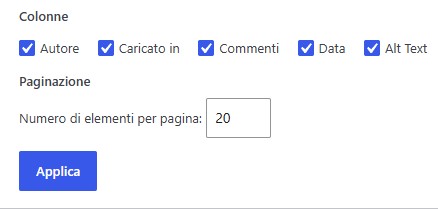
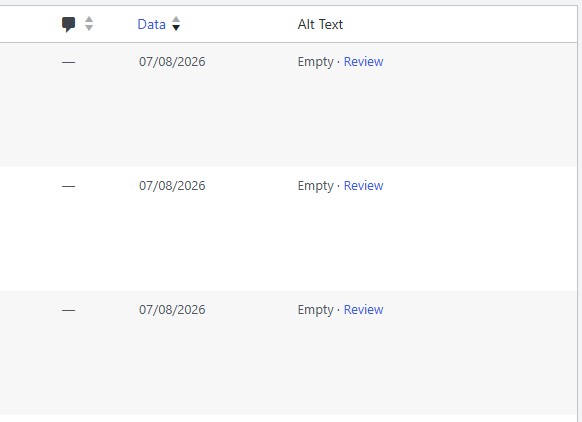
- An Alt Text column that shows whether an image has stored alternative text.
- A filter that shows only image attachments with empty alt text.
The plugin is intentionally read-only for media content. It does not generate alt text, edit attachments, change image files, rewrite posts, or add anything to the frontend of the site.
A Review link opens the normal WordPress attachment edit screen, where users with permission can make changes using WordPress itself.
Empty alt text is not always a problem. Decorative images may intentionally use an empty alt value and should be reviewed in context.
Documentation: Complete usage instructions and additional information are available on the Webris Alt Text Inspector website.
Privacy
Webris Alt Text Inspector does not collect, transmit, or share personal data. It stores only its On/Off setting in the WordPress options table.
Screenshots
Installation
- Upload the
webris-alt-text-inspectorfolder to/wp-content/plugins/, or install the plugin ZIP from Plugins > Add New > Upload Plugin. - Activate Webris Alt Text Inspector.
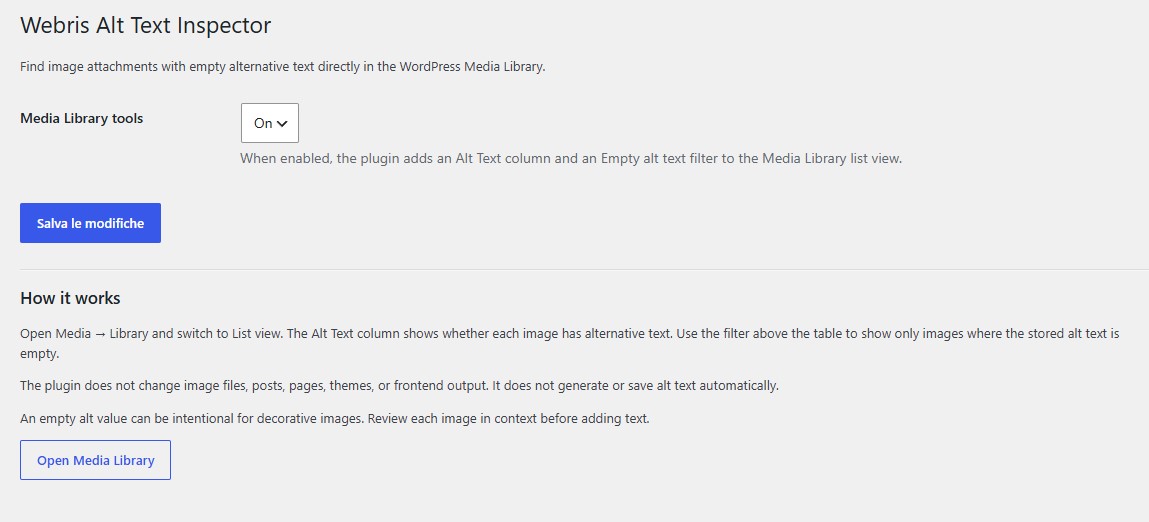
- Go to Settings > Webris Alt Text Inspector to confirm that Media Library tools are On.
- Open Media > Library and switch to List view.
- Use the Alt Text column or the Empty alt text filter.
FAQ
-
Does the plugin change my images or content?
-
No. The plugin reads the alt text stored by WordPress and displays its status in the Media Library. It does not automatically save or change alt text.
-
Does it add anything to the frontend?
-
No. There is no frontend output, script, stylesheet, credit, or link.
-
Does it send data to an external service?
-
No. The plugin makes no external requests and includes no analytics or telemetry.
-
Why can an image with empty alt text be intentional?
-
Decorative images can intentionally have empty alternative text. The plugin identifies empty values for review; it does not label them as accessibility errors.
-
Where do I see the Alt Text column?
-
Open Media > Library and use List view. WordPress does not show custom list-table columns in the Media Library grid view.
Reviews
There are no reviews for this plugin.
Contributors & Developers
“Webris Alt Text Inspector” is open source software. The following people have contributed to this plugin.
Contributors
Translate “Webris Alt Text Inspector” into your language.
Interested in development?
Browse the code, check out the SVN repository, or subscribe to the development log by RSS.
Changelog
1.0.0
- Initial release.